At the front desk, a guest is waiting, an event is about to start, or a customer needs Wi-Fi access before a sales conversation can begin. Staff need to issue a credential quickly, but they also need expiry rules, device limits, auditability, and a way to stop an old printed code from circulating indefinitely. That's where voucher printing software becomes more than a card designer. It connects a physical ticket, QR code, or receipt to a captive portal and an authentication policy.
This roundup compares ten resources by voucher creation, print and QR delivery, captive-portal behavior, authentication, controller compatibility, billing, analytics, staff permissions, and operational limits. It also separates traditional vouchers from IPSK, EasyPSK, social login, and social WiFi workflows, because Education, Retail, hospitality, and BYOD Corporate networks rarely need the same access model.
For Cisco Meraki deployments, Splash Access is a relevant reference point for WPA2, IPSK, EasyPSK, social login, social WiFi, Azure AD, SAML, marketing integrations, billing, and API-driven workflows. Social login can authorize a device through providers such as Google, Apple, Facebook, or LinkedIn while collecting verified profile details through an OAuth-based captive portal flow, as explained in this guest Wi-Fi social login overview. Cisco Meraki also supports sponsored guest access and identity-based PSK approaches, but the right choice depends on how much control your staff and network administrators need.
The list focuses on Wi-Fi access, captive portals, vouchers, authentication, and network operations. Images should likewise show Wi-Fi-related workflows only. If you're also evaluating retail promotions, keep guest connectivity separate from gift card pitfalls for Square, since a Wi-Fi voucher is an access credential, not automatically a stored-value product.
1. Voucher Printing Services for Guest Wi-Fi and IPSK
A hotel front desk, campus help desk, retail counter, or event team often needs guest access that can be issued fast, printed cleanly, and tied to the right policy. Splash Access fits that job well for Cisco Meraki environments because it combines cloud-based voucher creation with on-site printing, so staff can hand out a branded card, ticket, receipt, QR code, or barcode instead of sharing one network password.
The value is in how the credential is controlled. A voucher can carry expiry rules, single-use or time-limited access, and a Meraki role or IPSK and EasyPSK profile. That gives administrators more control than printing one WPA2 key for everyone, and it lets staff choose the right onboarding path for each guest, whether that means scanning a QR code, entering a short code in a captive portal, or using a social login flow.
Where the workflow earns its place
The cloud dashboard centralizes templates, branding, access rules, and reporting. That matters for sites with several reception desks or campuses, because one administrator can define the policy while local staff handle the physical handoff. It also matches the broader voucher system for guest Wi-Fi, where issuance and redemption stay part of one operational flow instead of separate design and network tasks.
Splash Access also connects this workflow with Azure AD, SAML, marketing tools, billing, and APIs. Those integrations can support corporate guest access, student networks, retail data capture, and paid connectivity, but teams still need to confirm the Meraki dashboard setup and identity path before rollout. That is especially true when guest-data collection or consent handling is part of the captive portal.
Pros
- Flexible credentials: Use vouchers alongside IPSK and EasyPSK policies, expiry rules, single-use access, and Meraki role mapping.
- Fast onboarding: Printed cards and QR or barcode delivery reduce typing for guests and front-desk staff.
- Centralized governance: Manage branding, validity, issuance, and reporting from a cloud workflow.
- Broad vertical fit: Hotels, events, retail, education, and offices can use different templates and access policies.
- Integration potential: Azure AD, SAML, marketing, billing, and API connections reduce the need for custom development.
Cons
- Meraki dependency: It is designed for Cisco Meraki environments and is not a standalone controller-neutral product.
- Physical logistics: Printers, kiosks, paper, and staff procedures still need to be maintained.
For organizations that want printed guest onboarding without giving up per-user control, analytics, or a path toward IPSK and social WiFi, this workflow fits the operational model better than a basic shared password sheet.
2. Ubiquiti UniFi Network Hotspot Manager
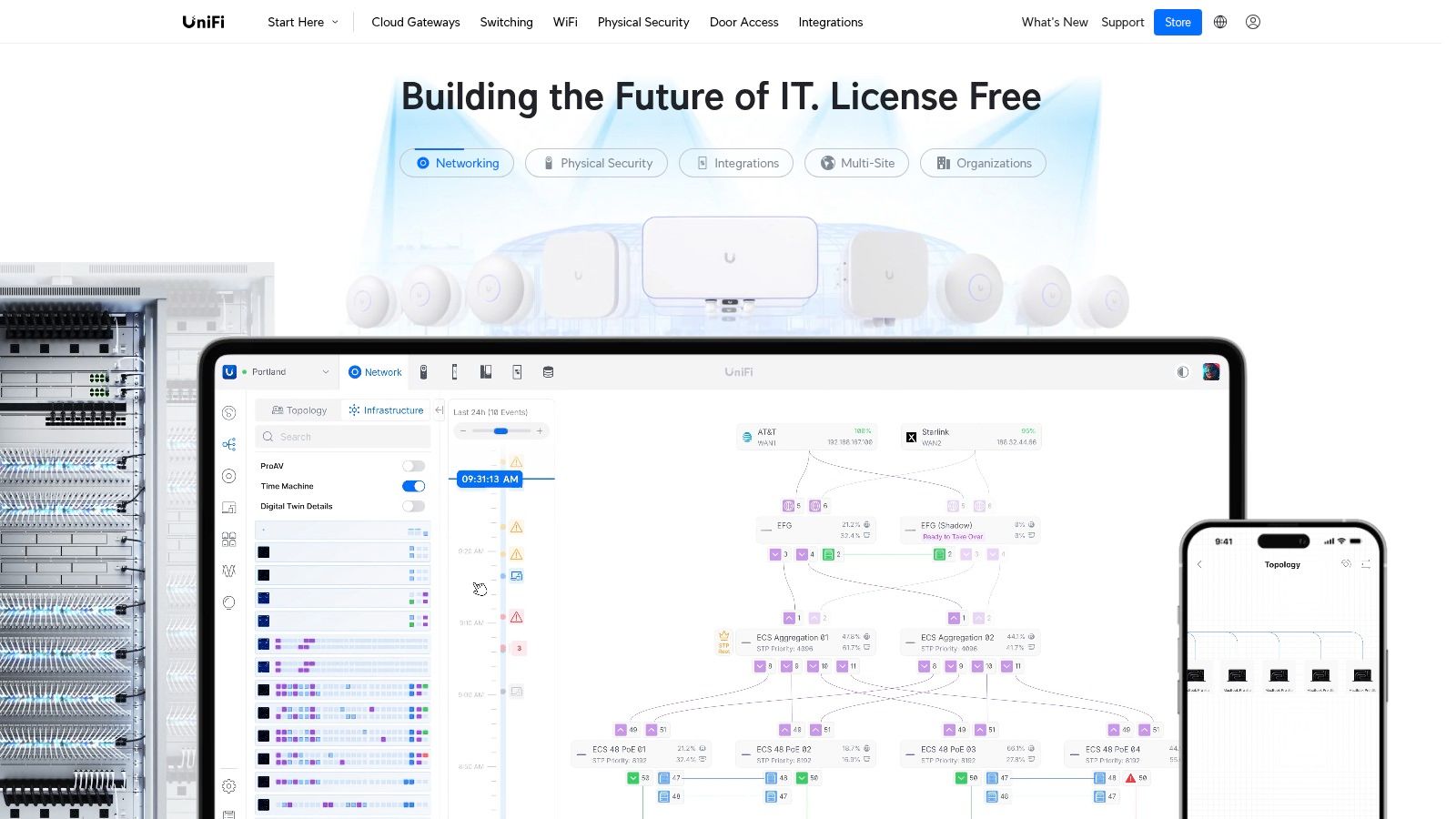
A UniFi site that already runs guest Wi-Fi can keep voucher printing inside the same controller, which helps front-desk staff work from one familiar interface. Staff can generate individual or batch codes, set time or data limits, and print voucher sheets for handout at reception, a kiosk, or an event desk.
That setup fits hotels, cafés, coworking spaces, and retail locations that want printed onboarding without adding another portal to maintain. Operator accounts can limit what staff can do, so a receptionist can issue codes without getting full administrative access. In hospitality and retail, that reduces training overhead. In education and BYOD corporate environments, it also keeps guest access separate from broader network changes.
The trade-off is control, not convenience
UniFi's main advantage is that voucher creation sits close to the access points and captive portal. The drawback is that the workflow follows the UniFi Network application, so menu changes, print formatting, and voucher layout can shift with controller updates. Teams should document the exact steps for creating and reprinting vouchers before handing the process to reception staff.
The native output is serviceable, but it is not built for heavy branding or multi-step guest journeys. Sites that need consent capture, social login, billing, or richer reporting usually need a separate portal layer. A UniFi hotspot portal workflow can help when the network team wants UniFi hardware at the edge and a more structured captive portal for guest onboarding.
For printed guest access, the key question is operational fit. If the venue only needs simple code issuance and basic limits, UniFi's built-in manager keeps the process short. If the site expects QR-based onboarding, tighter guest-data handling, or a clearer path to social WiFi and policy-based access, the native tool may feel too narrow.
Pros
- Built into UniFi: Voucher generation stays inside the UniFi Network environment.
- Staff-friendly issuance: Batch codes and print views support reception workflows.
- Access control: Operator roles can restrict what non-admin staff can change.
- Good fit for existing deployments: It suits sites already standardized on UniFi access points.
Cons
- Controller dependence: The workflow changes with UniFi interface and version updates.
- Limited presentation: Printed vouchers may need extra work for polished branding.
- Less suited to complex portals: Advanced consent, social login, and reporting usually require another layer.
For a single-site hospitality or retail deployment, native vouchers may be enough. Education and BYOD corporate teams should test segmentation, identity handling, and reporting before treating the print feature as a complete authentication strategy.
3. TP-Link Omada SDN Hotspot Manager
A small hotel, retail chain, or campus that already runs TP-Link Omada often needs a voucher flow that does not add another system to maintain. Omada's Hotspot Manager fits that setup. It can generate codes, apply time or data limits, and print or export vouchers for front-desk use.
The practical question is not whether the feature exists, but how much of the guest journey Omada can handle on its own. A receptionist can issue access without full administrator rights if roles are set correctly, which keeps day-to-day onboarding separate from network administration. That matters in places where staff members answer guest questions and manage access at the same desk.
Good fit for controlled, low-friction issuance
For simple guest Wi-Fi, the appeal is obvious. Voucher creation stays inside the Omada environment, so access points, controller settings, guest policies, and printing all sit in one place. That reduces tool switching for staff and keeps the workflow predictable.
The limits appear once the site needs more than basic issuance. Marketing capture, payment flows, richer automation, and identity-system integration can push the setup beyond what the native workflow handles cleanly. In those cases, teams often need extra configuration or a separate portal layer, such as a TP-Link captive portal deployment, to cover the guest experience more fully.
The best test is operational, not visual. Check redirect behavior, code expiry, device handling, print layout, and what happens if a guest loses the ticket or a printer fails mid-shift.
Pros
- Platform-native access: Basic voucher issuance stays inside Omada.
- Staff-friendly controls: Operator roles can limit front-desk permissions.
- Practical limits: Time and data rules can be applied to vouchers.
- SMB fit: The feature set suits smaller venues with tighter budgets.
Cons
- Integration effort: Automation and marketing workflows may need extra work.
- Controller learning curve: Staff may need training on roles and settings.
- Branding limits: Printed and exported vouchers should be checked before use.
Omada works best where the network team wants a contained controller stack and a straightforward guest-access process. It is a weaker fit for venues that need social WiFi journeys, detailed campaign tracking, or a consistent voucher workflow across different wireless vendors.
4. IronWiFi
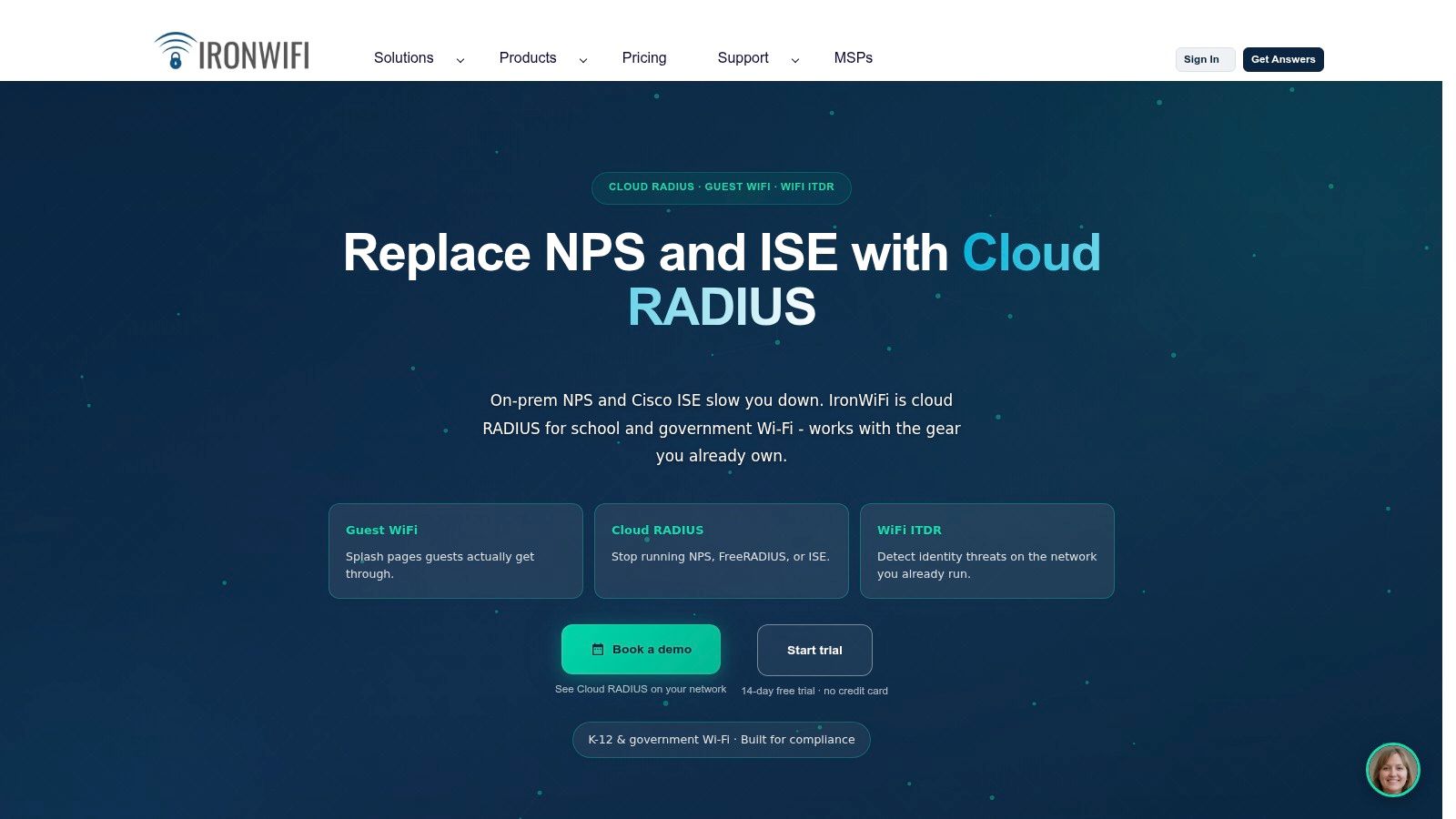
A front-desk team can use IronWiFi to batch-create vouchers, print them from a browser, or export them as PDFs while the authentication layer stays hosted. That setup suits hotels, campuses, coworking spaces, and other guest Wi-Fi environments where printed access still matters. Paid-access deployments can also set tariffs, time or data caps, and device limits, which makes the tool relevant for networks that treat guest connectivity as a controlled service.
The operational trade-off is clear. With a cloud service, the question shifts from whether a controller has a decent print screen to whether the access point, gateway, or wireless stack can work cleanly with hosted RADIUS and captive-portal authentication. For organizations spread across multiple sites, or for teams with limited on-site IT support, centralized administration can reduce the amount of local setup each location needs.
The workflow also fits cases where printed vouchers are only one part of onboarding. QR-based access, social login, Cisco Meraki-style guest flows, IPSK, EasyPSK, and social WiFi journeys all depend on different identity and portal choices, so the key test is how much of that process IronWiFi can support within the plan you choose. If the venue only needs a simple voucher path, that may be enough. If it needs tighter guest-data handling, more integration points, or a consistent process across mixed hardware, the dependency list deserves close review.
A live test should cover more than first-time printing. Staff need to know how a voucher is voided, how reprints are tracked, what happens during a connectivity interruption, and which integrations are included in the selected tier. Those details matter in hospitality, retail, education, BYOD corporate environments, and other guest Wi-Fi scenarios where the printout has to line up with actual operations.
Pros
- Browser-based issuing: Staff can print or export vouchers without learning controller-specific tools.
- Managed access model: Hosted authentication fits sites that want centralized control.
- Usage controls: Time, data, and device limits support paid or policy-driven access.
- Role separation: Operators and administrators can be split by permission.
Cons
- Hosted dependency: The network must validate RADIUS, portal, and firewall behavior together.
- Plan boundaries: Needed integrations may depend on the subscription tier.
- Less local control: A fully controller-only workflow is not the best fit.
5. Antamedia WiFi Hotspot and Hotspot Billing
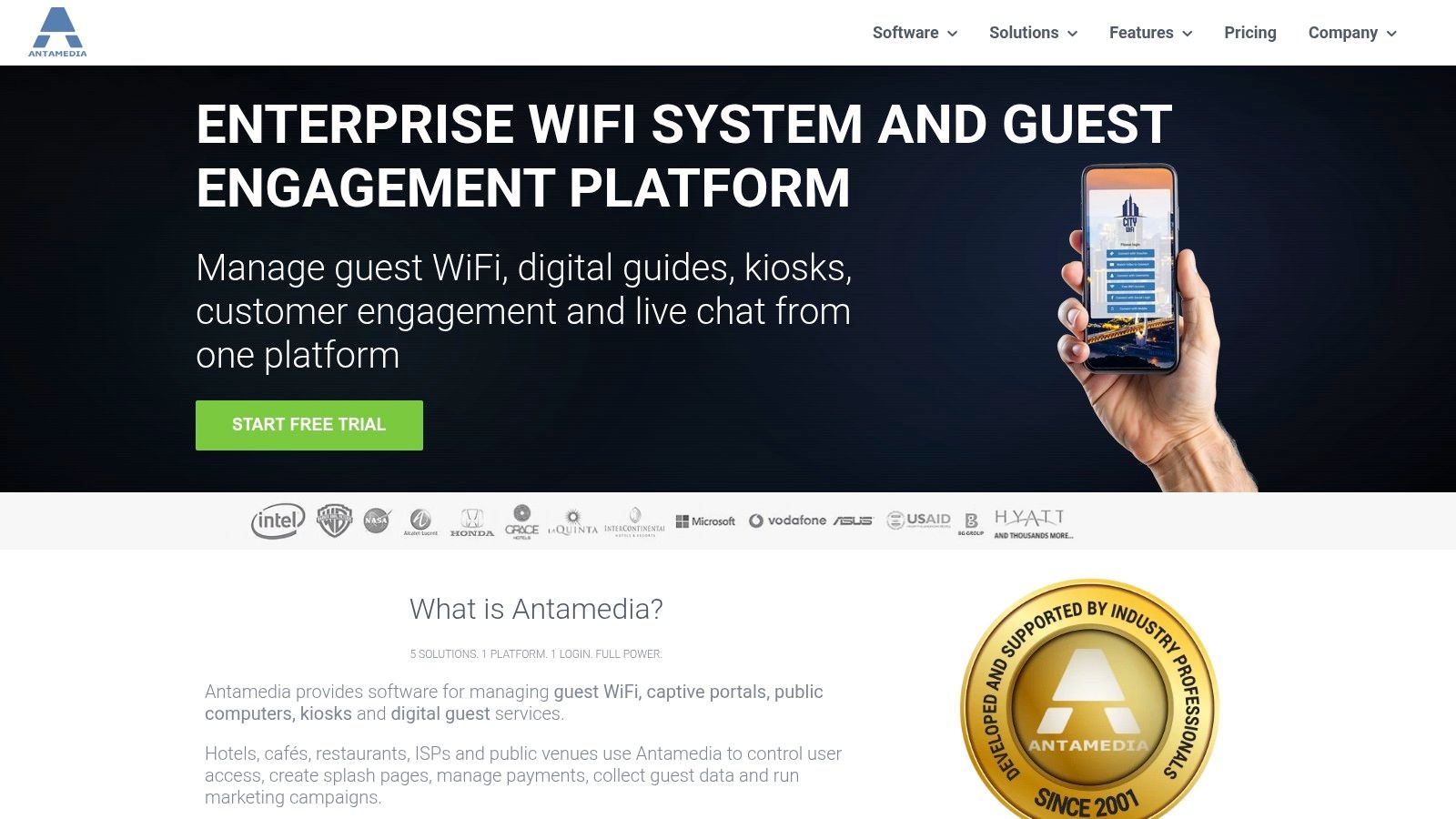
A resort selling day access, a marina issuing visitor passes, or a managed venue running paid guest Wi-Fi needs more than a printer. Antamedia WiFi Hotspot and Hotspot Billing combines voucher, ticket, and coupon access with batch printing, captive-portal controls, and cloud or on-premises deployment. Hotel operators can also investigate its PMS integration options.
The product suits a point-of-sale-style workflow. Staff can issue access plans, apply usage limits, charge for connectivity, and provide printed credentials. An on-premises installation may suit organizations with strict local-control or data-location requirements. The same model is distinct from controller-native IPSK, Cisco Meraki guest workflows, social login, and social WiFi. Those approaches can reduce printing, while Antamedia centers the ticket and the access transaction.
Validate the operating model before migration
Antamedia's long product history means older documentation may not describe the current cloud offering. A trial should test the captive portal against the site's gateway, confirm controller compatibility, and show whether the required hotel or billing connection is included or needs extra configuration. If QR-based onboarding is planned, verify that output separately rather than assuming a printed ticket supports it.
Migration from an older installation needs its own checklist. Confirm how voucher states, staff accounts, printer behavior, and guest policies are handled. Reprinting, revoking, and auditing credentials should be tested with the front desk, not only by the network team. A gateway billing service approach keeps the evaluation focused on payment, authentication, and access enforcement, rather than print layout alone.
Where it fits
- Mature voucher model: Tickets, coupons, batches, and access limits support varied venues.
- Billing support: Paid connectivity can sit alongside guest access.
- Deployment choice: Cloud and on-premises options allow different control models.
- Hospitality relevance: PMS integration may support hotel operations.
Trade-offs
- Current-state uncertainty: Confirm cloud capabilities in a live evaluation.
- Sales-led details: Pricing and feature boundaries may require direct discussion.
- Implementation scope: Billing, gateway, portal, and printer setup can involve several teams.
Antamedia fits venues treating Wi-Fi as a managed service or revenue stream. Small offices with occasional guests may need a simpler workflow.
6. Cambium Networks cnMaestro and EasyPass
Cambium Networks' cnMaestro management environment and EasyPass support guest access through voucher, free, and paid modes. Administrators can create guest passes for printing or export, while the cnConcierge mobile app lets front-desk staff issue credentials away from a fixed workstation.
That changes the practical setup for resorts, multi-site venues, and event teams. Staff can register guests at a lobby queue, pool area, conference entrance, or temporary reception point rather than directing everyone to a back-office computer. The network team still defines expiry, usage limits, portal behavior, and the access level available to voucher-only operators.
A printed pass may suit a walk-in hotel guest, while an exported credential can support a pre-arrival or remote workflow. Teams should also decide whether the portal uses shared voucher authentication or a more accountable identity-based method. That distinction matters for education, BYOD corporate networks, and other environments where guest access records need to identify users or devices more clearly.
Test the workflow across locations
Cambium's Integrated stack connects access points, guest management, and centralized administration. That can reduce support boundaries when a site already uses Cambium wireless equipment. For distributed venues, test whether templates, policies, reporting, and operator permissions remain consistent from one location to another.
The cnConcierge process deserves a live staff trial, not just a technical review. Print or export a pass, confirm the Mobile operations workflow, follow the portal redirect, reconnect a second device, then revoke and reissue the credential. Check how the system handles device limits and whether the same steps work at each venue.
Advanced guest features may require paid licensing tiers, and role scoping has changed over time. Verify the current subscription and permissions before training reception staff.
Cambium offers Multi-site potential and Flexible access modes, with free, paid, and voucher workflows available within the same ecosystem. Its strongest fit is hospitality groups and venues that already operate Cambium wireless infrastructure. Education and BYOD corporate deployments should compare those vouchers with identity-based access before prioritizing convenient issuance over individual device accountability.
7. RUCKUS Networks Guest Pass and Cloudpath
A hotel receptionist can print a guest pass at check-in, while a university sends a sponsor-approved credential before a visitor arrives. RUCKUS supports these workflows through SmartZone controllers and cloud-managed services. Guest managers can create passes for hotels, venues, and campuses, then print them from a browser or send them by email or SMS. Cloudpath adds a more developed onboarding path for sponsored access and other delivery options.
The operating model determines whether those options are useful. Printed credentials suit walk-in guests and front-desk service. A digital message can support pre-arrival registration. If a team plans QR-based onboarding, it should confirm how the code reaches the captive portal, which authentication method follows it, and whether the guest can reconnect a second device without staff intervention. Those checks matter more than the availability of several delivery channels.
RUCKUS fits hospitality and education organizations already using its wireless infrastructure. It can also suit corporate offices where role-based guest-manager permissions let reception staff issue access without changing wireless policy. Teams comparing platforms should distinguish this pass-based workflow from Cisco Meraki, IPSK, EasyPSK, social login, and social WiFi approaches. Each may suit a different balance of identity, convenience, device accountability, and guest-data collection.
Test the production path before rollout
Capabilities vary by SmartZone controller, cloud service, and software version. Cloudpath is a separately licensed layer, so map the intended print, SMS, email, sponsored-access, and captive-portal flow to the actual subscription. Review what guest information the workflow stores and who can view it.
Run a live test with sponsor approval, pass expiry, staff permissions, portal behavior on phones and laptops, and guest reconnection. Check whether the process works after a pass is revoked and whether front-desk staff can complete it without technical assistance.
RUCKUS offers Enterprise alignment, Multiple delivery routes, Sponsored access, and Operator workflows for organizations with an established RUCKUS program. Separate licensing, Version variation, and Deployment complexity make it a weaker fit for small venues seeking controller-neutral voucher printing.
8. WitRADIUS
A hotel group, campus operator, or managed hotspot provider may need more than printed vouchers. WitRADIUS combines hosted AAA, captive-portal services, batch voucher generation, printable cards, live usage tracking, and role hierarchies. Its Admin, Distributor, and Operator model suits organizations where regional teams and local staff share responsibility for guest access.
The hierarchy shapes the operating model. A distributor or regional manager can oversee several venues, while a local operator issues or checks codes without changing wider network settings. That separation supports accountability and limits accidental policy changes. It also gives chains a clearer record of which team handled a credential.
Check the hosted workflow before deployment
WitRADIUS documentation describes an availability commitment, but buyers should review the current service terms and confirm what it covers. Hosted authentication reduces local maintenance for lean IT teams, while creating dependencies on internet access, the platform, and compatible router or access-point configurations. OpenWrt or WitWrt-oriented setups may fit some deployments better than mixed-vendor estates.
Test the RADIUS authentication workflow for Wi-Fi from printed or QR-based onboarding through captive-portal login, accounting, voucher status, and guest reconnection. Include expiry, revocation, temporary service loss, realistic traffic, and phone and laptop behavior. Staff should be able to issue access without technical assistance, and administrators should know what guest data is stored and who can view it.
For the right operator, Hosted operations, Batch printing, Usage visibility, and Role hierarchy support delegated service delivery across multiple sites. Vendor footprint, Hardware fit, and Service reliance require closer review. Support responsiveness may matter more for a smaller regional deployment, and router onboarding depends on compatible configurations.
WitRADIUS fits hotel groups, distributors, and managed hotspot operators with centralized oversight and local voucher handling. A small office with one administrator may gain little from its layered permissions.
9. WiFi Tycoon
A UniFi venue that sells guest access may need more than a temporary voucher. WiFi Tycoon adds commercial workflows around UniFi, including print-ready PDF batches, customizable voucher cards, SMS or email delivery, and voucher lifecycle tracking through a UniFi API connection.
Its value is strongest when connectivity forms part of the venue's service model. A hotel group, paid hotspot, or other multi-site operator may need payment handling, cash-voucher sales, revenue reporting, and measures such as average revenue per user and retention. These functions support staff who issue printed or digital credentials, while administrators can review whether codes were created, delivered, used, or still active.
Fit the workflow to the controller
WiFi Tycoon extends UniFi without requiring an access-point replacement. That advantage narrows in mixed-controller estates, where Cisco Meraki, IPSK, EasyPSK, social login, or social WiFi workflows may belong to a different controller or authentication design. Buyers should confirm that the captive portal, authentication choice, and API permissions match the intended guest journey before committing.
A practical pilot should cover printed and QR-based onboarding where used, captive-portal redirects, code synchronization, payment failures, refunds, and reconciliation. Staff also need a clear process for revoking access after a dispute. Check whether the system records guest contact or usage data, who can view it, and how those records fit the venue's guest-data practices.
Payment options depend on geography. Confirm support for the card and mobile-money methods used at each location, then test multi-site reporting with the actual staff roles.
Operational strengths
- UniFi extension: Adds voucher and billing tools without a hardware change.
- Revenue focus: Supports cash vouchers, billing, and paid access.
- Flexible delivery: Print, SMS, and email suit different guest preferences.
- Multi-site view: Helps operators oversee several UniFi locations.
Operational limits
- Vendor concentration: Mixed-controller networks may gain less value.
- Regional payment limits: Card and mobile-money availability varies by market.
- Integration testing: API synchronization must work before staff rely on it.
WiFi Tycoon fits a UniFi-based venue that wants to monetize guest connectivity. Free, occasional vouchers used mainly for access control usually do not need its commercial layer.
10. WAVER
A resort, marina, or venue can use WAVER to issue branded guest Wi-Fi vouchers from an appliance-based gateway, rather than assemble separate portal and voucher components. The gateway manages access codes, time or data limits, QR login, and paid access flows. That defined stack can reduce setup choices for a smaller hospitality operation.
A printed QR code gives guests another route through onboarding. They scan instead of typing credentials, while the venue still applies the access policy behind the captive portal. Paid plans and guest analytics extend the system beyond basic access control, connecting onboarding with payment and usage review. Those features also make guest-data handling part of the buying decision.
The trade-off is architectural. WAVER works best when the gateway is central to the network. A venue with existing firewalls, access points, VLANs, or controller-managed captive portals should test the complete path before replacing or adding equipment. Compatibility includes redirect behavior, authentication handoffs, payment processing, and ownership of support when a guest cannot connect.
A focused pilot should answer operational questions that product demonstrations often leave open: who configures the printer, how staff revoke a voucher, whether a QR credential can be safely duplicated, and how analytics relate to guest consent. Confirm software, service, and payment terms directly, since availability and pricing may depend on the deployment.
Operational fit
- Branded output: Printed vouchers can support a polished hospitality check-in.
- QR onboarding: Scanning reduces credential entry for guests using phones.
- Paid access: Gateway checkout supports commercial connectivity plans.
- Appliance model: A defined hardware and software stack may simplify smaller deployments.
Deployment constraints
- Gateway dependency: The model fits venues prepared to adopt WAVER's architecture.
- Mixed-network limitations: Existing controllers may require extra design and integration work.
- Sales-led evaluation: Buyers should verify software, services, printer responsibilities, and payment details before purchase.
WAVER suits hospitality venues that want appliance-style guest Wi-Fi with printed or QR-based access. Cisco Meraki, UniFi, Omada, and other established controller environments should validate compatibility first, especially where replacing the current gateway would affect staff workflows or guest authentication.
Top 10 Voucher Printing Solutions for Guest Wi‑Fi
| Solution | Core features | UX / Quality ★ | Value / Pricing 💰 | Target Audience 👥 | Unique / Standout ✨🏆 |
|---|---|---|---|---|---|
| Splash Access, Voucher Printing Services | Cloud voucher & IPSK, QR/barcode, branded templates, Meraki + API integrations | ★★★★★ | 💰 SaaS (requires Splash + Meraki) | 👥 Hotels, retail, education, events | ✨ IPSK + Meraki tie‑ins, analytics, built‑in billing, turnkey 🏆 |
| Ubiquiti UniFi – Hotspot Manager | Voucher generator, print sheets, operator accounts | ★★★★☆ | 💰 Included with UniFi (low cost) | 👥 SMBs, hotels, venues | ✨ Built‑into UniFi; large community support |
| TP‑Link Omada – Hotspot Manager | Vouchers, print/export, operator roles | ★★★★☆ | 💰 Controller‑included; strong price/value | 👥 Budget hotels, retail, SMBs | ✨ Affordable controller‑based solution |
| IronWiFi | Cloud RADIUS, voucher PDF/print, paid plans, tariffs | ★★★★☆ | 💰 SaaS (tiered plans; paid access) | 👥 Hotels, campuses, coworking | ✨ Cloud RADIUS + paid tariffs; US commercial support |
| Antamedia – WiFi Hotspot / Billing | Voucher & ticket workflows, billing, cloud/on‑prem, PMS | ★★★☆☆ | 💰 Cloud or on‑prem (contact sales) | 👥 Hotels, managed venues | ✨ Mature billing/PMS integrations |
| Cambium – cnMaestro / EasyPass | Voucher portal, printable passes, cnConcierge app | ★★★★☆ | 💰 Included in ecosystem; paid tiers for advanced | 👥 Multi‑site venues, enterprises | ✨ Mobile cnConcierge + scalable stack |
| RUCKUS – Guest Pass / SmartZone / Cloudpath | Printable passes, email/SMS delivery, sponsored access | ★★★★☆ | 💰 Enterprise pricing; Cloudpath extra | 👥 Hotels, campuses, enterprises | ✨ Enterprise-grade delivery (print/email/SMS), sponsored access 🏆 |
| WitRADIUS | Batch vouchers, hosted AAA, multi‑tenancy, live tracking | ★★★★☆ | 💰 SaaS (99.9% SLA) | 👥 Chains, distributors, multi‑tenant ops | ✨ Multi‑tenancy + hosted AAA for distributors |
| WiFi Tycoon | UniFi integration, print‑ready PDFs, billing & revenue analytics | ★★★★☆ | 💰 Add‑on SaaS (paid plans) | 👥 Venues monetizing UniFi networks | ✨ Billing/ARPU analytics on top of UniFi |
| WAVER (Waver USA) | Gateway voucher manager, QR login, paid checkout, printable passes | ★★★★☆ | 💰 Appliance/service (contact sales) | 👥 Hotels, resorts, marinas, venues | ✨ Appliance approach with integrated payments and QR login |
Choose the Workflow Your Network Can Support
The first decision isn't the printer. It's the wireless architecture. Identify the existing controller, access points, VLAN design, captive-portal method, RADIUS path, and firewall rules before comparing voucher templates. A beautifully branded ticket has little value if the controller can't validate it, the portal can't redirect reliably, or staff can't revoke access after a guest loses the card.
Next, define the credential model. Traditional vouchers work well when reception needs to issue temporary access quickly, especially for hotels, events, retail visitors, and short-term campus guests. IPSK and EasyPSK are better suited to private, identity-aware access where each resident, tenant, employee, student group, or device needs a distinct key on a shared SSID. Cisco Meraki's documentation shows IPSK with RADIUS as a named authentication mode configured through Access Manager, rather than as a generic shared-password technique. That distinction matters for BYOD Corporate and Education networks where segmentation and accountability may outweigh the convenience of a printed pass.
Social login and social WiFi introduce a different trade-off. They can reduce code distribution and support marketing capture, but they require a clear consent experience and a policy for the profile data collected. A Meraki guest flow may support email, social login, or SMS, while a personal key can serve a resident, tenant, or device group on one shared SSID, according to this Meraki guest Wi-Fi implementation guidance. Don't treat social login as a replacement for every voucher. A visitor who won't share an email may still need a controlled, time-limited pass.
Use this evaluation sequence:
- Confirm controller compatibility: Test the actual Cisco Meraki, UniFi, Omada, RUCKUS, Cambium, gateway, or RADIUS configuration.
- Map credential behavior: Document expiry, single-use rules, device limits, partial redemption, reprints, voids, and reconnection behavior.
- Inspect the physical workflow: Check printer drivers, paper format, kiosk placement, QR scanning, barcode readability, and replacement procedures.
- Separate staff roles: Give reception, teachers, retail associates, event operators, and network administrators only the permissions they need.
- Review data handling: Decide whether the deployment uses vouchers, social login, social WiFi, SMS, SAML, Azure AD, or no guest-data capture.
- Test commercial features: Validate tariffs, checkout, billing reconciliation, payment failure handling, and refund or cancellation procedures.
- Measure operational reporting: Confirm that issued, active, expired, voided, and redeemed credentials can be reviewed.
- Check integration effort: Ask whether APIs, marketing tools, identity providers, hotel PMS systems, and analytics are included or require custom work.
- Run a failure test: Disconnect the printer, interrupt the portal path, lose the WAN connection, and revoke a code while staff are serving guests.
- Read support terms: Verify response channels, controller-version coverage, service commitments, and escalation ownership.
The best fit changes by environment. Hospitality usually needs fast reception issuance, branded QR cards, expiry controls, paid access, and PMS or billing connections. Retail may prioritize social WiFi, marketing consent, campaign attribution, and a simple QR journey. Education needs stronger segmentation, sponsored visitors, delegated staff roles, and a clear distinction between student access and guest access. BYOD Corporate environments often need IPSK, EasyPSK, SAML, Azure AD, device-specific policies, and reporting that doesn't rely on one shared credential.
Cisco Meraki organizations may want to prioritize Splash Access when they need voucher printing alongside WPA2, IPSK, EasyPSK, social login, social WiFi, billing, marketing, and API workflows. Other deployments should validate controller compatibility first, then compare whether a native hotspot manager, hosted RADIUS platform, gateway appliance, or commercial voucher layer best matches the network they already operate.
The best tool is the one that makes secure onboarding repeatable for both staff and guests.
Start with one real service path, such as hotel check-in, a campus visitor desk, a retail shopping-center campaign, or a corporate reception workflow. Print the credential, scan it, authenticate a test device, apply the intended policy, revoke it, and confirm the event appears in reporting. That practical test will reveal more than a feature list because it exposes the handoffs between people, printers, captive portals, authentication systems, and network controls.
Splash Access brings Cisco Meraki captive portals, WPA2, IPSK, EasyPSK, voucher printing, QR onboarding, social WiFi, billing, marketing integrations, and API-driven workflows into one guest Wi-Fi platform. Visit Splash Access to explore a voucher workflow that connects secure authentication with practical front-desk and visitor operations.