A café manager once ordered 5,000 coupon printing paper sheets for a weekend promotion. The design looked excellent on screen, but the finished coupons curled at the edges, jammed the inkjet tray, and smudged when staff handed them to customers. The problem wasn't the artwork. It was the paper.
Coupon paper has to survive a particular journey. It might sit on a counter, pass through many hands, spend a week in a wallet, or carry a Wi-Fi access code that someone scans from a dashboard. The right choice depends on where the coupon will live, who will handle it, and what you want it to feel like. Treat paper as part of the customer experience, not as a commodity selected after the design is complete.
Starting With the Right Coupon Paper Mindset
Start with the environment, not the printer catalogue. A coupon displayed beside a till has different needs from a loyalty card kept in a wallet, while a hotel voucher may move from a front desk to a guest's pocket within minutes. A printed offer for a poolside bar also faces more moisture and handling than one placed inside a dry retail bag.
Ask three practical questions before choosing stock:
- Where will the coupon live? A counter card can use a different finish from a refrigerator magnet, a receipt-style voucher, or a warranty coupon that needs to remain readable for years.
- Who will touch it? Staff, shoppers, students, hotel guests, and office visitors all handle printed material differently. High-touch coupons need surfaces that resist scuffing and fingerprints.
- What should it feel like? Flexible and disposable can suit a one-time offer. A firm, smooth card suggests that the customer should keep it and use it again.
Practical rule: Choose paper according to the coupon's entire life, not just the moment it leaves the printer.
Paper history shows why physical format still matters. Coca-Cola distributed the first known paper coupon in 1887, offering one free glass of Coke. By 1913, one historical account describes about 8.5 million people redeeming a free drink, and by 1965, roughly half of Americans were using coupons. Newspaper inserts later made printed offers easier to distribute at scale, before digital formats became common. These milestones are documented in this history of couponing.
The lesson for a first-time buyer is simple. A coupon is a small piece of packaging, signage, promotion, and sometimes authentication. If it feels flimsy, fades quickly, or doesn't scan, the customer doesn't blame the GSM rating. They blame the business. Your venue, audience, and distribution channel should decide the weight, coating, finish, perforation, and printer before you place an order. Practical planning around customer engagement can also help you connect the physical offer with a useful digital experience, as outlined in these customer engagement best practices.
Paper Types Used for Coupons and Vouchers
Think of paper families as everyday stationery choices. Bond paper is like office copy paper, cardstock resembles an index card, coated stock feels like a magazine page, and thermal paper behaves more like a receipt that appears when a printer applies heat.
Bond paper for flexible everyday offers
Bond is affordable, light, and easy to fold. It works well for takeaway coupons, short-lived retail flyers, printed menus with detachable offers, and basic guest Wi-Fi vouchers. Inkjet and laser printers commonly handle it without special settings.
The trade-off is durability. Bond paper scuffs and creases more easily than cardstock, and uncoated fibres can absorb ink, making small text or dense colour look less sharp. Use it when the coupon has a short useful life and low production cost matters more than a premium hand feel.
Cardstock for coupons customers keep
Cardstock is the better choice for loyalty punch cards, appointment reminders, tear-off promotions, and retail offers that need to survive a wallet or handbag. It feels more substantial and gives perforated sections a cleaner, sturdier edge.
Many inkjet and laser printers support lighter cardstock, but thicker stock may require a manual feed or a printer setting designed for heavier media. Always test the actual sheet, especially if the design uses full-bleed colour or multiple perforations.
Coated paper for colour and shelf appeal
Coated paper has a smoother surface that helps logos, product photos, and strong brand colours look crisp. Matte coating gives a quieter, softer feel, while gloss creates a shiny, image-led finish. Retail shelf coupons and café promotion cards often benefit from coated stock when appearance is central to the offer.
Coating can reduce writability and may not suit every home or office printer. A pen can also behave differently on a sealed surface, so don't choose coated stock for a feedback coupon that customers need to complete by hand.
Thermal paper for fast voucher output
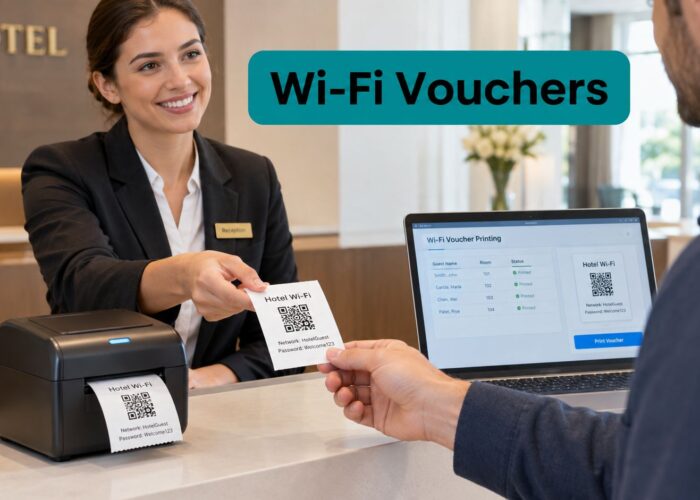
Thermal paper is the receipt-style option. A direct thermal printer creates the image through heat, so there's no traditional ink cartridge. That makes it useful for front-desk vouchers, queue tickets, and fast guest Wi-Fi access codes.
Thermal output is convenient but more sensitive to heat, sunlight, friction, moisture, and plasticizers. It also requires a thermal printer. A coated inkjet sheet won't work in a thermal receipt printer, and thermal rolls won't replace normal stock in an inkjet or laser device.
| Paper Type | Feel and Look | Best For | Watch Out For |
|---|---|---|---|
| Bond | Light, flexible, familiar | Short-term offers and basic vouchers | Scuffs, creases, and absorbs ink |
| Cardstock | Firm, sturdy, keeps its shape | Loyalty cards and tear-off coupons | May need a suitable feed path |
| Coated | Smooth, polished, strong colour | Product-led retail and hospitality promos | Less suitable for handwriting |
| Thermal | Receipt-like, fast, ink-free output | Wi-Fi vouchers and front-desk tickets | Heat and light can fade the image |
For a Cisco Meraki guest Wi-Fi workflow, a voucher printout may need to be produced quickly at reception and remain readable long enough for a guest to enter or scan the code. A Meraki voucher printing system can fit that operational use case, but the paper still needs to match the printer and the time the voucher must remain usable.
Paper Weights and Thickness Explained Simply
GSM, or grams per square metre, describes paper weight. You don't need to memorise a catalogue to make a good choice. It helps to think in terms of how the sheet behaves in your hand.
An 80 GSM sheet feels close to ordinary printer paper. It folds easily and suits a one-time printed notice or a simple receipt-style Wi-Fi voucher. At around 120 GSM, the sheet feels more like a handout or flyer. It has enough body for a retail coupon that customers may carry briefly, without becoming difficult to feed or fold.
Around 170 GSM, paper begins to feel postcard-like. This is a useful middle ground for a coupon that needs to sit in a wallet or display a strong colour design. At 250 GSM, the sheet feels closer to a stiff menu cover or a light card. That extra body suits loyalty cards, tear-off appointment reminders, and offers intended to stay in use.
What GSM means in production
For physical coupon stock, premium paper commonly falls in the 130 to 250 GSM range, while standard coupons are often recommended at 100 to 150 GSM. Premium booklets may use stock up to 300 GSM, although thicker paper can be harder to fold and finish. These practical ranges and trade-offs are covered in this coupon printing paper production guide.
Weight isn't the only consideration. Point thickness, often written as pt, measures the sheet's caliper. It matters when you're checking stack height, feeder clearance, folding, and how many sheets can sit in a tray. GSM and pt aren't identical because different paper materials can have different densities, but a print supplier can help you translate between the two.
A heavier sheet feels more valuable, but it isn't automatically better. It has to run reliably through the printer and suit the way the customer will use it.
For a first order, request a physical sample in the intended weight. Test a small batch through the exact inkjet, laser, or thermal printer, then fold, stack, tear, and handle the result. A guide to selecting heavy cardstock paper can also help when the coupon needs a firm, card-like finish.
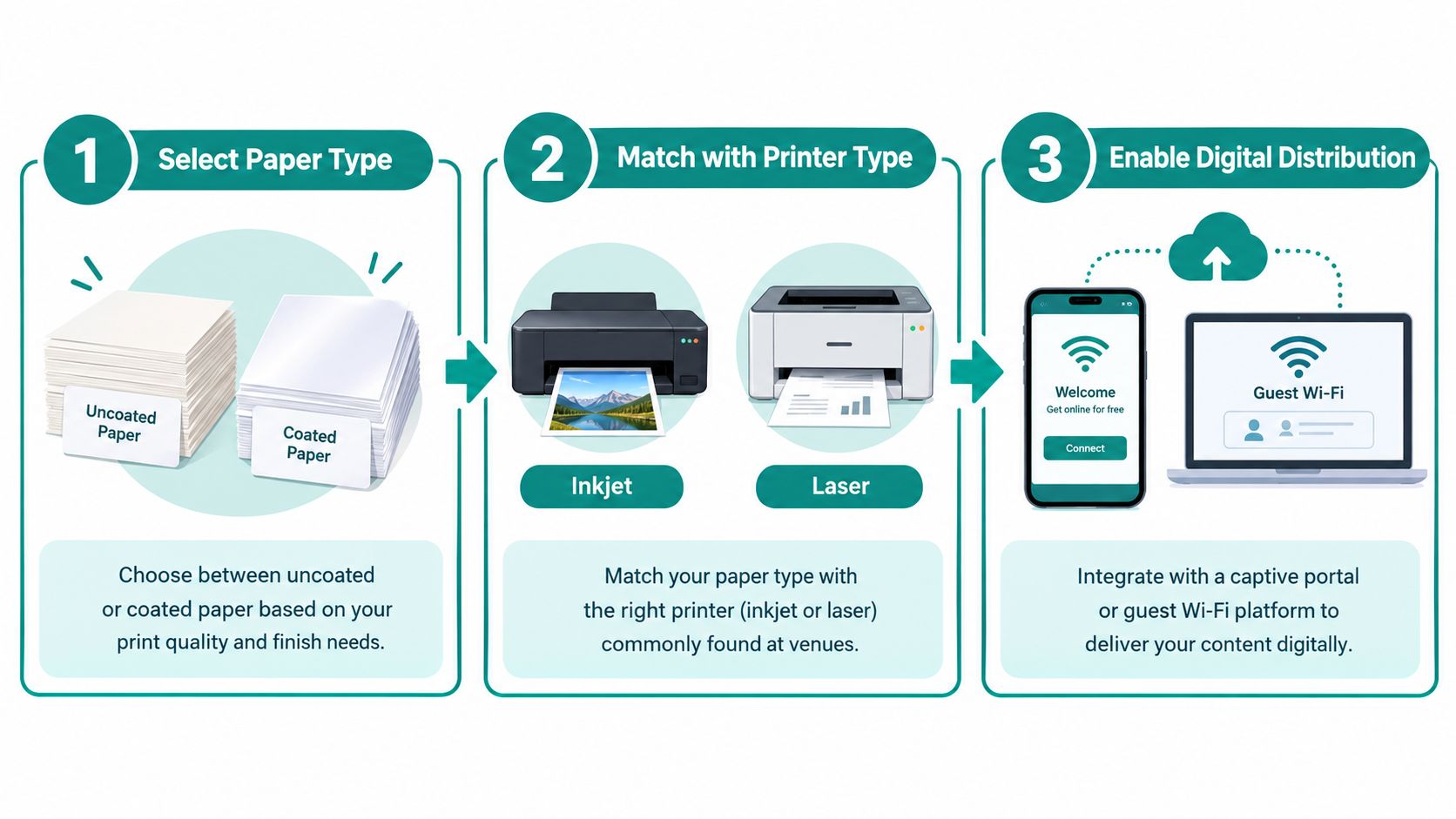
The same logic applies to digital distribution. A school may print temporary access cards for students, a retailer may issue a promotional Wi-Fi code, and a BYOD corporate office may provide a visitor voucher. The physical weight supports handling, while the captive portal delivers the digital step.
Coatings and Finishes That Change the Feel
A coating sits on top of the base sheet like a thin protective layer. It changes how ink rests on the surface, how colours appear, and how the coupon feels in a customer's hand. The right finish depends less on what looks impressive in a sample book and more on whether people will write on it, rub it, fold it, or expose it to moisture.
Matching the surface to the environment
Uncoated paper feels natural and accepts handwriting well. Use it for feedback coupons, tear-off cards, appointment notes, or forms where staff need to add a date or initials. It generally has a less polished appearance, but that can make the offer feel practical and approachable.
Matte coating reduces glare and gives a smooth, understated surface. It suits restaurant vouchers, retail promotions, and high-touch materials where fingerprints would distract from the message. Customers can usually read matte stock more comfortably under varied indoor lighting.
Gloss coating produces a shiny, photo-like finish. It helps product images and bold logos stand out on a dry café card or a retail promotion. The surface can show fingerprints and glare, and handwritten notes may be awkward.
Thermal paper adds another choice. A topcoated thermal sheet places a protective layer over the heat-sensitive image. That extra protection can help when a voucher will sit in a pocket, touch skin and oils, or rest on a dashboard. Non-topcoated thermal paper is suitable for quick, short-life receipts, but it offers less protection against everyday exposure.
| Finish | Feel and Look | Best For | Watch Out For |
|---|---|---|---|
| Uncoated | Natural and writable | Feedback cards and tear-offs | Ink can absorb into the fibres |
| Matte coated | Soft, smooth, low glare | High-touch retail and restaurant vouchers | May be less vivid than gloss |
| Gloss coated | Shiny and image-led | Product photos and promotional cards | Shows smudges and reflections |
| Thermal topcoat | Smooth protective receipt surface | Wi-Fi vouchers and pocket-held tickets | Still needs protection from heat and sunlight |
Durability becomes more important in unusual locations. A coupon used at a humid poolside bar needs more protection from moisture and handling than one stored in a dry office. For long-term warranty vouchers, choose a stock and finish designed for archiving rather than assuming a glossy surface will last indefinitely.
For direct thermal paper, neutral technical guidance places standard legibility at about 7 to 10 years under optimal indoor archive conditions, while specialty products can exceed 20 years. The same guidance recommends storage around 18 to 24°C and 40 to 60% relative humidity, with topcoatings or laminates for demanding environments. Those benchmarks come from this thermal paper storage and durability reference.
Perforation Tear Lines and Adhesive Options
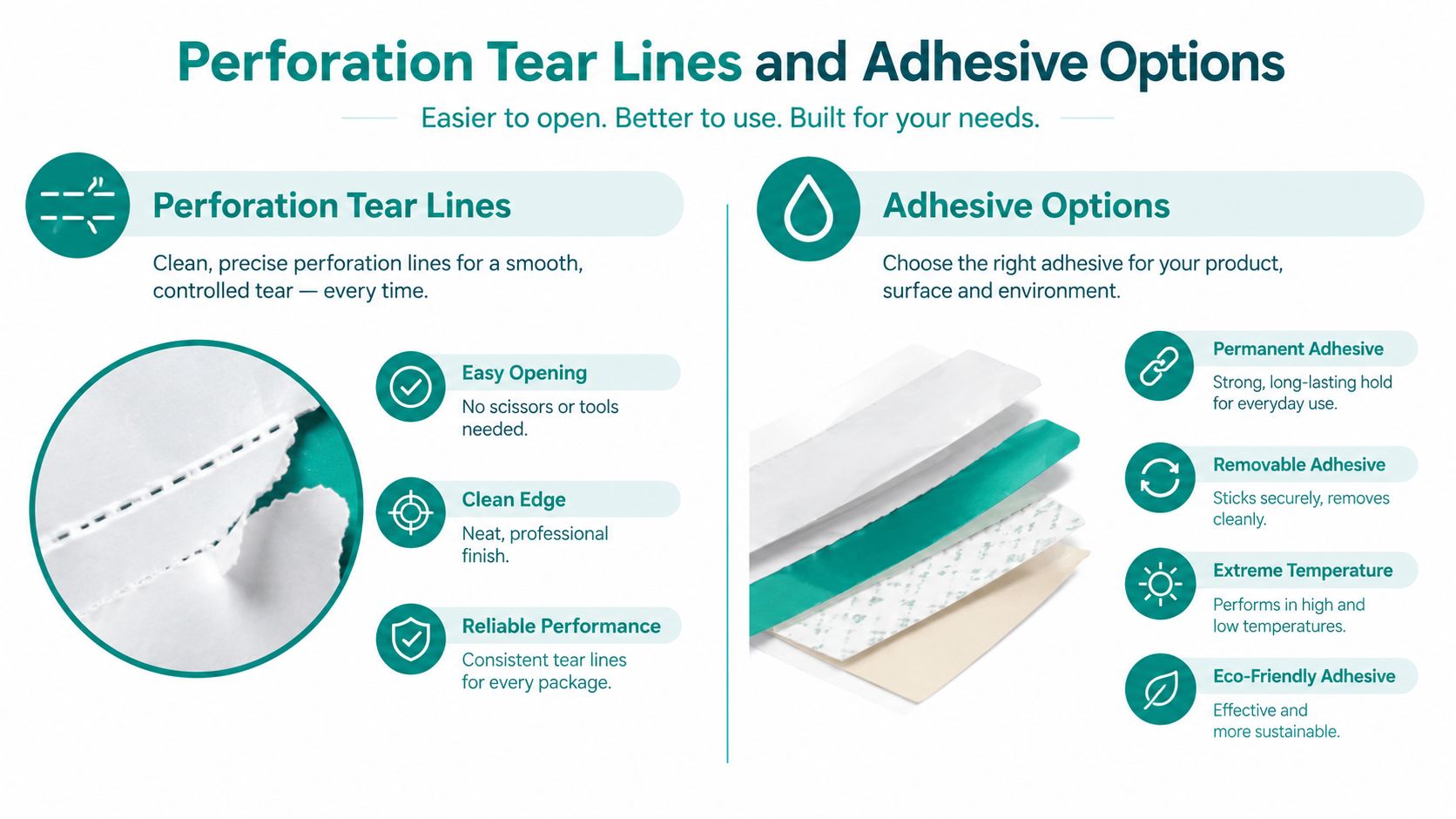
A flat printed sheet becomes much more useful when customers can separate, stick, or retain part of it without scissors. Perforation creates a controlled tear line, while adhesive turns a coupon into a label, decal, or repositionable reminder.
Choosing the tear pattern
Micro-perforations look like a fine dotted line. They allow a customer to tear a voucher cleanly from a sheet, which is useful for a hotel front desk handing out several offers on one page. The small holes should be strong enough to keep the sheet intact during handling but easy to separate at the point of use.
Partial perforation removes only part of a design. A booklet stub might give the customer one section while the business retains the other for redemption records. This format works well for appointment reminders, event tickets, and hospitality offers where both parties need a portion of the printed item.
Edge-to-edge perforation runs across the full width or length of the sheet. It suits postcard-style promotions with a quick tear along the bottom, or a printed card where the customer separates a redemption strip.
Test the tear direction with real users. If the paper pulls away from the printed area, leaves fibres, or bends the remaining portion, the format needs adjustment. A clean tear is part of the perceived quality.
Selecting an adhesive
- Full-back adhesive creates a peel-and-stick label for takeaway cups, packaging, loyalty cards, or shelf markers. It needs a smooth surface and a clear application instruction.
- Removable adhesive works for window decals and temporary retail signage. It can be repositioned more easily and is less likely to leave a permanent mark.
- Static cling uses surface contact rather than glue. It suits short-term window promotions where the business wants a clean removal and no adhesive residue.
The adhesive must match the surface, temperature, and expected duration. A label designed for a dry paper bag may fail on a chilled takeaway container, while a strong permanent adhesive can damage a painted window.
For hospitality teams, a printed Wi-Fi voucher can also carry a separate drink offer, room-service prompt, or return-visit message. A voucher printing service can support the operational side, but the printed format should still be tested at the counter where staff will tear, hand over, or attach it.
Printer Compatibility and Digital Onboarding
Paper only works when the printer, design, and digital workflow agree. Inkjet printers usually handle standard uncoated and coated bond papers, along with some lighter cardstock. Laser printers can handle many of the same formats, but the paper must tolerate the heat used by the fuser, or the sheet may curl, distort, or cause feeding problems.
Thermal printers require thermal paper. They don't print normal inkjet or laser sheets. A direct thermal printer creates marks through heat-sensitive coating reactions, which makes it fast for receipts and voucher codes but also makes the output vulnerable to heat, sunlight, friction, moisture, and plasticizers.
Connect the paper to the guest journey
A typical guest Wi-Fi flow may look like this:
- A visitor connects to the venue's wireless network.
- A captive portal opens before full access is granted.
- The visitor authenticates through social login, email, SMS, or a voucher code.
- Staff may hand over a printed code, or the guest may receive one digitally.
- The system grants the appropriate access and may present a coupon or offer.
Social login can use existing Facebook, Google, Instagram, LinkedIn, or Apple accounts. One captive portal guide reports opt-in rates of 65 to 78% on mobile devices and 45 to 55% on desktop or laptop devices for social login flows, as described in this captive portal authentication guide. Those figures are a reminder that device context matters. A mobile-first visitor may respond better to a QR code or social Wi-Fi prompt, while a corporate laptop may need a different path.
Cisco and Meraki environments can also use IPSK, sometimes called a private pre-shared key. Each user or device receives a unique password on the same SSID, which supports individual security, revocation, segmentation, and privacy without requiring a full RADIUS server. For a managed BYOD programme, that can make a printed code more than a discount token. It can be part of a controlled onboarding process.
EasyPSK and IPSK are useful where teams need separate credentials for visitors, students, contractors, or managed devices. An enterprise design may use enterprise authentication for staff, IPSK or EasyPSK for diverse managed devices, and a captive portal, voucher, QR code, or social login for guests. The approach is outlined in this Wi-Fi authentication overview.
A crisp code is part of the login experience. If the thermal stock fades, the QR code smears, or the paper jams before staff can issue it, the authentication flow fails at the counter.
Printer lifecycle also affects the overall cost. An independent thermal couponing white paper notes that adding coupon content can effectively double printer duty and potentially halve print-head life. It also warns that cheap or rough thermal media can create paper dust and increase print-head wear. For education, retail, and BYOD corporate sectors, a slightly better media choice may protect uptime, maintenance schedules, and code readability.
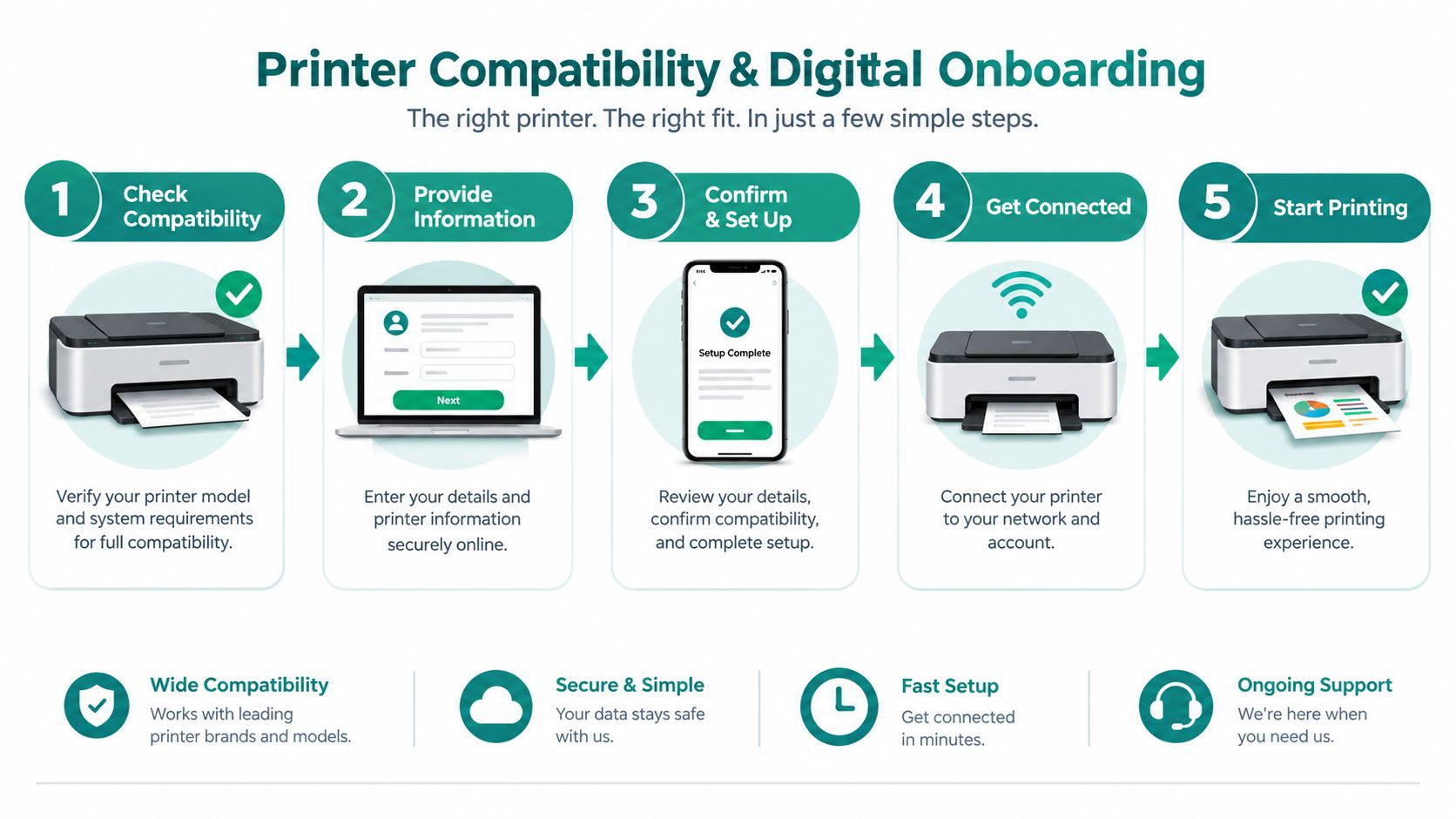
Before configuring templates, test the complete path. Print the code, scan it under the lighting used at the venue, enter it on the expected device, and check that the captive portal applies the correct access policy. The voucher printing software should support the workflow you operate, rather than forcing staff to copy codes manually from one system into another.
Quick Checklist Before You Order or Print
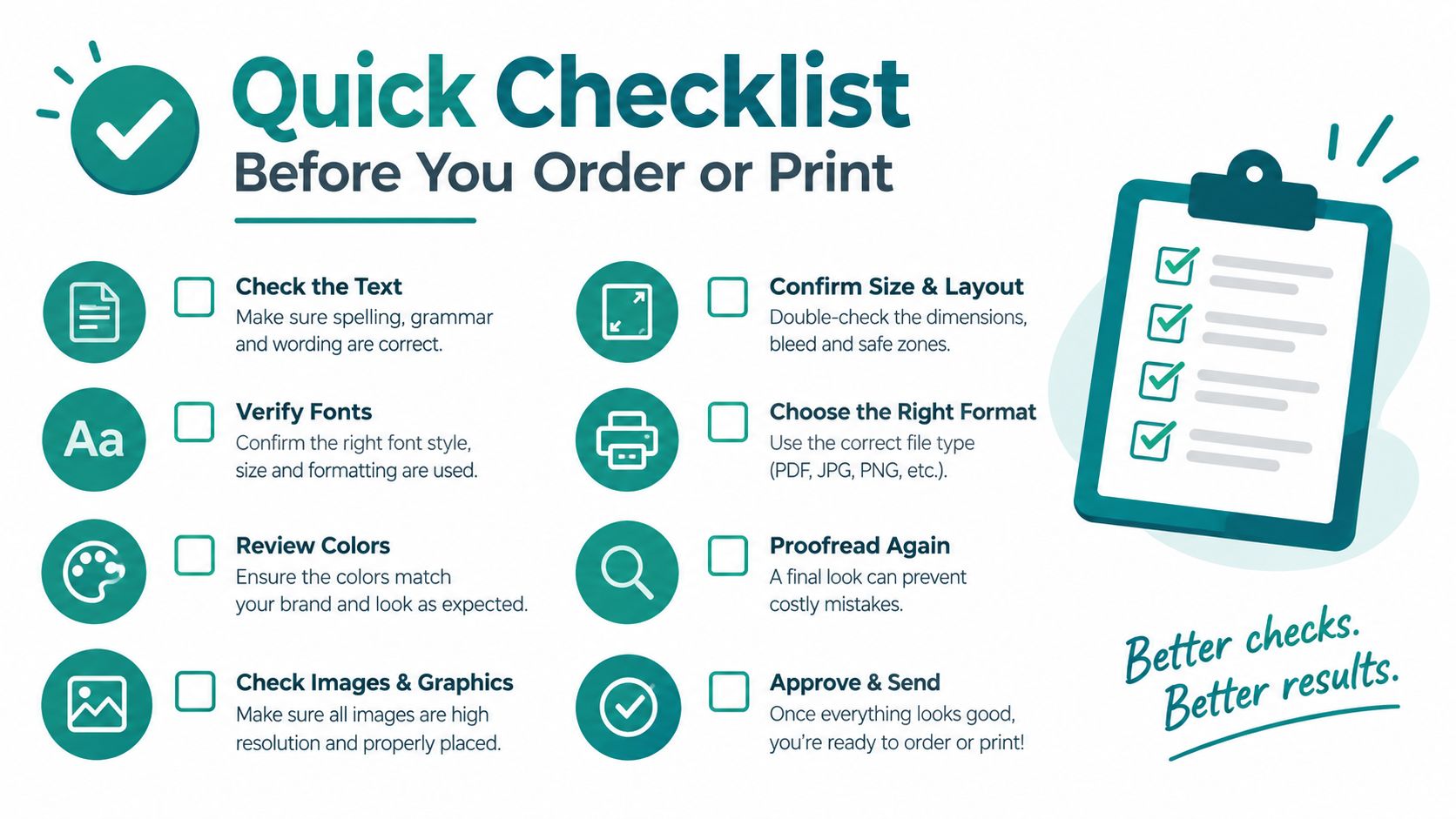
Use this checklist before contacting a supplier or configuring voucher templates for guest Wi-Fi.
- Define the setting: Decide whether the coupon will live on a counter, in a wallet, on packaging, in a vehicle, or in an archive.
- Choose the paper family: Select bond for flexible short-life offers, cardstock for durable cards, coated stock for visual impact, or thermal media for fast heat-printed vouchers.
- Confirm the weight: Match the GSM to expected handling, folding, tearing, and storage. Ask whether the printer supports the selected thickness.
- Check the finish: Use uncoated stock for handwriting, matte for comfortable high-touch reading, gloss for image-led promotions, and protected thermal stock for exposed vouchers.
- Plan the format: Specify micro-perforation, partial perforation, edge-to-edge tear lines, full-back adhesive, removable adhesive, or static cling.
- Test the printer: Run the actual stock through the exact inkjet, laser, or thermal device. Check feeding, curling, colour, smudging, and stacking.
- Test the digital journey: Scan or enter the voucher through the captive portal, social login, social Wi-Fi flow, IPSK, or EasyPSK process used by your venue.
- Plan the display: If coupons sit at a boutique counter, select a holder that keeps them visible and tidy, such as this A4 print holder for boutiques.
For a Cisco Meraki deployment, make sure the printed offer and the access policy agree. A guest voucher may need a time limit, device limit, network segment, or redemption condition, while a corporate BYOD visitor may need an individual key rather than a shared password. A retail or education team should also decide whether the printed piece is the primary offer or the physical prompt that sends the visitor into a Cisco Meraki iOS and Google Wallet coupon flow.
The right coupon printing paper protects three things at once: the appearance of the offer, the customer's experience, and the data captured through the captive portal. A small sample run is usually more useful than a large order based only on a catalogue description.
If you need to connect printed vouchers with captive portals, Cisco Meraki guest Wi-Fi, social login, IPSK, EasyPSK, or digital coupon delivery, Splash Access offers tools for voucher printing and guest onboarding workflows. Review your venue, printer, paper, and authentication path together before your next campaign, then choose a format your staff and customers can use without friction.