If you're setting up Wi-Fi for a shop, school, clinic, or office, the options can feel absurdly technical. One screen says WPA2. Another says WPA3. Then you run into PSK, 802.1X, RADIUS, captive portal, social login, IPSK, EasyPSK, and suddenly a basic business decision starts to look like a certification exam.
Most business owners aren't trying to become wireless engineers. They want a network that works, keeps the wrong people out, and doesn't annoy staff, students, guests, or customers. They also want the Wi-Fi to support the business itself. In retail, that might mean branded guest access and social WiFi. In education, it might mean separating staff, student, and visitor access. In a corporate BYOD environment, it usually means balancing security with the fact that people bring their own phones, tablets, and laptops.
The tricky part is that Wi-Fi authentication methods aren't just technical settings. They shape user experience, support load, accountability, and how easy it is to revoke access when someone leaves or a password leaks.
Welcome to the Wi-Fi Maze
The confusing part about Wi-Fi security is that many terms sound similar while solving very different problems. One term describes encryption. Another describes how a person or device proves it should be allowed onto the network. A third describes what the login experience looks like.
That confusion didn't start yesterday. The first 802.11 Wi-Fi standard, released in 1997, defined Open System Authentication and Shared Key Authentication. Those early methods were later replaced because static shared keys were easier to compromise, which led to WPA in 2003 and WPA2 in 2004, including the stronger AES/CCMP approach that still underpins modern Wi-Fi security, as explained by Network Academy's overview of wireless client authentication.
For a business owner, the lesson isn't historical trivia. It's practical. Wi-Fi has moved away from one shared secret for everyone and toward methods that can identify people and devices more cleanly.
Most Wi-Fi mistakes happen when a business chooses the easiest login method first, then tries to bolt on control later.
A café may start with a shared password on a chalkboard. A school may hand the same passphrase to hundreds of students. An office may use one Wi-Fi password for employees, contractors, and visitors. It feels simple on day one. It gets messy fast.
What people usually mean when they ask for secure Wi-Fi
They're usually asking a mix of three questions:
- Who gets access: Staff only, guests, students, contractors, personal devices, or all of the above.
- How easy should login be: One password, browser login page, company sign-on, or silent device onboarding.
- What happens when access changes: Can you remove one user without changing everything for everyone else?
Those are business questions first. The technical method comes second.
The Building Blocks of Wi-Fi Security
Before comparing specific options, it helps to separate two ideas that often get mixed together. The first is the security standard such as WPA2 or WPA3. The second is the authentication model such as Personal or Enterprise.

WPA2 and WPA3 in plain English
Think of WPA2 and WPA3 as generations of protection around the network. Both are modern standards compared with older Wi-Fi designs, but WPA3 adds stronger protections in newer deployments.
For Enterprise Wi-Fi, one important milestone is that WPA3-Enterprise 192-bit mode offers a higher security level than the 128-bit maximum level of WPA2-Enterprise, as described in Smallstep's guide to Wi-Fi security. That matters most in environments where sensitive data, compliance, or long-term risk reduction are priorities.
If you're evaluating policy options rather than just equipment settings, this practical guide to protecting your company's wireless network is also useful because it frames wireless security as an operational process, not just a checkbox.
Personal and Enterprise are the bigger decision
This is the split that affects daily operations.
Personal mode uses a pre-shared key, or PSK. Everyone enters the same Wi-Fi password. It's the wireless equivalent of one front-door key copied for everyone in the building. It's quick to set up, and that's why many small businesses start there.
Enterprise mode uses 802.1X/EAP with a central authentication server, often RADIUS. Instead of one shared password, each user or device can authenticate individually. It's closer to an office badge system where access can be tracked, changed, or revoked per person.
Here's where many readers get tripped up. They assume Enterprise means “for big companies only.” It doesn't. It means identity-based access.
- With PSK: one leaked password can become everyone's problem.
- With Enterprise: one user's access can be disabled without rebuilding the whole network.
- With PPSK or private key approaches: you get something in between. Each person or device gets a unique password on a PSK-style network.
That middle ground is why solutions such as IPSK, individual PSK, and EasyPSK have become so relevant for Cisco and Meraki deployments that need easier onboarding than full 802.1X but better control than one shared password.
If you want a clearer technical explanation of how identity-based wireless access works, this overview of 802.1X authentication is a helpful starting point.
Practical rule: If your network serves different groups with different trust levels, one shared password usually isn't enough.
A Tour of Modern Wi-Fi Authentication Methods
Business Wi-Fi usually ends up using a mix of methods, not just one. Staff may use one SSID, guests another, and BYOD devices a third. The easiest way to make sense of it is to look at each method through the eyes of the person connecting.
Shared password methods
WPA2-Personal or WPA3-Personal is the classic “enter the Wi-Fi password once and you're in” experience. It works well when the group is small and trusted. It gets awkward when passwords spread beyond the intended audience.
IPSK, individual PSK, private PSK, or EasyPSK keeps that familiar password-based experience but avoids one big shared secret. Each user or device gets its own key. If a student leaves, a contractor's engagement ends, or a single password leaks, you can revoke that one credential instead of resetting the whole SSID.
That's a strong fit for Meraki environments where admins want simpler onboarding than certificate-heavy methods but still want accountability.
Identity-based methods
WPA2-Enterprise or WPA3-Enterprise with 802.1X asks the network to verify each person or device through a central identity source. In a corporate office, that may tie into company credentials. In education, it may map to student and staff directories. In healthcare or regulated spaces, it supports tighter control over who gets on which network.
From the user's point of view, this can be effortless after setup. Many employees won't even notice the underlying exchange if their device profile is configured correctly.
For a simple breakdown of newer protocol choices in that stack, this explanation of what WPA3 means for business Wi-Fi helps connect the technical labels to real deployment choices.
Portal-based methods
Captive portals are the login pages people see at hotels, retail stores, airports, campuses, and waiting rooms. You connect to Wi-Fi, open a browser, and land on a branded page.
That page can support many different login styles:
- Click-through access: accept terms and continue
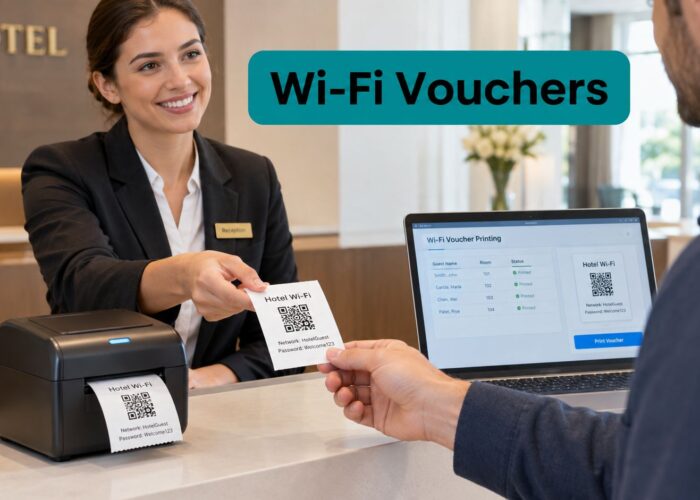
- Voucher codes: common in events, hospitality, and timed access scenarios
- Email or SMS verification: useful when you want a little more accountability
- Social login or social WiFi: users sign in through a social identity flow
- Username and password: suitable for members, residents, or managed visitors
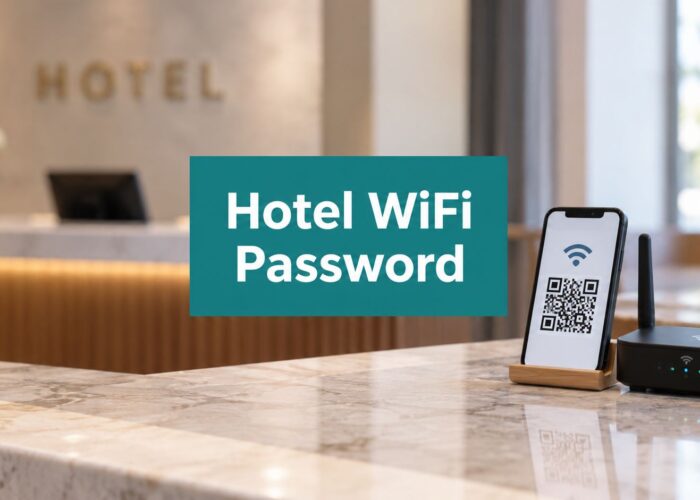
- QR entry: useful where fast guest onboarding matters
This is why guest Wi-Fi decisions are rarely about cryptography alone. They're about speed, consent, branding, analytics, and repeat-visit experience. If you want a general business-focused primer on how authentication fits into broader network controls, Clouddle Inc on network authentication gives a useful overview.
Methods that sound useful but often disappoint
A few options come up a lot in conversation:
- MAC-based access control: can help identify known devices, but it's not a strong standalone answer for most guest or employee access designs.
- WPS: convenient in theory, but not something you'd choose for a business network planning exercise.
- Open Wi-Fi: may reduce friction, but it usually needs strict separation from internal resources and careful policy controls.
If you run guest access, don't confuse “easy to join” with “safe to expose.” Those are separate design choices.
Comparing Your Wi-Fi Authentication Options
When businesses compare Wi-Fi authentication methods, they usually focus on security first. That's fair, but it's incomplete. The method also affects support tickets, onboarding friction, credential resets, and whether marketing or operations teams can use the network data they collect.

The short version
For enterprise Wi-Fi, the main split is between PSK-based designs and Enterprise modes using 802.1X with a RADIUS server. A single leaked PSK can compromise an entire SSID, while per-user credentials give you better revocation, auditing, and policy control. The strongest Enterprise option is EAP-TLS, which uses certificate-based authentication and reduces exposure to phishing and password reuse, as outlined in Portnox's guide to Wi-Fi authentication methods.
That gives us a useful lens for comparison: security, user experience, and management.
Side-by-side comparison
| Method | Security | User experience | Management and provisioning | Good fit |
|---|---|---|---|---|
| Shared PSK | Basic to moderate, depending on how tightly the password is controlled | Very easy. Users type one password | Simple at first, painful when the password needs to change | Small trusted teams, temporary internal use |
| IPSK or EasyPSK | Stronger operational control than a single shared key because credentials can be unique | Still easy for users because it feels like password Wi-Fi | Better than shared PSK because one key can be revoked without replacing all of them | Education, retail staff devices, managed BYOD |
| 802.1X with username and password | High, with per-user accountability | Can be smooth after setup, but initial provisioning matters | Requires identity integration and RADIUS planning | Offices, campuses, staff networks |
| EAP-TLS | Strongest option in most business environments | Excellent after certificates are deployed | More planning up front, less password pain later | Corporate devices, sensitive environments |
| Captive portal | Varies by design. Better for access flow and policy than as a pure security control | Familiar for guests, but adds a browser step | Flexible because portals can support branding, consent, and multiple login modes | Guest Wi-Fi, retail, hospitality, campuses |
Where businesses usually choose wrong
They often optimize for the first login only.
A shared PSK wins that first moment. You put the password on a sign, menu, email, or welcome desk card and people connect quickly. But when someone shares it widely, leaves the organization, or posts it publicly, the convenience cost comes due later.
An 802.1X deployment can feel heavier at first because it asks you to think about identity, policy, and enrollment. But it pays off when you need to answer practical questions such as who connected, which role they belong to, and how to remove access cleanly.
The hidden factor is provisioning
The key decision often isn't “Which authentication method is strongest?” It's “Which one can my team roll out and support?”
- Retail teams often need speed and branded guest access.
- School IT teams need one method for staff, another for students, and a third for visitors.
- Corporate BYOD teams need to distinguish between personal and company-managed devices.
That's why many organizations end up with a blended design. Enterprise authentication for staff. IPSK or EasyPSK for managed-but-diverse devices. Captive portal for guests.
If you're also exploring smoother public roaming and low-friction repeat visits, this explainer on Passpoint WiFi is worth reviewing as part of the broader authentication conversation.
Mastering Guest Wi-Fi with Captive Portals
Guest Wi-Fi creates a different kind of problem. You want people online quickly, but you also want some control over who connects, what they agree to, and how that access supports the business.
That's why captive portals remain so common in retail, hospitality, campuses, and visitor-heavy environments. They solve an operational problem that pure password-based methods don't address very well.

A key question for hospitality and retail teams is how to authenticate visitors without sharing a network-wide password while still collecting consent, analytics, or marketing opt-ins. Captive portals are widely used for this because the actual trade-off isn't just security. It's the balance between onboarding friction, privacy, repeat-visit experience, QR entry, dwell-time tracking, and CRM integration, as discussed in Cloud4Wi's guide to Wi-Fi authentication methods.
What a captive portal actually gives you
A captive portal is more than a splash page. It acts like a policy and experience layer between the user and the network.
For a guest, that may look like a simple branded login. For the business, it can support:
- Terms acceptance: useful when you need users to acknowledge access conditions
- Social login or social WiFi: useful when marketing wants a lighter-touch sign-in path
- Email or SMS verification: useful when accountability matters more than anonymity
- Voucher workflows: useful for hospitality desks, events, and timed access
- QR-based entry: useful when speed matters and typing long passwords doesn't
Why this matters in retail and hospitality
Retail doesn't usually need every shopper on an 802.1X employee-style workflow. It needs low-friction access that feels polished and branded.
A guest standing in a store, hotel lobby, restaurant, or clinic waiting room won't tolerate much complexity. They want to connect quickly. The business may want social login, consent capture, campaign tracking, return-visit recognition, or a clean path into a CRM. A captive portal is often the only realistic way to balance those needs.
Guest Wi-Fi is part security control, part customer journey.
That's why Cisco Meraki environments often pair strong wireless infrastructure with portal-based authentication layers. The access point handles network delivery. The portal handles experience, policy, and data capture.
If you're comparing implementation options, a platform such as Splash Access captive portal supports branded guest access, social WiFi flows, QR onboarding, and IPSK-style approaches for Meraki deployments. That type of setup is especially relevant when a business wants to keep guest onboarding simple without giving everyone the same password.
Where portals need discipline
Captive portals are flexible, but too much flexibility creates bad UX.
Keep these rules in mind:
- Ask for less first: Every extra field slows access and increases drop-off.
- Match the venue: A hotel can justify a richer flow than a quick-service retail site.
- Separate guest and internal traffic: A polished portal doesn't replace network segmentation.
- Plan for repeat visits: Returning users shouldn't feel like first-time visitors every time.
A portal works best when the login step feels reasonable for the context.
Choosing the Right Method for Your Business
The right answer depends less on the acronym and more on who is connecting, what they should reach, and how often access changes. Education, retail, and corporate BYOD all need different balances between security, convenience, and administration.

Education
Schools and campuses rarely have one user type. They have staff, students, guests, and often shared or personal devices in dorms, libraries, and common spaces.
For staff Wi-Fi, 802.1X usually makes the most sense because identity and access policy matter. Teachers and administrators often need access to internal systems, so accountability matters as much as encryption.
For student-owned devices, IPSK or EasyPSK can be a practical compromise. Students get individual credentials without the full complexity of certificate-driven onboarding on every personal device.
For visitors and parents, a captive portal usually fits better than a shared password. It keeps guest access separate and easier to manage.
A campus team planning that architecture will usually need to think through how a RADIUS server supports wireless authentication before rolling out staff-grade identity controls.
Retail
Retail has a split personality on Wi-Fi. The public network should be easy and branded. The operational network for staff devices, scanners, tablets, or back-office systems should be controlled.
A practical retail design often looks like this:
- Guest access through a captive portal: Good for social login, email capture, consent, and promotions.
- Staff devices on a separate authenticated network: Shared PSK may work for a very small team, but individual credentials are easier to control as operations grow.
- Shared floor devices on a managed SSID: This may call for IPSK or another per-device approach so one leak doesn't expose every endpoint.
Cisco Meraki is often a natural fit here because retail teams value centralized wireless management, simple SSID segmentation, and support for guest workflows that don't require on-site engineering.
Corporate BYOD
BYOD changes the access problem. Employees want fast access from personal devices, but security teams don't want those devices treated like company-owned laptops.
A good corporate setup usually separates three groups:
- Corporate-managed devices should use Enterprise authentication, ideally with certificate-backed workflows where possible.
- Employee BYOD devices may still use identity-based access, but often with narrower permissions and stronger policy checks.
- Visitors and contractors should use a separate guest flow, usually through a portal or controlled per-user credentials.
A simple decision lens
If you're stuck, use this lens:
| Your priority | Usually points toward |
|---|---|
| Fast public onboarding | Captive portal |
| Highest employee security | 802.1X, often EAP-TLS where appropriate |
| Easier per-device control without one shared password | IPSK or EasyPSK |
| Branded guest experience with social WiFi | Captive portal |
| Cleaner revocation and audit trails | Enterprise identity-based access |
The best design is often mixed. One method for staff, one for guests, and one for unmanaged personal devices.
Your Wi-Fi Authentication Checklist
Most businesses don't need to rip everything out and start over. They need a cleaner way to decide what belongs where.
Start with your user groups
Don't begin with the protocol menu in the dashboard. Start with people and devices.
- Employees: Need reliable access and usually some level of internal resource access.
- Guests: Need internet access without touching private systems.
- BYOD users: Need convenience, but not the same trust level as company-issued devices.
- Shared devices: Tablets, scanners, kiosks, and printers often need their own policy path.
Then check your current weak spots
A few questions reveal a lot:
- Does one shared password provide access to too much?
- Can you remove one user's Wi-Fi access without changing everyone else's?
- Does guest access support branding, consent, or analytics if those matter to your business?
- Do repeat visitors or returning staff have a smooth login experience?
- Are your employee and guest networks clearly separated?
Build your plan in this order
Map who connects
List staff, guests, students, contractors, BYOD devices, and operational hardware.Define what each group needs
Internet only, internal apps, limited services, or role-based access.Choose the least-friction method that still fits the risk
Guests usually don't need the same flow as employees. Staff usually shouldn't use the same method as guests.Plan revocation before rollout
If a password leaks or a user leaves, know exactly how you'll remove access.Test the onboarding journey
Use an actual phone and laptop. Don't trust the admin view alone.
A Wi-Fi authentication method is only “good” if users can complete it and admins can manage it.
The big takeaway is simple. There isn't one universal winner among Wi-Fi authentication methods. Shared PSK, IPSK, EasyPSK, 802.1X, EAP-TLS, captive portals, social login, and social WiFi all solve different problems. The smart move is choosing the right mix for your environment, then making sure the user experience matches the security goal.
If you're planning guest Wi-Fi, BYOD access, or Cisco Meraki authentication workflows and want a clearer path from requirements to rollout, Splash Access provides tools for captive portals, social login, QR onboarding, and IPSK-style access management that can fit retail, education, and corporate environments.