At 11 p.m., guest WiFi problems stop being a “network settings” issue and turn into a front desk issue, a parent issue, a store manager issue, and eventually a reputation issue. The usual pattern is familiar. A phone connects to the SSID, the splash page hangs, Android behaves differently from iPhone, and someone asks why the portal needs an email address just to check messages.
That's why captive portal design deserves more respect than it usually gets. It sits at the intersection of authentication, trust, branding, privacy, and support load. If the login flow is clumsy, people don't blame the wireless controller. They blame your venue.
There's also a technical reason this matters more now. Captive portals shifted away from purely ad hoc redirect behavior when the IETF published RFC 8908 on 2020-09-21, defining a client-facing HTTP API for captive portals and formalizing how devices can discover captive state and retrieve session state. That standard didn't eliminate broken guest WiFi, but it did make one thing clear. Captive portals are a real product surface, not just a splash screen taped onto a network.
Why Captive Portal Design Is a Business Decision
A captive portal decides whether a guest gets online smoothly, whether a retailer captures a usable lead, whether a school avoids a help desk queue, and whether a healthcare waiting room creates trust or suspicion. Treating that as “just a config task” is how teams end up with pretty mockups that fail on actual phones.
The market itself is large enough to prove this isn't a niche problem. One estimate values the captive portal market at USD 1.95 billion in 2024 and projects USD 6.20 billion by 2033, with a 13.9% compound annual growth rate from 2025 to 2033 according to Grand View Research's captive portal market report. That scale tells you where operators have landed. The portal isn't an afterthought. It's a working part of guest experience and authentication strategy.
Two KPIs matter more than the rest
When I review a guest WiFi rollout, I care about two outcomes first:
- Connection completion rate. How many people who land on the portal get online.
- Post-connect opt-in rate. How many people who do connect also give valid consent for follow-up communication.
Those two numbers expose most design mistakes quickly. A long form might look good to marketing and still wreck completion. A frictionless social WiFi flow might boost connection rates and leave privacy and consent teams unhappy if the flow is badly separated.
Practical rule: If a portal asks for more than the venue can explain in one sentence, it's probably asking for too much.
Every authentication choice has a trade-off
Some trade-offs are unavoidable:
- Social login and social WiFi reduce typing and usually feel faster on mobile, but they also raise sharper privacy questions.
- Email or SMS registration gives you direct contact details, but every extra field pushes more people to abandon.
- IPSK and EasyPSK can remove browser friction almost entirely for repeat and managed users, but they aren't ideal for walk-in public access.
- SAML-based access fits controlled environments well, though it can be overkill for a coffee shop or hotel lobby.
If you want a useful way to think about portal performance, start with business outcomes, not button colors. That's also the mindset behind conversion rate improvement for guest WiFi. Hotels, retail, healthcare, education, and BYOD corporate environments all use captive portals. They just don't optimize for the same outcome.
Choosing the Right Authentication Flow
Most failed captive portal design projects start with the wrong login method, not the wrong layout. Teams pick the flashiest option or the default vendor template instead of matching the authentication flow to the venue, the audience, and the level of control they need.
A captive portal blocks a newly connected device until it completes a web-based authentication or policy step, and common methods include username/password, vouchers, email verification, SMS or OTP, and social login, as outlined in SecureW2's captive portal overview. That sounds simple on paper. In production, the details matter.
Authentication flow vs. venue fit
| Auth method | Best fit venues | Friction level | Data captured | Key risk |
|---|---|---|---|---|
| Email self-registration | Hotels, cafes, smaller retail | Medium | Email and optional consent data | Typing friction and drop-off |
| SMS or OTP | Retail promotions, short-stay guest access | Medium | Phone number | Delivery issues and user hesitation |
| Social login | Retail, events, social WiFi campaigns | Low | Social profile data, depending on flow | Consent and privacy scrutiny |
| Click-through access | Waiting rooms, lobbies, low-control public access | Very low | Little to none | Weak identification and limited audit trail |
| IPSK or EasyPSK | Education, BYOD corporate, controlled guest access | Low after provisioning | Device-to-user association managed outside browser flow | Distribution and lifecycle management |
| SAML-based access | Enterprise guest access, staff and student ecosystems | Medium to high | Federated identity attributes | Complexity for casual guests |
A good overview of the main options lives in WiFi authentication methods, especially if you're comparing browser-first guest access against more controlled onboarding.
What works in the field
For hospitality and retail, the default answer is still usually email, SMS, or social login. That's because these sectors deal with transient users, mixed device quality, and staff who need a flow they can explain in a sentence. The best version is short, obvious, and mobile-first.
For BYOD corporate and education, I'm much more likely to recommend IPSK or EasyPSK for managed populations. One guide notes that Identity Pre-Shared Key gives each user or device a unique pre-shared key, and Cisco Meraki-capable systems can encode that key into a QR code for distribution via IronWiFi's IPSK QR code guidance. That's a practical fit when you want fewer browser prompts and stronger per-device control.
Another sector mapping point is worth keeping in mind. One deployment guide maps SAML integration to corporate BYOD and education, while social login, voucher, and SMS are positioned as common methods for retail and promotions in this cloud captive portal sector-fit guide. That matches what happens on live networks. One SSID doesn't need one universal flow. It needs the right flow for the people using it.
Mixing three authentication methods on one guest SSID usually looks flexible in a workshop and confusing in the real world.
The privacy and age issue people skip
If you're collecting data on campus networks, think carefully about minors, guardians, and what the institution really needs to collect at all. If you're in the UK or EU, social login data requires a lawful basis, and for guest WiFi that basis is usually consent under Article 6(1)(a). Consent must be freely given, specific, informed, and unambiguous, and access can't be conditioned on marketing consent, as explained in Purple's guide to social login for guest WiFi.
That one rule alone changes a lot of portal design decisions.
UX and Responsive Layouts That Actually Convert
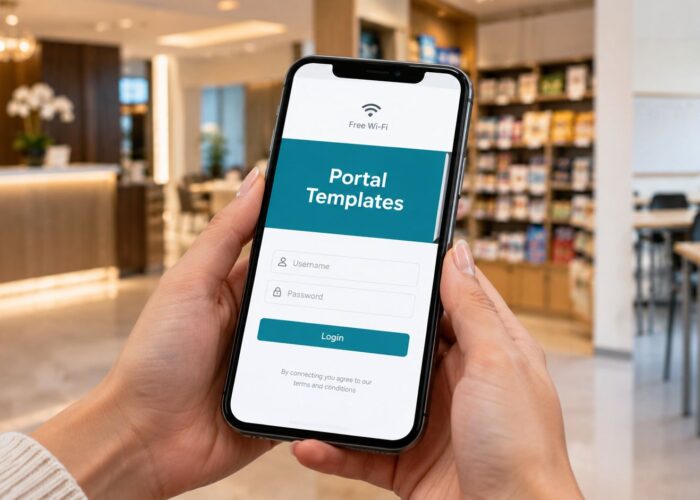
Most captive portals fail on small screens long before anyone debates branding. The guest is holding a phone in one hand, standing in a lobby, a queue, or a campus corridor. They want WiFi now. They don't want a tiny desktop form shrunk into a captive browser window.
The best benchmark I've seen for guest WiFi portals is blunt. Portals with more than 3 first-visit fields see a 45% drop-off rate, social login commonly reaches 65% to 78% opt-in on mobile, single-field email portals average 55% to 70% opt-in, and completion falls 8% to 12% for each additional field according to MyWiFi Networks' captive portal design patterns benchmark. You don't need to agree with every design trend in the market to accept the core lesson. Friction kills completion.
Layout rules that hold up on real devices
I keep the baseline simple:
- Use a single-column layout on small screens. Under narrow mobile widths, side-by-side elements become tap errors.
- Put the brand marker first. A logo or WiFi-related hero image above the fold reassures people they're on the right network.
- Keep the primary action within easy thumb reach. The connect button, social login button, or email field shouldn't sit at the very top with legal text underneath.
- Show progress only when the flow has multiple steps. Fake progress bars on one-screen portals add noise.
If you need a design reference for mobile behavior, mobile responsive design for captive portals is the right starting point.
What engineers should test, not assume
A portal can be visually clean and still fail because the redirect chain is brittle. The access point intercepts traffic, the controller handles policy, the browser or captive network assistant tries to render the portal, and the user decides within seconds whether the page is broken. One missing asset, one blocked script, one unsupported interaction on an older Android device, and completion drops.
That's why I want engineers to run cross-device experiments before rollout, especially across captive browsers, older Android builds, and mixed CNA behavior. A practical overview is seamless cross-device experiments, and it's useful because it pushes testing beyond “looks fine on my laptop.”
Test the portal on the oldest phone you still expect guests to carry, not just the newest one on your desk.
Form order and error handling
A few details make a huge difference:
- Start with the least painful action. Social login first if the venue wants it. Otherwise a single email field.
- Put optional marketing consent last. Never make it feel like a prerequisite for WiFi.
- Validate inline. Mobile users hate modal popups that block the whole screen.
- Design the thank-you screen. That's where repeat-visit recognition, coupons, vouchers, or next-step guidance belong.
Cisco and Meraki environments especially benefit from this discipline because the network stack is often solid while the portal UX is what breaks trust. Good captive portal design respects both.
Branding, Data Capture, and Calls to Action
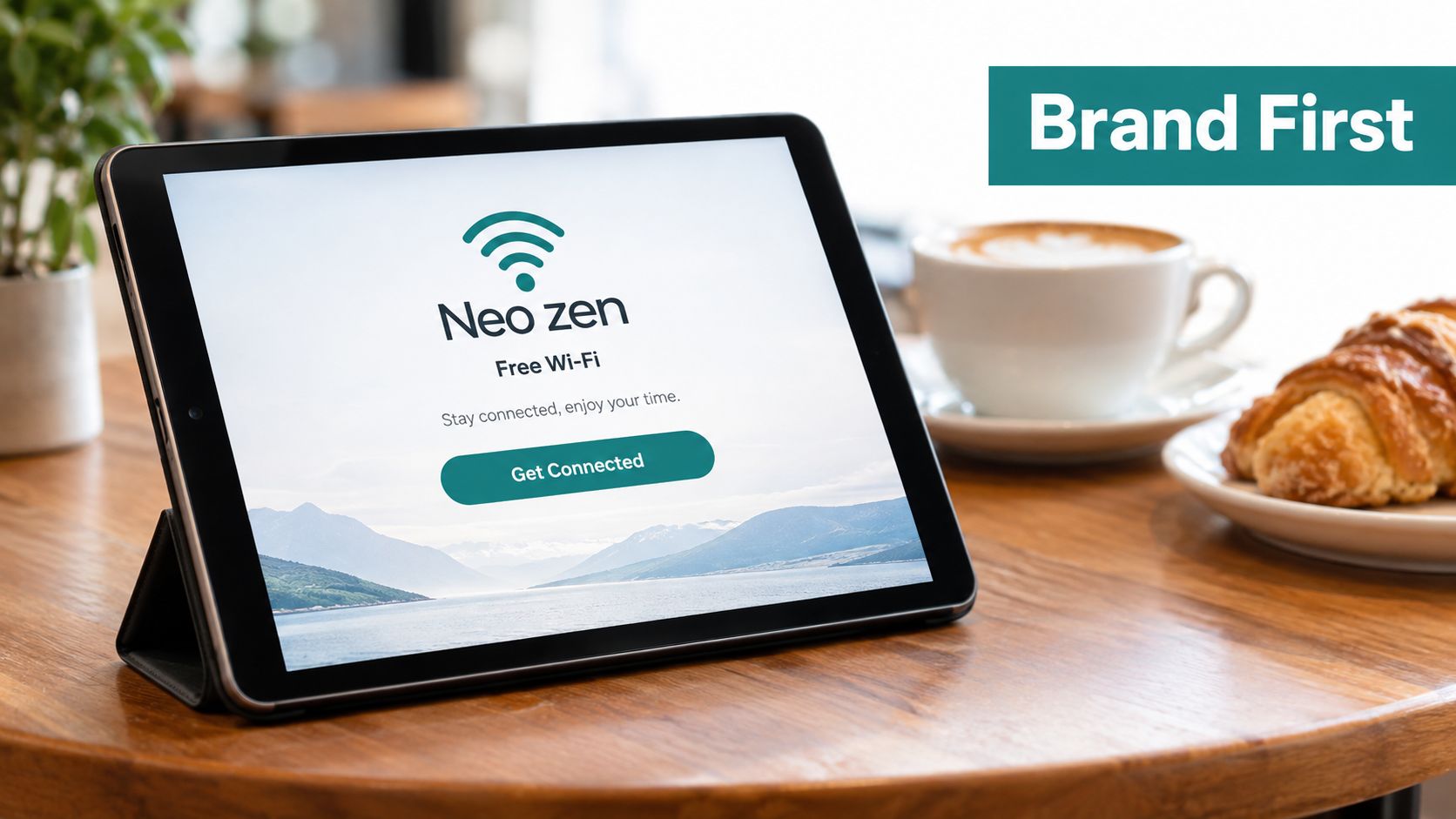
Branding on a guest portal isn't decoration. It's reassurance. If the page looks generic, users hesitate. If it looks like the venue they're standing in, they're more likely to continue.
That doesn't mean turning the login into a campaign microsite. It means building a page that looks intentional, loads quickly, and asks for only what the venue can defend.
What branding should actually do
A branded captive portal should answer three questions immediately:
- Is this the right network?
- What do I get by continuing?
- What exactly am I agreeing to?
That usually means a logo, a short headline, one WiFi-related image, and one primary CTA in the viewport. For retail, that CTA might be “Connect to WiFi” with an optional note about offers. For a hotel, it might be “Get online” with room-aware guest access. For education, it might be “Sign in with campus access” or a QR path for managed users.
Data capture without overreaching
Ask for the minimum viable data. In most guest flows, that's one of these:
- Email only, when the venue needs a simple identifier.
- Social login, when the venue intentionally wants a social WiFi experience and can support the consent burden.
- Voucher or code entry, when access is controlled by staff or printed workflows.
- IPSK or EasyPSK onboarding, when browser login isn't the right experience at all.
For email collection patterns, email capture forms for guest WiFi is a useful implementation reference.
A portal should read like a front-of-house interaction, not a compliance department speaking through a router.
CTA wording that works
Weak CTA copy causes more confusion than people expect. “Continue” is vague. “Submit” is worse. Better options are direct and context-specific:
- Connect to WiFi
- Get my access code
- Sign in to campus WiFi
- Join guest WiFi
Use social login only if there's a real reason to collect that identity layer. Otherwise, plain email or voucher flows are often easier to explain, easier to support, and easier to keep compliant.
Privacy, Consent, and Accessibility Essentials
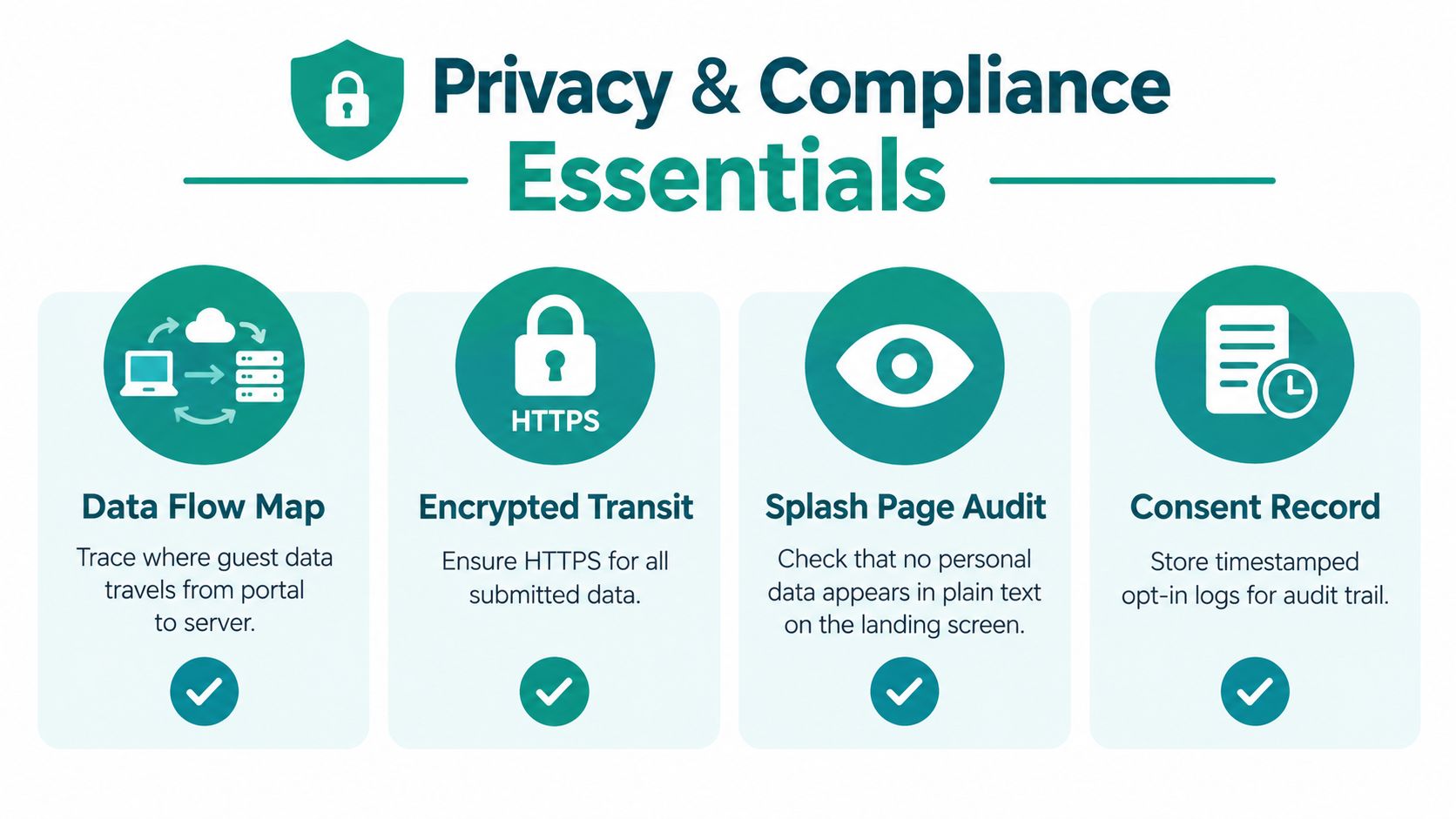
A polished captive portal can still create a privacy mess. That's the trap. Teams spend time on background images and brand colors, then ship a flow that collects more data than necessary, hides the tracking behavior, or bundles network access with marketing consent.
Independent research found that 35.8% of public WiFi hotspots used browser fingerprinting, with an average of 5.9 fingerprinting attributes per portal. Another study found 40.3% of hotspots used social login or registration pages to collect personal information and 59.7% set persistent third-party tracking cookies, sometimes for up to 20 years, according to the CPInspector study on captive portals and privacy. Those numbers are a warning. A nice-looking portal can still violate user expectations.
Privacy basics that should exist before launch
Before a portal goes live, map these decisions:
- What data is captured
- Where it is stored
- Who can export it
- How long it is retained
- Whether third-party trackers are present at all
For healthcare and senior living, this matters even more. Guest traffic should stay segmented from clinical or operational networks, and identity logging should be purposeful, not habitual.
If you're implementing consent controls, consent management for guest WiFi is the category of tooling and policy you need to think through early, not after legal review.
Accessibility is part of reliability
Accessibility improvements also make portals easier for everyone to use. I look for:
- Clear contrast
- Large tap targets
- Visible focus states
- Screen-reader labels on every form control
- Keyboard navigation that reaches the connect button and terms checkbox cleanly
This isn't just a public-sector or education requirement. It lowers support friction everywhere. If a guest can't tell which field is active or can't tap a tiny checkbox, they won't file a design critique. They'll just say the WiFi doesn't work.
Privacy and accessibility work best when they're designed into the first draft. Retrofits are slower, uglier, and usually incomplete.
Analytics and A/B Testing After Launch
A captive portal is never finished on launch day. It either starts a learning loop or it starts collecting avoidable problems.
A practical optimization workflow is to change only one variable at a time, hold traffic splits constant for about 7 days per version, and aim for a minimum of 500 impressions per variant before treating the result as statistically useful, with capture rate as the core KPI according to MyWiFi Networks' captive portal optimization guide. That advice is simple and, in my experience, usually ignored.
What to track
The event model doesn't need to be fancy, but it does need to be deliberate. At minimum, track:
- Portal view
- Auth method selected
- Form started
- Form completed
- Connected
- Marketing opt-in recorded
- Return visit recognized
If your stack already uses analytics or warehouse events, send portal events there instead of creating another isolated dashboard. In Cisco Meraki guest WiFi environments, this matters because operations teams, marketing teams, and IT support all ask different questions about the same flow.
What to test without breaking the funnel
Good A/B tests on captive portals are boring by design. Change one thing:
- Headline copy
- CTA wording
- Number of fields
- Consent text placement
- Social login order versus email-first order
That's it. Don't redesign the whole page and call it a clean test.
If you want a general testing framework that's easy to adapt to portals, A/B testing best practices is a useful reference because it emphasizes test discipline over random experiments.
One tool mention, kept factual
In environments built around Cisco and Meraki, one practical route is using an external captive portal platform that supports branded splash pages, SAML or Azure AD flows, social WiFi options, vouchers, and WPA2 or IPSK authentication in one system. Splash Access is one example of that category, particularly for operators who need QR-based onboarding, guest WiFi templates, and managed authentication paths across hospitality, education, retail, and BYOD corporate sites.
What matters more than the vendor name is whether the team keeps a test log. Write down the hypothesis, variant, runtime, and outcome. Otherwise the next engineer inherits guesses.
Rollout Checklist and Common Questions
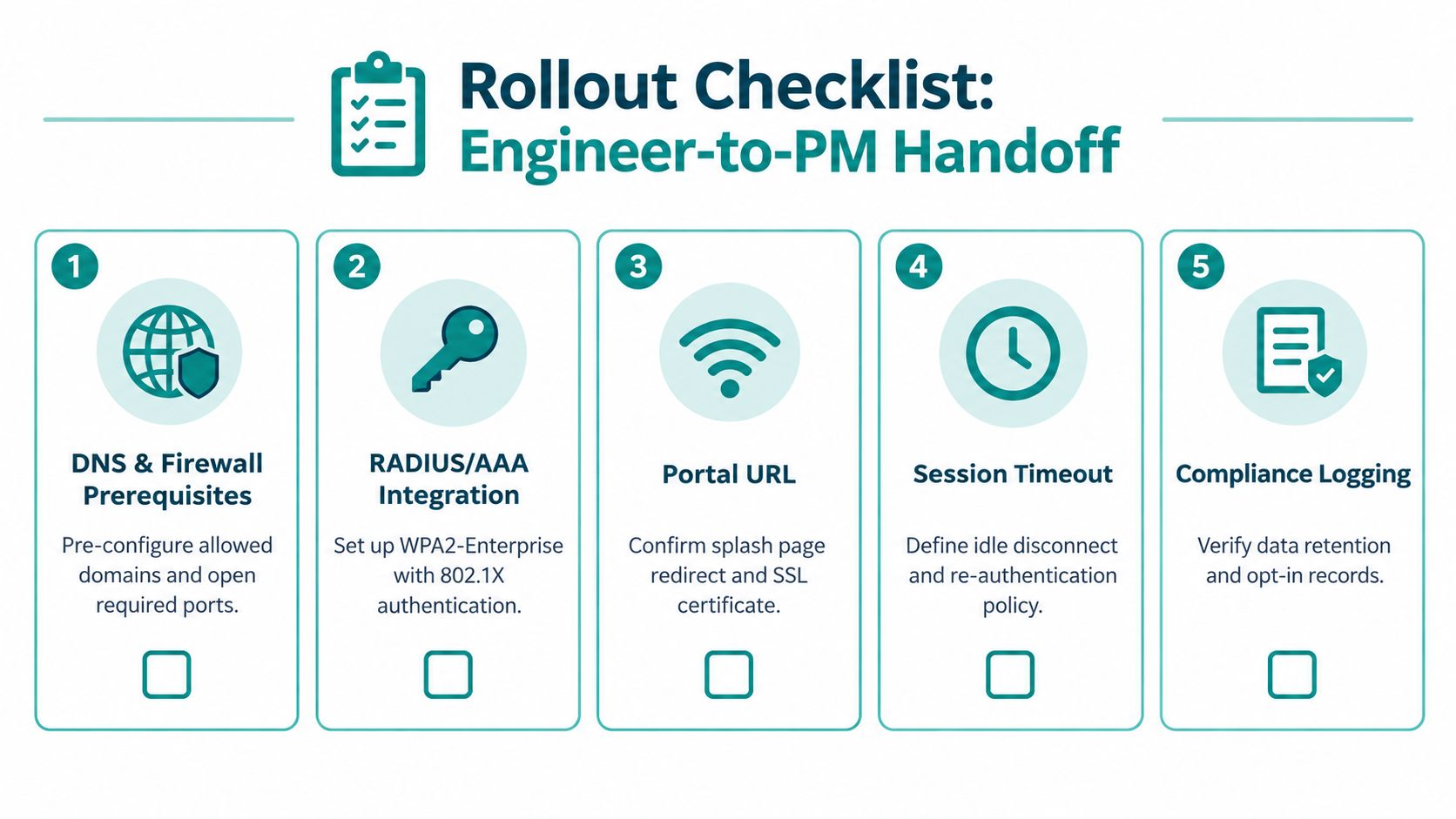
The handoff from approved design to live traffic is where many captive portal projects wobble. The mockup is signed off, the SSID exists, and everyone assumes the hard part is over. It isn't. Authentication dependencies, fallback behavior, and logging choices finally meet real devices.
Rollout sequence that avoids last-minute surprises
I like a straightforward deployment order:
- Stage on a test SSID first. Don't discover browser or captive assistant issues on the production guest network.
- Validate AAA and auth dependencies. That includes RADIUS where relevant, voucher workflows, SAML handoff, and any Cisco or Meraki policy bindings.
- Check locale and timezone behavior. Date formats, consent timestamps, and message copy need to match the site.
- Confirm analytics and consent logging. If events or records don't fire in staging, they won't magically improve in production.
- Prepare a fallback path. A failed social login, expired voucher, or broken redirect needs a user-facing recovery route.
- Document rollback. If the new portal fails, staff should know exactly how to revert.
For IPSK and EasyPSK deployments, provisioning deserves special attention. If you're doing controlled guest or BYOD onboarding, test QR delivery, key rotation, revocation, and re-entry on replacement devices before rollout day.
Questions that always show up after approval
If support can't explain the guest WiFi journey in two sentences, the rollout is not ready.
What about pre-registered MAC devices?
Decide early whether recognized devices bypass the portal, land on a recognition page, or still hit an abbreviated policy screen. Hidden behavior here creates support confusion fast.
How do we rotate portal copy without opening tickets every time?
Use templates and a change process that non-engineers can handle safely. Marketing copy should be editable without touching the underlying authentication logic.
Can social login tokens be reused in unsafe ways?
Design for token handling and session expiry carefully. Keep the portal flow simple and avoid assumptions that one successful social auth should grant indefinite access across every future visit.
What should healthcare, PCI-adjacent, or education teams log?
Log only what you need for operations, consent records, and policy enforcement. The more identity linkage you retain, the more care you need around retention, export, and internal access.
A note on passwordless trends
Authentication itself is changing. A 2026 comparative study of passkeys and passwords in captive portals reported design recommendations around usernameless authentication, better captive portal detection, and UI changes in this passkeys and passwords captive portal study. I wouldn't present that as a current standard for every venue, but it does point in the right direction. Future captive portal design will be less about making splash pages prettier and more about making onboarding resilient across devices, browsers, and authentication types.
That applies to guest WiFi in hotels, social WiFi in retail, campus access in education, and Cisco Meraki-driven BYOD corporate deployments alike. The network still matters. The user's first minute matters more.
If you're building or redesigning a guest WiFi experience, Splash Access provides Cisco Meraki-focused captive portal tools for branded splash pages, social login, SAML, vouchers, QR onboarding, and secure IPSK-based authentication workflows. It's built for the rollout work behind hospitality, retail, education, healthcare, and BYOD corporate access. Visit Splash Access to see how it fits your portal and authentication stack.