You've got guest Wi-Fi, a branded login page and a growing collection of email addresses. But connecting that information to useful messages is another job entirely, especially when IT manages the network, marketing manages campaigns and nobody's quite sure which permissions travel between them.
Guest WiFi marketing automation works best when you reverse the usual starting point. Define what guests have agreed to first, then build campaigns around the events you can reliably identify and the actions you're allowed to take.
How Guest WiFi Turns a Login Into Marketing Data
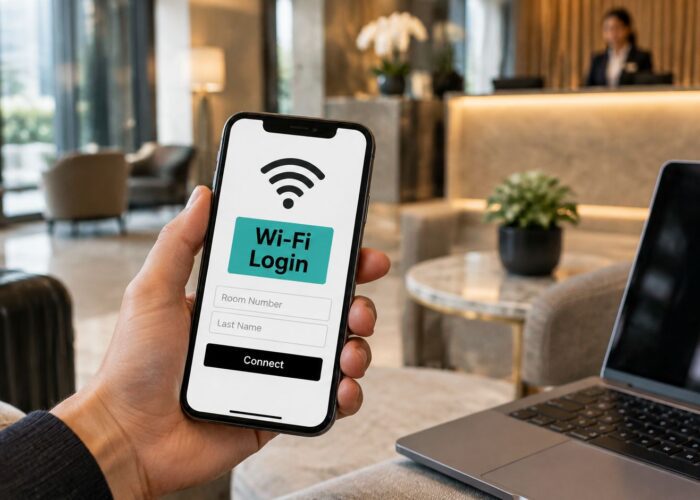
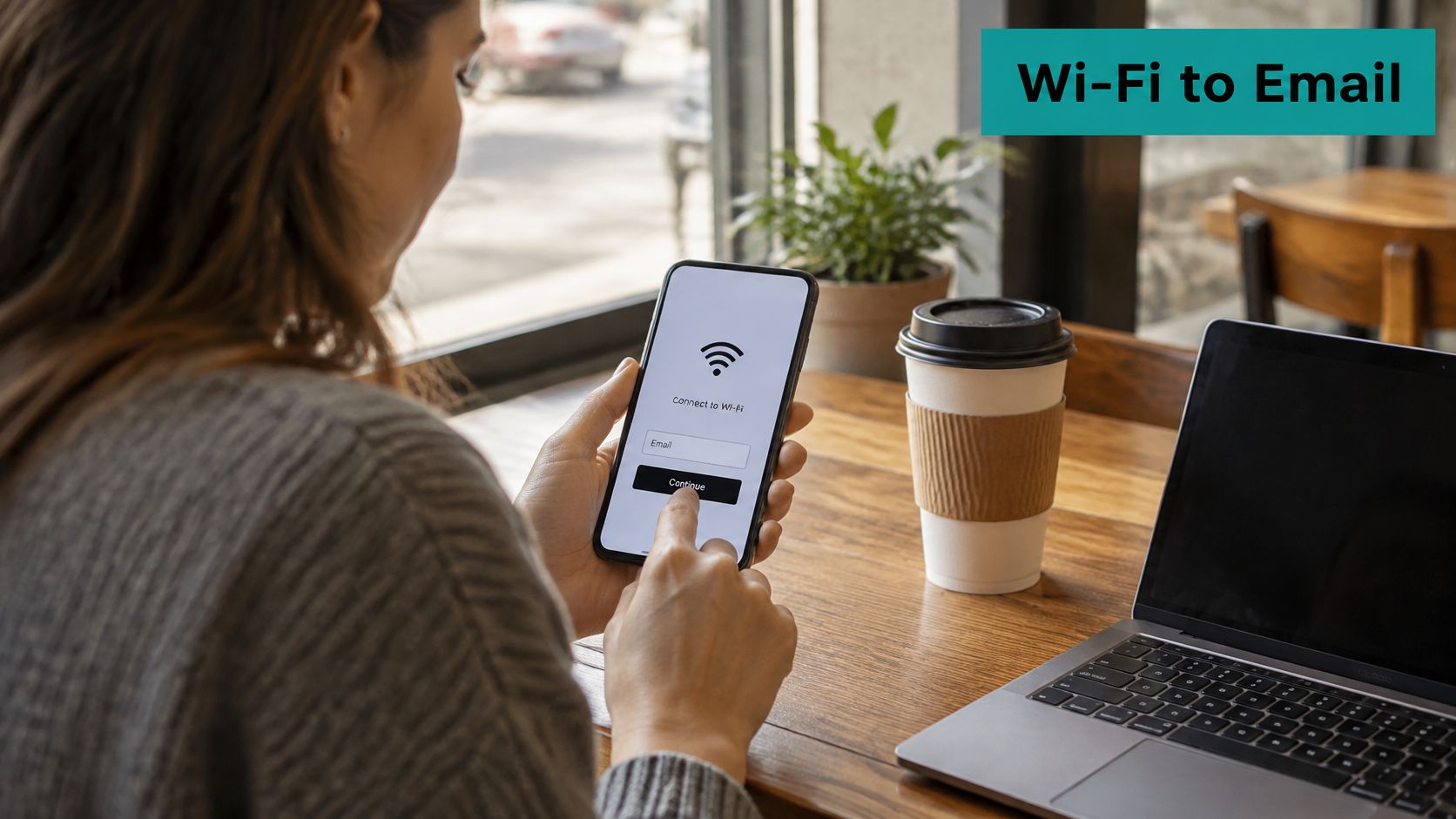
A visitor sits down in a coffee shop, joins the guest Wi-Fi and reaches a splash page asking for an email address. They choose to receive offers, finish connecting and, in a hypothetical welcome journey, receive a coffee voucher ten minutes later. The important detail isn't the voucher's timing. It's the separate choice that made the message appropriate.
Guest WiFi marketing automation is the set of rules connecting that login to a permitted customer record and a timed action. A captive portal is the page guests encounter before receiving authorised network access. It can collect information, explain terms and record preferences, but collecting an address doesn't automatically authorise marketing.
Why the physical visit matters
Hotels, retailers, campuses, healthcare facilities and corporate sites all have a physical interaction that can provide context for digital engagement. With appropriate permissions and reliable measurement, venue location, visit frequency and dwell time can accompany a customer record. Emergen Research's captive-portal market report put hospitality at approximately 28% of the global market in 2024, the largest end-use segment.
Connectivity itself matters to guests: 63% of American travellers ranked high-speed Wi-Fi among their top three accommodation priorities in a 2024 AHLA-commissioned poll of more than 2,200 adults, as described in Red River's hospitality connectivity overview.
The value exchange comes first
An August 2018 Harris Poll of 1,599 U.S. adults aged 18–64 found that 60% would provide their name and email for free retail Wi-Fi, while 70% would provide those details for personalised offers, according to Splash Access's retail Wi-Fi marketing overview. That's a historical U.S. benchmark, not a promise about today's visitors.
Plan Wi-Fi data capture around a clear benefit and a clear choice. Automation starts with permission on the splash page, not a bigger mailing list.
Network Events and the Campaigns They Trigger
A network event should describe something that happened. Accepting terms, submitting a form and checking out of a hotel are different events, with different permissions and consequences. Treating them as interchangeable is how an ordinary connection becomes an unwanted campaign.
Network events, data captured and campaigns triggered
| Network event | Data captured | Consent needed | Campaign triggered |
|---|---|---|---|
| Accepts Wi-Fi terms on splash page | Device ID, timestamp, venue | Access terms only | Session analytics, no marketing |
| Adds email on login form | Name, email | Separate marketing opt-in | Welcome email or coupon |
| Completes social login | Profile fields the provider shares | Separate marketing opt-in | Loyalty enrolment or tailored offer |
| Hotel stay ends | Booking reference from the property system | Opt-in still active | Post-stay review request |
| Clicks opt-out | Opt-out timestamp | Withdrawal recorded | Suppress all marketing sends |
The access-terms row isn't blanket permission for tracking. Session analytics still need an appropriate purpose, disclosure and lawful basis, and additional consent where applicable. Likewise, social authentication establishes access identity, not automatic loyalty membership.
Turn events into lifecycle actions
After an authenticated login, an integration can attach venue metadata, check permission and send an approved event to the marketing system. A hotel checkout event needs to come from the property system, rather than from a guest device disappearing from Wi-Fi. Losing connectivity doesn't establish that someone has checked out.
Platform-reported Wi-Fi campaign benchmarks put automated triggered emails at a 45.1% open rate versus 21.3% for broadcast campaigns, and report 23% higher guest return rates for venues using Wi-Fi-triggered email than those collecting Wi-Fi data without automation. These are directional, platform-reported figures, not independent experimental proof.
Testing principle: A message deserves credit for an outcome only when your comparison helps distinguish its effect from what guests would have done anyway.
A booking, purchase or qualified return visit tells you more than an address added to a list. Opens can help diagnose a message, but they shouldn't determine whether the journey succeeds.
Build the email-form welcome message first. Its entry event is easy to define, its consent can be checked directly and its outcome can be measured without constructing a complicated visitor model.
Keeping Consent and Privacy Intact
Higher sign-up rates aren't automatically better. If guests can't distinguish connecting to Wi-Fi from agreeing to promotions, the venue may collect more addresses while creating greater legal and reputational exposure. A successful splash page lets someone understand and exercise a choice.
Design marketing consent to be specific, informed, freely given and separate from Wi-Fi terms. Record the notice version, timestamp, purpose and user choice so the team can establish what was accepted, rather than relying on a bare “subscribed” field.
Test the decisions behind the form
Use these practical tests when designing consent management:
- Wi-Fi accepted, marketing declined: Grant connectivity under the access terms, but don't create an active marketing subscription. Keep necessary access records separate from promotional audiences.
- Consent withdrawn later: Suppress future marketing across every destination, including queued messages. A change in the email platform must reach the CRM and any connected SMS workflow.
- Deletion requested: Propagate the request through the CRM, email and SMS tools, subject to applicable retention obligations. Keep only the minimum suppression information needed where appropriate, with a documented reason.
- Email unverified: Keep the address out of marketing sends until the verification process is complete. Verification establishes control of an address; it doesn't replace consent.
For our WiFi service, users can opt out of marketing by leaving the relevant boxes on the data collection form blank or unticked. Personal data collection is configured by the customers operating the venues, and the venue's privacy policy applies to how that data is used.
Govern the records after collection
Device identifiers, IP addresses, timestamps and movement histories can be personal data. Calling an analytics report anonymous doesn't establish that the underlying collection or processing falls outside privacy duties.
Document retention periods, access permissions, processing locations and any cross-border transfers. Your network administrator needs enough information to troubleshoot access, but that doesn't mean every administrator needs to export marketing profiles or visit histories.
Network access must remain available when a guest declines marketing.
Have the venue's privacy owner review the notices, accepted terms and operational handling against the jurisdictions involved. The form, privacy policy and actual integration behaviour should tell the same story.
Choosing Social Login, IPSK or EasyPSK Access
Guest access methods compared
| Access method | Best for | Marketing data | Security layer |
|---|---|---|---|
| Open captive portal with OWE | Retail, shopping centres, public venues | Email and consented fields from the portal | Per-user encryption over the air |
| Social login or social WiFi | Visitors who want fast sign-in | Profile fields the provider shares, with consent | Portal control plus OWE |
| WPA2 with QR-code access | Events, cafés, short visits | Optional name and email | Shared passphrase, rotated |
| IPSK (individual pre-shared key) | Managed guests, contractors, dormitories | Device-linked record | Individual key that can be revoked |
| EasyPSK | Corporate BYOD and education guests needing simple individual keys | Device-linked record | Per-device keys; confirm expiry settings |
| WPA3-Enterprise with 802.1X | Staff and managed devices only in this design | Identity system record | Enterprise authentication; not the casual guest path |
Authentication and encryption do different jobs
Captive portals control authorisation; wireless encryption protects traffic over the air. A splash-page login doesn't, by itself, encrypt an otherwise open wireless connection. Social login and social WiFi describe onboarding choices, not independent radio-security standards.
The Wi-Fi Alliance's Enhanced Open explanation describes individual encryption based on Opportunistic Wireless Encryption, or OWE, without network credentials to distribute or maintain. That makes it useful for retail venues, hotels, schools and corporate reception areas where distributing passwords would complicate access.
On compatible Cisco Meraki deployments, plan the visitor captive portal and individual-key access on separate SSIDs where their requirements differ. Confirm access-point, firmware, client and feature compatibility before committing to the design. Don't assume every portal feature can be combined with every authentication mode.
Match the credential to the guest
IPSK and EasyPSK authentication solutions suit situations where an administrator needs to revoke a particular credential without changing everyone's access. A device-linked record still isn't marketing permission, and an individual key doesn't establish who is holding a shared device.
Use the Cisco EasyPSK and IPSK management guide to frame your credential-management questions around issuance, expiry and revocation. For governance teams documenting why controls were selected, MR2 Solutions' resource on mapping frameworks to security controls provides useful compliance context.
In this design, reserve WPA3-Enterprise with 802.1X for staff and managed devices. Never distribute the staff password to visitors.
Choose open-plus-portal with OWE for compatible visitor environments, individual keys when revocation matters, and enterprise authentication for the managed staff network.
How to Build the Automation Flow Step by Step
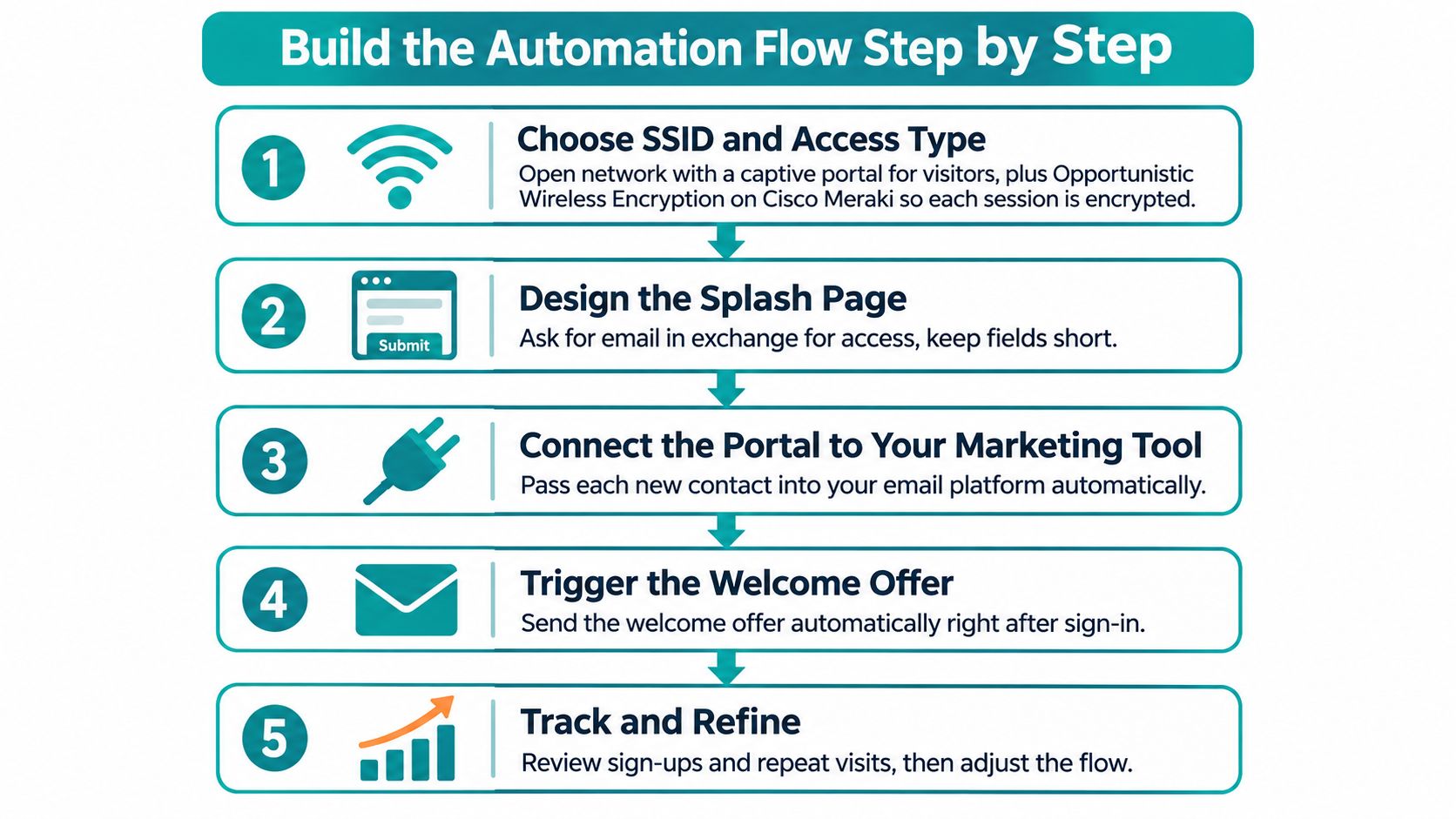
Build the integration as a controlled event pipeline, not a contact-export shortcut. Give IT ownership of delivery and failure handling, marketing ownership of the journey, and a named privacy owner responsibility for permission rules.
Configure the event pipeline
Choose the SSID and access type. Create a visitor network with captive-portal authorisation, isolated from protected resources, and enable OWE where supported. Cisco Meraki's encryption documentation describes how OWE can work with captive portals; avoid assuming that the portal itself provides wireless encryption.
Build a minimal splash-page form. For a basic email welcome journey, request email and, only if useful, name, with a separate unticked marketing box. Don't request a phone number because the form supports one, and don't imply that completing the marketing fields is required for connectivity.
Send a permission-aware event. Use an API or webhook carrying the consent flag, notice version, venue ID, hashed device reference and timestamp, mapping each field explicitly to its receiving property or tag. If the receiving marketing tool can't read and enforce the consent flag, don't send the event to it; an email opt-in must never populate an SMS opt-in field.
Normalise and deduplicate. Standardise email formatting, distinguish contact records from device records and attach an event identifier so a retry doesn't restart the journey. Don't use a device reference as the sole person-matching key, and remember that hashing doesn't automatically make a device identifier anonymous.
Apply frequency caps and rate limits. Check recent journey entries before admitting a returning guest, and limit integration requests during reconnect bursts. Without these controls, repeated authentication or a delivery retry can produce duplicate welcomes and misleading campaign totals.
Route to a single welcome journey. Test delivery, suppression, opt-out updates and failed-event alerts before enabling additional triggers. The Zapier integration guide can help frame a connector-based approach, but the same consent and retry checks apply regardless of the integration tool.
Verify the complete outcome
A healthy test produces one intended customer record, a correctly recorded permission state and one welcome message for an eligible login. Nothing else should fire.
Run negative tests too: an unticked marketing box, an existing subscriber, an opted-out contact and a replayed event. Confirm that each produces the expected result before real guests encounter the flow.
Segmenting Visitors Without Overreaching
A portal login identifies an authenticated account or session. A Wi-Fi probe observation only suggests that a device was nearby. Neither establishes, without qualification, that a particular person browsed a department or intended to buy something.
A University College London study used probe-request filtering and graph-based clustering to estimate real-time pedestrian footfall in complex retail environments, with pilot counts reaching a mean absolute percentage error of 20% against reference counts. That finding concerns a measurement method, not exact customer identification.
Keep identity separate from presence
Require authenticated portal interaction and the relevant permission before person-level messaging. Aggregate unauthenticated observations for operational analysis under the venue's approved analytics policy.
For disclosed zone-based journeys, define a minimum presence duration and validate it against calibrated counters or sampled observations. MAC randomisation, interference and passers-by make a single detection an unreliable campaign trigger.
Segments and guardrails by sector
| Sector | Typical guest setup | Segment worth triggering | Keep out |
|---|---|---|---|
| Education campuses | Visitor SSID separated from student and staff networks | Consented event visitors and open-day attendees | Student identity or course records |
| Retail and shopping centres | Open SSID with captive portal or social login | Consented shoppers returning to the same zone | Covert camera tracking without disclosure |
| Corporate offices with BYOD | Isolated guest SSID; staff on WPA3-Enterprise | Meeting attendees and contractors with time-limited access | Employee devices or internal systems |
| Hotels and resorts | Portal linked to booking context | In-stay service information and post-stay review | Profiling beyond the stay |
| Healthcare and senior living | Restricted visitor access; IPSK for approved staff devices | Family updates, only with explicit consent | Any clinical or patient-related data |
Prefer context to persistent profiling
Say an education campus welcomes open-day visitors. A session-based message containing a campus map and accessibility information may be more useful than permanently classifying someone by every building their device appeared near.
A hotel can provide room-service instructions using authenticated booking context. A healthcare venue can offer visitor information without inferring a medical condition or linking Wi-Fi activity to clinical records. Family communications must use an authorised process, not a relationship guessed from network presence.
Report an estimate as an estimate, with its measurement method and error margin. Don't present device observations as exact visitor identity.
Measuring Results Beyond Sign-Up Counts
A randomised holdout is the strongest practical starting test. Keep an eligible group out of the welcome journey while sending it to a comparable group, then measure the same outcomes over the same observation period. Both groups should have valid permission; withholding marketing doesn't affect network access.
For a pilot, you might choose a four-to-six-week test window as an operational planning example, not a universal standard. Set the duration before launch and allow enough time for the behaviour you're testing, especially when a hotel booking cycle differs from a café return visit.
Choose outcomes before sending
Use a guest Wi-Fi analytics dashboard to organise the measurement, but define what each metric means before interpreting it:
- Repeat visits: Compare qualifying return visits among messaged and holdout guests using the same identification and observation rules.
- Redemption quality: Check whether coupons lead to worthwhile transactions, rather than counting every redemption as an equally valuable result.
- Bookings and purchases: Use permitted transaction matching and distinguish observed conversions from conversions caused by the journey.
- Satisfaction: Ask a short, relevant post-visit question and establish who will act on negative feedback.
- Opt-out rate: Treat withdrawals and complaints as signs that timing, content or expectations may need attention.
Read the result conservatively
Shared devices can make different people look like one visitor. Randomised MAC addresses can make one visitor look like several, while staff devices can resemble unusually loyal customers. Exclude known test and staff records, avoid profiling minors, and disclose the limits of any returning-visitor model.
A monthly dashboard should show consented sign-ups, opt-outs, qualifying return visits per consented guest and the difference from the holdout. Include group sizes and data-quality notes so a small apparent improvement isn't mistaken for a dependable result.
If the difference is small or uncertain, say so. Keep the groups stable, check whether other campaigns reached them differently and extend or redesign the test rather than announcing a win prematurely.
Platform benchmarks can help generate a hypothesis. Your venue's controlled results should determine what you promise a client, leadership team or board.
Pick Your Setup and Launch a Pilot
Choose a pilot small enough that the team can explain every decision from login to outcome. A single venue and welcome journey will expose permission, matching and delivery problems more clearly than a broad launch with overlapping campaigns.
Before going live, confirm the essentials:
- Privacy wording reviewed: The notices match the venue's privacy policy and intended processing.
- Marketing choice separated: Guests can connect without joining a promotional audience.
- Access method matched: Social login suits casual visitors; IPSK or EasyPSK suits managed guests needing individual credentials.
- Controls tested end to end: Deduplication, opt-out synchronisation and failure alerts behave correctly.
Make the launch manageable
Our Splash Access captive portals are instantly deployable Wi-Fi login systems integrated directly into the Meraki Cloud. WPA2 Guest Wi-Fi supports QR-code onboarding, while optional guest access quickly authorises users onto the Meraki network and collects name and email as required, with social WiFi and IPSK options available alongside.
Deployment speed doesn't remove the need for testing. Have the network and marketing owners approve the same login flow, integration mapping and suppression behaviour before activating the campaign.
Run the holdout, review operational health throughout the pilot and schedule an initial review after a month. If delivery works but outcomes remain uncertain, continue measuring rather than adding more journeys. Our team can help configure the login flow and integrations around that focused starting point.
Splash Access offers Cisco Meraki captive portals and authentication options that connect guest onboarding with permission-aware marketing workflows. Visit Splash Access to discuss a pilot with a defined guest access method, a welcome journey and a practical measurement plan.