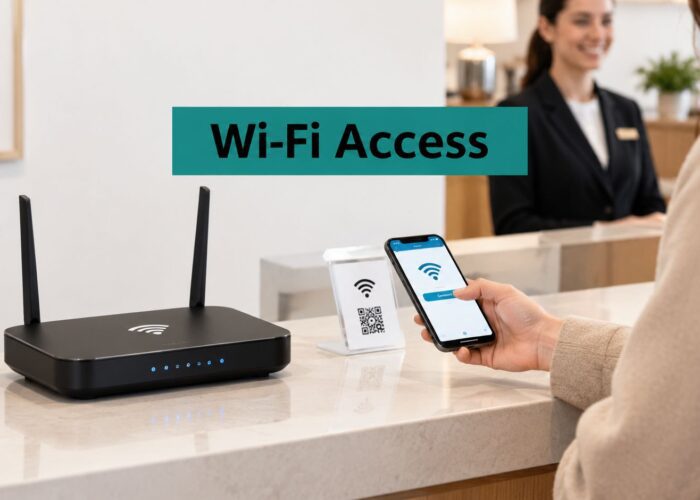
You're standing in a lobby, coffee in hand, watching a guest tap the hotel Wi-Fi, and the whole thing looks simple. Behind that tap is a trust decision, a bit of routing logic, and usually a splash page asking for something in return, whether that's an email, a voucher code, or a quick sign-in. For hotel, campus, retail, and BYOD corporate teams, wifi data capture is the name for that whole exchange, from the first radio hello to the follow-up message that lands later.
What makes it tricky is that the guest sees one screen, while the venue is juggling several jobs at once. The guest wants fast internet, the venue wants security and useful data, and the platform behind the scenes has to connect those goals without making the experience feel pushy. A clear guest flow can do that, and a branded captive portal often becomes the front desk of the wireless network, as explained in this practical overview of how guest Wi-Fi works.
The Moment You Tap Connect at a Hotel or Cafe
A resort lobby is the easiest place to understand this because the scene feels ordinary. A visitor sits down, opens the phone, and sees the guest network. The next tap usually sends the device into a short negotiation, where the network decides whether this is a true guest, a returning device, a staff laptop, or just a stranger passing through.
Three people are always in the room
The first person is the guest, who wants quick access and doesn't want to fill out a form that feels like a tax return. The second is the venue, whether that's a hotel, store, campus, or office, because someone there has to decide what gets asked for and what gets remembered. The third is the platform, which turns all of that into a working Wi-Fi flow and records the parts the business needs.
Practical rule: if the guest can't tell who is asking for the data, the trust contract is already weak.
That trust contract matters because Wi-Fi isn't just a utility anymore. In a hotel, the login might feed the front desk and marketing team. In a campus, it might help with visitor access and occupancy planning. In retail, it can support repeat-visit analysis and promotions. In a BYOD office, it may keep corporate traffic separate from guest traffic while still giving visitors a clean onboarding path.
A manager doesn't have to become a radio engineer to make this work. They do need to think through a few small decisions, because each one changes what gets collected, who sees it, and how long it stays around. That's why Wi-Fi capture is better understood as a stack than as a single feature.
A guest sees one doorway. The venue sees a set of switches. The platform turns those switches into policy, identity, and analytics.
What Wi-Fi Data Capture Actually Means
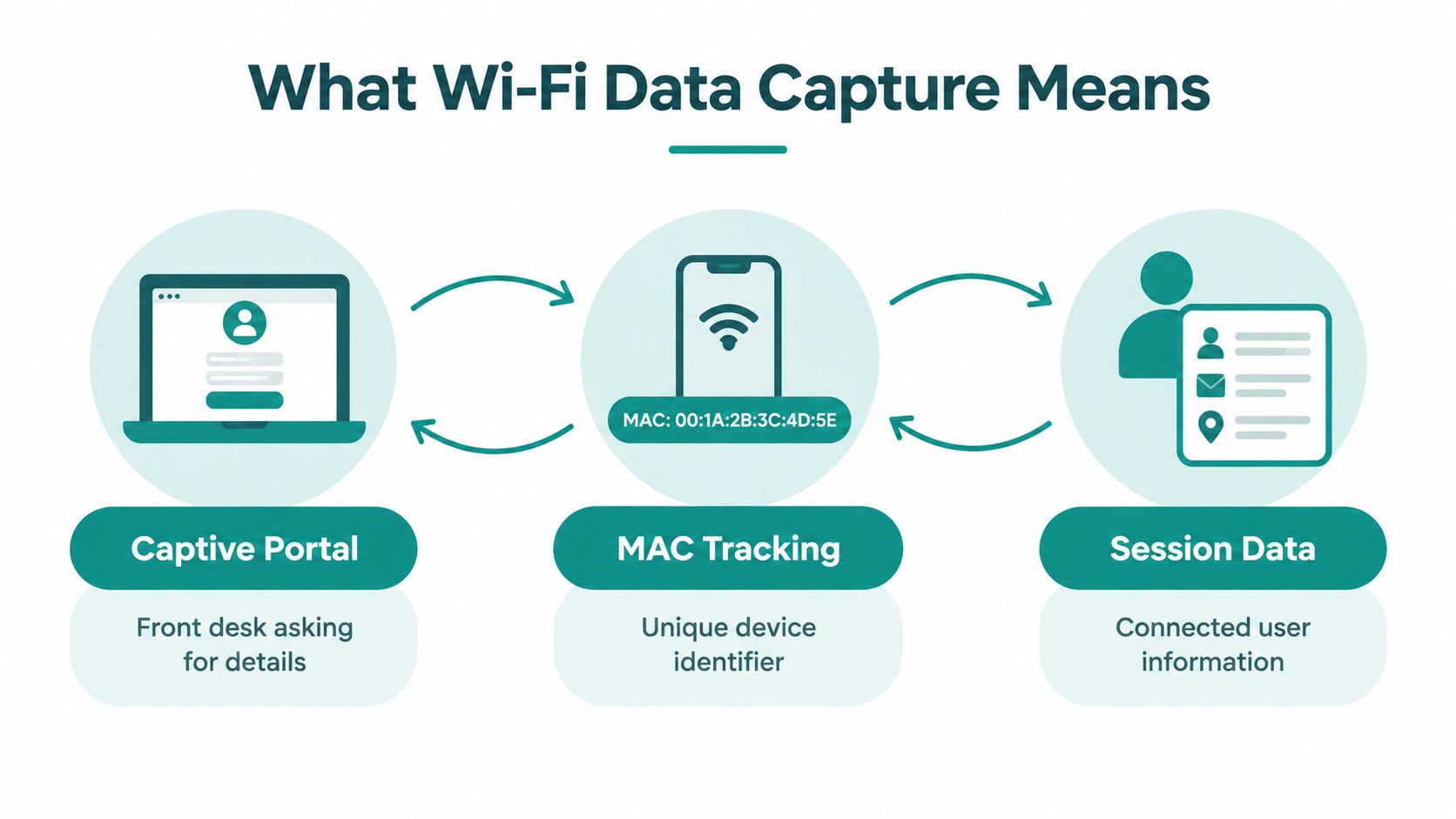
Think of Wi-Fi capture like a building entrance with different checkpoints. The captive portal is the receptionist who asks for the minimum details before letting someone in. MAC tracking is the badge reader that notices the device came back. SSID tracking is the sign outside that shows which network the device tried first.
The basic tools in plain English
A captive portal can ask for an email address, a social login, a voucher, or a simple agreement to terms. That's why people often compare it to a front desk. The portal decides what the guest has to do before they get internet access, and it can also send a signal to marketing or analytics tools once the session starts.
MAC tracking is different. It watches a device identifier, which is useful for recognizing repeat visits or keeping a session alive, but it isn't the same thing as knowing the person behind the phone. SSID tracking is even lighter. It tells you which network name was visible or attempted, which helps with onboarding and troubleshooting, but not with identity on its own.
A clean portal is not just a gate, it's also the place where you decide what data is actually needed.
Two other terms matter because they change how access feels. IPSK and EasyPSK work like personal keycards. Instead of one shared password for everyone, each person or device gets its own key. That's handy in staff areas, dorms, managed tablets, and BYOD environments where you want cleaner control than a single guest password can give.
For larger organizations, PKI acts like the master locksmith behind enterprise sign-in. It sits under systems that rely on identity providers such as SAML, Azure AD, and Google Workspace. In practice, that means a guest portal and enterprise authentication can live side by side, each serving a different audience without forcing everyone through the same path.
The important part is simple. Each tool solves a different problem. A portal collects and presents. A device key grants access. A PKI-backed identity system verifies who someone is across a wider business stack. Once those pieces are separated in your head, the rest of the architecture gets much easier to explain to non-technical teams.
Connected Sessions versus Probe Snooping
A common mistake is treating every Wi-Fi signal as if it means the same thing. It doesn't. A device that has joined the network gives you cleaner, more reliable session data than a device just shouting into the air for nearby networks. That difference matters if you're trying to count real guests instead of random phones passing by a storefront.
Why probes look bigger than they are
Probe requests are search messages. Phones send them while looking for known or available networks, and some devices have historically sent them very frequently. That means probe-only counts can make a venue look busier than it is. When modern operating systems randomize MAC addresses, the problem gets worse, because one phone can look like several devices over time.
That's why probe-based analytics should be treated as an estimate, not a ground truth. They can help with rough movement sensing, but they're a poor substitute for associated client telemetry when you need occupancy planning, visit attribution, or return-visitor analysis. The safest reading is the one that comes from a device that really connected.
| Connected Sessions versus Passive Probe Capture | Associated Client Telemetry | Passive Probe Capture |
|---|---|---|
| Identity confidence | Higher, because the device joined the network | Lower, because the device may never connect |
| Best use | Guest counts, session timing, access policy | Rough presence estimates |
| Reliability for marketing | Better for consented follow-up | Weak, because it's indirect |
| Privacy posture | Easier to govern with clear onboarding | Harder to explain to non-technical users |
What the venue should rely on
A hospitality desk, a campus IT team, or a retail operator should lean on connected-session data first. That's the cleaner signal for who used the network. Probe data can still be useful for supporting estimates, but it shouldn't be the main number you build decisions on.
Operational shortcut: if the data source can't survive a privacy review, it shouldn't be your primary KPI.
For anyone who wants to dig into packet-level behavior, this practical guide on capturing packets with Wireshark is a helpful technical reference. It's the kind of material network teams use when they want to see the difference between what's in the air and what's attached to the network.
Building a Cisco Meraki Splash Page That Works
A good splash page feels like a helpful concierge, not a toll booth. On Cisco and Meraki guest networks, the stack usually starts with a branded captive portal and then opens up into whichever onboarding methods fit the venue. Hotels may prefer vouchers, offices may prefer identity-based sign-in, and retail sites may want quick social login or social WiFi check-ins.
A layered setup beats one-size-fits-all
For a short-stay guest, EasyPSK can make the experience painless. For staff or managed devices, IPSK gives you tighter control without forcing everyone to share one password. For visitors who'd rather not type much at all, social login can reduce friction, while social WiFi check-ins can help a venue turn the login moment into a marketing touchpoint.
Cisco Meraki environments can also hand off cleanly to Azure AD, SAML, or Google Workspace for corporate visitors who already have an identity in place. That matters in education and BYOD corporate settings, where the right answer is often not “more forms,” but “the right identity source for the right person.” QR code onboarding also helps, especially at a reception desk or on a printed table tent, because it saves the guest from hunting for the network name on a crowded screen.
Here's the short version of what a workable splash page usually includes:
- Branding that looks like the venue: logo, colors, and clear venue identity so the guest knows they're in the right place.
- Login options matched to the audience: social login for speed, voucher codes for hotels and events, IPSK for managed users, EasyPSK for simple guest access.
- A mobile-first form: short fields, large buttons, and no clutter.
If you're comparing portal design ideas, this splash page walkthrough is a useful reference point. It's also smart to review securing Wi-Fi for UK businesses if your team wants a broader security lens around the guest network.
Privacy, Consent, and the Trust Gap
The biggest mistake teams make is chasing capture rate as if it were the whole story. It isn't. If people hand over data because the portal feels confusing or untrustworthy, the numbers may look good while the relationship gets worse. A stronger goal is informed consent, because a guest who understands the exchange is more likely to trust the brand later.
The portal has to look and act like the real venue
That trust gap shows up in public Wi-Fi all the time. One research finding says 81% of respondents knew their data could be stolen on inadequately encrypted public Wi-Fi, yet 66% were not concerned about the authenticity or security of captive portals. That's a warning sign for hotels, retailers, campuses, offices, and healthcare sites. People may understand the risk in theory and still not notice whether the portal in front of them is legitimate.
The practical response is straightforward:
- Use HTTPS-only portal delivery. The login page should be delivered securely.
- Show visible venue identity. Guests should see the organization name before they submit anything.
- Keep the form minimal. Ask only for what you need.
- Separate marketing consent. Wi-Fi access and promotional opt-in are different purposes.
- State retention clearly. Tell people how long you keep the data and why.
- Offer access and deletion paths. People should know how to exercise their rights.
A portal that asks for a name, email address, or phone number is collecting personal data, so it needs a clear explanation of what's being gathered and why. In UK and EU contexts, that can engage GDPR or UK GDPR and marketing rules such as PECR. The cleanest design is to let someone connect first, then offer marketing as a separate choice that isn't bundled into the basic Wi-Fi terms.
The same logic applies to social login and social WiFi. A quick sign-in can be convenient, but convenience doesn't erase the need for transparency. If you want people to trust the network, the venue has to be honest about both the connectivity purpose and the marketing purpose. A useful reference on this topic is consent management for guest Wi-Fi, because the mechanics matter as much as the wording.
How Hospitality, Retail, Education, and BYOD Offices Use It
The same guest Wi-Fi stack looks different depending on the room you put it in. A hotel wants smooth arrivals and repeat stays. A mall wants check-ins and return visits. A campus wants controlled access and cleaner device management. A BYOD office wants visitors online without opening the internal network to risk.
| Wi-Fi Data Capture by Vertical | Primary Authentication | Key Capture Use Case |
|---|---|---|
| Hospitality | Vouchers, social login, EasyPSK | Guest journey data and repeat-visit follow-up |
| Retail | Social WiFi, branded captive portal | Visit-based marketing and promotion sign-up |
| Education | IPSK, managed identity handoff | Dorm access, campus analytics, visitor control |
| BYOD corporate | SAML, Azure AD, IPSK | Secure guest access and audit-friendly onboarding |
What changes from one sector to the next
Hotels and resorts usually care about the full arrival story. A receptionist may hand out a voucher, or a guest may authenticate through a portal and then receive a follow-up message after checkout. Retail teams lean harder on quick interactions, because the checkout line or food court doesn't leave much patience for long forms. Education teams are often more cautious, since a campus network has to serve students, visitors, and staff without mixing every device together.
BYOD corporate spaces bring a different pressure. Visitors need a simple path onto the internet, but internal systems still have to stay protected. That's where identity-based sign-in, separate network segments, and cleaner device rules matter more than flashy marketing features.
Splash Access is one option in this space, with Cisco Meraki-oriented captive portals, IPSK, EasyPSK, and integration paths for guest Wi-Fi and analytics. In practice, that kind of setup can suit hotels, education, healthcare, retail, senior living, and co-working environments without asking every location to use the same login style.
Analytics, Integration, and Your Next Steps
Once the guest is through the portal, the useful work starts. Wi-Fi data capture can feed footfall and dwell-time analytics, help a venue understand repeat visits, and push consented profiles into tools like Mailchimp, Facebook, or Twilio for later follow-up. The point isn't to collect everything. The point is to move the right data into the right system so the next message feels relevant instead of random.
Make the workflow match the business outcome
A hotel might connect session data to post-stay outreach. A retailer might use location and visit timing to shape offers. A campus might use aggregated analytics to understand building usage. A BYOD corporate office might mostly care about audit trails and clean sign-in records, with the marketing layer turned down or off.
That's also where integrations stop being a nice-to-have. If your portal can't hand data off cleanly, someone ends up exporting CSVs by hand, and that usually means delays, mistakes, or abandoned follow-up. For teams that send welcome or re-engagement emails, a guide like best email warmup tools can be useful when they're trying to keep outbound deliverability healthy after new campaigns start.
Good practice: collect once, segment early, and let the platform push the right record into the right workflow automatically.
A simple readiness check for this week looks like this:
- Confirm hardware compatibility. Make sure your Cisco or Meraki environment matches the portal workflow you want.
- Design a minimal form. Ask for only the fields you'll use.
- Separate marketing consent. Keep Wi-Fi access and promotions apart.
- Set retention rules. Decide how long raw and session data should live.
- Run a test splash. Check the flow on mobile first, then on desktop.
- Review analytics before launch. Make sure the numbers you'll use are the numbers you trust.
For teams that want a single place to manage guest Wi-Fi analytics, guest Wi-Fi analytics is worth reviewing as part of the planning process. The main idea is simple. Build the trust contract first, then let the data work for you instead of against you.
Splash Access helps teams turn guest Wi-Fi into a controlled, measurable onboarding flow with captive portals, Cisco Meraki support, and options like IPSK, EasyPSK, social WiFi, and analytics handoff. If you're planning a hotel, campus, retail, or BYOD rollout, visit Splash Access and see how the pieces fit together for your network.