A hotel wants branded guest WiFi that works quickly on a phone, captures useful information, and keeps access secure. A shopping center wants social login without turning the splash page into a marketing obstacle. A university or corporate office needs a clear separation between guest access, student onboarding, staff authentication, and BYOD policies. In each case, the attractive page is only the visible part of the decision.
The right WiFi splash page template depends on the wireless platform, authentication method, consent design, integrations, and audience. A click-through page may be enough for a small guest network, while a Cisco Meraki deployment may need SAML, Azure AD, IPSK, EasyPSK, vouchers, or an external captive portal. Retail and hospitality teams may also need social login, social WiFi, surveys, CRM workflows, and return-visit insights.
The resources below are assessed as implementation choices, not just design galleries. Each one is considered for guest WiFi, captive portals, responsive behavior, data capture, compliance, multi-site administration, and fit across education, retail, and corporate BYOD environments. Any imagery used with these examples should depict WiFi access, captive portals, network onboarding, or related interface concepts, rather than unrelated lifestyle scenes.
1. Splash Access for Cisco Meraki
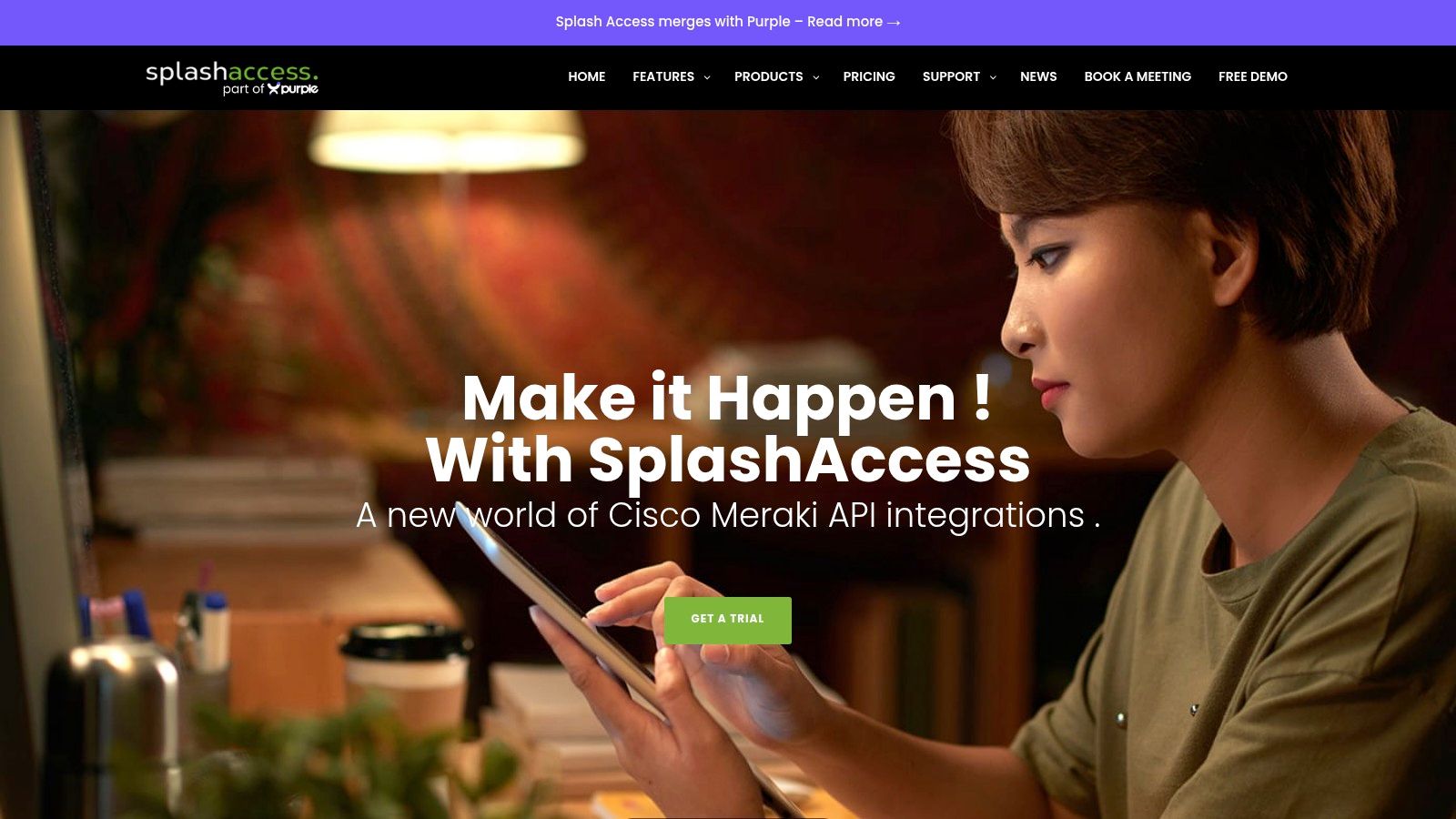
For organizations already using Cisco Meraki, Splash Access is designed around the practical work that makes a captive portal useful beyond a logo and terms checkbox. Its customizable splash pages support branded layouts, form fields, language selection, and responsive access across desktop, tablet, and mobile devices. That matters because most guests reach a WiFi portal from a phone, often while standing at a reception desk, retail entrance, classroom building, or hotel lobby.
The authentication range is the stronger reason to consider it. Guest flows can include social WiFi and social login, while enterprise deployments can use Azure AD, SAML, IPSK, and EasyPSK. Voucher printing, payment workflows, and CRM or email-platform integrations extend the same portal into paid access, marketing consent, and multi-venue administration.
Where it fits best
Splash Access makes the most sense for hotels, education networks, retail groups, healthcare settings, senior living environments, and corporate offices that want Cisco Meraki compatibility without building every portal workflow from scratch. The platform also supports creating a custom splash page for teams that need a more controlled guest journey.
- Best fit: Cisco Meraki estates with multiple SSIDs, venues, or authentication policies.
- Useful advantage: IPSK and EasyPSK can support more controlled identity-linked access than an open guest form.
- Main trade-off: Organizations outside the Meraki ecosystem may not get the same value, and advanced modules or add-ons can increase the total cost.
The practical test is whether the template connects cleanly to the access policy behind it. A polished page that cannot distinguish guest WiFi from corporate BYOD or education authentication still leaves the network team with avoidable work.
2. Cisco Meraki built-in splash pages and themes
Cisco Meraki's native splash page tools are a sensible starting point when the requirement is straightforward. Administrators can configure click-through access, sign-on workflows, sponsor or RADIUS authentication, and billing options from the Meraki environment. The theme editor supports branding and dynamic variables, which can be enough for terms and conditions, a logo, a short message, and basic access instructions.
That simplicity is the attraction. A small retail site or office may not need an external marketing platform, a survey engine, or a complex CRM workflow. Keeping the page within the Meraki dashboard can reduce the number of systems involved in deployment and troubleshooting.
Where the native option reaches its limit
Meraki supports custom-hosted external portals through its Captive Portal API. That creates an upgrade path when the built-in theme editor can't provide the desired form logic, consent separation, social login, or data routing. A team can start with a native template and move to a specialist portal when the business requirement becomes more demanding.
The limitation is that advanced branding and data capture often require that external route. The native splash types also have customization boundaries, so a designer may produce a page that looks good in a mockup but can't be reproduced fully inside the dashboard.
For teams evaluating Meraki splash page options, the key question isn't whether the built-in page looks acceptable. It's whether the page can support the intended authentication path, reporting needs, and consent experience without creating manual work for network administrators.
3. Purple
Purple takes a design-led approach to guest WiFi. Its splash page builder can use a website URL to help identify brand styling, which gives marketing teams a faster route from a blank portal to a branded guest experience. The templates are responsive, and the platform connects page creation with data capture, engagement, analytics, and content-filtering options.
That workflow suits hospitality and retail teams that care about the first impression as much as the authentication step. A hotel can use the page to reinforce its visual identity, while a store or venue can connect guest access with a broader engagement program. Social WiFi and social login can also be useful when the goal is to reduce form friction, provided the consent language explains what information is being requested and why.
The trade-off is platform depth
Purple works best when the organization wants to adopt its wider analytics and marketing stack rather than use the splash page as an isolated asset. That can be an advantage for retail groups and hospitality operators with a dedicated customer-experience team. It can be unnecessary for an education site that only needs authenticated access and clear network separation.
The implementation review should cover more than the visual editor. Confirm how captured data is stored, which integrations are available, how marketing permissions are separated from network terms, and whether the portal can hand users to the correct guest WiFi policy.
For teams comparing marketing-oriented tools, WiFi marketing platform guidance is useful as a reminder that the page should serve a measurable access and engagement workflow. Strong design helps, but it doesn't replace authentication planning.
4. Cloud4Wi
Cloud4Wi is built for organizations that need to manage splash pages across locations, venues, and wireless environments. Administrators can create central splash or login profiles, assign them in bulk, and adapt authentication by site. That structure is more relevant to a shopping-center group, airport operator, quick-service restaurant network, or hospitality brand than to a single independent venue.
The platform supports forms, OTP, vouchers, and other guest authentication methods, with marketing, analytics, and CRM integrations available around the portal. Its vendor-agnostic positioning also matters when a business has inherited different access-point platforms across its estate. Replacing the wireless infrastructure just to standardize a WiFi splash page template isn't always practical.
Multi-site administration comes first
Cloud4Wi's strength is centralized administration, but that strength can add more platform depth than a small venue needs. Pricing requires a quote and can depend on access-point and usage considerations, so procurement teams should model the full footprint rather than assess only the template editor.
A retail operator should test whether different brands, locations, languages, and consent purposes can be managed without duplicating workflows. An airport or mall should also decide what the portal is meant to learn about visitors. Surveys can distinguish new and returning visitors, but collected information only creates value when leasing, events, marketing, or operations teams know who will act on it.
The cloud-based captive portal approach is therefore most useful when the portal needs to remain consistent across many sites while still allowing local policies and authentication choices.
5. GoZone WiFi and Marketing4WiFi
GoZone WiFi, also known as Marketing4WiFi, is aimed at businesses that want guest access to support first-party data collection and remarketing. Its Intelligent Landing Page Builder and customizable splash pages give teams a template-based starting point, while campaign automation, surveys, targeting, white-labeling, and multi-location management extend the workflow beyond authentication.
The optional managed-service model is notable for organizations that don't have the time or specialist knowledge to design, test, and optimize every portal themselves. A hospitality group may want a consistent experience across properties, while a retail chain may need different campaigns for stores, events, or shopping-center environments.
Don't confuse data capture with permission
A survey or email field doesn't automatically create permission to use the data for marketing. The portal should explain the purpose of each field, separate required access terms from optional communications, and provide a defensible record of the choices a guest makes. That distinction becomes especially important when the same template is reused across different jurisdictions or business units.
GoZone is likely to provide the most value when its wider marketing suite is part of the plan. Pricing isn't fully public and can vary by plan and volume, so teams should ask for a clear breakdown of portal, location, campaign, support, and managed-service costs.
Before selecting a template, review splash page examples as workflow references, not just visual inspiration. The useful question is what the page asks, what the guest receives, and what the business does with the response.
6. Aislelabs Connect
Aislelabs Connect is suited to large venues where guest WiFi serves as an input into marketing, analytics, and location intelligence. Its branded splash pages can capture information while connecting with consent management, CRM systems, and other integrations. That makes it relevant to malls, airports, hotels, and large retail environments where the network team and customer-insight team often share responsibility for the guest journey.
The analytics emphasis separates it from a simple WiFi splash page template. A shopping center, for example, may use portal questions to distinguish new visitors from returning ones, trigger a first-visit welcome, and route findings to leasing or events teams. The page is then part of a data-collection strategy, not merely a gate before internet access.
Privacy has to be designed into the flow
Location analytics and triggered campaigns require careful governance. Teams should identify which data is necessary for guest access, which information is optional, how long records are retained, and how a visitor can withdraw marketing permission or exercise applicable data rights.
That is where enterprise platforms can justify a heavier implementation. They offer more room for policies, integrations, and multi-site controls, but a small business may find the administration and quote-based procurement disproportionate to its needs. Organizations using Cisco Meraki should also confirm the expected integration path and responsibilities between the wireless platform and the guest WiFi system.
Choose Aislelabs when the business question is about visitor behavior and engagement across locations. Choose a simpler native portal when the only requirement is a branded terms page and controlled internet access.
7. IronWiFi
IronWiFi combines a hosted captive portal with cloud RADIUS, giving organizations a way to manage guest WiFi and more controlled employee or device access through related identity workflows. The splash page can use branded themes and several login types, including vouchers, social login, forms, and SSO. Payment and tariff options extend the model to venues that charge for access.
The vendor-neutral design is useful when the network includes more than one wireless manufacturer. It also gives IT teams a clearer path from casual guest access to WPA2-Enterprise and identity-provider-backed staff connectivity. That distinction matters in corporate BYOD environments, where employees and contractors shouldn't inherit the same policy as anonymous visitors.
Guest access and employee access need different controls
A guest portal can collect a minimum amount of information and place a device on an internet-only network. Staff or managed BYOD access may need stronger identity verification, device policy, certificate handling, or RADIUS-backed authorization. Combining these concerns under one visual template can obscure important security differences.
IronWiFi's documentation covers practical captive portal setup, including creating the portal, selecting the access-point vendor, enabling authentication providers, placing the splash URL in the controller, configuring the walled garden, and testing the network. Those steps are valuable because a template isn't operational until pre-auth access, redirects, DNS behavior, and post-auth authorization work together.
The trade-off is scope. Pricing can vary by features and access-point count, and the platform may offer more network and security capability than a marketing-only deployment requires. It fits best when the organization wants one vendor-neutral approach for guest authentication and identity-aware network access.
8. HPE Aruba Networking Aruba Central and ClearPass Guest
HPE Aruba Networking gives Aruba customers two practical levels of guest portal capability. Aruba Central provides built-in splash page profiles with branding, locale options, and registration workflows. ClearPass Guest adds deeper customization, sponsor approval, policy control, and more advanced guest administration.
That distinction is important for education and enterprise environments. A campus may allow visitors to self-register, while a corporate office may require a sponsor to approve access. A hotel or large venue may need SMS or email registration and different policies for staff, contractors, guests, and event attendees.
Pick the layer that matches the policy
Aruba Central is the better starting point when the organization needs standard branding and uncomplicated guest onboarding within an existing Aruba deployment. ClearPass is more appropriate when approval chains, identity policies, sponsor actions, and detailed access rules are central to the design.
The cost and complexity increase with ClearPass, which can make it excessive for a small retail site that only needs click-through access. It also means the portal project should involve security and identity administrators, not only the person responsible for page design.
Social login, SMS, email registration, and sponsor approval each create different data and support requirements. Before choosing a template, test the complete flow on a phone and verify that the guest sees understandable terms before access is granted. A page that looks consistent across locations still needs local consent and policy review.
9. Ruckus Cloudpath Enrollment System
Ruckus Cloudpath is a strong fit when guest WiFi onboarding sits alongside device security and policy enforcement. The system supports customizable portals, multi-language presentation, sponsor-approved access, vouchers, SMS or email registration, and social or OAuth login. It also provides device visibility and revocation controls for organizations managing many users or venues.
Campuses can use sponsor workflows for visitors, contractors, or guests who need access beyond a simple click-through. Hospitality and large-event environments can use vouchers or registration flows while retaining more control over which devices remain authorized. The same platform can support stronger onboarding requirements for staff networks through its broader security and policy capabilities.
Security changes the page design
A secure onboarding flow asks more than “what should the portal look like?” It asks which identity is being established, which device is being authorized, how long access should last, and who can revoke it. Those decisions affect the wording, fields, approval screens, error handling, and support instructions on the page.
Cloudpath can be a good choice for education or large venues that need a policy engine rather than a standalone marketing splash page. The licensing model and product SKUs can be complex, however, and organizations usually get the best fit when they standardize on the Ruckus ecosystem.
For a retail store with a simple guest network, this may be more machinery than necessary. For a campus with visitors, students, staff, and managed devices, the added control can be directly relevant to the deployment.
10. Cambium Networks cnMaestro X Guest Access and EasyPass
Cambium Networks cnMaestro X provides guest access tools for organizations operating Cambium WiFi. Its portal builder supports free, paid, and voucher-based access, while EasyPass provides a simplified route to secure guest onboarding. Enterprise and SAML flows, external captive portal integration, reporting, and email templates give administrators room to support both casual visitors and more structured institutional access.
The combination can suit hotels, multi-dwelling environments, and education deployments that want to keep guest workflows close to their Cambium management platform. A property may use vouchers for a temporary visitor experience, while an institution may connect an enterprise identity flow to a separate onboarding policy.
Check the subscription boundary early
Many guest features require the cnMaestro X subscription tier, so procurement should confirm exactly which portal, reporting, authentication, and email capabilities are included. That review prevents a common deployment problem, where a team designs a workflow around a feature that isn't available in its current license.
EasyPass can reduce moving parts for Cambium users, but it won't be the natural choice for organizations using Cisco Meraki, Aruba, Ruckus, or mixed infrastructure. The best template is still the one that matches the wireless control plane and the identity system behind it.
For education, ask whether SAML or another enterprise method is appropriate for students and staff, while keeping visitors on a separate guest flow. For hotels and MDUs, test voucher recovery, payment behavior, mobile responsiveness, and the handoff from the portal to the correct network policy.
Top 10 Wi-Fi Splash Page Template Comparison
| Product | Key features ✨ | UX / Quality ★ | Value / Pricing 💰 | Target audience 👥 |
|---|---|---|---|---|
| Splash Access (for Cisco Meraki) 🏆 | ✨ Meraki‑native portals, IPSK/EasyPSK, SAML/Azure AD, billing & voucher printing, CRM APIs | ★★★★★, enterprise, responsive | 💰 Mid–high; add‑ons increase cost | 👥 Meraki customers, hospitality, retail, education, multi‑site brands |
| Cisco Meraki (built‑in splash page and themes) | ✨ Theme editor, click‑through, sponsor/Radius, external portal API | ★★★☆☆, fast deploy, basic branding | 💰 Included w/ Meraki license | 👥 Meraki users needing simple T&C/branding |
| Purple | ✨ AI splash designer, responsive templates, engagement & analytics | ★★★★☆, polished, quick setup | 💰 Quote‑based for advanced features | 👥 Hospitality & retail teams wanting design/engagement |
| Cloud4Wi | ✨ Central templates, vendor‑agnostic auth (OTP/vouchers), CRM integrations | ★★★★☆, scalable admin for many sites | 💰 AP/usage pricing; quote required | 👥 Enterprise multi‑site (retail, QSR, malls, airports) |
| GoZone WiFi (Marketing4WiFi) | ✨ Landing Page Builder, automation, surveys, white‑labeling, managed services | ★★★★☆, marketing‑centric UX, hands‑on support | 💰 Quote‑based; best with marketing suite | 👥 Hospitality, venues, retail chains needing managed services |
| Aislelabs Connect | ✨ Compliant splash, location analytics, consent management, CRM | ★★★★☆, deep analytics & privacy controls | 💰 Quote‑based; enterprise pricing | 👥 Malls, airports, hotels, large retail, global deployments |
| IronWiFi | ✨ Hosted portal, Cloud RADIUS, multi auth, paid access/billing | ★★★☆☆, mature, security‑focused | 💰 AP/feature tier pricing; quotes common | 👥 Businesses needing vendor‑neutral guest + employee access |
| HPE Aruba (Aruba Central / ClearPass Guest) | ✨ Central templates, self‑reg/sponsor, ClearPass policy & workflows | ★★★★☆, integrated for Aruba, scalable | 💰 Licensing for ClearPass adds cost | 👥 Enterprises, campuses, hospitality on Aruba infra |
| Ruckus Cloudpath (CommScope Ruckus) | ✨ Custom portals, sponsor workflows, vouchers, PKI & device visibility | ★★★★☆, strong security & device control | 💰 Complex licensing; quote‑based | 👥 Campuses, hospitality, large venues requiring device policy |
| Cambium cnMaestro X (Guest Access / EasyPass) | ✨ EasyPass, vouchers, free/paid modes, SAML & external portal support | ★★★☆☆, native to Cambium; feature‑gated by tier | 💰 Subscription tiers; advanced features require higher tier | 👥 Hotels, MDUs, education on Cambium infrastructure |
Turn the Shortlist Into a Safer Guest WiFi Flow
Selecting a WiFi splash page template starts with the network, not the color palette. Confirm whether the solution works natively with Cisco Meraki, Aruba, Ruckus, Cambium, or another wireless environment, and establish whether it requires an external captive portal, controller configuration, API work, or additional licensing. A visually strong template that creates redirect problems or depends on an unavailable subscription won't improve the guest experience.
Test the page on real phones before launch. Check the first load, captive-browser behavior, keyboard navigation, form errors, language selection, QR-code onboarding, and the moment access is granted. A guest shouldn't have to guess which field is required or repeat the process because the portal fails to return the device to the authenticated network.
Authentication should match the audience:
- Guest WiFi: Use the minimum practical information and explain the access terms clearly.
- Social login and social WiFi: Document the permissions requested by the identity provider and separate social or marketing consent from network access.
- Education: Consider SAML, sponsor approval, student onboarding, and distinct policies for visitors, students, faculty, and managed devices.
- Corporate BYOD: Keep guest access separate from employee or contractor identity flows, and evaluate SAML, RADIUS, IPSK, or EasyPSK where identity-linked access is required.
- Retail and hospitality: Decide whether the portal is collecting information for support, loyalty, surveys, campaigns, or visitor insight, then assign an owner for each workflow.
Consent needs more structure than a decorative checkbox. Guidance for captive-browser consent in GDPR contexts calls for a pre-auth consent screen, separation of purposes, timestamped consent logs, secure consent storage, and a way for users to withdraw consent before internet access is granted, as described in captive-browser consent guidance. CCPA and CPRA considerations also point toward purpose-specific consent, data minimization, retention policies, and DSAR handling. The page design should make those choices understandable instead of hiding them in dense terms.
The same discipline applies to data integrations. Validate every CRM, email, SMS, payment, survey, and API workflow with test records. Confirm what happens when a guest declines optional marketing, uses social login, submits an invalid phone number, or returns to the venue later. A shopping-center portal can distinguish new visitors from returning ones and route survey findings to operational teams, but only if the organization has decided what information it needs and who will act on it.
For Meraki deployments, the native dashboard is a reasonable baseline for standard branding and terms. Splash Access is relevant when a Meraki user needs a more customizable captive portal, responsive guest WiFi pages, social login, Azure AD or SAML, IPSK, EasyPSK, voucher printing, billing, or connected marketing workflows. Multi-site retail and hospitality organizations may prefer a centralized guest WiFi platform, while education and enterprise teams should prioritize identity, sponsorship, policy, and device controls over visual polish alone.
The market context also shows why these decisions deserve planning. The global captive portal market was estimated at USD 1.95 billion in 2024 and is projected to reach USD 6.20 billion by 2033, representing a 13.9% CAGR from 2025 to 2033, according to captive portal market data. North America held 40.2% of global revenue in 2024, while hospitality accounted for more than 26.0% of end-use revenue, highlighting the commercial importance of guest-facing access workflows. Those figures don't make one template universally right. They do show why teams should treat the splash page as part of authentication, consent, data governance, and network operations.
Before choosing, document the required flow on one page. Name the wireless platform, audience, authentication method, consent purposes, retention owner, integrations, fallback path, and support contact. Then build the smallest version that meets those requirements and test it with the people who will use and administer it.
Splash Access provides Cisco Meraki-compatible captive portals, responsive WiFi splash page templates, guest authentication options including IPSK and EasyPSK, and integrations for identity, marketing, vouchers, and billing workflows. To assess how it could fit your guest WiFi deployment, visit Splash Access and review the available portal options.