Friday dinner service is underway. A guest scans the table sign to check the menu, another asks for the Wi-Fi password, and a third is waiting to pay. If those actions lead to separate, slow systems, your team inherits the friction. If one QR code opens a clear menu and a well-designed guest Wi-Fi journey, the scan becomes a practical front door to the restaurant.
A QR code for restaurants isn't just a replacement for printed menus. It can connect menu access, ordering, payment, guest Wi-Fi, loyalty, feedback, and service requests, provided each step is designed around how diners behave. The strongest deployments combine an easy mobile experience with secure authentication, useful signage, and a human fallback for guests who don't want to use their phones.
Why QR Codes Are Now the Restaurant Front Door
A guest arrives, scans the code on the table, and expects a useful next step within seconds. That step may be today's menu, allergen details, guest Wi-Fi, or a service request. The QR code has become a practical first touchpoint because diners already recognize it on table tents, receipts, windows, and takeaway packaging.
QR technology began in 1994 at Toyota to track automotive parts. Its practical design still explains its restaurant value: it stores information compactly, costs little to reproduce, and works with a phone camera rather than a dedicated scanner. During and after the pandemic, restaurants used those qualities for contactless menus and service, making QR scanning part of normal dining behavior. The broader adoption story appears in this overview of QR code adoption.
About 75% of restaurants worldwide now use QR codes for digital menus, and 59% of full-service customers are willing to open a menu on their smartphone using a QR code, according to the National Restaurant Association technology report. Menu access remains the clearest restaurant use case, while ordering and payment require more careful design.
Practical rule: Treat the first scan as an invitation to a better visit, not as permission to push every digital feature at once.
A guest may scan to check ingredients, join Wi-Fi, call a waiter, view specials, or pay. One branded entry point can support these tasks, but the first screen should stay focused. A menu page can present relevant next actions without forcing every option into the same interface.
The QR code also gives operators room to update the guest experience without replacing every printed asset. Connected Cisco Meraki Wi-Fi can extend that entry point into secure onboarding, while brand styling and clear permissions help the network feel like part of the restaurant rather than a separate utility. For operators building beyond the first scan, these QR code marketing strategies can turn menu access into measurable campaigns.
A web-based menu may reduce routine questions during busy service, but the code itself does not create hospitality. Fast loading, accurate content, secure access, and staff support determine whether the technology feels welcoming. Always retain a simple alternative for guests who cannot or do not want to use a phone.
How to Generate and Place QR Codes for Menus
Start with the destination, not the artwork. Create a mobile-first menu page with readable type, clear categories, visible allergen information, and an obvious route back to the main actions. A dynamic QR code is preferable when menu content changes regularly because the printed code can continue pointing to a stable address while your team updates the page behind it.
A static PDF can work in a pinch, but it often creates unnecessary pinching, zooming, and scrolling. A responsive page gives the restaurant more control over content, accessibility, availability, and connected actions such as Wi-Fi access or ordering. If your team is unfamiliar with file formats used in QR assets, a practical explanation of what is Q Png can help clarify how image files differ from the guest-facing destination.
Build the menu path first
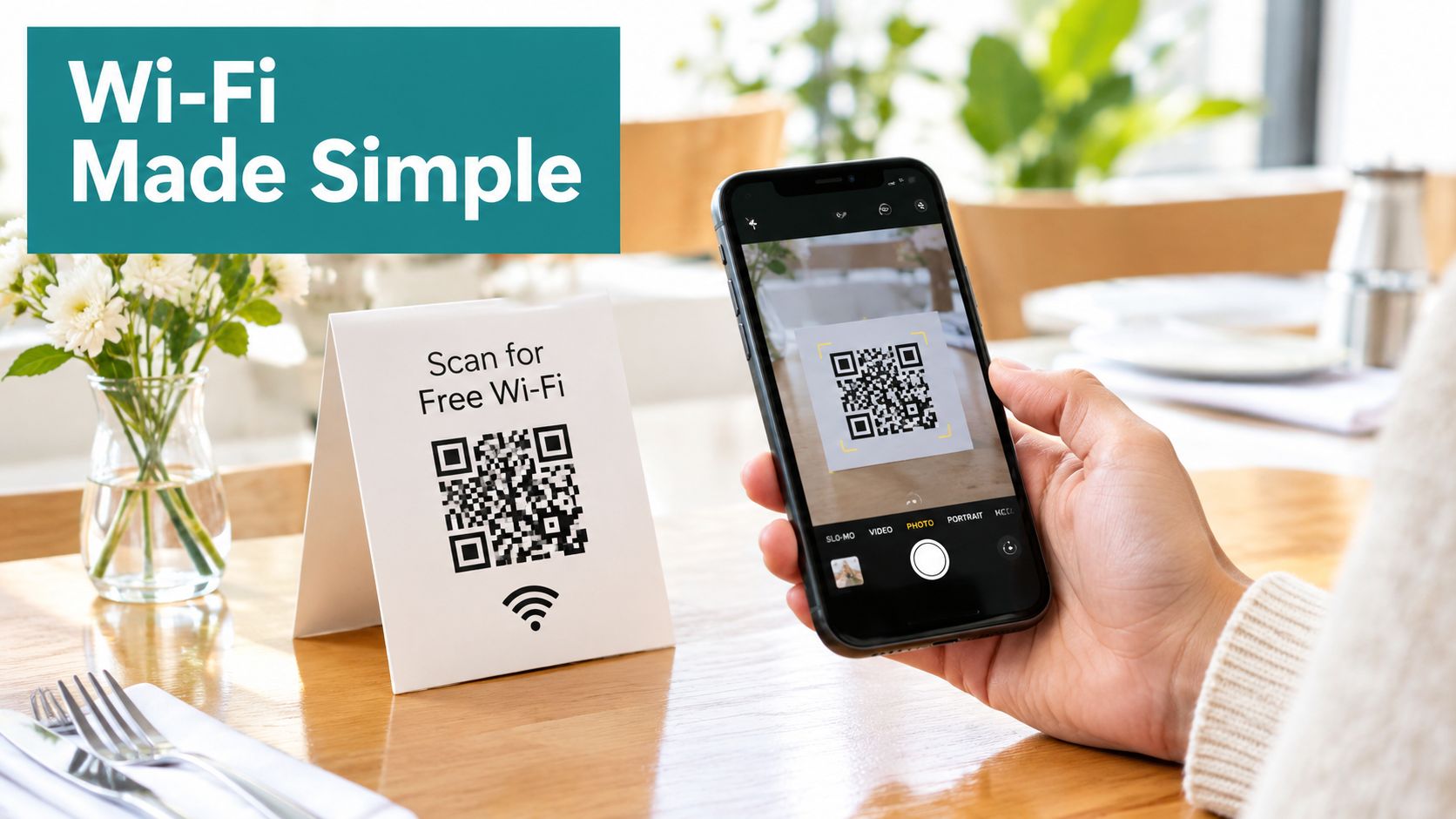
Use one code for one clear promise. “Scan to view today's menu” is better than a vague instruction that leaves guests wondering whether the code opens a menu, payment page, promotion, or Wi-Fi login. Test the link from different phones and browsers, then repeat the test in the dining room, where glare, dim lighting, table distance, and damaged cameras can affect scanning.
Place codes where diners naturally look:
- Table tents and placards: Keep the code visible without requiring guests to move glasses, condiments, or plates.
- Host stands: Use a separate arrival code for the menu or waitlist, rather than making guests search for information.
- Receipts and takeaway packaging: Send guests to feedback, loyalty, direct ordering, or current offers after the visit.
- Window and counter signage: Make the instruction readable before a guest commits to entering or queuing.
Add transactions only after browsing works
Full-service diners show a clear difference between menu interest and transaction intent. 59% will use QR codes for menus, while 48% will use them to order and 46% to pay, according to the National Restaurant Association technology landscape report. Launch menu access first, then validate ordering and payment as separate journeys.
Keep printed menus available, particularly for older guests, accessibility needs, premium dining concepts, or anyone who prefers paper. A good hybrid strategy doesn't undermine digital adoption. It prevents a technology choice from becoming a service barrier. For operators extending the QR journey into connectivity, QR code Wi-Fi access can connect the scan to a branded guest network without hiding the menu behind unnecessary steps.
Turning Guest Wi-Fi Into a Branded Experience
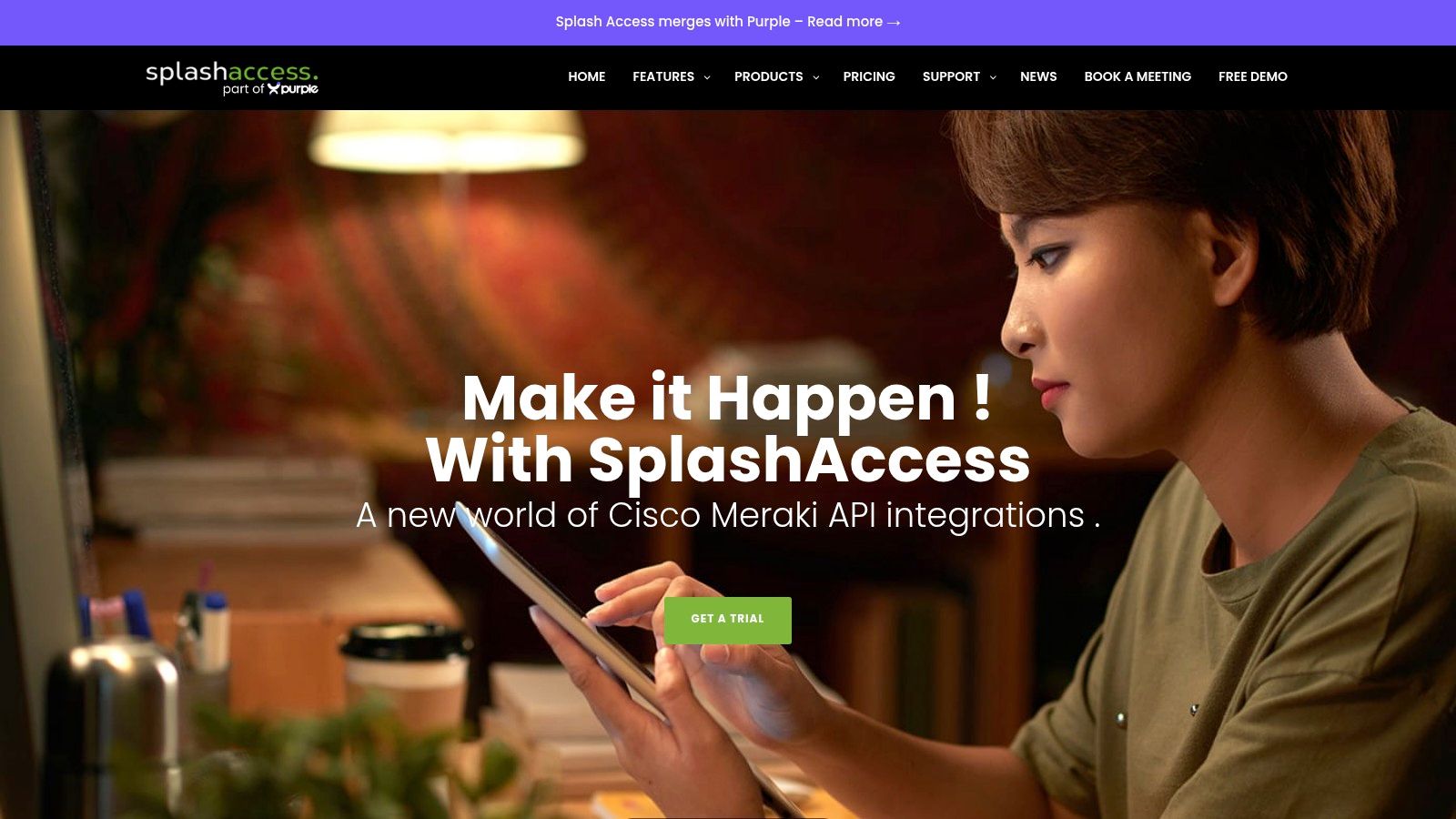
Restaurant Wi-Fi is often treated as a utility. Guests ask for the password, staff repeat it, and the same shared credential may remain active long after it should. A captive portal offers a more deliberate alternative. It presents a splash page when a device first joins the network, then asks the guest to complete an authentication step such as email sign-in, social account login, or a voucher code before internet access is granted.
That page can carry the restaurant's visual identity and explain what the guest receives. It can also connect the Wi-Fi visit to a broader marketing or service journey, as long as consent and data handling are clear. Social Wi-Fi onboarding lets guests connect with existing profiles such as Facebook or Google, and it is widely used in retail, hospitality, and public venues because it can provide verified user data and smoother access, as described in this guest Wi-Fi captive portal guide.
Make the splash page part of service
A useful splash page answers three questions immediately:
- Who is providing this network? Show the restaurant name and recognizable branding.
- What happens next? Explain whether the guest will sign in, accept terms, enter a voucher, or use social login.
- Where can the guest go afterward? Offer a direct route back to the menu, current specials, loyalty sign-up, or service options.
Don't bury the menu behind a long form. A guest who wants to read the wine list shouldn't feel as though they're applying for an account. Keep the access path short, make optional marketing permissions explicit, and give staff a simple explanation for guests who need assistance.
Use the same model beyond hospitality
The underlying design applies to education, retail, and BYOD corporate environments. A school can use a captive portal for visitor or student onboarding. A retailer can connect guest Wi-Fi to a branded welcome page. A corporate office or co-working space can provide controlled access for visitors without exposing internal systems.
For restaurants that need temporary access control, a voucher solution for restaurants can support printed or issued credentials while keeping the guest journey distinct from employee access. The important distinction is that guest convenience and network accountability don't have to conflict. Cisco and Meraki environments can support a structured experience when the wireless design, splash page, and authentication policy are planned together.
Choosing Between Shared Passwords, IPSK, and EasyPSK
A shared Wi-Fi password is simple, but simplicity becomes a liability when nobody knows who has it. Former guests, contractors, nearby visitors, and personal devices may retain access indefinitely. Changing the password then affects everyone, including legitimate users who need to reconnect.
IPSK, or identity pre-shared key, changes the unit of control from one password for everyone to a unique key for each user or device. Administrators can track, manage, and revoke access individually without disrupting other connections. That model suits restaurants with rotating contractors, multiple locations, event visitors, or a need to distinguish staff, guests, and operational devices.
EasyPSK follows a similar per-device approach and is positioned for guest access, contractors, and temporary users. The important platform constraint is that EasyPSK requires Cisco wireless controllers. The distinction between these methods and shared credentials is documented in this IPSK and EasyPSK authentication reference.
A practical comparison
| Approach | Where it fits | Main trade-off |
|---|---|---|
| Shared password | Small, low-complexity guest networks | Easy to distribute, difficult to audit or revoke selectively |
| IPSK | Managed guest, BYOD, education, retail, and corporate access | Requires identity-aware administration |
| EasyPSK | Temporary users, contractors, and Cisco controller environments | Depends on Cisco wireless controller support |
Cisco Meraki administrators can configure identity PSK with RADIUS under Wireless > Configure > Access control, select Identity PSK with RADIUS for the SSID, and use None, Direct access for the splash page when that configuration suits the deployment. Meraki documentation also references iPSK with RADIUS and Easy PSK, making the authentication model relevant to organizations already standardizing on Meraki wireless.
For a restaurant, per-device access becomes particularly useful when the same network serves guests, point-of-sale equipment, kitchen devices, and staff BYOD. Those groups shouldn't share identical trust or credentials. A QR IPSK visitor management solution for Cisco Meraki can be considered when QR onboarding and individual access policies need to work together.
Designing a Seamless QR and Wi-Fi Guest Journey
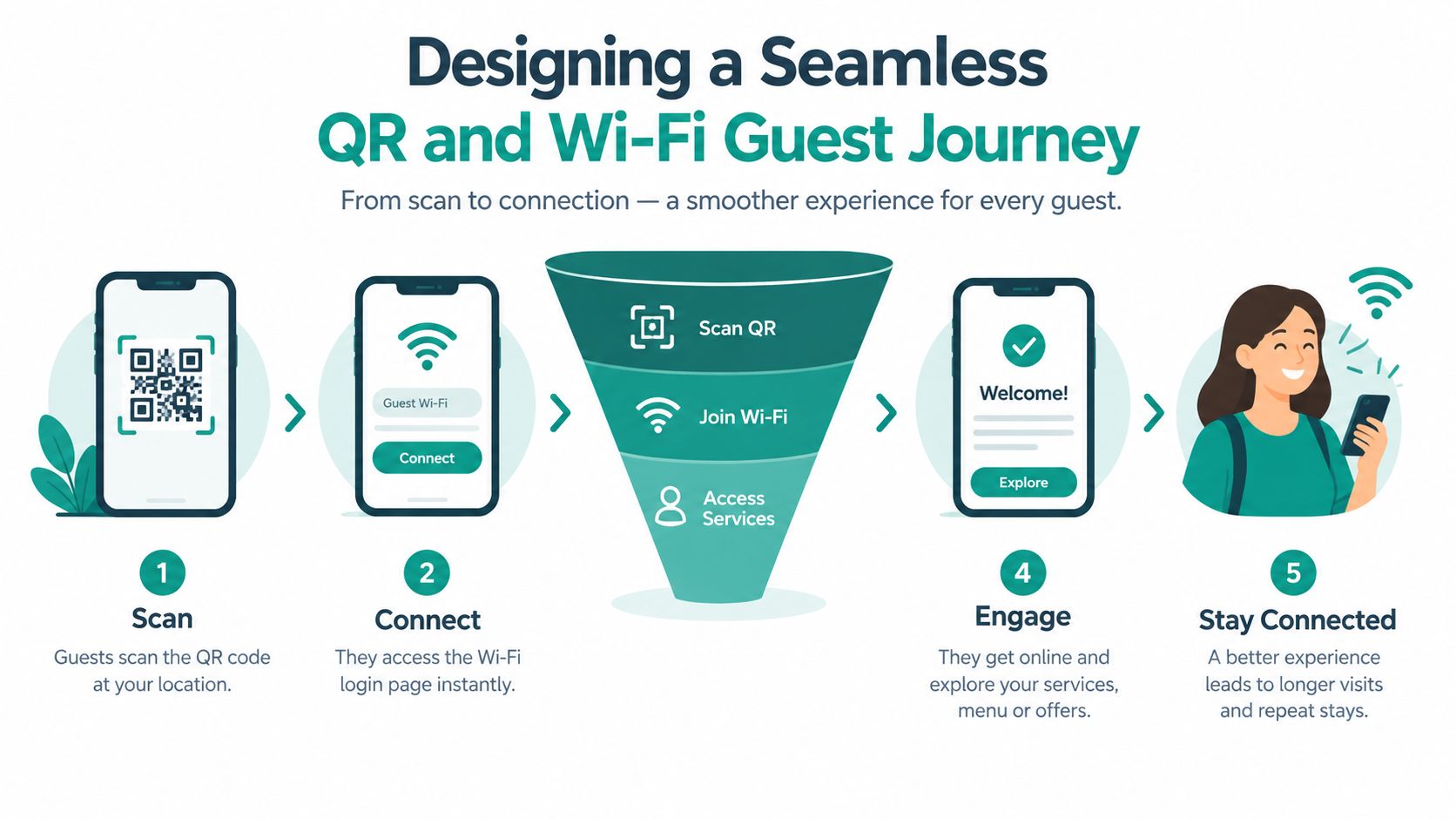
The most effective setup doesn't ask the guest to understand your technology stack. The guest scans a table code, sees a fast menu, and finds a clear option for Wi-Fi if connectivity will improve the visit. If authentication is needed, a branded captive portal handles it without sending the guest through unrelated screens.
A practical journey might look like this:
- Scan: The table sign explains exactly what the QR code opens.
- Browse: The menu loads in a mobile browser with readable categories and current item information.
- Connect: The guest can join guest Wi-Fi through social login, a voucher, or a secure key-based path.
- Act: The same experience can expose ordering, waiter assistance, loyalty, or payment when relevant.
- Return: A useful post-visit option invites feedback or another relationship, without interrupting the meal.
Reliability matters more than feature count
Independent hospitality research found that QR-menu ease of use increases perceived usefulness and intention to use, while system reliability and interactive features improve satisfaction and green attitudes in restaurant settings, as reported in this restaurant QR-menu research. That finding matches what operators see during service. A clever landing page can't compensate for slow loading, tiny text, broken links, or an authentication screen that fails on a busy network.
A biolink-style restaurant page can bring several actions together, including a flipbook menu, waiter call, direct payment, loyalty, and feedback. That doesn't mean every venue should activate every option. A full-service restaurant may use the first scan for browsing and reserve payment for the end. A busy venue may make repeat ordering or waiter call prominent. The correct sequence depends on the service model.
The QR code should reduce decisions, not create them. Use a small set of obvious actions, keep system ownership clear, and review the path from the guest's phone through the wireless network and back-office workflow. When the front end and authentication layer work as one experience, Wi-Fi feels like hospitality rather than an IT interruption.
Signage, Accessibility, and Common Pitfalls
A QR code fails when guests can't find it, can't scan it, or don't know what it will do. Use strong contrast, durable printing, and a placement that remains visible after the table is set. Test signs in the actual dining room, including low light and reflective conditions, rather than approving them from a bright office desk.
Give every code a short instruction. “Scan to view the menu and connect to guest Wi-Fi” sets a clear expectation. “Scan here” doesn't. If the code supports payment or ordering, say so directly and make sure the next screen fulfills that promise.
Keep a human fallback
QR usage has grown faster than preference. 65% of U.S. adults have used a QR menu, but only 1% prefer QR menus and 81% still prefer physical menus, according to this 2026 QR menu guide. Those figures point to a straightforward operational conclusion. Adoption doesn't mean every guest wants a QR-only experience.
Offer printed menus on request, staff-assisted ordering, and a non-phone payment route. Train the host and floor team to help without making the guest explain or defend that choice. Older diners, guests with visual impairments, people with damaged phones, and diners who want a more traditional experience all deserve an equally respectful path.
For teams managing physical assets across venues, resources such as QR tags by Evright Industrial can offer useful context on durable QR labeling. In restaurants, the same principle applies to table signs and placards. The printed object must survive cleaning, spills, handling, and repeated scanning.
The common technical pitfalls are predictable:
- Slow mobile pages: Guests interpret waiting as poor service.
- Broken destinations: Test every code after menu, campaign, and network changes.
- Unclear authentication: Explain social login, voucher access, or key-based access before asking guests to proceed.
- No staff ownership: Assign responsibility for menu updates, sign replacement, and incident escalation.
Accessibility isn't an optional layer added after launch. It's part of the service design from the beginning.
Putting It All Together for Smarter Restaurant Operations
A mature QR strategy has three connected layers. The first is the guest-facing destination, usually a responsive menu or branded page. The second is the network experience, which may use a captive portal, social Wi-Fi, voucher access, or Cisco and Meraki authentication controls. The third is the operational system behind it, where staff manage menu changes, guest requests, ordering, payment, and follow-up.
Dynamic QR codes keep printed signs useful when menu content changes. A captive portal turns guest Wi-Fi into a recognizable brand interaction instead of an anonymous password exchange. IPSK or EasyPSK can introduce individual control where a shared password would create unnecessary risk. Those pieces work best when the restaurant treats them as one journey rather than three unrelated projects.
The same architecture extends naturally into other environments. Education teams can separate student, visitor, and staff access. Retail operators can combine guest Wi-Fi with social login and a branded welcome page. BYOD corporate environments can provide accountable visitor access while keeping internal resources separate. In each case, the principle is the same: make the first connection easy, then apply the right authentication and data controls behind it.
Start with one service problem
Don't launch every feature because the platform can support it. Choose the bottleneck that guests and staff feel most often, such as menu access, payment delays, Wi-Fi onboarding, or repeated service requests. Build one clear QR path, test it with real devices and staff, and observe where people hesitate.
Then review the practical signals:
- Guest behavior: Which action does the scan support?
- Staff workload: Did the system remove manual steps or create new exceptions?
- Network control: Can administrators distinguish and revoke access appropriately?
- Content quality: Does the menu remain accurate, readable, and easy to use?
- Service inclusion: Can every guest complete the visit without owning or preferring a smartphone?
For operators connecting QR codes to guest Wi-Fi and marketing workflows, Wi-Fi marketing for restaurants provides a useful way to frame the opportunity. The right result isn't a restaurant that feels automated. It's a restaurant where technology handles routine access and information while staff remain available for judgment, warmth, and recovery when something doesn't go to plan.
Splash Access provides QR-based guest Wi-Fi onboarding, branded captive portals, social Wi-Fi, vouchers, and IPSK authentication for Cisco Meraki environments. Visit Splash Access to explore a guest journey that connects restaurant menus, secure connectivity, and useful customer engagement without forcing every diner into the same path.