A payment gateway is the merchant-facing layer that securely sends payment details to a processor and returns an approve or decline result.
You might be setting up paid guest Wi-Fi for a café, hotel or shopping center, watching a test payment finish while the laptop still can't get online. That awkward gap is where payment processing and network access meet. Getting it right means knowing which bank response matters, which system opens access, and who handles the money when something goes wrong.
What a Payment Gateway Does in Plain Words
A guest sits in your café, joins the Wi-Fi and taps the option to buy a timed pass. They enter their card details, see a processing message and wait for the connection to open.
The payment gateway is the secure courier in that exchange. It carries a sealed envelope from your payment page to the financial systems that handle the transaction, then brings back their answer. It doesn't open the bank vault or decide whether the guest has enough credit.
Who Does What
The journey involves distinct roles:
- The guest's device displays the payment form and collects the information needed to pay.
- The gateway protects and routes the payment request.
- The processor carries the transaction through the card network, the system connecting participating banks.
- The issuing bank, which issued the guest's card, approves or declines the request.
The merchant is your venue, the business selling the Wi-Fi pass. The acquiring bank is the bank on the merchant side of the payment arrangement.
This isn't experimental technology. The gateway model emerged during the 1990s e-commerce era, with the merchant interface separated from the underlying banking infrastructure, as described in the payment gateway ecosystem overview. Connected retail tills, hotel payment interfaces and paid Wi-Fi portals can use the same underlying pattern, although each integration needs its own checks.
Useful distinction: The gateway delivers a financial answer. Your access system decides what that answer permits the guest to do.
For another everyday application, Live Tourney's guide to secure card processing for golf outings puts payment collection in an event setting. The purchase changes, but the separation between checkout and financial processing remains useful.
A quick recognition test helps: if an online interface collects a card number and expiry date, submits them securely and returns a payment result, a gateway is involved. You might not see it because the provider has bundled several payment services together.
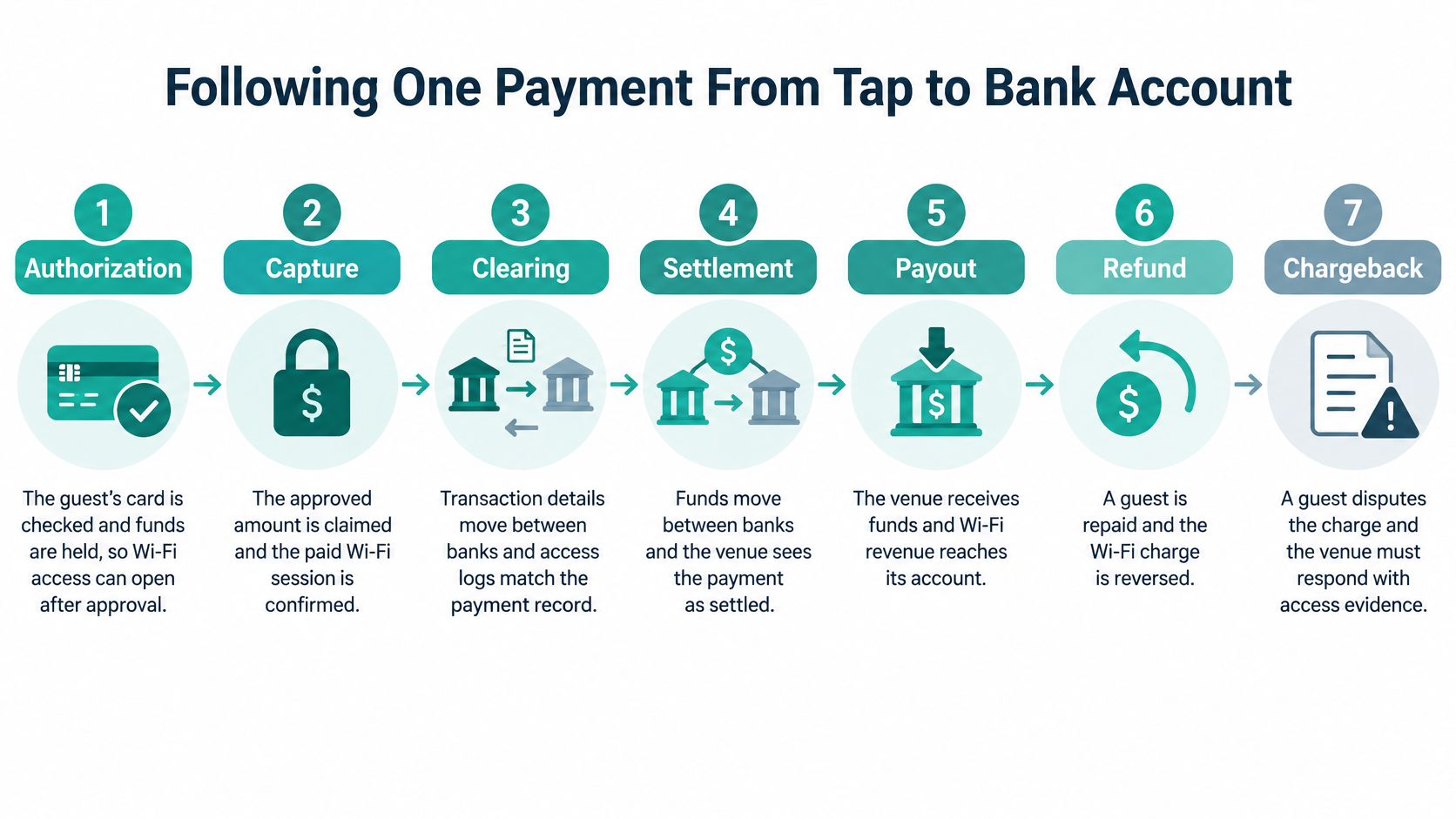
Following One Payment From Tap to Bank Account
| Stage | What happens | What it means for guest access |
|---|---|---|
| Authorization | Issuing bank checks funds or credit and approves or declines | Provisional only; wait for a verified success notification |
| Capture | Merchant confirms the final amount to be charged | Mark the voucher or session as paid against the verified capture event |
| Clearing | Card networks exchange transaction details between banks | No guest-facing action |
| Settlement | Funds move between the acquirer and the issuer | Accounting view, not guest access |
| Payout | Net funds reach the merchant account | Reconcile against your session records |
| Refund | Part or all of the amount is returned to the card | Shorten, extend or revoke access per policy |
| Chargeback | Cardholder disputes the charge and the bank reverses it | Retrieve usage logs and authorization IDs as evidence |
Authorization isn't money received. It means the issuing bank has returned an answer about honoring the transaction and the available funds or credit. The Congressional Research Service explanation of card payments distinguishes authorization, clearing and settlement as separate parts of the card-payment lifecycle.
The broader operational flow also includes capture, payout and possible after-sale events. Refunds and chargebacks aren't stages every successful purchase passes through.
Connect the Financial Event to the Access Event
A browser success page isn't trustworthy proof of payment. Guests can close tabs, lose connectivity or reload an old page, so the portal needs a verified notification from the payment system.
Use an idempotency key, a unique reference for the purchase attempt, to make retries safe. If the browser resends a request after a timeout, the integration should recognize the existing purchase instead of creating another charge.
A guest Wi-Fi payment should follow this sequence:
- The guest joins the venue's network.
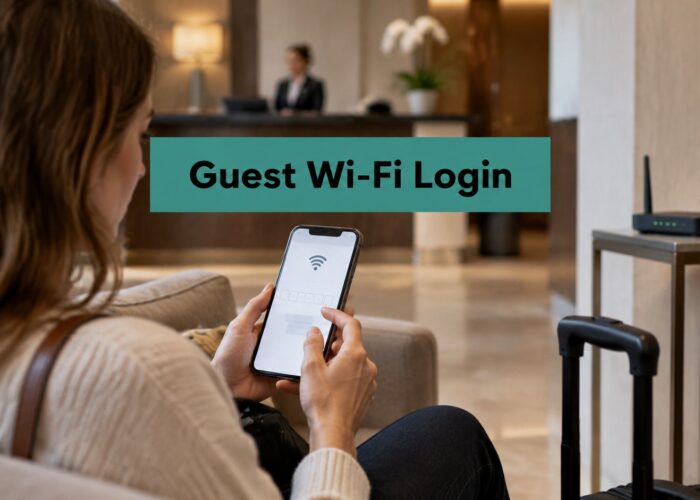
- The splash page opens and presents the paid-access option.
- The gateway submits the amount for authorization.
- The venue's server receives and verifies the gateway's success notification for the configured payment flow.
- The access system grants the purchased entitlement.
- Settlement and payout records are later reconciled with the purchase.
Keep the payment ID connected to the session record. If a guest receives a refund for unused access, your policy might shorten the remaining session; if they dispute the charge, relevant usage records help explain what was delivered.
Watch the verified payment-success event first when paid access goes live. Test that it creates the correct entitlement once, even when notifications arrive again or the guest refreshes the page.
How Gateways Keep Card Details Safe
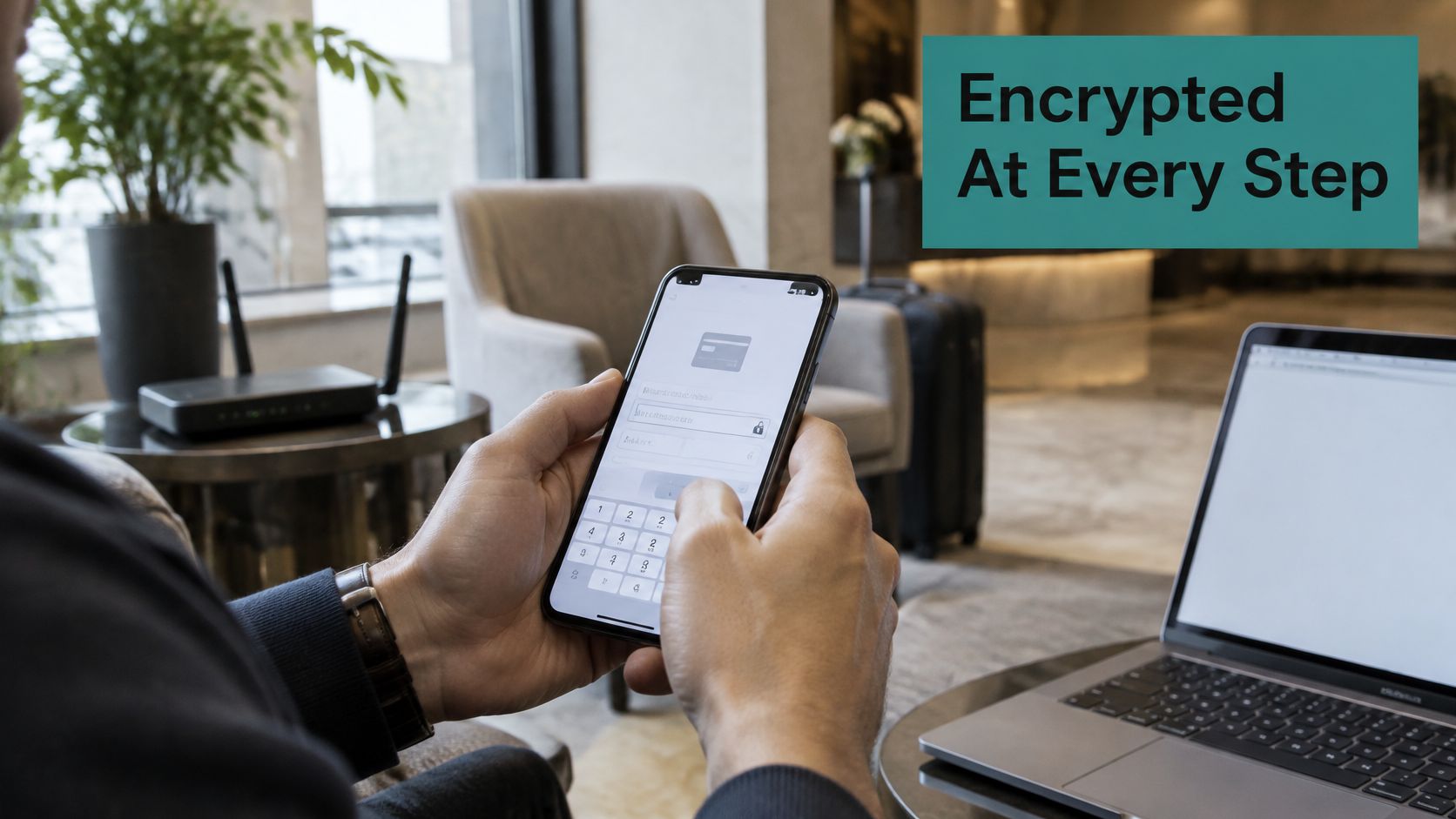
When a guest types card details into a phone, you're handling a card-not-present payment. Staff can't inspect the physical card, so the protection has to start before the number reaches anything your venue controls.
Encryption is the sealed envelope: it protects the details while they travel from the browser to the payment provider. Keeping card entry inside a gateway-hosted or provider-controlled form means your captive-portal application does not need to touch the raw card number at all.
Tokens Are References, Not Card Numbers
Tokenization works like a coat-check ticket. The ticket lets the attendant find your coat, but it isn't the coat itself.
For payments, a token replaces the primary account number, or PAN, with a substitute reference. A renewal, account-linked purchase or refund can use that reference without exposing the original card number to the Wi-Fi application again.
Used well, tokenization can reduce card-data exposure and may narrow the parts of your setup that fall under payment-security review. It does not erase PCI DSS duties. PCI DSS, the Payment Card Industry Data Security Standard, still applies where relevant systems store, process or transmit payment-account data.
Architecture decides whether a token is safer. A token should be useless outside its intended merchant or usage context, and it should never reveal the original number outside the provider's controlled system.
What Your Technical Team Should Verify
Our secure payment processing overview gives context for keeping payment handling separate from guest onboarding. At Splash Access, payment information is collected by third-party providers Stripe or Authorize.net, and billing and payment information is never stored on Splash Access servers.
Bring these questions to the integration review:
- Card entry: Does the provider control the form, including embedded payment fields?
- Stored records: Are you retaining gateway identifiers and transaction status rather than card details?
- Token restrictions: Can another merchant or tenant use the same token?
- Webhook verification: How does your server authenticate the provider's server-to-server notification before it trusts the result?
- Compliance evidence: Who maintains the applicable PCI documentation, and what remains inside your venue's scope?
The gateway still only relays the bank's answer. Your venue keeps the operational weight that follows: refunds, disputes, payout timing, liability and the evidence that access was delivered. For vouchers, subscriptions or WPA2/IPSK provisioning, let verified server-side confirmation trigger credentials. Browser code should not decide access just because a confirmation message is visible.
Fees, Settlement Timing and Who Carries the Risk
| Cost item | What it covers | Typical pattern |
|---|---|---|
| Setup or onboarding | Account and integration work | One-off charge or bundled onboarding |
| Monthly platform fee | Gateway software, reporting and support | Fixed monthly amount or bundled service |
| Per-transaction fee | Processing each payment | Fixed amount plus a percentage under the quoted plan |
| Processor and card network costs | Interchange and scheme charges | Network charges and processor pricing passed through or bundled |
| Cross-border or currency fee | Foreign cards or currency conversion | Separate surcharge or conversion charge under the agreement |
| Refund handling | Processing a returned payment | Provider's schedule determines fees and retained original charges |
| Chargeback fee | Handling a cardholder dispute | Per-dispute charge, plus reversed funds where applicable |
Treat this as a fee-review checklist, not a price quote. A gateway's own charge may be only part of your bill, and bundled pricing can make processor and network costs less visible.
For a low-priced Wi-Fi pass, examine the fixed transaction component carefully. It can matter more to your margin than the headline percentage suggests.
Approval Doesn't Transfer Responsibility
The gateway can relay an approval while your venue remains responsible for refunds, disputes, fraud losses, tax obligations and customer-service evidence. A merchant-of-record arrangement is a different question: it identifies the legal seller responsible for the sale.
The European Court of Auditors' special report on digital payments distinguishes settlement from authorization and reports that fraud rates for cross-border transactions could be as much as nine times higher than for domestic transactions. That finding supports proportionate authentication and fraud controls, not a blanket assumption that a foreign guest is suspicious.
A successful checkout answers whether the payment flow worked. It doesn't answer who must defend a dispute or when spendable funds reach your account.
Say a hotel guest later disputes a charge that included paid internet access. The booking record, accepted price, authorization ID and relevant session log should tell a consistent story. Keep only the evidence you need, under a documented retention policy.
Plan Cash Flow Alongside Connectivity
Don't schedule spending against a screen that says approved. Capture status, settlement schedules, payout arrangements and any holds determine when the proceeds become available to the venue.
For education businesses, Tutorbase's guidance on how to get paid faster as a tutoring business offers a related billing perspective. For venues charging for connectivity, our Wi-Fi monetization overview provides context for the commercial decision.
Take these questions into the provider call:
- Can you send a fee schedule showing every charge?
- What is the settlement calendar, and when does payout reach our account?
- Who is the merchant of record, and what's the written refund and dispute process?
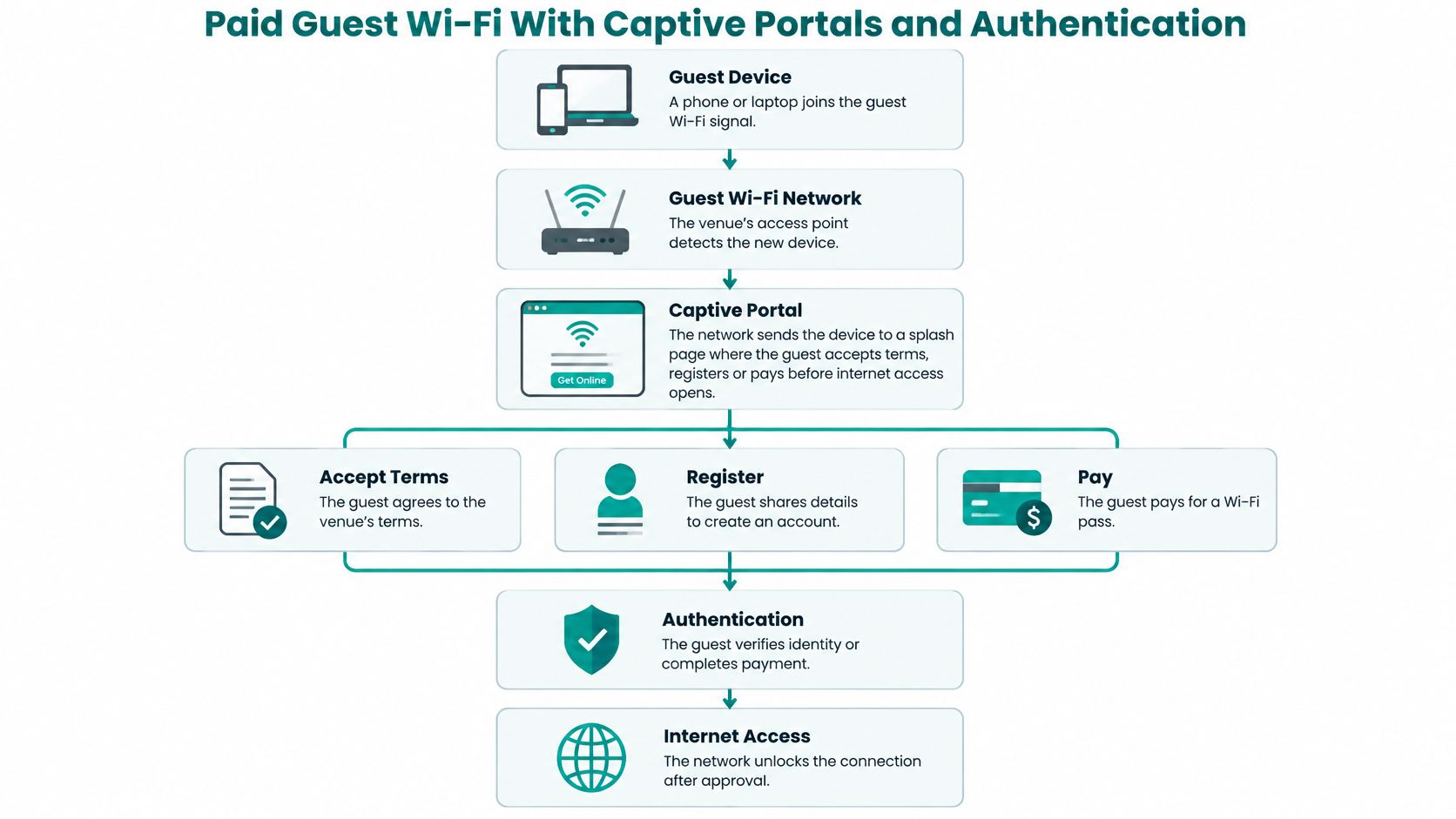
Paid Guest Wi-Fi With Captive Portals and Authentication
A captive portal presents the conditions a guest must complete before the network permits internet access. Those conditions might be accepting terms, registering, receiving host approval or paying for a pass.
Compatible devices can discover that they're behind a portal, obtain its address and check access status after the required action. The IETF captive-portal discovery specification describes standardized signaling rather than relying entirely on intercepted browsing traffic.
| Sign-on option | How the guest gets online | Pairs with a payment step | Typical fit |
|---|---|---|---|
| Click-through splash page | Accepts terms, then connects | Not required | Public retail Wi-Fi |
| Sponsored guest login | Host approves the guest | No payment step listed | Corporate visitors |
| SMS authentication | Receives a one-time code by phone | No payment step listed | Retail and hospitality |
| Billing | Pays for timed access | Yes, on open, OWE and PSK networks | Paid hotspots and cafés |
| Identity PSK (IPSK) | Uses a device-specific key associated with its MAC address | Billing isn't listed for identity PSK | Corporate BYOD and education |
| Cisco Easy PSK (EasyPSK) | Uses separately assigned credentials | Requires a separately validated billing workflow | Schools and staff devices |
| Social login | Signs in with a social account | Separate payment integration required | Retail and social Wi-Fi campaigns |
These are different authentication solutions, not interchangeable names for the same login page. Authentication establishes identity or validates a credential; authorization determines what access that user or device receives.
Choose the Network Design Before the Splash Page
The Cisco Meraki authentication matrix lists billing for open, OWE and PSK access, but not identity PSK. OWE encrypts a compatible open-network connection without a shared password; PSK means pre-shared key.
That makes a shared guest network with a billing portal a practical starting point for paid retail or hospitality access. Don't assume that adding a payment button makes every underlying wireless authentication mode compatible.
For Education and Corporate BYOD, meaning bring your own device, individual credentials can be more useful. The Meraki IPSK with RADIUS documentation describes associating a device's MAC address, its network-interface identifier, with a particular key through a central authentication service.
Keys can be assigned to clients or groups. With individually assigned credentials, administrators can revoke one without changing the password for everyone; Cisco Easy PSK follows a related identity-key approach, but its deployment details should be validated separately.
Keep Login, Payment and Marketing Separate
The IETF captive-portal API specification requires HTTPS protection and server certificate validation. Preserve that protection throughout the portal workflow, including redirects and status checks.
Our captive portal guide helps frame the onboarding journey. We authorize users onto the Meraki network, and we use personal data provided for venue access to perform the contract described in our service terms, which users agree to when accessing the service.
Social login isn't marketing consent. If you run social Wi-Fi campaigns, present the promotional opt-in separately after payment so guests can purchase connectivity without joining a mailing list.
Making Payment Pages Work for Every Guest
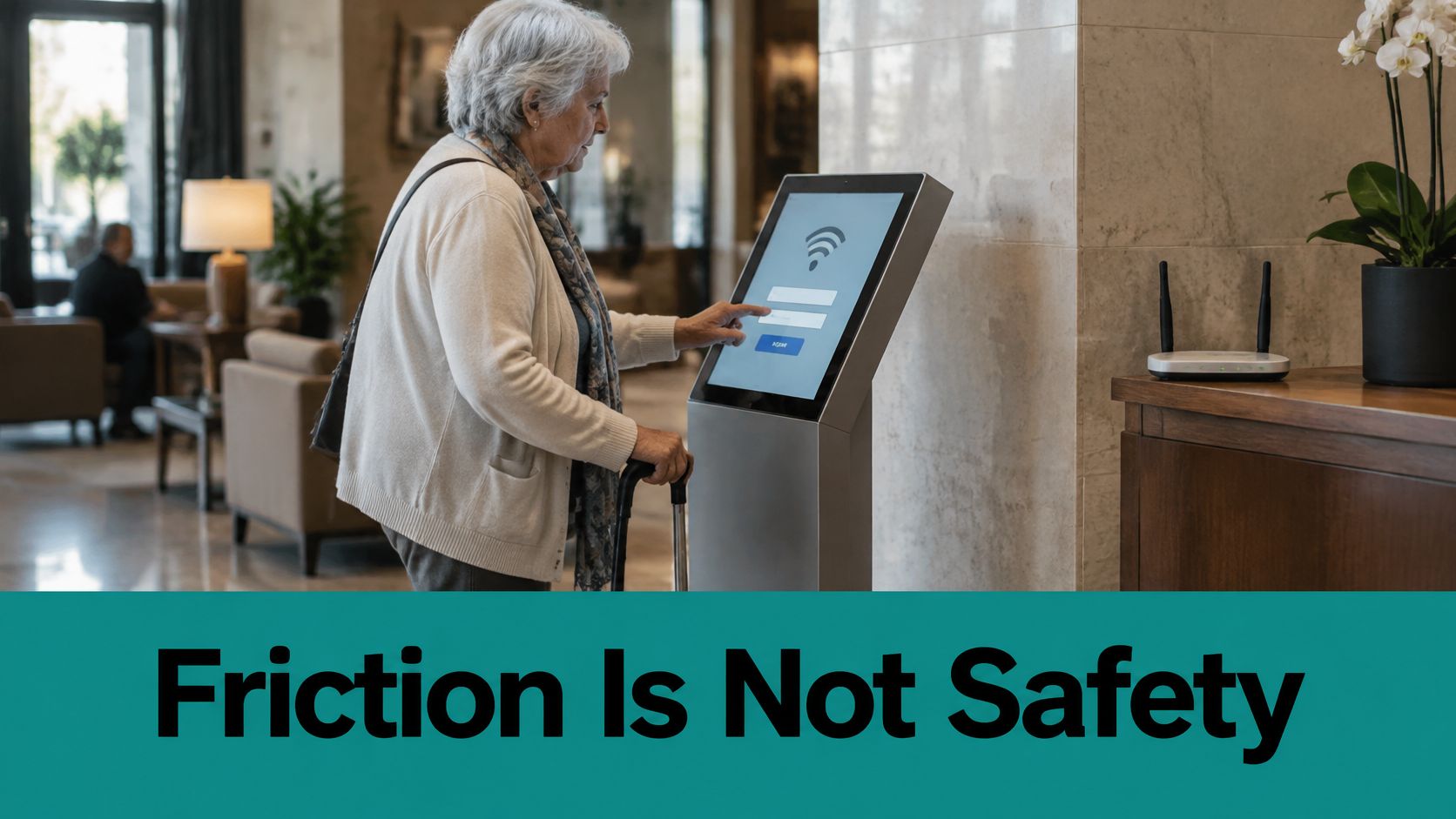
More fraud checks don't automatically make payment safer. If guests can't understand the page, recognize the venue or complete authentication independently, extra friction can send them looking for unsafe help.
The European Central Bank's 2025 report on access to electronic retail payments says 68% of surveyed associations identified recognizing fraudulent websites as the main online-payment difficulty. It also describes problems for visually impaired users when touchscreens lack Braille markings or audio and tactile feedback.
Make Trust Visible and Actions Understandable
Build accessibility into the payment journey, not just the surrounding splash page:
- Recognizable merchant details: Show the venue name, support contact, price and expected card-statement description.
- Keyboard access: Let laptop users reach fields, consent controls and payment buttons without a mouse.
- Screen-reader labels: Give each field a meaningful label and announce validation errors.
- Plain-language recovery: Explain what failed and what the guest can do next, without exposing sensitive information.
- An assisted route: Provide a staffed desk or another practical way to complete access when the online flow isn't usable.
A mobile-friendly layout helps, but responsive design alone doesn't establish accessibility. Our explanation of mobile-responsive design is a starting point for checking how pages adapt across devices.
For authentication, an SMS code can work on a basic phone, provided the guest has reception and can read the message. Offer an alternative rather than making that route universal.
Test the complete journey with someone who doesn't already know how it works. Familiarity can hide confusing labels and missing instructions.
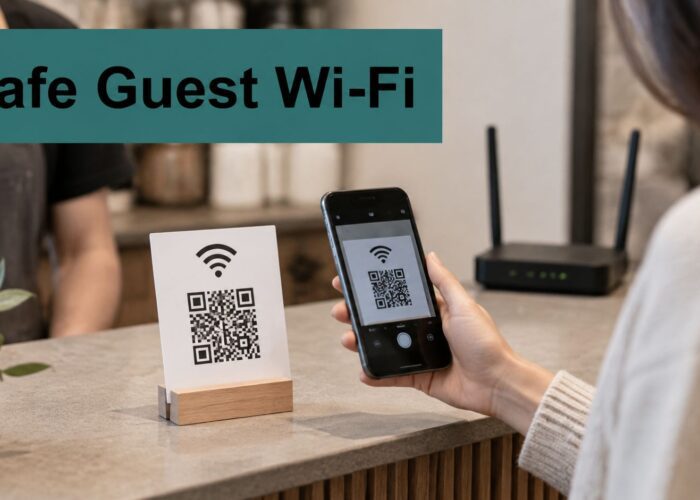
At a shopping-center Wi-Fi kiosk, show a QR code alongside clear directions to staff assistance. On a school guest network, a parent buying a day pass should recognize the school's branding before entering payment details.
We ask for explicit consent where processing requires it, and users can opt in or out when submitting their details. Show those choices before collection, not after the guest has pressed pay.
Finish usability testing by asking a less confident online friend:
- Can you tell who you're paying and what you're buying?
- Can you finish without someone taking over your device?
- If something fails, can you find a safe next step?
Choose a Payment Setup Before Your Wi-Fi Goes Live
Choose the access model before you polish the payment page. A venue manager needs a working connection between the commercial offer, the wireless configuration and the support process, not just an attractive checkout.
For Retail and hospitality, billing on a shared guest network is a sensible starting point when the goal is paid access. SMS can support a registration journey, but it isn't a payment method by itself.
For Education and Corporate BYOD, consider IPSK or Cisco Easy PSK when separately managed credentials matter more than selling timed sessions. Specify whether credentials are assigned per device or per group, because that changes what an administrator can revoke independently.
Prepare a Useful Deployment Brief
At Splash Access, our Payment Options feature provides a billing gateway for venues that want to charge their guests. Package prices aren't displayed on our pricing page; each plan asks visitors to call or contact us, so prepare the deployment details before discussing the commercial arrangement.
Include the following in your brief:
- Venue and sector: Identify the hotel, campus, retail location or corporate BYOD environment.
- Access-point count: State how much wireless infrastructure the deployment needs to cover.
- Sign-on method: Name the intended billing, SMS, IPSK, EasyPSK or other authentication journey.
- Commercial rules: Describe what guests purchase, how access expires and how staff should handle refunds.
- System details: Identify the Cisco Meraki configuration and any account, identity or booking integrations.
For custom requirements, we ask customers to complete a custom request form with their specifications and system details, then build a custom splash account. Our guide to setting up guest Wi-Fi can help you organize the network-side preparation.
Make the Launch Decision on Evidence
Use a short acceptance process rather than relying on a successful demonstration:
- Choose the sign-on method that matches the sector and wireless configuration.
- Confirm the financial rules in writing, including settlement, refunds, disputes and responsibility for the sale.
- Test a paid session end to end, including a declined payment, interrupted browser session, repeated notification and refund.
A payment gateway explained properly isn't just a description of how a card gets approved. It's a practical boundary between the banking response, the guest's entitlement and the venue's responsibilities.
The result to aim for is straightforward: the guest pays once and gets online promptly, while staff retain a clean record for support, refunds and disputes.
Splash Access offers guest Wi-Fi captive portals, authentication solutions and a billing gateway for venues connecting paid access to Cisco Meraki networks. Visit Splash Access with your sector, access-point count and preferred sign-on method to discuss a payment and onboarding setup that fits your venue.