Guest Wi-Fi isn't safe by default, and a password or a splash page on its own doesn't change that. What protects visitors is a stack: encryption on the wireless link, strict isolation from your internal systems, and authentication that matches the device walking in the door.
So is guest Wi-Fi safe at your venue? That depends entirely on whether those three layers exist behind the login screen, and almost nobody checks.
The splash page is the visible part of guest access, which is why it gets all the attention. The encryption setting, the VLAN, the client isolation toggle and the key lifecycle are invisible, and invisible work is easy to skip. Visitors pay for that gap with their credentials.
Here's how to tell what you have, and what to change first.
The Short Answer on Guest Wi-Fi Safety
Guest Wi-Fi is not safe as shipped, but it's fixable, and the fixes are known. Rank your own configuration against the table below.
| Guest setup | Main risk | Verdict |
|---|---|---|
| Open network with no password | Anyone nearby can read or spoof traffic, and evil twin attacks are easy | Unsafe for logins and payments |
| Shared guest password (WPA2) | The password spreads widely and no individual visitor is identified | Acceptable for browsing only |
| Splash page with terms, no encryption | The portal doesn't encrypt the air link or isolate devices | Not safe on its own |
| WPA3 with captive portal and client isolation | Visitor devices still rely on HTTPS and monitoring | Safer for most venues |
| Per-device IPSK or EasyPSK keys on an isolated VLAN | Requires key management and device onboarding | Strongest option for managed venues |
Most venues sit in the middle two rows and believe they're at the bottom of the table. The gap between "we have a splash page" and "our guests are protected" is exactly where breaches of guest trust happen.
Visitor anxiety is real, and it's not matched by visitor behaviour. In 2025, 66.5% of surveyed U.S. adults said they were concerned about public Wi-Fi safety, while 23.5% reported using no VPN or antivirus protection when connecting, according to Panda Security's July 2025 survey of 1,014 adults. People worry, then connect anyway.
Think of the password as a door lock and everything else as the building. A lock on a tent is not security. Encryption and isolation are the walls that stop a visitor's laptop from reaching your back office, your point-of-sale terminal or your building-management console.
A captive portal decides who gets in. It does not decide what they can reach once they're in.
I'd start by finding your row, then identifying the single change that moves you up one. Usually that's turning on encryption, enabling client isolation, or replacing one shared password with individual keys.
What Attackers Do on Open Guest Networks
An open guest network gives nearby users a chance to exploit weak connections and careless sign-ins. The common risks are predictable.
- The evil twin. A laptop or travel router broadcasts your venue's network name with a stronger signal. A device set to join familiar networks automatically may connect to the fake one.
- Passive interception. On an unencrypted network, someone within range can read traffic that is not otherwise encrypted. A sign-in page does not change that. The Federal Trade Commission's public Wi-Fi guidance warns that many public networks lack encryption.
- The fake portal. A copied login page can ask for a room number, email address and password, or payment details. Visitors should verify unusual requests with staff.
- The fake update. A pop-up may imitate a browser or video-player update and install malware instead. Guests should install updates through their device's usual settings, not through an unexpected Wi-Fi prompt.
- The infected neighbour. If client isolation is disabled, a compromised device may scan or attack other guests on the same network.
Give visitors practical checks: turn off automatic connection to open networks, confirm the network name and login steps with staff, and stop if a browser shows a certificate warning. Avoid sensitive tasks on a connection you cannot verify; if using it is unavoidable, a trusted VPN can add protection. Be wary of login pages asking for more information than the venue needs.
In a 2024 survey of 2,000 U.S. adults, 63% said they did not use a VPN on public Wi-Fi, while 37% said they used one at least sometimes, according to U.S. News & World Report. In Britain, 41% of surveyed people said they would use unsecured public Wi-Fi if given the opportunity, according to TechRadar's report on NordVPN research.
Visitors will still make mistakes. A venue's job is to limit what those mistakes can expose and to understand where liability falls. Check your policy wording rather than assuming a guest-network incident is covered, and compare cyber policy limits for SMEs. For visitor-facing guidance, Splash Access's guide to public Wi-Fi security covers advice venues can share at check-in.
How Encryption Keeps Visitor Traffic Private
Wi-Fi encryption seals the envelope between the device and the access point. HTTPS protects the letter inside it. Get the first layer wrong and every unencrypted request is readable in the air; get the second layer wrong and even an encrypted tunnel carries plaintext into a page that asks for a password.
The encryption method you choose decides whether guest traffic can be observed passively at all. The Wi-Fi Alliance explains the current options in its guide to Wi-Fi security, and recommends secure authenticated networks wherever a venue can manage them.
| Method | Encrypts air traffic | Authenticates each user | Best fit |
|---|---|---|---|
| Open (no password) | No | No | Not recommended for any venue |
| WPA2-Personal shared password | Yes | Shared password only | Small venues with low risk |
| WPA3-Personal (SAE) | Yes | Shared password, resistant to guessing | Offices with a shared guest key |
| Enhanced Open (OWE) | Yes | No | Hotels, campuses and waiting rooms with no password |
| WPA3-Enterprise | Yes | Yes, per user | Corporate and staff networks |
WPA3-Personal is the quiet upgrade most venues never make. It uses Simultaneous Authentication of Equals, which makes password guessing substantially harder than offline guessing against a captured WPA2 handshake, and WPA3 networks require Protected Management Frames while rejecting outdated legacy protocols. Same shared key, far less to fear if someone captures the handshake in the car park.
Enhanced Open matters for the venues that can never hand out a password: hotels, campuses, retail floors and waiting rooms. It uses Opportunistic Wireless Encryption to encrypt traffic between each client and the access point without credentials. It stops passive eavesdropping, but it doesn't authenticate the hotspot or authorise the user, so it has to run alongside captive-portal controls, firewall segmentation, rate limiting, logging and HTTPS. A portal is an access and policy layer, never an encryption layer.
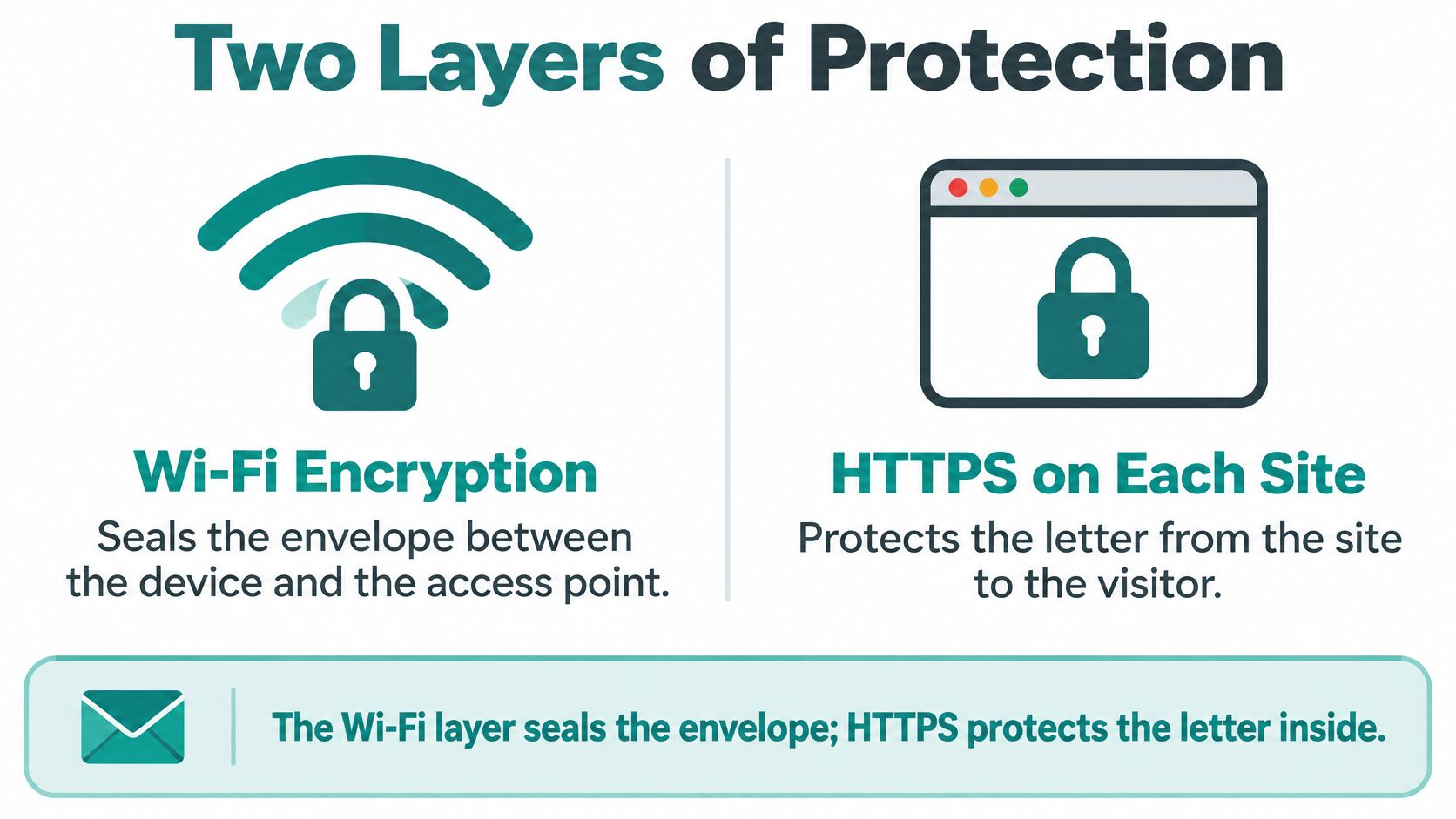
The practical check takes two minutes. In the Cisco Meraki dashboard, open the guest SSID's wireless security setting and confirm it isn't set to open. If your venue still runs WPA2, this comparison of WPA2 and WPA3 Personal walks through the upgrade path and what breaks along the way. Encryption protects traffic in transit, which is a different problem from staff pasting client details into AI tools, and this guidance on AI data privacy for Australian tradies is a useful sanity check on that second exposure.
Keeping Guest Devices Off Your Internal Network
A hotel key card opens the lobby, the pool and the guest floor. It never opens the staff corridor, no matter how many times you tap it. Guest Wi-Fi should work the same way.
That's the logic behind the NIST rule on wireless separation: external guests get their own WLAN, and a device on that WLAN should not be able to connect to a device on the internal one. The NIST wireless network guidance recommends separate WLANs whenever users have different security profiles, and states plainly that devices on one logically separated WLAN shouldn't reach devices on another.
Three controls turn that rule into a real configuration.
- A dedicated guest SSID. Publish one network name for visitors and stop sharing the staff one, even with contractors.
- Its own VLAN. Sit the guest SSID on a VLAN, or an equivalent wireless isolation control, separate from employee, student and operational systems.
- Client isolation on. One visitor's compromised laptop should not be able to scan or attack another visitor's phone.
In a Cisco Meraki deployment this is a clean policy boundary. The guest SSID gives internet-only access while staff laptops, managed devices, campus systems and corporate resources stay on other networks with their own rules. The firewall does the enforcing; the SSID just tells the network which side of the wall the device belongs on.
Then come the exceptions, and most designs fall apart at this point. If a printer, a casting device, a camera or a building-management system must be reachable from the guest side, document that single service as an allow rule. Don't open the network to accommodate one device. Education, retail, BYOD corporate and hospitality each need a different exception list, which is why the pattern worth copying is to name the permitted services and leave everything else closed.
A captive portal creates none of this separation. It grants access; it doesn't build walls. If you're restructuring the network around a guest SSID, these network segmentation best practices cover the VLAN and firewall side in more detail.
Captive Portals, Social Login and IPSK Explained
A captive portal controls how a visitor starts a session; it does not encrypt traffic or separate devices. The sign-in flow is straightforward:
- The device joins the guest SSID. This establishes the wireless connection, but access may still be blocked.
- The browser is redirected. The access point or gateway sends the visitor to the portal.
- The visitor completes a step. They might accept terms, enter a voucher, scan a QR code, register an email address or use social login.
- Access is granted. The gateway opens a session for the device, often for a set period.
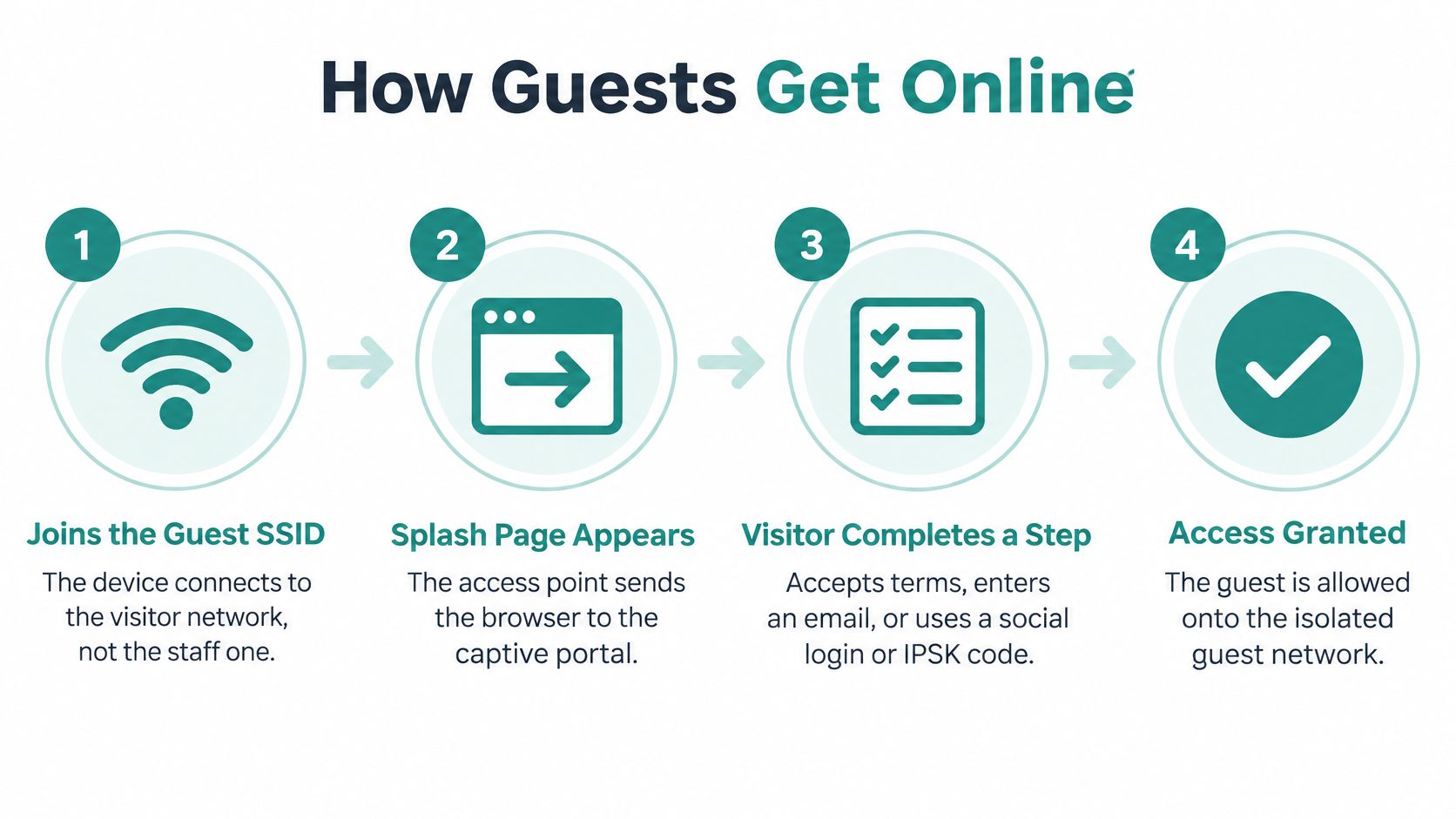
A portal can record consent and manage access, but the page itself does not protect traffic in transit. Use it as an access layer alongside network encryption and isolation. Visitors should also check that they have selected the venue's real network before signing in, and avoid entering sensitive information over public Wi-Fi.
Hardware creates a different onboarding problem. Printers, sensors, cameras and displays may not have a browser for completing a portal login. Giving them a shared password can make setup easier, but that same credential may remain in circulation after it is no longer needed.
IPSK, sometimes called iPSK in Cisco Meraki documentation, assigns an individual pre-shared key to a user or device while allowing connections through a common SSID. If one key needs to be revoked, the others do not have to change. Splash Access offers Visitor IPSK QR Management, which gives guests access by scanning a QR code that carries an individual key.
Practical rule: use a portal for people who can complete a browser sign-in; use individual keys for devices that cannot.
Splash Access provides captive portals that deploy directly into the Meraki Cloud, as well as WPA2 guest onboarding by QR code. Its guest Wi-Fi authentication options can help venues choose an appropriate sign-in approach for visitors and devices. A portal handles onboarding; encryption and network controls must do the work of protecting traffic.
Guest Wi-Fi Risks in Education, Retail and BYOD Offices
Every sector has one main risk, and the fix only works when it matches that risk. Here's where each setting usually lands.
| Sector | Main guest risk | Setup that fits |
|---|---|---|
| Education | Students and visitors reaching staff and admin systems | Student SSID with captive portal and IPSK keys for classroom devices |
| Retail | Shoppers reaching point-of-sale and back-office equipment | Internet-only guest SSID with social wifi sign-in |
| BYOD corporate | Personal phones bridging into internal services | Dedicated guest SSID with IPSK keys for personal devices |
| Hospitality | Guest devices reaching room and building systems | Expiring vouchers on an isolated VLAN |
Education carries the widest mix of people and devices. Students, staff, contractors and a room full of classroom hardware all need different access lifetimes, so a student SSID with a captive portal plus IPSK keys that expire at the end of term keeps administration systems off the same path as a year nine tablet.
Retail is the simplest to get right and the easiest to get wrong. Shoppers should reach the internet and nothing else, which means the guest SSID stays internet-only so no phone can find its way to a point-of-sale terminal or the back-office server. Social wifi sign-in with terms acceptance then gives you the marketing consent and the contact data that make the whole exercise worthwhile.
BYOD corporate is about bridges you didn't intend to build. Personal phones that share a network with corporate resources become a route inward, so give them their own guest SSID and issue individual keys for the personal devices that need temporary access.
Hospitality adds operational risk. Rooms, door systems, displays and building controls should never sit behind the same access path as a guest phone. Note too that a captive portal is built for browsers, so many IoT, medical, retail and building devices can't authenticate through one, and Canadian government guidance points out that these devices often have poor security design and limited firmware updates. Segregate them, and limit how long any guest credential stays valid, with daily expiry or guest passes, so a leaked code has a short life.
The sector row is a starting point, not a finished design. The exceptions you document at the end are what make it hold.
How to Verify Your Guest Network Is Isolated
A guest SSID configured correctly and a guest SSID that behaves correctly are two different claims. The only way to know which one you have is to test it, and the whole sequence fits into an afternoon.
- Check the guest address. Connect a test phone to the guest SSID and confirm it receives an address in the guest range only. A staff-range address means the separation is cosmetic.
- Try internal ranges. Attempt to reach internal address ranges, staff file shares and management pages. Every attempt should fail, and a single success tells you which rule is missing.
- Test client isolation. Connect a second device and try to reach the first one. Guest-to-guest reachability should fail when isolation is on.
- Test DNS and IPv6 paths. A leak through either can bypass the rules you set for IPv4, which is why the older address plan is never the whole story.
- List the physical devices. Walk the venue and note every printer, casting device, camera and building system. For each one that answers from the guest network, write down the allow rule that permits it and why it exists.
- Confirm the intended experience. HTTPS sites should load normally, and the captive portal should expire when you planned rather than when a guest complains.
- Document the permitted services. One short page naming what guests can reach and what they can't beats any claim of blanket safety.
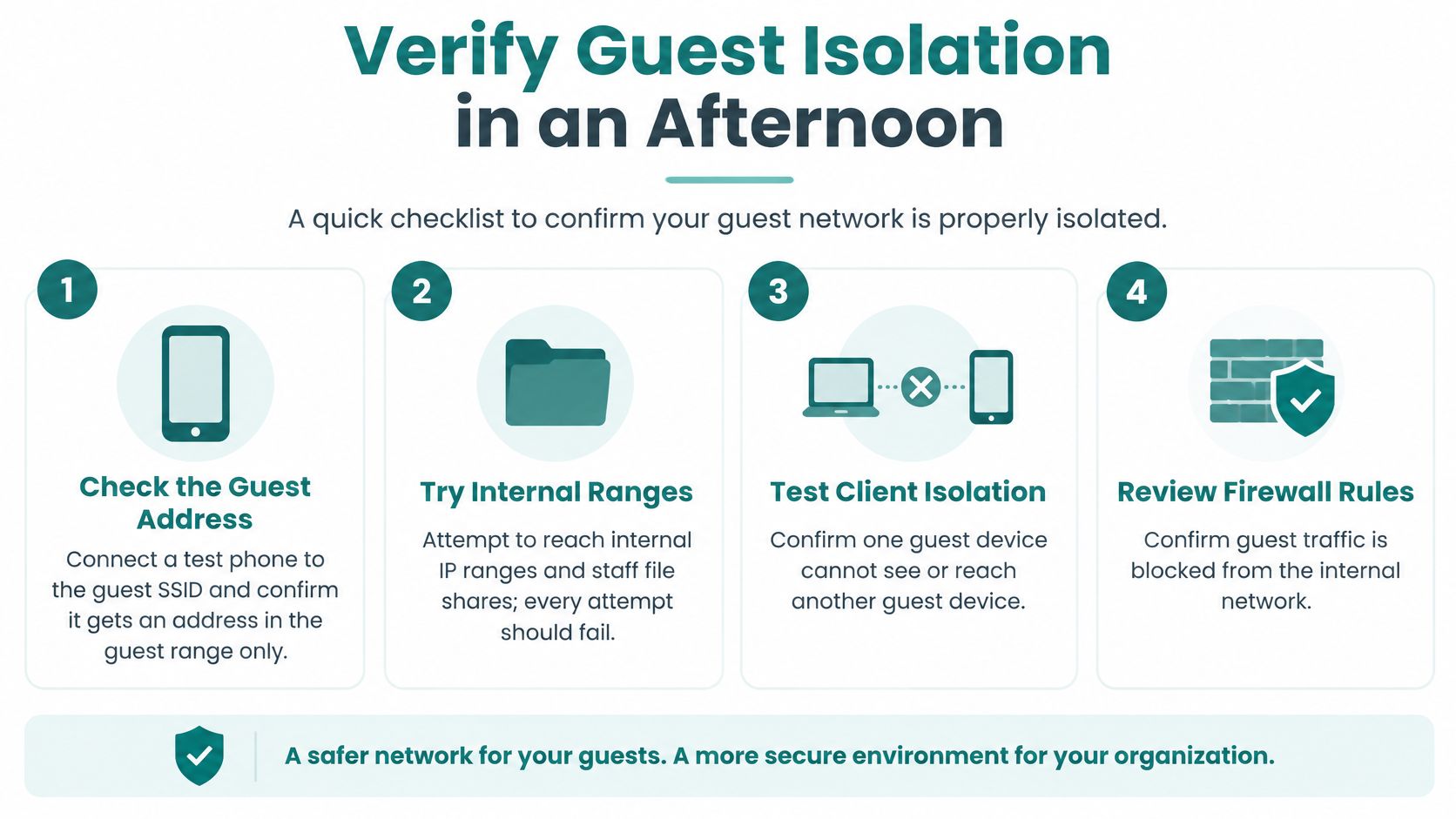
Repeat these checks after every firmware update and after any new device rollout, because isolation breaks without warning. A new casting device added by a facilities team can open a hole nobody notices for months. If you want a structured way to run the exercise, this guide to auditing a network sets out what to record while you test.
Claim a tested scope, not safety. "Guests can reach the internet and these three devices" is a sentence you can defend in a review.
Choose a Guest Wi-Fi Setup You Can Trust
You don't need to rebuild anything this week to make guest Wi-Fi meaningfully safer. You need five decisions.
- Match your venue to a verdict row. Open, shared password, splash page only, WPA3 with isolation, or per-device keys. Be honest about which one you're running today.
- Make the single change that moves you up a row. Turn on WPA3 or Enhanced Open if the SSID is open. Turn on client isolation if guests can see each other. Move managed and personal devices off a shared password onto individual keys.
- Copy the setup named for your sector. Education, retail, BYOD corporate and hospitality each have a different main risk and a different exception list.
- Run the seven isolation checks and write down every failure. The failures are your actual to-do list, and the document is your evidence.
- Brief visitors. Confirm the exact network name with staff, look for HTTPS, and use a VPN before payments, school records or work logins.
Per-device access doesn't have to mean a helpdesk call. Visitor IPSK QR Management gives guests secure access by scanning a QR code that carries an individual key, and optional guest access quickly authorises users onto the Meraki network while collecting customer data such as name and email address where the venue needs it. Nothing about that makes the internet risk-free, and we can't guarantee that data won't be lost, misused or altered while it's being transferred over the internet.
What a written test buys you is accuracy. A splash page, a social login and a shared password are all easy to point at, and none of them on their own makes the Wi-Fi safe.
Splash Access builds captive portals that deploy straight into the Cisco Meraki Cloud, with WPA2, IPSK and EasyPSK authentication sitting alongside the segmentation and client isolation that protect your guests. If you're ready to move your venue up a row in the table above, we can help you design the guest SSID, the key lifecycle and the portals that fit hotels, campuses, retail floors and corporate offices. Visit Splash Access to see how the platform fits your network.