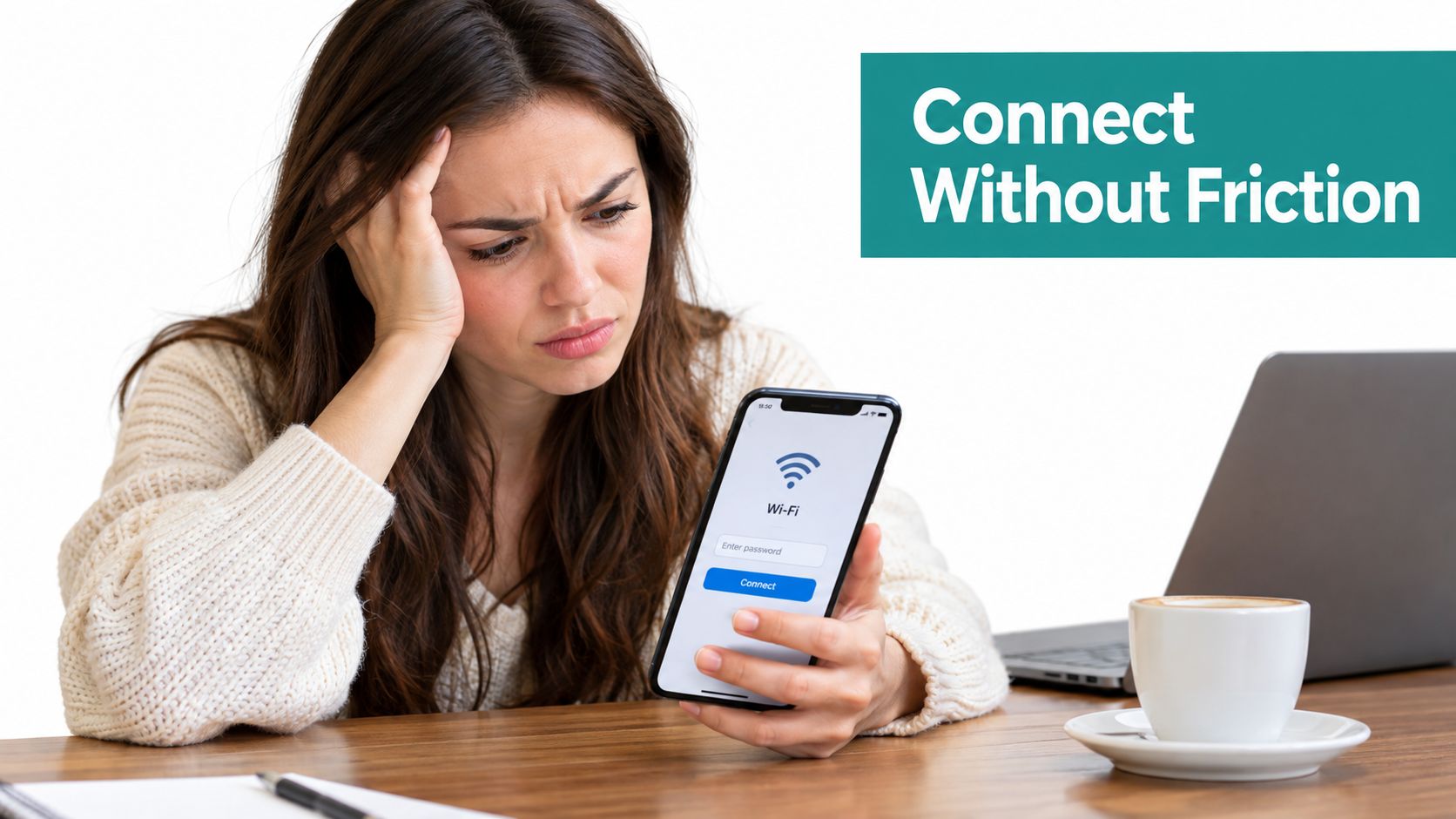
A guest arrives at your hotel, store, campus, or office, sees the WiFi name, and taps to connect. Then the experience stalls. A shared password is printed at reception, the login page loads slowly, staff can't tell whether the issue is authentication or coverage, and nobody knows whether the network helped a customer, student, or visitor do anything useful.
That's the difference between providing WiFi and operating it as a service. Hotspot management software adds the control layer between your wireless infrastructure and the people using it. It manages onboarding, authentication, access rules, bandwidth, security, analytics, and sometimes marketing or payment workflows from a central platform.
Introduction Why Guest WiFi Needs Real Management
A shopping center may have three WiFi jobs happening at once. A visitor checks store hours, a retailer promotes a location-specific offer, and the IT team keeps customer devices away from point-of-sale systems. One shared password provides internet access, but it cannot identify users, apply different policies, show what happened, or change access for one group without affecting everyone.
Unmanaged guest WiFi often begins with a sensible aim: make connection easy. A venue creates one SSID, selects a password, and shares it with visitors. That setup can work in a small location. As more people connect, or as the venue adds sites, campaigns, staff devices, and business systems, the password becomes a poor operating tool.
Hotels face the same issue in a different form. Guests expect a branded welcome page and an easy connection on phones, tablets, and laptops. Front-desk staff need a clear support process, while managers may want to see return visits or campaign engagement. Guest WiFi management brings those needs into one workflow, much like a venue's operating system for visitor access.
A managed platform can display a branded captive portal, let users sign in through social login or email, apply session rules, and send connection events to a dashboard. It can also work with Cisco and Meraki networks, so venue managers can add management without rebuilding the wireless environment. A cloud-based WiFi management approach helps one team oversee several sites from a common console.
The WiFi Hotspot Software Market was estimated at USD 5.60 billion in 2024 and is projected to reach USD 6.51 billion in 2025, then USD 13.69 billion by 2030, with a projected 16.06% CAGR from 2025 to 2030, according to market coverage of WiFi hotspot software. The direction is clear: venues increasingly treat WiFi as a managed service that connects access rules, visitor engagement, and operational insight. That makes it possible to judge value beyond connectivity, such as smoother support, safer business systems, and measurable campaign activity.
What Hotspot Management Software Actually Does
Think of hotspot management software as the front desk, security desk, and operations console for a WiFi network. Your access points provide the wireless signal, while the management platform decides how people enter, what they can use, and what the venue can learn from the connection.
The digital front door
A user selects the venue's SSID. Instead of receiving unrestricted access immediately, the network sends the user to a branded login page. Captive portals are the branded login pages users see before getting WiFi access, and they commonly appear after someone selects the SSID as the first stage of guest onboarding, as described in this guide to guest WiFi captive portals.
That page might ask for an email address, offer social login, request acceptance of terms, display a voucher field, or connect the user to a business identity provider. The platform can then authorize the session and apply rules based on the person, device, location, or access method.
The control layer after login
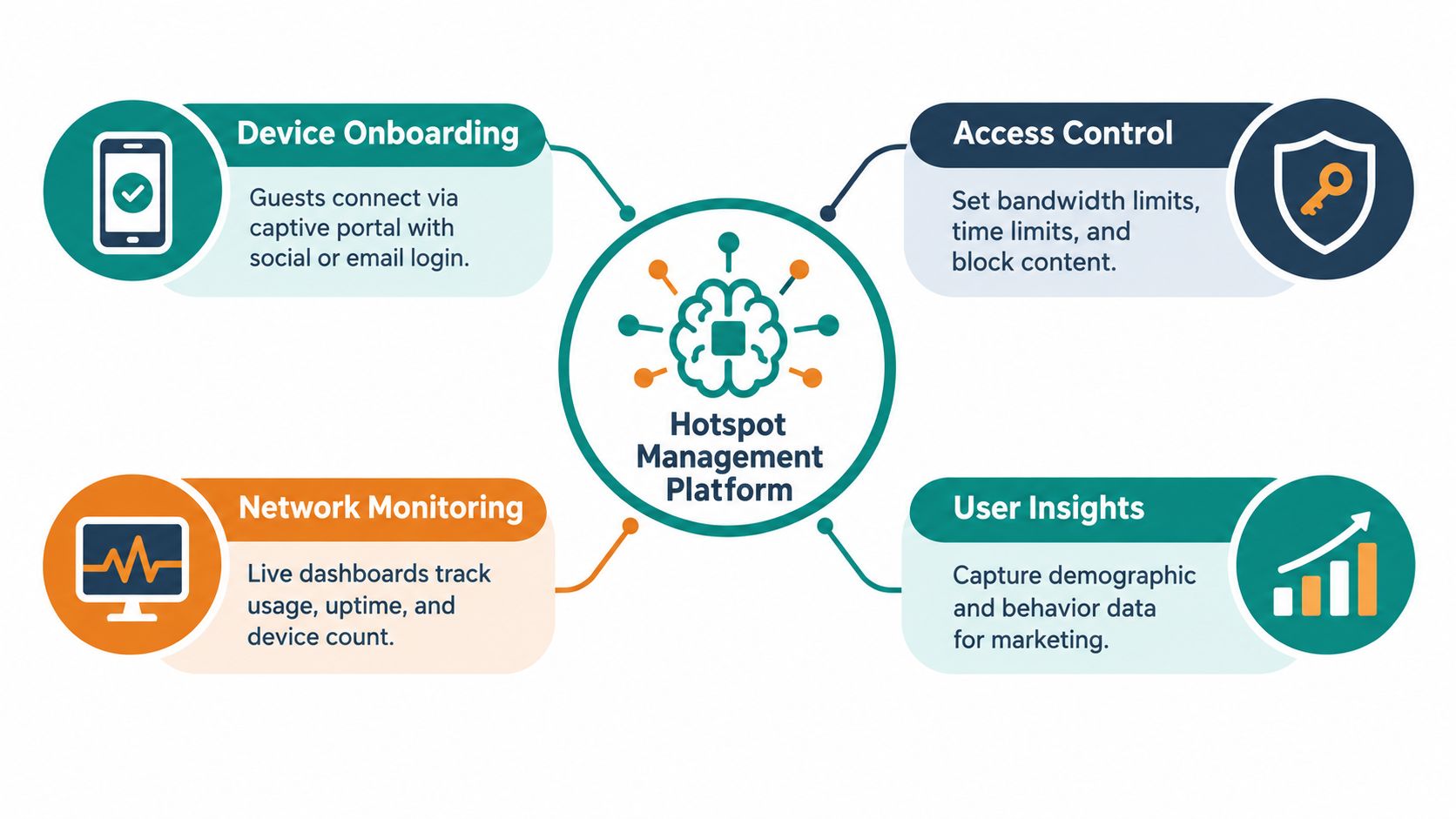
A practical platform usually brings several functions together:
- Onboarding: Guide guests through a captive portal, social WiFi, email access, QR-code enrollment, or voucher entry.
- Access control: Apply time limits, bandwidth policies, content restrictions, and separate rules for guests, staff, students, or corporate users.
- Monitoring: Show connected devices, current sessions, network health, and access activity in a form that support teams can use.
- Insights: Help managers understand usage patterns, return behavior, campaign interactions, and other permitted data points.
Cisco and Meraki infrastructure can provide the wireless foundation, while the hotspot platform supplies the guest-facing workflow and policy logic. The division is useful for non-technical managers. You don't need to treat every WiFi problem as an access-point problem when the actual issue is a portal rule, an expired credential, or a session limit.
Practical rule: Treat the SSID as the entrance, the captive portal as reception, and the policy engine as the staff member deciding where each visitor may go.
The result isn't just a more polished login page. A managed service gives the venue a repeatable process. A hotel can maintain a consistent guest journey, a retailer can separate customer and staff access, and an education team can connect approved users without distributing one password across an entire community. Explore how guest WiFi solutions can fit into that broader operating model.
Captive Portals and Authentication That Fits Every User
Authentication answers a simple question: how does the network know who should receive access? The right answer depends on the user and the risk. A shopper may need a fast social login. A student may require an assigned identity or private key. A corporate visitor may need sponsorship. A device in a controlled environment may work better with a unique credential than with an interactive portal.
Social login and Social WiFi can reduce typing by connecting access to an existing social identity. Email login captures a direct contact channel, while SMS login uses a one-time code sent to a phone number. Voucher codes work well for reception desks, events, paid access, and printed tickets. Sponsorship workflows give an employee or host responsibility for a visitor's access.
Corporate and education networks often need stronger separation. IPSK, also called Identity PSK, uses unique pre-shared keys for individuals or groups on the same SSID. Cisco documentation explains that these keys are created with support from a RADIUS server, making IPSK relevant to secure BYOD and education deployments. EasyPSK is a useful search term for teams looking for a simpler private pre-shared-key workflow, but buyers should confirm exactly how a proposed system provisions, rotates, and revokes keys.
| Authentication Type | User Experience | Security Level | Best For |
|---|---|---|---|
| Social login or Social WiFi | Fast portal entry using an existing identity | Depends on the identity provider and consent design | Retail engagement, hospitality onboarding, public guest access |
| Email login | Familiar form with a direct contact channel | Moderate, with validation and policy controls | Marketing permission, guest registration, venue communications |
| SMS login | User enters a phone number and a received code | Useful proof of control over a valid number | Events, visitor access, workflows requiring phone verification |
| Voucher code | Simple code entry at reception or checkout | Controlled by expiry, scope, and distribution | Paid WiFi, temporary access, conferences, hotels |
| Sponsorship or SAML | Host or identity provider approves access | Strong when linked to organizational identity | Corporate visitors, partners, managed workplaces |
| IPSK, Identity PSK, or EasyPSK | Connect with an assigned private key | Stronger control through unique credentials and revocation | Corporate BYOD, education, IoT, controlled shared SSIDs |
QR-code onboarding can make the process easier for dorm rooms, meeting spaces, classrooms, and printed guest materials. The QR code should lead to a controlled enrollment experience, not bypass policy. A manager still needs to decide what information is collected, how long access lasts, and whether one credential can be used across multiple devices.
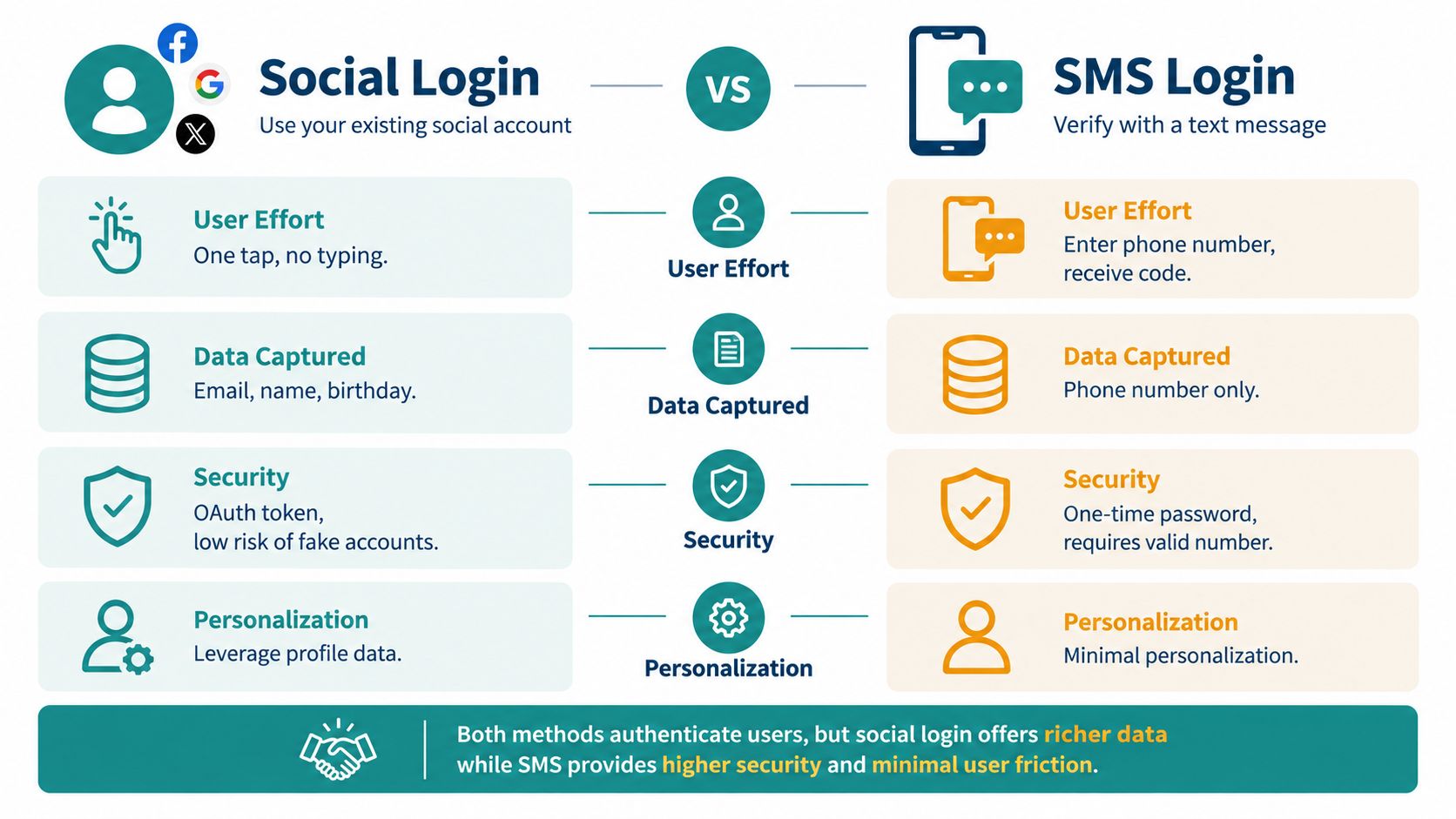
Authentication design also affects conversion. Too many fields create friction, while too little control can leave the venue unable to distinguish a guest from a staff device. The best choice is rarely the method with the most features. It's the method that matches the user's reason for connecting and the venue's responsibility for that connection.
For a deeper look at portal workflows, use this practical WiFi captive portal resource.
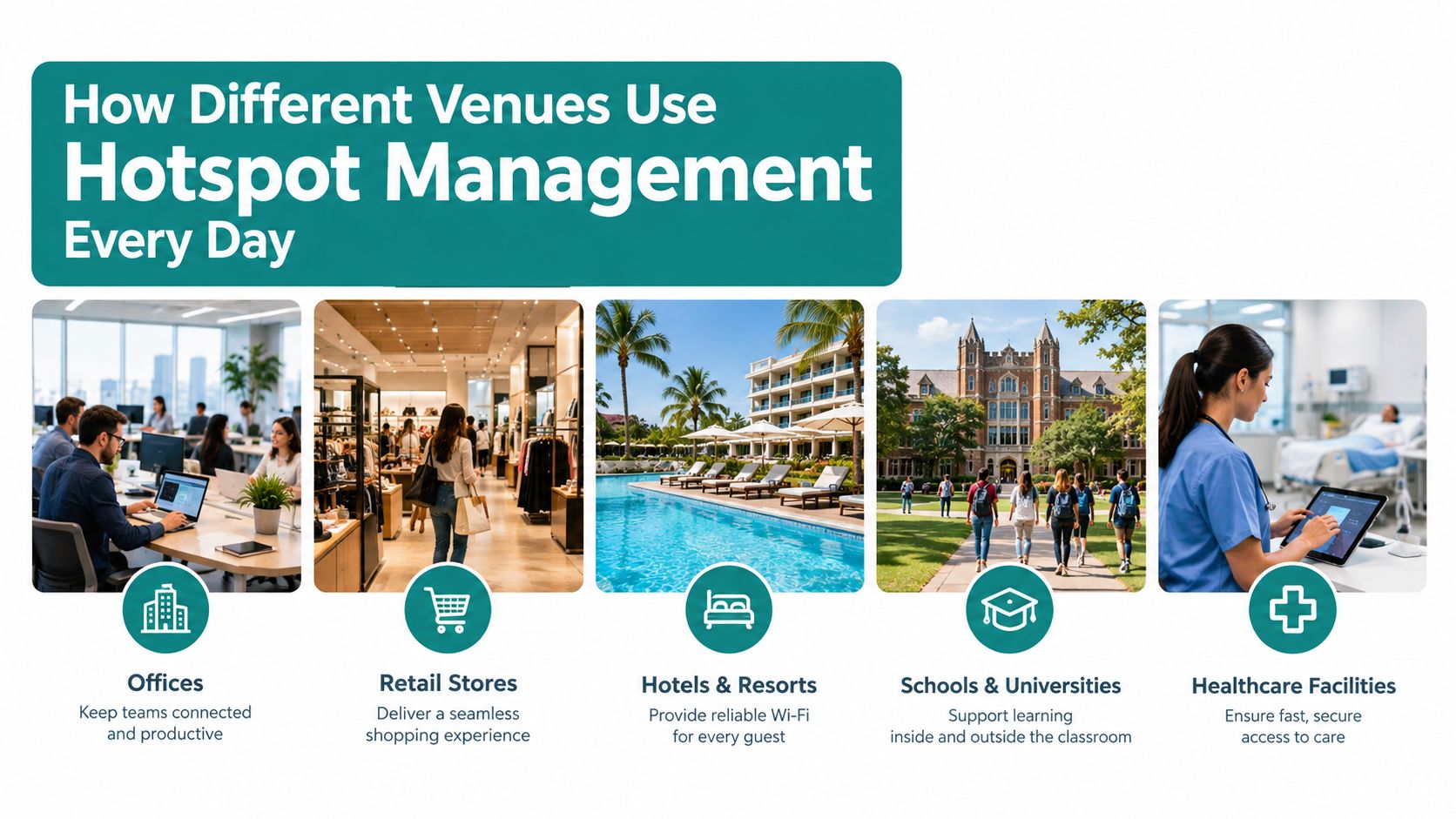
How Different Venues Use Hotspot Management Every Day
The same platform can perform very different work across a hotel, shop, campus, or office. The difference comes from the policy and the outcome the venue cares about.
Hospitality
A hotel guest selects the property SSID and reaches a branded portal. The hotel can provide room or booking-related access through an appropriate integration, offer social WiFi or email onboarding, and route the guest toward a welcome page. Staff can focus on connection support instead of explaining a changing shared password.
A hospitality team may care about return visits, engagement with a promotion, or how guests use WiFi in public areas. Those signals can inform welcome messaging and service decisions, provided the venue collects only data it can explain and use responsibly.
Retail
A retail store can keep customer guest WiFi separate from staff BYOD. A shopper receives internet access through a branded portal, while the business can present a location-relevant message or coupon. Retail guidance recommends placing BYOD on a dedicated VLAN that routes only to the internet, with staff authentication able to integrate with identity services such as Microsoft Entra ID, Okta, or Google Workspace, as outlined in this retail staff WiFi policy guide.
The important operational question is not how many people connected. Managers should ask whether the data changed a campaign, staffing decision, store layout choice, or customer communication.
Education
A campus may need open guest access for visitors and a more controlled process for students, faculty, and managed devices. IPSK can give approved users or groups separate credentials on the same SSID, which supports revocation without changing access for everyone else. Dormitories, libraries, and event spaces can then follow different policies while remaining part of one operating model.
Corporate and co-working spaces
An office often has three distinct populations: employees, guests, and employee-owned devices. Guest access may use sponsorship, while staff BYOD can use identity-based authentication and strict segmentation. A co-working operator may add time-bound access for members, meeting-room guests, and temporary visitors.
The captive portal market was valued at USD 1.27 billion in 2026 and is projected to reach USD 2.71 billion by 2032, a projected 13.4% CAGR, according to captive portal market analysis. The same source values the US market at USD 319.9 million in 2026, projects USD 637.2 million by 2031, and estimates hospitality and leisure venues will represent 26.2% of the market in 2026. Those figures underline how central branded guest access has become for public-facing venues.
Security Privacy and Compliance Without the Jargon
Good guest WiFi security starts with a simple boundary: visitors shouldn't be able to wander from the guest network into trusted business systems. Put guests on a dedicated VLAN and SSID, use firewall rules to block access to RFC 1918 internal addresses, and enable client isolation. These controls help prevent lateral movement toward POS systems, file shares, printers, cameras, and other internal assets, as explained in this guest WiFi security hardening guidance.
Build a safe access path
Serve the captive portal over HTTPS. Use a minimal pre-authentication walled garden so users can reach only the services required to complete onboarding. A broad pre-authentication allowance creates unnecessary exposure, while a clear portal helps users understand what they're accepting.
Shared passwords create another avoidable weakness. If one password appears on a sign or gets forwarded in a group chat, the venue loses control over who has access. Unique, time-bound credentials let an administrator revoke one user or device without disrupting everyone else.
Collect less, explain more
Social login, email, and SMS can produce useful information, but the venue should define the purpose before collecting it. A guest may understand why an email is requested for a receipt or opted-in message. They may be less comfortable with broad tracking that continues after the visit.
Academic research has found that many captive portals use persistent third-party tracking cookies, which can follow browsing behavior after a person leaves the hotspot. Research also found that captive-portal authentication can't be detected through passive WiFi surveys, creating a blind spot for traditional assessments. These findings make retention, consent, and portal transparency practical buying questions, not legal footnotes. Review the available regulatory compliance service alongside the technical design.
Keep operational controls precise
A platform should rate-limit authentication attempts to reduce abuse, apply per-client bandwidth and session limits, and maintain logs for incident response. Retain logs only as long as needed for the stated operational and privacy purpose. Ask vendors how administrators search logs, revoke credentials, export records, and document consent.
Security question to ask: Can the team isolate one credential, one device, or one site without taking the entire guest network offline?
Deployment Options and How to Choose the Right Fit
A venue's operating model should determine deployment. A cloud platform works like a central control room, letting a lean team manage portals, policies, and reports across several locations without maintaining application infrastructure at each site. An on-premise deployment keeps more systems under local control, which can suit organizations with strict internal requirements. A hybrid model places selected identity or operational systems locally while cloud services handle guest portals and analytics.
The right question is not whether a platform supports Cisco or Meraki. Confirm how it applies SSID policies, assigns VLANs, connects with RADIUS, records dashboard events, handles firmware changes, and responds when a service or link fails. If the organization uses Azure AD, SAML, or Google Workspace, test the full sign-in, access-change, and revocation process. An integration label alone does not show how the workflow behaves.
Compare the operating models
| Decision Area | Cloud Model | On-Premise Model | Hybrid Model |
|---|---|---|---|
| Multi-site administration | Centralized and convenient | Requires more local coordination | Centralized for selected functions |
| Local infrastructure control | Lower | Higher | Shared |
| Identity integration | Often straightforward through supported connectors | Depends on local systems | Useful where identity must remain controlled |
| Portal updates | Managed through the platform | Managed by internal teams | Split by component |
| Best fit | Distributed venues and lean IT teams | Organizations with local control requirements | Complex environments with mixed constraints |
A shortlist should cover the tasks that keep a venue operating: voucher printing, payment or billing gateways, API workflows, reporting permissions, campaign tools, and camera-related analytics where relevant. These are not isolated features. Together, they connect access management with daily work and business results.
A retailer may need geo-fenced coupons and store-level reports to compare visits with campaigns. A university may place greater value on identity integration and private keys. A hotel may prioritize branded onboarding and links to property-management workflows. The platform should match the venue's operating rhythm, not force every site into the same process.
With the market expanding, practical testing matters more than feature counts.
Score each candidate against real staff questions:
- Can a receptionist issue and revoke access without IT help?
- Can a network administrator separate guest, staff, student, and IoT traffic?
- Can marketing use consented data without receiving unnecessary technical logs?
- Can finance reconcile paid sessions or vouchers?
- Can managers compare sites using the same definitions?
Run those tests with the people who will use the system. Ask a front-desk worker to handle a guest request, have IT review a policy change, and let a manager build a report. A platform that supports these workflows clearly is a stronger operating system for the venue than one that merely presents a longer feature list.
Putting It All Together From Pilot to Measurable Value
Start with one venue, one SSID, and one primary authentication method. Define the user journey before changing the network. A hotel might measure portal completion and repeat engagement, a retailer might examine campaign influence and store-level behavior, and an education team might prioritize successful enrollment and credential revocation.
Treat the pilot as an operating test, not only a connectivity test. Check whether staff can support users, whether the portal works on common device types, whether guest traffic stays isolated, and whether dashboards answer questions managers ask. Avoid collecting information that has no clear purpose.
Operational guidance favors unique, time-bound credentials per user or device, combined with per-client bandwidth or session limits and logging, rather than shared passwords. That design gives administrators more precise control and makes abuse easier to contain. It also supports a cleaner path from authentication to measurable business value.
For teams comparing onboarding and feedback tools alongside WiFi workflows, a resource such as this Chameleon alternatives guide can help clarify which product category belongs in the broader experience stack. For the financial side, use a WiFi ROI calculator to organize costs, expected operational benefits, and the metrics your leadership team considers meaningful.
A practical launch checklist is short:
- Define the audience: Separate guests, employees, students, contractors, and managed devices.
- Choose authentication: Match social login, SMS, vouchers, sponsorship, SAML, or IPSK to the user and risk.
- Set boundaries: Configure VLAN separation, firewall rules, client isolation, HTTPS, and a minimal walled garden.
- Name the proof: Track onboarding quality, support effort, engagement, return behavior, or campaign influence by vertical.
- Expand carefully: Add sites and workflows only after the first deployment produces trustworthy operational data.
Splash Access provides captive portals and authentication solutions for Cisco Meraki networks, including branded onboarding, voucher workflows, Azure AD and SAML integration, Social WiFi, and IPSK-based access. Visit Splash Access to explore how a managed guest WiFi platform can connect secure access, venue operations, and measurable engagement.