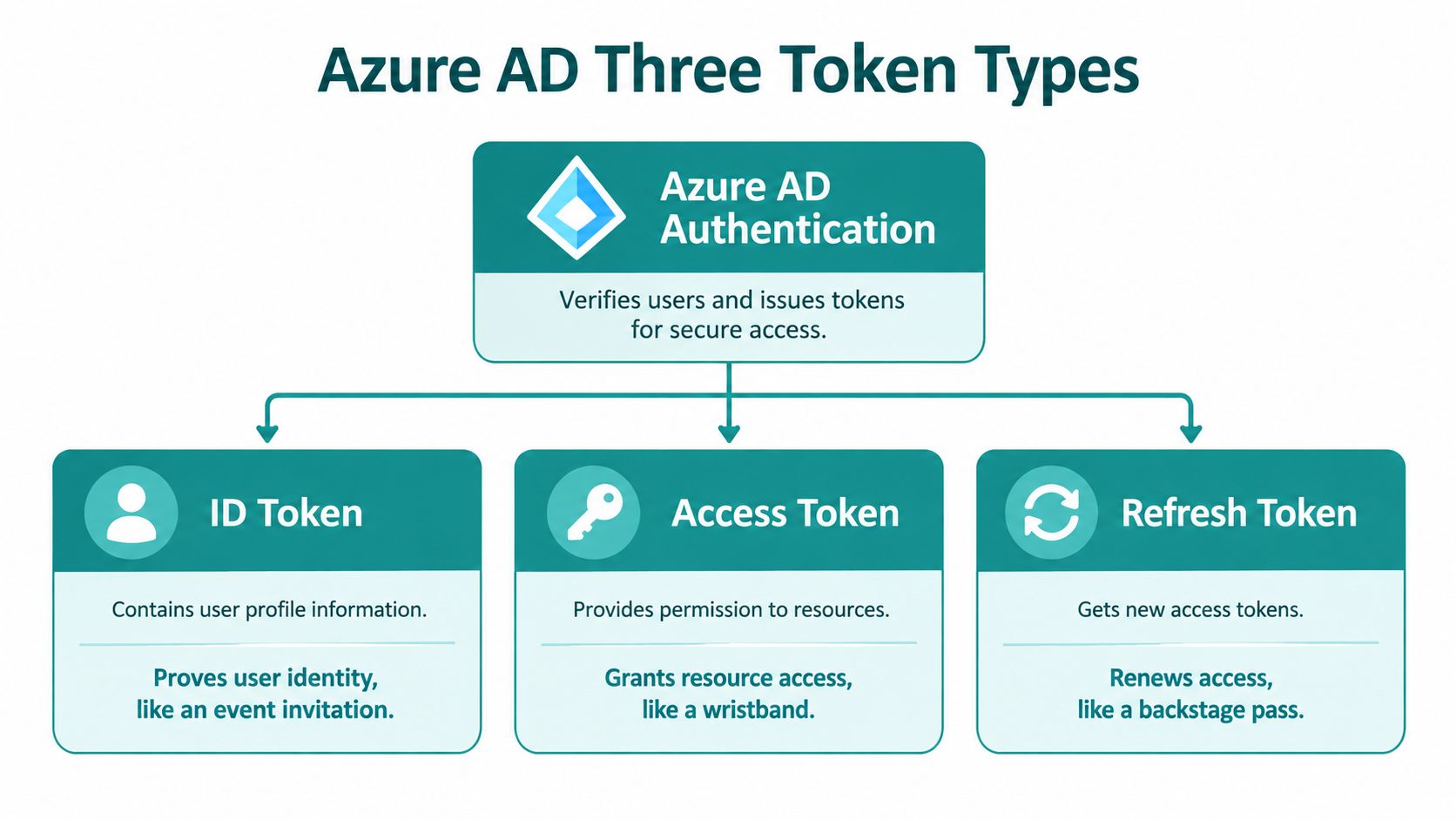
Azure AD authentication tokens are secure credentials that verify user identity and grant access to protected resources, consisting of ID tokens for authentication, access tokens for authorization, and refresh tokens for session continuity. In a guest WiFi flow, that separation matters because the login screen and the network decision are not the same thing.
A hotel guest wants fast WiFi, not a security lecture. A retail associate wants to open a tablet and get to work. A campus visitor wants access that feels simple, but behind the splash page, the system has to decide who signed in, what they may reach, and how long that decision should last.
Why Authentication Tokens Matter for Guest WiFi
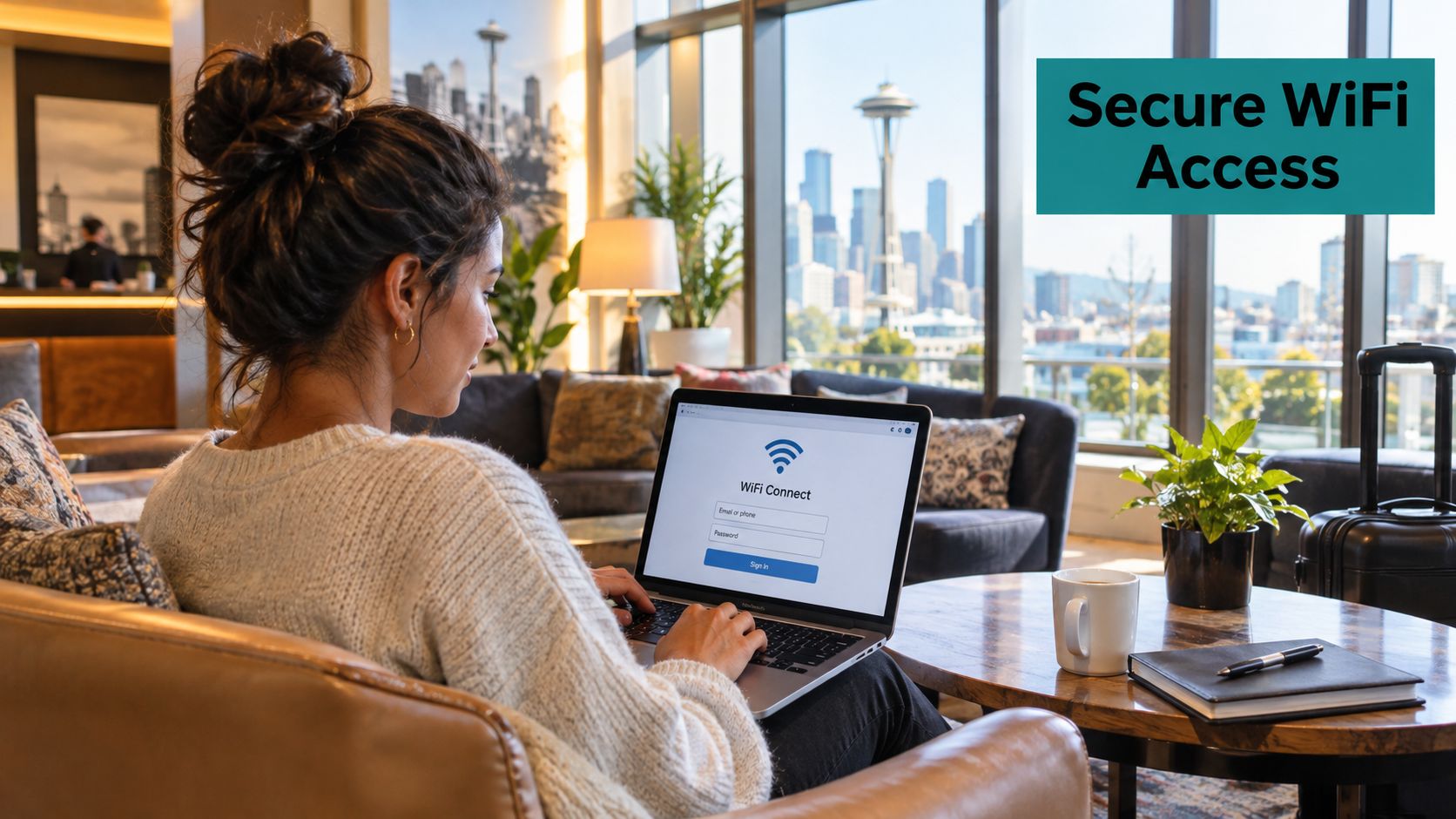
A guest walks into a boutique hotel, taps the lobby WiFi, and sees a polished sign-in screen instead of a dead-end password prompt. That smooth experience only works because the portal and the backend are exchanging the right kind of token at the right moment.
In Cisco Meraki captive portal deployments, that distinction is the difference between identity and access. Microsoft Entra ID, formerly Azure Active Directory, separates those jobs on purpose, and Microsoft's own documentation says an access token is meant for a specific protected resource, while an ID token communicates that the user authenticated successfully. In a guest WiFi workflow, the portal can confirm the person signed in, but the API still has to decide whether the request belongs to that network session and that application.
That boundary matters in hotels, retail stores, universities, and corporate BYOD environments. A portal that trusts the wrong token can grant the wrong WiFi role, expose the wrong API, or leave a visitor online longer than intended. Microsoft also says token validation should check the signature and issuer using OpenID discovery metadata, rather than just decoding claims, which is the kind of detail that keeps a captive portal from accepting a token that only looks valid. The practical split is simple, authentication answers who signed in, authorization answers what protected service may be accessed. replaying production traffic safely is a useful reference if your team wants to think about access control as something to test carefully before it touches real users.
Practical rule: let the portal collect the sign-in, but let the resource server make the access decision.
For teams building hospitality or retail WiFi, that model also fits cleanly with confidentiality in WiFi access flows, because the token handling needs to stay behind the scenes. The guest should see branding, not token internals.
Understanding the Three Token Types
ID Token for identity
The ID token answers one question, who signed in. It's the token a captive portal uses to show that the user completed authentication successfully, but it's not a substitute for calling a protected API. In a Meraki guest flow, that token is the digital equivalent of a checked badge at the front desk, useful for proving the person is real, not for opening every door in the building.
Access Token for resource access
The access token is different. Microsoft says it's an OAuth 2.0 bearer credential for the protected resource API, and the API receiving it must validate the signature and claims before allowing access. That means a browser, splash page, or Meraki-facing client shouldn't independently decide what the token can do, because the token's audience has to match the service that receives it.
A good mental model is simple. The ID token says, “this person signed in,” while the access token says, “this specific API may now be called on their behalf.” In guest WiFi, that distinction keeps onboarding workflows, voucher issuance, and customer-record lookups separate from the login screen itself.
Refresh Token for session continuity
The refresh token keeps the experience from becoming annoying. When the short-lived access token expires, the app can ask for a replacement instead of forcing the guest to start over. That matters in hotels, campuses, and corporate guest networks where people expect WiFi to stay usable across a meeting, a meal, or a long check-in.
A portal that uses the right token for the right task feels invisible to the guest and predictable to the admin.
For administrators comparing integration patterns, the separation is also why Azure AD authentication and authorization should be treated as two different controls, not one blended feature. If you blur them together, you end up troubleshooting the wrong layer when a user can sign in but still can't reach the right network service.
JWT Structure and Claims Explained
Azure AD tokens are usually JWTs, which are compact, URL-safe containers for claims. A JWT has three parts, header, payload, and signature, and that structure is what makes it useful for WiFi portals, SSO flows, and backend authorization checks. The payload carries the claims your systems care about, while the signature protects the token from tampering.
What the parts actually mean
The header tells you the signing algorithm. The payload carries claims like issuer, audience, tenant, expiration, scopes, and roles. The signature lets the API verify that the token really came from Microsoft and wasn't edited on the way to your captive portal.
For hospitality or education teams, the claim set becomes operational when it reaches your access logic. A portal can use the claims to decide whether a user belongs in guest WiFi, a staff VLAN, or a managed-device path, but only after the backend has validated the token properly. That's the part many teams miss when they treat a JWT like a login receipt.
The cleanest approach is to let the portal pass the token through, then let the API inspect what it says. Azure AD authentication URL handling matters here because the redirect and callback flow has to preserve trust all the way back to the backend.
Operational insight: a readable payload is not the same thing as a trustworthy payload.
Claims you'll actually rely on
In guest WiFi and captive portal work, the most useful claims are the ones that tie identity to a specific application and tenant. If your implementation uses social login or corporate sign-in, those claims help the backend understand which service the token was meant for and whether the user belongs in the right policy bucket. For IPSK and EasyPSK deployments, that decision can affect whether the portal issues guest access, a voucher, or a more limited onboarding path.
A lot of confusion comes from assuming every token carries the same information. Microsoft says claims are conditional, so a well-built design can't depend on a field being present every time. That's especially true in mixed environments where education, retail, and BYOD visitors all hit the same login page but need different outcomes.
Token Lifetimes and Renewal Mechanics
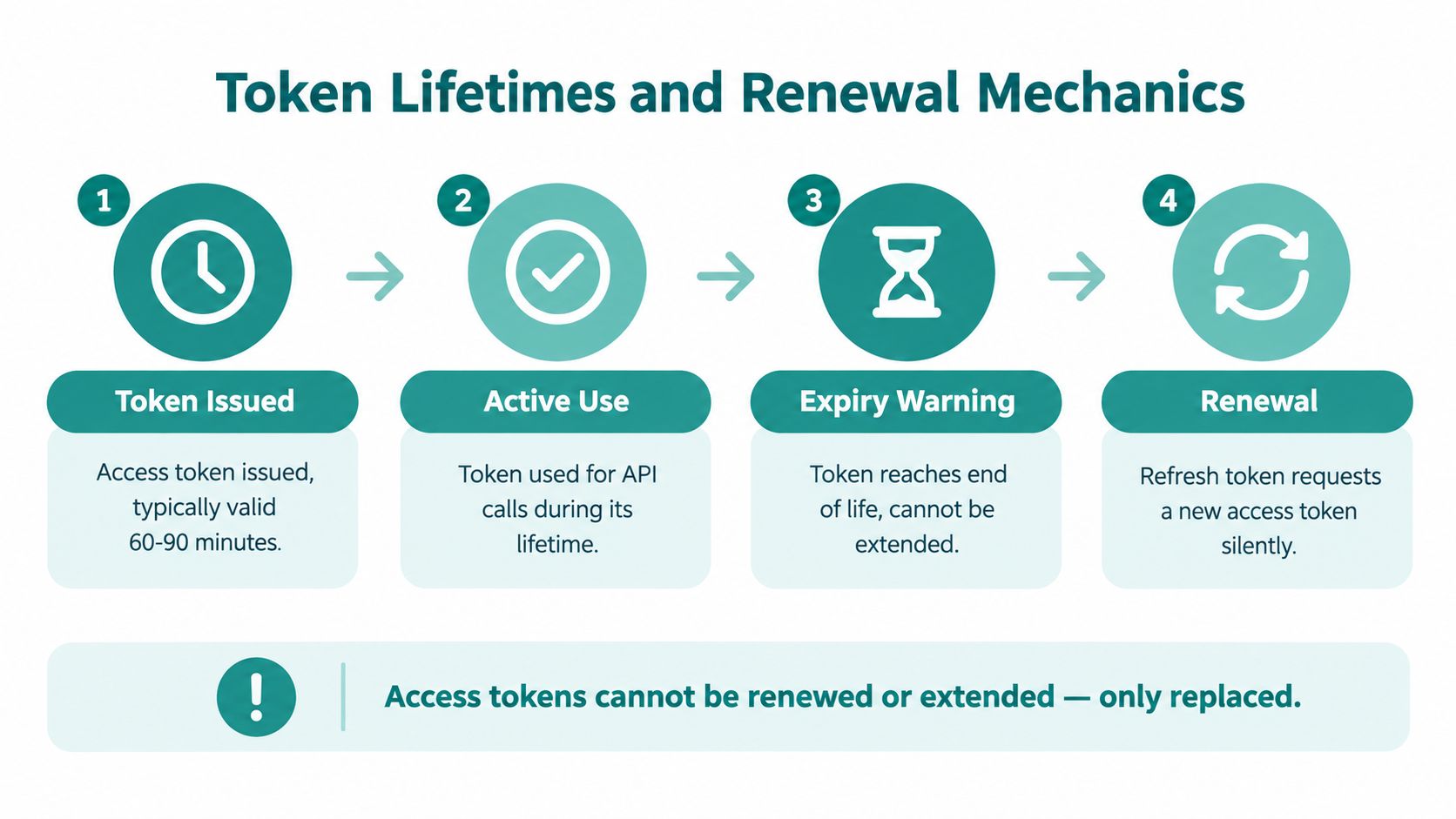
Microsoft Entra ID access tokens don't have one fixed lifetime. Microsoft documentation says they normally expire after a random validity period between 60 and 90 minutes, averaging about 75 minutes Microsoft configurable token lifetimes. That variation helps avoid a synchronized refresh spike, which is a small detail until you run a busy guest network and everyone's session seems to age out together.
What expiry means in practice
An expiring access token doesn't mean the user immediately loses WiFi. It means the API should stop trusting that token and the app should obtain a replacement through the supported refresh flow. That distinction matters in a lobby, a classroom, or a store floor, because the guest experience should stay smooth even while the backend renews what it needs.
For campus and hospitality teams, the important question is whether the user's current network state depends on the token alone. If it does, a person can stay online longer than your policy intended. If it doesn't, the portal can renew access in the background while the network layer continues to enforce the right session rules.
Why expiry is not revocation
Token expiry is not the same as forced sign-out. Microsoft notes that some Continuous Access Evaluation scenarios can keep validity responsive to policy changes, but ordinary non-CAE sessions may keep going unless the access layer separately reauthenticates or disconnects. That is the security gap in guest WiFi. A hotel guest can check out, a contractor can leave the building, or a shopper can close a session, yet the backend must still decide whether the connection should continue.
Azure AD WiFi authentication becomes more reliable when the portal treats expiry as one event in the lifecycle, not the whole control strategy. If your design only watches the clock, you're relying on a timeout to solve a revocation problem.
Inspecting and Parsing Tokens in Practice
A token can look trustworthy and still be wrong for your application. That's why the backend, not the browser, should validate it before any guest WiFi action is allowed to proceed. The simplest rule is also the most important, decode for inspection if you want to understand the payload, but validate on the server before you trust anything.
What to check every time
The token should be sent as Authorization: Bearer <token> over TLS, never embedded in a URL, and never logged. Microsoft's guidance is explicit that the API should validate the signature, issuer, audience, expiration, and, where relevant, delegated scopes or app roles before granting access. If the token is merely syntactically a JWT, that still doesn't mean it belongs to your API.
For a Splash Access style captive portal, that backend check is what lets you map the sign-in to a narrow action. Guest onboarding, voucher issuance, customer-record access, or network policy assignment should each be tied to a validated token and a defined permission, not to the fact that the user clicked a login button.
Common confusion points
The most frequent mistake is treating an ID token like an access token. Both are JWTs, both can carry identity-related claims, and both may arrive after a user signs in, so the mix-up feels easy to make. It's also dangerous, because the ID token proves authentication, not API authorization.
Capture packets with Wireshark can help network teams understand the path a portal request takes, but the decision itself still belongs to the backend. If you validate only in the client, you're giving the device too much authority over the session.
Strong rule: if the resource server didn't validate it, the portal shouldn't trust it.
This is also where social login, social WiFi, IPSK, and EasyPSK diverge operationally. The login mechanism may be different, but the backend still needs the same discipline, check who the token was meant for, check that it's current, and check that the claims are present before acting on them.
Security Best Practices for Captive Portal Deployments
A captive portal is not just a prettier login form. It's a policy gate, and in hospitality, retail, education, and corporate BYOD environments, that gate needs to be strict behind the scenes and easy in the user experience. The best deployments keep the portal friendly while forcing the backend to do the hard work.
Server-side validation first
Validate the token on the API side, not in the browser and not on the device. Microsoft says the receiving API should confirm the token's signature and claims, including aud, iss, tid where appropriate, nbf, exp, and the needed scp or roles values. That is the essential trust boundary in a Meraki guest workflow.
Handle group overage deliberately
Microsoft Entra tokens don't always carry a full group list, and Microsoft says group memberships in JWTs are limited to 200 groups and in SAML tokens to 150 Microsoft access token claims reference. Past those thresholds, the token uses an overage indicator instead of the full groups claim. If your portal treats “missing groups” as “no groups,” you can lock out the wrong person or, worse, assign the wrong network role.
Keep bearer tokens out of the wrong places
Use TLS, keep tokens out of URLs, and don't log them. That advice sounds basic, but guest WiFi environments have a lot of moving parts, and one debugging shortcut can create a long-lived exposure. If you need to compare access-control patterns for smaller teams, network access control for SMBs is a useful adjacent concept to study, because the same principle applies, the backend should decide, not the endpoint.
Tie revocation to policy
A token expiring is not enough when someone should lose access immediately. If a hotel guest checks out or a contractor leaves the site, the portal or access layer should enforce reauthentication or disconnect the session rather than waiting for the clock to run out. In practice, that's where a well-built solution like Splash Access can fit among other tools, since it works with Cisco Meraki guest WiFi flows, Azure AD sign-in, and token-based policy decisions.
If you're planning a Cisco Meraki captive portal with Azure AD authentication tokens, Splash Access can help you connect guest sign-in, policy checks, and WiFi onboarding without turning the portal into a security blind spot. Visit Splash Access to see how its guest WiFi, IPSK, EasyPSK, and authenticated access flows fit hospitality, retail, education, and corporate environments.