WPA2-Personal is the stronger choice because it uses AES-CCMP encryption, while WPA-Personal uses the older TKIP cipher, so choose WPA2-Personal unless a device cannot support it. But if a departing employee still knows your Wi-Fi password, what stops them connecting tomorrow?
That's the gap in many WPA/WPA2 Personal comparisons. Choosing stronger encryption matters, but schools, shops, hotels and offices also need a workable way to grant access, restrict it and take it away without reconnecting everyone's devices.
WPA and WPA2 Personal Side by Side
Choose WPA2-Personal over WPA-Personal. WPA is a legacy interim design, not a sensible default for a new guest or BYOD network.
Both Personal modes use a pre-shared key, usually entered as a Wi-Fi password. The important technical difference is how they protect wireless traffic. NIST's wireless security guidance identifies CCMP as providing stronger assurance than TKIP and as the option whose core cryptographic algorithm is FIPS-approved AES.
WPA-Personal versus WPA2-Personal at a glance
| Feature | WPA-Personal | WPA2-Personal |
|---|---|---|
| Encryption cipher | TKIP with Michael message integrity check | AES-CCMP |
| Core algorithm | RC4 stream cipher inside TKIP | AES block cipher, FIPS-approved |
| Authentication method | Pre-shared key (PSK) | Pre-shared key (PSK) |
| Introduced | Wi-Fi Alliance certification testing began April 2003 | Ratified with IEEE 802.11i on June 24, 2004 |
| Certification status | Required for Wi-Fi certifications from September 2003 | Mandatory for new Wi-Fi CERTIFIED equipment from 2006 |
| Current status | Legacy interim design; avoid for new networks | Recommended baseline for Personal networks |
| Passphrase length | 8-63 characters | 8-63 characters; use 20 or more random characters for shared keys |
Cisco Meraki's encryption and authentication overview names WPA2-Personal as the preferred option over WPA-Personal. In practice, choose the explicit WPA2 and AES setting rather than assuming that any option containing WPA2 excludes older protection.
Mixed WPA/WPA2 mode is useful only when you have a genuine compatibility problem. It can let an older client negotiate TKIP, leaving you with a weaker connection even though WPA2 appears in the controller's security label.
Practical rule: Don't retain a weaker security mode for a device nobody can identify.
Start with your access point or controller's SSID settings. If the security field reads WPA-Personal, or a mixed WPA/WPA2 option, identify the clients using that network before changing it. Test older scanners, printers and embedded equipment, not just the newest staff phone.
A device that fails the test needs an explicit decision: update it, replace it or isolate it. Keeping the whole staff or student network in a legacy mode is the least attractive way to preserve a single device's connectivity.
Why WPA2 Replaced WPA and What It Protects
Wired Equivalent Privacy, or WEP, had serious weaknesses, so WPA arrived as an interim upgrade that existing hardware could support while the complete standard was finished. The WPA2 historical overview records WPA certification testing beginning in April 2003, WPA becoming required for certifications from September 2003, the completed IEEE standard being ratified on June 24, 2004, and WPA2 becoming mandatory for newly submitted Wi-Fi CERTIFIED equipment in 2006.
That history explains why WPA2 became a mainstream compatibility baseline rather than an optional specialist feature. Still, check the actual client inventory instead of assuming that every device in a cupboard supports the same settings.
What the encrypted link protects
WPA2-Personal applies stronger protection to the radio connection between a device and an access point. The IEEE 802.11i overview describes the completed security framework underlying WPA2 and its AES-based protection, unlike WPA's transitional TKIP approach.
For a guest, that means wireless traffic isn't broadcast as readable content to anyone nearby. It doesn't mean the guest has a verified personal identity, or that the wireless link replaces HTTPS, endpoint security or firewall policies.
Anyone with the shared password can attempt to authenticate. They don't automatically gain access to every internal resource, because your segmentation and firewall rules still determine what they can reach.
When reviewing controller options, distinguish the authentication method from the traffic cipher. This explanation of AES versus TKIP helps translate those labels into a configuration decision.
Why a good cipher still needs a strong password
Consider a café using a short password based on its trading name. An attacker captures authentication material when a customer connects, then tests password guesses on their own computer rather than repeatedly asking the live access point.
The access point's login controls can't limit those offline guesses. That's why adding a predictable season or room number to a venue name isn't a meaningful fix.
Use a long, randomly generated password rather than a memorable business slogan. Make onboarding easier with a Wi-Fi QR code or an onboarding portal that provisions credentials, instead of shortening the secret so reception staff can read it aloud.
A normal captive portal appears after wireless association. It can distribute credentials through a separate onboarding route, but it can't magically provide the initial password to a device that hasn't joined the protected SSID.
Before keeping a shared-key design, check:
- Password quality: Is the secret randomly generated rather than venue-related?
- Distribution: Has it escaped the intended group through messages, signage or old documents?
- Separation: Should guests be prevented from reaching other clients or internal systems?
Shared Password Risk in Education, Retail and BYOD Networks
A shared password creates an offboarding problem: removing someone from your organisation doesn't remove the secret from their phone. NIST's WLAN security guidance advises avoiding shared PSKs where strong authentication is needed and warns that passphrases shorter than approximately 20 characters provide relatively low security.
The operational question is therefore broader than password strength. You also need to know who holds the credential and what event should end their access.
Shared password risk and practical rule by sector
| Sector | Main risk | Practical rule |
|---|---|---|
| Hotels and guest Wi-Fi | Guests keep the password after checkout | Rotate the key on a schedule or move guests to individual credentials |
| Schools and universities | Students share one key with staff and visiting devices | Separate student, staff and visitor groups; review access each term |
| Retail and shopping spaces | Former staff and vendors keep access after contracts end | Rotate the key when a vendor contract ends; offer shoppers a captive portal |
| Corporate BYOD | Personal devices stay connected after an employee leaves | Assign per-device or per-user keys and revoke them on exit |
| Co-working and shared offices | Many short-term members share one passphrase | Issue individual keys per member and revoke when membership ends |
In a hotel, checkout should end a visitor's entitlement, even if their device remembers the network. On a campus, a student sharing the visitor password shouldn't also distribute access to staff resources.
In retail, a maintenance vendor may need temporary connectivity without retaining access after the job. For corporate BYOD, disabling an employee's business account won't necessarily invalidate the separate Wi-Fi password saved on their personal laptop.
A co-working operator faces the same issue at membership expiry. Individual credentials make that boundary easier to enforce than a password passed between successive occupants.
Offboarding is complete only when the person's network access ends, not when their name disappears from a staff list.
Make revocation an owned task
If you retain a common key, assign someone to rotate it when a contract ends, a term finishes or a leak is suspected. Plan how authorised device owners will receive the replacement and which unattended devices need updating.
For identity-based alternatives, compare WPA2-Personal and Enterprise authentication against your support capacity. IPSK and EasyPSK offer another route where compatible PSK clients need individually managed secrets.
Ask each network owner: Who can join today, and who should be unable to join tomorrow?
Choosing an Access Method for Each Venue
Can you revoke one person without changing everyone's access? Start there, because it separates an easy-to-share password from a manageable authentication solution.
A captive portal, individual PSKs and central authentication solve different parts of that problem. Don't treat them as interchangeable security switches.
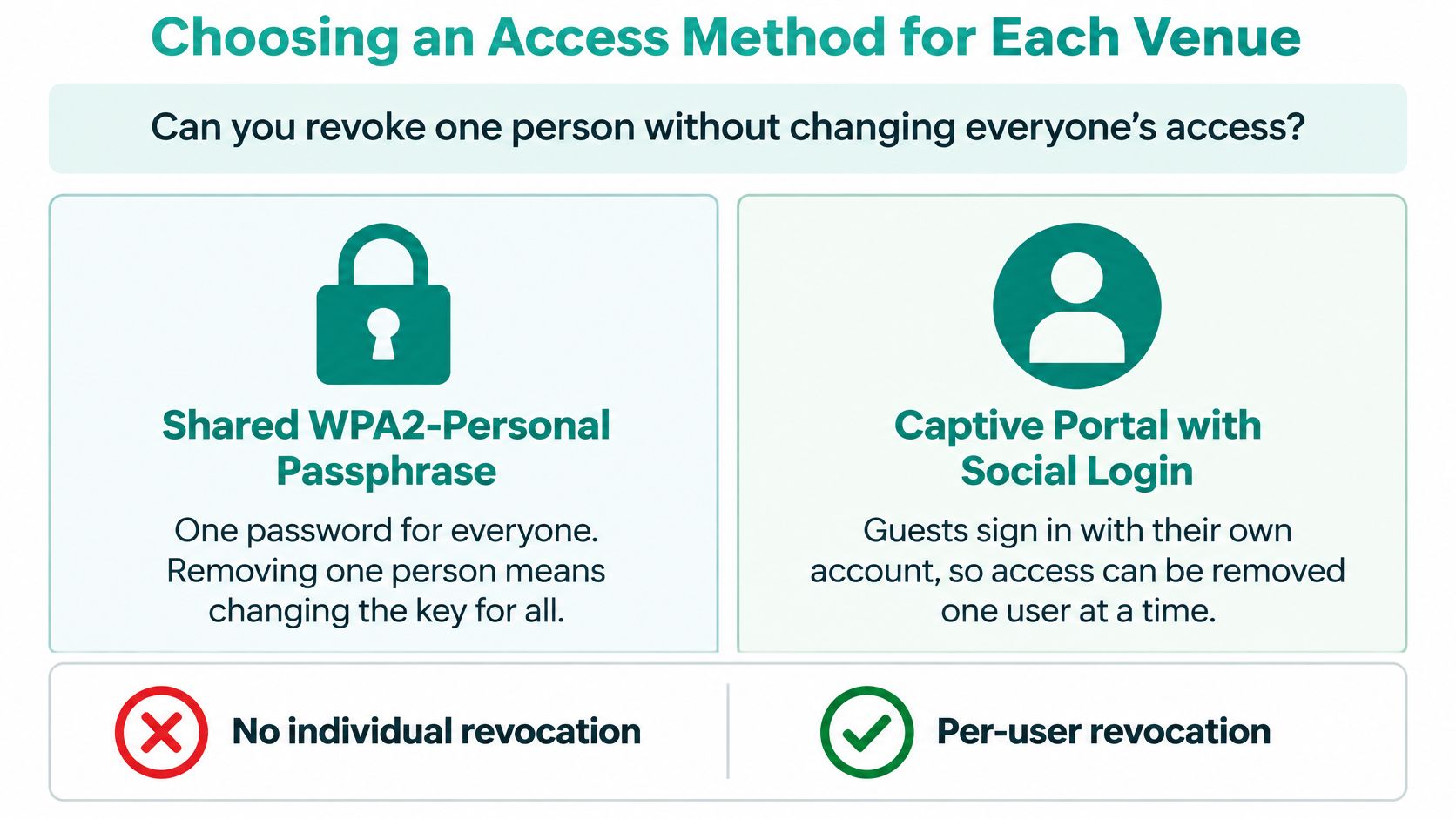
Access methods compared by how they grant and revoke access
| Method | How access is granted | Remove one user without affecting others | Best fit |
|---|---|---|---|
| Shared WPA2-Personal passphrase | One password for everyone | No | Small networks with low turnover |
| Captive portal with social login or social Wi-Fi | Visitor signs in with a social account, email or voucher | Partly, by blocking the account or voucher | Retail and hospitality guest Wi-Fi |
| Cisco Meraki IPSK | Several passwords on one SSID, each mapped to a group policy | Yes, by removing that password | Education and corporate BYOD |
| Cisco Meraki IPSK with RADIUS | Central server checks the MAC address and assigns a per-user key | Yes, per user | Large or mixed deployments |
| EasyPSK for large deployments | Individual credentials created at scale | Yes | Large venues and campuses |
Match the control to the job
A shared WPA2-Personal passphrase suits a small office or home-style network with stable membership. I'd set an annual review and rotate sooner after a departure or suspected disclosure, rather than treating the calendar as permission to leave known exposure unresolved.
For retail and hospitality guest Wi-Fi, a captive portal can manage terms, email registration, vouchers, social login and social WiFi journeys. Blocking the account or voucher can stop portal-authorised access, provided the network enforces that decision and ends existing sessions appropriately. It doesn't erase a shared wireless password or automatically stop local client-to-client traffic.
Cisco Meraki IPSK is useful when users need standard PSK connectivity but different access policies. Meraki's Wireless Private Network documentation) documents up to 5,000 IPSKs per SSID without RADIUS, beginning with MR 29.4.1 firmware.
Issue a unique key per user or device if individual revocation matters. Deleting a password shared by a whole class removes that class's credential, not just a departing student's.
With IPSK and RADIUS, a central server can check a client's MAC address and return its assigned PSK while clients still see a standard WPA2-PSK network, as described in Cisco Meraki's IPSK with RADIUS guide. A MAC address is a device identifier, not strong proof of a person's identity, so enrolment and credential handling still matter.
Make the venue decision
Schools and corporate BYOD environments should favour individually managed credentials and group policies. Large campuses should also plan bulk onboarding, expiry and support workflows, rather than issuing keys manually without an owner.
Our product list includes Cisco Meraki IPSK Solution, EASYPSK for Large Deployments, IPSK MDU Solution, and DUO secure multi-factor authentication for Meraki WiFi. Our Private IPSK Authentication is a standalone, easy-to-use secure onboarding portal.
This week, list every SSID, record who holds its password and assign an access method to each audience. Use this comparison of Wi-Fi authentication methods to separate visitor onboarding from staff and device authentication.
WPA3-Personal and Transition Mode Trade-offs
WPA3-Personal is the better direction where your clients support it. Its Simultaneous Authentication of Equals, or SAE, improves resistance to offline password guessing, but upgrading the protocol doesn't by itself create individual user credentials.
Transition mode lets capable devices use SAE while older clients continue with WPA2-PSK. That's convenient when embedded, medical, industrial or educational equipment can't be replaced immediately.
Compatibility keeps a weaker route available
The Wi-Fi Alliance WPA3 deployment guide warns that a shared transition-mode password can still be recovered through an offline dictionary attack involving a WPA2-only client or an active downgrade attack against a WPA3-capable client.
The concern isn't that every WPA3 connection becomes WPA2. It's that an attacker may target the remaining WPA2 path to obtain a password used across the mixed network.
Treat transition mode as a documented migration exception, not a permanent default.
Where every required client supports it, select WPA3-Personal alone. For a plain-language explanation of the configuration choices, use the WPA3-Personal guide.
Give legacy devices a separate destination
If the mixed-mode risk is unacceptable, separate modern and legacy devices using different SSIDs, different passwords and logically isolated network segments. A separate policy group may restrict a legacy device's access, but it doesn't remove shared transition-password exposure if both populations still use that same secret.
Don't copy the staff password onto a legacy SSID. Restrict the older device to its required services and check connection logs for unexpected authentication changes or clients appearing on the wrong network.
Keep a short retirement register:
- Device and owner: Name the equipment and the person responsible for it.
- Required access: Record the destinations and services it genuinely needs.
- Replacement deadline: Give the legacy SSID a retirement date tied to an approved replacement plan.
- Review action: Confirm that the exception remains necessary rather than renewing it automatically.
How to Configure WPA2-Personal Without Leaving Gaps
Make the change as a controlled network update, not a quick password edit during a busy shift. Save the existing settings, identify the affected devices and arrange a recovery path before applying anything remotely.
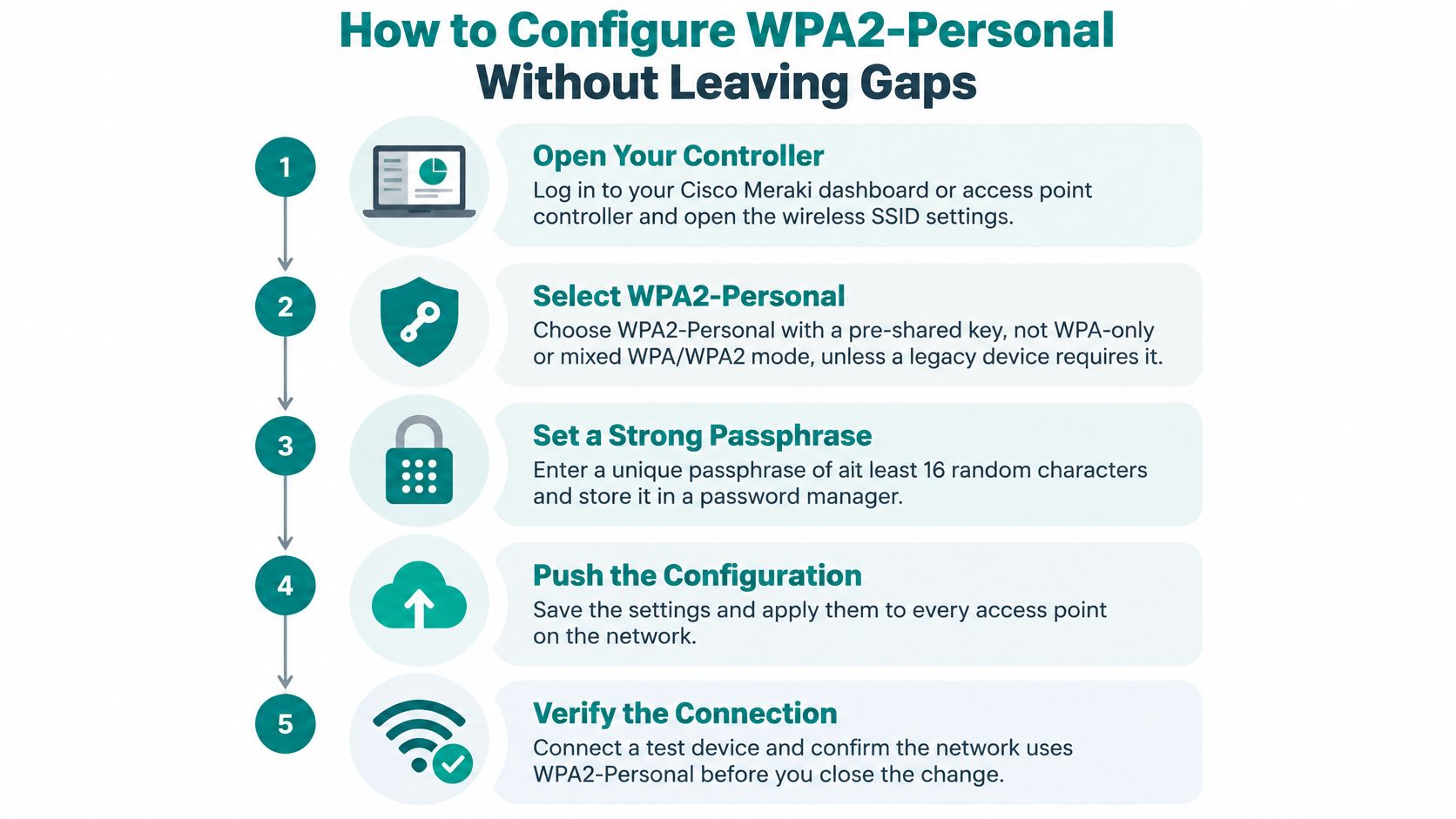
Apply the settings and test the boundaries
Open the correct SSID. Log in to your Cisco Meraki dashboard or access point controller and identify the wireless network you intend to change. The common slip is editing a similarly named guest or test SSID without checking which access points broadcast it.
Select WPA2-Personal with AES-CCMP. Choose pre-shared-key authentication and exclude WPA-only or mixed WPA/WPA2 mode unless a documented legacy requirement remains. Leaving compatibility mode enabled by habit can preserve TKIP support you intended to remove.
Generate and store the secret. Use the long, random shared-key recommendation rather than a venue name or predictable phrase, and save it in a password manager. Don't circulate it through an expanding email thread, because you'll lose track of who needs notifying when it changes.
Isolate legacy clients. Put devices requiring different security settings on a restricted SSID, or use an individual IPSK and restricted group policy where the platform supports it. A policy group can limit reachable resources, but it doesn't change the radio security options advertised by its SSID.
Assign audience-specific policies. Give students, staff, contractors and guests only the access each needs. Test the restrictions, because naming a policy “Guest” doesn't prove it blocks internal resources.
Schedule the next review. Tie shared-key rotation to contract endings, term changes and suspected disclosure, then assign an owner to distribute replacements. For individual credentials, include expiry and revocation in the departure process rather than relying on memory.
Apply and verify the configuration. Confirm the settings reach the intended access points, then test a current phone, a laptop and an older supported device. Check the negotiated security mode, expected captive portal behaviour and blocked destinations, not just whether a web page loads.
Keep the configuration maintainable
Use the access point configuration guide alongside your change record. Record the chosen mode, credential owner, policy assignments and rollback procedure without putting the password into ordinary support notes.
I'd audit individual credentials quarterly and review every legacy exception at the same time. Rotate shared keys when the relevant contract or term ends, and keep a replacement deadline for equipment that still dictates weaker settings.
Splash Access offers Cisco Meraki-integrated captive portals and IPSK authentication solutions for guest Wi-Fi, education and corporate BYOD. Visit Splash Access to discuss a setup that combines straightforward onboarding with access you can revoke per user or device.