You've got a guest checking in on Monday who's staying six weeks, working from the suite, and already asking if the Wi-Fi can handle daily video calls. That's not a one night password question anymore. It's a resident infrastructure question, and extended stay wireless internet needs to be planned like power, water, and a working lock.
Why Longer Stays Need Real Internet
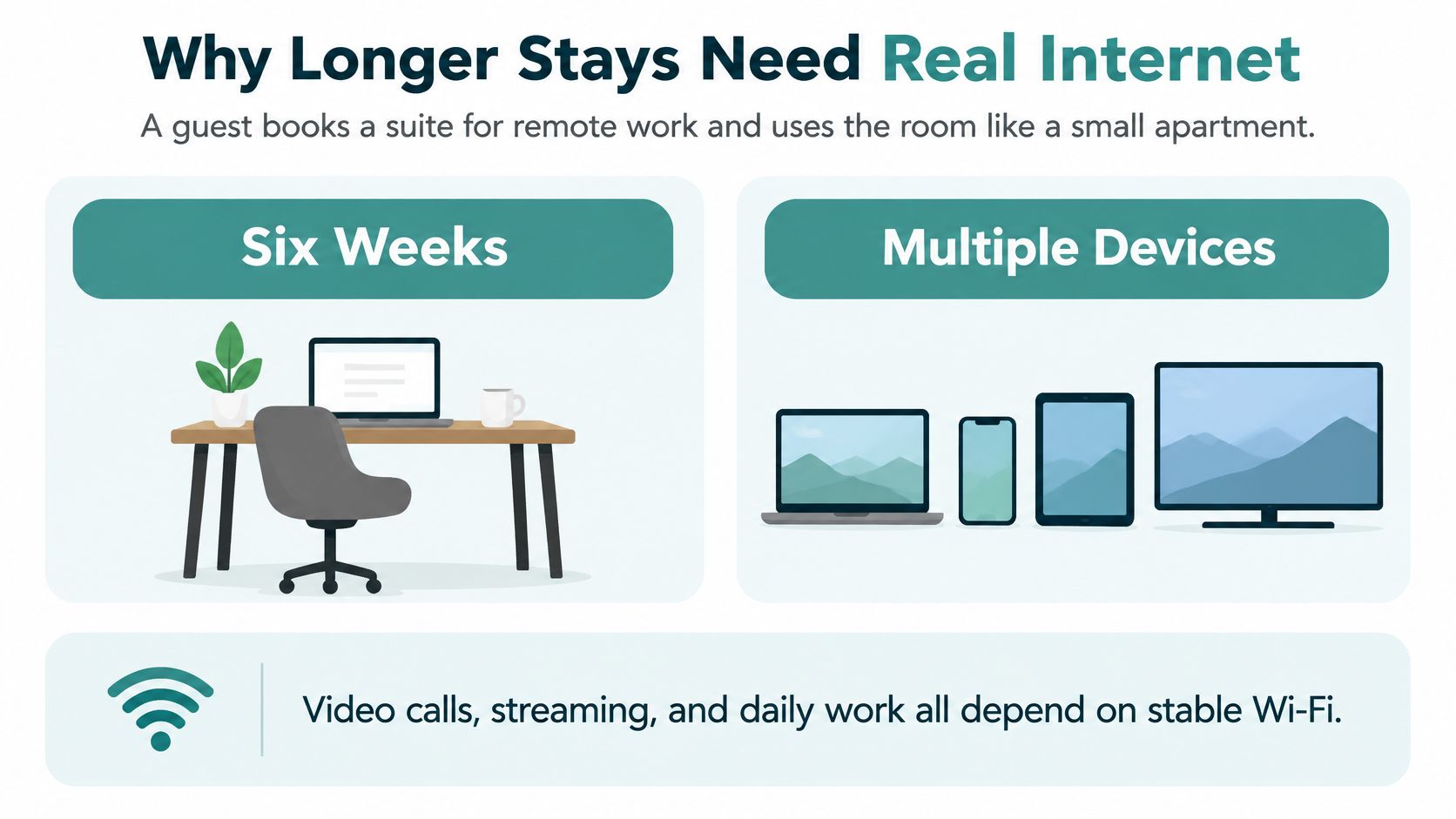
Say a guest books a suite for six weeks of remote work. By day two the room's a small apartment. The laptop sits on video calls, a phone and tablet hop on and off, laundry runs downstairs, and the TV streams after hours. Banking, classes, telehealth, and family calls all happen from the same chair.
A one night traveler can shrug at a lobby password and a weak corner. This guest can't. If calls freeze every evening or she has to log in again for every device, she'll remember the internet long after she forgets the breakfast.
The Business Case Is Already Big
This isn't a niche request. The Grand View Research extended stay hotel market report valued the global extended stay hotel market at approximately USD 57.7 billion in 2024, with North America accounting for 34.4% of global revenue. It projects the market will reach USD 98.8 billion by 2030, a 9.5% compound annual growth rate from 2025 through 2030.
That's why operators who plan for residents often start with purpose built hotel Wi-Fi solutions for longer stays rather than stretching a transient setup. If you're comparing locations yourself, you can find extended stays in Norwich to see how properties present longer stays as living, not just sleeping.
The guide ahead is simple. We'll size capacity, split your Cisco Meraki SSIDs, compare captive portals, social login, IPSK, and EasyPSK, then write a fair promise for a month. The first number that matters isn't average occupancy. It's peak concurrent devices.
Room Capacity Targets You Can Plan Against
Plan for the busy evening, not the quiet Tuesday average. At 8 p.m. one resident might be on a call, backing up photos, and streaming in the background while the room next door does the same. If you sized for averages, that moment breaks.
Use this table as your starting point, then verify it in your own building.
Extended-stay room wireless planning targets
| Planning item | Working target | Why it matters |
|---|---|---|
| Connected devices per room | 3 to 7 typical; keep near 6 in tight RF | Phones, laptops, TVs, and tablets stay online for weeks |
| Throughput per device | About 5 to 10 Mbps | Covers calls, browsing, and ordinary streaming |
| Aggregate room demand | Roughly 15 to 70 Mbps | Room total before shared amenities and overhead |
| Minimum room bandwidth | At least 40 Mbps | A practical guest-room floor when several devices are active |
| Basic streaming floor | 1 to 2 Mbps historically | Only a baseline; multi-device higher-resolution video needs more |
| Access point density | One per room, or one per two rooms | Solid walls make hallway radios miss the desk and the bed |
| Hard-wall option | One wall-plate AP | Brick and concrete attenuate ceiling signals from the corridor |
| Roaming quality | Success above 97 percent | Guests walk from room to lobby without dropping a call |
| Roam delay and loss | Under 100 ms average; packet loss under 1 percent | Interactive apps fail before the signal bars do |
| Backhaul | Wired Cat 6A or equivalent to PoE switching | Mesh spends wireless capacity on access-point traffic |
Why Concurrency Beats Room Count
The Cambium Networks guest Wi-Fi guide frames planning at 3 to 7 connected devices per room and about 5 to 10 Mbps per device, or roughly 15 to 70 Mbps per room before shared areas. That old 1 to 2 Mbps basic streaming figure is only a floor now. Two screens at higher resolution pass it quickly.
A tighter room target keeps you honest. Aim for no more than about six stations crowding one radio, at least 40 Mbps in the room, roaming success above 97 percent, average roam delay under 100 ms, and packet loss under 1 percent during a roam. Those numbers protect calls when a guest walks to the lobby mid sentence.
Full bars don't prove capacity. A stuttering evening call with a strong signal usually means too many active clients sharing too little airtime.
Put Radios Where People Sit
Put an access point in every room, or at least every two rooms. Where brick or concrete kills the signal, use a wall plate in the room instead of shouting louder from the hallway. The Purple hotel Wi-Fi guide backs in room or near room placement and wired backhaul, because mesh spends wireless capacity carrying other access points.
Run Cat 6A or equivalent to PoE switching, and survey before you buy. Concrete, plumbing runs, elevator shafts, and a neighbor's radios change the answer more than a new Wi-Fi label does. A proper site survey for your wireless network shows you where coverage ends at the desk and bed.
Measure what residents really do. Track peak simultaneous clients and 95th percentile throughput by zone, such as floors, laundry, and lobby. Then shape traffic per client so a few 4K streams can't starve video calls, property systems, and payments.
Guests who travel for months sometimes carry their own fallback, and it's fair to find WiFi options for international travel when comparing personal backup choices. Your job is to make that backup unnecessary inside the building. If the evening call still stutters, you planned for averages.
How to Split the Property Network
Think of the building as an apartment block with a locked office in the basement. Guests may use the hall, but they don't get keys to the safe or to a neighbor's unit. Your wireless lanes should work the same way.
On Cisco Meraki, keep at least four lanes separate. Don't merge them to save time during install, because undoing a flat network later is slower and riskier.
- Guest or resident lane: Internet only, with client isolation so one laptop can't scan another
- Staff and property systems lane: Front desk, printers, and property management access
- IoT lane: Door locks, thermostats, TVs, and building sensors
- Management lane: The network gear itself, reachable only by admins
Segmentation Is Not Optional
The U.S. Federal Trade Commission small business cybersecurity guidance recommends creating a separate public network for guests, customers, employee personal devices, or other unmanaged devices. It says guest Wi-Fi should not be connected to the business network, which makes segmentation a core rule for Cisco and Meraki guest access and BYOD.
Put each lane on its own VLAN. Set inter VLAN rules to default deny, then open only the exact paths a system needs, such as a thermostat talking to its controller. That limits the damage if a resident's infected laptop starts probing around.
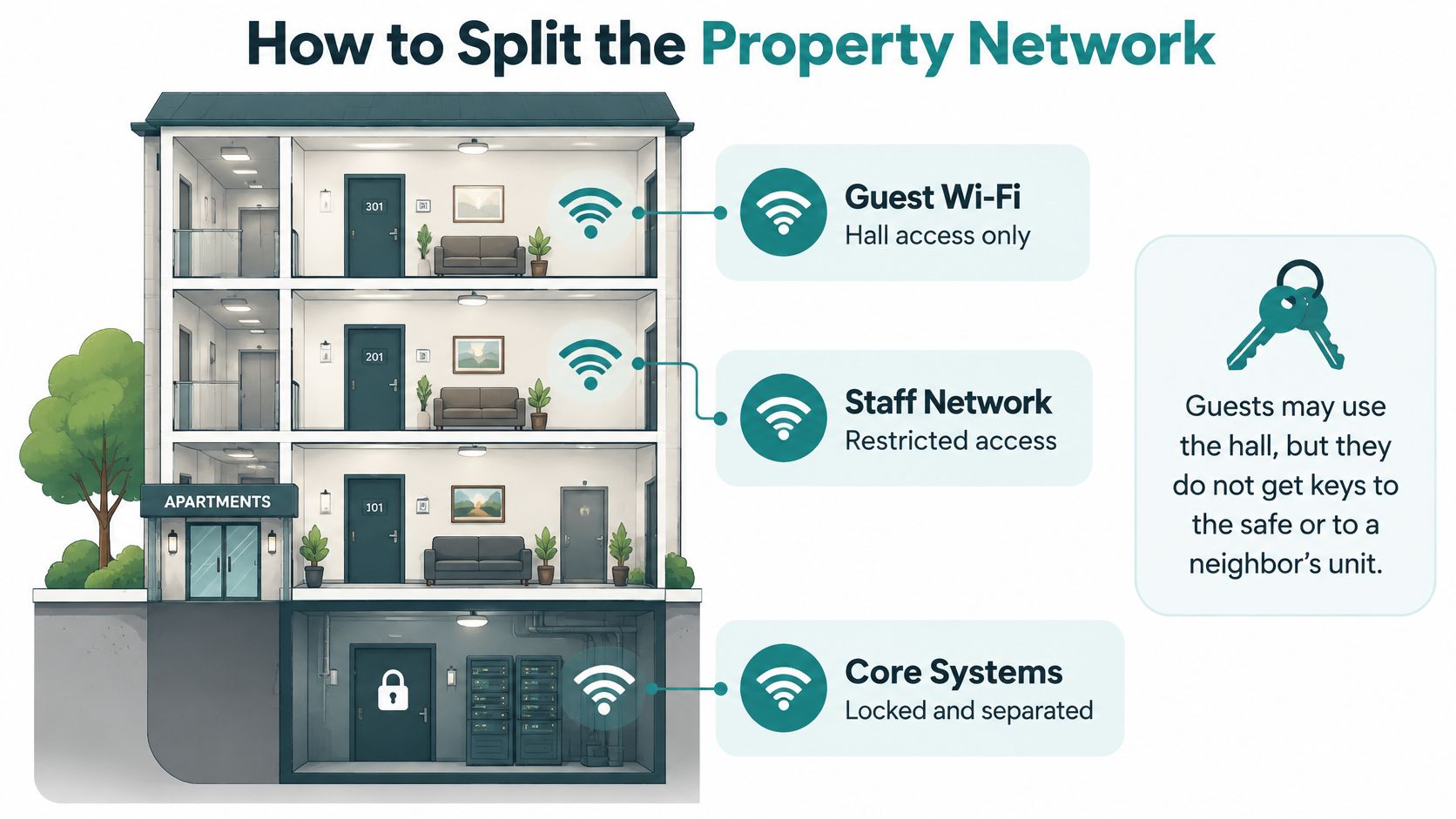
Publish one obvious SSID for people. Use a separate, clearly named SSID for building devices so a smart TV never lands on the lock network by mistake. Good naming prevents front desk guesswork at midnight.
Follow network segmentation best practices for guest access when you document which lane can reach what, and who approved each exception. Write it down while the install is fresh. Future you will thank present you during an outage.
Radios Still Need the Right Walls Surveyed
A Wi-Fi 6 or 6E access point in the wrong ceiling still fails the bedroom. Survey concrete, plumbing, elevators, and neighboring radios before you assume a newer generation fixes a dead desk. Wired backhaul keeps latency predictable, which your callers feel more than a headline speed.
Five minute test: Join as a guest on your phone and try to reach staff printers, door controllers, and another guest device. Every attempt should fail.
If any of those attempts succeed, stop and fix the firewall rules before you onboard residents. A fast network that lets strangers browse your office systems isn't a finished network. It's a liability with good signal.
Captive Portals IPSK and EasyPSK Compared
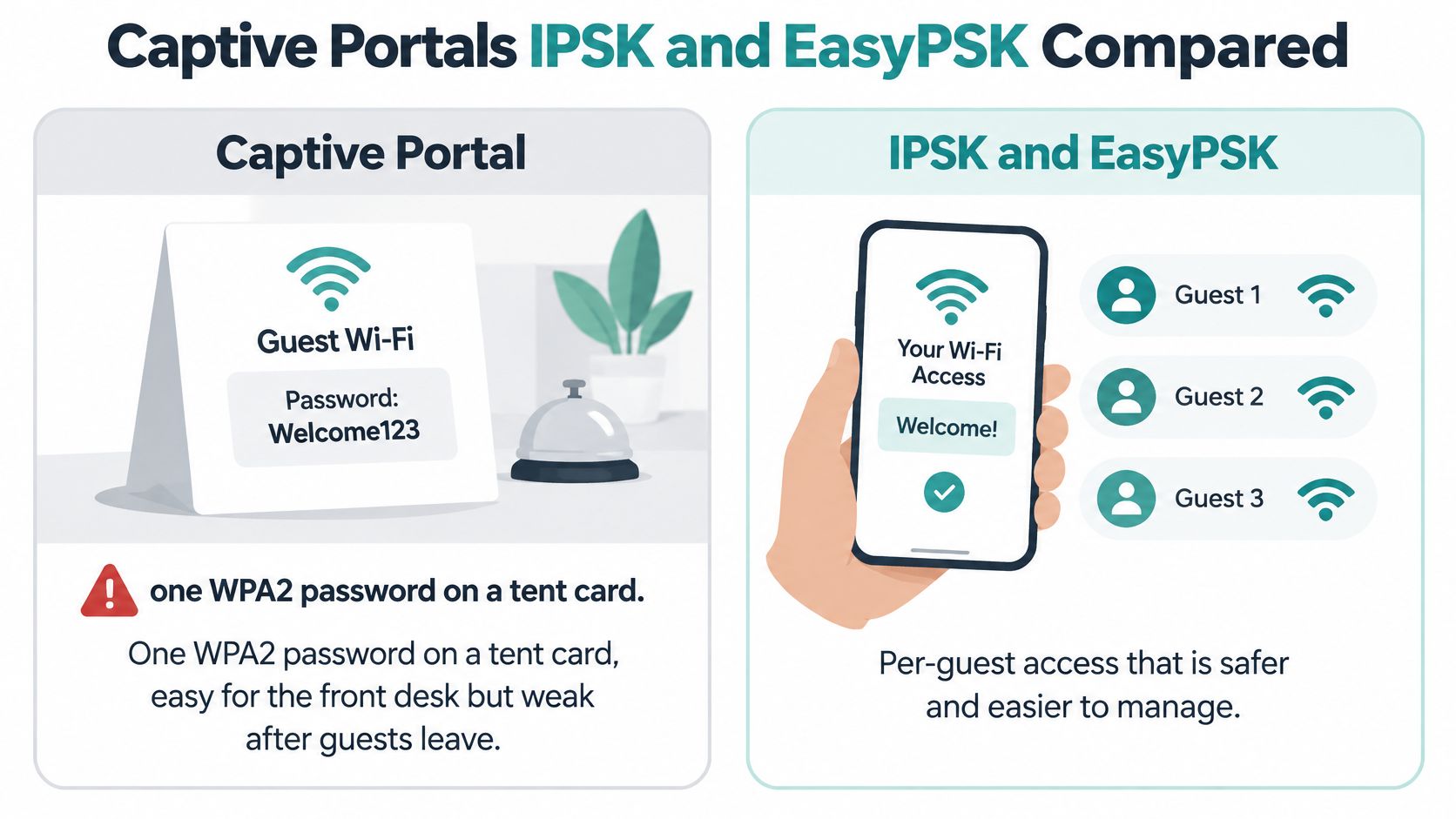
Every manager knows the tent card. One WPA2 password sits by the TV, easy for the front desk, easy to photograph, and impossible to take back from one departed guest. Change it and you annoy every resident. Leave it and former guests in the parking lot still have keys.
For a stay measured in weeks, identity matters as much as speed. A resident brings a work laptop, phone, tablet, watch, and streaming stick. Each one needs a safe way on, and each one needs to lose access at checkout without disturbing the room next door.
A Portal Is a Welcome Desk, Not a Lock
A captive portal can collect consent, show terms, and offer email, social login, or social wifi. That's useful for a friendly guest wifi front door and for marketing permission. It isn't encryption by itself.
The FTC secure remote access guide states that public Wi-Fi does not provide a secure internet connection on its own and advises users to use a VPN on public networks. Pair any portal with WPA2 or WPA3 and isolation policies. Don't present the splash page as the security control.
Guest authentication options for long stays
| Method | What the guest does | Strength for weeks-long stays | Main limit |
|---|---|---|---|
| Shared WPA2 password | Uses one printed key | Poor | No way to remove one departed guest |
| Captive portal with social login | Accepts terms via email or social wifi | Fair for marketing and consent | Portal is not wireless encryption |
| WPA2 or WPA3 with isolation | Joins an encrypted guest SSID | Good baseline | Still needs a per-person identity |
| Enterprise credentials | Signs in with a unique account | Strong for laptops | Awkward for TVs and consoles |
| IPSK | Uses a personal key on a shared SSID | Strong for residents | Needs a process to issue and revoke keys |
| EasyPSK | Gets a personal key at scale | Best for large room counts | Still needs checkout expiry |
| Voucher | Enters a code that expires | Good for overlaps and visitors | Extra step at the desk |
| QR onboarding | Scans a code to join | Fast for any device | Must land on the real SSID |
Pick by Length of Stay
For a one night lobby visitor, a portal with social login may be enough on top of an encrypted SSID. For a six week resident, prefer a per resident key. IPSK gives each person or room a private pre shared key on one Cisco Meraki SSID, so you don't need a new SSID per unit.
EasyPSK scales that idea for larger properties, so staff aren't typing and tracking keys by hand in a spreadsheet. The key covers the resident's personal devices, expires at checkout, and can be reset if a phone is lost. The neighbor's key stays untouched, which is the whole point.
Enterprise credentials are strong for managed laptops but painful for TVs, consoles, and streaming sticks that hate fancy login screens. Vouchers suit overlapping guests and short visitors. A QR code helps a nontechnical arrival join in seconds, as long as it points to the network.
Tell guests the exact SSID in writing, at check in and in the room. A lookalike network with a similar name is easier to avoid when the real name is printed where they can check it.
Don't skip the unglamorous process bits. Decide who issues a key, how a replacement is verified, and when it dies. A faster internet pipe won't fix a shared password.
A Fair Service Level for a Month
Buying a fatter circuit feels decisive, but it doesn't fix a resident whose call drops at 7 p.m. or who worries that neighbors can see her laptop. Bandwidth is one ingredient. Priority, coverage, and a written promise decide whether a month feels fair.
Privacy isn't a minor concern. The Hospitality Tech hotel Wi-Fi access and security article reports that 59% of guests have Wi-Fi security or privacy concerns, while 42% of guests consider 24/7 technical support very important. Separate findings in the JET Hotel Solutions guest Wi-Fi survey show 43% of guests believe hotels lack sufficient bandwidth, and 71% identify weak signal strength, 68% speed, and 61% connectivity as major problems, while 67% connect smartphones, tablets, and laptops simultaneously.
Prioritize Like a Kitchen at Dinner
Think of your evening network as a stove with limited burners. Video calls and payment traffic are dishes that can't wait. Streaming can share a large burner, and a background backup shouldn't take the whole stove.
On Cisco Meraki, mark voice and video conferencing ahead of bulk transfers, and cap traffic per client so one suite can't empty the building. Use bandwidth management tools that shape traffic by application to put those rules in policy, not in hope. Then test at peak hour from the furthest bedroom, not from under an access point.
If you charge for a premium tier, name the minimum you intend to deliver. Don't hide behind the phrase high speed. A resident paying for a month deserves throughput and latency language she can check with a simple test.
Write the Promise in Plain Language
Keep the desk checklist short and guest facing. Post these four items where a new arrival can find them.
- Coverage promise: The room desk and bed are covered, not just the lobby
- Device policy: How many devices can use one resident key at once
- Peak hour target: A work video call stays usable during the evening peak
- Help and remedy: Support hours, response target, and what happens if service is unusable for hours
Offer a wired desk port where a guest's job depends on it. Some work laptops and docking setups are happier wired, and a cable removes one variable during a support call. It also gives you a clean test point when someone reports a problem.
Plan backup connectivity for the property, too. A second circuit or cellular failover for staff systems and a basic resident service beats telling forty households to find a coffee shop. Say in advance whether a long outage earns a credit on a paid tier.
A fair month long promise answers three questions before check in. Where does it work, how many of my devices can I use, and who helps me when it breaks at night?
That clarity sells renewals better than a big speed number. Residents don't expect perfection, but they do expect honesty and a fast, named path to a human. Give them both in writing.
Education Retail and BYOD Corporate Uses
The same pattern shows up outside hotels. A student in a dorm, a shopper who returns every week, and an employee with a personal phone all need an easy front door and a hard wall behind it.
Scale explains why friction repeats. Lodging Magazine on the extended stay segment reports U.S. extended stay occupancy at about 60.0% in 2020, nearly 16 percentage points higher than the overall U.S. hotel average, and above 70% in the fourth quarter of 2024 compared with about 60% for traditional hotels. It also puts the segment at roughly 611,000 rooms by May 2025, more than 10% of U.S. hotel supply, and about USD 20 billion in revenue during 2025.
Same Lanes, Different Front Door
Keep the Cisco and Meraki habits from hospitality, then change only how people enter. Students can use their own credentials on any device through a portal, while staff stay separate. A store can greet shoppers while tills stay invisible to the public.
Sector network lanes for extended-stay Wi-Fi
| Sector | Front door | Back-office lane | Expiry rule |
|---|---|---|---|
| Education | Captive portal with student credentials on any device | Separate staff lane | Access ends at term end |
| Retail | Social login and social wifi on a guest SSID | Payment terminals on a locked VLAN | Session timeout set by the store |
| BYOD corporate | Employee directory login | Visitor voucher or short-lived key | Visitor access ends the same day |
| Serviced apartments | One private key per household | Building-control network isolated | Key resets at lease end |
In a BYOD corporate office, employees use directory login, visitors get a voucher or short lived key, and neither touches building controls. In serviced apartments, one private key per household that roams the property is kinder than a new splash page every evening. Residents can onboard their own devices once and live normally.
Post the correct SSID where people join. CISA guidance on securing wireless networks advises users to confirm a public hotspot's name and password, and warns that Wi-Fi in hotels, malls, and similar public places is not always secure. A clear sign and controlled onboarding cut down on mistaken and lookalike joins.
For sites where wired backhaul or a backup feed is hard to run, operations teams sometimes evaluate Starlink Mini mounting solutions for businesses as part of a resilience plan. Treat satellite as a feed into the same segmented design, not as a reason to flatten lanes. Your VLAN rules should survive any change of upstream circuit.
Use analytics for decisions you'll make. Which zones fill at 8 p.m., how long people stay, and whether a radio change on Tuesday matches complaints on Wednesday are useful questions. If you use Wi-Fi or camera analytics, give clear notice and collect only what you need.
Billing and Integration for Monthly Stays
Monthly access needs a billing rule that matches your key rule. If money, identity, and expiry drift apart, you'll find active keys with no booking and paying guests locked out after a room move.
Start with three models. Pick one as your default so the desk isn't inventing a price at check in.
- Bundled monthly fee: Wi-Fi is folded into the room rate and every resident key follows the stay dates
- Separate resident plan: Each household or key has its own charge, which makes removal at departure cleaner
- Free basic plus paid premium: Everyone gets a usable baseline, and heavier users pay for higher priority
Budgets are real. The CBRE article on hotel technology expenditures found hotel IT department expenditures increased 4.6% from 2023 to 2024 across 4,834 U.S. properties, including extended stay hotels. The Market Intelo hotel Wi-Fi management market report puts guest Wi-Fi at $1.777 billion in 2025, or 42.3% of that market, so expect scrutiny on every recurring fee.
Connect the property management system to the Wi-Fi platform through your gateway billing services and guest access billing workflow. Arrival activates the resident key, departure deactivates it, and a room move carries the same identity to the new unit. Keep billing events, vouchers, and portal consent in one guest record.
Reconcile monthly. Match every active key to a paying stay, and remove any key with no matching booking. It takes an hour and prevents a quiet pileup of permanent guests.
Turn On Keys Before the Next Check-In
This launch list assumes you've already chosen your billing model and key lifecycle. Don't start issuing keys until you know who pays, when access starts, and when it stops. A clean go live is mostly sequencing.
Work through the list in order. Each step makes the next one easier to test.
- Check the rooms: Confirm access points and wired backhaul against your capacity targets
- Split the lanes: Separate guest, staff, IoT, and management VLANs, then test that a guest phone can't cross them
- Retire the tent card: Remove the shared password from rooms, emails, and old welcome packs
- Add the front door: Turn on a captive portal for terms and, where it helps, social login, always with WPA2 or WPA3
- Issue personal keys: Use IPSK or EasyPSK so each resident has one key for every personal device
- Schedule expiry: Start keys at move in, stop them at checkout or lease end, and reset before the next arrival
- Set fair limits: Apply per client bandwidth controls and priority for voice and video calls
- Post the basics: Show the correct SSID, device policy, and how to reach support in the room
Splash Access fits the key scheduling part on Cisco Meraki, because resident Wi-Fi can be scheduled for future activation and automatic deactivation on a set date, and a manager can reset passwords between leases and schedule the next move in. Its product list includes a Cisco Meraki IPSK Solution, EASYPSK for Large Deployments, an IPSK MDU Solution, and DUO secure multi-factor authentication for Meraki WiFi.
A private network bubble helps a household behave like it's at home. Our Wireless Private Network lets each resident onboard all their devices with a single Wi-Fi key inside a private bubble, and network roaming lets a resident use the same personal password across multiple locations on the property network. That means a TV and phone can find each other without finding the neighbor's.
Test like a guest before the first arrival relies on it. Join from the desk, move to the laundry on a call, add a second device, then expire the test key and watch it fail. If a step confuses you, it'll confuse a tired traveler at midnight.
Ship the smallest safe version first. Split lanes, personal keys with expiry, and a posted SSID beat a grand launch that nobody at the desk can explain.
Write down who owns key resets on weekends. Long stays don't pause for office hours, and a resident locked out on Sunday won't care which diagram looked elegant. A named owner and a two minute reset process protect the whole design.
Ready to replace the shared tent card password with resident keys that start and stop with each stay? Visit Splash Access to map your Cisco Meraki captive portals, IPSK or EasyPSK onboarding, and expiry rules to your next check ins. Bring your room count and checkout process, and we'll help you turn extended stay wireless internet into infrastructure your residents can trust.