A hotel guest lands after midnight, taps the Wi-Fi network, and gets the familiar portal that says the internet is just a moment away. Then the page stalls, the browser spins, and front desk staff end up troubleshooting what should've been a five-second task. That tiny delay is where guest WiFi authentication either works like a clean access control layer or turns into a support mess.
The problem is that most venues treat the splash page as the whole job. It isn't. A real guest network has to decide who gets in, how long they stay, what gets logged, and whether their traffic stays away from internal systems. NIST's wireless guidance frames authentication as the gatekeeper, and that's the right mental model for hotels, campuses, hospitals, retail sites, and corporate BYOD environments, because a guest network should be governed as a separate access class, not a casual extension of employee Wi-Fi NIST wireless-security guidance.
The Guest WiFi Moment Everyone Has Lived
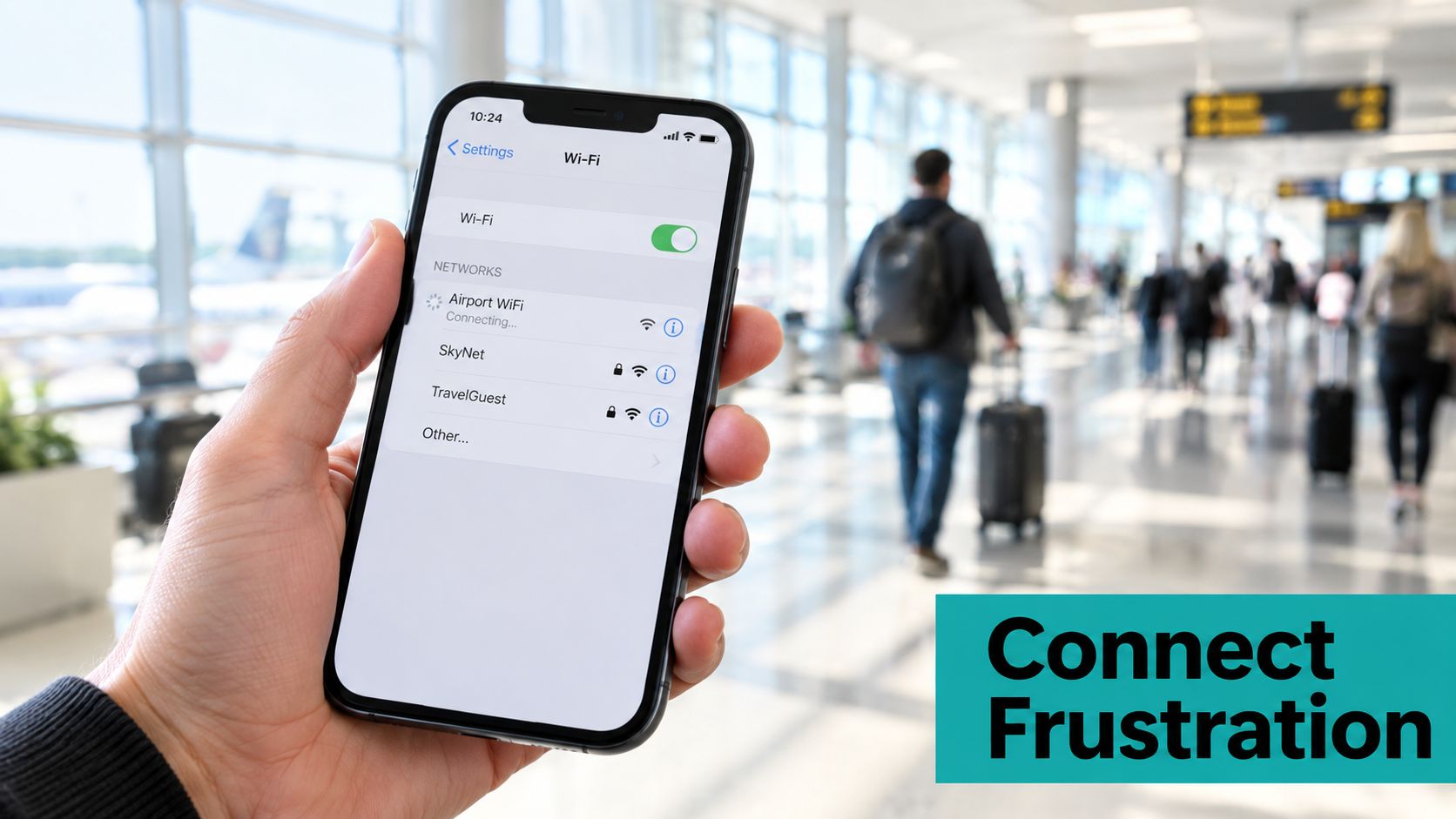
A school IT admin gets a flood of calls because a dorm-wide guest password was changed and half the devices never reconnected. The portal still loads, the badge page still appears, and the access point still says the client is associated. The problem is the gap between looking connected and actually reaching the internet.
That gap is why guest WiFi authentication is more than a splash page. The network still has to confirm identity, decide what access to grant, keep an audit trail, and keep guest traffic away from internal systems. NIST's wireless guidance treats those choices as part of the security design, which is the right way to approach hotels, schools, hospitals, retail sites, and corporate BYOD networks NIST wireless-security guidance.
The portal is the front door, not the building.
The right method depends on the venue. A hotel may want a branded captive portal with vouchers. A school may need per-student keys. A hospital may need federated identity with tighter auditability. A retail site may care more about quick access than heavy identity checks.
The practical split is simple. Use a captive portal for onboarding, a shared password for convenience, IPSK or EasyPSK when each device needs its own credential, and federated sign-in when the organization already manages identities centrally. That shared-password problem shows up everywhere, and Cisco Meraki's captive portal API and guest access guidance are built around those choices, not around one fixed workflow Cisco Meraki captive portal API and guest access guidance.
If you want a clearer view of how these pieces fit together in real guest networks, how guest Wi-Fi works is a useful reference.
How Guest WiFi Authentication Actually Works
A guest SSID has four jobs, and a hotel front desk is a useful shorthand for all of them. It identifies the visitor, decides what access to grant, records what happened, and keeps guest traffic away from internal systems. Good guest WiFi authentication has to do all four cleanly, or the network becomes hard to support and harder to trust.
Before guests ever reach the portal, check for rogue access points that are impersonating your SSID. The GoSafe Dark Web monitoring security guide covers what stolen Wi-Fi credentials look like in the wild, and that matters because a fake login page or cloned SSID can make a guest network look legitimate while sending traffic somewhere else.
The four jobs behind the login
Identification answers who the guest is, or at least what device is trying to connect. A captive portal can collect a name, email address, phone number, voucher code, or social account. A secured WLAN can use a device credential instead, which is where WPA3-Personal, WPA3-Enterprise, and IPSK start to matter.
Authorization decides what that user gets after the login. That can be internet-only access, a time-limited voucher, or access tied to a specific policy. NIST's guidance makes the separation clear, and guest deployments go wrong when association is treated as if it already means authorization NIST wireless-security guidance.
Logging is the part people skip until they need it. UK wireless-security guidance recommends unique guest credentials, logging successful captive-portal authentication, and investigating repeated failed attempts, because a shared password leaves weak attribution and makes incident response harder UK wireless-security guidance.
Network segmentation keeps guest traffic away from employee systems, printers, and internal apps. A portal does not fix a flat network. The guest VLAN, firewall policy, and isolation rules are what stop a visitor's device from becoming a bridge into the rest of the environment.
The main authentication families
A captive portal is the browser-based front end users see after joining the SSID and opening a browser. Cisco Meraki describes options such as click-through, self-registration, username and password, external RADIUS, LDAP, and social sign-on, and its captive portal API is built around those workflows Cisco Meraki captive portal API.
A shared WPA2 or WPA3 key is simpler to run, but it is still a shared secret. Anyone with it can connect, and revocation gets messy fast. That is the basic trade-off Meraki calls out in its guest access guidance, where static keys and account-based access serve different operational needs Meraki guest-access guidance.
IPSK and EasyPSK solve the shared-password problem by assigning individual keys instead of one common password. That is the cleaner option when you need student-by-student, tenant-by-tenant, or device-by-device control without rebuilding the whole guest network.
Federated sign-in pushes authentication into an existing identity system. That helps when users already have a trusted account, but it also changes the privacy and dependency trade-offs because the venue now relies on an outside identity path. If you want a practical overview of how these pieces fit together, this guest Wi-Fi workflow explanation is a useful reference.
Practical rule: if you cannot revoke one guest without touching everyone else, your access design is too coarse.
Matching the Method to the Venue
Different venues need different kinds of friction. A hotel lobby, a lecture hall, a clinic waiting room, and a retail floor don't want the same guest journey, even if they all say “Guest Wi-Fi” on the SSID list. The useful question isn't which method sounds modern. It's which one matches the visit length, the risk level, and the support burden.
| Method | Security | User Experience | Best Fit |
|---|---|---|---|
| Captive portal | Moderate when paired with segmentation and encryption | Familiar, but browser behavior can be messy | Hotels, retail, events, branded guest access |
| Shared WPA2/WPA3 key | Low to moderate because the secret is shared | Simple for staff to distribute | Small offices, short-term access, low-risk guest areas |
| IPSK / EasyPSK | Stronger control because keys are individual | Slightly more setup, cleaner revocation | Education, corporate BYOD, managed visitor access |
| Federated sign-in | Strong when identity already exists | Fast for known users, less friendly for one-off visitors | Healthcare, enterprise, campuses, recurring guests |
Hotels and resorts usually want the branding, the terms acceptance, and the ability to guide access by stay length. That makes a captive portal a natural fit, especially when paired with vouchers or PMS-linked workflows. Retail often leans toward speed, which is why social login and lightweight self-registration keep showing up in the field.
Education is where IPSK and EasyPSK start to shine. A compromised dorm device shouldn't force a whole network reset, and a key tied to one student or one device makes revocation much cleaner. In corporate BYOD, that same logic applies to contractors and visitors, because IT teams need to pull access for one person without breaking the rest of the guest population.
Healthcare is stricter. Identity, logging, and segmentation matter more than clever marketing forms, and a federated path through an organization's identity stack often makes more sense than asking patients or visitors to invent a password they'll never reuse. Retail and corporate guest networks often use social login because the login has to feel quick enough that people don't abandon it.
If you want a venue-specific reference point for public Wi-Fi setups, the internal guide on Wi-Fi in coffee shops maps well to the retail side of this problem.
Why Captive Portals Break More Often Than You'd Expect
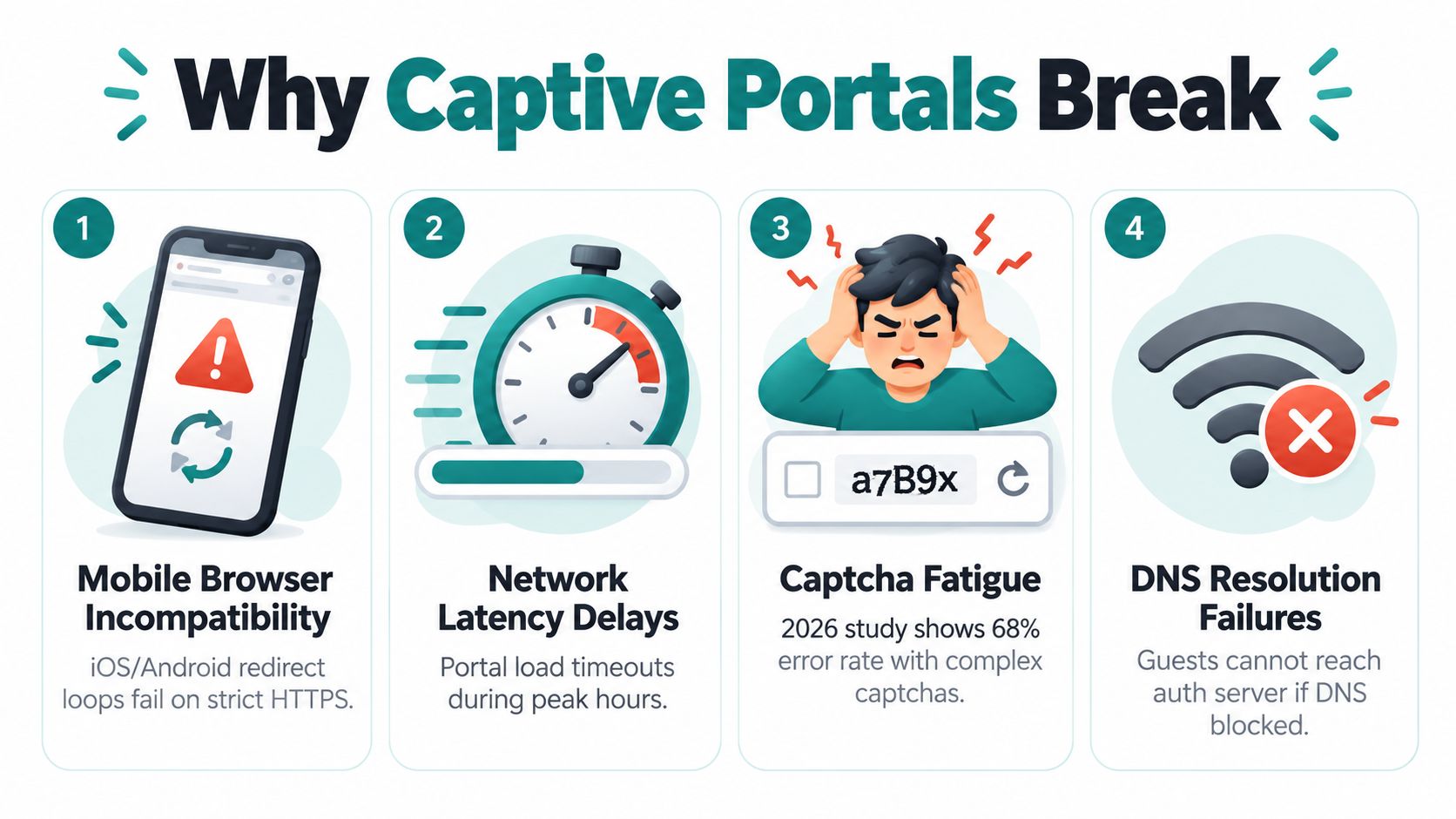
The portal is usually blamed, but the breakage often happens around the portal, not inside the form itself. A 2026 controlled study of 50 participants found that passkeys were perceived as more usable than passwords, but the difference wasn't statistically significant, because captive-portal limitations created high error rates regardless of authentication method. Connectivity problems after apparent authentication caused long completion times and task abandonment 2026 captive portal study.
The failure points that keep showing up
A guest can finish the form and still end up in the worst possible state, connected, no internet. That happens when the browser path succeeds but the network path doesn't, which is why testing only the portal page gives false confidence.
Restricted portal browsers on iOS and Android create another layer of pain. Some devices open the captive network assistant, some don't, and some hand off to a browser that behaves differently from the one the guest normally uses. That's why portal behavior has to be validated on real devices, not just in a desktop browser.
MAC address randomization and private relay settings can also make a guest look “new” every time or make post-auth traffic behave differently than expected. Add roaming between access points, and you can get a session that appears valid but never fully clears the network controls.
Test the path from association to a loaded website, not just the login form.
What to test before the front desk finds out
- Browser handoff: Verify that the portal opens cleanly on iPhone, Android, Windows, and macOS without redirect loops.
- Traffic after login: Confirm the guest can load a real site after submission, not just the splash page.
- Fallback paths: Check what happens when a device can't use SMS, social login, or a restricted browser flow.
- Failure visibility: Make sure support staff can see whether the guest failed at authentication or at network release.
If you need a practical troubleshooting companion for portal issues, this internal article on captive portal not working is a good operations checklist.
The 2026 study also matters because it undercuts a common assumption, that a new credential style automatically fixes guest access. It doesn't. If the WLAN keeps dropping traffic after login, the guest experience still fails, no matter how elegant the password method looks on paper.
Configuring Cisco Meraki and Splash Access for Real Guest Networks
Cisco Meraki keeps the guest SSID setup manageable. Define the network, choose the splash behavior, then decide whether guests click through, self-register, or sign in with a named identity. In practice, the portal is where policy lives. The SSID gets devices onto the radio, but the portal decides who gets access, what they must accept, and whether a voucher or named account is part of the flow.
The cleanest operational pattern is to separate association from identity. Use the SSID for connection, then let the portal handle consent, identity, or vouchers. For venues that need per-user control without a full RADIUS buildout, IPSK and EasyPSK are the practical answer. They replace one shared password with individually assigned keys, which is much easier to revoke when a guest leaves or a device is lost.
Hospitality sites usually do better with a branded splash page and a short acknowledgment flow. For the page design itself, the internal guide on the guest Wi-Fi login page shows how branded portals are structured. Education sites benefit from per-student keys, because revocation stays manageable when rooms change or a laptop disappears. Retail teams often need social login and self-registration alongside a voucher path, so staff still have a fallback when the floor is busy.
The Meraki flow that survives real guests
- Build the guest SSID. Keep it isolated from employee access.
- Choose the portal behavior. Click-through fits low-friction access, while sign-on makes sense when identity or consent matters.
- Add an individualized key path. Use IPSK or EasyPSK for students, tenants, or managed visitors who need revocation without collateral damage.
- Match the portal workflow to staffing. Vouchers, branded pages, and approval steps should fit how the venue operates.
- Test the edge cases. iOS browser prompts, Android captive views, and session release after login all need validation.
Meraki's guidance draws a useful line between static shared keys and account-based access. Shared passwords are hard to control once they spread. Individual credentials are easier to govern when access needs to follow a person or device, and that is why they keep winning in managed environments.
Splash Access can sit on top of a Meraki deployment to provide branded captive portals, IPSK and EasyPSK workflows, voucher printing, and social WiFi authentication in one guest experience.
Compliance and Privacy Around Guest Authentication
Guest authentication starts creating data as soon as a portal asks for a name, email address, phone number, voucher ID, or social account. Venues should treat that information as something to minimize, not stockpile. The privacy issue is not only what gets collected, it is also whether the venue explains why it needs it in plain language.
A 2025 thesis on guest Wi-Fi privacy behaviour found that convenience and saving mobile data mattered more to participants than privacy, and many were willing to share personal details for quick access without understanding how the information would be stored or used guest Wi-Fi privacy study. That lines up with what I see in the field. Captive portals often ask for names, email addresses, or social logins when a minimal access decision would do.
What good privacy looks like at the portal
A good portal keeps network authorization separate from marketing consent. Guests should know whether they are agreeing to internet access, optional promotional messages, or both. If social login is offered, it should be one option, not the only path.
The same discipline applies to data handling after login. Collect only what the venue needs, keep retention defensible, and make guest rights easy to exercise through the portal. The internal guide on guest data subject rights is a useful reference for how a portal should respond when guests ask what was collected and why.
Sector-specific privacy pressure points
- Education: Keep student access separate from marketing consent, and do not turn dorm Wi-Fi into an email capture funnel.
- Healthcare: Avoid unnecessary identity collection, because visitors need internet access, not a profile buildout.
- Retail: Keep promotion consent separate from the right to use guest Wi-Fi. IP addresses can count as personal data under GDPR, and this analysis of transit operator GDPR compliance explains how operators handle it.
- Corporate BYOD: Do not let guest logs become a shadow employee database.
Guest-facing notices should stay short enough that a rushed visitor can understand them at a glance.
The main trade-off is simple. More identity capture gives you more attribution, but it also raises the privacy burden and the cleanup work when someone asks to review or remove their data. If a venue uses a portal for identity capture, it should still show the minimum data needed, state the purpose clearly, and keep retention narrow enough to defend in a review.
Picking the Right Approach for Your Network
The shared guest password survives mostly because it feels easy. In practice, it creates weak revocation, weak attribution, and weak incident response, because everyone has the same secret and nobody can tell which person used it. That's a bad fit anywhere you need to know who connected, when they connected, or how to remove access for one visitor without disrupting everyone else.
The better default is a layered stack. Use WPA3-Enhanced Open or WPA3-Personal as the radio baseline, add a captive portal when you need consent or optional identity, and use IPSK or EasyPSK when individual control matters. If the audience already lives in a managed identity system, federated sign-in through SAML or Azure AD can be cleaner than inventing a second identity just for guest Wi-Fi Wi-Fi Alliance WPA3 announcement.
For hotels, branded portals with vouchers and clear terms are still a solid fit. For education, individual keys win because they make student-level revocation practical. For healthcare, audited identity and segmentation should dominate the design. For retail and corporate BYOD, social login or self-registration often balances speed and data collection better than a shared password ever will.
The checklist is simple, even if the implementation isn't. Segment the guest network, log the authentication events you need, keep retention tight, and test the full journey from association to working internet on real devices. If you want a platform that ties captive portals, individual keys, voucher workflows, and Cisco Meraki guest access together in one place, Splash Access is worth reviewing for your next deployment.