At 8:47 PM on a Friday, a business traveler is pacing the lobby with a confirmation email open on his phone. His device has failed to reconnect three times, and the front-desk agent can't explain why the corporate VPN keeps dropping. The guest isn't evaluating the hotel's access-point model or internet circuit. He sees a basic service that doesn't work.
That reaction is now common across hospitality. Guests arrive with phones, laptops, streaming equipment, and work devices, then expect reliable access in guestrooms, corridors, meeting spaces, restaurants, and pool areas. A useful companion for planning the broader digital guest experience is this essential hotel apps guide, but none of those applications can compensate for unstable connectivity.
This practical hotel WiFi setup guide focuses on the operational question that matters most: can the network handle real demand at peak occupancy? It covers capacity planning, site surveys, Cisco Meraki architecture, VLANs, captive portals, IPSK and EasyPSK authentication, guest onboarding, security, and the monitoring habits that keep a weekend deployment from becoming a front-desk crisis.
Why Hotel WiFi Is Now a Utility, Not an Amenity
Hotel WiFi has moved into the same mental category as power, water, and climate control. Guests may not praise it when it works, but they notice immediately when coverage disappears, authentication loops, or throughput collapses at the busiest hour.
The hospitality data supports that shift. A survey summarized by Jet Hotel Solutions' hotel WiFi overview found that 93% of guests identified complimentary WiFi as the most important amenity, while 90% considered access during the stay very important. The same source reported that 58% said WiFi would affect their booking decision. Those figures describe a service that influences conversion before arrival, not merely satisfaction after check-in.
Operational reality: Guests judge WiFi at the moment they need it, usually when the property is busiest and the support team is already stretched.
The loudest complaints usually come from predictable situations. A traveler needs to join a video call from a guestroom with a weak signal. A family wants to stream in the evening. A conference attendee moves between a meeting room and lobby and gets stuck on an old access point. A guest's phone authenticates, but a laptop keeps returning to the splash page.
Signal quality remains a major source of frustration. The same hospitality survey found that 71% of guests identified poor signal strength as the biggest WiFi issue, followed by 68% citing speed and 61% citing connectivity problems. A reliable deployment therefore needs more than enough access points to create a green heatmap. It needs usable capacity, consistent roaming, authentication that fits the device mix, and support procedures that work under pressure.
The rest of the design follows from that principle. Size the network against occupancy and concurrent devices, place Cisco Meraki access points for capacity rather than appearance, separate guest traffic from hotel operations, and test captive portal behavior with real phones, laptops, streaming devices, and corporate VPNs. A network that survives the Friday evening peak creates a better first impression than any connectivity claim printed on a brochure.
Planning Capacity With a Real Site Survey
A hotel can have strong signal in every corridor and still fail during a full evening. Capacity planning starts with the property's actual demand, then uses the survey to place radios, size uplinks, and set service targets before hardware is ordered.
Start with property demand
Pull room counts, room types, meeting-room layouts, common-area dimensions, and occupancy patterns from the property management system. Build the device model from guest behavior rather than room count alone. One traveler may bring a phone, laptop, tablet, smartwatch, and streaming device. A family can create a denser client load from one room.
Use 3 to 4 devices per room as an initial planning baseline, as cited in Zyxel's hotel WiFi guidance. It is a demand assumption, not a promise that any access point can support an unlimited client count. The 2019 Hotel Internet Services hospitality WiFi study reported that more than 90% of hoteliers frequently encountered guests wanting to connect multiple devices, representing a 30% increase from its 2015 survey.
Survey for radio behavior, not just signal
Walk every floor and inspect guestrooms, corridors, elevators, stairwells, meeting rooms, back-of-house routes, pool decks, courtyards, and parking-adjacent areas where guests may gather. Concrete, mirrors, plumbing, fire doors, elevator shafts, and dense furnishings can produce results that floor plans do not show.
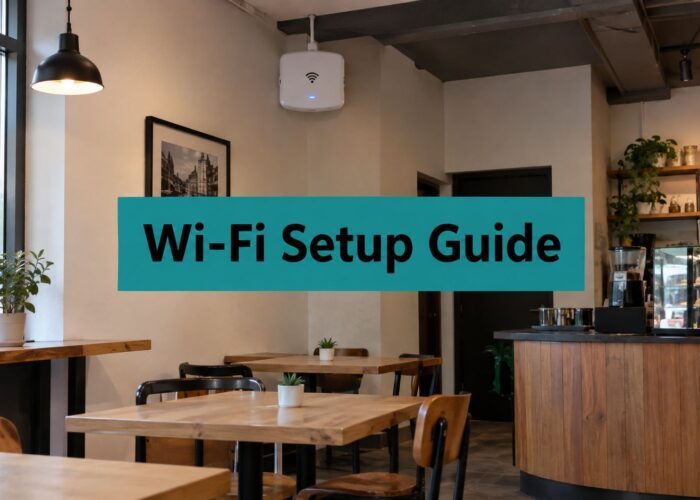
Use heatmaps to examine coverage, channel overlap, and expected client behavior. A corridor-only design may look efficient while leaving rooms with weak signal and encouraging clients to cling to distant APs. In-room APs usually provide more predictable service. Shared APs can work when construction, budget, and room density support them. Measurements and client-load targets should determine the design, not a generic AP-per-floor rule.

A wireless site survey resource can help structure the field work, but the resulting plan still needs property-specific testing.
Turn observations into a capacity worksheet
For each zone, document:
- Occupancy assumption: Model ordinary and peak occupancy separately.
- Concurrent devices: Include guest devices, staff endpoints, IoT equipment, and meeting-room systems.
- Bandwidth target: Plan roughly 10 to 25 Mbps per room for mid-scale properties and 25 to 50 Mbps per room for upscale or full-service properties, using the cited hotel capacity guidance as a starting point rather than a fixed guarantee.
- AP objective: Define expected client count, airtime utilization, and minimum signal quality for each zone.
- Uplink and backhaul: Confirm that switching and internet capacity can carry the modeled concurrent load.
A 100-room upscale hotel may require about 400 to 500 Mbps of provisioned bandwidth at peak concurrency, according to that guidance. Treat it as a planning example. Streaming-heavy properties may need a higher target, while limited-service hotels with lighter usage may need a different model. The Hotel Internet Services hospitality WiFi study also discusses high-throughput guest expectations, including a 100 megabytes per second per guestroom acceptance benchmark. Validate the selected target during an evening occupancy test, not against daytime averages.
Common errors include counting APs for coverage only, ignoring 5 GHz overlap, skipping stairwells and staff corridors, underestimating concurrent devices, and buying an internet circuit sized for average use. The worksheet should expose each assumption before procurement.
Cisco Meraki Hardware and VLAN Topologies
Cisco Meraki works well in hotel environments because the operational model is centralized. The engineering value isn't just the access point. It's the ability to see client behavior, radio conditions, uplink health, and policy consistency across properties without sending a technician to every floor.
Match the AP to the zone
The MR36, MR46, MR56, and MR76 can be assigned according to room density, client load, and environmental conditions. An MR36 may suit a lower-density guestroom area, while an MR46 or MR56 is more appropriate for dense lobbies, meeting spaces, and high-demand floors. The MR76 and MR86 are relevant where outdoor or ruggedized coverage is required, such as courtyards and pool areas.
Placement still matters more than the model name. Use room geometry, wall attenuation, expected client concentration, and wired access to determine locations. A useful general reference for thinking about AP positioning is this AC AP Pro placement guide, though the final hotel design should come from the property's own survey data.
| Zone | Recommended AP | Typical Clients | Notes |
|---|---|---|---|
| Guestroom floors | MR36 or MR46 | Phones, laptops, tablets, streaming devices | Prioritize room-level signal and predictable roaming |
| Lobby and reception | MR46 or MR56 | Guests, staff, mobile check-in devices | Design for concentrated, transient demand |
| Meeting rooms | MR46 or MR56 | Laptops, phones, presentation systems | Model event density separately from sleeping-room demand |
| Pool deck and courtyard | MR76 or MR86 | Phones, tablets, IoT equipment | Account for weather, mounting, and outdoor attenuation |
| Back-of-house corridors | MR36 or MR46 | Staff devices, scanners, operational endpoints | Keep staff traffic on its own policy and VLAN |
Build separation into the topology
A basic Meraki topology should include a guest VLAN with internet-only routing, a staff VLAN for back-of-house systems, an operations segment for IPTV and VoIP, and a controlled quarantine or pre-authentication path for splash portal flows. The MX security appliance can enforce guest-edge firewall rules, while switches carry the required VLANs to each AP.
Don't put POS terminals, PMS servers, smart televisions, and guest devices on one broadcast domain. Separate policy boundaries make troubleshooting easier and reduce the impact of a compromised endpoint. The exact VLAN numbering isn't important. The separation and rule logic are.
Meraki's dashboard is particularly useful for multi-property groups. Network templates can carry chain-wide SSID policy, naming, and baseline settings, while property-specific overrides handle local circuits, room layouts, and operational requirements. Zero-touch shipping reduces staging effort, and RF analytics help identify overloaded radios or interference that a simple uptime monitor won't reveal. These benefits come with a licensing model that must be included in the total rollout budget. A cloud-managed platform can reduce day-two labor, but recurring costs remain part of the architecture decision.
For model-specific planning, review this Meraki access point deployment resource. The strongest design is rarely the one with the most hardware. It's the one that assigns capacity where guests gather and keeps policies consistent after the installation crew leaves.
Captive Portals and Authentication Choices
Authentication should reflect how guests stay, what devices they carry, and how much identity the hotel needs. A captive portal is a web page that intercepts a guest connection and redirects the device to a login page before internet access is granted, as described in this captive portal login explanation.
Choose the least-friction method that meets the requirement
Click-through access works for simple guest WiFi where the hotel needs terms acceptance but doesn't need strong identity verification. It creates little friction, but it provides limited assurance about who accepted the terms.
WPA2-Enterprise or WPA3-Enterprise suits compliance-heavy chains, staff networks, and environments where individual identity and certificate or RADIUS-backed access matter. It isn't usually the friendliest option for a short-stay leisure guest who just wants to connect a phone.
IPSK, or Individual Pre-Shared Key, assigns a distinct key to a guest, room, device group, or policy. With Cisco Meraki and a RADIUS-backed workflow, the key can map to a group policy or VLAN without forcing every device through a browser form. This is useful for guests carrying headless devices such as streaming equipment, because those devices may not support captive portal interaction.
EasyPSK simplifies the same general idea through centrally managed per-user or per-group credentials. It can be a practical fit for repeat guests, staff contractors, corporate visitors, and BYOD corporate access where a shared password would create unnecessary exposure.
Vouchers make sense when the hotel sells access tiers, supports conference packages, or needs printed credentials at the desk. The trade-off is operational handling. Lost, reused, expired, or incorrectly printed vouchers create avoidable support work.
SAML, OAuth, and social login can support corporate rate plans, loyalty workflows, or social WiFi campaigns. Google, Apple, and Facebook sign-in may reduce typing, but the hotel must explain consent clearly and avoid collecting profile data it can't justify.
PMS authentication can use room number and surname lookups through Opera Micros or cloud PMS APIs. It aligns access with the stay lifecycle, but integration quality matters. A delayed check-in event or a mismatch in guest records can turn a smooth design into a front-desk escalation.
| Auth Method | Best Fit | Guest Friction | Data Captured | Compliance Notes |
|---|---|---|---|---|
| Click-through | General guest access | Low | Terms acceptance and session data | Keep consent and retention clear |
| WPA2 or WPA3-Enterprise | Staff and compliance-heavy environments | High for casual guests | Identity-bound credentials | Use managed identity and RADIUS controls |
| IPSK | Rooms, streaming devices, repeat guests | Low after key delivery | Key and policy association | Revoke keys and limit identity exposure |
| EasyPSK | BYOD, contractors, frequent guests | Low to moderate | User or group credential record | Apply lifecycle and group-policy controls |
| Voucher | Paid tiers and events | Moderate | Voucher, session, and payment context | Protect printed codes and expiry rules |
| SAML or social login | Corporate or marketing-led access | Moderate | Federated or consented profile data | Explain third-party sharing and opt-in |
| PMS lookup | Checked-in hotel guests | Low when records match | Room and stay association | Limit access to the active reservation |
Education often values managed identity and longer-lived accounts. Retail may prioritize social wifi, marketing consent, and location-aware campaigns. BYOD corporate networks generally need identity, device policy, and auditability. Hotels have a different pattern: short stays, high churn, varied devices, and a strong expectation that onboarding should feel immediate.
A useful comparison of guest access models is available in this WiFi hotspot options guide. For a Meraki deployment that needs branded workflows, vouchers, social login, and policy control, review this captive portal configuration resource. Logging MAC addresses, room associations, and identity fields also requires a deliberate GDPR and CCPA review. Collect what the service needs, state why it's collected, and define retention before turning on every available field.
Guest Onboarding UX With QR Codes and Social Login
The first connection is a product experience. A guest does not care whether the redirect came from a Meraki SSID association or a signed landing-page request. They care whether the key-card QR code works, the page loads, and they can get online without calling reception. That experience must also hold up during peak occupancy, when common-area demand and room devices compete for the same guest network capacity.
Design the first touch
Place a QR code on the key-card sleeve, welcome letter, or in-room information. The code can direct the device toward the hotel's guest network and branded splash page, but it cannot bypass operating-system behavior. Test the flow on current phones and on devices that handle captive-network detection differently. For a deeper walkthrough of QR-based access flows, see this QR code WiFi access guide.
The landing page should use the hotel's visual identity, detect the browser language where practical, and load quickly over the pre-authenticated path. Keep the first screen focused. Guests should see the network purpose, terms link, login choices, and a clear connection action without scrolling through promotional content.

Offer branches, not a maze
A Splash Access workflow can present several routes without making the page feel like an enterprise login screen. A guest might choose QR auto-connect, social login, room number and surname, or a voucher supplied by the front desk. Each path should end in the same success state and show a fallback when an external identity provider or PMS lookup fails.
Social login and social WiFi can reduce manual entry, but they should not be mandatory unless the hotel has a clear reason. Corporate travelers may prefer a room lookup or individual key. Families may need a simple access code for several devices. Streaming devices and consoles may require IPSK or EasyPSK because they do not reliably display a web portal.
Keep consent and data capture disciplined
Separate service access from marketing consent. A terms acceptance checkbox may be required for network use, while email marketing, personalized offers, or CRM enrollment should use a separate optional control. Do not require a phone number, social profile, or email address when a room lookup already provides the necessary access decision.
Useful optional fields can include:
- Email address: Request it for receipts, loyalty enrollment, or opted-in offers, not as a reflex.
- Room number: Use it for PMS validation, then restrict access to the active stay.
- Marketing preference: Make the choice explicit and independent from network terms.
- Device label: Ask only when it helps support or room-specific casting.
- Language choice: Auto-detect first, then let the guest change it visibly.
A “remember this device for 24 hours” option can reduce repeated prompts, but its duration and behavior should be clear. Send consented data to the CRM or email platform only when the guest has agreed to that purpose. The portal should make connecting easy without turning a basic utility into unsolicited data collection.
Security, Isolation, and Bandwidth Management
A secure hotel wireless network has several layers, and no single setting carries the whole burden. Authentication decides who or what may enter. VLANs decide where traffic can go. Firewall rules, client isolation, QoS, logging, and monitoring determine what happens after access is granted.
Separate the property by function
Use a guest VLAN with internet-only routing, an admin VLAN for POS and PMS systems, an IoT VLAN for smart-room equipment, and an operations VLAN for staff devices. The Meraki MX firewall should deny unnecessary east-west movement between those segments. A minibar sensor should not have a route to the property management system, and a guest laptop should not be able to discover a payment terminal.
Client isolation on the guest network prevents one guest device from browsing directly to another guest device. That control is useful, but it can conflict with legitimate in-room casting. If the hotel wants guests to cast to a room television, use a room-specific policy such as IPSK-backed isolation or a carefully controlled private network rather than opening the entire guest subnet.

Treat bandwidth as a shared operational resource
Per-client shaping prevents one device from consuming disproportionate airtime or internet capacity. Use QoS queues to give voice and video traffic sensible priority, while limiting less time-sensitive or abusive traffic. The rate ceiling should come from the capacity model and service-level objective, not an arbitrary number copied from another property.
Run the policy against real peak behavior. Test video calls, streaming, software updates, and ordinary browsing at the same time, then examine airtime utilization and uplink saturation. A rate limit that looks generous in a quiet test can still create congestion across a full evening.
WPA3 transition mode can support newer devices while maintaining compatibility with older hardware, but test the client mix before enforcing a stricter mode. Enable rogue AP detection and review alerts with a process that distinguishes a guest hotspot from a genuine unauthorized device. Keep POS terminals entirely off the guest SSID to reduce unnecessary PCI exposure and simplify the firewall review.
Security principle: Isolation is strongest when it exists in the design, the switch path, the firewall policy, and the monitoring evidence.
Logging deserves the same discipline as segmentation. Capture authentication events, policy decisions, device associations, and security alerts that support troubleshooting or lawful requests. Define retention according to legal advice, business need, and local requirements. Avoid retaining a complete browsing history merely because the platform can collect it, and document who can access identity-bound records.
Rollout, Monitoring, and Troubleshooting Playbook
A successful installation ends with a controlled service launch, not the moment the last access point appears on the ceiling. Stage the Meraki dashboard in a sandbox network, load the SSIDs and VLAN policies, and test the captive portal against a dedicated test segment before exposing the configuration to guests.
Release the service in phases
Start with staff floors or a controlled internal group. Validate DHCP allocation, DNS behavior, firewall isolation, portal redirects, voucher expiry, IPSK and EasyPSK provisioning, and the behavior of corporate VPN clients. Then open one guest zone, observe it through a busy period, and expand property-wide only after the support team knows the recovery steps.
The Meraki dashboard should be part of the daily operating routine. Review client counts by AP, RF utilization, channel conditions, uplink health, authentication failures, DHCP usage, and WAN saturation. Route meaningful alerts to email or Slack, but avoid forwarding every transient radio event. The useful alert is one that tells someone what changed and what action is required.
Troubleshoot by symptom
Sticky clients: A phone may remain attached to a distant AP after moving between rooms. Check transmit power, minimum data rates, roaming behavior, and neighboring-cell overlap before adding hardware.
Splash loops: Repeated redirects usually point to a walled-garden omission, certificate issue, incorrect return URL, or a client that has cached an incomplete portal state. Test the pre-authentication allowlist from several operating systems.
IPSK delays: Check the request path between the PMS, authentication service, RADIUS process, and Meraki policy assignment. A key that exists in the PMS but hasn't reached the policy layer will look like a bad password to the guest.
DHCP exhaustion: Convention nights can expose a scope that seemed adequate during ordinary occupancy. Confirm lease usage, stale sessions, and device churn, then compare the result with the original capacity worksheet.
ISP saturation: If radio health looks normal but every zone slows down, inspect the WAN circuit, upstream handoff, and aggregate client demand. Don't move APs to solve an internet-capacity problem.
For a structured response process, keep this network troubleshooting steps guide beside the support runbook. Review the deployment after 30 days, reassess capacity after a seasonal peak at 60 days, and complete a security and policy audit at 90 days. Include firmware review, portal conversion and failure patterns, AP utilization, guest feedback, VLAN rule validation, and unresolved help-desk categories.
Splash Access provides Cisco Meraki-focused captive portals, branded splash pages, QR-code onboarding, social login, voucher workflows, WPA2 and IPSK authentication, and integrations that can support hotel access processes. Visit Splash Access to evaluate a guest WiFi setup that connects those authentication and operational requirements without losing sight of peak-demand performance.