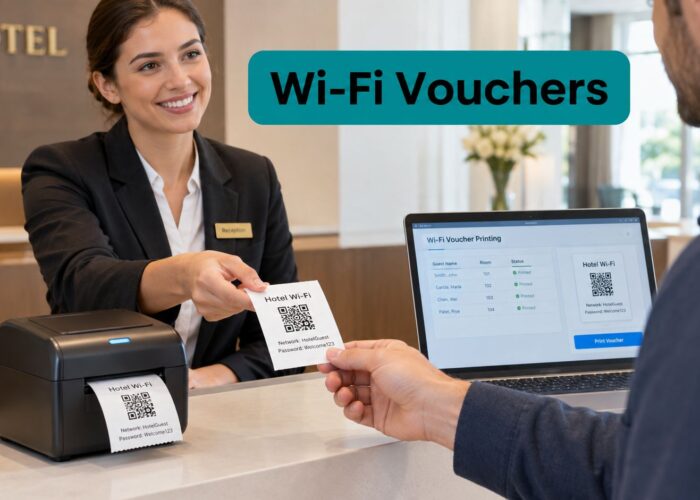
A hotel IT manager is standing in front of a Cisco Meraki dashboard, preparing a guest SSID before a busy arrival period. The network needs a captive portal, social login, voucher support, and a path for older guest devices. The security dropdown offers WPA, WPA2, or a compatibility mode, and choosing the wrong option could mean poor performance, frustrated users, or unnecessary exposure.
That's why WPA2 vs WPA still deserves practical attention. WPA3 is the newer standard, but WPA2 remains widely deployed, especially across education, retail, hospitality, and corporate BYOD environments. The decision isn't only about encryption. It affects captive portal onboarding, Cisco Meraki configuration, Identity PSK, EasyPSK, device compatibility, and how easily an IT team can move toward newer security later.
Why the WPA2 vs WPA Decision Still Matters
A guest network rarely serves one type of device. A hotel may need to connect phones, tablets, streaming devices, and older embedded equipment. A campus network may support student laptops, printers, smart displays, and personal devices. A retailer may want visitors to accept terms, complete a social login, or receive a location-based offer without exposing internal systems.
In a Cisco Meraki deployment, the access point, SSID security mode, splash page, and authentication workflow all need to work together. WPA2 provides the encryption foundation, while a captive portal manages what happens after association, such as accepting terms, entering a voucher, or completing a social Wi-Fi flow. Those functions solve different problems, and treating them as interchangeable creates poor designs.
WPA2 was later superseded by WPA3, but its long deployment history means many access points, client devices, and operational procedures still depend on it. One industry source describes WPA2 as the default on most home networks since 2004 and says it remains present on the majority of home networks and devices by 2026, which helps explain why IT teams still encounter WPA2-only hardware in active environments (SecureW2's history of Wi-Fi encryption).

The decision behind the setting
For a public guest SSID, WPA2 is generally the sensible minimum where a password-based network is required. WPA may still appear in legacy menus or on older devices, but it should be treated as a compatibility concern, not a preferred security choice.
Before changing settings, inventory the devices that connect. Users may also need practical help locating saved credentials on their own Windows machines, so a guide on how to retrieve Windows wifi keys can reduce avoidable support requests during onboarding or password changes.
The operational question is simple:
- Security: Can the SSID use AES-based WPA2 rather than transitional TKIP?
- Experience: Can users reach the splash page reliably on phones and laptops?
- Compatibility: Which printers, televisions, sensors, or embedded devices still require older settings?
- Control: Can individual users or devices receive separate credentials instead of one shared password?
For teams reviewing legacy PSK exposure, this analysis of the WPA1 and WPA2 PSK vulnerability provides useful context for separating password management problems from protocol selection.
The Technical Evolution from WPA to WPA2
WPA wasn't designed as the final destination. It arrived in 2003 as an interim Wi-Fi security standard, created to address weaknesses in WEP while existing hardware could remain useful. WPA relied on TKIP, a transitional mechanism that improved key handling and integrity protection without requiring the industry to replace every device immediately.
WPA2 followed in 2004 as the more secure replacement. Its defining change was mandatory AES-based CCMP under IEEE 802.11i. In operational terms, WPA moved the industry away from the weakest WEP practices, while WPA2 established a fully ratified security framework suitable for long-term enterprise and guest access planning. The timeline is documented in the Wi-Fi Protected Access history.

Why the cryptographic change matters
TKIP was built around the older RC4 design and served as a bridge for legacy equipment. WPA2's CCMP uses the AES block cipher, giving administrators a stronger basis for confidentiality and integrity protection. That distinction matters beyond a specification sheet because enterprise authentication, policy enforcement, and modern access point hardware align more naturally with WPA2's architecture.
WPA2 also became the practical baseline through certification. The Wi-Fi Alliance made WPA2 certification mandatory for new Wi-Fi-trademarked devices from March 13, 2006, through June 30, 2020, helping establish it as the default security standard for more than a decade. Hotels, campuses, retailers, and corporate offices could therefore standardize around equipment that supported the same fundamental security model.
Practical rule: Treat WPA as a legacy compatibility layer, not as the target configuration for a new managed guest network.
The transition from WPA to WPA2 also explains why old documentation can be confusing. A device may advertise WPA support while its hardware, firmware, or driver behaves differently under WPA2. A Cisco Meraki administrator should verify the actual security mode, encryption choice, and client behavior rather than relying on a label such as “WPA compatible.”
For enterprise environments, the important distinction is that WPA2 supports both personal PSK workflows and managed authentication models. WPA2-Enterprise can align with 802.1X and RADIUS, allowing staff access policies to use individual identities rather than a shared guest password. More detail on those deployment distinctions is available in this guide to WPA and WPA2 Enterprise.
Comparing Encryption, Performance, and Compatibility
The short answer in the WPA2 vs WPA debate is that WPA2 wins on security, performance, and enterprise suitability. WPA's main remaining argument is legacy compatibility, and even that advantage becomes less useful as old clients are retired or isolated.
| Attribute | WPA | WPA2 |
|---|---|---|
| Primary encryption | TKIP, based on the older RC4 design | AES-based CCMP |
| Security position | Transitional improvement over WEP | Standards-based long-term replacement |
| Throughput impact | Greater penalty under encryption in comparative testing | Lower penalty under encryption in comparative testing |
| Enterprise alignment | Less suitable for modern managed deployments | Better suited to 802.1X and RADIUS |
| Best practical use | Temporary support for legacy clients | Guest, campus, retail, and corporate networks |
The technical advantage comes from TKIP versus CCMP/AES. WPA2 mandates CCMP, which provides stronger integrity protection and is better optimized by modern wireless hardware. Benchmark-oriented comparisons report a lower throughput penalty under WPA2 than WPA when encryption is enabled, and comparative research attributes the difference to the improved encryption algorithm (comparative WLAN security study).
What that means for guest Wi-Fi
A crowded guest SSID exposes WPA's performance limitations more clearly than a small home network. Hotels, shopping centers, and campuses may have many clients contending for airtime, so an encryption mode that reduces effective throughput adds an avoidable constraint. WPA2 with AES is generally the more appropriate choice for current access points and client devices.
Cisco Meraki administrators should also watch for settings that force older protection modes. Some clients may connect only when TKIP is enabled, but preserving that option across the entire SSID can make troubleshooting and capacity planning harder. If a legacy device needs WPA, place it on a restricted segment when the platform and business requirements allow it, rather than allowing one old client to dictate the security posture for every user.
Compatibility has a cost
WPA can still matter in environments with old printers, smart televisions, sensors, or embedded controllers. That doesn't make it a good default. It means the team needs a device exception process, a replacement plan, and network segmentation that limits what legacy equipment can reach.
For a new Cisco Meraki guest network, select WPA2 with AES where client support allows it. The AES versus TKIP comparison is useful when explaining to stakeholders why the stronger option can also deliver the better operational result.
WPA2 with Captive Portals and Authentication Solutions
A captive portal is a web page that intercepts a user before internet access is granted. Guest Wi-Fi commonly uses that page to present terms, request an access code, collect an email address, or support a social login flow (captive portal overview).
The portal doesn't replace WPA2. The two operate at different stages. WPA2 protects the wireless connection and controls association, while the portal controls the guest journey after the device joins the SSID. In a Cisco Meraki environment, that separation lets an IT team design a branded splash page without abandoning a sound wireless security baseline.

A practical guest flow
A reliable deployment usually follows this sequence:
- The device associates with the SSID. WPA2 handles the wireless security exchange using the configured PSK or enterprise method.
- The client reaches the splash page. The access point or gateway redirects the browser to the captive portal.
- The guest completes the required action. That might be terms acceptance, a voucher, email registration, QR-code onboarding, or social login.
- The network grants internet access. The administrator applies the intended firewall, bandwidth, and session policy.
Social Wi-Fi can add marketing value through consent-based email capture, Facebook or Google login flows, and integrations with tools such as Mailchimp or Twilio. The key is to keep the authentication journey clear. A portal that asks for too much information or fails to load on mobile devices will generate support tickets regardless of how strong the underlying encryption is.
Where iPSK and EasyPSK fit
Identity PSK, or iPSK, allows multiple users or devices to share one SSID while each receives a unique pre-shared key. Cisco's deployment guide explains that these keys can be created for individuals or groups on the same SSID (Cisco Identity PSK deployment guide).
That model works well when a device can't run an 802.1X supplicant. Printers, smart TVs, and some IoT equipment can receive an individual credential without requiring enterprise certificate authentication. EasyPSK follows the same operational logic, simplifying unique-key administration for mixed guest or BYOD populations.
Use iPSK or EasyPSK when you need revocable, per-device access but still want one visible SSID. Use WPA2-Enterprise when staff devices can support managed identity authentication. For a broader implementation view, see this guide to Wi-Fi captive portal design.
Sector-Specific Guidance for Education, Retail, and Corporate BYOD
The correct WPA2 design depends on the people, devices, and workflows attached to the SSID. Education, retail, hospitality, and corporate BYOD networks may all use Cisco Meraki access points, but they don't have the same authentication problem.

Education
Campus networks must support a broad device mix, including student phones, laptops, gaming systems, printers, and residence-hall equipment. WPA2 with iPSK can provide separate credentials for people or devices while keeping the SSID experience straightforward. That's useful where some equipment can't complete 802.1X authentication.
Keep student, staff, guest, and building systems on separate policy boundaries. A captive portal can handle visitor access and terms acceptance, while staff networks can use WPA2-Enterprise with RADIUS. Don't force one authentication model onto every population.
Retail and hospitality
Retailers and shopping centers often want guest Wi-Fi to support social login, email capture, and consent-based promotions. WPA2 secures the wireless connection, while the portal handles the customer-facing interaction. Geo-fenced coupons, voucher printing, and QR-code onboarding can be added when the operational team has a clear consent and support process.
Hotels face a similar challenge, with guests arriving on many device types and expecting immediate access. A branded portal, room or voucher workflow, and isolated guest VLAN can provide a smoother experience than handing every visitor the same long-lived password.
Corporate BYOD
Corporate networks should separate employee access from visitor access. Staff laptops can use WPA2-Enterprise with RADIUS, allowing administrators to apply identity-based policies. Visitors can use a dedicated WPA2 guest SSID with a captive portal, social login, sponsor approval, or time-limited credentials.
iPSK is particularly useful in BYOD and mixed-device environments because it can provide per-user or per-device access without requiring 802.1X supplicants. That makes it practical for printers and smart TVs that can't perform enterprise authentication (iPSK guidance for mixed-device environments).
Design principle: Give each sector its own access policy. A guest portal, student credential, staff identity, and IoT key shouldn't all produce the same network privileges.
The Mixed-Mode Compatibility Question
Enabling WPA/WPA2 mixed mode isn't automatically a dramatic security downgrade. WPA and WPA2 share structural weaknesses, and independent guidance identifies weak passwords and legacy clients as the more important operational risks in many mixed deployments (WPA compatibility risk discussion).
The problem begins when compatibility becomes permanent. An old device may require WPA or TKIP, so an administrator enables the setting and never revisits it. Over time, the exception becomes the network standard, the shared password spreads widely, and nobody knows which client is preventing a WPA2-only configuration.
When mixed mode can be justified
A hotel may have an older smart television system that can't use WPA2-only settings. A healthcare or senior-living site may have embedded equipment that requires careful replacement planning. In those cases, compatibility mode can be a temporary operational compromise if the team documents the affected devices and limits their access.
Use these controls around the exception:
- Separate the clients: Place legacy devices on a restricted SSID or segment where practical.
- Strengthen the credential: Don't use a short, reused, or publicly posted password.
- Track the dependency: Record the device, owner, firmware status, and replacement decision.
- Patch the environment: Address client and access point updates, including known WPA2-related issues such as KRACK.
- Set a review point: Remove compatibility when the last dependent device is upgraded.
When WPA2-only is the right answer
Corporate staff networks carrying sensitive business traffic shouldn't preserve WPA compatibility because one unmanaged device is inconvenient. Education and retail teams should also avoid allowing a single legacy endpoint to dictate the security mode for every user when a separate network can contain the exception.
The important distinction is between mixed-mode configuration and weak operational management. Mixed mode may be acceptable during a controlled transition. A forgotten legacy setting, weak PSK, and unpatched clients create a much more serious long-term problem.
Planning Your Migration Beyond WPA2
The practical roadmap now extends beyond the original WPA2 versus WPA choice. WPA3 is the latest Wi-Fi security standard, and certification for Wi-Fi-certified devices became mandatory in 2020, yet WPA2 remains widespread. One 2025 industry summary claims roughly 62% of networks still use WPA2, while WPA3 deployment is about 13% (Cyber Ireland's WPA3 transition summary).
That gap makes a staged migration more realistic than a forced cutover.
Start with the manageable segments
Move corporate laptops and managed mobile devices first when their operating systems, drivers, and wireless hardware support WPA3. These clients are easier to inventory, update, and test. Staff SSIDs are often a good starting point because the organization controls the endpoint configuration.
Keep legacy IoT, embedded equipment, and difficult hospitality devices for later. Don't let those systems block progress on every other network. Isolate them, document their dependencies, and plan replacement or firmware work.
Captive portals can preserve the guest experience while the underlying SSID policy changes. iPSK and EasyPSK can also help maintain per-device control during a transition, especially where certificate-based authentication isn't practical. In Cisco Meraki environments, test WPA3 and mixed policies on a dedicated SSID before changing a production guest network, then validate portal redirects, social login, QR-code access, and client roaming.
For an accessible explanation of the newer standard, use this overview of what WPA3 is. The immediate goal isn't to eliminate WPA2 overnight. It's to stop adding new WPA dependencies, move capable devices first, and contain the clients that still need older settings.
Splash Access provides Cisco Meraki guest Wi-Fi tools including captive portals, social Wi-Fi and social login workflows, WPA2 and iPSK authentication options, EasyPSK-style per-device access, vouchers, QR-code onboarding, and integrations for identity and marketing workflows. Review your current SSIDs and legacy clients, then visit Splash Access to plan a guest network that improves onboarding without sacrificing practical control.