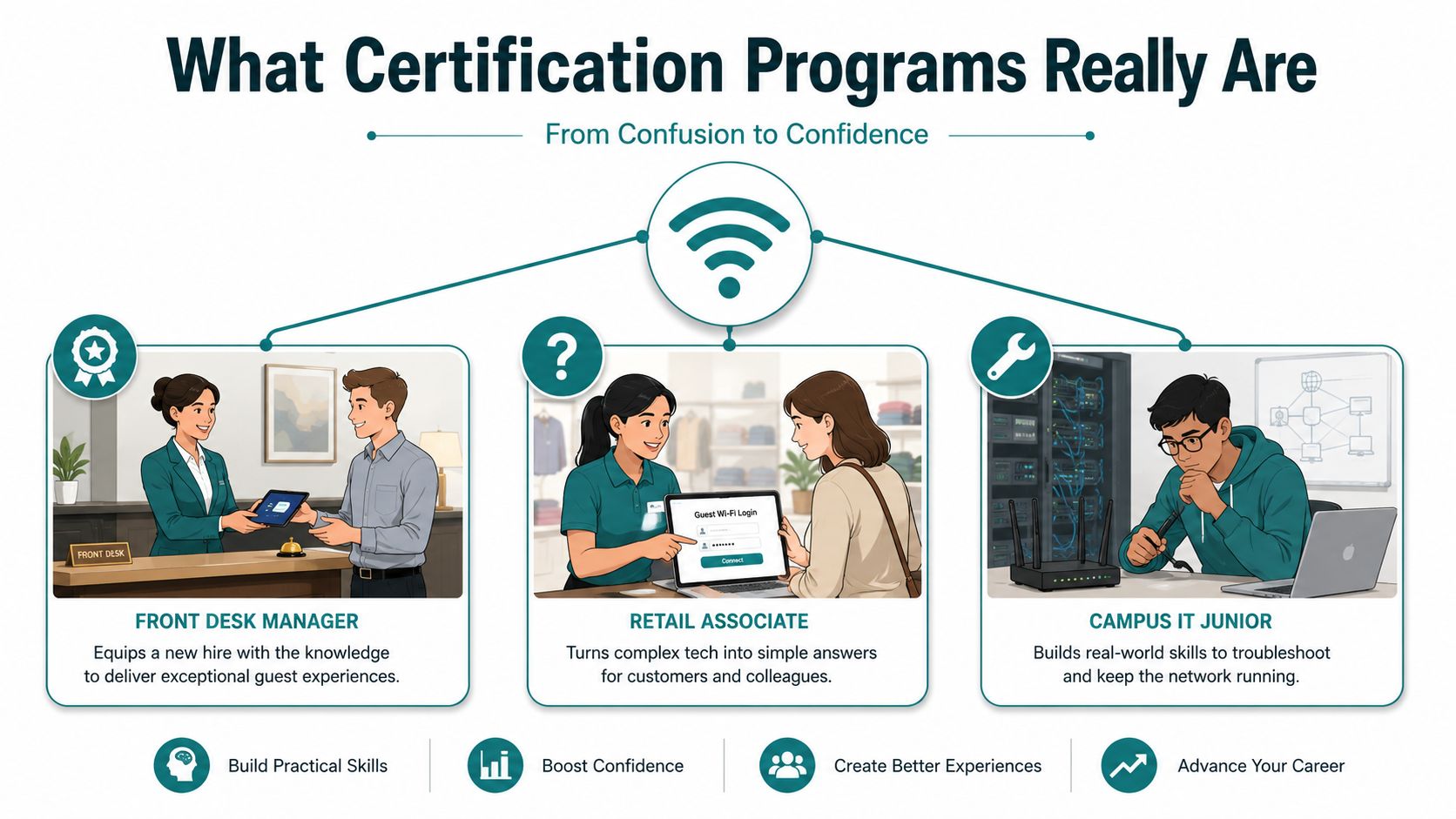
You've got a front desk hire staring at a guest Wi-Fi voucher screen, a retail associate trying to explain a social login page, and a campus tech junior who doesn't want to touch the Meraki dashboard because one wrong click feels expensive. That's the world gap certification programs are meant to close, they turn a task into a repeatable skill and a skill into a credential you can trust.
Done well, a certification isn't a slide deck with a nicer name. It's a clear way to prove someone can do the job in a defined setting, whether that means issuing a voucher, rotating an IPSK without breaking service, or supporting captive portal workflows in a busy hotel lobby. The modern workforce already relies on these credentials at scale, and the practical question for managers is no longer whether they matter, it's which kind fits the people and the environment in front of you.
What Certification Programs Really Are
A useful way to think about certification programs is simple, they're a promise that a person can perform a specific task at a defined level. A course can teach the material, but a certification adds verification, which matters when the work has to happen in front of guests, students, shoppers, or employees who need access right now.
That difference is easy to miss when every vendor calls everything a credential. In practice, a certificate, a certification, a license, and a badge can all sit in the same conversation, but they don't serve the same purpose. A license usually signals permission to practice in a regulated field, a certification usually signals demonstrated competence, and a badge often signals completion or recognition of a narrower learning event.
The scale of this matters. In the United States, 43.7 million people held a currently active professional certification or license in 2018, equal to 16.9% of the civilian noninstitutional population, and the share was 24.1% among employed people (U.S. Bureau of Labor Statistics). That tells you credentials aren't a side story, they're part of how work gets organized.
Practical rule: If the credential doesn't test a real task, it's probably a course completion record, not a certification worth relying on for frontline work.
When you're evaluating a vendor, ask four questions. What task does it validate, who recognizes it, what happens when the skill changes, and how is it assessed in practice? If those answers are vague, the program may be fine for awareness, but it won't give you much confidence on the floor.
For teams rolling out Wi-Fi workflows, that distinction matters immediately. A staff member who can explain a splash screen in theory may still freeze when a guest can't connect, which is why a strong support path often starts with role-based training and ends with a credential that maps to the actual job, not just the presentation. A good place to think about that operational side is this Systems Manager training resource, especially if your environment depends on repeatable onboarding.
The Four Main Types of Certification Programs
Not every credential is built for the same audience. Once you separate the categories, it gets much easier to decide whether you need a formal professional credential, a vendor track, an internal badge, or a compliance-aligned program.
A quick comparison
| Type | Typical Issuer | Recognition | Renewal | Best Fit |
|---|---|---|---|---|
| Professional certification | Professional body or industry association | Broad industry recognition | Often recurring | Career mobility and advanced roles |
| Vendor certification | Product vendor or ecosystem partner | Strong inside a platform stack | Often tied to product versions or periodic testing | Cisco, Meraki, and platform-specific skills |
| Internal certification | Your organization | Local recognition | Set by the employer | Frontline workflows, guest Wi-Fi, onboarding |
| Compliance certification | Standards body, regulator, or program authority | High trust in regulated settings | Ongoing testing or surveillance may apply | Health IT, public-sector, and regulated environments |
Professional certifications are the ones people usually imagine first. They're useful when the job is broader than one tool, because they validate judgment, not just product clicks. For a network team, that can mean someone knows how access control, authentication, and guest experience fit together rather than only knowing where the buttons live.
Vendor certifications are different. A Cisco or Meraki track makes sense when your environment depends on one platform and you want the team aligned to its workflow, language, and operating model. That's often the right choice for integrators, MSPs, and internal admins who need to move fast without reinventing standard steps.
Internal certifications are the least glamorous and often the most useful. If your front desk team needs to issue guest access, or your campus help desk needs to support EasyPSK and IPSK resets, an internal credential can prove that the person can do that exact job in your environment. It's local, which is also its strength.
Compliance certifications sit in a more formal lane. They're useful when the environment depends on standards, auditability, or regulated processes, and they usually lean on published criteria rather than informal approval. In those settings, the credential isn't just about competence, it's also about defensibility.
A manager doesn't need four separate words for “training.” They need the right credential for the right risk.
Certification Programs in Education, Retail and BYOD Corporate
The same certification idea plays out differently depending on where the Wi-Fi lives. In education, the skill is usually about access at scale. A campus tech may need to understand how student devices, dorm networks, and classroom BYOD behave when each device needs its own key and re-keying the whole SSID would create unnecessary disruption.
In retail, the skill set shifts toward experience and engagement. A store associate or marketing coordinator may need to understand guest Wi-Fi with a captive portal, how social login works, and why a consented sign-in flow is easier for shoppers than typing a long password at the counter. If you're trying to connect that access to post-visit marketing, the logic lines up neatly with retail loyalty program ideas, because the same guest touchpoint can support repeat visits and cleaner contact capture.
Three environments, three skill profiles
In a BYOD corporate setting, the emphasis often moves to control and simplicity. Shared passwords are messy when interns, contractors, and full-time staff all use the same network, so IPSK and private keys give each device or user segment a clearer path. The training question becomes whether staff can issue, rotate, and troubleshoot those keys without opening a support ticket every time someone changes roles.
Education teams often need to practice the support conversation more than the technology. A desk tech has to tell a student why a device can join one SSID but not another, and they need enough confidence to check the right workflow without making the student wait. Retail teams need a different script, one that explains login, consent, and reconnect behavior in plain language.
That's why the assessment rubric should change by vertical. In education, you'd test whether staff can provision and troubleshoot without breaking the student experience. In retail, you'd test whether they can keep guest onboarding smooth and consistent. In corporate BYOD, you'd test whether they can support individual access without leaking shared credentials across teams.
For a practical setup guide that connects these ideas to guest onboarding, this guest Wi-Fi walkthrough is a useful reference point. It helps frame the technical pieces as an operational workflow, which is how staff experience them.
Benefits and Real ROI of Certification Programs
The best reason to build a certification program is not prestige, it's consistency. When a front desk team, a campus help desk, or a retail associate all handle access the same way, guests get a cleaner experience and managers spend less time chasing exceptions.
A second benefit is speed. Seasonal hires, new supervisors, and partner teams get productive faster when they're certified on the exact workflow they'll use, rather than on a generic overview. That matters when a guest is waiting, a classroom is about to start, or a store wants the Wi-Fi sign-in to support a promotion without confusion.
The hard ROI is easier to defend when you connect credentials to labor-market outcomes and operational quality. A synthesis of causal studies reports that certificates in high-demand fields such as health, information technology, and skilled trades increase annual earnings by 0–20%, and it cites California examples where health certificates raised earnings by 11 percentage points and business certificates by 19 percentage points (LiveHandbook synthesis). That doesn't translate directly to every Wi-Fi program, but it does show that structured credentials can be economically meaningful when they map to real work.
What the business case looks like in practice
In a hospitality or retail environment, certified staff can issue vouchers more quickly, guide people through social Wi-Fi flows, and avoid repeated escalations to IT. In a corporate BYOD setting, the same discipline helps keep IPSK support cleaner, because fewer people need to guess which password belongs to which segment. If you want a simple way to frame the value, start with customer experience on one side and support load on the other.
Budget test: If the program reduces repeated questions at the desk and keeps access moving without a technician, it's already paying for itself in time saved.
For a finance-minded view of why access consistency matters, this customer lifetime value resource is a useful companion read. It helps you connect a smoother onboarding flow to repeat behavior instead of treating access as a one-time transaction.
Designing and Running an Internal Certification Program
An internal certification program works best when it is tied to a real outcome, not a vague wish for better training. If the goal is faster captive portal onboarding, fewer shared password leaks, or cleaner handoffs between front desk and IT, name that outcome before you build the program.
A useful way to start is with the person who will use the skill on a busy shift. A hotel front desk agent who needs to issue a guest credential, a campus help desk worker who has to assist a student through a captive portal, and a retail associate who is handling BYOD access all need slightly different practice, even if the platform is the same.
Build around five elements
Start with objectives. The objective has to describe a behavior you can recognize on the job, such as issuing a guest voucher correctly or helping a new hire get onto the network without guesswork. If the objective is fuzzy, the rest of the program will drift into trivia.
Then design the curriculum around what people do. Short videos help with the overview, but staff also need hands-on practice in the Meraki dashboard, mock guest scenarios, and time to repeat the workflow until it feels normal. Pairing this with automated user provisioning workflows helps staff scale onboarding without manual overhead, and you can learn more about user provisioning automation. That mix matters because memory under pressure is very different from learning in a quiet training room.
A good curriculum should also match the site type. Hospitality teams may need to practice a lobby check-in rush, education teams may need to handle a student reset request, and retail teams may need to keep the queue moving while still confirming access rules. The same core skill looks different at each desk.
Assessments should mirror the job. A good assessment asks a person to solve a real task, not recite definitions. If someone can explain EasyPSK but cannot issue one during a simulated check-in rush, they are not ready yet.
Keep the credential useful after launch
Issuing the credential should be simple enough that managers can see it. Some teams attach it to a badge or HR record, while others keep it inside an internal learning system. The point is visibility, because people are more likely to maintain a skill when the organization treats it as real.
Maintenance is the part that gets skipped most often. Skills fade, workflows change, and access policies evolve, so recertification has to be part of the design from day one. A strong program refreshes staff before the support desk starts seeing avoidable mistakes, and it should also make renewal timing easy to check, just as you would verify your cert validity before a credential expires.
For governance, formal standards matter when the credential needs broader recognition. Assessment-based certificate programs are governed by ANSI/ASTM E2659-18 and ICE 1100:2019, and the two main U.S. accrediting bodies for these programs are ANAB and NCCA (ANSI/Workcred report). If you are building something purely internal, you may not need that level of formality, but it helps to know where the line sits.
A practical program also needs a clear pass-fail standard. If a trainee can complete the workflow without help, explain why each step exists, and recover from a common mistake, they are ready to carry the credential. If they still need coaching on the basics, the assessment is telling you the training is not finished yet.
Recertification should be easy to explain. Staff should know whether the credential stays valid until the next review cycle, whether a short refresher is enough, or whether they need to retake the full assessment after a process change. The cleaner that rule is, the less likely managers are to improvise their own version of the program.
Partner and Staff Certifications Tied to Guest Wi-Fi
A partner certification program is the best way to keep branded guest Wi-Fi from turning into a different experience at every site. If one integrator sets up a splash page one way, another team uses a different consent flow, and a third location handles social login differently, your brand ends up supporting a patchwork of habits instead of a standard.
That's why partner tiers matter. A certified reseller or integrator should know how to configure a Cisco Meraki splash page, enable social Wi-Fi through familiar identity choices, issue individual pre-shared keys through EasyPSK, and connect the flow to tools like Mailchimp or Twilio when the customer experience calls for it. The goal isn't tool trivia, it's repeatable deployment.
Who needs what level
A field partner should be able to install the standard workflow cleanly, explain the guest journey to a site manager, and troubleshoot the usual failure points without escalating every issue. An internal staff certification should go one step further and prepare the team to handle a Sunday-night problem when the lobby is full and the service desk is thin.
That same structure can support analytics and reporting roles. If a site uses MV Sense camera analytics, someone on the team should know where dwell-time reporting fits into the larger guest-experience story and who owns the interpretation. The certification doesn't need to turn everyone into a data analyst, but it does need to make sure the right people can read the dashboard without guessing.
A simple tiered model works well here. One tier covers setup, one covers troubleshooting, and one covers operational reporting. That gives hotels, campuses, and shopping centers a shared language, while still leaving room for different responsibilities across partners and staff.
Common Mistakes and How to Avoid Them
The biggest mistake is treating certification like a one-time event. People sit through the training, pass the assessment, and then six months later they're staring at the same captive portal problem with no memory of the workflow. The fix is recurring practice, short refreshers, and a recertification rhythm that matches how often your access process changes.
A second mistake is testing memorization instead of performance. If a staff member can define IPSK but can't rotate it during a live exercise, the credential hasn't proven anything useful. The correction is to build scenario-based assessments that look like the actual desk, lobby, or help-desk interaction.
A third failure is ignoring ongoing competency. In regulated technical domains, many programs rely on conformance testing and ongoing surveillance, with continuing professional development and recertification every three years, which helps sustain competency after the initial credential (Health IT Certification Program). You don't need to copy that exact model in every environment, but you should borrow the idea that certification is a loop, not a finish line.
Watch-outs that save real pain
- One-off training: Staff forget workflows when they don't use them regularly, so schedule refreshers tied to real tasks.
- Paper-only assessments: If nobody has to perform the workflow, the test isn't telling you much.
- No feedback loop: Frontline staff know where the splash page gets confusing, so use their notes to improve the program.
- Skipped recertification: If password rotation or onboarding changes, update the credential before the support desk feels it.
If your team has ever had to ask why the portal stopped behaving the same way across sites, this captive portal troubleshooting resource is a helpful reminder that process drift usually shows up in operations before it shows up in a report.
Certification works when it stays close to the work. The minute it drifts into theory, people stop trusting it.
Putting Certification Programs to Work This Quarter
Pick one workflow, not five. A hotel, campus, retail site, or corporate office can start with guest voucher issuance, social login, or IPSK support, then build one internal certification around that single use case. From there, expand into a partner tier if outside integrators or resellers touch the same experience.
Use a simple checklist. Choose the right program type, define the task, build practice around real scenarios, decide how staff earn and keep the credential, and set a recertification date before launch. If you need a control set, keep these three metrics visible, time-to-issue a guest Wi-Fi voucher, percentage of staff with active internal certification, and reduction in shared-password usage after an IPSK rollout.
The right move is usually the small one you can finish. If your Cisco Meraki environment already supports guest Wi-Fi, this quarter is a good time to certify the people who run it instead of leaving the workflow to memory and luck.
If you want a platform built for guest Wi-Fi workflows, captive portals, IPSK, EasyPSK, social login, and Meraki-based onboarding, visit Splash Access to see how it can support hotels, campuses, retail sites, and corporate BYOD environments. It's a practical way to turn access into a repeatable process for staff and guests, not a one-off setup that only one person knows how to fix.