A push notification is a server-initiated message delivered to a user's device in real time through APNs or FCM, even when the app or browser isn't actively in use. In the U.S., people now receive an average of 46 push notifications per day, so the channel works best when it's timely, permission-based, and useful (Business of Apps).
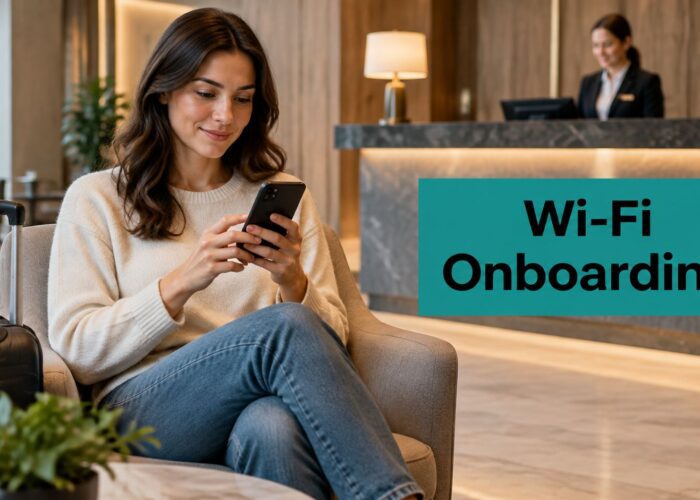
A hotel guest might connect to lobby Wi-Fi, complete a captive portal login with social login, and then get a spa offer before they've even reached the elevator. That's the kind of moment where push makes sense, because it reaches people while they're already on-site, already engaged, and already deciding what to do next.
Understanding Push Notifications in Everyday Business
A guest walks into the lobby, sees the Wi-Fi splash page, and signs in through a captive portal. The network captures a permissioned contact point, and a few minutes later the guest gets a push alert about a late-afternoon spa slot or a restaurant special. That's not magic, it's a server-initiated communication that can reach the device in real time through a push service, even if the app is closed or the browser isn't open (Twilio).
What push means in plain English
A push notification is just a message your system sends out without waiting for the user to ask for it. The app server prepares the alert, hands it to a platform service such as APNs or FCM, and the platform delivers it to the device. That's why push feels immediate, and why it's often used for order confirmations, boarding-style updates, security notices, flash sales, and other urgent or high-value messages (Airship).
For hospitality and retail teams, the important part is not the label. It's the timing. Push sits between a guest's attention and a business's most relevant moment, which is why it's so useful in guest Wi-Fi environments where people are already connected and already expecting a service touchpoint.
Practical rule: if the message would annoy someone in the middle of their day, it probably doesn't belong in push.
Push is different from email and SMS because it behaves like an interruption, not a mailbox item. That makes it more useful for time-sensitive communication, but also more sensitive to overuse. The best guest Wi-Fi strategies treat push as one layer in a wider engagement flow, not as a replacement for every other channel.
For a deeper look at how engagement, consent, and Wi-Fi onboarding fit together, see customer engagement best practices for guest Wi-Fi.
Why operators keep coming back to it
Hotels use push for arrival-day offers. Retailers use it for store-floor promotions. Schools use it for urgent updates. Corporate BYOD teams use it for access reminders and service notices. In each case, the message works because it's tied to a real moment, not because it's loud.
How Push Notifications Travel from Server to Device
In a guest Wi-Fi flow, push delivery usually starts with one system capturing attention and another system carrying the message. The backend prepares the notification, hands it to a platform push service, and that service routes it to the device. The path is short for the sender, but it crosses two separate delivery layers before the message appears on screen.

The delivery path in two hops
The backend first sends the message to a service such as APNs or FCM, then that service delivers it to the device over a persistent, encrypted channel maintained by the operating system (The Garnet Wiki). That two-hop setup is why push can still arrive when the app is backgrounded or terminated. It also keeps authentication and routing in one place, so the business does not have to keep reaching out to each device directly.
That architecture matters in real deployments. On a Cisco Meraki network, the infrastructure can observe activity that helps decide when a message should go out, while the actual delivery still depends on the mobile platform service. In practice, network signals and push messaging can work together, but they are not the same thing.
For hospitality and retail teams, the pattern becomes especially useful when it is tied to a captive portal or a social login flow. A guest signs in through Wi-Fi, the portal records consent or a known identity, and that event can feed an automation layer that decides whether a follow-up notification should be sent. The logic is similar for IPSK and EasyPSK setups, where access credentials and guest identity can support a cleaner handoff between onboarding and later communication. A marketing automation integration for guest Wi-Fi helps connect those steps without asking the guest to repeat the same details later.
Web push fits into the same idea
Web push extends the same delivery model into browsers. Safari added web push support in iOS 16.4, which expanded the addressable audience by adding over 50 million iPhones to the pool of devices that can receive browser-based alerts directly from websites (Sci-Tech Today). Chrome is especially important in web-push contexts, where one source notes it accounts for 90% of subscribers.
Push works best when the user has already agreed to hear from you, and the delivery path is built to reach them without asking again in the moment.
For teams using Meraki, Wi-Fi analytics and captive portal flows can feed the decisioning layer that decides when a guest should see an offer. The message still travels through the push stack, but the trigger can come from Wi-Fi behavior, not just app behavior.
Mobile App Push vs Web Push vs In-App Messaging
The three channels look similar from a distance, but they behave very differently once you deploy them. A mobile app push can reach a user when the app isn't open. Web push can reach someone through a browser, which helps when there isn't an installed app. In-app messaging only appears while the user is already inside the app, so it's the least interruptive and the least visible outside active usage.
For a Wi-Fi marketer, that difference matters. A hotel guest who never downloaded the brand app can still be reached through web push after a captive portal journey. A retail loyalty member with the app installed can receive a mobile push tied to location or account activity. A campus community member who is already inside a portal or app can see an in-app message tied to a specific task.
| Criteria | Mobile App Push | Web Push | In-App Messaging |
|---|---|---|---|
| Reach | Installed app users | Browser subscribers | Only active app users |
| Opt-in friction | Higher, because the app must be installed and permission granted | Lower in many browser flows, especially when captured through a captive portal | Lowest for current users, because no separate device-level permission is the main gate |
| Best use cases | Loyalty alerts, confirmations, security notices | Guest Wi-Fi follow-up, browser-based offers, returning visitors | Onboarding tips, account prompts, guided flows |
| Fit for hospitality | Strong for repeat guests | Strong for first-time guest capture | Useful inside guest apps |
| Fit for retail | Strong for members | Strong for store visitors using Wi-Fi | Useful for app-based shopping journeys |
| Fit for education and BYOD corporate | Good for enrolled users | Good for browser-based reminders | Good for active portal users |
A simple way to choose is this. If you need reach after the guest leaves the page, use push. If you need help while the user is already inside the app, use in-app messaging. If you need to bridge Wi-Fi login and future engagement, web push is often the cleaner path.
For teams building that bridge, marketing automation integration for guest Wi-Fi is where consent capture and follow-up messaging start to connect.
Connecting Push Notifications to Guest Wi-Fi and Captive Portals
Push becomes much more useful when the Wi-Fi login itself creates the permission foundation. A guest signs in through a Splash Access captive portal, chooses social login or email capture, and the business now has a moment to ask for a separate notification opt-in, or to route the guest toward a later prompt through a mobile app or progressive web app. That's especially relevant in hospitality, retail, education, and BYOD corporate environments where the network already knows who connected and when.

Where the permission moment really happens
Captive portals are valuable because they turn a public connection into a managed interaction. When a guest authenticates with social WiFi, email, or IPSK credentials, the operator has a defined point to explain what happens next. That can mean a welcome message, a permission request, or a soft handoff to a channel where future alerts are expected, not surprising.
In Cisco Meraki environments, that authentication moment can be especially useful because the Wi-Fi experience is already structured. EasyPSK can support a cleaner BYOD or corporate guest flow, while IPSK gives more control over who joins which segment. Those credentials don't create push by themselves, but they help segment the audience so only the right people move into a notification flow.
Practical ways teams use the flow
- Welcome after login: send a greeting or a service reminder once the guest has authenticated.
- Return-visit follow-up: when a known visitor reconnects, surface a relevant offer or update.
- Offline to online bridge: use QR-code scans or voucher printouts to move a guest from the lobby counter to a digital opt-in path.
- Location-aware messaging: combine Wi-Fi presence with a web push or app prompt for a nearby offer.
A captive portal is not just an access gate. In the right setup, it's the front door to future permissioned communication.
The important design choice is to keep consent separate from access. Guests should understand that Wi-Fi access and marketing permission are not the same thing. That separation keeps the flow clearer for users and cleaner for operators.
For a closer look at portal-led onboarding, guest Wi-Fi captive portal guidance fits naturally here.
Real-World Use Cases Across Key Industries
Hotels use push for messages guests care about at the property level. A spa opening, an early check-in option, or a late checkout offer is useful because it's tied to the stay and the guest's immediate context. Retail operators do something similar with flash-sale alerts, especially when someone has already authenticated on-store Wi-Fi and shown interest in the location.
Education brings a different urgency. Campus teams need a way to reach students and staff with time-sensitive updates, and push is well suited to that because it can arrive even when the app is closed. Corporate BYOD and co-working spaces use it for access notices, meeting room reminders, and service updates, particularly when EasyPSK or similar authentication creates a clear user segment.
Healthcare and senior living have a different rhythm again. Reminder-style alerts work better than aggressive promotions, because the communication need is usually practical, not commercial. The same goes for many corporate environments, where users want utility, not noise.
What each sector tends to need
Hotels and resorts: booking-linked offers, amenity reminders, and arrival-day service messages.
Retail and shopping centers: location-sensitive promotions, restock or sale alerts, and return-visit nudges.
Education campuses: emergency communication, schedule reminders, and network-use updates.
Healthcare and senior living: appointment reminders, check-in prompts, and simple wellness follow-ups.
Corporate offices and co-working: BYOD security notices, room updates, and service communications tied to authenticated access.
The key isn't just the industry. It's the expectation. Guests in a hotel lobby tolerate a different message style than employees on a company network. Retail shoppers may welcome a nearby offer, while students need clarity and speed. Push works when it respects those differences.
Opt-In Rates and Notification Fatigue by the Numbers
A guest may accept a notification at the Wi-Fi portal, then ignore the next ten. That is the core problem behind push performance. The channel can reach people quickly, but permission and attention are two different steps, especially in hospitality, retail, and corporate Wi-Fi flows. Industry research from Business of Apps shows that overall opt-in rates average 60%, with 81% on Android and 51% on iOS. The same research also points to lower reaction rates, which is a sign that crowded inboxes and repeated alerts make people selective fast.

Why the platform gap exists
The difference between Android and iOS starts with consent flow. Android users have often seen notification permission handled in a more permissive way, while iOS asks for explicit approval up front. That means a hotel guest logging in through a captive portal may be easier to reach on one device family than another, even if the message is identical. For operators using guest Wi-Fi, the lesson is simple. The permission step needs to match the device experience, or the opt-in rate will lag even when the offer is relevant.
Platform rules can shift reach quickly. Guidance from Business of Apps notes that Android 13 changed how apps request runtime permission, which reduced push reach for apps that did not prompt users clearly. For a Meraki captive portal or a social login flow, that means the handoff from Wi-Fi access to notification consent has to be obvious and timed well. If the ask arrives too early, users hesitate. If it arrives too late, they have already moved on.
What frequency should look like in practice
Frequency is where fatigue starts to show. A report from Sci-Tech Today warns that sending 1 push notification a week can still lead some users to disable notifications or uninstall the app. The exact numbers matter less than the pattern. If every alert feels like another interruption, the channel stops feeling useful and starts feeling noisy.
That is why relevance has to come before volume. In hospitality, a guest who has just joined Wi-Fi may welcome a check-in message or a booking-linked reminder. In retail, a shopper near the store may respond to a location-based offer. Students and employees are more likely to ignore repeated alerts unless the message solves a clear problem, such as access changes, room updates, or service notices tied to authenticated use.
Good segmentation keeps that line clear. Use arrival state, return visits, location, and authentication context to decide whether a message belongs in the moment. If you are mapping consent across guest Wi-Fi, social login, and account-based access, a clear consent management guide helps your team separate marketing permission from network access and avoid treating every user the same.
If the message does not fit the moment, do not send it just because the channel exists.
That rule is especially useful for captive portals. A welcome offer, a service update, and a return-visit nudge are not the same thing, and they should not all be sent with the same cadence. The operators who keep push healthy are the ones who treat it like a service lane, not a broadcast pipe.
Privacy Compliance and Consent Best Practices
Push strategy falls apart fast when consent is unclear. Users need to know what they're agreeing to, and operators need a clean record of that agreement. For European guests, GDPR means explicit consent matters. For California users, CCPA means clear opt-out options matter, too.

Build consent into the Wi-Fi flow
The captive portal is the right place to be clear, not clever. Explain the value of opting in, separate marketing permission from network access, and make the choice easy to understand on mobile screens. If you use social WiFi or a login flow tied to IPSK or EasyPSK, segment those records so your team can tell which users agreed to what.
A useful operational rule is to keep the consent statement short and specific. Tell the guest what kinds of messages they'll receive, how often those messages are likely to appear, and how they can opt out later. That's more sustainable than burying the detail in a long policy nobody reads.
Keep the records useful
Audit trails matter because they let you show when and how permission was collected. Integrations with tools like Mailchimp or Twilio can help keep the consent status in sync across systems, so a guest who opted in on the Wi-Fi flow isn't treated like a cold lead later. What consent management looks like in guest Wi-Fi environments is a good reference point if your team is tightening its process.
Best practice: if a guest could reasonably feel surprised by a message, revisit the consent flow before you send it.
Platform changes keep nudging the market in the same direction. Apple and Google have both made opt-in quality more important than raw reach, so the businesses that win here are the ones that ask clearly and send sparingly. That's especially true in Meraki-based guest Wi-Fi deployments where the network can gather useful context, but the user still has to choose the relationship.
Measuring Push Performance and Planning Your Next Steps
Open rates alone don't tell you whether push is working. A more useful view connects notification activity to Wi-Fi analytics like return visits, dwell time, and coupon redemption. That's the part most operators miss, especially when they treat push as a standalone marketing tool instead of a follow-up to the guest Wi-Fi journey.
For a measurement framework that ties campaign activity back to actual engagement, measuring marketing campaign effectiveness is a good place to anchor the reporting side. The practical sequence is straightforward. Capture consent at the captive portal, use web push for returning visitors, add mobile app push for loyalty members, and let network or camera-derived location signals support timing decisions where appropriate.
If you're running Cisco Meraki with Splash Access, the next move is to audit the login flow. Look at where consent appears, what data you capture, which segments you can already identify, and which of those segments deserve a message after connection. That gives you a push strategy built on real guest Wi-Fi behavior instead of guesswork.
Splash Access helps teams connect guest Wi-Fi, captive portals, and permission-based messaging in one flow, including social login, IPSK, and EasyPSK authentication. If you want to turn Wi-Fi access into a cleaner path for push notifications and guest engagement, visit Splash Access and review how the platform fits your hotel, retail, education, or BYOD environment.