You're standing inside your venue, looking at a phone that found the entrance perfectly but can't tell you where reception is. Meanwhile, your team wants to know which areas are busy, whether visitors linger near displays, and whether your existing Cisco Meraki Wi-Fi can help. An indoor positioning system can answer those questions, but the right starting point isn't new hardware. It's deciding what you need to know, how reliably you need to know it, and what you shouldn't collect.
Why GPS Fails Indoors and What IPS Fills In
An indoor positioning system, or IPS, estimates where a device is inside a building. That could mean a floor, a corridor, a room, or the reception zone rather than the café.
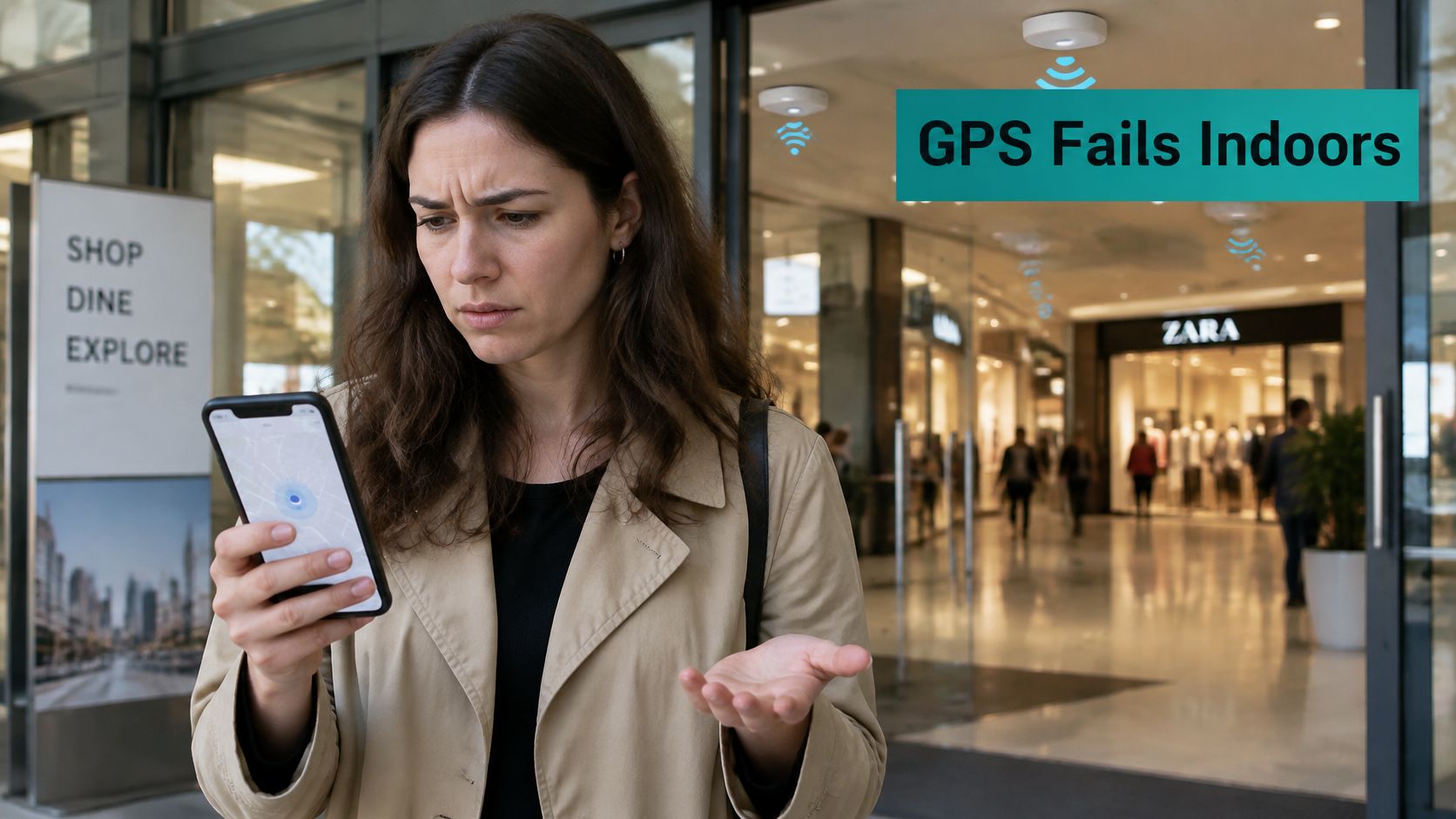
Your phone's outdoor location depends partly on signals from satellites. A review of collaborative indoor positioning describes smartphone GPS accuracy of about 4.9 meters in open-sky conditions, while walls, attenuation, reflected signals, and interference make satellite positioning unreliable indoors.
Think of GPS as a distant lighthouse. It helps when you can see it clearly, but not when you're behind concrete walls. IPS works more like nearby lamps whose positions you already know.
From a map dot to useful context
Inside a shopping center, Wi-Fi access points can provide signals for estimating a visitor's zone. Bluetooth Low Energy beacons offer another reference, while dedicated ultra-wideband anchors support more precise ranging. Phone motion sensors can help bridge gaps between position updates.
The useful output isn't necessarily a moving dot. A hospital visitor needs the correct corridor; a campus manager may only need to know which study area is busy. Offices, hotels, and shopping centers each need different levels of building-scale context.
- Positioning estimates where the device is.
- Navigation combines that estimate with a map and a usable route.
- Analytics turns permitted observations into occupancy, movement, or dwell information.
A changing route introduces another requirement: the map must reflect the building people can use. Waymap's resource on indoor navigation for changing routes is useful context when considering route updates alongside positioning.
Before comparing equipment, write down the decision you want to support. How accurate must each method be, and how much accuracy does your venue need?
Accuracy Ranges for Each Positioning Technology
A hotel may only need to distinguish its reception area from a nearby seating zone. A shop looking to locate a particular shelf needs a much tighter estimate. Accuracy ranges help compare methods, but they describe results under varied layouts, devices, and calibration conditions, not guarantees for a specific building.
| Method | Typical accuracy | Infrastructure needed | Best fit |
|---|---|---|---|
| Wi-Fi fingerprinting (signal strength) | 0.09–7.60 m observed range | Existing Wi-Fi access points | Zone occupancy and dwell analytics |
| Wi-Fi round-trip time (802.11mc) | About 1–2 m in commercial deployments, sub-metre in favorable conditions | Wi-Fi access points and RTT-capable devices | Room-level analytics and floor identification |
| Bluetooth Low Energy | 0.10–4.92 m observed range | BLE beacons or readers | Proximity triggers and approximate wayfinding |
| Bluetooth Channel Sounding | Expected to be finer than standard BLE ranging where supported | Compatible BLE hardware and devices | Precise guidance where supported |
| Ultra-wideband (UWB) | 0.03–0.30 m observed range | Dedicated UWB anchors and tags | Asset tracking and safety-critical navigation |
| Inertial measurement units | 0.55–5.64 m observed range | Phone or tag sensors, with drift over time | Filling gaps between fixes |
The Wi-Fi, BLE, UWB, and inertial ranges come from a peer-reviewed review of indoor positioning methods. The review also supports planning around about 1–2 m for commercial Wi-Fi RTT, rather than assuming results from favorable conditions. Channel Sounding is described qualitatively here because its performance depends on compatible hardware and deployment.
Read the ranges against your floor plan
For the hypothetical hotel, an error allowance of three meters could separate a broad seating zone from reception. It would not identify a particular shelf or reliably show which side of a doorway someone occupies.
The Wi-Fi range in the table covers varied methods and experimental conditions. It does not predict how accurately a particular fingerprinting installation will perform.
Infrastructure choices affect both cost and upkeep. Wi-Fi may reuse existing access points, while BLE usually requires suitable beacons or readers and a maintenance plan. UWB calls for dedicated anchors and compatible tags or devices. In every case, budget for surveys, integration, calibration, and support. Existing access points do not make positioning free.
Practical rule: Choose the least precise method that comfortably answers the operational question.
Ask vendors for an error distribution, not just an average. The 90th-percentile error shows the boundary within which most readings fall, making occasional large misses harder to hide behind a reassuring mean.
Compare demonstrated error with your actual tolerance. If the tolerance is close to the advertised limit, normal variation in a real building may leave too little margin.
How Fingerprinting, RTT and Time-of-Flight Work
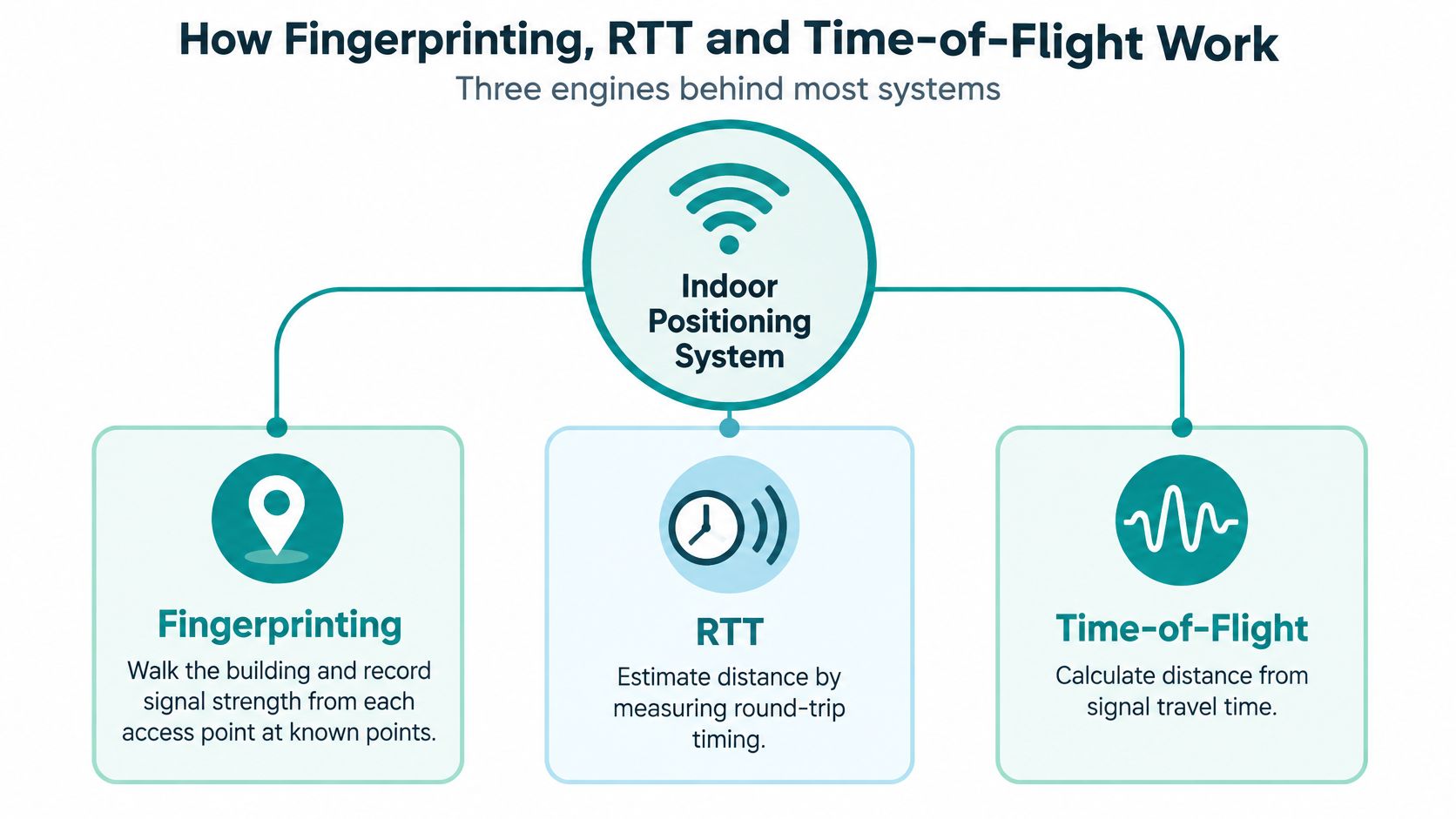
Most indoor positioning conversations become clearer once you separate recognizing a signal pattern from measuring distance. Both can produce coordinates, but they reach them differently.
The diagram shows the basic distinction.
Fingerprinting recognizes the surroundings
During a fingerprinting survey, an engineer walks through known locations and records signal strength from nearby access points. The system builds a map of those patterns, then compares live measurements with the stored map.
It's like recognizing a neighborhood by its smells rather than reading a street address. A bakery near the corner is a useful clue, until the bakery closes.
Similarly, moving shelving, adding partitions, or filling a lobby with people can change radio patterns. Fingerprinting therefore needs representative survey conditions and a clear recalibration process.
RTT measures an exchange
With round-trip time, an access point and compatible device exchange timed messages. After accounting for processing, the system uses the signal's journey time to estimate distance.
Think of timing an echo rather than judging how loud it sounds. The principle reduces reliance on signal strength, but the access point and client must support the appropriate ranging features.
RTT is related to time-of-flight, not an entirely separate branch of physics. The distinction is how the timing exchange is implemented.
UWB times very short pulses
Ultra-wideband uses very short radio pulses for precise timing. Think of a sharp clap that's easier to identify in time than a long, lingering sound.
In a controlled comparison of static and moving targets, mean errors were 13.1 cm static and 29.9 cm moving for UWB, compared with 191.7 cm and 340.1 cm for BLE, and 261.5 cm and 608.7 cm for Wi-Fi. These are results from that evaluation, not guaranteed outcomes for every installation.
The difference matters because conventional signal-strength approaches are sensitive to walls, people, reflections, and antenna orientation. Timing-based systems still face obstructions and installation constraints, but they're measuring a different property.
- Trilateration combines distances from known reference points. On a simple flat map, distances from three well-positioned references can identify a location.
- Building positioning must also resolve floor height, imperfect measurements, and awkward anchor geometry.
- Sensor fusion combines inputs, such as radio observations and motion sensors, rather than relying on one measurement alone.
For a Cisco Meraki venue, Wi-Fi or BLE may be sufficient for dwell regions and visitor-flow analysis. When an action requires distinguishing nearby equipment or adjacent spaces, evaluate UWB or a validated hybrid system instead.
Why Reliability Beats Headline Accuracy in Real Buildings
The best average accuracy can still produce a poor visitor experience. A phone that usually finds reception but occasionally places someone upstairs isn't dependable guidance.
An indoor location-based services usability study identifies positioning quality, privacy, and relevant content as major challenges. That's a useful corrective to buying solely on a laboratory accuracy figure.
A venue manager needs to test crowded entrances, reflective glass, metal fixtures, thick walls, floor transitions, and different phone models. Recovery matters too: does the system admit that location is uncertain, or keep displaying an apparently confident but stale position?
Benchmark the failure modes
Include these checks in acceptance testing:
- Floor-level success: Record whether the system selects the correct floor, especially near stairs and atriums.
- Time to first fix: Measure how quickly someone receives a usable position after arriving.
- Congestion performance: Repeat the route during your busiest operating conditions.
- Battery impact: Check the effect of background sensing on representative phones.
- Unsupported devices: Provide a usable alternative for visitors whose devices can't participate.
- Signal recovery: Test what happens after a device passes through a dead zone.
For commercial Wi-Fi RTT, use the table's planning range rather than budgeting around its most favorable end. A lower error is a better result, not a ceiling on service quality; it must be demonstrated in your building.
Coordinate wireless site surveys with the positioning assessment. An access-point layout that provides internet coverage doesn't automatically provide useful positioning geometry.
Test the service, not just the coordinates
Check whether your location system connects correctly to floor maps, accessible routes, and venue systems. A technically accurate location won't help a wheelchair user if the route sends them toward stairs.
In healthcare and senior living, dependable zone-level guidance may be more useful than fragile precision. Don't treat ordinary visitor analytics as a validated emergency or clinical safety system.
A useful system should tell you when it doesn't know, not merely produce another coordinate.
Walk a fixed route during peak hours and log the error distribution against known checkpoints. Compare the chosen percentile with your operational tolerance, and investigate where failures occur rather than averaging them away.
Privacy and Consent Design for Visitor Location Data
Privacy is a design decision made before hardware. If you only need to know whether a waiting area is busy, don't begin by collecting identifiable movement trails.
The systematic review of privacy in indoor positioning systems describes unresolved privacy challenges and approaches including k-anonymity, spatial obfuscation, and differential privacy. Indoor location observations can expose sensitive routines, interests, workplaces, and health-related visits.
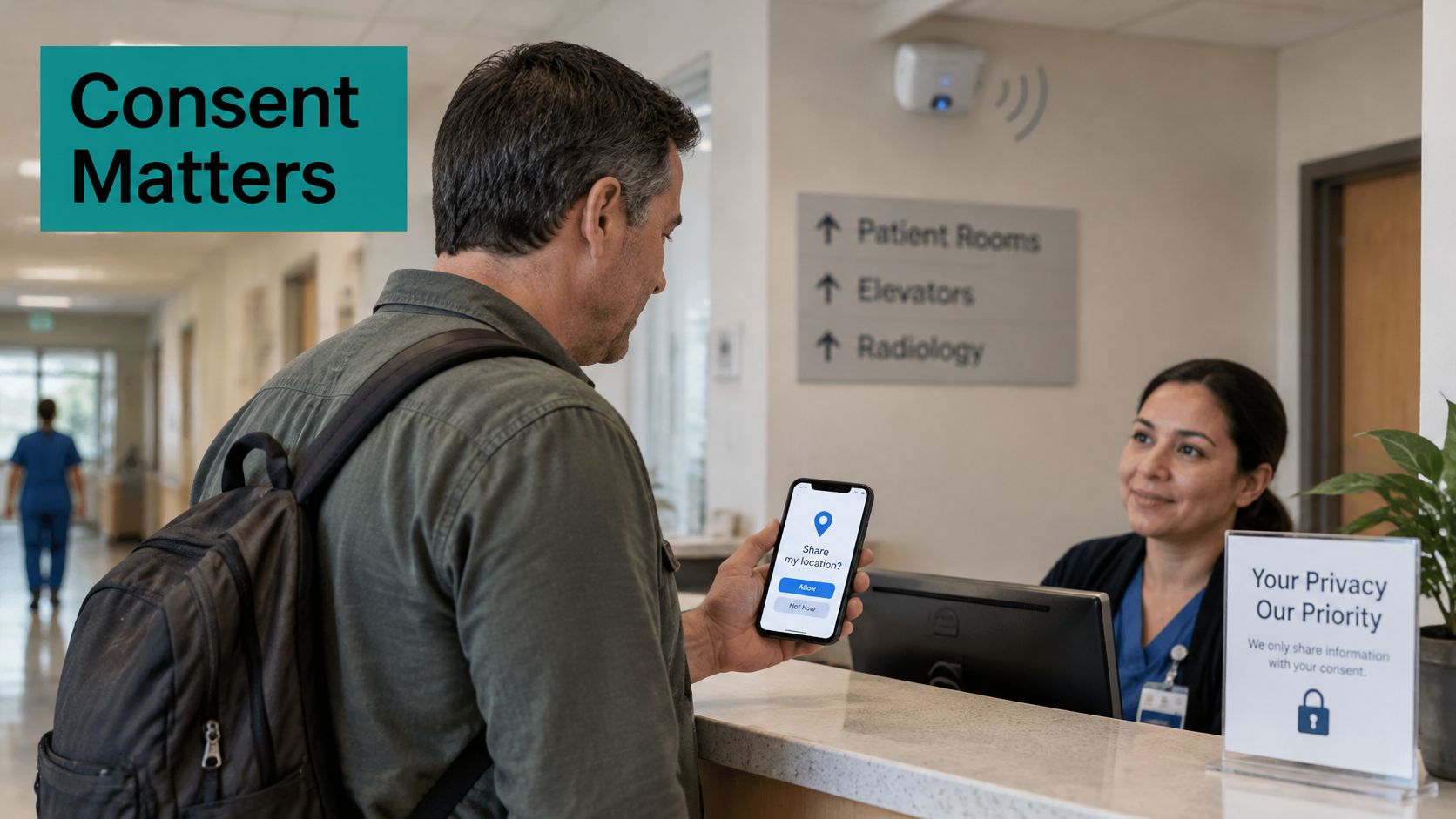
Reduce what the system needs to know
K-anonymity aims to make a record indistinguishable within a group. Spatial obfuscation replaces a precise position with a coarser area, while differential privacy introduces controlled statistical noise to reduce disclosure through reported results.
These techniques aren't interchangeable, and none removes the need for sound governance. Removing a name doesn't make a detailed movement trail anonymous.
Use this deployment checklist:
- Purpose and choice: Explain location use during splash-page or QR onboarding, with separate choices where purposes differ.
- Location fields: Establish whether coordinates, floor labels, timestamps, or relative signal strength are retained.
- Retention: Set deletion rules for raw traces and separately define retention for aggregate reports.
- Aggregation: Suppress reports when too few visitors are present to protect individuals.
- Processing: Prefer on-device computation where it supports the service without unnecessary server-side trails.
- Access and opt-out: Limit staff permissions, record administrative access, and provide a workable withdrawal route.
A consent management approach should make those choices understandable, not bury them beneath a generic acceptance button.
For Cisco Meraki guest Wi-Fi, a captive portal can explain the purpose and capture a choice. IPSK or EasyPSK credentials serve access control; keeping those identifiers separate from analytics requires deliberate integration and permissions, not just a particular key type.
Before activation, establish which location fields any provider keeps, whether raw traces remain, how long they last, and who can access them. Ask whether navigation can operate without linking the visitor's identity to venue-side analytics.
Anonymous dwell summaries or room-level counts may answer the business question with less exposure. Higher accuracy is not automatically better.
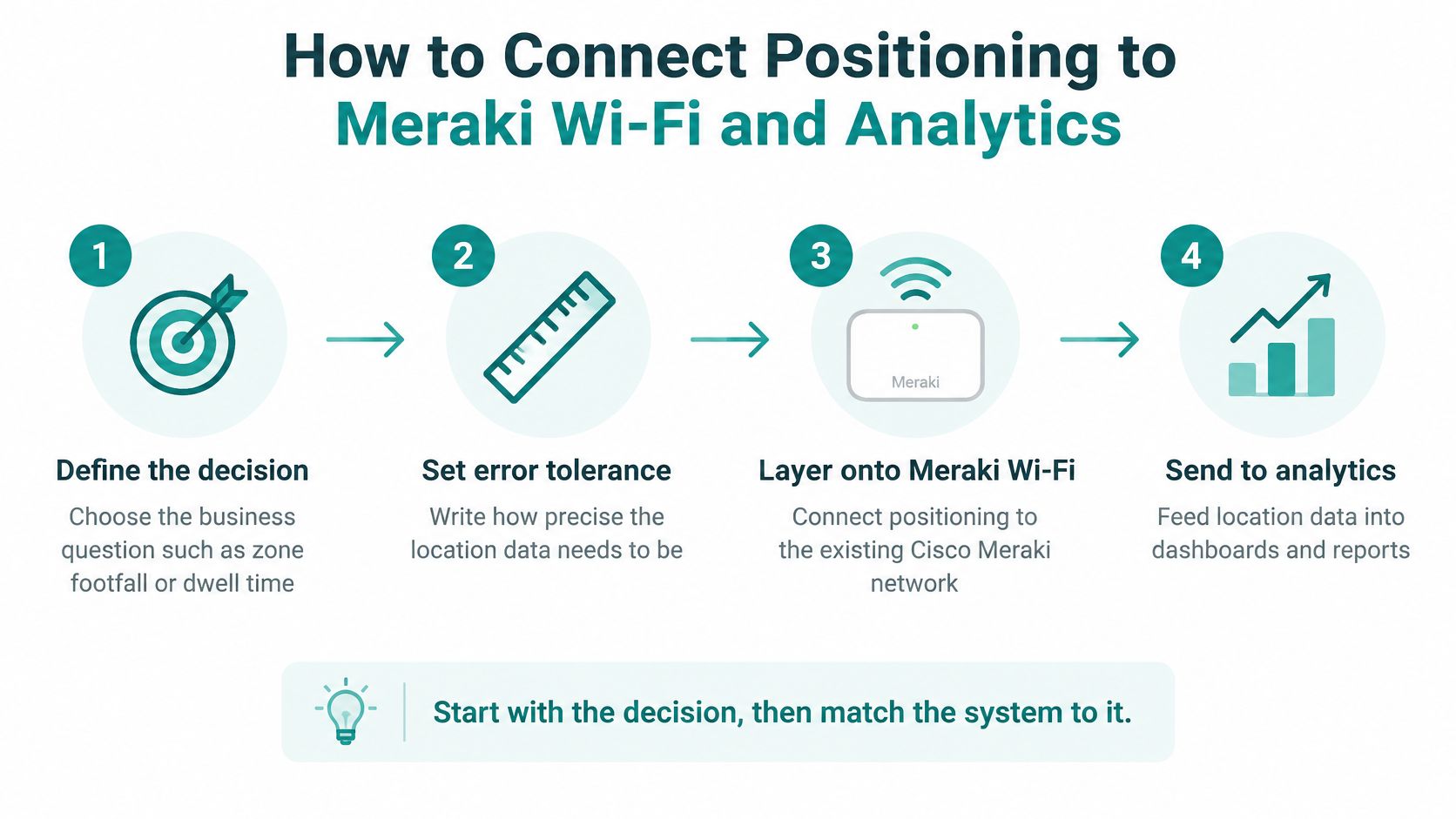
How to Connect Positioning to Meraki Wi-Fi and Analytics
Treat this as a network and information-governance project, not a captive-portal setting. The portal handles onboarding; positioning needs suitable measurements, processing, and validation.
Build the access and sensing layers
Define the decision. Write down whether you need zone footfall, dwell time, or equipment location, then assign an error tolerance in meters. The common slip is asking for maximum accuracy before deciding what staff will do with the result.
Audit the access points. Mark Cisco Meraki AP locations on current floor plans and inspect the areas that matter operationally. Don't assume a strong internet connection proves adequate positioning coverage; inspect reference-point geometry and gaps.
Choose the sensing method. Match the method to the operational tolerance and confirm support on actual client devices and installed hardware. Avoid assuming that every Meraki AP, phone, or tag supports RTT or UWB.
Configure access and onboarding separately. Use a protected SSID and appropriate wireless encryption, then configure terms, consent, vouchers, or social login for guest Wi-Fi. A captive portal controls access rather than encrypting radio traffic, so don't mistake an attractive social Wi-Fi page for the security layer.
Calibrate, validate, and integrate
Separate user policies. Give staff, students, contractors, and guests appropriate network segments and access rules; evaluate individual-key authentication for education, corporate BYOD, or multi-dwelling housing. The common mistake is placing everyone on the same flat network because onboarding was convenient.
Survey under representative conditions. Walk the relevant spaces, record fingerprints where required, and document layout and occupancy conditions. Don't calibrate an empty retail floor and assume the same behavior after shelving and shoppers arrive.
Validate moving users. Record errors against known checkpoints while people walk realistic routes, including entrances and floor transitions. Avoid accepting a static demonstration as proof of a moving service, and inspect the tail of the error distribution.
Connect usable outputs to reporting. Confirm how approved zone counts, dwell measures, and return-visit indicators reach the Meraki-connected reporting environment. Don't assume every metric appears automatically in the native dashboard; validate integration, permissions, and drift-monitoring arrangements.
The location analytics option for Cisco Meraki is a useful starting point for discussing reporting requirements alongside the network design. Keep the reporting specification concrete: name each zone, define the measurement, and assign someone to investigate changes after renovations.
Deployment check: A successful login proves network access, not positioning accuracy or permission for every subsequent use of location data.
Retail, Education and BYOD Positioning Scenarios
The same access points can serve very different business questions. These scenarios illustrate design choices, not promises that a particular building will achieve a published accuracy range.
Match the measurement to the venue
Retail. A shopping center wants to compare activity around store entrances, not identify every shopper's path. Start with broad Wi-Fi zones, keep reports aggregated, and make social login optional rather than treating it as consent for unrelated marketing.
- Accuracy needed: Meter-level separation between broad entrance zones, validated against the actual storefront layout.
Use retail Wi-Fi analytics to frame the reporting discussion around decisions such as staffing or display placement. Remember that detected devices aren't automatically equivalent to people.
Education. A campus wants to identify busy study areas while students join through individual credentials. Evaluate IPSK or EasyPSK authentication, separate student segments, and room-level reporting that doesn't become an individual attendance trail.
- Accuracy needed: Reliable room or study-zone classification, with checks at shared walls.
Corporate BYOD. An office wants desk-zone occupancy and different policies for employees, contractors, and visitors. Keep employee access managed and report aggregate occupancy rather than using personal devices to reconstruct staff movements.
- Accuracy needed: Desk-zone identification, not a claim about who occupied a particular chair.
Hospitality. A hotel can use social Wi-Fi onboarding to present clear choices while measuring broad lobby activity. Keep consented marketing records separate from operational location summaries.
- Accuracy needed: Lobby-zone classification, without pretending to identify an individual seat.
Sector security, retention and accuracy choices
These are recommended policy choices, not automatic platform defaults.
| Sector | Security layer | Retention | Accuracy threshold |
|---|---|---|---|
| Retail | Captive portal with social login on a protected guest SSID; WPA2 on staff SSID | Aggregate counts only | Broad entrance zones |
| Education | IPSK or EasyPSK individual keys; separate student segments | Room-level counts, no individual trails | Correct room or study zone |
| Corporate BYOD | Managed employee access; separate contractor and guest policies | Aggregate occupancy only | Desk-zone classification |
| Hotel lobby | Protected guest access and social Wi-Fi onboarding with consented marketing choices | Aggregate lobby counts; separate marketing retention | Lobby-zone classification |
What changes is the security layer, the retention policy, and the accuracy threshold. Social Wi-Fi marketing data should remain consent-based, regardless of the sector.
Pick the Setup and Pilot It Next
Start with one zone, one method, and one question. A bounded pilot makes it easier to identify whether a problem comes from radio coverage, client support, mapping, or the reporting definition.
Write the operational decision first, then choose the lowest-cost method that can demonstrate the necessary tolerance. Include installation, calibration, maintenance, and governance in that cost comparison.
Give the pilot clear acceptance criteria
- Scope: Select a floor or zone with a useful business question and representative operating conditions.
- Evidence: Record moving-route results, error percentiles, unsupported-device behavior, and recovery after signal loss.
- Privacy: Approve consent wording, access permissions, aggregation rules, and retention before collecting visitor observations.
- Expansion: Require a documented pass against the operational tolerance before adding more locations.
Bring floor plans, an AP inventory, the error tolerance, consent wording, and the proposed retention period to the network discussion. Agree a bounded test window and use an implementation timeline to coordinate responsibilities without assuming a standard deployment duration.
Our Advanced Location Analytics provides foot fall overview and trends, return rates, and dwell times for visitors across all locations. Confirm which pilot locations and data feeds will support the reports you intend to use before committing to expansion.
Static demonstrations aren't enough for a service used by people walking through a venue. Draft the pilot scope using the privacy checklist, include the moving-target test, and share it with your network team before ordering hardware.
Splash Access offers Cisco Meraki guest Wi-Fi onboarding, captive portals, authentication solutions, and location analytics to connect access design with useful venue reporting. Visit Splash Access to discuss your pilot's floor plan, privacy requirements, and accuracy tolerance before choosing the deployment.