Saturday, busy floor, and your Wi-Fi is already making decisions for you. A scanner lags, a till waits, a shopper gives up on the login screen and switches to mobile data. That's why Wi-Fi retail stores run on needs planning like payments or lighting, not a last-minute router in the stockroom.
Why Retail Stores Treat Wi-Fi as Store Infrastructure
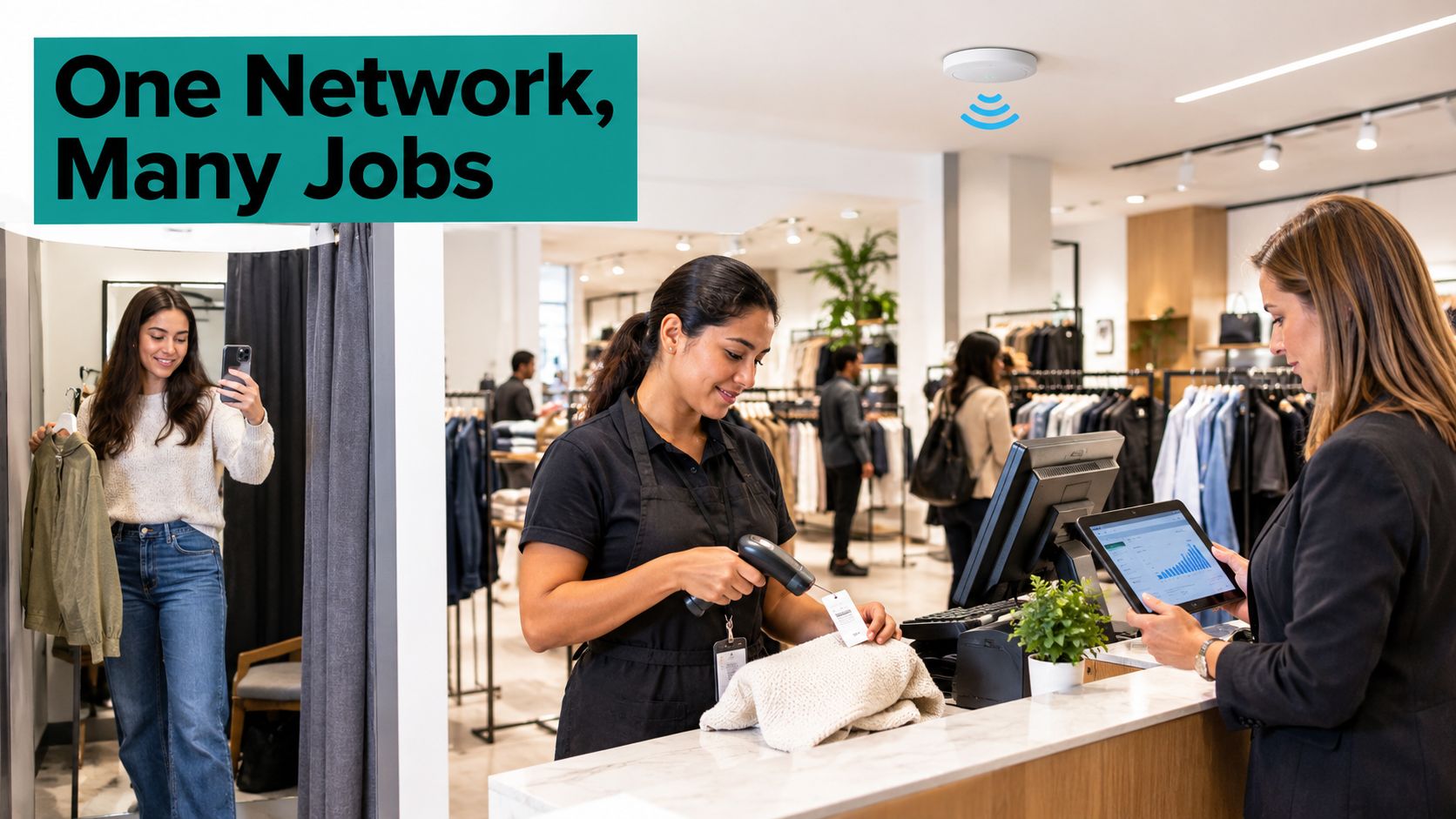
Say a shopper checks sizes on her phone in the fitting room, a cashier scans a tag on a handheld, and you check footfall on a tablet. Three different jobs, one network, and if it stumbles, all three of you feel it.
In a 2023 survey of 114 executives from global retail organizations with annual revenues from $100 million to more than $5 billion, 92% said Wi-Fi was integral to delivering a cutting-edge in-store shopping experience and 72% were using it to drive store operations, according to the RSR and Extreme Networks report on Business Wire. Yet only 32% described their network as state of the art and 57% considered it merely "good enough."
The gap shows up in workflows. 63% of the strongest-performing retailers reported improvements in both customer order fulfillment and returns handling, compared with 26% of other retailers. For shoppers, 55% of leading retailers said they had satisfactorily implemented consumer in-store Wi-Fi, versus 31% among others.
That's the point I'd start from. Wi-Fi now touches sales, operations, and customer data, so treat it like infrastructure. If you're reviewing the wider picture, this guide to improve security in your store is a useful companion, because network safety sits alongside physical safety.
We'll walk through the jobs the network does, login design, zone isolation, useful metrics, store examples, and a deployment plan that starts with one pilot zone.
What Retail Wi-Fi Does for Shoppers and Staff
Think of one store network with separate jobs underneath. A shopping centre has one car park but different entrances for shoppers, staff, and deliveries. Your guest Wi-Fi, tills, scanners, and sensors need the same kind of separation, even though they're using the same building and often the same access points.
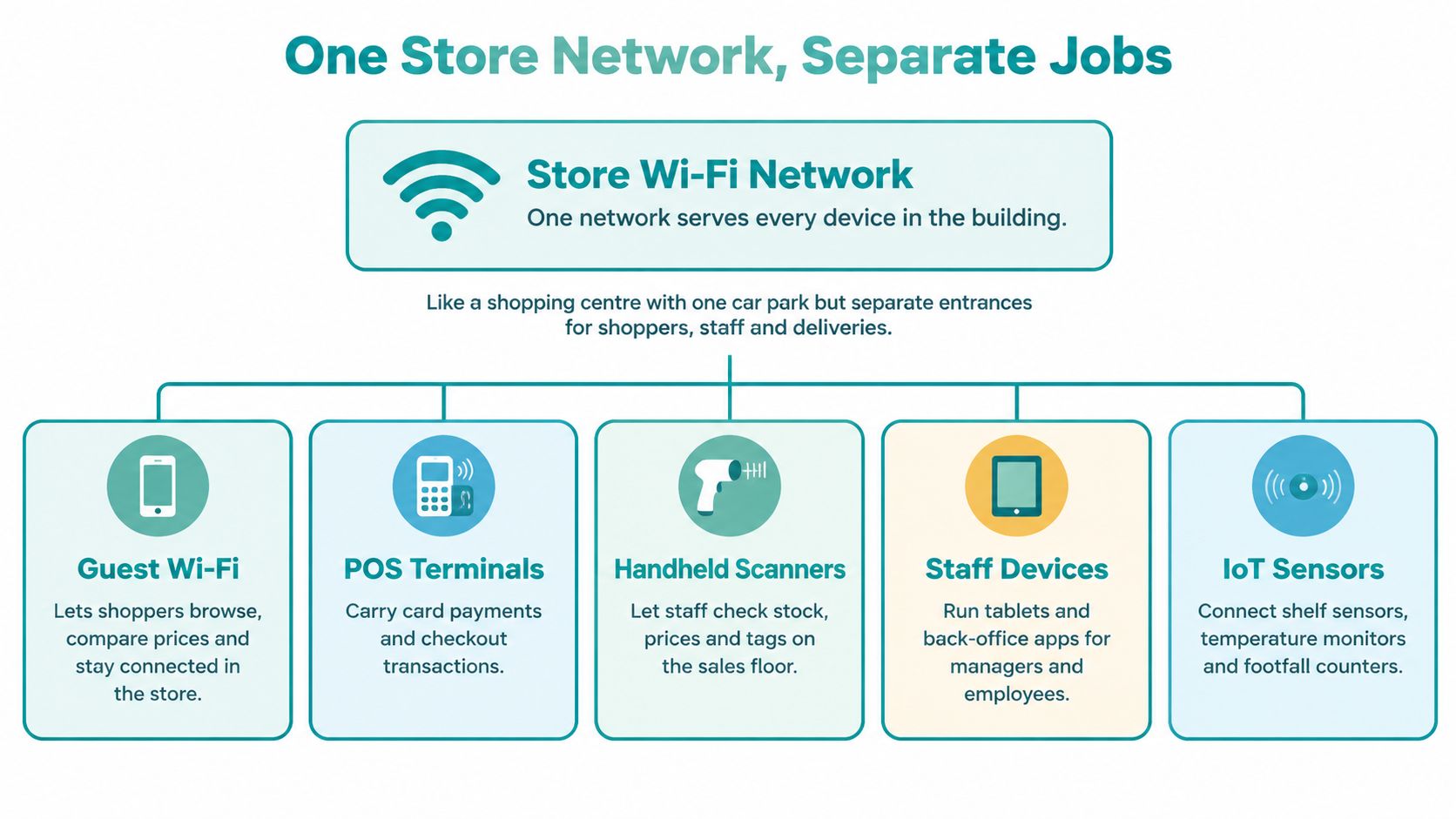
Six jobs, very different consequences
| Use Case | Main Users | What It Improves |
|---|---|---|
| Guest access and social Wi-Fi | Shoppers | Dwell time and customer data capture |
| Associate handhelds and scanners | Store staff | Stock checks and assisted selling |
| Point-of-sale and payments | Cashiers | Checkout speed and transaction reliability |
| Location analytics | Store managers | Layout, staffing and opening-hour decisions |
| Coupons and push marketing | Marketing team | Repeat visits and offer redemption |
| Connected devices (sensors, signage, smart tags) | Operations team | Automated stock and display updates |
Guest access is the visible job. Shoppers compare prices, open your app, check a review, or follow an aisle map. Social Wi-Fi through a social login can support campaigns, but it's only worth the data you actually use. If your team is building an online retail marketing strategy, connect the in-store offer to that wider plan instead of collecting logins for the sake of it.
The invisible jobs are usually more critical. Scanners keep stock honest. Associate tablets stop staff disappearing to the back room to answer a simple question. Digital signage, shelf sensors, and smart tags update on their own, without someone printing, walking, and swapping labels by hand.
A slow guest network annoys people. A dropped point-of-sale link stops every till. Plan for that order of pain.
Location analytics sits in the middle. It can show you where people queue, linger, or turn back, which helps with layout and staffing. Coupons and push marketing can bring people back, but only if the offer is timely and the customer opted in. Too many messages and you'll train shoppers to ignore you.
Do this first. List which of these six jobs your store already depends on, then rank them by what breaks first when the network slows. That ranking drives everything else, from access point placement to who gets priority at lunchtime.
Getting Shoppers and Devices Online Without Friction
You can offer free Wi-Fi and still watch most shoppers walk past the login screen. One industry study cited in recent retail connectivity research found that only about 15% of shoppers complete the steps needed to join in-store Wi-Fi, regardless of how easy the process is, according to Nextivity's retail customer experience analysis. Trust matters too, so every extra field has a cost.
Every login design makes three choices. How much effort does the shopper spend, what data do you capture, and how much trust are you asking for?
| Access Method | Effort | Data Captured | Trust Risk | Best Fit |
|---|---|---|---|---|
| Open click-through splash page | Low | Consent only | Low | Quick browsing zones |
| QR scan to splash page | Low | Optional email | Low | Fast onboarding at the entrance |
| Social login or social Wi-Fi | Low | Basic profile data from a social account | Medium | Brand communities and campaigns |
| Email or SMS verification | Medium | Email address or phone number | Medium | Marketing opt-in lists |
| Voucher code | Low | Minimal or none | Low | Events, pop-ups and promotions |
| Shared WPA2 or WPA3 password | Low | None | High once widely shared | Legacy guest access only |
| Individual pre-shared key (IPSK or EasyPSK) | Medium | Device or user identity | Low | Scanners, staff phones and BYOD devices |
How Cisco Meraki captive portals fit
With Cisco Meraki captive portals, you can use click-through access or sign-on authentication. The splash page collects consent or login details first, then a Meraki-hosted server or your own RADIUS, Active Directory, or LDAP backend decides whether access is granted. A custom-hosted splash page lets you run branded registration, social login, social Wi-Fi enrolment, and marketing consent without forcing staff through the same flow.
That's where Splash Access is handy as a Meraki-based option for captive portals and authentication solutions, including IPSK and EasyPSK per-device keys. Shoppers get a simple guest journey, while scanners, staff handsets, contractors, and BYOD devices get individual credentials you can revoke. If you're mapping the guest side first, this practical guide to setting up guest Wi-Fi helps you sketch the flow.
Easy PSK is supported on Cisco Meraki MR firmware 32.1.3 and newer, under Wireless > Configure > Access control, as Cisco Meraki's iPSK with RADIUS documentation explains. The same logic works beyond retail. In education, separate keys suit students and staff. In BYOD corporate settings, contractors get controlled access instead of the office password.
Practical rule: Keep shopper access open or social and low-friction. Give devices and people who work for you individual keys.
Don't ask for a phone number just because the form allows it. Ask for the least data that supports a real follow-up, explain it in plain language, and make "continue without marketing" easy to find.
Keeping Shopper Traffic Away From Store Systems
Picture your store as a building. Shoppers come through the front door, but they don't wander into the safe, the stock office, or behind the till. Guest Wi-Fi is that front door, so it must never open a path into the back rooms.
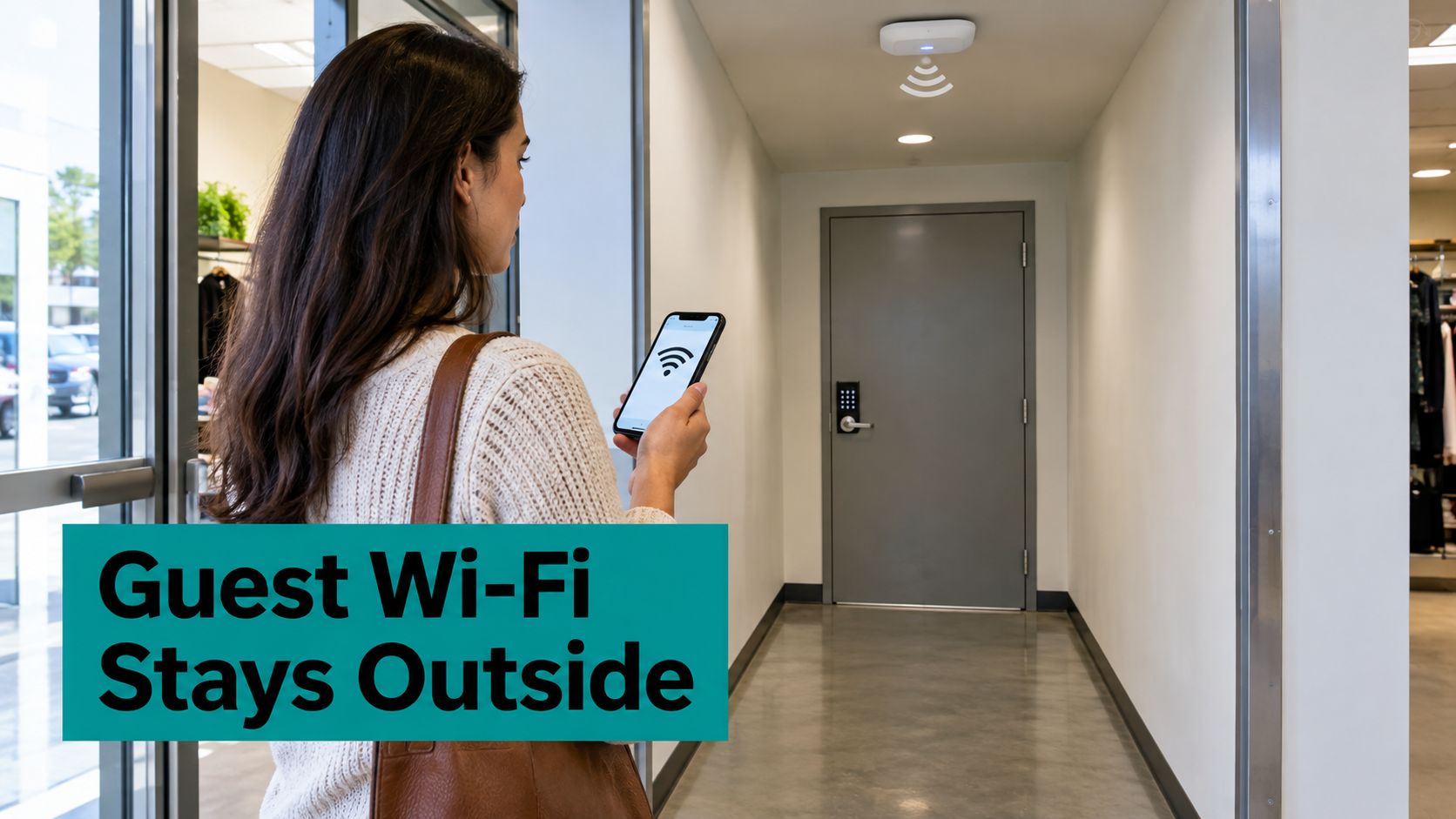
Treat the guest network as an untrusted access zone, isolated from payment, inventory, and corporate systems. CISA's guidance on securing enterprise wireless networks recommends WPA3 as devices become available, wireless intrusion detection and prevention, multifactor authentication, and certificate-based EAP methods such as EAP-TLS for enterprise authentication.
| Network Zone | Typical Devices | Access Rule | Priority |
|---|---|---|---|
| Payments (POS) | Card terminals and till PCs | Isolated, payment systems only, no guest or IoT access | Highest |
| Staff and handhelds | Scanners, tablets and manager phones | Inventory and staff apps only | High |
| Guest and social Wi-Fi | Shopper phones | Internet only, no internal reach, bandwidth limits | Low |
| IoT and signage | Shelf sensors, screens and cameras | Vendor allowlist on a locked VLAN | Medium |
| Legacy devices | Older scanners and printers | Constrained compatibility network, no weakened controls | Low |
Use separate SSIDs and VLANs for POS, staff, IoT, and guests, with firewall rules limiting east-west access and allowing only required services. That way a shopper streaming video can't reach the systems used for handling stock and returns at checkout, and a signage screen can't browse your internal network.
WPA3-Personal's SAE improves resistance to offline password guessing, but a shared guest password still affects everyone when it leaks. Individual credentials are easier to revoke and rotate. For the design details, these network segmentation best practices translate well to a shop floor.
Monitor authentication failures, rogue access points, management-frame attacks, and unusual client behaviour. Move old devices onto a constrained compatibility network rather than weakening controls for the whole store.
Turning Wi-Fi Data Into Decisions Without Overreach
More tracking doesn't automatically mean better insight. Plenty of retailers buy dashboards before they know which question they're trying to answer, then nobody looks at the dashboard after month two.
Use a simple test. A metric earns its place only if it changes a decision, such as staffing, layout, offer timing, or how often you check stock.
| Metric | How It Is Measured | Decision It Informs | Privacy Note |
|---|---|---|---|
| Footfall | Unique devices per entrance per hour | Staffing and opening hours | Aggregate counts only |
| Dwell time by zone | Connection time in each zone | Layout and category placement | Aggregate or hashed identifiers |
| Return-visit rate | Repeat device or opt-in IDs within 30 days | Loyalty and marketing timing | Needs consent and notice |
| Assisted sales | Associate app tasks logged per shift | Staff enablement and training | Staff-facing data only |
| Coupon redemption | Vouchers redeemed per campaign | Offer design | Opt-in customers only |
| Checkout latency | Point-of-sale transaction time | Network capacity planning | No personal data |
Aggregate first, personal only with consent
Footfall, dwell time, and checkout latency can usually work as aggregate counts. You don't need to know who stood by the jackets for six minutes to know the jackets are in a cold spot. Identity-linked data is different. Return visits, loyalty timing, and targeted coupons need consent, a clear purpose, and a plain-language notice at login.
Retention needs a rule too, not a shrug. On our platform, personal data of WiFi users is deleted if the user does not log in to one of the WiFi venues for more than 24 months. Whatever platform you use, write down your equivalent rule and make sure marketing, IT, and store managers can all explain it.
If you're choosing what to track, this overview of retail Wi-Fi analytics is useful for sorting shopper insight from operational insight. For many stores, the most valuable number isn't customer tracking at all. It's staff productivity, such as how quickly an associate finds stock, completes a price check, or helps a customer without leaving the floor.
Pick three metrics, write one decision beside each, and drop any metric nobody would act on.
That discipline protects trust. It also saves money, because you stop paying to collect, store, and defend data that never changed a rota, a shelf plan, or an offer.
Store and Shopping Centre Examples in Practice
The same design bends differently in each setting. Say you're running a boutique. You want clienteling and loyalty sign-ups, so a social login splash page on a few access points makes sense. Staff tablets sit on individual keys, and your main watch-out is personal staff devices drifting onto the guest network because it's easier.
A grocery store is a reliability test. Metal shelving and coolers block signal, aisles get crowded, and scanners plus self-checkout need the most airtime. I'd give POS strict isolation, plan coverage around fixtures, and keep guest vouchers simple so the service desk isn't resetting passwords all day.
An electronics retailer has a different problem. Customers try streaming demos, staff run product lookups, and everyone wants bandwidth at once. Cap guest bandwidth, protect demo devices, and don't let a busy Saturday video wall crowd out the team trying to close a sale.
Shared spaces and temporary sites
A shopping centre is the multi-tenant case. You need common-area Wi-Fi, a central portal, tenant-branded splash pages, and clear rules on who owns customer data. Unclear ownership is the usual failure. Agree it before launch, not after the first campaign. This retail company example shows the kind of scale where those rules really matter.
A pop-up or exhibition needs deployment in days. Use QR or voucher access, set credentials to expire, and test the login before the crowd peaks, not while a queue is forming.
Education and corporate BYOD follow the same zone logic. A campus can issue separate IPSK or EasyPSK keys for students and staff. An office can give contractors controlled credentials that expire, while guest and social access stays on its own SSID. Splash Access is suited for hotels, retail outlets, exhibitions, concerts and other visitor-based Wi-Fi hotspots globally, so the pattern travels well.
Which of these sounds most like you? Start there, because a boutique, a grocery store, and a mall shouldn't copy each other's settings just because the hardware looks similar.
Choose One Pilot Zone Before You Scale
Start with one pilot zone, not the whole estate. Write down the three store jobs you depend on most, match each one to a network zone, then match each audience to a login method.
Ask three questions:
- Highest cost if it slows: Which zone hurts sales or service first?
- Most shopper traffic: Which area do customers pass through most often?
- Cleanest measurement: Which area can your team measure without guessing?
Your pilot might be one busy floor, the front half of a grocery store, or one complete boutique. Record the baseline checkout time before you change anything. Without that baseline, you'll argue from impressions later.
For Cisco Meraki estates, test one login flow before expanding, using captive portal and IPSK or EasyPSK options. Our captive portals are instantly deployable Wi-Fi login systems integrated directly into the Meraki Cloud, and our product list includes Cisco Meraki IPSK Solution, EASYPSK for Large Deployments, IPSK MDU Solution, and DUO secure multi-factor authentication for Meraki WiFi. WPA2 Guest Wi-Fi also lets users scan a QR code to get access through a simple, secure onboarding system.
Measure abandonment at each login screen, and be clear about consent. This explainer on what consent management means helps you separate access consent from marketing consent.
Schedule a site audit this month. Record your busiest-hour checkout time first, then build the pilot.
How to Deploy Retail Wi-Fi Step by Step
Don't test an empty store and call it done. Retail Wi-Fi fails at peak, with real bodies, metal fixtures, scanners, and a queue at the till.
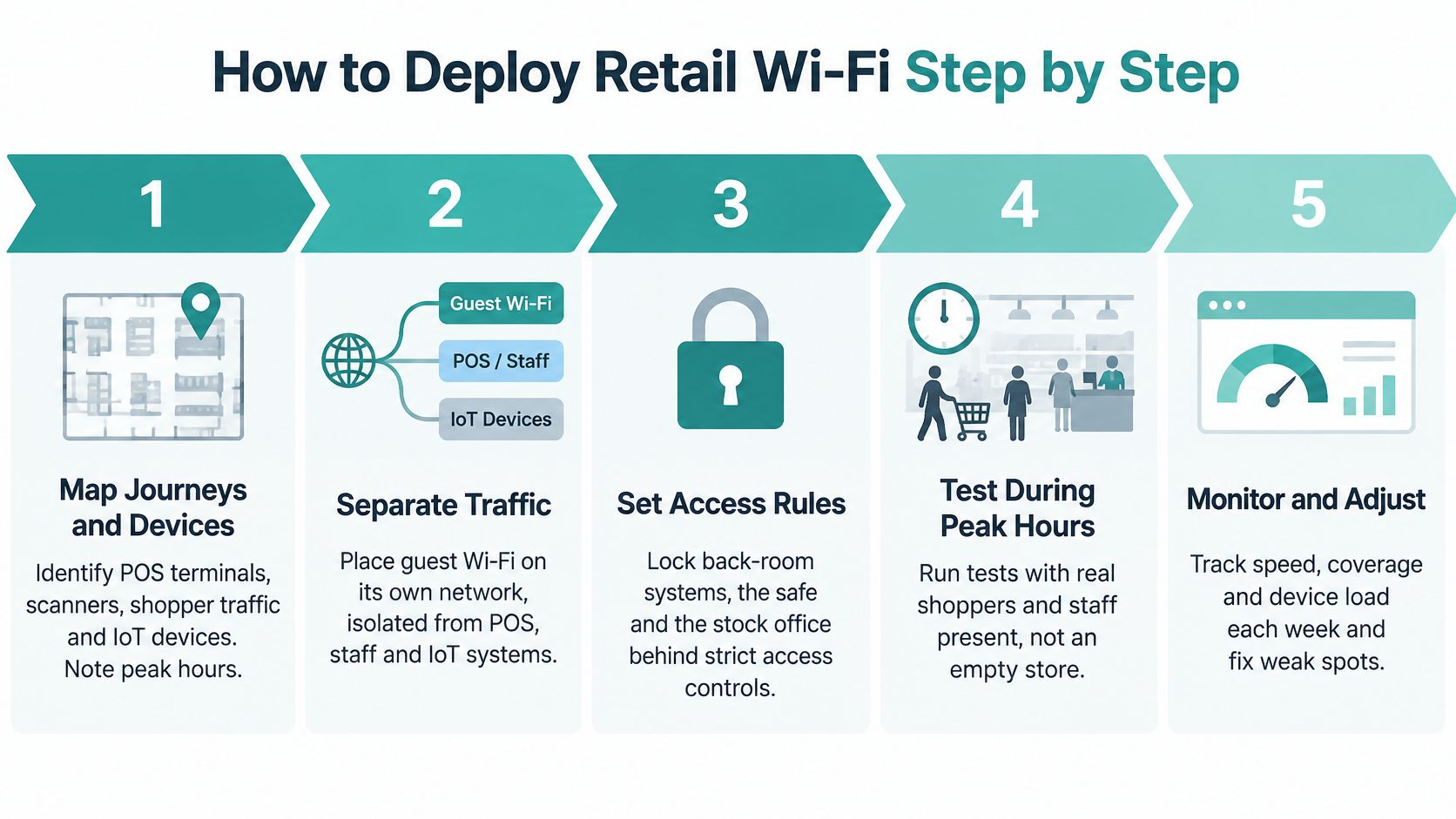
- Map journeys and devices. List POS terminals, scanners, staff tablets, shopper traffic, signage, and IoT, with peak hours for each.
- Survey with fixtures in place. Metal shelving, fridges, glass, and stock cages change signal, so survey the trading floor, not an empty shell.
- Place access points for peak load. Floor area alone doesn't tell you where people gather, queue, or scan.
- Plan channels carefully. Limit overlap in dense aisles and near checkout, where lots of small transactions compete.
- Build the zones. Create separate SSIDs and VLANs for POS, staff, IoT, and guests, with traffic priority for operational devices.
- Choose login by audience. Shoppers get the lightest suitable guest flow. Staff and devices get individual keys or enterprise authentication.
- Run acceptance tests at peak occupancy. Use real POS, scanners, staff devices, and shopper traffic together.
- Review monthly. Check weak zones, login abandonment, checkout times, and any new devices staff have added without approval.
Test airtime, not the headline speed
Wi-Fi capacity is mostly an airtime-management problem, not just an internet bandwidth problem. Wi-Fi 6 helps through OFDMA, uplink and downlink MU-MIMO, BSS coloring, and 1024-QAM, with 1024-QAM able to increase per-link data rates by approximately 25% under suitable signal conditions, as CommScope's Wi-Fi 6 fact file explains. CommScope testing also found that replacing a Wi-Fi 5 access point with Wi-Fi 6 increased network speed by up to 20% even when all client devices remained Wi-Fi 5.
So measure application latency, packet loss, channel utilization, roaming continuity, and throughput, not the advertised PHY rate. A fast speed test at 9 a.m. doesn't prove your tills will cope at noon.
The sign of a healthy store is stable checkout time in the busiest hour, not five bars on a phone.
If checkout stays steady, scanners roam cleanly between aisles, and shoppers can get online without asking staff for help, you've got a pilot worth scaling. If not, fix placement, channels, zoning, or login friction before you buy more bandwidth.
Ready to plan Wi-Fi retail stores can actually rely on? Splash Access gives Cisco Meraki users branded captive portals, social Wi-Fi options, and IPSK and EasyPSK authentication for shoppers, staff devices, campuses, and corporate BYOD. Visit Splash Access to design a pilot zone, simplify guest onboarding, and keep store systems properly separate.