A guest arrives at your hotel, store, campus, or office, sees the Wi-Fi network, and expects to be online in seconds. Instead, the login page fails to appear, a shared password is written on a reception desk card, or a corporate laptop connects to a network with far more access than it needs. Your team then has to troubleshoot the device while still answering other guests, employees, students, or customers.
That small moment reveals the larger role of wifi access management software. The right platform connects the wireless network to authentication, security policy, guest experience, analytics, and consent. It helps you offer convenient guest Wi-Fi without treating every visitor like a trusted internal user.
The Evolution of Modern Guest Wi-Fi
A guest opens a laptop in a hotel lobby, a student walks into a residence hall, and a consultant sits down in a co-working space. All three want Wi-Fi, but the business behind that connection needs different answers. One user may need quick Internet-only access, another may need a policy tied to student credentials, and another may need a controlled BYOD path. A shared password cannot express those differences or create a useful record of who connected, under what terms, and for how long.
That is why guest Wi-Fi has changed. It is no longer just a way to get people online. It has become part front desk, part security checkpoint, and part digital touchpoint in the customer journey.
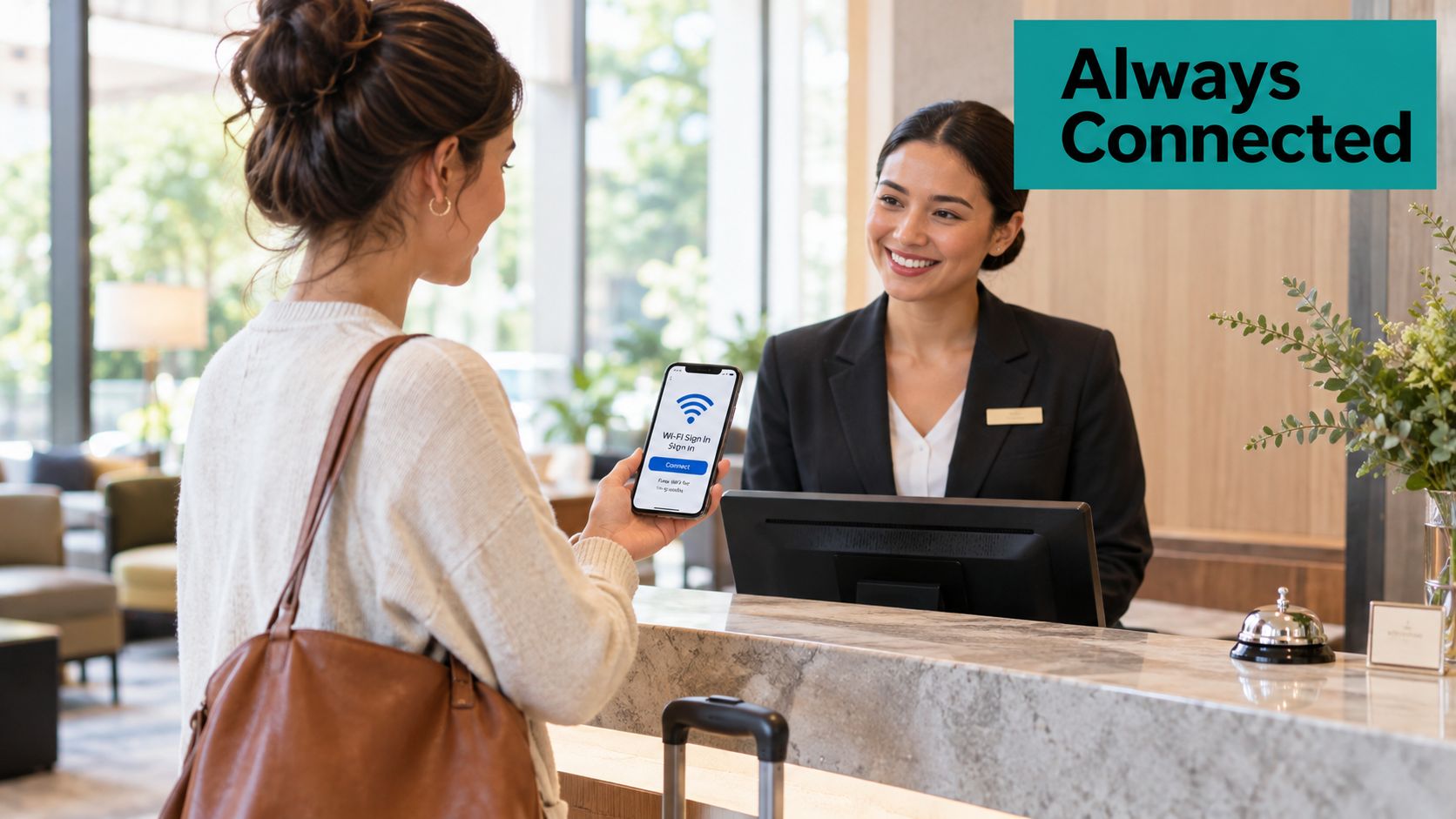
From connectivity to governance
Public Wi-Fi expanded from a niche connectivity service into a global access layer between 2018 and 2023. Cisco projected that public Wi-Fi hotspots would rise from 169 million in 2018 to nearly 628 million by 2023, an increase of approximately 272%, or almost four times the starting level, as described in the Cisco wireless forecast.
At that scale, the job changes. A small venue may once have posted one password beside a consumer router and called the problem solved. A hotel group, school, retailer, or healthcare provider now needs repeatable rules for onboarding, identity, segmentation, bandwidth, session limits, and reporting. The Wi-Fi login page becomes more than a courtesy screen. It becomes the point where the organization sets expectations, collects consent when needed, and decides how much trust to give a device.
Practical rule: Treat Wi-Fi access as a managed service, not as a password you happen to publish.
A cloud platform sits between the access points and the visitor experience. It can show a branded captive portal, pass authentication results to the network, apply the right policy, and retain only the information the business has a legitimate reason to use. That approach also helps teams work with existing Cisco and Meraki deployments instead of replacing every access point at once.
The deeper shift is operational. Modern guest Wi-Fi is software-governed access across physical venues, where the login experience supports security, policy, and customer experience at the same time. Wireless technology also keeps changing, which affects how businesses plan upgrades and user journeys. A useful overview is available in this guide to Wi-Fi standards on the move.
Core Features of Access Management Platforms
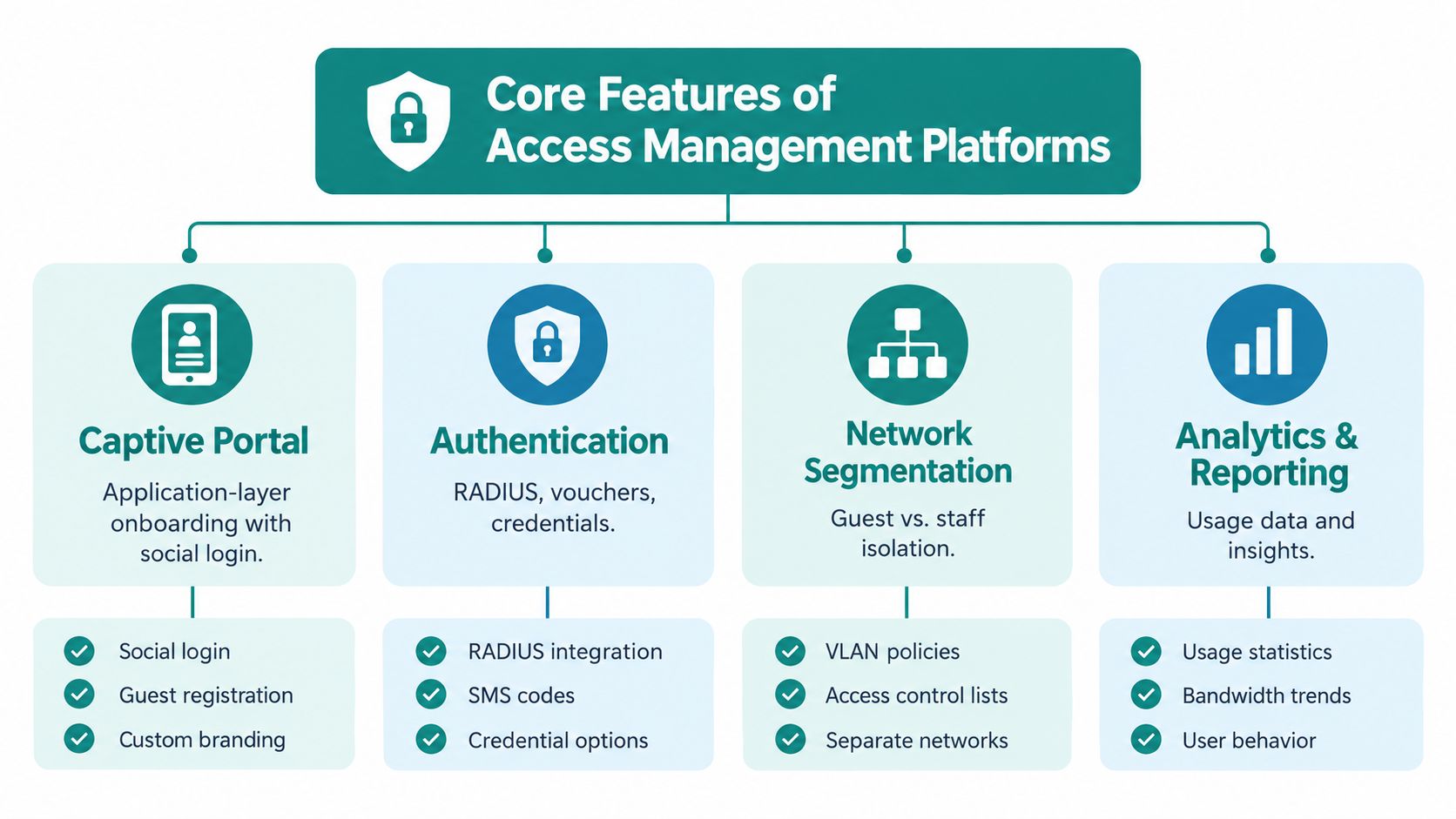
A useful platform solves three connected problems: who is connecting, what they can reach, and what the organization should learn from the session. Those problems need different controls, so a splash page alone isn't enough.
Captive portals are the front door
A captive portal redirects an unauthenticated device to a web server before it reaches the wider Internet. The page may offer click-through access, social login, social WiFi, email capture, SMS verification, a voucher, or a paid plan.
That portal is an application-layer onboarding mechanism, not complete wireless security. Research describes captive portals as redirecting users before Internet access, while noting that portal-controlled Wi-Fi users aren't protected at the link layer. Client isolation, encrypted transport, and suitable wireless security still matter, as explained in this captive portal security analysis.
The business value comes from matching the flow to the setting. A retailer may use social WiFi and a clear marketing consent choice. A hotel may issue a voucher linked to a booking. A campus may use a short acceptance screen for visitors while reserving stronger identity controls for staff and students.
Authentication should match the user
A shared password is easy to explain, but difficult to revoke for one person and difficult to trace to a particular device. Authentication solutions can instead use RADIUS, vouchers, individual credentials, or IPSK and EasyPSK, where a specific user or device receives a distinct pre-shared key.
This distinction is useful for managed devices and BYOD corporate access. An employee can receive a controlled credential, while a contractor or guest receives a different policy. In a Cisco Meraki environment, private keys can support more granular wireless access without distributing one password to everyone.
Policy and analytics complete the picture
Access management also governs session duration, bandwidth behavior, VLAN placement, and whether returning devices reconnect automatically. Analytics can help teams understand connection patterns, repeat visits, dwell behavior, and peak demand, but only if the organization defines what it needs before collecting data.
A practical platform evaluation should ask:
- Onboarding: Can the portal support click-through, social login, social WiFi, vouchers, SMS, and paid access where appropriate?
- Authorization: Can the system assign VLAN policies, apply bandwidth controls, and separate guests from staff?
- Operations: Can administrators manage multiple locations, review sessions, and troubleshoot failed authentication?
- Data handling: Can the business record consent, limit retention, and provide a non-tracking route to connectivity?
A cloud-based Wi-Fi management approach can bring those functions into one administrative layer, but the design still needs to follow the venue's security and privacy requirements.
Securing the Network Without Adding Friction
Security doesn't require every visitor to complete an employee onboarding process. It requires the network to distinguish between guest convenience and trusted identity.
Start with the network boundary. NIST recommends logically separating external guest WLANs from internal WLANs in education, retail, and corporate environments. Devices on the guest network shouldn't connect to internal devices, and the organization should define policies for devices connected to more than one network, as set out in the NIST guidance for wireless guest access.
Build guest isolation first
A guest captive portal should authorize Internet access, not grant a path toward point-of-sale systems, staff laptops, printers, servers, or clinical systems. Configure a dedicated guest SSID or WLAN, place it in an appropriate VLAN, and apply firewall rules that block internal destinations.
This architecture works with Cisco and Meraki deployments. The portal can collect a guest's acceptance or voucher while the network keeps that session separate from business operations. Approval at the splash page is not the same as permission to reach internal resources.
Use identity controls for staff and BYOD
Staff, managed devices, and approved corporate BYOD users need a stronger flow. WPA3-Enterprise with IEEE 802.1X and a RADIUS authorization backend is the appropriate model for these networks rather than a shared password. The Wi-Fi Alliance specification requires WPA3-Enterprise support for the SHA-256-based 802.1X key-management suite, Protected Management Frames, and exclusion of WEP and TKIP from the WPA3-Enterprise BSS, as documented in the WPA3 specification.
In plain terms, the access point asks an identity system whether the user or device may connect. The authorization response can then map that session to a VLAN, group policy, or restricted destination set. Azure AD and SAML can support identity verification in suitable deployments, while IPSK or EasyPSK can provide distinct credentials for devices or users that need a simpler controlled model.
NIST's Zero Trust Architecture separates authentication from authorization, which is especially useful for BYOD. A successful login proves an identity or possession of a credential. It doesn't automatically prove that the personal device should reach every enterprise resource, as explained in the NIST Zero Trust Architecture publication.
Change permissions during a session
RADIUS Change of Authorization, or CoA, gives administrators a way to change authorization after login. For example, a device could move into a remediation, staff, guest, or quarantine policy without waiting for the user to reconnect.
That capability matters during incident response. If a laptop shows suspicious behavior, the team can reduce its access while preserving a route for remediation or support. A RADIUS authentication design can help teams map these identity and policy decisions to the wireless environment.
Tailoring the Experience for Key Verticals
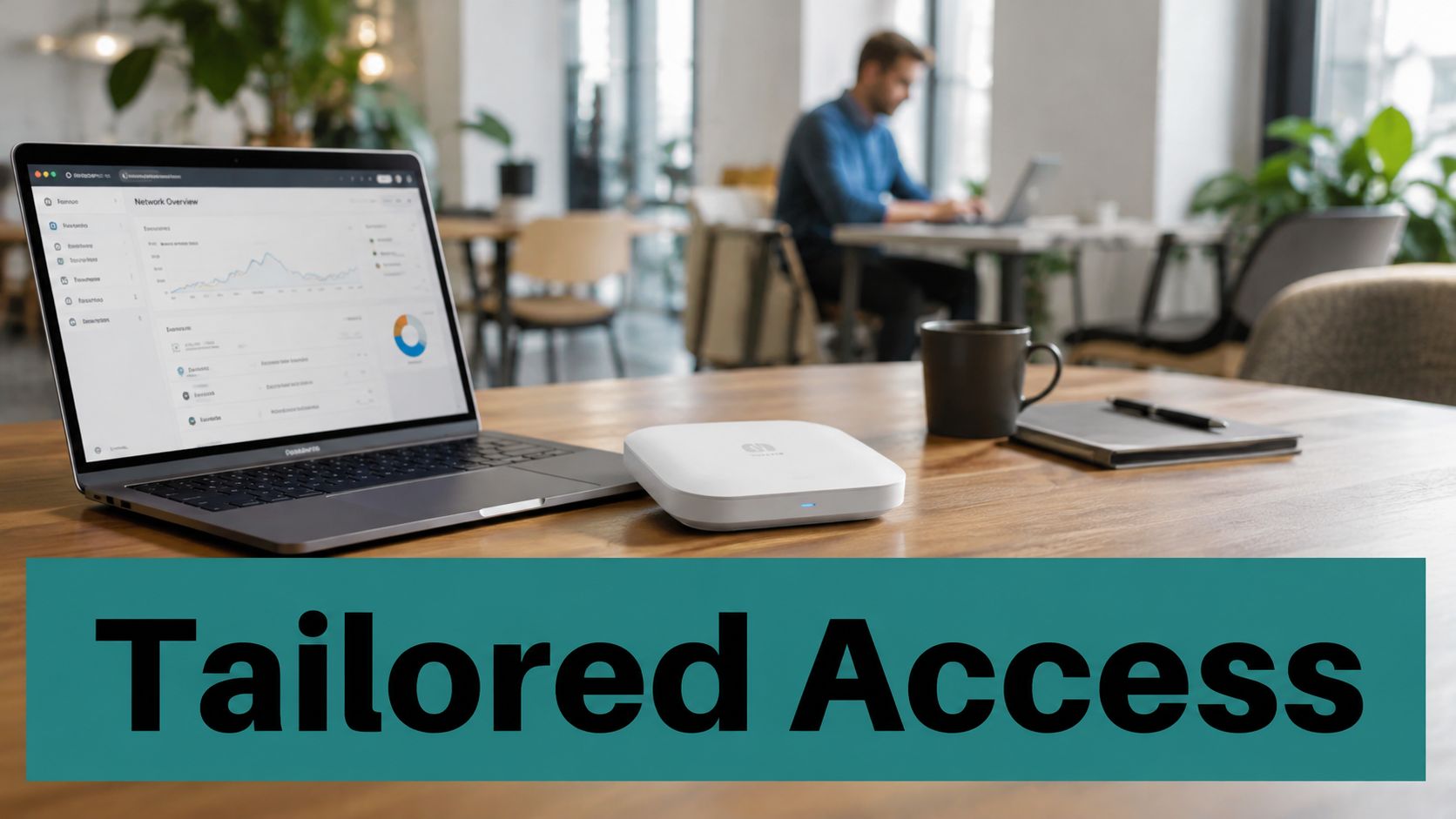
The same access platform can serve many venues, but the correct login flow depends on the people, devices, and business process in each location. A hotel prioritizes room-based convenience. A campus balances scale and identity. A retailer wants an easy customer journey without turning consent into a hidden condition.
Hospitality
A hotel guest shouldn't need to understand RADIUS, VLANs, or certificate chains. They need a branded portal that works on a phone, accepts a room or booking workflow when required, and avoids repeated friction during the stay. A hospitality deployment may connect guest access with Opera Micros processes, room-based billing, vouchers, or a simple acceptance screen.
The technical requirement remains important behind the scenes. Guest sessions should stay separate from staff systems, access should be observable, and the portal should recover gracefully when a device returns or changes networks. A hotel Wi-Fi platform may also support a marketing consent option, but that choice should remain distinct from the minimum information required for access.
Education
Education networks serve students, employees, visitors, contractors, residence halls, classrooms, and specialist equipment. Those groups shouldn't all receive the same permissions. Student dorm networks may use managed identity and policy assignment, while event guests use a temporary captive portal and isolated guest WLAN.
A campus team also needs clear recovery paths. Students may arrive with phones, tablets, laptops, gaming consoles, and devices using private MAC addresses. The onboarding design should support accessible language, reliable redirects, and staff-assisted alternatives when the normal browser flow fails.
Retail, healthcare, and senior living
Retailers can use social login or social WiFi as part of a loyalty journey, but the portal should explain what data is collected and why. A store may want an optional marketing consent path, while still offering Internet access to customers who decline promotional communication.
Healthcare and senior living environments add another layer. Visitors need straightforward onboarding, while medical or care-related devices may need a separate managed network. Large text, screen-reader compatibility, multilingual support, and an assisted fallback can make the difference between nominal coverage and usable connectivity. Details about hotel Wi-Fi solutions illustrate how venue-specific workflows can sit on top of shared access-management principles.
Integrating with Your Existing Tech Stack
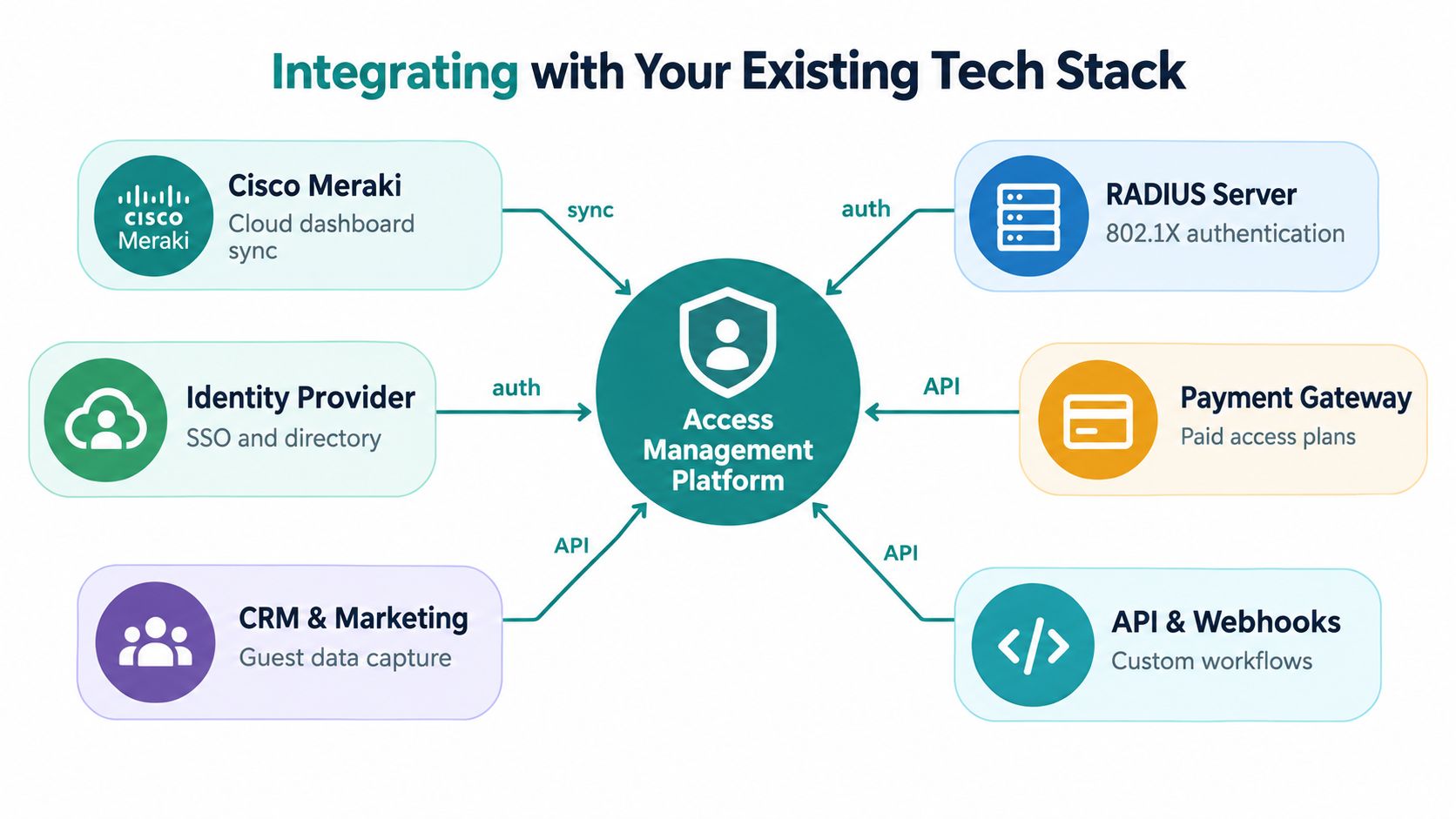
Most organizations don't need a new wireless estate to improve access management. They need a platform that can communicate with the access points, identity services, network policies, payment tools, and marketing systems they already use.
Cisco and Meraki at the network layer
Cisco Meraki access points and dashboards provide the wireless foundation. An access-management platform can use that environment to redirect guests to a captive portal, authorize the session, assign the relevant policy, and expose operational information to administrators.
The integration depth matters more than a logo list. Ask whether the platform supports your exact Meraki setup, how it handles failed authentication, whether it can apply VLAN or group policy decisions, and how administrators investigate a user who can't connect. If the business uses MV Sense camera analytics, establish which visitor and presence signals are available, how they're interpreted, and whether the data collection has a defined purpose.
Identity and device workflows
For employees and BYOD corporate users, identity integration can reduce duplicate accounts and inconsistent permissions. Azure AD or SAML may verify a user, while the wireless policy decides whether that user receives staff, contractor, remediation, or guest access.
IPSK and EasyPSK can help when an organization needs individual wireless credentials without making every guest complete an enterprise identity flow. The important question is whether administrators can revoke, rotate, and map each key to a clear user or device policy.
Marketing and payment connections
A portal may also connect to a CRM, email service, payment gateway, or messaging workflow. Social login, Mailchimp, Facebook, and Twilio can support follow-up processes, but only after the organization has obtained appropriate consent and documented what the visitor agreed to.
Use APIs and webhooks when the standard integration doesn't fit. For example, a venue might send a voucher event to a booking system, notify staff when a device needs assistance, or create a support record after repeated failed authentication. The Cisco Meraki and Azure AD integration overview shows how identity and wireless access can be considered together rather than managed as unrelated systems.
Navigating Privacy and Digital Inclusion
More data isn't automatically better personalization. A retailer that collects every possible identifier may create a larger breach impact, more complicated compliance obligations, and less trust, while gaining little insight that changes an actual business decision.
Privacy-preserving access remains an underserved part of Wi-Fi management. Many portal designs treat email capture, social login, behavioral analytics, and marketing integration as obvious benefits without explaining how to minimize collection, obtain meaningful consent, set retention periods, or support deletion and access requests, as discussed in this privacy and access analytics research.
Separate access from marketing
A visitor should understand the difference between connecting to the Internet and joining a promotional list. Make the access purpose clear, present marketing consent as a separate choice, and avoid making unnecessary personal information a condition of basic connectivity.
A privacy-aware design can include:
- Minimal access: Offer a route that collects only what the network needs.
- Purpose-specific consent: Explain whether an email supports authentication, service messages, marketing, or more than one purpose.
- Controlled retention: Set a documented period for each data category instead of keeping everything indefinitely.
- Accountability: Keep consent records, restrict administrative roles, and support deletion and access requests.
Design for devices that don't browse normally
Captive portals rely on a browser-like experience, but not every device behaves like a phone. Smart TVs, gaming consoles, e-readers, corporate VPN clients, private-MAC devices, and some medical equipment may not display or complete a portal reliably.
That doesn't mean the answer is to remove security. Offer resilient alternatives such as QR-code onboarding, SMS vouchers, assisted staff enrollment, or EasyPSK for an approved device. Test screen readers, low-vision settings, multilingual content, and recovery after a redirect fails.
A login is only frictionless if the person and device can actually complete it.
Teams should measure first-attempt success qualitatively and investigate where users abandon the process. A slightly longer flow with clear choices and a reliable fallback can be more inclusive than a supposedly instant login that works only on one type of smartphone.
Planning Your Deployment and Next Steps
A successful rollout starts with the current network, not the product brochure. List the access points, SSIDs, VLANs, identity services, guest processes, and devices that matter today. Then separate the requirements for guests, staff, students, contractors, corporate BYOD users, and managed equipment.
Use a practical evaluation sequence
Begin with the access policy. Decide which users need a captive portal, which need WPA3-Enterprise and 802.1X, and where IPSK or EasyPSK makes operational sense. Define the minimum access each group should receive before you design the page or choose the marketing fields.
Then test the actual environment:
- Connect actual hardware: Use the Cisco or Meraki access points already deployed, not a simulated setup.
- Create a functional portal: Include branding, terms, consent choices, social login or vouchers only where they serve a clear purpose.
- Test user categories: Try a guest phone, a staff laptop, a BYOD device, and a device without a conventional browser.
- Verify authorization: Confirm that each session reaches the intended VLAN, group policy, or Internet-only boundary.
- Test failure recovery: Check what happens when the identity provider, portal redirect, RADIUS path, or Internet connection is unavailable.
- Review the data trail: Confirm that administrators can see useful session information without collecting more personal data than necessary.
Splash Access is one option for Cisco Meraki-integrated guest Wi-Fi, with captive portals, WPA2 and IPSK authentication, social login, vouchers, Azure AD and SAML connectivity, and marketing integrations. Evaluate those functions against your own hardware, user roles, privacy requirements, and support process rather than choosing from feature names alone.
A focused pilot gives your team evidence about onboarding, authorization, device compatibility, and administration. It also lets reception, teaching staff, store managers, or help-desk teams test the experience before a wider launch.
Splash Access provides Cisco Meraki-integrated captive portals, guest Wi-Fi authentication, IPSK and EasyPSK workflows, branded onboarding, and connections to identity and marketing tools. Visit Splash Access to test how its access-management approach could fit your venue, user policies, and existing Wi-Fi environment.