You're probably already paying for the network, the hardware, and the install. The frustrating part is that a guest taps Free Wi-Fi, connects, and leaves without giving you anything back except bandwidth usage. That's the moment restaurant WiFi marketing stops being a technical afterthought and starts becoming a real business channel.
A few years ago, diners were already telling restaurants exactly what they valued. In a 2016 survey, 60% said free internet access would increase their loyalty to a restaurant, while over one-third said access to special offers through WiFi would make them more devoted customers, and 45% said incentives to pay online would have the same effect, according to Restaurant Online's coverage of the survey. That's the big shift. Guest Wi-Fi isn't just a utility, it's a touchpoint where guests are already open to offers, reviews, and repeat-visit nudges.
More Than Just Free Internet
A lot of restaurant owners treat Wi-Fi like a utility bill that happens to live in the dining room. The guest connects, the line works, and that's the end of the conversation. The problem is that this leaves a valuable interaction sitting idle, even though the login moment is one of the few times a guest is actively engaging with the brand.
Guest Wi-Fi becomes useful when it's designed as a marketing touchpoint, not a hidden service. A branded splash page, a simple value exchange, and a follow-up sequence can turn one connection into a contact, a coupon redemption, or a review request. The most practical way to think about it is this, the network is the access layer, but the marketing value comes from what you ask for and what you do right after the session ends.
Practical rule: if the guest never sees a reason to log in, the network is just free internet. If the guest sees a clear benefit, the login becomes the start of a customer relationship.
That's why the basic question isn't “Should we offer Wi-Fi?” It's “What do we want the Wi-Fi login to do for the business?” Once that answer is clear, the captive portal stops feeling like a friction point and starts acting like a front door for first-party data. For a deeper primer on the strategy side, the internal Wi-Fi marketing overview is a useful companion.
Key Marketing Tactics for Your Guest WiFi

A guest logs in, gets connected, and that single moment can do more than pass traffic to the internet. It can also capture a contact, start a conversation, and trigger a follow-up that brings the diner back. The practical job is to match the marketing ask to what the guest is already doing, rather than forcing a generic form on top of the visit.
The strongest guest Wi-Fi campaigns usually use three levers. Data capture brings in the contact, customer engagement keeps the guest interacting while they're on site, and direct promotions push a specific action such as a return visit, an online order, or a review. Those levers work best when they fit the guest's intent and the service style of the restaurant.
Data capture that doesn't get in the way
A login flow should feel like part of the visit, not a hurdle. Social WiFi login reduces effort because guests can authenticate with an existing account instead of typing into a long form, and independent guidance from Purple's guest Wi-Fi guide shows that shorter, OAuth-style sign-on tends to outperform manual form entry. In practice, every extra field creates another point where a guest can stop, close the page, or connect without sharing anything useful.
That trade-off matters to operators using Cisco Meraki or a similar stack. A clean guest portal can collect the contact details you need, while the network layer handles the connection in the background. If the portal asks for too much, the data gets worse and the guest experience suffers at the same time.
Engagement that happens while the guest is present
Guest Wi-Fi is also a window for on-site interaction. A short survey, a menu highlight, a social prompt, or a location-specific offer can work because the guest is already in the venue and already looking at the screen. The trick is to keep the ask small and relevant, so it feels like a useful next step rather than a detour.
Non-cash rewards can help here. The non-monetary incentives guide is useful when you want to give guests a reason to respond without falling back on a discount every time. For some restaurants, early menu access, loyalty points, or a small perk fits the brand better than a blanket price cut.
Promotions that feel timed, not random
Promotion timing matters as much as the offer itself. A thank-you message sent soon after the visit keeps the experience fresh, and a targeted offer can follow once the guest has had time to think about coming back. Purple's guest Wi-Fi guide recommends a thank-you email within two hours and a targeted offer within 48 hours, which fits the way restaurant visits are usually remembered.
There is also a compliance angle here. If the offer is tied to the guest's consent and the data collected at sign-on, the campaign is easier to defend internally and easier to explain to the customer. That is where the guide for office Wi-Fi setup is a useful reference point for understanding how access design, authentication, and policy decisions affect what you can do later with the session data.
Building Your Restaurant WiFi Tech Stack

A restaurant WiFi stack only works when each layer does its own job. Access points need to cover the dining room, bar, patio, and pickup areas without dead spots. The gateway should handle traffic cleanly. The portal has to make sign-on simple enough that guests do not abandon it halfway through. The integrations then move the session data into the systems your team uses.
Cisco Meraki is a practical example of how that setup can support restaurant WiFi marketing without making the guest experience clumsy. One workable approach uses a guest SSID configured as Open, no encryption, with the splash page set to Sign-on with my RADIUS server. Using RADIUS UDP 1812 for authentication and UDP 1813 for accounting gives you the session tracking needed for analytics, as shown in Purple's Cisco Meraki captive portal guide. The trade-off is straightforward, the guest sees a simple login flow, while the backend still records enough detail for measurement and follow-up.
Hardware planning still matters before the marketing layer goes live. The cloud-managed wireless access point guide is a useful reference if you are deciding how cloud control, remote configuration, and access point placement should fit together. A design review should also happen under real load, not in an empty room, because the entry area, bar, patio, pickup counter, and dining floor all behave differently once the venue fills up.
A restaurant that wants the network to support marketing later should also get the physical layout right now. The guide for office Wi-Fi setup is a practical reference for the basics of coverage, placement, and planning before the guest portal and CRM links are added. The point is simple, build reliable infrastructure first, then add the captive portal logic, then connect CRM, email, or SMS tools. That keeps restaurant WiFi marketing usable, measurable, and easier to defend when someone asks how guest data is being collected.
Securing Your Network with Smart Authentication
The first mistake I see is putting every device on the property into one shared access group. It may be easy to deploy, but it creates a weak security model and makes later reporting harder to trust. Guests, staff BYOD, POS hardware, and admin systems need different rules because each one carries a different risk.
Guests work best through a captive portal because it creates a clear sign-on step and gives you a place to explain the value exchange. Staff and trusted devices are better handled with IPSK and EasyPSK, since they reduce shared-password exposure and contain the impact if one credential is compromised. That approach is the basis of segmented access in restaurants, and it also maps well to education, retail, and corporate BYOD environments.
A guest should connect without being placed under the same rules as a manager's tablet or a kitchen terminal.
That separation also makes future rollout easier. If a venue starts with guest login, then later adds staff devices, corporate guest access, or location-specific policies, the network can grow without a rebuild. A practical next step is to use RADIUS authentication for Wi-Fi so the authentication layer can support more than one user group while still keeping access and tracking clean.
Your Step-by-Step Implementation Checklist

Start with the outcome, not the portal design. If your goal is repeat visits, reviews, or contact capture, every technical choice should support that target. A nice splash page that doesn't map to a business goal is just decoration.
-
Define the primary action. Decide whether the guest should join an email list, sign in with social login, request a review, or redeem an offer. Keep the page focused on one main action instead of asking for every possible data point at once.
-
Set up the network layer. Install and test your Cisco Meraki access points, then verify the guest SSID, captive portal, and accounting flow before launch. Cisco's CMX Engage Meraki workflow includes a dedicated Captive Portal Rule process where administrators create a rule and Save and Publish it, which is a concrete reminder that portal behavior needs to be deliberately managed, not improvised Cisco CMX Engage Meraki guide.
-
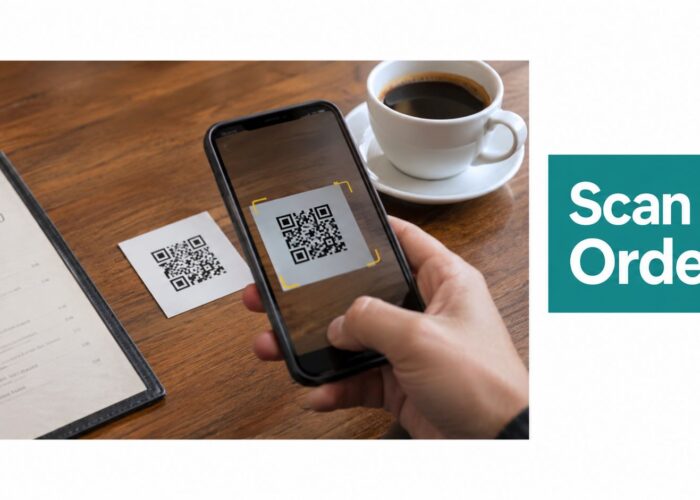
Design the splash page around value. Use brand colors, a clear promise, and mobile-friendly copy. If you want QR-based access at the table or counter, make the scan path obvious and fast.
-
Wire in the automation. Connect portal captures to your CRM and message flows so the guest receives a follow-up without manual work. That's where marketing stops being a one-off capture and becomes a repeatable workflow.
-
Test before opening the floodgates. Use the network during busy periods, not just during quiet hours. If the portal feels fine when the room is empty but breaks once the patio fills up, the launch isn't ready.
If you're mapping the stack against broader campaign tooling, the measuring marketing campaign effectiveness guide helps connect guest Wi-Fi data to the rest of the reporting pipeline.
Measuring Success and Optimizing Your Campaigns

A Wi-Fi campaign does not succeed because the dashboard looks active. It succeeds when you can see where guests stop, what gets a response, and which follow-ups bring them back. The metrics worth watching are the ones that show movement through the funnel, not vanity numbers that sit on a screen.
Track portal completion rate, contact capture rate, new versus returning guests, campaign engagement, offer redemption, and repeat visit trend My WiFi Networks' complete guide. Those figures show whether the login flow asks for too much, whether the offer matches the guest's visit, and whether the follow-up sequence drives another trip. A guest who connects once and never returns is a captured contact, not a converted customer.
One practical operating rule is to treat guests as lapsed after 45+ days without connecting, trigger a re-engagement message 2–4 hours after WiFi disconnection, and use one follow-up email to request a Google Business Profile review. That creates a clear lifecycle instead of scattered blasts. If your team already uses campaign tools in another channel, the same discipline from direct mail campaign management applies here, segment first, message second, measure last.
A Cisco Meraki setup makes measurement easier because the portal, authentication method, and guest session data can be checked against each other instead of guessed at. If you use IPSK or EasyPSK, watch for patterns that show whether authenticated guests stay connected long enough to receive a message, then compare that with repeat visits and review requests. The goal is not more login events, it is cleaner attribution between the guest experience and the business result, which is the same reporting logic you would use in measuring marketing campaign effectiveness.
A useful test is simple. If you cannot tell whether a Wi-Fi signup produced value beyond normal foot traffic, the campaign is only partly measured.
That is the central problem in restaurant WiFi marketing. The primary question is whether the guest Wi-Fi program changes behavior in a way the restaurant can see, repeat, and improve.
Privacy Compliance and Building Guest Trust
A clear data exchange feels fair to guests, while a grabby form feels invasive. If the splash page asks for personal information, it should explain why the data is being collected and how the guest benefits from sharing it. That keeps the login tied to hospitality instead of making it feel like a hurdle.
Privacy matters even more now because the compliance environment keeps tightening. The European Data Protection Board noted that GDPR fines had surpassed €4 billion by early 2025, a reminder that guest-data programs need consent design, not just marketing ambition. A strong approach is to minimize the fields you ask for, make the privacy notice easy to read, and collect only what you plan to use. For a current compliance checklist, avoid marketing compliance pitfalls in 2026 is worth keeping close.
That is the practical trade-off with restaurant WiFi marketing. Ask for less, explain more, and you usually get a better mix of trust and usable data. Ask for too much, and the portal may still work, but the guest experience starts to feel extractive.
A Cisco Meraki deployment makes that balance easier to manage because the portal, authentication method, and guest session data can be checked against each other instead of guessed at. If you use IPSK or EasyPSK, you can watch for patterns that show whether authenticated guests stay connected long enough to receive a message, then compare that with repeat visits and review requests. The point is not more login events. It is cleaner attribution between the guest experience and the business result, which is the same reporting logic you would use in measuring marketing campaign effectiveness.
A useful test is simple. If you cannot tell whether a Wi-Fi signup produced value beyond normal foot traffic, the campaign is only partly measured.
A restaurant does not need to choose between marketing and respect. It needs to make the login feel like part of the service, not a request that interrupts it. Keep the data exchange clear, keep the portal light, and review your process against avoid marketing compliance pitfalls in 2026. Do that well, and Wi-Fi becomes a channel that guests are more willing to use again.