A lot of venue managers know the moment their Wi-Fi has become a business problem. It's when the guest network feels fine at opening time, then turns unreliable as soon as the building fills up. Card payments pause. Staff tablets hang on a loading screen. Students complain in a lecture hall. Guests ask for the password again because they think the issue is login, when the underlying problem is airtime congestion.
That's where Wi-Fi 6 802.11ax changed the conversation. It wasn't built just to make a speed test look better. It was built to make busy wireless networks behave better when lots of devices are active at once. For hotels, retail sites, education campuses, and BYOD-heavy offices, that's a much more useful goal than chasing a headline number.
Why Your Venue Needs a Wi-Fi Upgrade
Older Wi-Fi usually fails in a predictable way. It works well enough when only a few devices are online, then performance drops fast when everyone arrives at once. In a hotel, that can mean guests streaming, staff using handheld devices, and smart room systems all sharing the same airspace. In retail, it's customer phones competing with scanners, POS terminals, and back-office tablets. In education, the pressure shows up the minute a class starts.
Wi-Fi 6, the market name for IEEE 802.11ax, reached the market in 2019 and was designed specifically to improve efficiency in crowded networks, not just top-end speed. Intel notes that its OFDMA technology can reduce average latency from 36 ms to 7.6 ms, roughly a 79% improvement in testing, which is exactly the kind of change busy venues care about when users are competing for airtime at the same time (Intel Wi-Fi 6 overview).
The business issue isn't only coverage
A lot of managers assume weak performance means they need “more signal.” Sometimes they do. But in many sites, signal strength isn't the root issue. The network has coverage, yet users still feel delays because too many devices are taking turns on an older standard that wasn't nearly as efficient under load.
If your team keeps dealing with complaints in busy areas, this practical guide on solving weak WiFi reception in busy venues is worth reading because it separates a true coverage problem from a capacity problem.
Busy Wi-Fi rarely breaks all at once. It degrades in the places that matter most first: check-in desks, lecture halls, tills, lobbies, and meeting rooms.
What venue managers should actually watch
The best trigger for an upgrade usually isn't a technical spec sheet. It's operational friction. Look for patterns like these:
- Guest complaints rising at peak times: The network works in quiet periods, then slows down exactly when the venue is busiest.
- Operational apps lagging: Staff tools, handheld devices, or cloud dashboards become unreliable during rush periods.
- Too many device types on one WLAN: Phones, tablets, scanners, cameras, and IoT gear all want airtime, even when each one only sends small bursts of traffic.
- Login confusion masking performance issues: Guests blame the captive portal or password, but the underlying issue is contention and latency.
That's why a Wi-Fi refresh is often a business decision before it's a technical one. Better wireless means fewer support tickets, smoother customer journeys, and fewer moments where staff work around the network instead of through it.
The Core Upgrade Wi-Fi 6 vs Wi-Fi 5
Wi-Fi 5 did a solid job for many sites, especially when client counts were modest and most traffic was download-heavy. But modern venues don't look like that anymore. Users upload photos, sync apps, authenticate through cloud tools, run collaboration platforms, and keep multiple devices connected at the same time. That shift exposed the limits of Wi-Fi 5 more than was generally anticipated.
What changed in practical terms
A simple way to explain it is this. Wi-Fi 5 was good at moving a lot of data quickly to a smaller number of active users. Wi-Fi 6 802.11ax is better at keeping many users productive at the same time, especially when they're all sending and receiving smaller bursts of traffic.
LitePoint notes that Wi-Fi 6 moves to 1024-QAM, which raises peak data rate by 25% over Wi-Fi 5's 256-QAM, and NXP notes that MU-MIMO expands from 4 devices in Wi-Fi 5 downlink to 8 devices concurrently for both uplink and downlink. Intel and HPE also describe Wi-Fi 6 as delivering up to 4x faster speeds/capacity and up to 75% less latency in optimized conditions (LitePoint on Wi-Fi 6 vs Wi-Fi 5).
Here's the short version:
| Feature | Wi-Fi 5 | Wi-Fi 6 |
|---|---|---|
| Band support | Primarily 5 GHz | 2.4 GHz and 5 GHz |
| Modulation | 256-QAM | 1024-QAM |
| MU-MIMO | Downlink only, 4 devices | Uplink and downlink, 8 devices |
| Dense environment handling | Better than older standards, but limited | Designed for crowded venues |
| Main business value | Speed | Capacity and efficiency |
Why OFDMA is the real leap
Most of the marketing focus landed on speed. The more important change was efficiency. With Wi-Fi 6, the access point can divide a channel into smaller chunks so multiple devices can use it in a coordinated way instead of all fighting for a full-channel turn.
That's why comparisons based only on “how fast can one laptop go” miss the point. A venue manager should care more about whether dozens of users can all stay connected without the network feeling fragile.
For readers who want a consumer-friendly comparison before translating it to venue planning, this guide can help you choose the right Wi-Fi for your home. The same core differences apply, even though enterprise deployment adds more moving parts.
A broader look at how standards have evolved is also useful in Wi-Fi standards on the move again, especially if you're trying to explain the upgrade path internally.
Practical rule: If your building has many active devices, frequent uploads, and lots of short transactions, Wi-Fi 6 is usually a capacity upgrade first and a speed upgrade second.
How Wi-Fi 6 Delivers in Dense Environments
The easiest way to understand Wi-Fi 6 in a busy venue is to stop thinking about raw speed and start thinking about delivery efficiency.
With older Wi-Fi, lots of small requests create waste. A phone checks messages. A scanner sends a quick update. A POS terminal syncs a tiny bit of data. A guest opens a captive portal. Each exchange is small, but each device still has to contend for airtime. Multiply that by a crowded store, a lecture theatre, or a hotel lobby, and the network starts feeling messy.

Think in delivery trucks, not megabits
A good analogy is a delivery fleet.
- Wi-Fi 5 acts like sending a large truck for each small parcel. It works, but it's wasteful in crowded conditions.
- Wi-Fi 6 uses OFDMA like a dispatcher filling one truck with many small parcels for different destinations. More useful work gets done in the same trip.
- The result is lower airtime waste. That matters more than a flashy top-line speed figure in a live venue.
Cisco Meraki's technical guidance explains this well. Wi-Fi 6 introduces OFDMA for data transmissions and allows multiple users to transmit in the same channel using scheduled resource units instead of competing for the entire channel, which is a major advantage in environments full of small packets and many active clients (Cisco Meraki Wi-Fi 6 technical guide_Technical_Guide)).
Why this matters in retail, education, and hospitality
In retail, the pressure often comes from lots of small business transactions happening alongside guest Wi-Fi use. Barcode scanners, payment systems, handheld stock devices, digital signage, and customer phones all share the same environment. OFDMA helps the network process that mixed traffic more cleanly.
In education, it's common to see the pain in large teaching spaces. Every student opens a laptop at the same time. Some stream, some upload coursework, some join a learning platform, and some just browse. The point isn't that every user needs extreme speed. The point is that everyone needs a responsive connection at once.
Hospitality has its own pattern. The evening rush can bring streaming, room-service ordering, staff apps, captive portal onboarding, and roaming from lobby to room all at the same time. That's exactly the kind of workload where better scheduling and airtime efficiency pay off.
Enterprise hardware still matters
Not every Wi-Fi 6 deployment performs the same. AP placement, channel planning, client behavior, and authentication design still decide the outcome. Enterprise platforms such as Cisco Meraki are useful here because they give IT teams central control, visibility, and tools to tune behavior instead of just adding newer radios and hoping for the best.
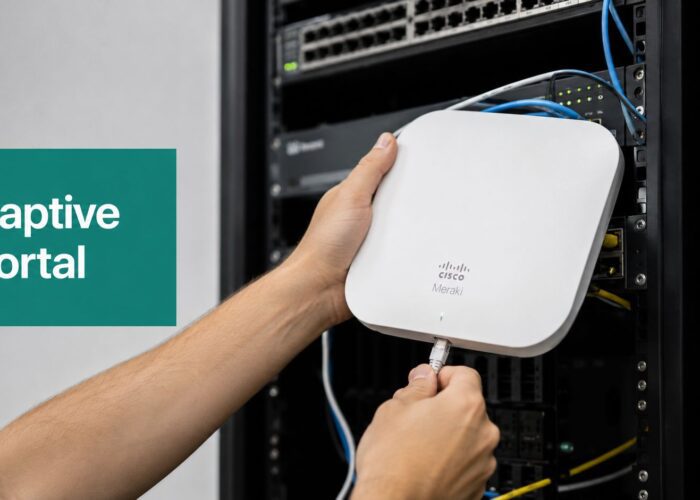
If you're evaluating hardware in that ecosystem, the Meraki MR 44 is the sort of access point many teams consider for business environments where density and manageability matter more than consumer-style headline specs.
If your wireless design is poor, Wi-Fi 6 won't hide it. It gives you a better toolkit, not a free pass.
Setting Realistic Performance Expectations
One of the easiest mistakes in wireless planning is buying into a top-speed story and expecting every user to feel that number. That's not how venue Wi-Fi works.
The ultimate test isn't what one device can do in a quiet room. It's what the whole network feels like when the site is busy. If users can authenticate quickly, stay connected, and complete everyday tasks without visible lag, that's a successful deployment.
Capacity is the metric that matters
Independent measurement backs up that framing. One thesis reported up to 73% higher single-user throughput, 195% better upload capacity, and a 57% outdoor / 280% indoor performance increase over 802.11ac, while also noting that the biggest gains came from features such as OFDMA, MU-MIMO, and BSS coloring rather than raw link rate alone (independent Wi-Fi 6 performance thesis).
That's why speed-test screenshots can be misleading in procurement conversations. They make Wi-Fi look like a race car. In practice, venue Wi-Fi behaves more like traffic management. A well-run road network keeps a lot of vehicles moving smoothly. It doesn't just prove one car can drive fast at midnight.
What good expectations look like
A realistic Wi-Fi 6 project aims for outcomes such as:
- More stable performance under load: Busy periods feel controlled instead of chaotic.
- Better upload behavior: Staff apps, cloud tools, and user-generated traffic stop becoming the weak point.
- Fewer complaints in shared spaces: Lobbies, classrooms, conference areas, and queues stop being predictable trouble spots.
- Better use of existing airtime: The same environment supports more activity with less friction.
If you need to explain this internally, a plain-language primer on what bandwidth means in WiFi can help non-technical stakeholders understand why “more bandwidth” and “better Wi-Fi experience” aren't always the same thing.
What Wi-Fi 6 won't fix by itself
It won't fix bad access point placement. It won't fix weak uplinks, poor VLAN design, overloaded internet service, or badly planned guest isolation. It also won't magically upgrade old client devices.
That honesty matters. Good wireless projects earn trust when expectations are tied to user experience and operational reliability, not hype.
Upgrading Your Security and Guest Access
A Wi-Fi refresh should improve security at the same time it improves performance. That's one reason WPA3 matters in the Wi-Fi 6 conversation. It strengthens the security foundation of the wireless network, but it also forces teams to think more carefully about guest access, onboarding, and mixed-device support.
Wi-Fi 6 introduced mandatory support for WPA3, which improves security. But getting the business value from that change still depends on having a transition strategy for guest networks and BYOD devices, especially when older clients remain part of the environment (Wi-Fi 6 and WPA3 overview).

Stronger security changes how you should design access
A common pitfall for deployments occurs when teams upgrade access points, enable modern security, and then persist with a simplistic guest model that doesn't match how people connect.
A better approach separates audiences and methods:
- Guest WiFi users: Give them a clear captive portal flow with terms acceptance, branding, and the right level of access isolation.
- Staff and managed devices: Use stronger authentication policies and tighter segmentation.
- BYOD users: Keep personal devices off the main internal network while still making access simple enough that users won't fight the process.
- Shared environments such as dorms or flexible offices: Consider credential models that reduce password sharing and improve traceability.
Where captive portals and authentication fit
For guest access, a modern captive portal is doing more than collecting a click-through. In retail and hospitality, social login and social WiFi can support marketing workflows and customer data capture when used transparently and with proper consent. In corporate and education settings, the priority usually shifts toward identity, segmentation, and repeatable onboarding.
For BYOD-heavy environments, IPSK and EasyPSK are practical tools because they let you avoid one shared password for everyone. That matters in student housing, corporate guest programs, and mixed-trust environments where one leaked key can quickly become an operational headache.
A platform such as Splash Access fits here as one option for Cisco Meraki environments because it provides captive portals, guest onboarding, and authentication workflows including IPSK and related access controls for guest WiFi and segmented access.
Security doesn't stop at login
Venues also need to think beyond Wi-Fi access itself. If your site uses connected cameras, sensors, or other wireless devices, their network placement and authentication model should be reviewed alongside the Wi-Fi upgrade. If that overlaps with your physical security plans, this guide on how to install wireless CCTV is a useful operational reference.
You should also understand the security baseline you're aiming for. This explainer on what WPA3 is is a good way to brief stakeholders who know the term but haven't yet translated it into deployment choices.
The right guest experience feels simple to the visitor because the network team did the hard design work in advance.
Your Wi-Fi 6 Deployment Playbook
A successful Wi-Fi 6 project starts long before anyone mounts a new access point. The strongest deployments begin with a business map, not a hardware list. You need to know who connects, where they connect, when they connect, and what has to keep working even when the building is at its busiest.

Start with operational reality
Before choosing models or licensing, get clear on these questions:
- Where does the network fail today: Is it guest access, roaming, payment traffic, lecture hall density, or staff mobility?
- Which devices matter most: Don't design only for smartphones if scanners, POS terminals, laptops, and cameras carry the business.
- What traffic should never mix: Guest browsing and internal operations shouldn't sit in the same risk bucket.
- Which user journey matters most: Fast onboarding in a hotel isn't the same as secure repeat access in a dorm or office.
A practical deployment usually follows this sequence:
| Step | What to decide |
|---|---|
| Assessment | Coverage gaps, dense zones, device mix |
| Design | AP placement, channel strategy, segmentation |
| Authentication | Guest portal, WPA3 posture, BYOD method |
| Pilot | Test real devices in live conditions |
| Rollout | Stage by floor, building, or venue type |
| Validation | Check user experience during peak periods |
Retail deployment priorities
Retail sites tend to suffer when too many functions share the same wireless environment without clear separation. Keep guest WiFi isolated from payment and back-office traffic. Make sure handheld devices and scanners are tested in the exact aisles, stockrooms, and till areas where they operate.
For retail, the checklist usually looks like this:
- Protect POS first: Payment and operational traffic should have predictable access and strict separation.
- Design for queue areas: The front of store often becomes the most congested wireless zone.
- Treat guest WiFi as a service layer: It should support a branded captive portal, social login where appropriate, and marketing use cases without touching core business systems.
- Validate roaming for staff devices: Slow reassociation can feel like application failure to frontline staff.
Education deployment priorities
Education is one of the clearest fits for Wi-Fi 6 because density patterns are so severe. Lecture theatres, libraries, student housing, and communal areas all create different wireless behaviors. The mistake is treating them as one design problem.
In education, good practice often means:
- Lecture spaces need concurrency planning. Many students connect at once, often with multiple devices each.
- Dorms need identity control. Shared passwords don't scale well when residents bring consoles, laptops, tablets, and smart devices.
- Simple onboarding matters. EasyPSK-style workflows can reduce support overhead compared with generic shared credentials.
- Guest access still matters. Visiting parents, contractors, and conference attendees need a controlled path onto the network.
In education, the wireless network is part utility, part security boundary, and part student experience platform.
Hospitality deployment priorities
Hotels and resorts need Wi-Fi to feel invisible. Guests shouldn't need to think about it after they join. That requires more than strong lobby coverage. It means consistent service from reception to room, pool area, restaurant, and meeting spaces.
A hospitality-focused plan should include:
- Smooth onboarding: Captive portal flows should be quick on phones and laptops.
- Roaming consistency: Guests move. Staff move even more.
- Network separation by role: Guest traffic, staff tools, and operational systems should be segmented.
- Support for branded experiences: Social WiFi, vouchering, and customized access policies can align connectivity with guest services.
Corporate and BYOD priorities
Corporate offices increasingly have a split population of managed laptops, employee-owned phones, contractors, and visitors. A single SSID and one shared password doesn't hold up well in that model.
The practical answer is to align wireless access with trust level:
- Managed corporate endpoints: Stronger controlled access, usually with tighter policy.
- Employee BYOD devices: Segmented access with methods such as IPSK to avoid broad internal exposure.
- Visitors and contractors: Guest WiFi through a captive portal, sponsor workflow, or time-bound credentials.
- Meeting rooms and flexible desks: Clear onboarding matters because friction here wastes staff time quickly.
What works and what doesn't
What works is staged deployment, real client testing, and designs that reflect how the building is used.
What doesn't work is assuming Wi-Fi 6 alone will rescue poor design, weak segmentation, or messy authentication. The venues that get the most from Wi-Fi 6 are usually the ones that treat wireless as part of the service model, not just an IT line item.
Your Wi-Fi 6 Questions Answered
Will Wi-Fi 6 work with older devices
Yes. Backward compatibility is one reason many sites can upgrade access points before every client device has been refreshed. Older devices still connect, while newer clients can take advantage of the newer standard. The full benefit grows as more of your fleet supports Wi-Fi 6 features.
Is Wi-Fi 6 just about speed
No. For most venues, the bigger gain is capacity and efficiency. If your building is quiet and has few active devices, the difference may feel modest. In busy environments, the value shows up in smoother guest experience, better staff reliability, and fewer peak-time failures.
Should a venue wait for Wi-Fi 6E instead
Not usually. Wi-Fi 6 remains the practical mainstream upgrade path for many commercial environments. Wi-Fi 6E can make sense in specific scenarios, especially where spectrum availability and very high density justify it, but many venues still have plenty to gain from a well-designed Wi-Fi 6 rollout first.
Does Wi-Fi 6 improve guest WiFi and captive portals
It can, indirectly. Faster and more reliable airtime handling helps the whole onboarding journey feel smoother, especially in crowded areas. That creates a better base for guest WiFi, social login, social WiFi campaigns, and branded captive portal experiences because users spend less time waiting for pages and retries.
Is WPA3 enough for BYOD and guest security
No. WPA3 is part of the answer, not the whole answer. You still need segmentation, a sensible authentication plan, and a way to handle guests, contractors, and employee-owned devices without putting them all in the same trust zone.
If you're planning a Cisco Meraki Wi-Fi 6 rollout and need a cleaner way to handle captive portals, guest WiFi, social login, IPSK, or EasyPSK for education, retail, hospitality, or BYOD corporate use, Splash Access is worth reviewing as part of your design shortlist.