A lot of teams buy better Wi-Fi hardware when the actual problem is the experience around it.
Guests don’t complain that your radios need better spectrum efficiency. They complain that the login page won’t load, that the connection drops in the lobby, or that they have to ask staff for the password again. In a hotel, that lands on the front desk. In a school, it lands on IT. In retail, it lands on the brand.
That’s where the meraki mr 44 is worth a closer look. It isn’t just another Cisco access point with a newer badge. It’s a Meraki Wi-Fi 6 platform built for places where lots of people connect at once, move around, and expect the network to “just work.” If you’re running guest Wi-Fi, BYOD, social WiFi, or secure onboarding with captive portals and authentication tools, the hardware matters. So does the way you use it.
Your Guest Wi-Fi Should Be an Asset Not a Headache
A busy hotel lobby tells you everything you need to know about modern wireless. One family is streaming video while they wait to check in. A business traveler is joining a meeting. Staff tablets are updating room status. New guests are trying to get through a captive portal without delay. If the Wi-Fi stumbles, the whole property feels disorganized.
Schools and retail stores see the same pattern. A school common area fills up between classes and dozens of devices reconnect at once. A retail site gets a weekend rush, point-of-sale traffic spikes, and customers expect guest access without friction. In both cases, poor Wi-Fi becomes a customer experience problem long before anyone calls it a network problem.
The Cisco Meraki MR44 was built for exactly those environments. Meraki positions it for next-generation Wi-Fi in offices, schools, hospitals, shops, and hotels, and its multi-radio design is aimed at RF-challenged spaces. The same Meraki documentation notes that the cloud interface supports minutes-long remote setup, with 24×7 alerts and web-based diagnostics that can reduce downtime by up to 50% in distributed networks, as described in the Meraki MR44 datasheet.
That matters because guest Wi-Fi is part of service delivery now. It affects reviews, repeat visits, staff workload, and how smoothly your captive portal or authentication flow performs.
Good guest Wi-Fi feels invisible. Users notice it only when it fails.
The business win is simple. If your wireless foundation is stable, you can turn Wi-Fi into a useful service layer for onboarding, secure access, branded login, and customer engagement. That’s the same reason many venues now connect wireless design directly to improving customer experience, not just internet access.
What Makes the Meraki MR44 a Powerhouse
The easiest way to think about the Cisco Meraki MR44 is like a well-designed engine. Raw horsepower matters, but control matters more. In crowded environments, the AP that manages airtime efficiently usually delivers the better user experience.
The MR44 is a cloud-managed 2×2:2 + 4×4:4 802.11ax access point with a maximum aggregate frame rate of 2.7 Gbps, and it uses DL-OFDMA, UL-OFDMA, and BSS Coloring to improve spectrum efficiency and support more simultaneous clients, according to Stratus Info Systems on the MR44. For a technical manager, the takeaway is straightforward. This Wi-Fi 6 AP is designed to behave better under load than older APs that start to feel congested when everyone shows up at once.

The radios are doing different jobs
The MR44 doesn’t rely on one radio pair trying to do everything.
- Client service radios: The 2.4 GHz and 5 GHz radios handle user devices. In practice, the 5 GHz side does most of the heavy lifting for modern phones, laptops, and tablets.
- Dedicated security and RF radio: This third radio keeps watching the environment instead of stealing time from client traffic.
- Integrated BLE radio: This supports Bluetooth Low Energy scanning and beaconing, which is useful for location-aware workflows and analytics.
That multi-radio layout is one of the big reasons the MR44 fits guest Wi-Fi so well. A captive portal environment has bursts of activity. Devices probe, associate, authenticate, redirect, and then start normal traffic. An AP that can maintain security visibility and RF awareness without disrupting client service has a real operational advantage.
Why Wi-Fi 6 features matter in the real world
A lot of feature names get thrown around in Cisco and Meraki discussions. The ones that matter most here are the ones that reduce contention.
OFDMA helps the AP divide airtime more efficiently among many devices. That’s useful in a school or hotel where a lot of users generate small, frequent transactions instead of one giant file transfer.
MU-MIMO helps the AP communicate with multiple clients more effectively, especially on the 5 GHz side where the MR44 supports up to 4×4 operation on that band. In a BYOD office or education setting, that translates into smoother service when many active devices share the same AP.
BSS Coloring helps reduce the impact of neighboring wireless overlap, which matters in dense buildings where adjacent rooms or classrooms can hear multiple APs.
Practical rule: Don’t buy a Wi-Fi 6 AP for peak speed alone. Buy it for how calmly it behaves when the room gets crowded.
What this means for captive portals and authentication
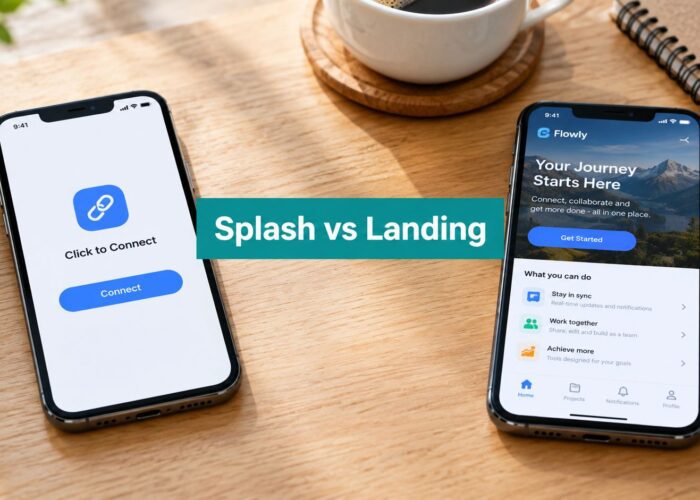
If you’re using a branded splash page, social login, social WiFi, WPA2 onboarding, IPSK, or EasyPSK, the AP has to handle more than internet access. It has to support a predictable onboarding sequence.
That’s where the MR44 shines as a Meraki platform. Cloud management makes it easier to deploy across distributed sites, and the feature set lines up well with guest access designs that need consistent policy and visibility. If you’re evaluating fit with portal-based onboarding, this overview of Meraki access points for guest Wi-Fi is useful because it frames the AP as part of a larger access workflow, not an isolated hardware decision.
Real-World Performance and Coverage Expectations
Datasheet speed doesn’t equal user experience. What matters on site is whether guests can authenticate quickly, whether roaming feels clean, and whether the AP still behaves well when the room fills up.
The MR44 delivers a 3 Gbps dual-radio aggregate frame rate with 2×2:2 MIMO on 2.4 GHz and 4×4:4 MIMO on 5 GHz, and its UL-OFDMA and DL-OFDMA features let it allocate spectrum more efficiently across multiple clients, reducing latency for authentication flows and lowering contention during peak onboarding, as described in the MR44 datasheet PDF from Rhino Networks.
What that feels like on a live network
In a hotel or campus environment, that architecture helps in three places:
| Scenario | What the MR44 helps with | What still needs planning |
|---|---|---|
| Lobby or common area | Smoother concurrent onboarding and less contention when many devices associate at once | AP count and channel planning |
| Retail floor | Better handling of mixed traffic such as guest access and operational apps | Interference from neighboring businesses and building layout |
| Classroom or BYOD office | More orderly performance when many laptops and phones become active together | Proper SSID design and policy separation |
The key point is that the MR44 is optimized for density, not miracles. If you place one AP in the middle of a large, crowded space and ask it to solve every problem alone, the result still won’t be great.
Capacity is not the same as comfort
One of the most common mistakes in hospitality and education is designing for “coverage” and assuming capacity will take care of itself. It won’t. An AP can be visible from far away and still deliver a poor user experience if too many active clients share it.
That’s why it helps to look at practical guidance around client load and office Wi-Fi behavior. This article on Nutmeg Technologies Wi-Fi help is a useful reminder that performance problems usually come from density, interference, and planning choices more than from a simple lack of signal.
In high-density guest Wi-Fi, “can connect” is a very low bar. The real test is whether users can connect, authenticate, and keep working without friction.
For technical managers, the best expectation to set is this: the meraki mr 44 gives you a strong high-density foundation, especially for 5 GHz-heavy client populations. But the building, the application mix, and the way your captive portal behaves will decide whether users call the Wi-Fi “fast” or “annoying.”
Smart Deployment and Placement Best Practices
Placement is where good hardware gets validated or wasted. The MR44 is capable, but it still obeys RF physics. Drywall, elevator shafts, glass, shelving, and crowded ceilings all shape results.

The hardware side is friendly to deployment. The MR44 can draw up to 30W via 802.3at PoE, which keeps installation clean because one cable can handle power and data. That’s especially useful in hotels, schools, and retail chains where consistency matters across many sites. Before rollout, it’s worth reviewing practical network basics like switch placement, cabling paths, and endpoint layout. This guide to IT Cloud Global network services is a solid general planning resource for that stage.
Place for use case, not just floor plan
A corridor hotel design and an open retail floor need different thinking.
- Hotels and resorts: Prioritize room coverage and hallway overlap carefully. Don’t let one corridor AP try to serve both guest rooms and a busy lift lobby if traffic is heavy there.
- Education sites: Focus on capacity in lecture halls, libraries, and common spaces. Coverage in empty rooms is easy. Performance during schedule peaks is harder.
- Retail: Watch reflective surfaces, stockrooms, and neighboring tenant interference. Entrance areas and checkout zones usually deserve more attention than back-of-house storage.
- Corporate BYOD spaces: Place for where people gather, not where the architect left an easy cable drop. Breakout areas and meeting zones often create the sharpest bursts of demand.
Use site survey data, not guesses
A lot of wireless frustration comes from “close enough” placement. That usually means APs are mounted where it’s easiest, then the team tries to tune around bad geometry later.
For Meraki deployments, the right order is simpler. Survey first, mount second, tune third. This is especially important when you expect captive portal redirects, social login workflows, or secure IPSK and EasyPSK onboarding to work reliably across multiple buildings. A proper wireless site survey for network planning helps identify dead zones, overlap issues, and areas where client density will be the limiting factor.
A few practical habits that work
- Design around 5 GHz first: Most performance-sensitive traffic belongs there. Use 2.4 GHz as a compatibility layer, not your main capacity plan.
- Avoid decorative mounting choices: Hidden APs above obstructions or inside enclosures often create more support calls than they prevent.
- Think about user movement: Entry areas, check-in desks, lecture transitions, and break times all create bursts. Place APs where association and roaming events happen.
Unlocking Advanced Guest Wi-Fi and Security
An MR44 with a basic shared password is functional. It’s also underused.
The value shows up when the wireless layer supports secure identity, smoother onboarding, and a login experience that matches the venue. That matters in hospitality, education, retail, and BYOD corporate environments where the network has to welcome visitors without exposing staff systems or creating friction for legitimate users.

The MR44 helps on the infrastructure side because its dedicated third-radio WIDS/WIPS monitors for rogue access points and threats without consuming guest bandwidth, while the integrated BLE function supports location-based analytics such as foot-fall tracking and dwell time, according to the MR44 product summary at Tommy Car Wash. That’s useful for more than security. It supports operational awareness in spaces where guest movement and repeat visits matter.
Why shared passwords stop scaling
A single password seems easy until you have staff, contractors, long-stay guests, student devices, and personal phones all mixing on the same network. Then it becomes a support problem and a security problem.
IPSK solves part of that by giving users or device groups their own pre-shared key instead of one shared credential. EasyPSK approaches are popular for environments that need stronger control than open guest Wi-Fi but don’t want the overhead of full certificate-based onboarding for every device.
That’s particularly useful in:
- BYOD corporate settings where employees need secure wireless access on personal devices
- Education environments where student, faculty, and guest roles should be separated cleanly
- Retail and hospitality where staff devices and guest devices shouldn’t live under the same simple passphrase
Captive portals turn Wi-Fi into a service layer
A captive portal isn’t just a login gate. Done properly, it becomes the front door to your guest network.
That can include branded splash pages, social login, social WiFi workflows, acceptable-use prompts, voucher access, and identity capture that ties into broader marketing or visitor management processes. For hotels and resorts, this can support guest onboarding and premium access models. For schools and co-working environments, it can help distinguish visitors from enrolled users. For retail, it can connect guest access to promotions and repeat visit tracking.
One option in this category is RADIUS authentication for Wi-Fi access, where the focus is on tying secure authentication to Meraki wireless policies rather than relying only on a static guest password. In practice, that’s where a platform such as Splash Access fits. It can sit on top of Cisco Meraki wireless to provide captive portal workflows, secure WPA2 and IPSK authentication, social login, and integrations with tools used for guest management and marketing.
A guest Wi-Fi login should do two things at once. Let the right user in, and keep the wrong user out.
What works and what usually doesn’t
What works:
- Short, branded captive portal flows that load quickly and ask only for information you will use
- Role-based authentication for staff, guests, and managed devices
- Clear policy separation between internet-only users and operational systems
- BLE and analytics used with purpose, such as occupancy awareness or visitor pattern analysis
What doesn’t work:
- Long splash pages overloaded with marketing copy
- One shared password for everyone on site
- Mixing guest access and internal device access on the same loose policy
- Treating security as separate from user experience
The meraki mr 44 gives you the right wireless base. The business value comes from how you layer authentication, captive portals, and analytics on top of it.
Essential Troubleshooting and Maintenance Tips
Even a well-designed MR44 network will get complaints. The trick is to separate symptoms from causes quickly. Most guest Wi-Fi tickets fall into a few repeat categories.

A useful reality check is this: while the MR44 supports over 300 concurrent connections, real-world performance can degrade around 50 to 100 clients depending on application mix. For venues using captive portals, IPSK, and analytics, deployment density needs careful planning to avoid bottlenecks, as noted in the Best Buy MR44 product listing summary.
Complaint one, users say Wi-Fi is slow
Start by checking whether the issue is local to one AP, one area, or one SSID. Slow performance in one lobby corner usually points to RF conditions or client density. Slow performance everywhere may point upstream.
Look for these patterns:
- Crowding on a single AP: Common in common areas, cafeterias, and reception spaces
- Portal delay rather than RF delay: Users often describe a stuck captive portal as “slow Wi-Fi”
- Application mix overload: Video traffic, guest onboarding, and device updates can collide at busy times
Complaint two, users can connect but can’t get online
The login chain holds key importance. Association may be fine while DHCP, DNS, or portal redirection fails. In Meraki environments, that’s often easier to diagnose from the dashboard than from the client alone.
If your onboarding workflow depends on a splash page or authentication redirect, review the guest path end to end. This troubleshooting guide for DHCP server not responding in guest Wi-Fi is a practical reference because it focuses on the part users experience as “the Wi-Fi is broken,” even when the radio side is fine.
Complaint three, users drop or fail to roam cleanly
This is usually a design issue before it’s a hardware issue. AP overlap may be wrong, power levels may be poorly balanced, or sticky clients may be hanging onto a weak signal.
Don’t troubleshoot roaming only from the AP side. Walk the space with a client device and watch where the user actually loses confidence.
A few maintenance habits help keep things stable:
- Use dashboard visibility regularly: Don’t wait for complaints to check AP health, channel use, and client behavior.
- Review authentication flow after changes: Captive portal tweaks can create user-facing failures that look like RF problems.
- Keep firmware strategy deliberate: Cloud management simplifies updates, but schedule them with business hours and user impact in mind.
Most MR44 problems aren’t mysterious. They’re usually density, placement, onboarding flow, or policy design issues wearing a “bad Wi-Fi” label.
Planning Your Meraki MR44 Investment
The Cisco Meraki MR44 makes sense when you need dependable Wi-Fi in environments where guest access, BYOD, and operational traffic all matter at the same time. That includes hotels, schools, retail spaces, healthcare sites, and corporate offices with regular visitors.
Its strengths are clear. The Meraki cloud model simplifies deployment and monitoring. The MR44 hardware is built for modern Wi-Fi behavior, not just legacy coverage thinking. The extra radios add value because security monitoring and BLE use cases don’t have to compete directly with guest traffic.
The trade-offs are also clear. You still need sound AP placement, realistic density planning, and the right switching and power design. You also need to account for the Meraki licensing model because the cloud-managed experience is part of the product, not an optional extra.
For decision-makers, the real question isn’t just “Is the meraki mr 44 a good access point?” It usually is. The better question is whether your organization plans to use Wi-Fi as a basic utility or as a managed service for guests, students, staff, and visitors.
If you only need internet access, the MR44 can handle that. If you want branded guest Wi-Fi, captive portal workflows, social login, secure IPSK or EasyPSK access, and better visibility into visitor behavior, then the hardware becomes much more valuable because it has a platform around it.
If you’re deploying Cisco Meraki wireless and want to turn guest Wi-Fi into a cleaner, more secure experience, Splash Access can help you add captive portals, branded login flows, and authentication options that fit hospitality, education, retail, and BYOD corporate environments.