Monday morning. A parent is trying to connect three devices in a school lobby. A hotel guest wants fast guest WiFi without a call to reception. Store staff are clocking in with personal phones while handheld devices and tablets roam between access points. On the dashboard, your Cisco Meraki network looks healthy. On the ground, the access problem is messy.
That mess usually comes from one old habit. Too many networks still treat access as a password problem when it's really a device identity problem. If every phone, tablet, laptop, scanner, and smart display gets the same Wi-Fi password, you don't know what belongs, what should be isolated, or what should be removed.
Device to device authentication fixes that by making the device part of the trust decision. In guest WiFi, BYOD, education, and retail, that matters because users change constantly while the network stays in place. The goal isn't only to lock things down. It's to let the right device onto the right SSID, with the right policy, without dragging users through a clumsy onboarding flow every time.
Welcome to the BYOD Jungle
In schools, retail chains, and hospitality, BYOD rarely arrives in a tidy way. It arrives all at once. Students return to campus with old tablets and new phones. Shoppers connect in bursts during peak hours. Staff bring personal devices because they need quick access to schedules, inventory tools, or team apps.
The hard part isn't getting devices online. The hard part is deciding which devices deserve trust, for how long, and under what conditions. A student's laptop in a dorm isn't the same as a visitor phone in reception. A manager's tablet in a store isn't the same as a temporary contractor handset.
What the network team is really dealing with
Most IT managers I talk to are balancing three demands at the same time:
- Keep onboarding simple: Guests and staff don't want a help desk ticket just to join WiFi.
- Reduce shared risk: One leaked password shouldn't become everyone's problem.
- Maintain control: You need to revoke, segment, and audit access without rebuilding the whole wireless setup.
That's where device to device authentication starts to make practical sense. Instead of trusting only what the user types, the network also trusts something about the device itself. Sometimes that's a unique key, sometimes a certificate, sometimes an individual pre-shared key tied to a device or user, and sometimes a registration workflow that binds the device to a known identity.
A good BYOD policy framework helps before you touch configuration. If policy is vague, Wi-Fi design gets vague too. You end up with one SSID doing too much and too many exceptions handled by human memory.
The cleanest BYOD networks aren't the ones with the most rules. They're the ones where device trust, onboarding, and revocation were designed together.
In Cisco Meraki environments, that usually means stopping the habit of “one SSID, one password, good luck” and moving toward per-device or per-user credentials that still feel easy on the front end.
Why Your Single Wi-Fi Password Is a Security Risk
A shared PSK feels convenient because it removes friction on day one. It creates friction every day after that. Once the password is known by staff, guests, former staff, contractors, and whoever wrote it on a whiteboard six months ago, it stops being authentication and starts being a rumor.

Why PSK breaks down in real venues
In a hotel or school, a single password causes the same set of problems over and over:
- No individual accountability: You can't tell whether a connection belongs to a current user or someone who learned the password last term.
- Awkward offboarding: When one device should lose access, everyone gets punished with a password change.
- Too much informal sharing: Front desk staff, students, and temporary workers pass the password around because that's the easiest thing to do.
- Weak segmentation logic: If the network only knows one shared secret, applying different policies becomes harder than it should be.
This is one reason the old debate between WPA personal and enterprise keeps coming back in wireless design. If you need a quick refresher, this breakdown of WPA2 Personal vs Enterprise is useful for framing the operational difference.
There's also a deeper architecture issue. Device Authority notes that the choice between shared secrets and phishing-resistant public-key methods is often under-explained. Their practical point is that shared-secret systems move credentials into the network and are easier to intercept or reuse, while device-bound approaches keep the private key on the device and avoid shared secrets on servers in many designs, which changes the risk profile at scale in a meaningful way, as outlined in their guide to IoT device authentication methods and tradeoffs.
The Meraki reality
On Cisco Meraki, a single PSK is easy to deploy. That's exactly why it gets overused. It solves rollout speed, not lifecycle management. The minute you care about guest WiFi onboarding, staff turnover, temporary access, or policy-based segmentation, one password becomes a blunt tool.
Practical rule: If you can't revoke one device without disturbing everyone else, the authentication model is already too coarse.
That's why many Meraki networks move from PSK to IPSK, EasyPSK workflows, 802.1X, or certificate-based options depending on the use case.
Your Modern Toolbox for Device Authentication
Modern wireless authentication isn't one technology. It's a set of tools, each with a different fit depending on who's connecting, how often devices change, and how much management overhead your team can handle.

PSK and IPSK are not the same thing
A basic PSK gives everyone the same secret. An IPSK gives each user or device a unique one. That sounds like a small change, but operationally it's a different world.
With IPSK, you can tie a device or user to an individual credential, apply policy more cleanly, and revoke one identity without touching the whole network. In Cisco and Meraki guest WiFi deployments, that makes IPSK useful for BYOD, temporary staff devices, shared environments, and controlled guest access where 802.1X might be overkill.
EasyPSK style workflows matter because they make that model usable. The security idea only works if onboarding stays simple enough for real people.
802.1X and certificates for stronger identity
When you need deeper identity checks, 802.1X becomes the better fit. It's more structured and usually integrates with identity systems, RADIUS, and certificate workflows. It also asks more from your operations team. If certificate distribution, supplicant behavior, and device support aren't lined up, users will feel every gap.
If your team needs a straightforward primer, this overview of 802.1X authentication is a useful starting point before you map policy to SSIDs.
The reason certificates keep showing up in serious device to device authentication designs is simple. They support mutual proof. A device can prove possession of its private key without exposing it. That's very different from passing around a shared Wi-Fi secret.
Trusted hardware changes the game
In stronger device-based models, the key isn't just stored somewhere on the device like a regular file. It can live in hardware-backed protection. That matters because malware has a much harder time cloning identity when the private key is non-exportable and signing happens inside secure hardware.
For mobile and IoT-heavy environments, the cryptography choice also matters. Intertrust notes that elliptic curve cryptography is particularly effective for IoT and mobile devices, providing the same security as a 3072-bit RSA key with significantly smaller key sizes, which means faster operations and less battery drain, as explained in their article on IoT device authentication.
Device Authentication Methods Compared
| Method | Best For | Security Level | User Experience | Management Overhead |
|---|---|---|---|---|
| PSK | Small, low-risk shared access | Low to moderate | Easy at first, poor over time | Low initially, high when passwords must change |
| IPSK | Guest WiFi, BYOD, segmented access on Meraki | Moderate to strong | Smooth when paired with self-service onboarding | Moderate |
| 802.1X | Managed staff devices, corporate access, education staff networks | Strong | Good after setup, less forgiving during rollout | High |
| Certificate-based mTLS | High-trust device fleets, managed endpoints, specialist environments | Strong | Very smooth once enrolled | High |
| Captive portal with registration workflow | Guest access, social WiFi, short-lived visitor onboarding | Varies by backend auth model | Familiar and simple | Moderate |
What usually works best
A lot of environments don't need one method everywhere. They need a blend.
- Guest WiFi: Captive portal plus a controlled onboarding workflow
- Student or staff BYOD: IPSK or 802.1X depending on support model
- Retail handhelds and managed devices: certificate-based or tightly controlled credentials
- Short-stay or temporary access: QR code onboarding tied to limited duration access
What doesn't work is pretending one SSID and one secret can satisfy every case.
Making It Work with Captive Portals and Guest Wi-Fi
Theory becomes useful in this context. Most venues don't have the luxury of forcing every guest or every student through a heavy enterprise enrollment process. You need something that works in practical applications, on consumer devices, under time pressure, on a Cisco Meraki network that still has to be manageable by a lean IT team.

Captive portal first, device trust next
A captive portal still has a place. The mistake is treating it as the final security layer. It's better used as the front door for registration, consent, policy acceptance, social login, or voucher validation. After that first step, the network should move toward a stronger per-device trust model where possible.
That's why captive portal and IPSK work well together. The user experience stays familiar. The security model gets sharper behind the scenes.
A practical captive portal for WiFi setup can collect the information needed to register a device, assign the right access method, and support guest WiFi without leaving everything on a shared password forever.
Where QR code onboarding fits
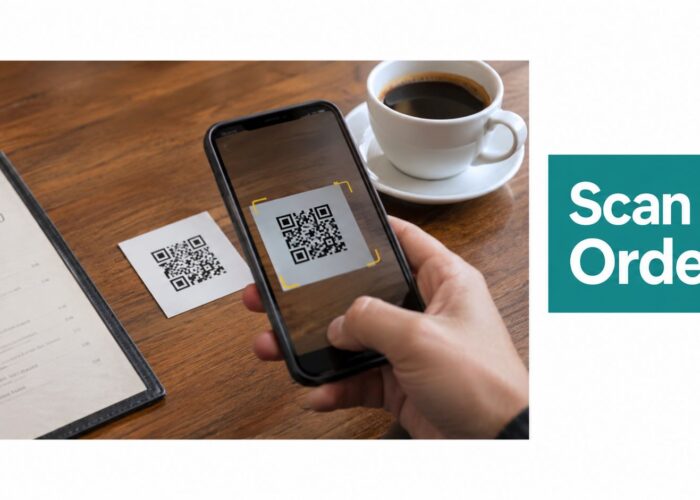
QR code onboarding is one of the cleanest ways to remove friction in hospitality, education, and retail. A student scans a code in residence. A guest scans a card in reception. A temporary worker scans a poster in the staff room. The portal recognizes the workflow, registers the device, and hands off to an authentication method that doesn't require the user to memorize a long key.
IPSK and EasyPSK become practical instead of theoretical in these scenarios. The user doesn't need to understand what an identity pre-shared key is. They just need the device to join securely and reliably.
One option in Cisco Meraki environments is Splash Access, which provides captive portals, QR-based onboarding workflows, and private individual pre-shared keys for guest WiFi and BYOD use cases on Meraki hardware. That combination is useful when you want the smoothness of a portal with the control of unique per-device or per-user credentials.
Why device trust matters even when the login is simple
For short-lived access like guest WiFi or temporary staff devices, device trust still has value even if the user-facing step is lightweight. Oloid explains that modern devices can rely on trusted hardware such as Apple Secure Enclave or Android StrongBox so the device itself becomes a cryptographic factor, which helps prevent identity cloning by malware in these short-access scenarios, as described in their device-based authentication guide.
A simple front-end login doesn't require a weak back-end trust model. That's the design shift many guest WiFi networks still need.
Social WiFi without turning security into marketing theater
Social login and social WiFi can help with guest onboarding, especially in retail and hospitality. But social login alone isn't device to device authentication. It's just an identity or engagement step. The network still needs a policy decision about the device itself.
Use social login when it supports the business flow. Don't confuse it with the security model.
Best Practices for a Secure Device Ecosystem
Strong authentication only holds up if lifecycle management is clean. Most wireless failures aren't crypto failures. They're process failures. Devices linger after a semester ends, old credentials stay active, temporary access never expires, and nobody owns revocation.
Start with revocation, not enrollment
Teams usually focus on how to get devices on the network. Start by deciding how they come off. If a phone is lost, a tablet is repurposed, or a member of staff leaves, you need to revoke access fast and specifically.
That matters because user authentication alone isn't enough anymore. JumpCloud reports that 83% of organizations require employees to use MFA to access resources, yet 28% of users are still targeted by attacks such as MFA Hammering and Adversary-in-the-Middle techniques, which is a good reminder that device-level trust needs to sit alongside user login controls in modern access design, as noted in their MFA statistics roundup.
A practical checklist
- Give every device a lifecycle owner: In schools this might be IT plus student services. In retail it may be IT plus store operations.
- Use unique credentials whenever possible: IPSK is often the sweet spot where you need better control without the full weight of 802.1X.
- Expire temporary access deliberately: Guest WiFi should behave like guest access, not permanent residence.
- Separate onboarding from authorization: A successful portal login shouldn't automatically mean broad network access.
- Plan lost-device response: The help desk should know what to disable and in what order.
If your team is small, outside support can help with the operational side of policy and lifecycle. For solo operators and small firms, a practical read on outsourcing IT management for Sheffield freelancers shows the kind of support model that can take recurring admin work off internal teams.
Watch the old attack paths
Even in venue WiFi, common attack paths still matter. Replay attempts, man-in-the-middle behavior, and reused credentials remain the practical enemy. Shared secrets are particularly awkward here because once they leak, they keep leaking until you rotate them everywhere.
Field note: A network is only as strong as its offboarding routine. If old devices keep connecting, the design isn't finished.
Keep the operating model simple
You do not need the most advanced authentication method on every SSID. You need the method your team can maintain correctly. A smaller school with Meraki APs and frequent BYOD churn might be safer with well-run IPSK plus a clean captive portal workflow than with a half-supported certificate rollout nobody can troubleshoot.
Real-World Blueprints for Education and Retail
The easiest way to judge device to device authentication is to look at where it removes daily pain.

Education BYOD on a busy campus
A college dorm network has two competing demands. Students want simple self-service access across phones, laptops, tablets, and consoles. IT needs to avoid one dorm-wide password that spreads faster than the welcome pack.
A practical design is a Meraki SSID for student onboarding backed by a captive portal. The student authenticates, registers their device, and receives a unique identity-based credential. From there, devices reconnect without repeatedly hitting the portal. If the student leaves or a device is reported lost, IT can revoke only that identity.
For schools working through their access model, this guide to WiFi access for education lines up well with the day-to-day realities of dorms, shared accommodation, and classroom mobility.
Retail guest WiFi plus staff separation
Now take a retail chain. Shoppers want guest WiFi, often through a branded splash page or social WiFi experience. Staff need separate access for work phones, tablets, and store operations. Payment and back-office devices must stay isolated.
The clean design here is not one huge SSID with a shared secret. It's a layered setup:
- Guest SSID: captive portal, social login if useful, isolated internet access
- Staff BYOD SSID: IPSK or another individual identity model
- Managed device SSID: tighter policy for store-owned equipment
- Operational segmentation: traffic rules based on role and device class
What these two examples have in common
Both environments succeed when onboarding is easy and trust is specific. The user experience can still be friendly. QR code onboarding, social WiFi, and captive portal flows all help. But the network gets safer only when each device stops looking identical to the infrastructure.
Building Your Future-Ready Network Today
The big shift is simple. Stop treating Wi-Fi access as a password distribution problem. Treat it as an identity and lifecycle problem.
For Cisco Meraki guest WiFi, BYOD, education, and retail environments, that usually means moving away from one shared secret and toward IPSK, EasyPSK, 802.1X, or certificate-backed device trust, depending on how much control and complexity your team can support. Captive portals still matter. So do social login and QR code onboarding. They just work best when they feed a stronger device trust model instead of replacing it.
Audit your SSIDs. Check how devices are onboarded, segmented, and revoked. If you can identify the gaps in those three areas, you'll know what to fix first.
If you're reviewing guest WiFi or BYOD authentication on Cisco Meraki, Splash Access is worth a look for captive portals, QR onboarding, and IPSK-based access workflows that fit hospitality, education, retail, and corporate environments.