You need WiFi most often when you don't have time to think about WiFi. You're opening a pop-up shop in a unit with no live broadband. You're in a hotel meeting room with unreliable guest access. You're working from a holiday rental and the connection drops the moment you join a call. That's usually when people start searching for how to get wifi temporarily.
The answer depends on who you are. If you're one person with a laptop, your phone, a hotspot device, or an eSIM will often solve it fast. If you run a venue, school, retail site, or BYOD corporate office, the problem changes. You don't just need internet. You need secure onboarding, controlled access, and a login experience that doesn't frustrate guests or staff.
Your Guide to Temporary WiFi Anywhere
A temporary connection can mean two very different things.
For an individual, it usually means getting online in minutes without waiting for an engineer, a router delivery, or a contract. For a business, it means giving lots of people access without turning the network into a free-for-all.
That gap matters. A temporary setup that works fine for one traveler can fall apart in a classroom, retail floor, event space, or hotel lobby. A report cited by MTA Solutions on hotel WiFi pressure notes that 68% of hotels report guest WiFi complaints due to overcrowding and security risks, while many articles still focus on personal hotspot advice instead of venue-scale access.
I've seen this split play out over and over. One person says, "I'll just tether from my phone." Then the same thinking gets applied to a training session, a retail activation, or a shared workspace, and suddenly everyone's fighting over bandwidth and passwords.
Temporary WiFi works well when the method matches the headcount, device mix, and security requirement.
If you're traveling or testing remote work locations, practical planning helps as much as the connection itself. For example, these resources for Madeira digital nomads are useful because they combine location planning with work-friendly expectations, which is often half the battle.
For businesses that need something more structured than ad hoc tethering, managed temporary internet services for venues and events make more sense than handing out one shared password and hoping for the best.
Your Personal Toolkit for Instant Internet
When you need internet right now, three options usually rise to the top. Phone tethering is the fastest. A dedicated hotspot is often more stable. Public WiFi is widely available, but it comes with trade-offs you'll want to think about before you log in.

Use your phone when speed matters most
If your laptop needs a connection for email, cloud docs, or a quick call, your phone's hotspot is the simplest fix. Turn on Personal Hotspot on iPhone or Hotspot on Android, set a password, and connect like you would to any normal wireless network.
This works best when:
- You only need one or two devices connected
- You have a strong cellular signal
- You're online for a short session rather than a full workday
The catch is battery drain and heat. Tethering can chew through your battery fast, especially on video calls or large file uploads. It's handy, but it isn't always comfortable for long stretches.
Dedicated hotspot devices are better for repeated use
If temporary internet is something you need more than once, a portable hotspot or MiFi device is usually the smarter tool. These devices take a SIM or carrier plan and create a separate WiFi network for your laptop, tablet, POS terminal, or a few colleagues.
A good rule is simple:
| Option | Best for | Main trade-off |
|---|---|---|
| Phone hotspot | Fast one-person setup | Battery drain |
| Portable hotspot | Multiple devices and longer sessions | Extra device to carry |
| USB dongle | Laptop-only use | Less flexible for shared access |
Carrier hotspot performance can be strong in the right environment. According to Verizon's hotspot guidance, carrier hotspots achieve 98% uptime in urban benchmarks and outperform public WiFi by 40% in reliability. The same source warns that 70% of users in high-traffic retail environments exceed 20GB per day, which can trigger major speed throttling.
That tells you two things. First, hotspots are often reliable enough for serious temporary use. Second, people underestimate data consumption all the time.
Practical rule: If you'll be doing video calls, syncing cloud folders, or running card payments, assume you'll use more data than you think.
USB dongles still have a place
USB data dongles don't get talked about as much now, but they're still useful. If the only thing that needs internet is a laptop, a dongle keeps setup simple. Plug it in, connect through the software or OS network menu, and get to work.
They're a sensible fit for:
- Single-user desk setups
- Temporary admin stations
- Backup connectivity for staff laptops
They're less useful if you want to connect phones, printers, tablets, and guest devices all at once.
A few setup habits make a big difference
Whichever personal option you choose, do these basics before you rely on it:
- Name the network clearly: Give your hotspot a recognizable SSID so you don't connect to the wrong network in a crowded area.
- Use proper encryption: WPA2 or WPA3 should be enabled whenever the device supports it.
- Test before you travel: Don't wait until you're on-site to discover your SIM isn't activated or your carrier plan has restrictions.
- Bring power: A charging cable or battery pack matters more than people expect.
If you're stepping up from pure personal use and want to understand the hardware side better, this overview of WiFi access points and how they fit into a network helps explain when a simple hotspot stops being enough.
Using Public WiFi Safely Without Surprises
Public WiFi is convenient. It's also where people make the riskiest decisions because the network feels familiar enough to trust.
The problem isn't just slow speed or login pages; the issue is that you usually know very little about who runs the network, how it's segmented, or whether anyone nearby is trying to capture traffic from careless users. Public access can be fine for low-risk browsing, but it shouldn't be treated like your private home connection.

A broad snapshot from Optimum's public WiFi safety article shows why people are wary. 82% of users have security concerns about public WiFi, and 1 in 4 have experienced a data breach on such networks, which has contributed to a 35% rise in secure portable hotspot adoption.
What to do before you log in
Start with restraint. Don't connect just because a network name looks plausible.
Use this checklist:
- Confirm the network name: Ask staff for the exact SSID if you're in a cafe, hotel, library, or airport lounge.
- Prefer HTTPS sites: Your browser should show a secure connection before you enter credentials.
- Turn on a VPN: This is one of the simplest ways to protect traffic on a shared network.
- Disable auto-join: Your device shouldn't reconnect to open networks without your say-so.
What not to do on public WiFi
This matters more than most setup tips.
Avoid:
- Banking and payment logins
- Admin access to business systems
- Sensitive email resets
- Uploading confidential documents
If a task would worry you on someone else's laptop, don't do it on an unknown public network either.
For businesses that want guests to feel safe instead of exposed, properly designed secure WiFi controls and access practices are far better than leaving users on an unmanaged open network.
Exploring Short-Term ISP and Venue Access
Sometimes a hotspot isn't the right answer. If you're staying put for days or weeks, or you're working from a temporary office, apartment, event room, or training venue, you may need something steadier than mobile tethering.
That's where short-term ISP access, paid venue WiFi, and eSIM-based data plans start to make more sense.

When short-term fixed access is worth it
A temporary broadband line or venue-managed internet option works well when you know you'll be in one place long enough to benefit from a more stable base connection. Think month-long projects, serviced apartments, temporary classrooms, or a retail pop-up with fixed opening hours.
The upside is consistency. The downside is availability. Some locations make this easy. Others don't offer flexible contracts, or the lead time is too slow for urgent needs.
Why eSIM has become a practical middle ground
eSIM solves a very common problem. You need data now, but you don't want to wait for hardware delivery or hunt down a local SIM shop.
According to RentnConnect's guide to temporary WiFi with eSIM, eSIM provisioning can reduce setup time to under 2 minutes compared with 1 to 5 days for physical router delivery, and activation success rates exceed 95% in major markets. The same source notes that older phones can still be a compatibility issue.
That makes eSIM especially useful for:
- International travel
- Short hotel stays
- Backup internet when venue WiFi is poor
- Temporary staff who need connectivity without hardware shipping
A fast setup only helps if the device supports it. Check eSIM compatibility before you buy a plan, not after arrival.
For event organizers and venues, this is also the point where individual access methods stop scaling cleanly. If the site needs organized onboarding, guest separation, or branded login flows, purpose-built event WiFi systems and temporary venue access options are a better fit than asking every attendee to fend for themselves.
For Venues Providing Secure Guest WiFi Instantly
Temporary WiFi for a venue isn't just a bigger version of a personal hotspot. It's a different job.
A retail store needs fast guest access without exposing business devices. A school needs onboarding for student and staff BYOD without everyone sharing one password. A corporate office needs guest WiFi that feels easy for visitors but stays separate from internal systems. In all three cases, the weak point is usually the same. Someone tries to solve a temporary demand spike with a flat shared password and no real authentication policy.

Shared passwords break down quickly
The old approach is familiar. Put a password at reception, print it on a sign, and rotate it now and then.
It sounds easy, but it creates avoidable problems:
- No accountability: You can't easily tie access to a person, guest, or device.
- Poor user experience: Staff keep repeating the same code all day.
- Weak separation: One credential spreads far beyond the intended audience.
- Messy revocation: If one user shouldn't have access anymore, you often end up changing access for everyone.
For high-traffic environments, that isn't good enough.
Captive portals clean up the onboarding experience
A captive portal gives users a proper login page instead of dropping them straight onto the network. That login can be branded, simple, and matched to the venue's needs. In practice, this means a hotel can present terms and guest choices clearly, a retailer can offer social login or social WiFi, and an office can route visitors through a more controlled guest flow.
Cisco and Meraki setups are especially useful because they make it easier to pair reliable wireless infrastructure with a front-end experience that users can follow.
A well-built guest flow can include:
- Click-through access for low-friction public access
- Voucher-based login for time-limited visitors
- Social login for marketing-led retail guest WiFi
- Directory-backed authentication for staff and contractors
- BYOD onboarding with clearer policy handling
If you run education, retail, or corporate spaces, this matters because temporary WiFi isn't only about access. It's also about who got on, how long they stayed connected, and whether their devices were handled securely.
IPSK and EasyPSK are stronger than one shared key
For environments where privacy and device control matter, IPSK (Individual Pre-Shared Key) and EasyPSK are a major step up from a single shared password.
Instead of one password for everyone, each user or device gets a unique key. That gives you tighter control and cleaner offboarding. If a contractor leaves, a student device needs removing, or a temporary endpoint should no longer connect, you can revoke that one credential without disrupting everyone else.
That model is particularly helpful in:
- Education: Student devices, staff laptops, temporary classroom use
- Retail: Guest WiFi alongside store systems and connected devices
- BYOD corporate: Visitors, contractors, and unmanaged staff devices
- Healthcare and senior living: Controlled guest access without broad internal exposure
Field note: If the network has guests, staff, and business systems on it, one shared WiFi password is usually the first thing that needs to go.
Data and authentication can work together
There is also a business side to this. Guest WiFi can be operational and useful at the same time, as long as the setup is deliberate.
For example, Digital Avenue's write-up on temporary WiFi planning notes that for venues handling 500+ daily guests, Cisco Meraki-integrated platforms can enable instant captive portals that capture 30% to 50% more customer data via splash pages while supporting secure authentication such as WPA2/IPSK.
That doesn't mean every venue should turn login into a marketing exercise. It does mean the login page can serve more than one purpose when used properly. Retailers may want consent-based customer capture through splash pages. Schools may want cleaner BYOD policy acceptance. Corporate sites may want guest acknowledgement and segmented access. The network touchpoint becomes useful instead of chaotic.
A practical setup often looks like this:
| Venue type | Temporary WiFi need | Better approach |
|---|---|---|
| Retail | Fast guest login plus customer capture | Captive portal with social WiFi and splash page |
| Education | BYOD onboarding with device-specific control | Meraki with IPSK or EasyPSK-style authentication |
| Corporate | Visitor access without touching internal resources | Segmented guest WiFi with controlled authentication |
One option in this category is guest WiFi setup for Cisco Meraki environments, including captive portals, WPA2/IPSK support, and onboarding workflows suited to temporary or high-turnover access. That's a much cleaner fit for venues than trying to stretch consumer hotspot tactics into business use.
What actually works on busy sites
The setups that hold up under pressure are usually the least improvised.
What works:
- Separate guest and operational access
- Use captive portals for onboarding clarity
- Choose IPSK or EasyPSK when device-level control matters
- Match login friction to the audience
- Build around Cisco Meraki hardware when you need fast deployment and manageable policy control
What usually doesn't:
- One password for everybody
- Open guest WiFi with no acceptance flow
- Phone tethering as a venue strategy
- No plan for revoking temporary access
- Assuming all guests behave like trusted users
If you're responsible for the venue, temporary WiFi should feel temporary to the user, not improvised to the operator.
Making Your Temporary Connection A Success
The right temporary WiFi option depends on two things. How many people need access, and how much control you need over that access.
If it's just you, keep it simple. Phone hotspot, portable hotspot, USB dongle, or eSIM can all work well when matched to the job. The smartest move is usually the least complicated one that still gives you enough data, enough battery, and enough security.
If you manage a venue, temporary access needs a different standard. Guest WiFi should be easy to join, but it also needs proper authentication, sensible separation, and a login flow that doesn't create work for staff. That's why captive portals, social login, social WiFi, and device-specific methods like IPSK or EasyPSK make sense in education, retail, and BYOD corporate settings.
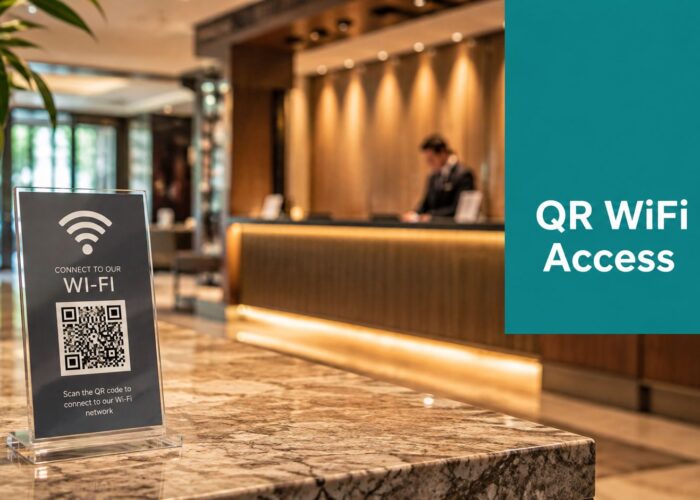
A good temporary setup also supports the wider guest experience. If you run short-term accommodation, these effective vacation rental welcome book ideas are a useful reminder that connectivity instructions, QR access, and login expectations are part of hospitality now, not an afterthought.
The short version is this. Individuals can get connected quickly with the right portable tool. Venues should treat temporary WiFi as a managed service, not a spare password on a noticeboard.
If you need a temporary guest WiFi setup on Cisco Meraki, Splash Access can help you deploy captive portals, social WiFi, WPA2/IPSK authentication, and EasyPSK-style access flows without turning guest onboarding into a support headache. Explore Splash Access to see how it fits retail, education, hospitality, and corporate guest access.