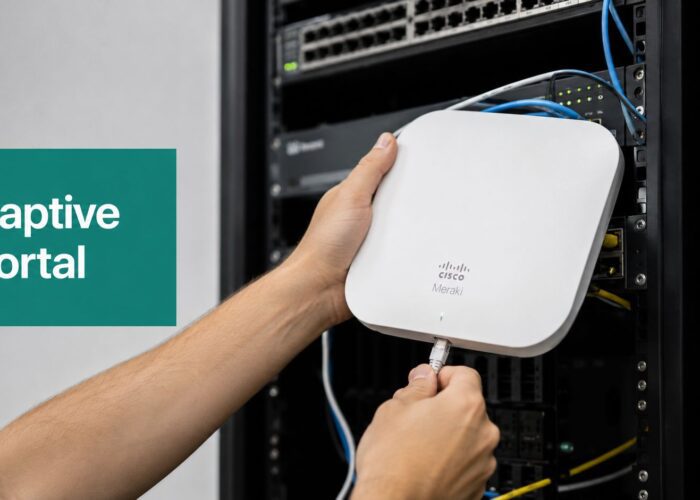
If you're already running Cisco Meraki Wi-Fi, you're sitting on a live stream of business signals. Many organizations still treat that network as basic connectivity. They use it to get guests online, handle BYOD access, and move on.
That misses the bigger opportunity.
A guest Wi-Fi network can also become a practical business intelligence layer. The login experience, the connection patterns, and the movement data around your space can all feed real time analytics reporting that helps teams make better decisions while the day is still unfolding. For retail, that can mean seeing traffic shifts during trading hours. For education, it can mean spotting crowded study zones before complaints roll in. For corporate environments, it can mean managing guest access, events, and workspace usage with more confidence.
The key is turning raw Wi-Fi activity into information people can act on.
What Is Real Time Analytics Reporting
Running a store, campus, or office using yesterday's data is often too slow. If your busiest period started twenty minutes ago, a report sent tomorrow morning won't help your team reassign staff, check service areas, or respond to crowding today.
That's where real time analytics reporting matters. Gartner defines real-time analytics as the discipline of applying logic and mathematics to data to provide insights for making rapid decisions, often within seconds or minutes of data arrival, with the goal of influencing outcomes while events are still unfolding, not just reviewing them later (Gartner definition summarized here).
What real time means in plain language
In business terms, real time doesn't mean “instant magic.” It means your systems are processing live activity fast enough that someone can still do something useful with it.
For a Cisco Meraki environment, that activity may include:
- Guest Wi-Fi joins through a captive portal
- Authentication events through social login, vouchers, email, or directory services
- Movement patterns based on connected devices in different areas
- Usage behavior across locations, time periods, or visitor types
Instead of waiting for a weekly spreadsheet, your team gets a dashboard that reflects what's happening now or very close to now.
Practical rule: Real time reporting is valuable when the insight arrives early enough to change a decision, not just explain it afterward.
Why Wi-Fi is such a useful data source
Most businesses already have visitors carrying connected devices. That makes the Wi-Fi layer unusually useful because it touches customer experience, operations, and access control at the same time.
A branded guest Wi-Fi flow can tell you more than “someone connected.” It can show patterns such as who is new, who returns, when your site gets busiest, and how long people tend to stay. In a Meraki setup, that turns your wireless network from infrastructure into an operational signal.
That's why many organizations look for ways to get more analytics with less infrastructure. They already own the network. The real step is using it more intelligently.
The shift from reporting to operational visibility
Traditional reporting answers, “What happened last week?”
Real time analytics reporting answers different questions:
| Business question | Historical reporting | Real time reporting |
|---|---|---|
| Is traffic up today? | Tomorrow or later | While it's happening |
| Are guests using the network smoothly? | After complaints | During the session |
| Is one area busier than expected? | After review | In time to react |
That's the fundamental change. You stop using data only for hindsight and start using it for live decision-making.
How Live Wi-Fi Analytics Actually Work
The process feels technical until you break it into steps. A live Wi-Fi analytics system is really just a data journey from connection to action.

The five-step data journey
A visitor walks into your location and connects to Wi-Fi from a phone, tablet, or laptop. If you use Cisco Meraki access points, that connection starts at the network edge, where the access point detects and manages the device.
Then the captive portal appears. This is the branded login page that asks the visitor to sign in, accept terms, enter an email, use a voucher, or complete a social WiFi flow. That step matters because it adds context to the connection.
From there, the system can process events such as:
Connection started
The user joins the guest network.Authentication completed
The person signs in through a method you've chosen, such as social login, email capture, sponsored guest access, or directory-based authentication.Session details are recorded
The platform logs the session state, location, timestamps, and access details according to your setup and privacy rules.Data is processed continuously
The reporting layer updates dashboards, alerts, or downstream systems.Teams act on the result
Operations, marketing, or IT can respond while the session or traffic pattern is still active.
Why this architecture matters
Qlik describes effective real-time architectures as a continuous decision loop, combining streaming technologies, real-time databases, and APIs so organizations can act on events without waiting for traditional processing batches (Qlik on continuous real-time analytics).
That idea is especially useful in Wi-Fi analytics. Your Cisco Meraki network produces a steady flow of connection events. A captive portal adds identity and consent layers. The analytics system turns those events into a live operational view.
A dashboard isn't the system. The system is the loop from live event, to processed signal, to human or automated response.
Where Cisco Meraki fits
Cisco Meraki handles the wireless infrastructure. It's the part that makes secure connectivity, device association, and access control manageable across retail stores, campuses, branch offices, and shared spaces.
The analytics value increases when you pair that infrastructure with a platform that can interpret the access journey and present it in a useful way. That's what location analytics for Meraki environments is designed to support.
Here's the practical split:
- Meraki access points collect and manage wireless activity
- Captive portal workflows gather guest interaction data
- Analytics dashboards turn those interactions into live business signals
- Alerts and integrations help teams respond
If readers get stuck here, it's usually because they picture “analytics” as something separate from the network. In practice, the network is the starting point. The reporting layer makes that activity understandable.
Essential KPIs for Instant Visitor Insights
A live dashboard can still be confusing if you don't know which metrics deserve attention. The best real time analytics reporting setups focus on a small group of visitor signals that answer practical business questions.

The KPIs that matter most
Some metrics tell you what happened on the network. Better metrics tell you what was happening in the space.
Footfall
This is the starting point. Footfall helps you understand how many visitors are appearing in your location over a given period.
For retail, footfall helps answer whether a promotion, store layout change, or local event is affecting traffic. On a campus, it helps facilities and student services see which buildings are drawing attention at specific times. In a corporate office, it can reveal how heavily guest areas are being used.
Dwell time
Dwell time looks at how long visitors remain present or connected.
This KPI matters because short visits and long visits mean different things. A short stay in a retail setting might suggest poor engagement, fast task completion, or simple pass-through traffic. A longer stay in a library, lounge, or waiting area might indicate higher demand for seating, support, or bandwidth.
Return visits
A return visitor is often more valuable than a one-time passerby because repeat behavior suggests familiarity and ongoing engagement.
In education, repeat visits to student spaces can indicate which areas are consistently useful. In retail, return patterns can help teams understand loyalty and local traffic behavior. In BYOD corporate settings, repeat guest access may also show which departments or meeting spaces host frequent visitors.
Questions each KPI helps answer
A metric becomes useful when someone can tie it to a decision. This quick view keeps the focus practical.
| KPI | What it tells you | Common business question |
|---|---|---|
| Footfall | Volume of visitors | Are more people arriving than usual? |
| Dwell time | Length of stay | Are people engaging or leaving quickly? |
| Return visits | Repeat presence | Are visitors coming back? |
| Peak hours | Busy periods | When do we need more support or staffing? |
| Session behavior | Connection patterns | Is the access experience smooth? |
Don't confuse activity with insight
A common mistake is tracking only connection count. That number can be useful, but on its own it doesn't say much. A location with many short failed joins may not be performing better than a location with fewer but more engaged sessions.
That's why behavior-focused reporting matters. Patterns such as dwell time, repeat visits, and hourly peaks tell a fuller story than a simple tally.
For teams that want to understand these patterns in more detail, user behavior tracking on Wi-Fi helps connect device activity to actual operational questions.
What to watch first: If your team is new to live reporting, start with footfall, peak hours, and return visits. They're easier to interpret than more technical metrics.
KPI choices by environment
Different spaces should prioritize different signals.
- Retail locations often care most about traffic flow, dwell time, and repeat visits.
- Education environments often need occupancy patterns, busiest zones, and length of stay in common spaces.
- Corporate and BYOD offices usually focus on guest access trends, meeting-day traffic, and whether the onboarding experience causes friction.
The dashboard becomes useful when each KPI is tied to a real decision owner. If nobody is going to act on it, it probably doesn't belong on the front screen.
Unlocking Data with Captive Portals and Secure Access
The captive portal is where Wi-Fi access becomes business intelligence. Without that layer, you may know a device connected. With it, you can understand the type of visitor, the access path they used, and what kind of experience they had.

Why the login layer matters so much
A Cisco Meraki access point can provide the connection. The captive portal adds the business context.
That's where a guest might enter an email address, accept a policy, use a voucher, sign in with a social login, or authenticate through a secure identity system. Each of those choices changes the quality of the reporting you can produce.
For example:
- Social WiFi and social login can support guest onboarding while also helping marketing teams understand audience segments in a consent-based way.
- Email capture can support follow-up communications and audience building when policies allow it.
- Voucher-based access can segment temporary users such as event attendees, hotel guests, or visitors in shared spaces.
- Directory-backed access can separate staff, students, contractors, and guests in a clearer way.
Secure access and richer analytics can work together
Some teams think analytics means weaker security. It doesn't.
In corporate and education environments, access methods like IPSK and EasyPSK are useful because they improve BYOD control while also making reporting more meaningful. Instead of treating every device as a generic user, you can map usage to an access type or user group.
That helps answer questions like:
- Are guest users consuming most of the bandwidth in event spaces?
- Are student dorm devices behaving differently from staff devices?
- Are contractors using the right SSID and policy?
- Is the onboarding process smooth for temporary users?
A captive portal guide for network managers is helpful here because it connects the login experience to both security policy and visitor analytics.
Common authentication approaches and what they reveal
| Access method | Good fit for | Reporting value |
|---|---|---|
| Social login | Guest Wi-Fi in retail, hospitality, events | Audience and engagement context |
| Email login | Marketing-friendly guest access | Consent-based contact capture |
| Voucher access | Hotels, events, temporary visitors | Clear segmentation by visit type |
| IPSK | BYOD, education, managed guest access | Better device-level control |
| EasyPSK | Cisco Meraki environments with secure onboarding | Strong identity-to-access mapping |
One practical option in this space is Splash Access, which supports Cisco Meraki captive portals, guest Wi-Fi onboarding, social WiFi, directory integrations, and secure access methods including IPSK. In real use, that means the portal isn't just a login page. It becomes the point where access policy, consent, and analytics quality meet.
Faster dashboards aren't enough. Better input data is what makes the dashboard worth trusting.
If your current guest Wi-Fi page is just a plain password screen, that's usually the first thing to improve.
Real-Time Reporting Use Cases for Your Industry
Real time analytics reporting isn't equally urgent for every decision. IBM frames the issue around decision latency, meaning the important question is not just how fast data arrives, but how quickly a team needs to act for a specific workflow (IBM on decision latency in real-time analytics).
That idea helps businesses avoid overbuilding. Some situations call for very fast visibility. Others are fine with a short delay.
Retail and shopping environments
A retail manager opens the dashboard late in the morning and sees traffic building faster than usual near the front half of the store. Guest Wi-Fi joins are increasing, dwell time in one area is rising, and another zone looks relatively quiet.
The immediate response might be simple:
- Move one staff member closer to the busier section
- Check whether queue pressure is building near checkout
- Push a location-based welcome message through guest Wi-Fi
- Monitor whether the spike continues or fades
This is where Cisco Meraki guest Wi-Fi becomes operational, not just convenient. The network helps the team react during trading hours rather than reviewing store patterns after closing.
Education and campus environments
A university IT or facilities team often has a different problem. They don't always need second-by-second changes. They need live enough data to help manage student experience.
During a busy study period, the team can watch occupancy trends across libraries, dining spaces, or student commons. If one building starts getting crowded while another remains lighter, they can update signage, shift support staff, or direct students to alternative spaces.
Campus teams often don't need the fastest possible dashboard. They need a dashboard that updates quickly enough to improve service during the day.
That's an important distinction. Real time is only useful when it matches the decision window.
Corporate offices and BYOD workplaces
In a corporate setting, the pressure point is often access and experience. A large client event begins. Guest Wi-Fi usage climbs. Meeting rooms fill up. Temporary users join through a captive portal while employees connect through managed or BYOD policies.
The IT team can use live visibility to answer questions such as:
- Is guest access performing as expected?
- Are event spaces drawing unusual demand?
- Is one floor or zone under more pressure than others?
- Do staff need a temporary change to access policy or support coverage?
This is also where IPSK and EasyPSK help. They let teams separate categories of users more cleanly while preserving a smoother onboarding experience.
The practical lesson across sectors
The value isn't “live data” by itself. The value comes from matching the reporting speed to the decision.
Retail may need quick visibility for queue management and staffing. Education may need minute-level awareness for occupancy and service allocation. Corporate environments may care most about event operations, guest onboarding, and network stability for mixed-use spaces.
If you treat every workflow as needing the same speed, you'll either overcomplicate the system or underuse it.
Best Practices for Accurate and Private Analytics
Fast reporting only helps when people trust the numbers. In visitor analytics, bad inputs can create confident but wrong decisions.

Set realistic expectations for latency
Not every system updates at the same speed. A technically meaningful benchmark for real-time analytics is subsecond to a few seconds of end-user latency for many operational use cases, while some dashboards are better described as near-real-time if they update less aggressively (real-time latency ranges discussed by StarTree and Adobe Analytics).
That matters because teams often label everything “real time” even when the reporting cadence is slower. There's nothing wrong with that if the delay still fits the workflow.
Validate before you react
Piwik notes an important gap in many real-time reporting guides. Teams focus on speed but often skip the rules needed to decide whether a live metric is trustworthy enough to act on, especially in visitor analytics where Wi-Fi quirks can distort footfall data (Piwik on trust and actionability in live reporting).
That's why good practice includes:
- Baseline checks against normal traffic patterns
- Alert thresholds that reduce overreaction to small fluctuations
- Reconciliation rules between live dashboards and later summary reports
- Coverage awareness so teams know where sensor or Wi-Fi visibility may be weaker
Keep privacy built into the workflow
Accuracy isn't enough. Private analytics matter just as much.
A sound setup should include:
- Anonymized or aggregated reporting where appropriate
- Clear consent flows in the captive portal
- Transparent policies for guest Wi-Fi users
- Role-based access so only the right staff can see the right data
- Secure transmission and storage across the reporting chain
For retail, education, and corporate environments, this is especially important because guest Wi-Fi often involves mixed user populations. You may have customers, students, staff, parents, contractors, and event attendees all touching the same wireless estate in different ways.
Live data becomes more useful when teams trust both the signal and the governance around it.
The simplest rule is this. Don't act on a spike just because it looks dramatic. Check whether it's credible, then decide.
Turning Real-Time Insights into Automated Actions
A dashboard is useful. A dashboard that triggers the next step is better.
Real time analytics reporting reaches full value when your team decides in advance what should happen after a signal appears. That could be a human alert, a workflow, or a message to another business tool.
Start with simple response rules
Teams should begin with a few operational triggers, not dozens. If every minor change causes an alert, staff will ignore the system.
Good starter automations often include:
- Queue or crowd alerts when a location starts getting unusually busy
- Guest onboarding notifications if login completion suddenly drops
- Event support prompts when a meeting area sees heavy guest Wi-Fi use
- Marketing triggers for a first-time visitor or a repeat visitor segment
A webhook-based workflow can connect that reporting layer to outside systems, which is why real-time alerting with webhooks is such a practical next step after dashboarding.
Match the action to the signal
Not every insight should trigger automation. Some deserve human review first.
Here's a simple way to understand this:
| Signal | Best response |
|---|---|
| Sudden crowding in one area | Alert operations staff |
| First-time guest login | Trigger welcome sequence if consent exists |
| Repeat visitor pattern | Add to a loyalty or follow-up audience |
| Unusual access behavior | Send to IT or security review |
This is the same reason many operators in other physical environments focus on decision frameworks, not just data feeds. A useful outside example is how Vendmoore uses data in vending, where the primary gain comes from turning operating signals into repeatable actions.
Avoid two common mistakes
The first is analysis paralysis. Teams build a beautiful dashboard, then nobody owns the response.
The second is overreaction. A short-lived spike in guest Wi-Fi activity doesn't always mean a problem. It may reflect a class break, a lunch wave, or an event intermission.
Use this sequence instead:
- Choose a small set of signals.
- Decide who owns each response.
- Set thresholds carefully.
- Review whether the action helped.
- Adjust the rule if needed.
That's how real time reporting becomes operational muscle rather than just another screen in the office.
If you're ready to turn your Cisco Meraki Wi-Fi into a more useful reporting and guest access system, Splash Access is worth exploring. It supports captive portals, guest Wi-Fi workflows, social WiFi, secure access options like IPSK, and analytics-driven experiences that fit retail, education, hospitality, and corporate BYOD environments.