Outdoor WiFi usually gets attention only after users start complaining. The hotel courtyard drops Zoom calls. The school quad works fine at 7 a.m. and falls apart at lunch. The retail promenade has enough signal to connect, but not enough stability to finish a social login or load a branded splash page.
That’s the pattern I see most often. The issue isn’t just weak coverage. It’s the gap between radio design, authentication, and the guest experience. A meraki external ap can solve the RF side, but only if the deployment is designed around what people are trying to do outside: connect fast, authenticate cleanly, stay online, and move between spaces without friction.
Cisco Meraki is especially strong when outdoor WiFi has to serve real business workflows. That includes guest WiFi with captive portals, staff and student BYOD, social WiFi in retail, and more controlled access with IPSK or EasyPSK in education, hospitality, and corporate environments. The hardware matters. The policy design matters just as much.
Why Your Outdoor Guest WiFi Needs an Upgrade
A lot of outdoor WiFi networks were built as an afterthought. Someone added coverage near the patio, pool, courtyard, or entrance because people asked for it. Then usage grew, devices multiplied, and the network never caught up.
In hospitality, that turns into guests standing under an AP and still failing to complete a captive portal login. In education, students roam out of a building and lose access in the spaces where they gather. In retail, shoppers connect to guest WiFi, but the splash page takes too long, the social wifi journey feels clunky, and the business loses the chance to turn a quick visit into a measurable engagement.
What poor outdoor WiFi actually costs
The obvious cost is frustration. The less obvious one is everything tied to that connection.
- Lost guest engagement means users abandon the splash page before login is complete.
- Weak authentication flows create support tickets, especially when guest access and staff access share the wrong design.
- Bad roaming behavior pushes devices to hang onto the wrong AP, which makes the network look worse than it really is.
- Missed analytics leave marketing and operations teams blind to how people move through outdoor spaces.
Consumer gear struggles here because outdoor guest WiFi isn’t a basic home network problem. It’s a density problem, a policy problem, and often a placement problem all at once.
Outdoor WiFi fails most often when teams treat it like a coverage project instead of a user journey.
The difference matters. If the network supports the signal but the captive portal is awkward, users still think the WiFi is bad. If the splash page looks great but the AP placement causes interference, the login experience still falls apart. That’s why a proper Cisco and Meraki design has to connect hardware, RF behavior, and authentication into one plan.
The new expectation
By now, people expect outdoor connectivity to work the same way indoor connectivity works. They don’t care that the AP is mounted on brick, exposed to weather, or serving a crowd. They care whether the network loads, authenticates, and stays stable.
That’s where the meraki external ap fits. Not as a standalone box on a wall, but as the foundation for secure guest WiFi, social login, BYOD onboarding, and IPSK-based access that works in the places people use most.
Understanding Cisco Meraki External APs
Cisco Meraki external APs are built for environments where ordinary WiFi designs break down. Think hotel pool decks, resort walkways, outdoor dining areas, school quads, retail perimeters, and campus courtyards. These aren’t just outdoor spaces. They’re noisy RF environments with a lot of movement, a lot of devices, and very little tolerance for failure.

What makes them different
The simplest way to describe Meraki is this. It behaves like a self-tuning wireless system that you manage centrally instead of babysitting device by device.
Meraki external access points are engineered for high-density environments and have been proven to support more than 100 users per access point, while each AP continuously monitors its surroundings and the cloud management tunnel stays around 1 kbit/s according to Cisco Meraki wireless engineering material at this Meraki MR WiFi engineering reference.
That matters in practice because outdoor environments change constantly. A busy entrance at noon doesn’t look like the same RF environment at 8 p.m. Meraki APs react to that instead of forcing you to manually chase every shift in channel conditions.
What the AP is watching all the time
A well-designed meraki external ap isn’t just transmitting. It’s observing the air around it and adjusting.
It continuously measures things like:
- Channel utilization so the network can see when airtime gets crowded
- Signal strength to understand how clients are hearing the AP
- Throughput and client conditions across the local environment
- Signals from non-Meraki APs
- Non-Wi-Fi interference that can wreck performance even when coverage looks fine
That’s one reason Meraki works well in guest-heavy outdoor areas. You don’t always control the RF around your venue, but the platform is designed to keep adapting.
Practical rule: If an outdoor deployment needs constant manual channel babysitting, something is wrong with the design, the placement, or both.
Why cloud management helps outside
Outdoor sites are usually the ones teams least want to troubleshoot in person. A cloud-managed architecture helps because it removes the old controller bottleneck and gives you one place to manage wireless behavior, security, and client visibility.
For teams deploying branded guest journeys, the hardware and experience converge. You can pair outdoor AP coverage with captive portal policy, authentication logic, and analytics workflows without building a management mess. If you're evaluating that path, Meraki access point integrations for guest WiFi show how the AP layer ties into portal-driven access.
This is the key benefit. Cisco Meraki external APs don’t just extend signal outdoors. They create a stable base for secure onboarding, guest segmentation, and the kind of WiFi experience users stop thinking about because it works.
Choosing Your Meraki External AP and Antenna
Picking the right outdoor AP starts with one question. What is this space supposed to do?
A resort pool zone with heavy guest login traffic has different needs than a school courtyard, a co-working terrace, or a retail entrance. Too many buyers compare outdoor APs by raw speed alone. In the field, enclosure rating, radio design, mounting options, and antenna control usually matter more.
MR86 versus MR78 in real deployments
The Cisco Meraki MR86 is the stronger fit when the outdoor area is busy, exposed, and expected to carry serious guest traffic. It’s a cloud-managed 4×4:4 802.11ax outdoor access point with up to 3.55 Gbps aggregate throughput, and its IP67-rated enclosure plus 802.3at PoE requirement make it a practical choice for demanding hospitality and retail environments, as detailed in the Cisco Meraki MR86 datasheet.
The MR78 fits a different profile. It’s compact, easier to place in smaller outdoor zones, and makes sense where the objective is reliable coverage in moderately dense spaces rather than brute-force capacity.
Here’s the quick comparison.
Meraki External AP Model Comparison
| Model | Aggregate Throughput | Radios | Ideal Environment | PoE Requirement |
|---|---|---|---|---|
| MR86 | 3.55 Gbps | 2.4 GHz, 5 GHz, BLE, security scanning radio | Hotels, resorts, retail centers, campuses | 802.3at PoE |
| MR78 | 1.5 Gbps | 2.4 GHz, 5 GHz, integrated BLE/IoT radio | Co-working patios, courtyards, smaller outdoor spaces | PoE (30W) |
If you’re comparing form factors for exterior coverage, outdoor access point deployment options are useful when mapping AP choice to venue type.
What the specs actually mean
Teams don’t need a lecture on modulation rates. They need to know what will work.
Use the MR86 when:
- Density is unpredictable and the AP may need to handle bursts of guest devices.
- The venue is weather-exposed and hardware resilience matters.
- You want richer radio tooling including the dedicated security scanning approach.
Use the MR78 when:
- The space is smaller and aesthetics or mounting flexibility matter.
- The budget is tighter but the network still needs modern WiFi 6 behavior.
- You’re covering patios, courtyards, or perimeter spaces rather than a heavy outdoor congregation point.
Antenna choices are where outdoor WiFi gets won or lost
Many outdoor projects drift off course at this point. Teams buy a strong AP and then mount it with the wrong antenna strategy.
Antenna selection should follow the shape of the space:
- Omnidirectional coverage works for open gathering zones where users surround the AP.
- Directional coverage makes more sense along building edges, walkways, or focused service areas.
- External antenna models are useful when you need to shape the cell instead of flooding the area.
What doesn’t work is treating wall-mounted outdoor APs like ceiling-mounted indoor APs. That usually causes coverage spill, more co-channel interference, and sticky clients.
If your outdoor cell is reaching far beyond the area you intended to serve, that isn’t better coverage. It’s often the beginning of a roaming problem.
For hotels, education, and retail, antenna planning should support the user flow first. Where do people enter? Where do they pause? Where do they authenticate? Where do you need social login or IPSK to work without retries? Those questions drive better AP and antenna decisions than speed specs alone.
Essential Design and Installation Practices
An outdoor wireless design can look perfect on paper and still disappoint on day one. Most failures come from installation shortcuts, not from the AP model itself.
Mounting height is a common example. Teams go too high because the position is convenient for cabling or security. The result is a wider cell than they wanted, weaker client experience at ground level, and more overlap with neighboring APs.

Start with power and cabling
Outdoor AP work gets messy fast when power planning is an afterthought. Before the first bracket goes on a wall or pole, confirm the switching and cabling path can support the AP you chose.
Check these first:
- PoE budget: Don’t assume the switch can support every outdoor AP at full capability just because the port comes up.
- Backhaul quality: Outdoor wireless problems often turn out to be cable path or uplink problems.
- Environmental protection: Use appropriate weather protection for terminations, not just the AP enclosure itself.
If the site still needs a proper wireless plan before installation, a wireless network site survey is usually the cheapest way to avoid expensive repositioning later.
Placement rules that hold up in practice
A few habits consistently improve outdoor Meraki deployments.
First, mount for the user plane, not for installer convenience. The AP should serve the area where people stand, sit, queue, study, or shop.
Second, avoid spraying RF into places you don’t want clients connecting from. Retail storefronts often bleed signal into parking zones. Campuses often overshoot courtyards into adjacent pathways. Both problems create bad roaming.
Third, wall-mounted installations need extra care because the pattern rarely behaves the way non-wireless teams expect.
A common but under-documented issue is antenna tilt on wall-mounted external APs in dense venues. Meraki documentation suggests tilting directional antennas, and field guidance indicates a 20 to 30° downward tilt can reduce co-channel interference and improve automatic RF optimization, based on the Cisco Meraki antenna FAQ.
What usually goes wrong
Outdoor projects often fail for very ordinary reasons:
- Too much height: Great for visibility, poor for controlled client coverage.
- Wrong orientation: The AP is mounted cleanly, but the intended coverage pattern is wrong.
- No edge planning: The cell extends into roads, neighboring tenants, or unused campus space.
- Install-first, tune-later thinking: That usually leads to repeated truck rolls.
Mounting an AP higher does not automatically improve service. It often just makes the mistake larger.
For hospitality and education sites, I’d rather see a lower, more controlled placement with intentional overlap than a dramatic high mount that creates broad, messy coverage. Outdoor WiFi rewards precision.
Configuration Best Practices for Guest WiFi
Good hardware can still produce a bad guest experience if the SSID design is sloppy. Teams either build a network that feels deliberate, or one that turns every login into a support issue.
The first rule is separation. Guest users, staff devices, operational systems, and BYOD traffic shouldn’t be lumped into one broad policy. Cisco Meraki makes it straightforward to build segmented wireless services, but the design choices still matter.

Build separate wireless experiences
A strong outdoor guest WiFi design usually starts with distinct SSIDs and clear intent.
- Guest SSID: For visitors, short dwell users, event users, and social wifi access.
- Private staff SSID: For managed devices or known personnel.
- BYOD-focused SSID: For student, faculty, resident, contractor, or corporate personal devices where policy is different from open guest access.
That sounds simple, but too many sites combine all three and then try to fix the mess with splash pages alone. Captive portals are not a substitute for proper segmentation.
Use authentication that matches the audience
Open guest WiFi with a captive portal still has its place, especially in hospitality and retail. But it shouldn’t be the only pattern you use.
What works better depends on the environment:
- Click-through or branded portal access works for casual guest journeys where ease matters most.
- Social login fits marketing-led environments that want user engagement tied to WiFi onboarding.
- IPSK or EasyPSK-style onboarding fits education, residential, and shared spaces where each user or device needs cleaner accountability.
- Enterprise authentication suits corporate and faculty use where identity systems already exist.
If you want a practical walkthrough for the AP-side setup, how to configure an access point for managed guest access is relevant to the wireless configuration stage.
Tune for performance, not just access
Guest WiFi isn’t finished when users can authenticate. It’s finished when the network stays usable after they connect.
Priorities that usually pay off:
- Traffic shaping: Keep recreational traffic from overwhelming business-critical use.
- Firewall isolation: Don’t let guest devices see things they never should.
- Layer 7 awareness: Useful when certain app classes need priority or restrictions.
- Roaming sanity: A cleaner RF design plus sensible SSID use usually beats endless band-steering tweaks.
A common field issue in dense wall-mounted deployments is antenna positioning. Guidance from Cisco Meraki’s antenna documentation indicates that a 20 to 30° downward tilt can help reduce co-channel interference in these scenarios, which is why I treat mounting geometry as part of configuration, not as a separate job.
Configuration can’t rescue a bad RF design, but it can absolutely make a good RF design feel polished.
For guest-heavy venues, the smoothest outcome comes from aligning SSID purpose, authentication type, portal behavior, and radio design so the user never feels the complexity behind it.
Unlocking Value with Captive Portals and Authentication
Outdoor WiFi stops being a utility and starts doing actual business work at this point.
A meraki external ap gives you coverage and control. The captive portal and authentication layer decide what that coverage means to the user. Is it a dead-simple guest network? A branded social wifi journey? A controlled BYOD service? A secure resident or student onboarding flow using IPSK? Those are very different outcomes, even when they run on the same outdoor AP estate.

Captive portals shape the first impression
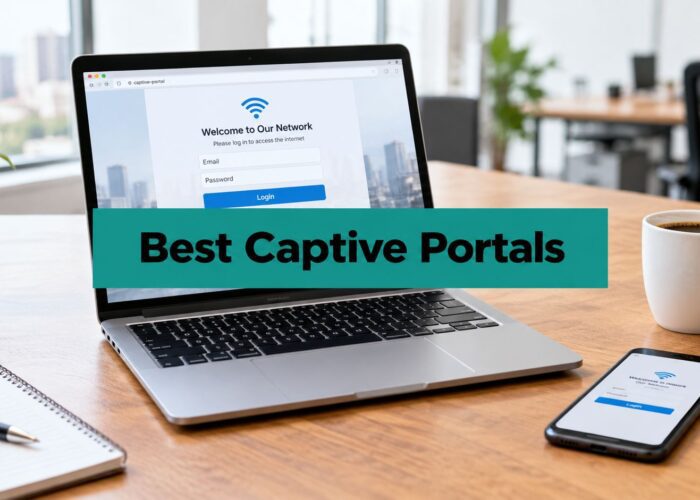
The captive portal is often the first real interaction a guest has with your network. If it’s slow, clumsy, or inconsistent across devices, the whole service feels unreliable even when the RF is solid.
A good portal should do a few things well:
- Brand the connection experience so it feels intentional
- Match the venue type rather than forcing the same login flow everywhere
- Support the right access path such as click-through, vouchers, social login, or identity-based methods
- Hand off quickly so users aren’t stuck re-authenticating or waiting on redirects
In retail and hospitality, social login and social wifi can help tie guest access to marketing workflows. In education and corporate BYOD, the same approach usually isn’t appropriate. Users need cleaner identity mapping and more controlled access methods.
IPSK and EasyPSK solve a real operational problem
IPSK earns its place in these situations. In student housing, co-working environments, senior living, and mixed-use sites, a single shared password becomes a support and security headache. Individual pre-shared keys give each user or device its own access credential while keeping onboarding much simpler than full enterprise enrollment.
That’s especially useful outdoors because people don’t always connect from a desk with IT nearby. They connect from a courtyard, a dorm entrance, a terrace, or a guest area. The authentication model needs to be simple enough to work there.
EasyPSK-style workflows are practical because they reduce the chaos of password sharing without forcing every user into a heavyweight enrollment path. That’s a good fit for education, retail operations teams, and corporate guest access with repeat visitors.
Analytics turn guest access into operational insight
Meraki’s Location Analytics and Scanning API enable real-time visitor statistics including capture rate, dwell time, and repeat visits, and the Dashboard API includes over 1300 operations for deeper integrations according to Cisco’s Meraki location services solution guide.
That matters because outdoor WiFi can tell you more than who connected. It can help teams understand movement, engagement, and return behavior in a way that maps directly to venue operations.
For example:
- Retail teams can compare passerby activity to actual engagement near storefront zones.
- Hospitality teams can examine usage patterns across pool, terrace, and event spaces.
- Education teams can understand how outdoor study and common areas are really being used.
- Corporate teams can separate occasional guest access from recurring BYOD behavior.
One platform that fits into this layer is Splash Access captive portal workflows for Cisco Meraki, which supports external captive portal use, branded splash pages, and authentication options including IPSK and EasyPSK.
Security still has to lead the design
Guest WiFi should feel easy, not careless. If a venue handles public access without proper separation and policy, it invites unnecessary risk. For teams explaining that risk internally, this overview of the dangers of public Wi-Fi for business data is a useful plain-English reference.
The best guest WiFi designs feel simple to the user because the complexity is handled behind the scenes.
This forms the essential link between Cisco and Meraki hardware and business value. The AP gets users connected. The captive portal, social login path, and authentication design decide whether that connection supports marketing, operations, compliance, or all three.
Deployment Scenarios for Your Industry
The right outdoor design looks different in each sector. The AP might be the same family, but the user journey changes everything.
Education and campus BYOD
A college campus usually needs more than open guest WiFi. Students expect their devices to work across quads, dorm-adjacent outdoor areas, and common spaces without repeating the same login dance every day.
That’s where IPSK is often the better answer. It gives students and residents a cleaner onboarding path than a shared password model, while the school keeps guest, faculty, and operational traffic separated. For outdoor zones near residence buildings, the goal is consistency. Not just signal.
A strong education design usually includes:
- Guest access for visitors
- A separate BYOD path for students
- Private authentication for staff and managed devices
- Policy separation that follows the user role, not just the SSID name
Retail and hospitality outdoor engagement
Retail and hospitality usually care about the front-end experience first. The login flow needs to be fast, branded, and easy on a mobile device.
That makes captive portals and social wifi particularly useful around storefronts, promenades, patios, cafes, and pool areas. Guests don’t want friction. The business does want measurable engagement and cleaner insight into who passed by, who connected, and who returned later.
In these environments, success usually depends on combining three things:
- Controlled RF coverage so the WiFi serves the intended space
- A simple portal flow that doesn’t create drop-off
- Authentication matched to user type, especially where staff and guests share the same outdoor footprint
Corporate, co-working, and senior living
These sites often need a middle ground between ease and control. A co-working patio, for example, may need fast guest access for visitors while regular members use a more persistent authenticated service.
The Cisco Meraki MR78 is a strong fit for those moderately dense outdoor spaces because it offers 1.5 Gbps throughput in a compact design, and its Wi-Fi 6 features such as BSS Coloring can mitigate co-channel interference by 50%, according to the Cisco Meraki MR78 product page.
In shared environments, the best wireless design usually gives different users different doors into the same network estate.
That’s why corporate BYOD, visitor access, contractor onboarding, and resident connectivity shouldn’t all rely on one guest SSID. Meraki outdoor deployments work best when the industry use case drives the authentication model from the start.
Bringing It All Together for a Superior Experience
A good outdoor network isn’t just an AP on an exterior wall. It’s hardware selection, antenna choice, mounting discipline, RF design, segmentation, and authentication working together.
That’s why the best meraki external ap deployments don’t start with spec sheets alone. They start with the user journey. Where do people connect? What type of access do they need? How should guests authenticate? Which users belong on IPSK, EasyPSK, social login, or a more private BYOD workflow?
Cisco Meraki gives you the wireless foundation. The actual outcome depends on whether the deployment turns that foundation into a clean experience for guests, students, shoppers, residents, and staff.
If the network is stable but the portal is clumsy, users still feel the failure. If the splash page looks polished but the RF design is sloppy, the same thing happens. The strongest results come when coverage, policy, and onboarding are designed as one system.
That’s how outdoor WiFi stops being a complaint magnet and starts supporting the business properly.
If you’re planning a Cisco Meraki guest WiFi rollout and need captive portal, social wifi, IPSK, or EasyPSK workflows that fit hospitality, education, retail, or BYOD corporate use cases, Splash Access is worth evaluating as part of the design.