You offer guest Wi Fi because people expect it. Shoppers want to browse while they compare products. Parents need access during school events. Staff and contractors bring personal devices into the office and want a quick connection. The problem is simple: the moment you open internet access to visitors, you also create a path that can be abused if the network isn't designed carefully.
That's where firewall and internet security stop being technical jargon and start becoming part of daily operations. A firewall helps decide what traffic should be allowed, what should be blocked, and how far a problem can travel if a guest device is infected or misused. For a retail store, that can mean separating guest browsing from point of sale systems. For a school, it can mean keeping student devices away from administrative records. For a BYOD workplace, it can mean letting personal phones connect without exposing internal business tools.
The need is not theoretical. The global network security market was valued at USD 19.5 billion in 2022 and is projected to reach USD 61.1 billion by 2032, with a 12% CAGR from 2023 to 2032, while about 63% of businesses worldwide have experienced at least one ransomware attack and 70% were considered at risk of a material cyberattack within the next 12 months in a 2024 global CISO survey, according to network security market data from GM Insights.
If you're also thinking about physical and digital protection together, it helps to look at both sides of the problem. A practical example is this guide to best smart home security systems 2026, which shows the same basic principle: convenience works better when access is controlled, monitored, and designed on purpose.
Your First Line of Digital Defense
A firewall is often the first serious control between your network and the wider internet. That matters most when you run guest Wi Fi, social Wi Fi, or a captive portal that invites unknown devices onto your premises every day. You may trust your staff and your customers, but you can't trust every phone, tablet, or laptop that connects.
Why guest access changes the risk
A private office network with company-managed devices is one thing. A guest network is different because:
- You don't control the device health. A visitor's laptop could already contain malware.
- You don't know user intent. Most guests are harmless, but a network still has to account for misuse.
- You still own the environment. If your network is poorly segmented, the business carries the consequences.
This is why the firewall should never be treated as a checkbox. It's the gatekeeper for internet access, internal access, and policy enforcement.
A guest network should feel easy for the user and strict behind the scenes.
What business owners usually want
Most non-technical teams ask for the same four outcomes:
- Safe guest access without exposing payment, student, or business systems.
- Simple sign-in options like vouchers, passcodes, social login, or branded splash pages.
- Clear separation between guests, staff, and operational devices.
- Low ongoing effort so the network doesn't become a daily headache.
Those goals are realistic. You don't need to choose between convenience and control. You do need a design that puts the firewall at the center, then builds segmentation and authentication around it.
The Core Firewall and Security Concepts
Think of a firewall as a digital bouncer at the door of your network. It checks traffic that wants to come in, and it checks traffic that wants to go out. Some visitors are allowed through. Others are denied. The important part is that the bouncer follows rules, not guesswork.

How firewalls evolved
Firewalls didn't start with the feature set people expect today. In the 1990s, firewalls became a foundational control as stateful inspection emerged. Instead of judging each packet in isolation, stateful inspection checked the state of a connection and made decisions with more context, as explained in Check Point's history of firewall technology.
That shift matters because it changed the firewall from a simple traffic filter into a policy-driven control. If you want a plain-language explanation of that middle step, this overview of a stateful firewall is useful.
Packet filtering, stateful inspection, and NGFWs
Here's the simplest way to tell them apart:
| Firewall type | What it checks | Good at | Limitation |
|---|---|---|---|
| Packet filtering | Basic headers such as ports and protocols | Simple allow or block decisions | Can miss what's happening inside allowed traffic |
| Stateful firewall | Header information plus connection state | Smarter decisions about legitimate sessions | Still limited if threats hide at the application layer |
| NGFW | Connection state, application identity, deeper inspection, intrusion prevention | More control over modern internet traffic | Requires thoughtful policy design |
Modern next-generation firewalls, or NGFWs, go beyond ports and IPs. They add stateful inspection, application identification, deep packet inspection, and integrated intrusion prevention, which allows them to block malicious payloads hiding inside otherwise allowed traffic such as HTTPS, according to Palo Alto Networks' explanation of firewall types.
That's the difference between saying, “web traffic is allowed,” and saying, “this specific application behavior is allowed, but suspicious activity inside that session is not.”
Why this matters for Cisco and Meraki environments
If you use Cisco infrastructure or Cisco Meraki for wireless and security, this matters because the admin experience tends to center on policy. A modern firewall isn't just a box you plug in. It's a set of rules about apps, users, networks, and exceptions.
For small and midsize organizations that want a more approachable explanation before they buy or redesign, this guide to a network firewall for SMBs is a useful companion.
Older firewall thinking focused on doors and walls. Modern firewall thinking focuses on identity, apps, and behavior.
Common Threats Lurking on Guest Wi Fi
Guest Wi Fi feels harmless because the user experience is familiar. Open the laptop, join the network, accept the splash page, start browsing. But the threats on a guest network usually don't announce themselves. They hide inside normal-looking activity.

The risks people run into most often
A retail environment, school campus, or corporate lobby usually sees a mix of managed and unmanaged devices. That creates a few recurring problems.
- Eavesdropping and interception. If a network is poorly protected, attackers may try to observe traffic or trick users into joining a lookalike network.
- Malware from infected devices. A guest device may already be compromised before it ever connects.
- Phishing over trusted-looking access. People assume a business network is safer than it really is, which lowers their guard.
- Lateral movement. If the guest network is not isolated, one bad device may probe for printers, staff laptops, file shares, or business applications.
A school administrator usually worries about student safety and record access. A retailer worries about payment environments and store operations. A BYOD office worries about keeping personal devices separate from internal tools. Different settings, same underlying issue: an untrusted device should not be able to wander.
Why encrypted traffic complicates things
Many people assume HTTPS solves the problem. It helps protect privacy, but it doesn't remove the need for inspection and policy.
A major challenge for modern firewalls is that much of today's traffic is encrypted. Older firewalls are often blind to that traffic, while newer platforms can inspect encrypted sessions and integrate with threat intelligence and monitoring tools to spot malicious activity in cloud-heavy environments, as described in this guidance on why firewall security needs more than a traditional approach.
That's why a guest network can still be risky even if users mostly visit HTTPS sites. The traffic may be encrypted, but the intent behind it can still be harmful.
A familiar example
A visitor joins a store's free guest Wi Fi through a captive portal. Their phone is fine. Their laptop is not. In the background, the laptop tries to contact suspicious services, scan nearby systems, and exploit anything it can reach. If the network is flat, the damage path is wider. If the guest network is isolated and filtered by a capable firewall, the activity is far easier to contain.
Building Digital Walls with Network Segmentation
Segmentation is how you stop one network from becoming everybody's network. The easiest analogy is a building with keycards. Guests can enter the lobby and public areas. Staff can reach work rooms. Finance can open doors that other employees can't. Nobody gets a master key unless they absolutely need it.

What segmentation really means
In network terms, segmentation often uses VLANs and policy controls to separate groups of devices and traffic. Your guest Wi Fi can live in one segment. Staff laptops can live in another. Point of sale terminals, cameras, printers, or student devices can each have their own lane.
That separation matters because a flat network invites trouble. If a guest device can “see” everything, then the firewall has too much to police at once and too many opportunities for accidental exposure.
A helpful primer on the design side is this guide to network segmentation best practices.
What should be separated
Most organizations benefit from splitting traffic into clear categories like these:
- Guest internet access for visitors, parents, contractors, and short-term users.
- Employee access for staff devices that need business apps and internal systems.
- Operational systems such as point of sale, administrative tools, or back-office services.
- Special-purpose devices like printers, cameras, display screens, or IoT hardware.
The point isn't complexity. The point is limiting blast radius. If one part has a problem, the whole environment doesn't have to share it.
Practical rule: If a guest device has no business talking to a system, don't allow the path just because it's convenient.
Where access control lists fit
Once you create separate rooms, you need rules for the doors. That's where access control lists, or ACLs, come in. ACLs tell the network what can move between segments and what must stay put.
For example:
| Network segment | Can access internet | Can access staff systems | Can access payment or admin systems |
|---|---|---|---|
| Guest Wi Fi | Yes | No | No |
| Staff devices | Yes | Yes, where needed | Limited by role |
| Student or BYOD devices | Yes | Usually limited | No |
| IoT or facility devices | Limited as needed | Rarely | No |
This structure is especially useful in education, retail, and corporate BYOD environments.
In education, student and visitor devices should not mix with administrative records or staff systems.
In retail, guest browsing should never share open paths to store operations.
In corporate BYOD, personal phones and laptops often need internet access, but not broad access to internal business resources.
Segmentation also improves troubleshooting
There's another benefit people don't mention enough. Segmentation makes problems easier to find. When all devices live in one big pool, every issue looks mysterious. When devices are grouped by role, you can isolate and resolve issues faster because you know where the traffic should and shouldn't go.
That's one reason firewall and internet security work better when segmentation is part of the design, not an afterthought.
Secure Guest Access with Modern Authentication
If segmentation controls where users can go, authentication controls how they get in. Many guest networks often fall short in this aspect. Businesses spend time on Wi Fi coverage and very little time on sign-in policy, even though weak access methods create avoidable risk and management problems.
Why open access and shared passwords create trouble
An open network is easy, but it gives you almost no accountability. A single shared password is better than open access, but it creates a different problem. Once too many people know the password, you lose control over who should still have it.
That's why modern guest Wi Fi usually uses one of these approaches:
- Captive portal access with passcodes, vouchers, or form-based login
- Social login or social Wi Fi for marketing-led guest onboarding
- WPA2 or WPA3 Enterprise for credential-based access tied to users
- IPSK or EasyPSK for unique credentials assigned per user or device
If you want the authentication side explained from the wireless access control perspective, this overview of RADIUS authentication for Wi Fi is a good reference.
Guest Wi Fi authentication methods compared
| Method | Security Level | User Experience | Best For |
|---|---|---|---|
| Open network | Low | Very easy | Temporary public access where risk is tightly isolated |
| Shared password | Moderate at first, weaker over time | Easy | Small, low-change environments |
| Captive portal with voucher or passcode | Moderate to strong, depending on setup | Familiar and manageable | Retail, hospitality, events, schools |
| Social login or social Wi Fi | Moderate, with marketing value | Smooth for many guests | Retail and venues focused on engagement |
| WPA2 or WPA3 Enterprise | Strong | More structured | Staff, faculty, and managed user populations |
| IPSK or EasyPSK | Strong and flexible | Easy after onboarding | BYOD, dorms, recurring guests, mixed device environments |
Where each option works best
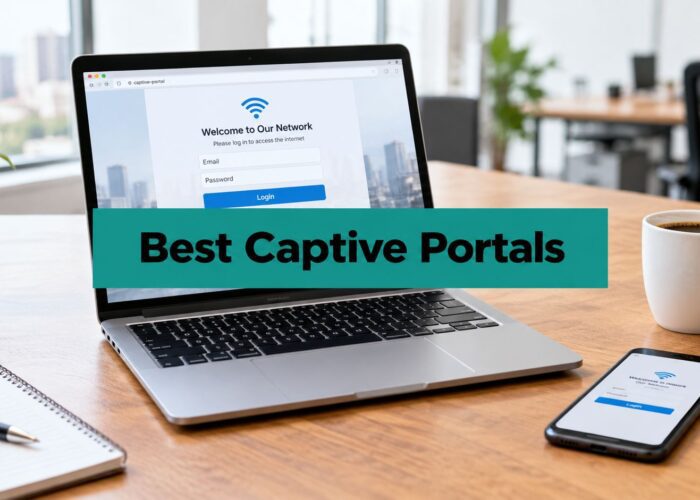
A captive portal is often the best starting point for guest access because it balances usability and control. You can display terms, collect basic details, issue vouchers, or route users through a branded experience. In retail, that can support social login and social Wi Fi campaigns. In education, it can support guest passes for visitors and event attendees.
IPSK and EasyPSK solve a different problem. Instead of giving everybody one password, you assign a unique key to each person or device. That's useful in student housing, corporate BYOD, and extended-stay environments because you can revoke one key without disrupting everyone else.
WPA2 or WPA3 Enterprise is usually the right fit for employees and trusted users who can authenticate with individual credentials tied to a directory or identity provider.
MAC address filtering sometimes appears in older setups, but it should be treated carefully. It can help with certain device-control scenarios, yet it is not a complete authentication strategy on its own.
For guest access, the best method is usually the one that gives users a simple path in and gives administrators a clean path to revoke access later.
Deploying Smart Security with Cisco Meraki and Splash Access
When theory meets practice, complexities arise. Many organizations don't struggle because they lack security intent. They struggle because too many moving parts must be configured together: firewall rules, wireless SSIDs, VLANs, guest access policy, captive portal behavior, and device-specific credentials.
Why centralized management helps
NIST's firewall guidance emphasizes that effectiveness depends heavily on policy quality, rule ordering, continuous validation, testing under peak load, and redundant or failover planning. It also warns that overly broad or stale rules can undermine an otherwise secure deployment, as detailed in NIST Special Publication 800-41 Revision 1.
That's why managed platforms matter. A central dashboard helps teams see the whole environment, not just isolated pieces. In a Cisco Meraki deployment, administrators can typically manage wireless networks, apply segmentation, shape traffic policy, and review security settings from one place. For schools, retailers, and lean IT teams, that reduces the chance that guest Wi Fi grows faster than policy discipline.
A more focused overview of this setup is available in this guide to the Cisco Meraki firewall.
How this looks in real environments
In retail, a Meraki-based network can separate store operations from guest browsing while still presenting a polished captive portal. Marketing teams may want social login, branded landing pages, and consent workflows. IT teams want guest traffic kept far away from operational systems.
In education, administrators often need different access models for staff, students, guests, and dorm residents. Captive portals work well for visitors. Unique credentials such as IPSK or EasyPSK are useful when devices stay on the network longer and need user-specific accountability.
In corporate BYOD, the issue is rarely just internet access. It's deciding which personal devices can connect, what level of trust they receive, and how to remove access cleanly when the user relationship changes.
Where one added platform can fit
For organizations that want to extend Meraki guest access workflows, Splash Access is one option that adds captive portals, social Wi Fi flows, vouchering, and support for secure access models such as IPSK and EasyPSK within Cisco Meraki environments. That makes it relevant when the network needs to be both controlled and user-friendly, especially in guest-heavy settings.
The big idea is simple. Strong firewall and internet security don't come from one feature. They come from combining policy, segmentation, authentication, and manageable operations.
Staying Vigilant with Monitoring and Updates
The most common firewall mistake isn't buying the wrong hardware. It's assuming the job is done after setup. Networks change constantly. Staff roles shift. Temporary exceptions become permanent. Old devices stay connected longer than anyone planned. That's how a sensible design slowly turns into a risky one.
Why maintenance is part of security
Firewall management is also an operational risk problem. Common blind spots include overly permissive policies, misconfigurations, insufficient monitoring, compliance gaps, and weak segmentation, and best practices include regular rule audits, identity-based access, and more granular enforcement, as outlined in this firewall best-practices explainer from Exabeam.
That advice matters on guest networks because exceptions pile up fast. Someone asks for temporary access for an event. A vendor device needs a quick workaround. A printer is easier to leave exposed than to place in the right segment. None of these choices feel dramatic in the moment. Together, they create openings.
A practical review rhythm
You don't need a huge security team to stay disciplined. You do need a repeatable habit.
- Review firewall rules. Remove old exceptions, broad allows, and anything nobody can justify.
- Check segmentation paths. Confirm guest, staff, and operational networks are still separated the way you intended.
- Inspect authentication methods. Retire shared passwords that have spread too widely and prefer identity-based methods where possible.
- Verify logging and alerting. Make sure someone can see suspicious behavior, not just collect logs no one reads.
- Back up configurations. If a device fails or a change goes wrong, recovery should be straightforward.
If your team wants a plain-language overview of what a broader review process looks like, this page on MD TECH TEAM security audit information is a helpful starting point.
What to monitor on guest Wi Fi
Guest networks don't need enterprise theater. They need practical visibility.
A useful checklist includes:
| What to watch | Why it matters |
|---|---|
| Repeated failed logins or unusual onboarding activity | May indicate abuse, confusion, or automated attempts |
| Unexpected traffic between segments | Suggests policy drift or misconfiguration |
| Devices generating suspicious outbound activity | May point to infection or misuse |
| Portal, voucher, or social login issues | Affects both security control and user experience |
| Changes to firewall or wireless policy | Small edits can have large consequences |
A solid operational baseline also includes simple network monitoring habits. This guide to network monitoring best practices is a practical reference for teams that want to stay organized.
Security works better when someone owns the routine. Rules need review. Logs need attention. Access needs an exit plan.
The long-term goal isn't perfection. It's control. If you combine a modern firewall, sensible segmentation, and authentication that fits your environment, guest access becomes far safer and easier to manage. That's true whether you run a school campus, a retail chain, or a BYOD office with lots of visitors and mixed devices.
If you're planning a Cisco Meraki guest Wi Fi deployment and want a clearer path for captive portals, social login, vouchers, IPSK, or EasyPSK workflows, Splash Access is worth reviewing as part of your design process.