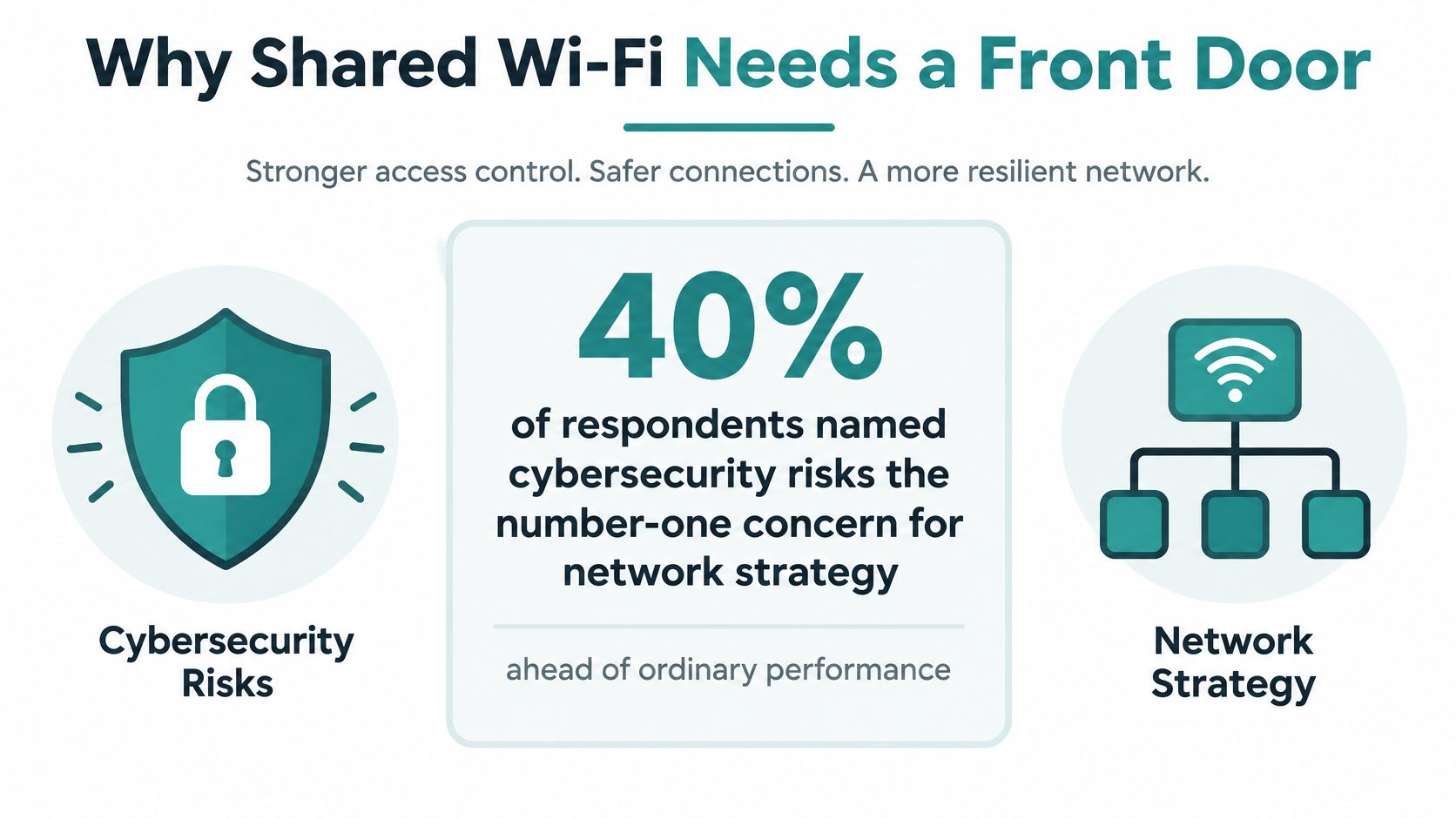
40% of respondents named cybersecurity risks the number-one concern affecting network strategy in Cisco's 2024 Global Networking Trends Report, which puts security ahead of ordinary network-performance worries.
That figure usually gets filed under firewall budgets. Read it as a Wi-Fi problem instead. Every guest phone, student laptop, retail handheld and contractor tablet that joins a shared SSID is an access decision made in seconds, often by nobody in particular.
Network access control is the name for that decision, and on Cisco Meraki gear you make it with a handful of tools: a click-through captive portal, a sign-on portal, a personal pre-shared key, or an 802.1X certificate check. The trick isn't picking the strongest one everywhere. It's matching the door to the person and the device standing in front of it.
Why Shared Wi-Fi Needs a Front Door
A building with no front desk doesn't stay open long. People wander, nobody knows who's on which floor, and the first missing laptop ends the arrangement. Shared Wi-Fi behaves the same way.
Network access control answers three questions before a device gets a normal connection: who is this, what may they reach, and for how long. That's the whole discipline. Everything else is plumbing.
The building analogy earns its keep because each Meraki admission method behaves like different door hardware:
- A captive portal is the reception desk. The guest stops, accepts terms or gives a name, and only then gets pointed at the right room.
- A personal pre-shared key is a keycard for regulars. One key per person or device, revocable without re-cutting the locks for everyone else.
- 802.1X is the badge that talks to the security office. The device proves itself with a certificate or a directory credential, and a server decides, session by session.
Ten years ago the front door was a WPA2 passphrase on a break-room poster. One SSID, one password, one flat network. Today a single Cisco Meraki access point might carry staff laptops, student tablets, a retail handheld, a guest's phone and a door controller at the same time, and they have no business being on the same segment.
Precision matters here: WPA2 with one shared pre-shared key means one password for everyone. WPA2 with 802.1X or IPSK gives each user or device its own credential. Those are different products, not different names for the same thing.
Where Meraki enforces the decision is a practical question worth settling early. It happens at the SSID configuration, in a VLAN assignment, in a Layer 3 firewall rule, in a group policy that caps session time and bandwidth, or in a combination of all four.
The operational gap is real. In the 2025 secure network access survey of 1,000 IT, security and engineering professionals in the United States and Canada, 68% still use manual processes to manage network access. Many venues have a front desk and staff it with a spreadsheet.
Set the same expectation you'd set for a hotel guest at 11pm. Streamlining guest arrivals at rental properties works because the guest never queues at a desk to prove they booked. Wi-Fi should feel the same: one prompt, a clear reason, and internet within a minute.
If unauthorized devices are already on your network, the cleanup order matters. Start with preventing unauthorized access, then pick a method below rather than bolting on features you can't staff.
Choose a Wi-Fi Admission Method
Walk through the order in which a venue meets people and the method tends to pick itself. The table is the decision. The paragraphs after it explain why each row exists.
| Method | Best fit | How they join | Policy strength |
|---|---|---|---|
| Click-through captive portal | Casual retail and venue guest Wi-Fi | Accept terms on a splash page | Low, terms and a guest VLAN |
| Sign-on captive portal | Education visitors and named guests | Username, directory, or social login | Medium, identity plus session rules |
| SAML or Azure AD | Staff and students with an org account | Single sign-on through the directory | High, tied to existing identity |
| IPSK or EasyPSK | Corporate BYOD and recurring devices | Personal pre-shared key, no portal | High per device on one SSID |
| 802.1X with EAP-TLS | Managed laptops and high-assurance Wi-Fi | Certificate checked each session | Highest, per-session keys |
Where each row belongs
Click-through is the lightest thing you can put in front of a shopper who wants to check a price online. Terms, a guest VLAN, a time limit, done. A visitor is a stranger by definition, so the low policy strength matches the low stakes.
Sign-on suits education campuses and named corporate guests who can type a username or tap a social login button. Meraki validates those credentials against its own hosted service or against your RADIUS, Active Directory or LDAP server. Social WiFi lives in this family, because the portal collects a recognized identity before the device gets normal network access.
SAML and Azure AD fit staff and students who already have an organizational account. The portal or RADIUS server hands the login to your identity provider, so a staff member removed from the directory loses Wi-Fi access without anyone changing a separate Wi-Fi password.
IPSK and EasyPSK fit the phone that comes back every day and shouldn't see a splash page every morning. Each device holds its own key on the same SSID.
802.1X with EAP fits managed laptops in offices and campuses where a compromised endpoint matters. It isn't a niche: in 2024, 802.1X authentication accounted for 60.1% of network access control deployments worldwide, according to Mordor Intelligence. The adoption figure doesn't mean everything else dies out.
Think about what can't hold a certificate. A till, a label printer, a guest's three-year-old phone, a contractor's personal tablet. None of those will ever complete an EAP-TLS exchange, and pretending otherwise strands real work. NIST's guidance on EAP methods for enterprise wireless frames it as a match between the EAP method and your existing identity infrastructure, not a single correct answer for every device.
In the 802.1X row, three roles do the work. The device is the supplicant, the Meraki access point is the authenticator, and a backend authentication server decides. The access point proxies the exchange and enforces the result.
The design rule: pick the weakest method that still names the user or the device, then keep guests off the staff VLAN even when they share an access point.
Deploying 802.1X properly is its own project, with certificate enrollment and revocation to plan for. If that's the row you're taking, start with 802.1X authentication and get the supplicant settings right before you enforce.
How Meraki Captive Portals Handle Guest Wi-Fi
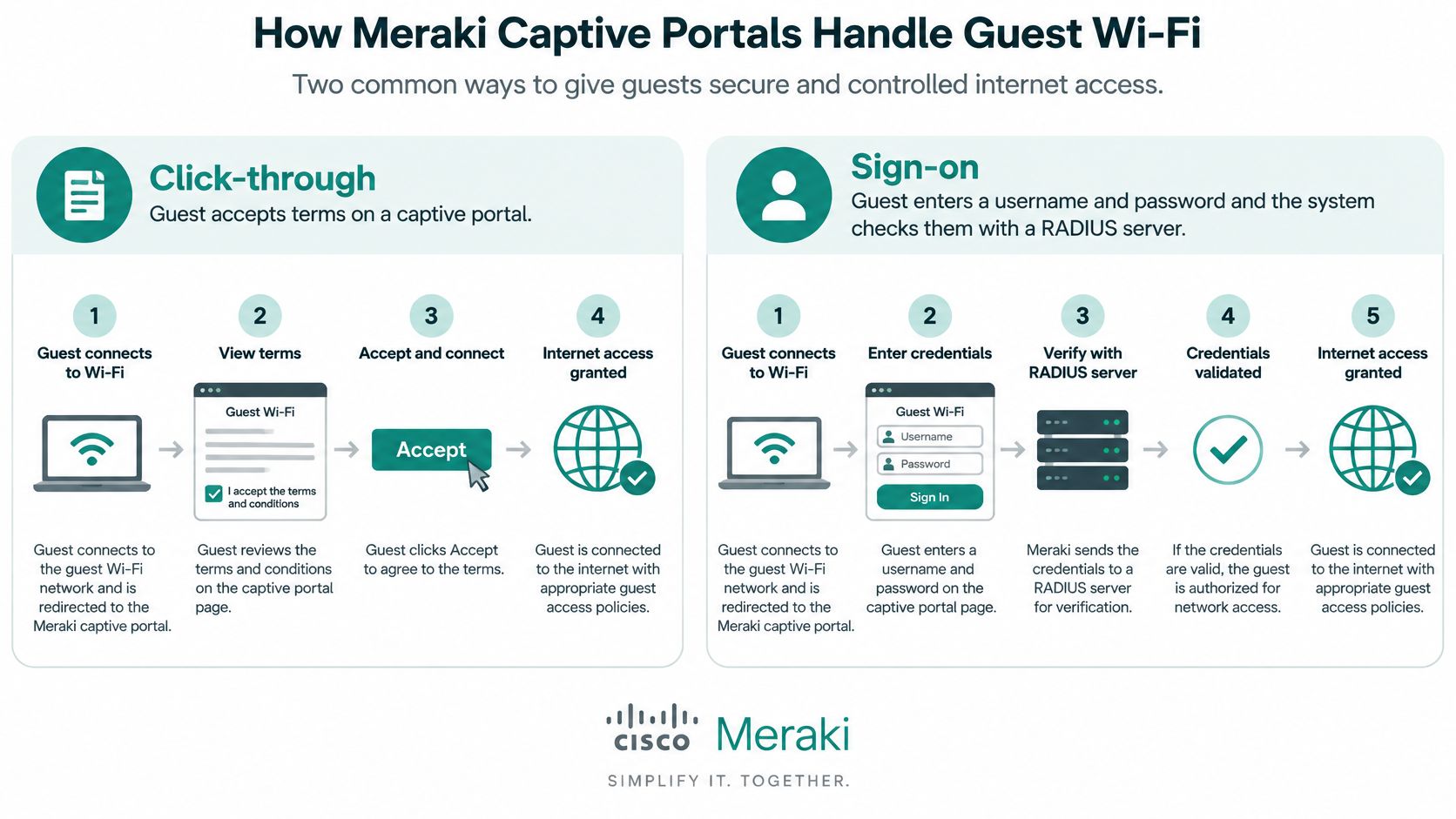
Cisco Meraki captive portals support two distinct workflows, and most confusion comes from treating them as one generic splash page. Click-through asks the guest to accept terms. Sign-on asks for a username and password and then validates those credentials through a Meraki-hosted authentication service or a customer-managed RADIUS, Active Directory or LDAP server, as the Meraki captive portal solution guide sets out.
That second workflow is what makes a Meraki splash page viable for guest Wi-Fi, social login and social WiFi onboarding, and for authenticated access in education, retail and corporate BYOD settings.
The five setup beats for a custom-hosted page
The sequence matters more than the settings themselves.
- Open the SSID. In the Meraki dashboard, go to Wireless, then Configure, then Access control. Choose open access or a pre-shared key.
- Pick the workflow. Click-through if you only need acceptance of terms. Sign-on if you need a name behind the connection.
- Enable the walled garden. This lets an unauthenticated device reach the portal before it gets normal network access.
- Enter the server's public IP. The dashboard wants the public-facing IP address of the portal server, not its local LAN address. Getting this wrong is the single most common reason a custom splash page never loads.
- Grant the policy on success. After the guest finishes, Meraki applies the guest policy you configured.
Picture the walled garden as a rope line in a queue. Only the people who reach the desk and finish there get into the room. Everyone else stands in the corridor with no access to the bar.
What the guest should feel
A good guest experience is one QR code or one browser prompt, terms in plain language, a short form or a social login, then internet. If your portal asks for a company name, a phone number and a job title for café Wi-Fi, you're trading goodwill for data you won't clean.
The failure mode to watch is portal fatigue. If the same managed laptop has to click through every morning, staff will find a hotspot or a colleague's password. Those devices belong on IPSK or 802.1X, which is where the next decision sits.
IPSK and EasyPSK for BYOD Devices
One shared Wi-Fi password can turn a lost phone into a building-wide password change. It also gives personal and managed devices the same network entry point, even when they should have different access.
On a Meraki-compatible EasyPSK setup, each device can use its own pre-shared key on a single SSID. If a device or user no longer needs access, its key can be revoked without changing everyone else's. The SSID stays the same; the key identifies which connection to manage.
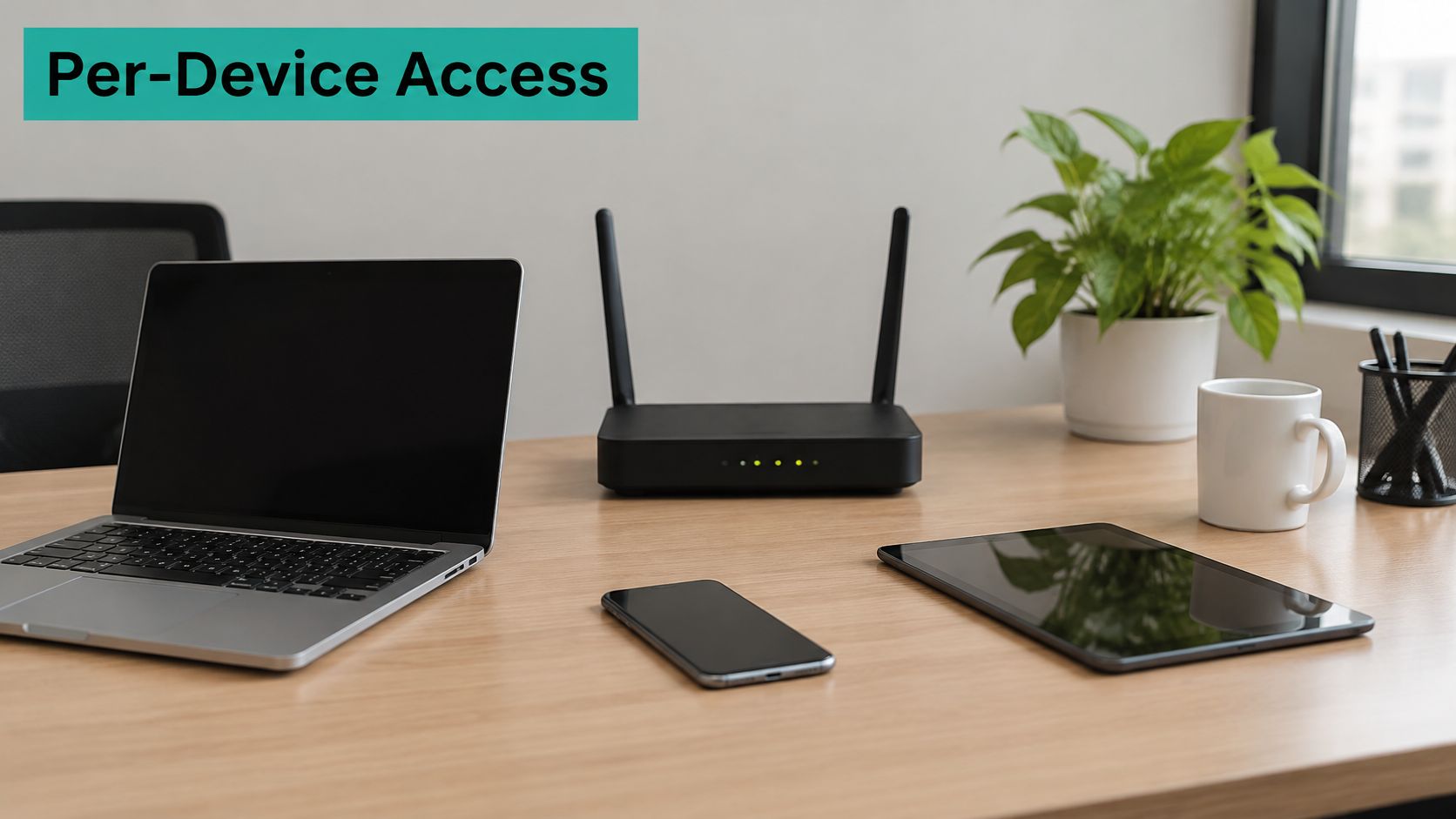
Three pictures of the fit
- Corporate BYOD. An employee's personal phone gets a key associated with their account and can be assigned to an appropriate network. When they leave, revoke that key rather than replacing a password shared across the office.
- Education. A student laptop can use an individual key instead of a password posted in a hallway. The network can assign the device to a specified VLAN, keeping its admission path distinct from other device groups.
- Retail. A handheld scanner that cannot use a browser-based sign-in can connect with its own key. That gives the device a practical route onto Wi-Fi without asking it to complete a guest portal form.
The right admission method depends on who owns the device and how it should connect. A visitor may use a portal; a returning personal device may suit an individual key. Neither method needs to be the rule for every device.
Managing keys takes care. Assign each key an owner and an expiry or review process. Decide who issues a replacement when a device changes and who revokes access when a user leaves. An untracked key can become a shared password in practice, even if it was issued to one device.
Profiling Policy and Session Controls
Recognition is not permission. Meraki can see a device's type and MAC address and use that to suggest a role, but a MAC address is a label any laptop can wear. Use profiling to route traffic sensibly, never as the only proof for staff access.
After authentication, policy decides the key question: which VLAN, which firewall rules, how long, how much bandwidth. throttling bandwidth hogs with realtime monitoring policies turns an abstract rule into something a venue manager can feel.
What RADIUS unlocks
Cisco's own captive portal guidance is blunt about where the control point sits. RADIUS authentication is mandatory when a deployment needs functions such as internet provisioning, denying internet access, or defining session duration and bandwidth, as the Cisco captive portal rule documentation states. Without it, your portal is a terms checkbox with no teeth.
Concretely, three policies cover most of what venues ask for:
- A retail guest gets two hours, a modest bandwidth cap, and an isolated VLAN that can't see payment systems.
- A student gets a learning or dorm VLAN for the term, with the device registered so it doesn't re-onboard weekly.
- A contractor gets a named account that stops working on Friday, not a shared key that outlives the contract.
Treat authentication speed as part of the policy
Full 802.1X on every roam feels slow in a busy atrium, and people notice. Session resumption or carefully controlled authentication caching keeps the badge check invisible, while revocation of a fired account or a lost key must still take effect fast.
Published testing gives you a planning benchmark rather than a promise. In one uncongested test of IEEE 802.1X wireless authentication, EAP-TLS produced less overhead than EAP-PEAP and authentication delay stayed below one second, per the 802.1X performance study. The same paper notes that caching cut authentication delay by more than 51% on average versus a baseline LRU approach. Your atrium is not that test bed, so measure it.
Record these before you enforce strictly: first-join time, roam time, authentication failures, retry rates, and what happens when the identity service is unreachable.
For tills, cameras and door systems that can't run certificates or reauthenticate often, prefer a stable device key or a documented local exception with a named owner over a portal prompt nobody can see. Then name one person who owns exceptions, so networking, identity and the venue manager aren't editing rules in three dashboards.
Education Retail and Corporate Patterns
The same five methods produce different designs in different buildings. This table is the map. The paragraphs are what a normal Tuesday looks like in each one.
| Sector | Known-device method | Network split | Guest path |
|---|---|---|---|
| Education | Student device registration and IPSK or directory login | Learning or dorm VLAN per role | Social login or short sign-on for visitors |
| Retail | IPSK for tills and handhelds | Guest VLAN isolated from payment systems | Click-through or social WiFi with a time limit |
| Corporate BYOD | EasyPSK or Azure AD for personal phones | Personal or team VLAN off finance systems | Sponsored guest portal with name and email |
A day on a campus
A student joins a specified learning VLAN, registers a laptop or tablet, and gets on without hunting for a password. Students manage their own devices by MAC address while administrators manage users, SSIDs and networks from a separate secure dashboard, which is how our education module is built. Parents and visiting speakers get a short sign-on or social login, never a student key.
A day in a shop
Shoppers hit a portal, accept terms or use social WiFi, and browse on a guest VLAN with a time limit that can't see payment systems. Handhelds and point-of-sale devices stay on an IPSK path, because a splash page in front of a queue is a lost sale. The two networks share access points and share nothing else.
A day in an office running BYOD
Personal phones join on EasyPSK or Azure AD and land on a personal or team VLAN away from finance systems. Visitors use a sponsored guest portal that collects the name and email the front desk needs, nothing more. Contractors get an end date attached to the account on creation, not on the day someone remembers.
What not to copy: a dorm design makes a poor template for a shop, and a retail click-through is far too weak for payroll devices. Borrow the pattern, not the configuration.
Across all three, ownership is the recurring weak point. Who approves a visitor, who revokes a dormant key, and who gets called when onboarding fails during the busiest hour of the week? Answer those three before you touch a setting, and write them where the whole team can see them. If BYOD is on your roadmap, the bring your own devices policy is a reasonable starting framework to adapt rather than invent.
Before you change anything, mark which row matches your busiest SSID. That single answer saves arguments later.
Set Up Network Access Control on Meraki
The setup that survives contact with a real venue is done in five moves, and the first four cost nothing but time.
- Inventory every SSID. Guest, student or staff, BYOD, plus the devices that never show a browser: tills, cameras, door controllers.
- Record four items per SSID. The admission method from the earlier table, the VLAN, the session limit, and the named person allowed to approve an exception.
- Pilot on one access point and one user group. Measure first-join time, roam time and authentication failures. Then confirm a revocation takes effect quickly.
- Break the identity service on purpose. Pull it offline in a test window and decide whether devices fail open or closed. Discovering this during a real outage is expensive.
- Enforce building-wide only after the pilot passes. Roll SSID by SSID, oldest and least critical first.
That keeps the change small. A single shared guest SSID with click-through may be all a small shop needs. A campus or a multi-site office gets more value when portals, keys and directory logins sit in one place rather than three. Our captive portals deploy straight into the Meraki Cloud, we run an Azure AD Entra ID solution for Cisco Meraki Wi-Fi, and we handle Cisco Catalyst EasyPSK and UDN as well as Cisco ISE with UDN alongside Splash, so the workflow you picked above doesn't have to be assembled by hand.
VLANs are where most rollouts stall, so settle the segmentation before the pilot rather than during it. Our team manages the deployment of all VLANs and networks, and the guide to setting up VLANs covers the split cleanly.
This week's action is small and specific. Pick your busiest guest SSID, choose click-through, sign-on or EasyPSK for it, and write down the name of the person who owns that policy.
Whichever path fits your devices, Splash Access runs the workflow end to end: instantly deployable captive portals built into the Meraki Cloud, Azure AD and social login options, and IPSK or EasyPSK for the devices that should never see a splash page. You get one dashboard for guest Wi-Fi, keys, VLANs and the data your front desk needs. Take a look at Splash Access and pick the admission method your busiest SSID deserves.