A hotel guest, retail shopper, student, healthcare visitor, or coworking member joins the venue's WiFi on a phone and reaches a login screen. They want access immediately, not a maze of fields, unclear consent, or a page that fails to load inside an iPhone or Android connectivity window. The best captive portal login page template balances branding, privacy, authentication, security, and conversion without making the network team solve a new problem at every location.
The seven examples below are evaluated from both sides of the connection. For visitors, the focus is clarity and friction. For operators, it's the login method, security model, integrations, customization depth, and deployment effort. The comparison includes guest WiFi features such as social login and social WiFi, Cisco Meraki captive portals, and authentication solutions including IPSK and EasyPSK. All visuals should show WiFi-related interfaces, onboarding screens, or network workflows, not unrelated stock imagery.
1. Splash Access
A Cisco Meraki deployment becomes harder to operate when every venue needs a different portal, credential method, and onboarding process. Splash Access addresses that operational problem by combining branded guest WiFi pages, authentication, marketing workflows, and network analytics. The same platform can support a hotel, campus, retail site, healthcare facility, or coworking space, while the visible page remains specific to each audience.
For visitors, the template provides a responsive branded screen with one clear route to access. For network teams, its value lies in the available authentication models. Splash Access supports WPA2 and individual pre-shared keys, including IPSK QR workflows. A venue can therefore issue device-specific credentials instead of publishing one shared guest password. Cisco describes Personal PSK, also called iPSK, as a model in which each device receives a key associated with its MAC address. Cisco's Personal PSK documentation explains how device-specific keys can operate on the same WPA2 personal WLAN.
Where the operator workflow gets stronger
Splash Access connects Cisco Meraki cloud captive portals with EasyPSK, IPSK, MV Sense, APIs, QR onboarding, and marketing integrations. IT teams can assign different access and onboarding paths to hotel guests, students, corporate visitors, staff, or managed devices. In a retail deployment, WiFi sessions can connect with Mailchimp, Facebook, or Twilio. Hospitality teams can use the Opera Micros integration.
The platform also includes social login and social WiFi, vouchers, voucher printing, payment workflows through a built-in billing gateway, geo-fenced coupons, push notifications, and CRM-oriented data flows. Each option adds configuration work, so operators should decide which actions belong in the initial authentication flow and which belong after access has been granted.
Privacy controls deserve particular attention. Research covering 67 public WiFi hotspots in Montreal found that social-login and registration portals collected privacy-sensitive data. Some tracked visitors before consent, while persistent third-party cookies could follow users for up to 20 years. The privacy study summary supports a practical implementation choice: limit third-party scripts during authentication, keep analytics separate from access approval, and make optional data collection clear.
Practical rule: Let the first screen grant WiFi access clearly. Put surveys, profiling, and promotional enrollment after authentication.
Splash Access suits teams that need Cisco Meraki compatibility, private IPSK options, EasyPSK workflows, QR provisioning, Azure AD and SAML support, vertical packages, and analytics for footfall, dwell time, and return rates through Meraki telemetry and MV Sense. The trade-offs are Cisco Meraki infrastructure and licensing requirements, plus sales-led pricing. There is no flat public rate, so the quote depends on selected modules, integrations, and customization. Review the Splash Access guest WiFi login page capabilities before requesting a demo or trial.
2. Purple
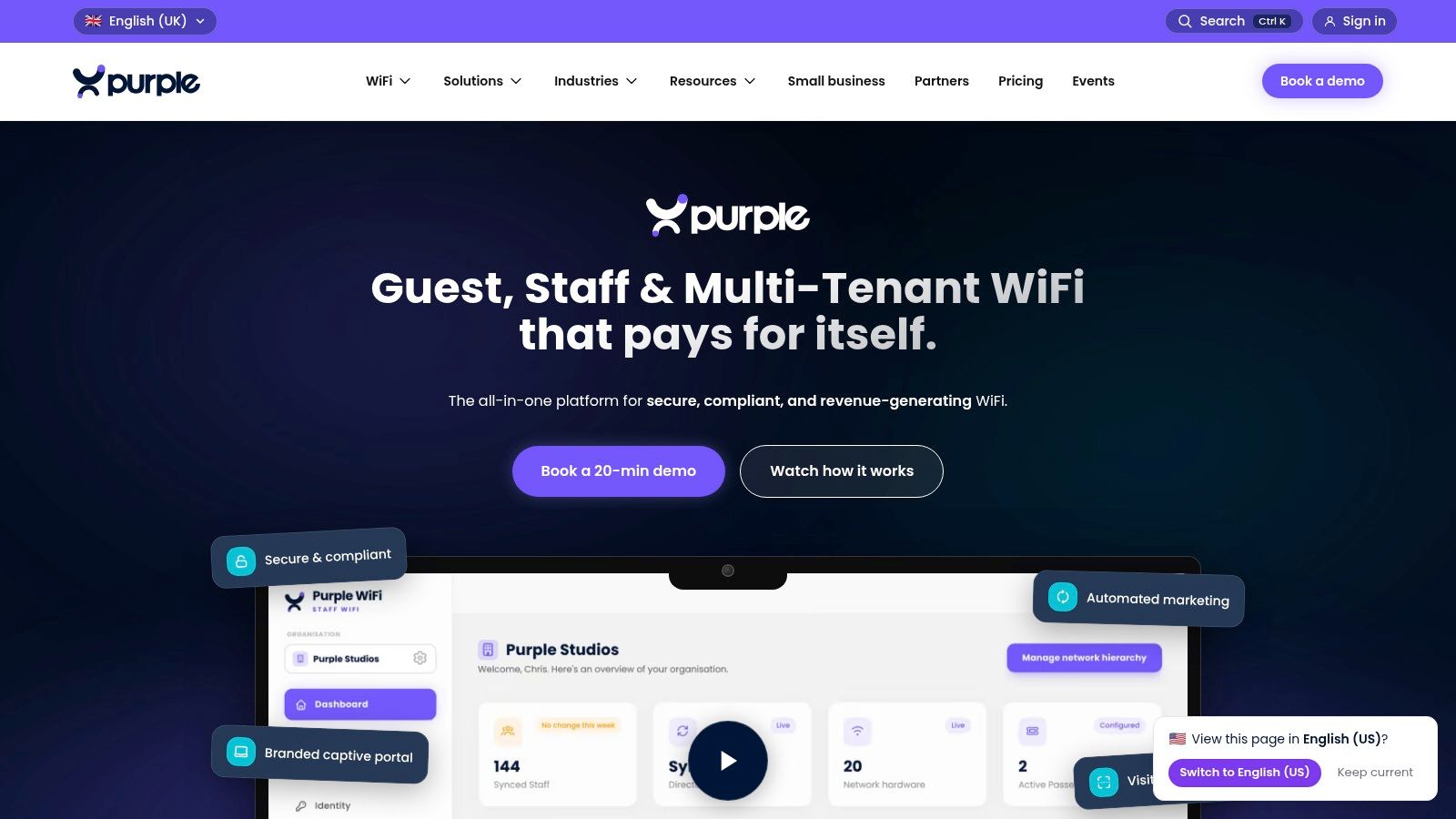
Purple takes a cloud-first approach to the captive portal login page template, combining branded splash pages with guest WiFi data capture and analytics. Its editor fits retail groups, shopping centres, and other multi-venue operators that want marketing staff to update page content while network teams retain control of authentication and access policies.
Visitors can usually choose email, SMS, or social authentication, while MAC-based recognition can simplify a return visit. That range supports different guest preferences, but it also creates a design decision. A retail operator should select one primary action, such as email registration for loyalty campaigns, then place other methods below it so the page does not turn authentication into a crowded menu.
Best use for multi-venue guest WiFi
Purple's multi-tenant and venue controls can help an MSP or retail team manage separate brands, locations, and access policies from one environment. Its marketing workflows also connect portal design with location analytics, giving operators a reason to decide which data is collected during sign-in and which engagement happens after access is approved.
A practical Meraki workflow is to configure the primary action for one retail brand, assign the external portal in the Meraki dashboard, and test the redirect from a phone and laptop at each venue. Confirm that the guest reaches the intended post-login page, not merely that the splash screen renders. Check the walled garden, certificate, allowlists, and connectivity-check behavior before copying the configuration to other locations.
Purple offers a no-cost Connect tier for testing the basic workflow. More advanced data and automation features sit behind higher tiers, with upper-tier pricing generally handled through sales. That model may suit a larger retail group, while a small operator may prefer clearer self-service pricing.
OPNsense captive portal guidance covers the same practical dependencies, including valid HTTPS, allowlists, connectivity-check hosts, and testing across client devices. Purple fits buyers that value a polished designer and customer-data workflow. A simple access page with limited analytics may need less platform depth.
3. Cloud4Wi
Cloud4Wi is aimed at organizations that need an enterprise-oriented captive portal with reusable policies rather than a single attractive login screen. Its visual editor and templated splash pages can support different brands, languages, and access scenarios, while Login Profiles help administrators reuse forms and rules across WLANs.
That structure matters in education and large venues. A university may need a student-facing guest portal, a visitor portal, and a separate onboarding path for managed devices. A retail group may need different privacy wording or campaign content by location. Reusable profiles reduce the temptation to copy and manually alter pages, which can leave inconsistent consent text or outdated links in production.
Policy depth versus simplicity
Cloud4Wi's multilingual support is useful for airports, campuses, healthcare facilities, and international hospitality. Its external-portal model can also suit organizations operating more than one WLAN vendor, although Cisco Meraki administrators should verify the exact controller integration and redirect behavior during a proof of concept.
The platform's breadth includes enterprise integrations, policy-oriented administration, and support for Passpoint. Those capabilities can be valuable where identity, device onboarding, and network access policy must work together. They can also be more than a small café, independent retailer, or single coworking site needs.
A good implementation separates the visitor journey from the administrator's policy model. The guest should see a short explanation, one clear access action, readable terms, and an optional marketing choice. The network team can manage the deeper rules behind that screen, including identity mapping, session behavior, and profile assignment.
Cloud4Wi is a sensible candidate for security-conscious organizations that need policy-based captive portals, multilingual experiences, and a repeatable administrative model. It's less attractive if the only requirement is a basic branded splash page. For teams comparing architecture rather than just page styling, a cloud-based captive portal approach is worth evaluating alongside the WLAN vendor's native options.
4. IronWiFi
IronWiFi is a practical choice when deployment speed and hardware flexibility matter more than a vendor-specific workflow. Its hosted captive portal supports a broad range of WiFi environments, while the visual editor lets teams create a branded page without starting from raw markup. When a design needs more control, administrators can work with HTML, CSS, and variables.
That split is useful for MSPs serving education, retail, and corporate BYOD customers. A basic site can launch with a ready-made template, while a more demanding brand can refine spacing, colors, content blocks, and authentication labels through the editor. The downside is predictable. Advanced customization is easier when someone on the team understands web development and can test the resulting page across captive network assistants.
Authentication options for different audiences
IronWiFi supports social login, SMS OTP, vouchers, SAML SSO, paid access, identity-provider connections, CRMs, messaging services, and payment gateways. That gives a hotel several access paths, while a corporate office can consider SAML or a guest workflow that doesn't expose internal credentials. A retailer may use vouchers for event access, and a school can use a controlled onboarding flow instead of a public shared password.
The per-AP pricing model can be clear during planning, but it may be a poor match for very dense, low-budget deployments. The buyer should also separate the cost of the platform from the work required to design, approve, test, and maintain the page.
For Cisco Meraki sites, confirm whether the hosted portal provides the required external splash-page behavior and whether the intended authentication method aligns with the Meraki configuration. The captive portal solutions overview offers useful context for comparing hosted portal workflows with Cisco Meraki-specific deployments.
IronWiFi fits teams that want a fast, vendor-neutral starting point and enough customization room to grow. It isn't the ideal pick if the project depends on a highly specialized Meraki, EasyPSK, or location-analytics workflow.
5. Tanaza
Tanaza gives MSPs and smaller deployments a practical starting point with its no-code Splash Page Editor, responsive previews, sample layouts, social login, vouchers, and external captive portal support. An administrator can manage branding, customer communication, and daily network support without handing every page change to a developer.
The editor still needs disciplined use. A clear logo, concise explanation of the access benefit, one prominent sign-in button, and a short terms link create a better visitor path than a page crowded with surveys, promotions, and authentication choices. Guest WiFi guidance often treats the portal as the first opportunity to request email or phone details, while optional survey questions can follow authentication. The guest survey research supports keeping the initial sign-in light and moving profiling to a later step.
A low-code fit for MSPs
Tanaza's hardware-agnostic design can help an MSP reuse a portal pattern across different customer environments. Its free tier supports small tests, and the Pro plan provides an affordable entry point. This makes early evaluation simpler than adopting a platform that demands a complex enterprise procurement process.
The trade-off is the depth of its technical documentation. Some guidance appears in blog posts and case studies rather than a formal technical library, while advanced marketing features may require partner integrations. That can work well for an experienced MSP, but troubleshooting may take longer when a customer needs a particular redirect, identity flow, or guest WiFi marketing action.
For a simple social WiFi or voucher deployment, Tanaza offers an accessible editor and broad hardware support. Cisco Meraki teams should verify whether the workflow supports their required IPSK, EasyPSK, policy assignment, or detailed operational analytics before choosing it. Teams comparing administration models can also review cloud-based WiFi management options. Before launch, test phones and laptops, verify the HTTPS certificate, and confirm that every external portal domain is reachable before authentication.
6. HPE Aruba Networking ClearPass Guest
HPE Aruba Networking ClearPass Guest is designed for organizations where guest access is part of a broader network access control program. Instead of treating the captive portal as a standalone marketing page, ClearPass can connect guest web login with sponsor approval, MAC caching, vouchers, and policy decisions across multi-vendor wireless environments.
That makes it relevant to hospitals, corporate campuses, universities, and large retail operations with formal access procedures. A visitor may complete a self-registration flow, while a contractor or corporate guest may require sponsor approval. The page can be branded, but the value is the workflow behind it.
Strong control for security-led deployments
ClearPass includes service templates and wizards for Guest Web Login, customizable portal skins, printable voucher templates, and authentication through methods such as SMS or email. Administrators can use MAC caching to make repeat access less frustrating, although any remembered-device approach needs a clear retention and privacy policy.
The platform's strength is also its main drawback. Licensing is sales-led and can be complex, and smaller sites may find the system unnecessarily heavy. Professional services may also be useful when the deployment includes multiple identity sources, approval paths, or network policy requirements.
A ClearPass portal should be designed with the same care as any other captive portal. The login screen needs clear terms, a separate marketing choice, and a primary action that works inside an operating system's captive network assistant. Regional privacy guidance emphasizes clear notices, explicit consent, retention limits, and an audit trail showing the wording a guest saw at the time of access. The WiFi compliance guidance is particularly relevant when marketing enrollment and network access are configured in the same workflow.
ClearPass Guest is the better choice when governance and policy control outweigh simplicity. It's not the natural starting point for a small venue seeking only a branded guest WiFi page.
7. Ruckus Cloudpath
Ruckus Cloudpath focuses on onboarding, identity, and user-journey control. Its customizable screens and branding options can guide guests, students, employees, and BYOD users through different access paths rather than forcing every audience through the same basic captive portal form.
That distinction matters in education and corporate environments. A guest may need temporary access, a student may need a managed onboarding process, and an employee-owned device may need a separate BYOD policy. Cloudpath supports alternatives involving certificates, PSK, and BYOD onboarding, so the portal doesn't have to carry the entire authentication burden.
When onboarding matters more than marketing
Cloudpath integrates naturally with RUCKUS One and Cloud environments and can support third-party portals through WISPr. It can work well where the organization already operates Ruckus infrastructure and wants a consistent onboarding journey across cloud and on-premises components.
The main trade-off is procurement and ecosystem fit. Pricing is generally not public and is commonly handled through the Ruckus channel. The strongest experience also comes when the surrounding infrastructure is already aligned with Ruckus, although external use is possible.
For Cisco Meraki customers, Cloudpath shouldn't be selected solely because the page editor looks flexible. Confirm whether the required external portal, authentication, certificate, and redirect workflow fits the existing Meraki design. A captive portal automatically appears after a device joins an SSID, then grants access after the visitor accepts terms, enters credentials, or completes another authentication action. This captive portal overview explains the basic flow, including the point where the device MAC address is permitted online.
Cloudpath is strongest for controlled onboarding and BYOD identity journeys. It's less compelling for a retail guest WiFi campaign where social login, vouchers, coupons, and CRM integration are the central requirements.
Captive Portal Login Page Templates: 7-Provider Comparison
| Solution | 🔄 Implementation Complexity | ⚡ Resource Requirements | 📊 Expected Outcomes | 💡 Ideal Use Cases | ⭐ Key Advantages |
|---|---|---|---|---|---|
| Splash Access | High, deep Cisco Meraki dependence | High, Meraki APs, MV cameras, licenses | Rich location analytics & monetization | Hotels, retail, campuses needing analytics + payments | Deep Meraki integration; IPSK/QR; billing gateway |
| Purple | Medium, cloud captive-portal setup | Low–Medium, free Connect tier available | Branded portals and customer data capture | Marketing-focused venues and pilots | Strong portal designer; free tier; multi-login |
| Cloud4Wi | Medium–High, enterprise policy/config | Medium–High, integration & governance effort | Policy-driven guest flows and compliance | Enterprises needing Passpoint & data governance | Login profiles; multilingual; enterprise integrations |
| IronWiFi | Low–Medium, hosted, vendor-agnostic | Low, transparent per-AP pricing | Fast deployments with flexible auth options | SMBs and mixed-vendor networks seeking speed | Quick setup; HTML/CSS theming; clear docs |
| Tanaza | Low, no-code Splash Page Editor | Low, affordable plans and free tier | Cost‑effective Wi‑Fi management and portals | MSPs, small sites, low-cost rollouts | No-code editor; MSP-friendly; hardware-agnostic |
| HPE Aruba ClearPass | High, NAC/AAA and policy-heavy | High, licensing, possible professional services | Highly secure, scalable guest access | Large enterprises needing strict access control | Deep NAC integration; sponsor workflows; scalability |
| Ruckus Cloudpath | Medium–High, onboarding & cert workflows | Medium–High, best with Ruckus infra | Robust BYOD and certificate-based onboarding | Enterprises with Ruckus deployments and BYOD needs | Strong user-flow control; cert & PSK onboarding |
Turn a Template Into a Better WiFi Journey
Choosing a captive portal login page template starts with the audience and the identity model, not the background image. A hotel guest may need quick email or social login, a retail shopper may respond to a voucher or social WiFi option, a student may need EasyPSK or IPSK onboarding, and a corporate BYOD user may need SAML, certificate-based access, or a separate device policy.
Keep mobile onboarding concise. Use one primary action per screen, explain the value of connecting, show terms and privacy information clearly, and keep marketing consent separate from WiFi access. Optional survey questions and extra profile fields belong after authentication whenever the access policy allows it. This preserves usability while still giving the operator a path to collect richer feedback.
Security and network compatibility need a written decision. Define whether the site should use social login, vouchers, WPA2, IPSK, EasyPSK, or another authentication method. Confirm Cisco Meraki or other WLAN compatibility, then test the full journey on iPhone, Android, laptops, QR flows, returning devices, failed redirects, and BYOD edge cases. A portal that looks polished in a design preview isn't ready until the walled garden, HTTPS certificate, connectivity checks, and access grant all work together.
Privacy deserves the same implementation discipline as the visual design. Minimize third-party tags, document every collected field, record the consent wording shown to guests, define retention rules, and assign ownership for updates and support. Before launch, document the selected integrations, analytics goals, authentication policy, escalation path, and the person responsible for maintaining the portal.
For Cisco Meraki organizations that want a branded guest WiFi experience tied to authentication, marketing, QR onboarding, IPSK, EasyPSK, and operational insight, Splash Access is the business-relevant option to evaluate first. Its fit should still be judged against the venue's sector, privacy requirements, infrastructure, and support capacity, rather than against unsupported promises. Teams comparing platforms can also use Landra's listicle generator when they need a structured way to organize future tool evaluations.
Splash Access offers customizable Cisco Meraki captive portals, responsive splash pages, WPA2 and IPSK authentication, EasyPSK workflows, QR onboarding, vouchers, analytics, and integrations for guest WiFi, social WiFi, education, retail, hospitality, healthcare, and corporate BYOD. Visit Splash Access to review the platform and request a demo or trial for your network.