The uncomfortable truth about budgeting in education is that a school can receive more headline funding and still cut the technology teachers and families rely on. A 2025 England survey found school leaders cutting staffing, IT equipment, sports budgets, trips, and outings, while more schools reported using pupil premium money to cover general budget gaps than in 2024, according to the School Funding and Pupil Premium 2025 report. The issue isn't how much money enters a school. It's whether the budget protects the infrastructure that makes teaching, learning, visitor access, and campus operations work every day.
Campus WiFi, guest WiFi, captive portals, authentication solutions, device management, and network analytics deserve the same planning discipline as buildings, buses, and textbooks. A school that treats connectivity as a leftover purchase often pays later through emergency replacements, inconsistent access, vendor lock-in, and frustrated users. A school that treats it as strategic infrastructure can connect technology decisions to enrollment, instructional priorities, safety, and long-term operating costs.
Why School Technology Budgets Start on the Wrong Foot
The common misconception is that technology is an optional layer added after the essential school budget is complete. In practice, reliable connectivity supports classroom devices, learning platforms, staff systems, parent events, student services, and the daily movement of people across a campus. A network outage doesn't feel optional to the teacher whose lesson depends on online resources or the administrator trying to onboard families during an evening event.
Global benchmarks make the pressure visible. Countries are commonly advised to spend 4% to 6% of GDP and/or 15% to 20% of total government expenditure on education, but the World Bank Education Finance Watch reports that global education spending fell from 4.5% of GDP in 2010 to 4.3% in 2022. The same report explains that spending growth hasn't translated into meaningful per-child gains in many systems because enrollment growth and cost pressures offset the increase.
That environment encourages short-term decisions. A district may approve access points but overlook authentication, support, subscription licensing, analytics, replacement planning, or the staff time required to operate the service. The result looks affordable during procurement and expensive during the school year.

Treat connectivity as infrastructure
A practical campus scenario makes the distinction clear. Parent-teacher night brings families onto the network, students use school-owned devices, staff access administrative systems, and visitors ask for internet access. If the school has only a basic shared password, staff must explain access manually, former users may retain credentials, and the help desk gets pulled into avoidable account issues.
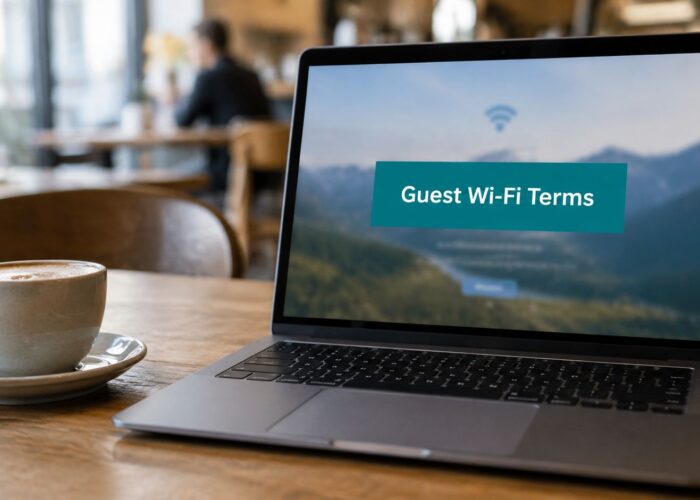
A captive portal creates a controlled front door for guest WiFi. It can provide terms of use, collect consent, support social login or social WiFi workflows, and separate visitors from protected school systems. Authentication solutions can go further by giving approved users individual credentials or device-specific access rather than relying on one password shared across a community.
Practical rule: If a connectivity service supports teaching, safeguarding, visitor operations, or device onboarding, it belongs in the core technology plan, not in a leftover-funds list.
Schools also need to decide whether their network management model matches their capacity. A cloud-managed environment may reduce local infrastructure demands, while a server-based model may fit specific control or policy requirements. Leaders comparing those options can use this cloud versus server planning guide to frame the operational trade-offs without reducing the decision to hardware price alone.
The most resilient budgets connect the network roadmap to the school improvement plan. That means identifying where students need dependable access, where staff need simpler onboarding, how visitors should connect, and which services require stronger identity controls. The budget then funds a campus experience rather than a pile of disconnected products.
Choosing the Right Budget Model for Your Campus
Technology becomes easier to defend when the budgeting model makes its purpose visible. Three approaches appear often in school finance: incremental budgeting, zero-based budgeting, and program-based budgeting. None is universally correct. The best choice depends on the school's size, administrative capacity, funding stability, and ability to connect spending with educational priorities.

Three approaches, three different strengths
Incremental budgeting starts with the previous cycle and adjusts it. It's fast, familiar, and useful when a small rural district has stable programs and limited finance-office capacity. The weakness is that old assumptions survive automatically. A network subscription, device replacement pattern, or support contract may continue because it was funded before, even though enrollment, teaching methods, and campus usage have changed.
Zero-based budgeting asks leaders to justify every expense from the beginning. It can expose duplicated software, underused services, and hardware purchases that lack an operational owner. The cost is time. A large urban system may gain from the discipline, but applying the method to every line item every year can overwhelm principals, IT teams, and business offices.
Program-based budgeting links funding to a defined educational purpose. A digital learning program might include devices, connectivity, teacher training, identity management, and performance reporting in one planned allocation. This model helps a school board understand why a captive portal or authentication platform supports more than visitor convenience. It can improve access control, reduce manual onboarding, and provide evidence that the technology serves a broader campus objective.
| Model | Best Fit | Speed | Strategic Strength |
|---|---|---|---|
| Incremental | Small or stable campuses | Fast | Preserves continuity |
| Zero-based | Schools reviewing waste or duplication | Slower | Challenges every assumption |
| Program-based | Districts connecting spending to outcomes | Moderate | Makes strategic purpose visible |
A blended method often works best. Use incremental budgeting for stable, well-understood operating costs. Apply zero-based review to subscriptions, support agreements, and underused services. Use program-based planning for major initiatives such as a campus-wide WiFi refresh, BYOD authentication, or a student device rollout.
Match the model to technology maturity
A small campus may not have the staff to perform a full zero-based review, but it can still ask focused questions. Is the current guest WiFi process secure? Does the network support visitors without exposing internal systems? Can staff onboard devices without creating repetitive help-desk work?
A larger district may need program ownership across schools. In that setting, Cisco Meraki hardware, cloud management, authentication, reporting, and renewal dates should appear in a coordinated technology program rather than separate requests that compete for attention. Subscription commitments deserve special scrutiny because the initial purchase can look complete while future operating costs remain embedded in the plan. A guide to Meraki subscription licensing can help finance and IT teams discuss those commitments in the same language.
The same discipline applies to endpoints. When a school needs additional computer capacity, comparing cost-effective desktop computers refurbished with new equipment can create room for network security, staff training, or student support. The right question isn't “Which item is cheapest?” It's “Which combination keeps the program usable, supportable, and aligned with the school's priorities?”
Mapping Revenue Sources and Cost Categories
A budget becomes trustworthy when every dollar has a source, a permitted use, and an owner. Start with a revenue register rather than a shopping list. Record state and local allocations, federal grants, private donations, auxiliary fees, technology-specific grants, and any other approved funding stream. Then document restrictions before assigning a purchase.
The UNESCO Repository of Education Expenditure Reports compiles open-source actual and budgeted education-finance documents from more than 100 countries for 2010 to 2025. That record shows why comparable documentation matters. Education finance isn't just an annual accounting exercise. UNESCO also estimates an annual finance gap of almost $100 billion per year for countries to reach education targets by 2030, while aid to basic education fell 15% between 2023 and 2024, compared with an 8% decline in total education aid.

Build a source-to-use map
Use three cost buckets to make conversations clearer:
- Operating costs: Monthly software subscriptions, support contracts, connectivity services, monitoring, training refreshers, and help-desk capacity.
- Capital costs: Access points, switches, cabling, power equipment, computers, security appliances, and other assets with a planned replacement cycle.
- Technology enablement: Captive portal platforms, authentication solutions, reporting tools, integration work, onboarding materials, and policy development.
A simple register might include these fields:
| Revenue source | Restrictions | Funded cost | Owner | Review point |
|---|---|---|---|---|
| State or local allocation | Follow district rules | Core connectivity or instructional technology | Business office and IT | Monthly |
| Federal grant | Use only for approved program purposes | Supplemental access, training, or intervention | Grant manager | Grant schedule |
| Private donation | Follow donor agreement | Devices, student services, or campus improvements | Principal | Quarterly |
| Auxiliary fee | Match the service generating the fee | Managed access or student support | Program lead | Term review |
Fund accounting matters because an attractive technology purchase can still be inappropriate if it draws from the wrong source. Teams looking for a practical reference can review fund accounting best practices for schools, then adapt the controls to district policy and grant requirements.
Model enrollment before committing
Enrollment is both a revenue assumption and a cost driver. Understating it can leave a school short on devices, access capacity, staffing, or support. Overstating it can create cash-flow pressure and force mid-cycle cuts, staffing changes, or fee increases, a risk highlighted in guidance on breaking bad budget habits.
Build scenarios around the expected enrollment plan, a lower-enrollment case, and a higher-demand case. Recalculate staffing, device demand, guest WiFi capacity, authentication licenses, and support requirements for each scenario. The objective isn't false precision. It's knowing which commitments can flex and which costs become fixed once the school signs an agreement or begins a rollout.
Technology-specific funding also deserves careful mapping. Schools exploring connectivity support can use K-12 E-Rate planning examples to think through eligibility, documentation, and the relationship between funded infrastructure and ongoing operations.
Building the Technology Line Item
The technology line item should describe a working service, not just a hardware purchase. A campus WiFi plan needs access points, switching, cabling, power, cloud management, installation, testing, support, authentication, policy enforcement, analytics, and replacement planning. Omitting any of those elements makes the initial request look smaller while transferring the expense into emergency purchasing or staff overtime.
Start with the connectivity experience
For education, the baseline usually includes secure staff access, managed student access, and guest WiFi for families, visitors, contractors, and community events. Retail environments have related needs, including social login, social WiFi, customer engagement, and analytics. Corporate BYOD environments add another layer because employees, contractors, and guests require different identity and policy paths.
Cisco Meraki access points can form part of a cloud-managed campus design, but the budget shouldn't stop at the access point. Include site surveys, mounting, cabling, switching capacity, configuration, support, licensing, monitoring, and the labor needed to document the environment. A school with strong hardware and weak identity management still creates friction for teachers and visitors.
A captive portal can provide a branded, controlled onboarding experience. Depending on the policy, users may accept terms, complete a social login, use a voucher, or authenticate through an identity provider. Social WiFi can support a smoother visitor journey in retail and public-facing spaces, while education teams may prefer a more privacy-conscious flow for families and guests.
Choose authentication by use case
IPSK, or individual private pre-shared keys, can give approved users or devices distinct credentials. That approach makes access easier to revoke and audit than one shared password, particularly for student devices, contractors, temporary staff, or managed BYOD programs. It can also help separate user groups without asking every visitor to go through the same process.
EasyPSK suits environments where administrators need a simpler onboarding path for high-traffic or operationally straightforward access. It isn't a substitute for policy design. The team still needs to define who receives credentials, how long access lasts, what happens when a device leaves, and which network resources each group can reach.
A practical technology budget should include:
- Network infrastructure: Access points, switches, cabling, power, installation, and testing.
- Identity and access: Captive portal services, IPSK or EasyPSK workflows, directory integration, vouchers, and guest policies.
- Management and reporting: Cloud administration, alerts, usage reporting, foot-fall analysis where appropriate, and engagement dashboards.
- Operations: Staff training, documentation, support coverage, renewals, and a replacement reserve.
Budget for the service life
Analytics can be useful when leaders define the decision it will support. A campus might review visitor engagement, return behavior, or movement patterns to improve event planning and facilities use. Those capabilities require privacy review, data governance, staff ownership, and ongoing platform costs. They shouldn't be purchased as decorative dashboards.
The same principle applies to total cost. Hardware that appears inexpensive may require more local labor, while a managed platform may shift spending into recurring subscriptions. Teams can use a total cost of ownership framework to compare purchase price, licensing, support, energy, labor, renewal, and replacement rather than choosing from the first-year quote alone.
Stakeholder Roles and Reporting KPIs
Technology budgets fail when the people who use the service aren't involved in defining it. The IT director understands coverage, authentication, device density, and support risk. The principal understands classroom priorities and community expectations. The business office understands fund restrictions, purchase timing, variance, and audit requirements. Each perspective catches a different failure before it reaches the campus.
Assign ownership across the lifecycle
The IT director should document the current environment, identify capacity and security gaps, and specify the operational requirements for Cisco Meraki, guest WiFi, captive portals, IPSK, EasyPSK, and BYOD access. The principal should connect those requirements to school priorities, such as reliable digital instruction, family events, student services, or community use.
The business office should verify funding eligibility, track commitments, and compare actual spending with the approved budget. A grant manager should confirm that technology purchases meet program rules and that reporting evidence is available. Teachers, administrative staff, and front-office teams should test the onboarding experience because a technically sound system can still fail if ordinary users can't operate it.
Shared ownership beats annual negotiation. The person who approves a network line should understand who operates it, who measures it, and who absorbs the impact if it fails.
Select KPIs that change decisions
A KPI earns its place when it leads to an action. Avoid reporting every available dashboard metric. Use a small set that tells stakeholders whether the investment is usable, resilient, and aligned with campus needs.
Useful measures include:
- Connectivity uptime: Shows whether staff and students can depend on the service during instructional and administrative hours.
- Captive portal completion: Reveals whether visitors begin access but abandon the process before connecting.
- Guest WiFi session volume: Helps teams size support, access capacity, and event readiness without treating raw usage as a success measure by itself.
- Authentication incidents: Tracks failed onboarding, credential problems, and recurring support causes.
- Refresh status: Shows whether devices, access points, switches, and related infrastructure remain within the planned lifecycle.
- Budget variance: Explains whether spending is ahead, behind, or assigned to a different category than expected.
A quarterly report can fit on one page. Include approved budget, actual spend, committed spend, forecast, major variances, service health, incidents, upcoming renewals, and decisions required from leadership. Teams that need a clear introduction to understanding financial variance can use it to improve the language shared by finance and IT.
For network-specific reporting, network performance metrics can help teams decide which operational signals deserve regular review. The report should end with actions, not just charts. For example, a rise in onboarding failures may justify a portal redesign, staff training, or a policy change rather than an immediate hardware purchase.
Contingency Planning and an Implementation Checklist
No education budget survives the year unchanged. Enrollment shifts, grant delays, salary pressure, inflation, equipment failures, and delayed appropriations can all disrupt a carefully approved plan. In the United States, 2025 coverage described nearly $13 billion in federal school funding as unallocated at one point, later still about $8 billion unallocated, with uncertainty affecting migrant students, teacher professional development, after-school programming, English learners, literacy, and civics grants, as reported by Education Week.
That uncertainty makes education budgeting a risk-management exercise. The UNESCO education finance overview notes that one in three countries misses at least one core education-finance benchmark. Schools need a plan for protecting essential services when expected money arrives late or arrives with narrower conditions than anticipated.

Use triggers, not guesswork
Set aside a contingency allocation according to district policy and risk tolerance. Define the events that activate it, such as an enrollment change, a grant delay, a critical network failure, or a renewal cost that differs from the approved forecast. Protect core connectivity and identity services first, then rank enhancements by their effect on learning and operations.
A phased rollout is safer than promising every feature at once. Start with the coverage and authentication foundation, test guest access and BYOD workflows, train staff, review the data, and then expand analytics or advanced integrations. Document dependencies in an implementation timeline so procurement, installation, training, and KPI reviews have named owners.
Use this checklist in the next planning meeting:
- Choose the budget model: Select incremental, zero-based, program-based, or a deliberate blend.
- Map revenue and restrictions: Assign each funding source to permitted costs and accountable owners.
- Test scenarios: Review enrollment changes, funding delays, and technology failure points.
- Approve the service line: Include hardware, subscriptions, authentication, support, training, analytics, and replacement planning.
- Schedule reviews: Reconcile actual spending, service KPIs, and upcoming risks each quarter.
Splash Access helps education, retail, and BYOD corporate teams turn Cisco Meraki connectivity into a managed guest WiFi experience with captive portals, social login, IPSK, EasyPSK, and authentication workflows. Visit Splash Access to explore a practical way to budget, deploy, and measure modern wireless access without treating connectivity as an afterthought.