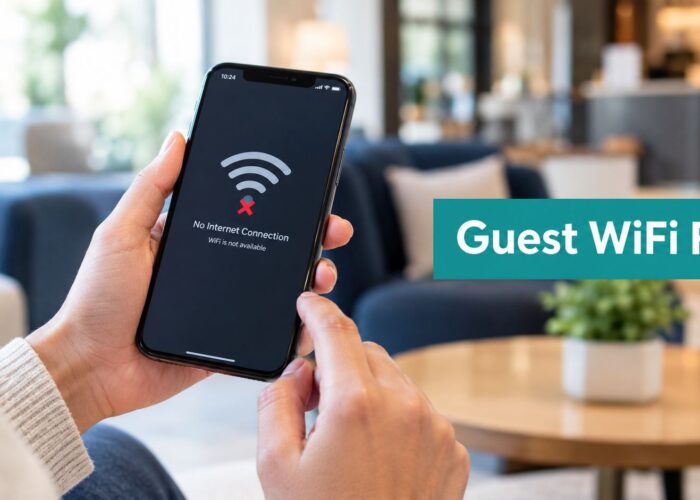
The first sign that a digital learning rollout is off track usually isn't a bad lesson or a weak LMS. It's a student, employee, or guest standing in front of a login screen, waiting for Wi-Fi, or trying to reach a course on a phone that never quite finishes authenticating. In schools, hotels, offices, and retail spaces, that moment decides whether learning feels usable or like another IT project nobody asked for.
That's why digital learning solutions need to be treated as a full access stack, not just a content platform. UNICEF's definition is broad for a reason, it includes instructional content, interactions, data and assessment systems, learning platforms, online courses, adaptive software, personal learning enabling technologies, and student data management systems (UNICEF evidence review). In practice, that definition only works when identity, onboarding, connectivity, and support are part of the design too. For a useful market context, the 2026 e-learning market size piece from LearnStream is a good companion read because it helps frame how far this category has moved beyond a niche toolset.
A managed network matters here because the first click is often the gate. If you're already thinking in terms of onboarding, SSIDs, identity, and access policy, the managed-network model described in this managed network overview is the right mental frame. The learning experience starts before the LMS homepage loads, and a Cisco Meraki deployment with the right portal logic can make that start feel smooth instead of brittle.
What Digital Learning Solutions Really Mean in 2026
A student opens a laptop, a new hire taps “join,” or a guest in a hotel tries to get online. If the network stalls, if the captive portal is clumsy, or if the device can't authenticate cleanly, the learning journey has already lost momentum. That is the part most buyers miss. Digital learning solutions begin at access, because the first interaction shapes whether the rest of the experience feels usable or like another IT project nobody asked for.
The practical definition is broader than an LMS
UNICEF's framing helps because it moves the discussion away from a single platform and toward time, place, path, and pace control. That idea maps neatly to real deployments. A school needs students to reach course content on shared devices, a hospital needs staff to complete modules between shifts, and a corporate BYOD environment needs employees to get to training without opening a help-desk ticket.
The point is simple. A learning platform that looks good in a demo can still fail in a classroom if Wi-Fi onboarding is broken, if identity is fragmented, or if mobile access is an afterthought. That is why I treat connectivity as part of the definition, not a dependency to be solved later.
Practical rule: if the learner can't get on the network quickly and safely, the learning solution is incomplete.
A managed network overview from Splash Access gives the right frame for this work. The learning experience starts before the LMS homepage loads, and a Cisco Meraki deployment with the right portal logic can make that start feel smooth instead of brittle.
The market is big enough to justify serious architecture
The category is no longer experimental. The 2026 e-learning market size piece from LearnStream is a good companion read because it helps frame how far this category has moved beyond a niche toolset. Another industry report places the global EdTech market at $297.02 billion in 2022 and corporate e-learning at $36.1 billion in 2022, with corporate e-learning growing at 10.2% annually. Another analysis projects the digital education market rising from $24.94 billion in 2024 to $95.70 billion by 2030, implying a 24.2% CAGR (EdTech statistics report). Those numbers say the same thing from two angles, the stack is becoming strategic infrastructure.
That is also why the buyer conversation has shifted. The question is not “do we need digital learning?” anymore. The question is whether the architecture can support onboarding, analytics, access control, and learner support without turning every site rollout into a custom integration project.
The Core Building Blocks of a Modern Digital Learning Stack
A solid stack is layered, and the weak point is usually obvious once real users hit it. If the LMS works but identity is messy, content is hard to reach, or the network is built like an afterthought, the whole experience feels brittle. In school, hotel, office, and retail deployments, the work usually breaks into content, identity, analytics, accessibility, and the network, with the handoff between those pieces deciding whether learners move through the system cleanly or get stuck at the first login.

Content and delivery need more than videos
The LMS is still the visible surface of the system, but delivery lives below it. Courseware, video modules, quizzes, and interactive paths have to work on phones, tablets, and shared desktops, because that is where learners show up. If content loads poorly on mobile, or if it falls apart when connectivity is uneven, it will underperform in classrooms, field teams, and guest networks.
Short lessons help, but they are not enough on their own.
The delivery layer also needs room for offline-capable or low-connectivity use, since not every learner sits on stable broadband. That matters in underserved regions and in buildings where Wi-Fi is shared, crowded, or inconsistent. For teams comparing badge and certificate workflows as part of learning delivery, understanding CertSeal credential design is a useful reference point for how credentials fit into the broader journey.
Identity, analytics, and accessibility are where serious deployments separate themselves
Identity is not a back-office detail. It decides whether a learner moves from guest access to authenticated access, or from a BYOD device to a role-based experience. In practice, that means SSO, SAML, Azure AD, Google Workspace, and API connections that let the LMS talk to HR systems, student records, or customer platforms.
Analytics matters just as much. Modern deployments capture activity, surface engagement, and adjust the next step based on behavior, pacing, or prior assessment. Accessibility sits beside it, not underneath it. A stack that ignores multilingual content, screen-reader support, or device affordability is already narrowing who gets to participate.
A thin proposal usually has an LMS price, but no credible plan for identity, data flow, or accessibility. That gap shows up months after go-live, when support tickets rise and adoption stalls.
The network layer is where Cisco Meraki earns its keep. APs, switches, security appliances, and dashboard telemetry give IT teams one place to manage access and see usage patterns. If you want a practical view of how that access layer supports learning delivery, the enterprise networking solutions overview is a useful starting point.
How Cisco Meraki, IPSK and Captive Portals Make BYOD Work
A school IT admin sees the problem first. Thirty students arrive, half are on phones, some are on school laptops, and a few have never connected to the Wi-Fi before. A corporate admin sees the same pattern on a different floor, contractors, employees, and visitors all trying to land on the network without creating a support queue.
The authentication method should match the user journey
Shared PSKs work when simplicity matters and the same password can be used broadly, but they are blunt. IPSK, or private pre-shared keys, gives each user or device a separate key, which is a much better fit when accountability matters. EasyPSK workflows reduce the friction of issuing and managing those keys for changing device populations, which is why they fit BYOD classrooms and mixed corporate environments well.
On Cisco Meraki, that difference matters because the wireless policy can align with the user's role instead of forcing everyone through the same tunnel. The dashboard makes it easier to see who connected, where, and under which policy, which is exactly what network and learning teams need when they are trying to keep access clean and auditable. For deployments that use RADIUS-backed private keys, IPSK with RADIUS authentication shows how identity and policy can stay tied together without turning the network into a generic login wall.
The captive portal becomes the front door
The portal is the first controlled interaction, and that means it can carry consent, branding, and routing logic in one place. For a hotel guest, that might mean voucher printing or a social login flow. For staff, it can mean SAML or Azure AD redirect. For school visitors or parents, QR-code onboarding can remove a lot of friction without opening the network too widely.
That gives the portal a practical role in the access layer. It is not just decoration, it is where the network decides who gets in, how they prove identity, and what they see next. In learning environments, that can mean sending students to course content, staff to internal tools, and guests to a limited guest network with the right terms and controls.
Operational insight: the best captive portals do not feel like a hurdle. They feel like a short, branded handshake that gets the right person to the right network and the right content.
Education, Retail and Corporate BYOD Compared
The same platform can serve three sectors, but the priorities are different enough that the configuration shouldn't look identical. Education cares about equity and safety, retail cares about engagement and return visits, and corporate BYOD cares about productivity plus visibility. The danger is trying to make one generic splash page do all three jobs at once.
A recent UNICEF review makes the equity point clear. It found that only 12.5% of products in its sample were reaching some highly disadvantaged groups well (UNICEF digital learning review). That's why education rollouts need to think hard about access for learners with disabilities, displaced children, and other groups that often get underserved even after adoption.
| Sector | Primary user | Onboarding style | Key metric |
|---|---|---|---|
| Education | Students, teachers, parents | IPSK, school credentials, or guided captive portal flows | Access consistency across devices |
| Retail | Guests, shoppers, loyalty members | Social Wi-Fi login, email capture, vouchers, QR entry | Repeat visits and engagement |
| Corporate BYOD | Employees, contractors, visitors | EasyPSK, SSO, or policy-based portal routing | Frictionless access with accountability |
Education usually needs the strictest policy design. Shared devices, classroom density, and minor protection all push admins toward tighter segmentation and clearer per-user rules. Retail has a different job, it often treats guest Wi-Fi as a marketing touchpoint, so the portal can collect consent and route users into loyalty or education campaigns.
Corporate BYOD sits between those extremes. Employees want speed, contractors need limited access, and IT still needs a clear record of who's on the network. That's where IPSK and EasyPSK can make life easier, because they reduce the gap between convenience and control.
Turning Guest Wi-Fi and Social Login into a Learning Channel
Guest Wi-Fi gets treated like plumbing far too often. That mindset misses the fact that the first login is also a first impression, a consent point, and a place where you can start a relationship instead of just handing out internet access.
Social login can open the door without wasting the moment
Social Wi-Fi flows, whether they use Google, Facebook, or Apple, work because they reduce typing and shorten the path to access. A Splash Access-style portal can capture email consent, route a guest to the right landing page, and connect that moment to downstream tools like Mailchimp or Twilio for follow-up. That's useful in hotels, retail, and campuses where the network itself can support onboarding, event follow-up, or customer education.
value isn't the login button. It's the data trail that starts there. You can see who connected, where they connected, and whether they came back, then use that pattern to shape a learning journey or a repeat-visit campaign.
Analytics should tell a story, not just report a count
A portal that feeds nothing into the rest of the stack is just friction with branding. A portal that feeds clean data into the CRM, the LMS, or a marketing platform becomes part of the learning channel. That's the point of treating guest Wi-Fi as an engagement surface instead of a utility.
For teams mapping Wi-Fi into demand generation or learner engagement, the Wi-Fi marketing overview is a useful reference because it connects the access moment to the follow-up workflow.

Implementation Roadmap and Success Metrics That Actually Matter
Most digital learning programs don't fail because the idea was weak. They fail because the rollout was too broad, the onboarding was too complicated, or nobody agreed on what “working” meant. The fix is a staged deployment, starting small enough to observe real behavior and then expanding from there.
Start with one site and one onboarding path
Pick one classroom, ward, floor, or store. Keep the first flow simple, captive portal plus IPSK, or captive portal plus social login and SSO if the audience fits that model. The goal is to remove obvious friction and confirm that users can connect, authenticate, and reach the content they're supposed to see.
A useful external planning reference is build a content transformation roadmap, because the learning stack works better when content, access, and support are mapped together instead of being launched as separate workstreams.
Track the metrics that describe behavior
Don't lead with vanity metrics. Measure whether people get in, stay engaged, and complete the next step. If the use case is education, completion and access consistency matter more than splash-page clicks. If it's retail or guest onboarding, return behavior and opt-in quality matter. If it's corporate BYOD, the question is whether staff can enroll and move on without a support call.
The implementation phase should also include the things people forget, multilingual splash pages, accessibility checks, and offline-friendly content where connectivity is weak. That matters because global access gaps are still real, and successful deployments need support layers, not just content delivery (EdTech Hub analysis).
For teams that want to tie the network to operational reporting, the network performance metrics guide is a useful companion because it frames Wi-Fi health as part of learner experience, not a separate IT concern.
What to Do This Week, This Quarter and This Year
This week, trace the learner path from first association to the LMS dashboard and find the drop-offs. If users are stuck on SSID selection, password entry, or portal consent, fix that before buying more content. A clean access flow usually saves more time than another feature release.
This quarter, pilot IPSK or EasyPSK on one Cisco Meraki SSID and connect the captive portal to your identity or marketing stack. If you're in education, keep the flow tight and accessible. If you're in retail or corporate BYOD, make sure the onboarding path is tied to a real follow-up process, not just a welcome screen.
This year, rebuild the stack around identity, analytics, accessibility, and connectivity instead of around the LMS alone. Keep an eye on adaptive AI tutoring, offline-first delivery, and gamified learning environments, especially where access is uneven or user readiness is mixed. The network isn't plumbing anymore, it's the front door.
If you're planning a Cisco Meraki rollout and want the onboarding layer to do real work, Splash Access can help you connect captive portals, IPSK, EasyPSK, and guest Wi-Fi flows to the learning stack. Visit Splash Access to see how the platform supports education, retail, and corporate access scenarios with a network-first approach.