A lot of teams start asking how to create a splash page when the complaints begin. Guests can't find the WiFi password. Students connect to the wrong SSID. Store visitors join the network but never see the promotion marketing wanted to run. Corporate BYOD users hit a captive portal that feels like it was bolted on after the fact.
That's usually the main problem. The network is live, but the experience isn't designed.
A good splash page sits right at the intersection of captive portals, authentication, and conversion. In a Cisco or Meraki environment, that matters even more because the splash page isn't just a visual screen. It's part of the access policy, part of the user journey, and part of how you capture consent, drive engagement, and keep guest WiFi manageable across retail, education, hospitality, and corporate spaces.
Beyond a Welcome Mat Planning Your Guest WiFi Splash Page
A hotel lobby I worked with had a familiar setup. Front desk staff handed out a shared WiFi password. Guests asked for it repeatedly. Some typed it wrong. Others connected but had no idea where to find property information, food and beverage offers, or basic guest services. The network worked, but the business missed the moment when attention was highest.
That's where a proper splash page changes the conversation. Instead of acting like a digital doormat, it becomes the first controlled interaction a visitor has with your brand and your network.

Start with one business objective
The biggest planning mistake is trying to make one page do everything. A guest WiFi splash page should have one primary job.
That job might be different depending on the environment:
- Retail stores: Capture consent for social WiFi, promote a same-day offer, or collect email sign-ups through social login.
- Education campuses: Separate guest users from student access, support temporary visitors, and reduce confusion around BYOD onboarding.
- Corporate offices: Provide secure visitor internet access while keeping employees on stronger authentication paths such as SAML, IPSK, or EasyPSK.
- Hospitality venues: Get guests online fast, present terms clearly, and direct them to booking services, dining information, or loyalty enrollment.
If you're still deciding how your rollout should work, this guide on setting up guest WiFi is a useful place to map the network and user journey together.
Treat the page like a performance surface
Modern splash pages borrow directly from landing page thinking. They are no longer decorative placeholders. They are measurable interfaces.
Industry guidance summarized on SplashThat's event landing page resource notes that effective pages lead with core essentials like title or logo, location context, a clear sign-up action, and concise descriptive detail. The same source also cites Fibr AI findings that personalized calls to action convert 202% better than generic ones, while social proof can improve conversion by 34%. That matters for guest WiFi because “Connect to WiFi” often underperforms a more specific prompt tied to the visitor's context.
Practical rule: If the user can't tell what happens after tapping your button, your splash page isn't finished.
Match the network design to the audience
Cisco Meraki environments make it easier to line up branding, SSID behavior, and captive portal workflows, but the planning still has to happen first. A campus guest SSID should not use the same access logic as a retail promotional network. A hotel's arrival experience should not look like a contractor onboarding screen.
The approach to creating splash page assets often centers on logos, colors, and background images. Those matter. The stronger move is to define who the page is for, what action you want, and which authentication path belongs behind it.
Designing a High-Converting Splash Page Users Love
Good splash pages feel almost invisible. Users connect, understand what to do, and move on without friction. Bad ones feel like tiny websites that happen to block WiFi access.
The design standard is simpler than many teams expect. Keep the page light, mobile-first, and centered on a single action.

Reduce friction before you add flair
The best design advice here comes from conversion data, not personal taste. SEO Sherpa's landing page statistics report that keeping load time under 2.4 seconds is a strong benchmark, and that reducing forms from 11 fields to 4 can lift conversions by 120%. The same source cites an average landing page conversion rate of 9.7%. For a splash page, the message is clear. Fewer steps mean more successful connections.
That's why I usually recommend this structure:
- Short headline
- One supporting sentence
- One obvious CTA
- Optional compliance text
- Nothing else unless it directly supports the connection flow
If you want a deeper primer on why these small design choices affect completion rates, hostAI explains CRO in a way that maps well to guest onboarding.
What to include and what to cut
Here's the difference between a page that converts and one that stalls users.
- Keep the headline specific: “Connect to Guest WiFi” beats vague branding language.
- Use one primary button: “Accept and Connect” or “Continue with Google” works better than presenting multiple equal-weight choices.
- Make the brand recognizable: Include logo, color, and venue identity so the captive portal feels legitimate.
- Cut extra navigation: Don't send users wandering into menus when they're just trying to get online.
- Trim forms hard: If you need registration, ask only for what the business will use.
A splash page should answer three questions immediately: where am I, what do I need to do, and what happens next?
Design for thumbs, not desktops
A lot of splash pages still get approved from a laptop and fail on phones. That's backwards. Guest WiFi traffic is often mobile-led, especially in retail, hospitality, and school visitor scenarios.
That means:
- Buttons need generous tap targets
- Text must stay readable without zooming
- Contrast needs to hold up in bright environments
- Layouts should stack cleanly on smaller screens
If you want visual inspiration that's relevant to Cisco Meraki deployments, these Meraki splash page examples show the kind of minimal structure that tends to work.
Write copy the way people connect
Users don't read captive portals the way they read marketing pages. They scan.
A strong guest WiFi page usually uses plain language like this:
- Welcome to our guest WiFi
- Accept the terms to connect
- Sign in with your email
- Continue with social login
- Enter your voucher code
That style works because it respects the moment. People want access first. Brand messaging can still appear, but it should support the action, not compete with it.
Choosing the Right Authentication for Your Guests
The login method shapes the entire impression of your network. It affects speed, security, compliance, support load, and how useful the captured data will be later.
A coffee shop visitor, a campus guest lecturer, and a contractor in a corporate office should not all hit the same authentication flow. The right approach depends on what you're protecting and what you want from the interaction.
Guest WiFi Authentication Methods Compared
| Method | Ideal For | User Experience | Key Benefit |
|---|---|---|---|
| Click-through acceptance | Cafes, waiting rooms, basic guest access | Fastest path, one tap | Minimal friction |
| Social login and social WiFi | Retail, hospitality promotions, consumer venues | Familiar sign-in flow | Connects access with marketing consent |
| Email or form-based registration | Retail, events, light lead capture | Moderate effort | Useful for follow-up and list building |
| Voucher access | Hotels, co-working, temporary paid or managed access | Requires code entry | Easy to control duration and entitlement |
| SAML or directory-backed login | Corporate guest workflows, education staff and trusted users | Seamless for known identities | Centralized identity control |
| IPSK or EasyPSK | BYOD corporate, education, dorms, managed device groups | User enters a unique key, then joins securely | Individualized access without a shared password |
Where each method fits
Click-through works when speed matters most and the risk is low. Think waiting areas, simple guest access, or venues where the main requirement is terms acceptance. It's easy for users, but it won't give you much identity confidence.
Social login and social WiFi fit consumer-facing environments better. Retailers use them to tie connectivity to opted-in marketing journeys. Hospitality groups often use them to streamline access while keeping the page familiar for guests. The trade-off is dependency on a clean captive portal flow and careful consent handling.
Voucher systems work well when access is temporary, billable, or tied to a stay. Hotels, co-working spaces, and managed visitor desks often prefer them because staff can issue access with clear duration rules.
Stronger identity for education and BYOD
Education and corporate BYOD usually need something tighter than a public guest portal. That's where SAML, directory-backed access, and WPA2 with IPSK or EasyPSK become useful.
IPSK matters because it solves a common operational problem. Shared passwords spread. People save them, forward them, and reuse them long after they should have expired. With Individual Pre-Shared Keys, each user or device gets a unique credential path, which gives the network team cleaner control without forcing every device into a heavyweight enterprise onboarding process.
EasyPSK is especially practical when you need secure access for:
- Student residences and dorm networks
- Corporate BYOD fleets
- Long-stay hospitality guests
- Contractors who need segmented but reliable access
If you're comparing login models in more detail, these user authentication techniques cover the trade-offs from simple guest access through stronger identity-based methods.
Security should match the audience. Don't make a coffee buyer complete a staff-grade login. Don't give a contractor the same access path as a casual guest.
Security and usability need to meet in the middle
Many organizations overcorrect in one of two directions. They either make access too loose and lose control, or they make the portal so strict that visitors need helpdesk assistance to get online.
For higher-risk environments, account protection matters beyond the WiFi layer too. If your team is building sign-in journeys around identity systems, this overview on how to boost your online account security is a useful refresher on authentication hardening principles.
The practical test is simple. Ask whether the method supports the environment's real goals:
- Retail: low friction, consented engagement
- Education: segmented access, manageable onboarding
- Corporate BYOD: stronger security, less password sharing
- Hospitality: easy guest entry with clear duration and branding
When teams choose the method first and design around it second, the captive portal usually becomes much easier to operate.
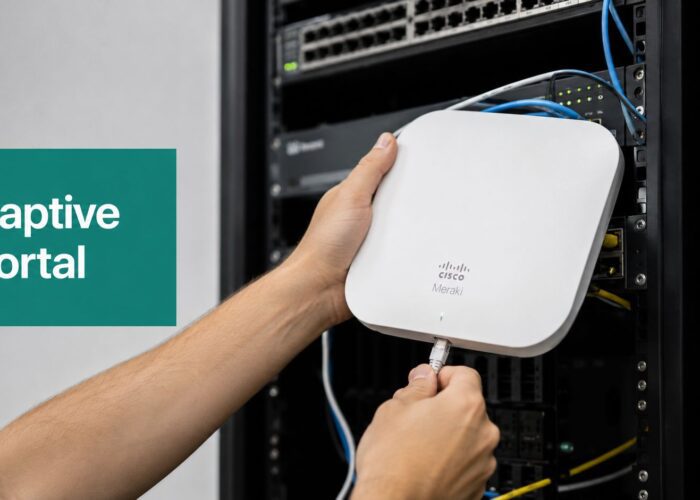
Building and Deploying Your Meraki Captive Portal
This is the point where design meets network policy. It's also where many splash page projects wobble. The mockup looks fine. The copy is approved. Then the page goes live and users can't reach a social login provider, redirects break, or guests land in a loop.
That isn't a design failure. It's an implementation gap.

Build the journey before you publish the page
A practical captive portal rollout in a Cisco Meraki environment usually follows this order:
Decide the SSID purpose
Is this for public guest WiFi, social WiFi, temporary visitors, or BYOD onboarding?Choose the authentication method
Click-through, social login, voucher, SAML, IPSK, or EasyPSK all drive different policy needs.Design the page around one action
Don't finalize visuals until the access flow is clear.Set the redirect destination
Decide where users go after successful login.Configure pre-auth access rules
Make sure any required pages or identity providers are reachable.Test on real devices
Use phones, tablets, and laptops. Don't rely on dashboard previews alone.
The walled garden matters more than most teams expect
One of the most overlooked technical tasks is the walled garden. Neutral vendor documentation on creating a splash page notes that implementation isn't just about visuals. You also need to configure walled-garden rules so users can reach allowed destinations before authentication, and set a post-login redirect so the flow completes correctly.
This becomes critical when you use:
- Social login providers
- External terms pages
- Hosted brand assets
- Identity services tied to SAML or cloud authentication
If those dependencies aren't reachable before authentication, the portal may appear broken even though the page itself loads.
Post-login redirect is part of the experience
The redirect destination deserves more thought than it usually gets. Sending every user to a generic homepage wastes a high-attention moment.
A better redirect depends on the venue:
- Retail: current promotion, loyalty sign-up, or store locator
- Hospitality: property services, booking tools, or digital concierge
- Education: campus visitor info or event page
- Corporate: guest instructions or visitor resources
That's also where platform choice can help. Splash Access is one option that integrates captive portals with the Meraki cloud, including configurable splash pages, authentication options, and workflow support for guest access policies.
Test the whole flow, not just the page
Teams often test appearance first. Network engineers should test sequence first.
Use a checklist like this:
- Open the SSID from a fresh device
- Confirm the captive portal appears
- Verify the CTA works on mobile
- Check any social login or external auth path
- Confirm the post-login redirect lands correctly
- Reconnect to verify repeat-user behavior
- Review failure behavior when connectivity is poor
If you're deploying in Meraki and need a broader foundation for the onboarding side, this guide to a captive portal for WiFi helps connect the access policy and user experience pieces.
Capturing Data Ensuring Compliance and Measuring Success
A live splash page gives you more than a login screen. It gives you a consent point, a measurement point, and a clearer view of how people use your spaces.
That only helps if the data collection is intentional.

Capture only what serves the use case
The easiest way to create compliance headaches is to ask for data you don't need. A splash page should collect the minimum information required for the access method and the business purpose.
For example:
- Retail: consented marketing details, visit patterns, campaign response
- Hospitality: access acceptance, stay-related service engagement
- Education: visitor identity context, temporary access records
- Corporate guest access: session records and policy acceptance
A practical build sequence from Landingi's splash page guidance recommends defining one goal, keeping the layout minimal, and using one clear CTA while testing load time and mobile behavior before publishing. That discipline matters for compliance too, because pages that ask for less are usually easier to explain and easier for users to consent to.
Translate guest WiFi into business intelligence
Once the onboarding flow is stable, the useful metrics are usually behavioral rather than cosmetic. Venues often look at foot-fall, dwell times, and return rates to understand how physical spaces are being used.
That can influence decisions like:
- Retail staffing and promotional timing
- Campus facility planning
- Hotel service placement
- Corporate reception and visitor flow
The key is to treat analytics as an operational tool, not just a marketing one.
Consent text should be plain, visible, and specific. If legal language hides the real data use, users won't trust the page and staff won't be able to explain it.
Compliance needs to be designed in
GDPR and similar privacy frameworks don't just apply after data collection. They affect the wording, consent model, retention choices, and reporting access from the beginning.
That's especially important in Meraki guest WiFi environments where the captive portal may sit between network access and marketing workflows. If your organization operates in privacy-sensitive regions, this article on Meraki and the GDPR gives useful context for aligning guest access with compliance expectations.
The cleanest setups are the ones where legal, marketing, and network operations agree early on what is being collected, why it's being collected, and how users are informed.
Troubleshooting Common Guest WiFi Login Issues
Most guest WiFi problems look technical to the user and preventable to the admin. That's why troubleshooting belongs in the design process, not only after launch.
If the captive portal doesn't appear automatically, start by checking the user journey instead of blaming the device. Fresh devices, cached sessions, browser behavior, and redirect logic can all change how the portal is triggered. Test on multiple operating systems and on both strong and constrained connections.
A login loop usually points to policy mismatch. The user authenticates, but the session never moves cleanly from pre-auth to authorized access. In Meraki environments, that often means reviewing captive portal settings, session handling, and whether the redirect path is reachable after login.
Social login failures often trace back to blocked dependencies. If the sign-in button loads but the provider page doesn't complete, revisit pre-auth access allowances and any external assets the page depends on. This is one reason simple pages outperform crowded ones. Fewer moving parts mean fewer points of failure.
The broader lesson is straightforward. Friction is the primary obstacle. Guidance from Webbook Studio's splash page development practices warns that unnecessary links, slow performance, and weak mobile responsiveness reduce effectiveness, and recommends prototyping, checking links, and testing across devices. That mirrors what network teams see in production every day. Most login issues are discovered faster when you test like a first-time visitor, not like an admin who already knows what should happen.
When teams take a user-centric approach, helpdesk volume usually drops. The splash page loads faster, buttons behave predictably, and users don't need a staff member to explain how guest access is supposed to work.
If you need a platform for Cisco Meraki guest WiFi that connects splash pages, captive portals, authentication methods like IPSK and EasyPSK, social login, and analytics into one workflow, Splash Access is built for that job.