Guests are checking in, students are opening laptops, staff are starting video calls, and the Wi-Fi suddenly feels heavy. Pages hang. Card payments take longer than they should. Someone in the lobby says the internet is down, even though it technically isn't.
In most Cisco Meraki environments, that problem isn't just raw capacity. It's usually unmanaged demand. A few devices, a handful of apps, or the wrong traffic at the wrong time can crowd out the work that matters. That's why bandwidth management tools matter so much in hospitality, education, retail, and BYOD corporate networks. They give you a way to decide what gets priority, who gets what level of access, and how guest Wi-Fi stays useful without hurting operations.
The part many teams miss is the link between traffic control and user identity. If your Meraki network can tell the difference between a hotel guest, a conference attendee, a student, a cashier, and a staff tablet, you stop managing bandwidth like a blunt instrument. You start managing it with intent.
Why Your Wi-Fi Feels Slow and What to Do About It
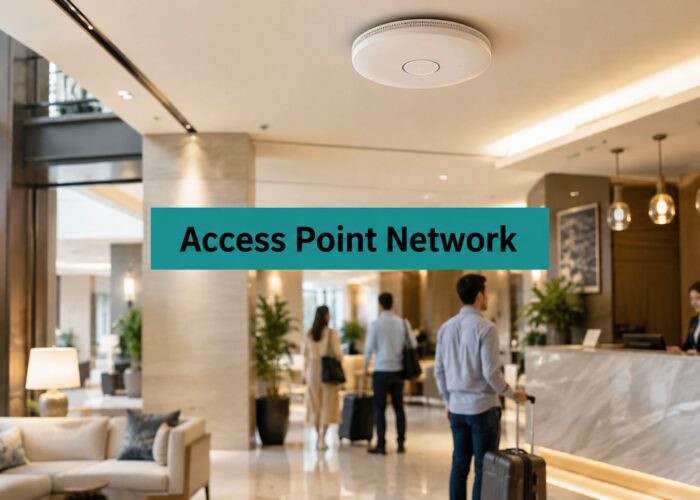
A hotel lobby at check-in time is a perfect example. Guests connect to guest Wi-Fi, some start cloud backups, others stream video, front desk staff run browser-based systems, and a business traveler joins a video call. The internet circuit may be fine. The problem is that the network is treating very different activities as if they all deserve the same lane.
The same thing happens in schools during exam periods and in retail stores on busy weekends. A handful of bandwidth-heavy activities can crowd out payment systems, learning apps, voice traffic, and normal browsing. That's why the underlying issue usually isn't “bad Wi-Fi.” It's missing policy.
Industry guidance increasingly frames bandwidth management as policy enforcement, not just visibility, because organizations need predictable service for guest Wi-Fi, staff applications, and latency-sensitive systems. Without policy enforcement, monitoring often tells you congestion happened only after users have already felt it (Open Systems on bandwidth control).
If users are complaining that the network is “slow,” it also helps to separate bandwidth problems from delay problems. A quick guide to checking network latency is useful for that, especially when a voice or video issue feels different from a download bottleneck.
Slow Wi-Fi is often a control problem disguised as a capacity problem.
A lot of IT managers start by asking whether they need a larger internet pipe. Sometimes they do. But in many Meraki deployments, better results come from clearer rules first. Reserve performance for business traffic, shape non-essential traffic, and connect policies to authentication so users don't all get treated the same by default.
If you need a plain-English refresher on the basics, this overview of what bandwidth means in Wi-Fi is a good starting point before you tune policies.
What Are Bandwidth Management Tools Really
Think of your network like a multi-lane road. Without any traffic control, the biggest vehicles can clog everything. On Wi-Fi, those “big vehicles” might be streaming video, large updates, personal backups, or a device syncing far more than anyone realizes.
Bandwidth management tools are the traffic controllers. They don't exist to punish users. They exist to keep the road usable for everyone, especially the traffic that keeps the business running.

What these tools actually do
A useful tool does more than show a dashboard with “top talkers.” It helps you answer practical questions:
- What is normal traffic here: A school, hotel, and retail site all have different peak patterns.
- Who is consuming disproportionate capacity: One guest room, one student residence device, or one back-office process can affect everyone else.
- Which applications matter most: Payment traffic, VoIP, video meetings, teaching tools, and cloud apps usually need protection.
- What policy should apply: Prioritize, shape, throttle, or isolate traffic based on role and purpose.
That last point is where many buying decisions go wrong. Teams often evaluate tools by how nice the charts look. The chart isn't the fix. The fix is what the network can enforce after you see the pattern.
Bigger pipe or better rules
Buying more bandwidth can help, but it doesn't solve unmanaged behavior. If a network has no traffic priorities, a larger connection can still get filled with low-value traffic. Then the complaints come back, just later.
A better approach is to combine visibility with control:
| Question | Weak approach | Strong approach |
|---|---|---|
| Why is Wi-Fi slow? | Check utilization after complaints | Identify recurring contention and apply policy |
| How do you protect key apps? | Hope there's enough capacity | Reserve or prioritize traffic intentionally |
| How do you handle guest access? | Give everyone the same experience | Assign different policies by user type |
For teams comparing options, these network performance monitoring tools are most useful when they feed directly into action, not just reporting.
If your tool only tells you who consumed bandwidth yesterday, it's useful. If it helps you stop the same problem tomorrow, it's valuable.
Understanding the Core Capabilities
When people talk about bandwidth management tools, they often lump everything into one bucket. In practice, the controls do different jobs. On a Cisco Meraki network, that distinction matters because the right setting depends on what kind of pain you're trying to remove.

Traffic shaping, rate limiting, and QoS
Here's the plain-English version:
- Traffic shaping smooths out traffic flow. Instead of letting bursts overwhelm the link, it guides traffic into a more controlled pattern.
- Rate limiting sets a ceiling. That's useful when a user group or app shouldn't be allowed to consume more than its fair share.
- QoS gives certain traffic higher treatment. Voice, conferencing, payment traffic, and core cloud applications usually belong here.
These aren't interchangeable. If a guest network is overwhelming staff browsing, rate limits may help. If voice calls are choppy during busy hours, QoS is often the answer. If the network gets hit by bursts from updates or sync jobs, shaping can calm the spikes.
For video-heavy environments, especially schools and hybrid offices, Constructive-IT's QoS insights are a good practical reference because they explain why some traffic suffers even when the internet connection looks acceptable on paper.
The blunt instrument problem
A lot of networks stop at SSID-wide rules. One guest SSID gets one speed policy. One student SSID gets another. That works, but only up to a point.
It breaks down when different users on the same SSID need different outcomes:
- A conference organizer needs more reliable access than a casual guest.
- A teacher running a live lesson needs more priority than a student streaming entertainment.
- A manager's BYOD phone may need business app access, while a visitor's device should stay internet-only.
- A premium guest Wi-Fi package may need one policy, while complimentary access gets another.
At this point, authentication changes the whole design.
Why identity makes control useful
When users authenticate through a captive portal, voucher flow, social login, or a private key model such as IPSK or EasyPSK, the network can attach policy to the user instead of only to the SSID. That's a much better fit for modern guest Wi-Fi and BYOD environments.
A simple comparison makes the point clearer:
| Control model | What it knows | What it can do |
|---|---|---|
| SSID-only policy | Network name | Apply one shared rule to everyone |
| Captive portal with user groups | Role or login type | Apply different rules to different users |
| IPSK or EasyPSK | Individual device or user credential | Deliver precise, secure, persistent policy |
With user-aware control, a hotel can tie social WiFi users to one bandwidth profile and conference attendees to another. A school can issue IPSK credentials for dorm access while applying stricter controls to general guest access. A corporate office can split employee BYOD from visitor traffic without building a maze of SSIDs.
A good Meraki deployment often becomes much easier to manage once identity and policy are connected. That's also why Meraki Insight and application visibility become more useful when they support actual user-level decisions rather than just troubleshooting.
Practical rule: If everyone authenticates the same way, everyone usually gets managed the same way. That's rarely what the business actually needs.
Unlocking Control with Cisco Meraki and Captive Portals
Cisco Meraki gives you a strong network foundation. You get centralized management, wireless control, traffic shaping options, group policies, and clean visibility into client and application behavior. That covers the infrastructure side very well.
Where many deployments get stuck is the user side. Meraki can enforce policy, but it still needs a reliable way to identify which user or device should receive which policy. That's where a captive portal and authentication workflow become more than a login page.

Meraki manages the network, the portal manages the user
This is the cleanest way to think about it.
Meraki handles SSIDs, APs, VLAN behavior, traffic shaping, firewall rules, and group policies. A captive portal handles onboarding, identity, consent, login method, and user categorization. Together, they create the missing link between “someone connected” and “this person should get this experience.”
That matters in real environments:
- Hotel guest Wi-Fi can offer social login or voucher access while keeping front desk traffic protected.
- Education networks can authenticate students differently from faculty, visitors, or dorm residents.
- Retail stores can separate customer browsing from POS and back-office operations.
- Corporate BYOD can apply different access and bandwidth rules to managed devices and personal devices.
Why captive portals matter for bandwidth control
Many people think of captive portals as branding and terms acceptance. Those are useful, but they're only part of the story. A good portal becomes a policy engine.
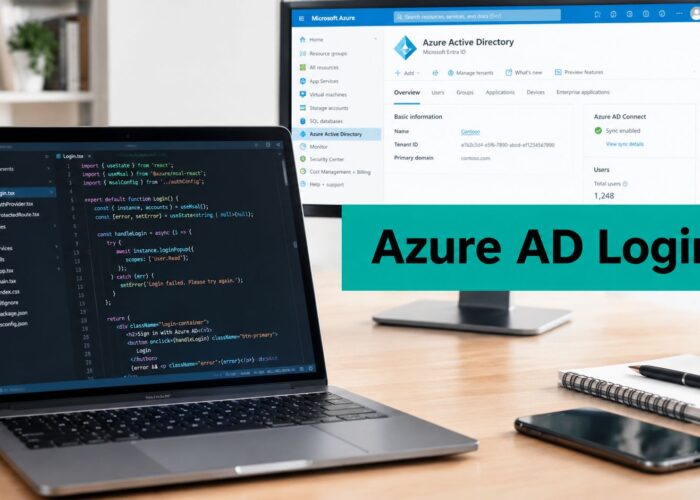
With a system tied into Meraki group policies, login choices can map to different outcomes. A social WiFi login might land in one user group. A staff login using directory-based authentication might land in another. An event attendee using an individual credential can receive a temporary profile configured for that event.
That gives you far more control than “guest SSID equals guest limits.”
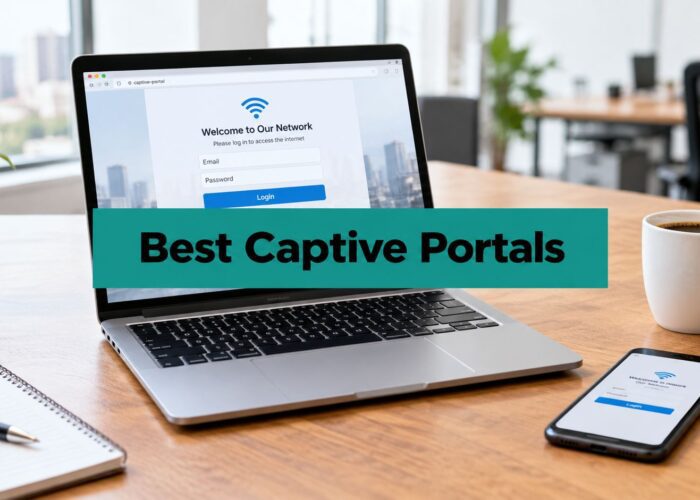
For teams deploying this model, a captive portal for WiFi is most useful when it supports authentication methods that map directly to group policy decisions.
IPSK and EasyPSK are especially useful
IPSK and EasyPSK solve a very specific headache in education, hospitality, and corporate BYOD. You want WPA2-style onboarding and user-specific access without relying on one shared password for everyone.
That's powerful because the key itself becomes part of the identity model. You can issue a unique credential to a student in a dorm, a long-stay hotel guest, a conference attendee, or an employee device. If access needs to change, you change the policy tied to that user or key rather than disrupting everyone on the network.
One practical option in this category is Splash Access, which supports captive portals, social WiFi, vouchers, and private WPA2 onboarding with IPSK on Cisco Meraki environments. In a working design, that means the login method and the assigned Meraki group policy can operate as one coordinated system.
A captive portal becomes strategic when it stops being just a welcome page and starts acting like an identity switchboard for your Wi-Fi policies.
Putting It All Together in Your Industry
The same Meraki settings won't fit every environment. A school, a hotel, a shop floor, and a BYOD office all have different moments of stress. The good news is that the pattern is repeatable. Identify who's connecting, decide what matters most, then apply policies that match the day-to-day reality of that site.

Education
A campus network often looks calm early in the day and chaotic at night. Students stream, game, sync devices, and join classes from the same wireless estate that also supports academic systems and staff operations.
A practical model uses IPSK or EasyPSK for resident and student access, separate onboarding for faculty and staff, and a guest flow for visitors. That way, the school can protect learning platforms and online assessment traffic while still offering student Wi-Fi that feels usable.
Common education policy choices include:
- Academic priority: Give teaching and learning apps the highest treatment.
- Dorm containment: Keep one student's heavy usage from affecting an entire residence area.
- Visitor simplicity: Use a captive portal for guest access without exposing internal resources.
Retail
Retail pain is different. If the POS hesitates, everyone notices. If guest Wi-Fi is slow, customers may shrug, but if payment terminals, inventory tools, or staff handhelds struggle, the store feels broken.
A good retail design usually separates customer convenience from business operations. Guest Wi-Fi can use social login or social WiFi to support marketing capture and smoother onboarding, while payment and inventory traffic stay protected through dedicated policy.
In retail, the fastest way to create network trust is simple. Card payments work every time, and guest access never interferes with them.
Hospitality
Hotels and resorts deal with mixed expectations all day. Leisure guests want frictionless browsing. Business travelers need stable calls and meetings. Conference groups may expect high-density guest Wi-Fi that behaves more like office connectivity than casual internet access.
Per-user and per-group control pays off. A property can keep complimentary guest access simple, offer a higher service tier for business or event traffic, and preserve bandwidth for internal systems such as front desk tools and operations devices. The same Cisco Meraki infrastructure can support all of that if authentication and policy are tied together.
Corporate BYOD
BYOD offices often create hidden sprawl. Employees connect personal phones, tablets, and laptops to the same environment as managed devices, visitors, and shared-room hardware. If the network only recognizes SSIDs, policy gets messy quickly.
A better model separates by trust level and role, not just by network name.
| Environment | Identity method | Useful policy outcome |
|---|---|---|
| Employee-managed device | Directory or device-based onboarding | Broader app access and stable business performance |
| Employee BYOD | Captive portal or private key model | Internet and approved app access with controlled bandwidth |
| Visitor device | Guest portal | Time-limited, isolated, lower-priority access |
| Shared event or meeting users | Voucher or temporary credential | Short-duration policy matched to event needs |
That approach keeps the network practical. People still connect easily, but not everybody gets the same treatment.
Best Practices for Smart Bandwidth Management
The cleanest deployments follow a rhythm. Measure first. Classify second. Apply policy third. Then keep tuning. Anything else usually turns into guessing.
Industry guidance is very clear on the operational loop. Effective bandwidth management tools do more than report utilization. They establish a baseline, identify bottlenecks and bandwidth hogs, and support enforcement actions such as reallocation, rate limiting, traffic shaping, and QoS-based prioritization. The core workflow is to measure traffic patterns, detect disproportionate usage, and apply policy controls to reserve bandwidth for business-critical workloads (N-able on bandwidth monitoring and control).
Start with a baseline
Don't rush straight into throttle rules because a few users complained this week. The more reliable method is baseline-driven and policy-based. Collect at least a few weeks of traffic data so you can see recurring congestion, peak periods, and normal versus abnormal behavior before you lock in policies (baseline-driven bandwidth management guidance).
That matters in mixed-use environments. A school has different peaks than a hotel. A retail site behaves differently on weekends than midweek. A corporate office may have predictable spikes around meetings. If you don't know your normal pattern, your rules will be too aggressive or too loose.
Four habits that work well
Measure what users experience
Look at client behavior, application patterns, and the times complaints happen. “High usage” alone doesn't tell you which traffic deserves protection.Classify by business value
Put traffic into practical tiers. Voice and conferencing usually belong near the top. Payment, operations, and core cloud apps often do too. Recreational traffic can still work, just with less priority.Apply policy at the right level
Some rules belong at the application level. Others belong at the user or group level. That's why identity-aware policy is usually more effective than one blanket setting across an entire SSID.Refine instead of overreacting
If you clamp down too hard, users find workarounds and support tickets increase. If you never review policy, the network drifts back into congestion.
For teams trying to rein in repeat offenders, these real-time monitoring and policy controls for bandwidth hogs show the practical side of turning observation into enforcement.
Mistakes that make things worse
- Over-throttling guest access: If guest Wi-Fi becomes unusable, you create frustration instead of control.
- Protecting everything equally: If every app is “critical,” none of them are.
- Ignoring authentication design: Without clear user categories, policy becomes broad and clumsy.
- Treating it as one-and-done: Wi-Fi usage changes with seasons, events, staffing, and device mix.
Good policy feels invisible to most users. They just notice that the network works when they need it.
From Network Chaos to Controlled Quality
The primary value of bandwidth management tools isn't restriction. It's consistency. You're creating a network where guest Wi-Fi stays useful, staff systems remain dependable, and latency-sensitive traffic gets the treatment it needs without constant firefighting.
That's especially true on Cisco Meraki. The platform already gives IT teams a solid control plane. Once you pair that with smarter authentication, captive portals, social login options, and private key models like IPSK or EasyPSK, the network becomes much easier to shape around real user needs.
Hospitality teams need guests and conference users to coexist. Schools need learning traffic protected without turning dorm Wi-Fi into a support nightmare. Retail stores need POS and operational systems to stay fast while still offering customer connectivity. BYOD offices need to separate trusted, personal, and visitor access without creating SSID sprawl.
If you want help reviewing policy design, segmentation, or user onboarding strategy, it can be useful to look at experienced network consulting services that focus on practical implementation rather than just hardware selection.
If you're using Cisco Meraki and want tighter control over guest Wi-Fi, captive portals, social WiFi logins, vouchers, or IPSK-based authentication, Splash Access is worth a look as a way to connect user onboarding with real policy enforcement.