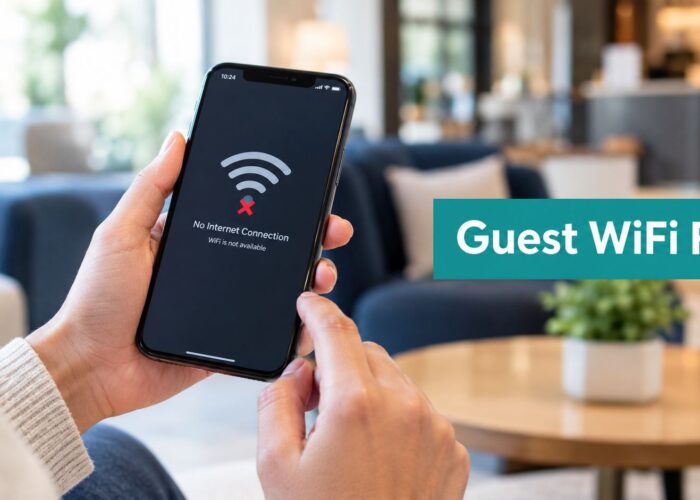
A guest opens their laptop in your lobby, store, campus commons, or meeting room. They find the guest Wi-Fi, tap connect, enter a few details into the captive portal, and wait. Then comes the spinning wheel. Maybe the social login hangs. Maybe the page loads but the session never completes. Maybe EasyPSK works for one device but not the next.
Users don't call that an “application performance” problem. They call it bad Wi-Fi.
That's why application performance management matters far beyond software teams. If you manage Cisco or Meraki networks, support BYOD, or rely on captive portals, social WiFi, IPSK, or EasyPSK to onboard guests, students, shoppers, and visitors, performance isn't abstract. It shapes how people judge your brand in the first few seconds of connecting.
That Spinning Wheel of Guest Wi-Fi Frustration
A hotel guest arrives late, needs to send one document, and joins the guest network from their phone. The captive portal appears, but the branded page takes too long to load. They try again. This time the portal opens, but the authentication step stalls. They give up and switch to mobile data.
From the guest's point of view, the problem is simple. Your Wi-Fi feels unreliable.
In retail, that same moment can sour a shopper's mood before they ever open your app or scan a coupon. In education, a student in a dorm may assume campus Wi-Fi is overloaded when the actual issue is a slow login workflow. In a BYOD corporate office, visitors don't care whether the bottleneck sits in the portal, the identity service, or the back-end policy engine. They only know that access didn't work when they needed it.
Why this hurts more than it seems
Guest access is often the front door to your digital experience. If that first interaction is clunky, users tend to blame the whole environment.
A poor first connection can affect:
- Brand perception: People connect slow onboarding with poor operational quality.
- Staff workload: Front desk teams, store associates, and IT desks end up fielding avoidable complaints.
- User completion rates: Visitors abandon forms, social login, or onboarding flows when each step feels uncertain.
- Confidence in security: If authentication behaves oddly, users may wonder whether the network is safe.
That's where application performance management becomes useful. Not as a buzzword, but as a practical way to watch the full journey from “join network” to “I'm online.”
Slow guest Wi-Fi often isn't just a radio problem. It can be a portal problem, an authentication problem, or a dependency problem hiding behind the Wi-Fi name.
For teams trying to improve onboarding, a guest-experience focused guide to improving user experience is a good reminder that speed, clarity, and reliability all matter together.
APM helps you see that journey before users start complaining. It tells you whether the login page is dragging, whether failed authentications are spiking, whether a third-party step is timing out, and whether the issue is isolated or widespread. For anyone responsible for guest Wi-Fi, that visibility is the difference between guessing and knowing.
What Is Application Performance Management Anyway
Think of application performance management as a doctor for your digital services.
A doctor doesn't just ask whether a patient feels fine. They check vital signs, look for patterns, and investigate what's happening beneath the surface. APM does the same for the systems behind your guest Wi-Fi experience, including captive portals, social login flows, authentication handoffs, and policy decisions.
Application performance management became a formal discipline in the early 2000s and is now commonly framed as a mix of monitoring, diagnostics, and optimization that uses telemetry to protect availability and user experience, as described in Dynatrace's overview of what APM is. That same explanation notes that modern APM often tracks response time, transaction time, error rate, throughput, CPU usage, and other service indicators.
The vital signs that matter
For a business manager, those terms sound technical until you translate them into everyday outcomes.
| Signal | Plain-English meaning | Guest Wi-Fi example |
|---|---|---|
| Response time | How long something takes to answer | How fast the captive portal page loads |
| Transaction time | How long a full task takes | Time from tapping “Connect” to successful internet access |
| Error rate | How often things fail | Failed social login attempts or broken redirects |
| Throughput | How much work the system handles | Many guests onboarding at once during peak periods |
| CPU usage | How hard a system is working | Portal or back-end services straining under load |
Modern APM also moved away from relying only on averages. Dynatrace notes that percentile-based analysis gives a better view of the worst-performing requests, which matters because a small set of very slow guest logins can damage the experience even when average performance looks acceptable in a summary dashboard.
Why averages can fool you
If ten guests connect and nine have a smooth experience while one waits a very long time, the average may still look “fine.” But that one frustrated user is real. In retail, that could be the shopper trying to claim a social WiFi offer. In education, it could be a student joining from a new device. In a Meraki-enabled office, it might be a visitor trying to authenticate for a meeting.

The practical goal isn't to collect fancy charts. It's to answer a plain question fast: what are users experiencing right now?
If you want a technical companion piece on profiling and optimizing applications, that resource helps explain what teams look for once APM shows where delays are happening.
Practical rule: If a guest Wi-Fi flow touches a page, an identity check, and a policy decision, you need visibility across all three. Otherwise, your team only sees symptoms.
For network teams building better visibility around Meraki estates, these network monitoring best practices are useful because they connect infrastructure health with actual user experience, which is where APM earns its value.
The Core Components of Modern APM
Modern APM rests on three connected signals: metrics, logs, and traces. Think of them as three ways of looking at the same guest Wi-Fi journey.
Splunk explains that APM works best when those signals are combined into a single operational view, because that helps teams isolate whether latency starts in application code, downstream services, or infrastructure layers in its article on application performance monitoring. That matters when you're troubleshooting a Meraki captive portal, an IPSK workflow, or a social login path with multiple handoffs.
Metrics show the broad picture
Metrics are your dashboard lights. They tell you whether something is drifting in the wrong direction.
On a guest Wi-Fi service, metrics might tell you:
- Portal response is slowing down during lunch rush in a shopping center.
- Authentication failures are rising for a BYOD student onboarding flow.
- Throughput is climbing in a corporate guest network before a large event.
- Resource strain is increasing on the service handling login redirects.
Metrics are great for spotting trouble early, but they rarely tell the full story by themselves.
Logs tell you what happened
Logs are the written record. They capture events with timestamps and details.
For example, logs can show:
- A failed social login callback after a guest authorizes with a social platform
- A rejected IPSK request because a device profile didn't match expectations
- A redirect loop between the captive portal and an identity provider
- An expired session token during guest reauthentication
If metrics tell you a door is jammed, logs tell you which key didn't fit.
Traces follow one request end to end
Traces are where many people finally understand APM. A trace follows one user action across each system it touches, like package tracking for a single connection attempt.
A trace can reveal that one guest's onboarding path went like this:
- User joins SSID on a Cisco Meraki access point
- Captive portal loads
- Social WiFi login starts
- External identity step responds slowly
- Policy engine waits
- Final network access arrives late
That's much more useful than staring at a generic “network latency” warning.

Why the three signals belong together
A single signal can mislead you. Combined, they help teams move from suspicion to diagnosis.
| If you only have | What you might know | What you still miss |
|---|---|---|
| Metrics | Something is slow | Which request path caused it |
| Logs | An event failed | Whether it's isolated or widespread |
| Traces | One request path broke | Whether the issue is part of a larger trend |
Cisco and Meraki environments generate valuable operational data, but the greatest value emerges from correlation. If your help desk says “guests can't get online,” you want to know whether the issue is tied to the captive portal page, a social login callback, EasyPSK assignment, or a back-end dependency.
If you're working in a Meraki estate and want more context around WAN and experience visibility, this article on Meraki Insight and WAN health is worth reviewing.
APM in Action Real World Wi-Fi Examples
The easiest way to understand APM is to watch it solve ordinary problems that businesses see every day.
ThousandEyes explains that APM has moved beyond basic threshold alerts into deep-dive monitoring of internal application components and analytics-driven root-cause analysis for HTTP/S transactions in its guide to application performance management. In plain terms, that means a team can follow a slow transaction from the user interface through the back end and find the exact bottleneck.

Retail and the crowded storefront
A retailer rolls out branded guest Wi-Fi with a captive portal and social login. On normal days, the journey feels smooth. Then a major promotion hits, foot traffic rises, and the store team starts hearing that the landing page is taking too long.
Without APM, staff may blame “the internet” in general. With APM, the team can see whether the slowdown starts in the portal rendering step, an external login dependency, or a rule that applies guest policy after authentication.
That matters because retail guest Wi-Fi isn't just an amenity. It often supports app engagement, digital coupons, loyalty enrollment, and a more polished in-store experience.
Education and the BYOD campus
A campus dorm network has to support a changing mix of laptops, phones, tablets, gaming devices, and smart gear. Students don't all connect the same way, and support teams can get buried when onboarding isn't clear.
APM helps education teams map the device journey:
- Initial join: Does the student reach the right portal quickly?
- Authentication step: Does IPSK or EasyPSK assignment complete reliably?
- Policy application: Does the right network access follow without delay?
- Ongoing use: Do students experience interruptions later in the session?
A slow step in any one of those moments can feel like “campus Wi-Fi is broken,” even when RF coverage is fine.
On BYOD networks, user complaints often begin at authentication, but the root cause may sit one layer deeper in identity, policy, or portal logic.
Corporate guest access and high-pressure moments
A corporate office hosts clients, candidates, vendors, and executives. Guest access needs to be easy, but it also needs to stay separate from employee access and align with policy.
Now consider a visiting executive minutes before a presentation. They join the guest SSID, complete the captive portal, and need immediate internet access for cloud-hosted content. If that workflow hesitates, the issue becomes visible in a room full of people.
APM turns a vague complaint into a specific path. It can show that the splash page loaded quickly, but the final authorization response lagged. Or that the login looked successful but the session handoff to network policy failed.
Where Cisco Meraki fits
Cisco Meraki gives teams strong visibility at the network layer, and that's a good starting point. In environments that use portal and authentication overlays, one option is Splash Access, which works with Cisco Meraki for captive portals, secure WPA2 and IPSK authentication, social WiFi, and BYOD onboarding. In practical terms, that gives teams another layer to monitor around guest journeys that involve branding, social login, vouchers, or EasyPSK-style onboarding flows.
APM doesn't replace Wi-Fi operations. It sharpens them. It tells you whether the guest experience is failing at the first click, the identity check, or the final access decision.
Your APM Implementation Checklist
Many teams don't need a giant observability program on day one. They need a sensible starting point.
The biggest mistake is trying to monitor everything at once. Elastic's APM guidance notes that modern APM creates high-volume telemetry from traces, metrics, and logs, so teams need governance to control spend, reduce noise, and decide what's worth collecting in production in its article on APM best practices.
Start with the journeys that matter most
For guest Wi-Fi, your most important workflows are usually obvious because they're the ones users notice first.

Begin with a shortlist like this:
- Captive portal load: Can users reach the page quickly and consistently?
- Authentication completion: Do social login, SAML, Azure AD, or voucher-based flows complete cleanly?
- Guest network handoff: After login, does access activate without delay?
- BYOD onboarding: Do IPSK or EasyPSK journeys work on the first try?
- Session continuity: Do users stay connected without confusing interruptions?
Build a practical checklist
Not every item deserves the same depth of monitoring. Focus first on business-critical paths.
- Set one clear objective: Choose a problem your team already feels, such as repeated guest Wi-Fi complaints around the portal or frequent authentication failures in a dorm or office.
- Map the full path: Write down each step from SSID join to internet access. Include every dependency, not just the Wi-Fi hardware.
- Decide what good looks like: Define acceptable user experience in plain language, such as fast portal access, reliable completion, and low friction for returning users.
- Instrument the right layers: Collect the signals that help diagnose issues. Don't collect data just because you can.
- Start in one location: A single campus building, retail site, or corporate floor is easier to learn from than a full rollout.
- Review alerts carefully: Too many low-value alerts teach teams to ignore dashboards.
- Check costs early: Telemetry volume grows fast when you trace every path in detail.
- Refine as you go: Add depth only where repeated issues or business impact justify it.
Field advice: Monitor your onboarding flow like a customer journey, not like a hardware inventory.
A wireless assessment also matters before you blame applications for everything. A proper site survey for wireless network performance helps separate RF problems from application and authentication problems, which keeps your APM efforts focused.
Keep governance simple
Good APM governance answers three questions:
| Question | Why it matters |
|---|---|
| What are we monitoring? | Prevents random data collection |
| Why are we monitoring it? | Ties telemetry to user experience or business goals |
| Who acts on it? | Avoids dashboards nobody owns |
For Cisco and Meraki teams, that discipline is especially helpful in environments with guest access, BYOD, social WiFi campaigns, and multiple authentication methods. Otherwise, you end up with plenty of data and very few answers.
Measuring Success and Calculating Your ROI
If APM only lives in dashboards, business leaders will see it as technical overhead. The value becomes clear when you connect performance to everyday outcomes.
For guest Wi-Fi, success usually shows up in fewer complaints, cleaner onboarding, and less time spent by staff troubleshooting failed access. In retail, it can support a smoother path into social login and branded engagement. In education, it can reduce friction for students bringing their own devices. In corporate offices, it can make guest access feel dependable instead of awkward.
What to measure in business terms
A useful scorecard mixes technical health with operational impact.
Consider tracking outcomes such as:
- Support burden: Are front-desk teams or help desks dealing with fewer Wi-Fi access issues?
- Authentication quality: Are more users completing captive portal or BYOD onboarding without manual help?
- User sentiment: Are complaints about login delay, redirects, or repeated prompts declining?
- Operational focus: Is IT spending less time guessing where failures begin?
- Service confidence: Do business teams trust guest access enough to use it in campaigns, events, and visitor workflows?
Turn technical signals into financial logic
You don't need invented percentages to build a credible ROI case. Use simple operational reasoning.
| Performance improvement | Business effect |
|---|---|
| Faster portal and authentication flows | Less abandonment and fewer complaints |
| Clearer root-cause visibility | Shorter troubleshooting cycles |
| Fewer access failures | Lower support interruption for staff |
| More reliable guest and BYOD onboarding | Better experience for visitors, students, and shoppers |
A good ROI conversation sounds like this: “We reduced avoidable support contacts, protected the guest experience, and gave IT clear visibility into where failures happen.” That's easier for leadership to understand than a pile of isolated latency charts.
Don't chase vanity metrics
Average speed alone can hide poor experiences. A portal might look acceptable in summary reports while a smaller set of users still gets stuck in the login flow.
Good ROI comes from fewer broken journeys, not prettier dashboards.
For Cisco Meraki environments using captive portals, social WiFi, IPSK, or EasyPSK, the strongest proof often comes from cleaner onboarding and steadier day-to-day operations. If guests connect without hesitation and staff stop hearing the same complaint over and over, the business impact is already visible.
Beyond Speed to Great Digital Experiences
Fast Wi-Fi is nice. A smooth digital experience is better.
That's the core value of application performance management. It helps teams see guest access the way users experience it, not the way infrastructure diagrams describe it. APM connects the dots between portal performance, authentication workflows, dependency delays, and the final moment when someone gets online.
For hospitality, retail, education, and BYOD corporate environments, that matters because guest Wi-Fi is part of the brand. It shapes the first impression for visitors, students, customers, and partners. Cisco and Meraki networks provide strong foundations, but the experience still depends on how well each connected service performs along the way.
If your team is also working on the web side of customer experience, these strategies for faster websites offer a useful parallel. The lesson is the same. Speed matters, but consistency, clarity, and reliability matter just as much.
A great captive portal doesn't just load. It guides users cleanly. A strong authentication design doesn't just secure access. It removes friction. A well-run guest Wi-Fi program doesn't just connect devices. It supports trust.
For teams trying to raise that standard, this guide on how to improve customer experience is a practical next read because it ties technical choices back to what people feel when they use your network.
If you want help improving guest Wi-Fi journeys on Cisco Meraki, from captive portals and social WiFi to IPSK, EasyPSK, and BYOD onboarding, Splash Access is worth exploring for its Meraki-focused platform and guest access tools.