Hey there! Ever glanced at your Wi-Fi settings and wondered what WPA2 AES PSK actually means? Think of it as the trusted, heavy-duty lock on your digital front door. It’s the security protocol that became the gold standard for protecting everything from your home network to the guest wifi at your favorite coffee shop.
Decoding WPA2 for Modern Wi-Fi
At its heart, WPA2 AES PSK isn't one single thing but a combination of three powerful components working together to shield your online activity. Imagine you're sending a top-secret message. You’d need a secure process (WPA2), an unbreakable code (AES), and a secret password that only the intended recipient knows (PSK). That's precisely how this technology operates, and it's a lifesaver.
For years, this trio has been the backbone of secure wireless access. It created a reliable and understandable standard for network admins in demanding fields like Education, Retail, and corporate BYOD environments, especially when they're managing powerful hardware like Cisco Meraki access points. These sectors demand robust security that's also easy to manage, and WPA2-PSK has been a solid starting point.
The Building Blocks of Wi-Fi Security
Let's quickly break down what each piece of the puzzle does.
- WPA2 (Wi-Fi Protected Access 2): This is the security protocol itself—the set of rules your router follows to keep unwanted visitors out. It was a massive leap forward from the flimsy protocols that came before it.
- AES (Advanced Encryption Standard): This is the encryption method, the complex algorithm that actually scrambles your data into gibberish. It's so tough to crack that it’s trusted by governments around the globe to protect classified information.
- PSK (Pre-Shared Key): This is just the technical term for your everyday Wi-Fi password. Anyone who wants to get on the network uses this same "key" to unlock access. You can dive deeper into how a pre-shared key works in our detailed guide.
This security trio became the standard for a reason. Its robust encryption and straightforward password-based access made it a perfect fit for nearly every situation, from a small business offering guest Wi-Fi to a large university campus.
To make this even clearer, here's a quick summary of what each part of the WPA2 AES PSK acronym means for your network's security.
WPA2 AES PSK Components at a Glance
| Component | What It Is | Why It Matters |
|---|---|---|
| WPA2 | The security protocol, or the "rulebook" for your Wi-Fi network. | It established a high-security standard, replacing older, easily hacked protocols like WEP. |
| AES | The encryption cipher that scrambles your data into an unreadable format. | It's an incredibly strong, government-grade encryption that keeps your information private. |
| PSK | The Wi-Fi password that everyone on the network shares to gain access. | It provides a simple, familiar way to secure a network without complex server setups. |
Putting it all together, WPA2-AES-PSK provides a secure, reliable, and user-friendly way to protect a wireless network.
A Standard Is Born
WPA2-AES-PSK truly became the cornerstone of Wi-Fi security when it was ratified as part of the 802.11i standard in 2004. This was a huge deal, as it officially left older, vulnerable protocols in the dust.
The new standard mandated the use of the powerful AES cipher. By 2006, WPA2 certification became a requirement for any device wanting to bear the Wi-Fi logo, cementing its place as the default for years to come. This widespread adoption paved the way for the modern Authentication Solutions we use today, like Captive Portals and IPSK, which build upon this solid foundation to add even more layers of security and control.
How AES and Pre-Shared Keys Keep Your Data Safe
Ever wonder how your Wi-Fi password actually shields your data from snoops? It’s not just one thing. The security behind WPA2-AES-PSK is a tag-team effort between a powerful encryption method and a secret key, working together to build a strong digital fence around your connection.
The Dynamic Duo: AES Encryption and Your Password
Let’s start with the heavy lifter: AES, which stands for Advanced Encryption Standard. Think of it as a virtually uncrackable digital vault. Before any of your data—an email, a bank transaction, a photo—zips through the air, AES locks it inside this vault and scrambles it into complete nonsense. This isn't just some basic password protection; it's the same encryption standard trusted by governments and banks to secure their most sensitive information.
But a vault is useless without a key. That's where the PSK, or Pre-Shared Key, comes in. The PSK is just the technical name for your Wi-Fi password. It's the one and only key that can open the AES vault and make sense of the scrambled data inside. To truly grasp its importance, it helps to understand the fundamental role of encryption in information security as a whole.
This process is a layered defense. WPA2 is the security protocol, AES is the muscle doing the scrambling, and your PSK is the secret to unscrambling it.
Each piece of the puzzle builds on the last, creating a secure bubble for your wireless traffic.
The Secret Handshake: How Your Device Connects Securely
So, how does your laptop prove it has the right password without just broadcasting it for any nearby hacker to grab? The answer is a clever process known as the “four-way handshake.”
It’s a bit like a secret club handshake. Instead of yelling the password across a crowded room, you and a friend might ask each other questions that only someone who knows the secret could answer. Your phone and the Wi-Fi router do the same thing. They exchange a quick series of encrypted messages that mathematically prove they both have the correct PSK, without ever sending the actual password over the air.
This is the critical step that establishes a trusted connection. In places like schools, retail stores, or offices running on Cisco Meraki gear, this handshake happens in the blink of an eye every time someone connects. It’s what ensures only authorized devices get onto the network, whether it’s for a simple guest wifi login via a captive portal or something more complex.
This fundamental concept is the bedrock of Wi-Fi security. While a single, shared password is fine for a home network, more advanced setups like IPSK (Identity Pre-Shared Key) or EasyPSK take this idea and run with it, giving each user or device its own unique key for better tracking and control. You can dive deeper into these different kinds of security keys for Wi-Fi to see how they help manage security in busy BYOD environments.
Comparing PSK with Enterprise and IPSK Solutions
A single password for everyone is beautifully simple, but is it secure enough for your business? The standard WPA2 AES PSK is a solid choice for your home network, where you probably have a handful of trusted devices. But in a bustling environment like a school in the Education sector, a shop in the Retail space, or a corporate office juggling a Bring Your Own Device (BYOD) policy, this one-key-fits-all approach starts to show its cracks.
Imagine an employee leaves the company. Now you have to change the Wi-Fi password and then go update it on every single device in the building. It’s a logistical headache. Even worse, that single shared password becomes a single point of failure just waiting to be exploited.
The Problem with One Shared Password
Relying on one shared key is like handing out the same master key to everyone in a massive apartment building. It works fine until someone misplaces their key or gives a copy to the wrong person. On a Wi-Fi network, this leads directly to unauthorized access and makes it nearly impossible to track who's doing what. That initial convenience can end up costing you dearly in security.
A fascinating survey of Wi-Fi access points revealed that while 49.2% of networks use WPA2-PSK with AES, their security is only as strong as the password chosen. The researchers proved this by cracking a network after testing just over a million common dictionary words, showing how a weak passphrase can completely undermine even the strongest encryption.
WPA2-Enterprise: The Corporate Standard
This is the problem WPA2-Enterprise was designed to solve. Instead of one password for everyone, each user gets their own unique login credentials, usually a username and password. This is all handled by a central authentication server (known as a RADIUS server) that verifies each person's identity before letting them onto the network.
It’s a much more robust and secure system, especially for environments using Cisco Meraki in the education or corporate world. If someone leaves, you just disable their account—no need to change the password for everyone else. The trade-off? Setting up and managing a RADIUS server can be complex and expensive, often requiring specialized IT staff.
IPSK: The Best of Both Worlds
So, how do you get the user-specific security of Enterprise without all the hassle? That’s where Identity Pre-Shared Key, or IPSK, comes in. Think of it as a clever hybrid solution that delivers the best of both approaches.
IPSK bridges the gap by assigning a unique password to each user or device, all while using the familiar PSK infrastructure. It’s like having individual keys for every resident but without needing a complicated electronic lock system.
This is a complete game-changer for managing guest wifi and BYOD policies. A retail store, for example, can give unique keys to different vendors, and a school can give each student their own key that can be revoked at a moment's notice.
Solutions like IPSK with RADIUS authentication make this incredibly straightforward. By pairing IPSK with a system like RADIUS, you can automate the entire process of creating and managing unique keys. This puts strong, scalable security within reach for everything from guest social wifi to secure corporate connections, all without the typical enterprise-level overhead.
Common WPA2 Security Risks and How to Mitigate Them
Even though the AES encryption inside WPA2-PSK is a real workhorse, the protocol’s Achilles' heel isn't the tech itself—it's us. The human element. The most frequent security risk boils down to something embarrassingly simple: weak, guessable passwords.
Most of the time, attackers don't need to break out sophisticated hacking tools. They just need to guess your password. They’ll often run automated "dictionary attacks," where a program cycles through thousands of common words, phrases, and simple combinations, hoping for a hit. This is a huge concern in environments like Retail, Education, and corporate offices with BYOD policies, where one weak password can open the floodgates to the entire network.
From Passwords to Protocol Flaws
Beyond weak passphrases, even rock-solid protocols can develop cracks over time as researchers find new vulnerabilities. The most well-known example is the KRACK vulnerability, which made headlines back on October 16, 2017.
This flaw targeted the WPA2 handshake process itself, creating a window where an attacker could potentially decrypt traffic. Thankfully, vendors responded quickly with patches, and any modern, updated device is no longer at risk. Still, the incident was a wake-up call. It drove home the absolute necessity of keeping your network hardware—including your Cisco and Meraki access points—up to date with the latest firmware. You can get a deeper sense of how these issues are handled by reading our guide on protecting your network from the latest vulnerabilities.
The KRACK incident served as a powerful reminder that no security protocol is infallible. It reinforced the importance of proactive security measures, such as regular firmware updates and network monitoring, rather than a "set it and forget it" approach.
Actionable Steps for Stronger Security
So, how do you defend against these risks? It starts with a proactive mindset. The single most effective step you can take is to create a truly strong passphrase—I'm talking long, complex, and completely unique.
Building on that, it’s crucial to understand the broader threat landscape. Exploring different strategies to prevent Man-in-the-Middle attacks will help you build a more layered and resilient defense.
A non-negotiable best practice is network segmentation. By creating separate SSIDs for guests and internal staff, you build a digital wall between them. This way, even if your guest Wi-Fi is somehow compromised, your sensitive internal data remains isolated and safe. This is exactly where modern Authentication Solutions shine, offering tools like social login for guest wifi or unique keys via IPSK and EasyPSK. These systems add a powerful layer of control and visibility, turning a potential weakness into a well-managed asset.
Taking Guest Wi-Fi to the Next Level with Captive Portals
That shared password scrawled on a whiteboard? It’s more than just an eyesore—it’s a security headache waiting to happen. In a world where everyone expects reliable Wi-Fi, it’s time to move beyond the basic WPA2 AES PSK and create a guest experience that’s secure, professional, and insightful. This is exactly where Captive Portals shine.
If you’ve ever connected to Wi-Fi at a hotel or coffee shop and been greeted by a branded welcome page before you could start browsing, you've already used a captive portal. Think of it as a digital doorman for your network. It sits between the initial Wi-Fi connection and full internet access, adding a vital layer of control. For businesses running on robust hardware like Cisco Meraki access points, this opens up a whole new playbook for managing guest access.
It’s About More Than Just a Password
The real magic of a captive portal lies in its flexibility. Instead of handing out the same static password to every single person who walks through your door, you can offer a range of modern Authentication Solutions that make sense for a constantly changing crowd.
- Social Wi-Fi Login: Let guests hop online using their social media profiles. It's a breeze for them and gives you valuable (and anonymous) demographic insights into your visitors. It’s a great way to offer easy guest wifi access.
- Click-Through Agreements: Need users to agree to your terms of service or an acceptable use policy? A simple click-to-agree page gets the job done before they’re granted access.
- Voucher Codes: You can generate unique, time-limited codes for guests. This is perfect for hotels, conference centers, or any situation where you want to control access duration.
These aren't just niche features; they're incredibly practical in Retail, Education, and corporate BYOD environments. A shop can turn its free Wi-Fi into a powerful marketing channel, while a university can easily provide temporary access for visiting speakers without touching its core network security.
By adding a captive portal, you’re no longer just offering a utility. You’re building a strategic asset that delivers a branded welcome, a secure onboarding process, and data-driven insights—all while keeping your network locked down.
This approach also sets the stage for more sophisticated solutions like IPSK and EasyPSK. With these systems, a unique pre-shared key can be automatically generated for each user right after they authenticate through the portal. You get the fine-grained control of an enterprise-grade network but with the simple, user-friendly experience your guests expect. For any Cisco Meraki deployment, it’s a perfect fit—making your network smarter, safer, and a whole lot more valuable.
Configuring WPA2 Security on Cisco Meraki Networks
Alright, let's put theory into practice. It's one thing to understand the concepts, but it's another to see how they come to life inside the Cisco Meraki dashboard. Setting up a WPA2 AES PSK network is your foundational security step, and thankfully, Meraki makes it incredibly straightforward.
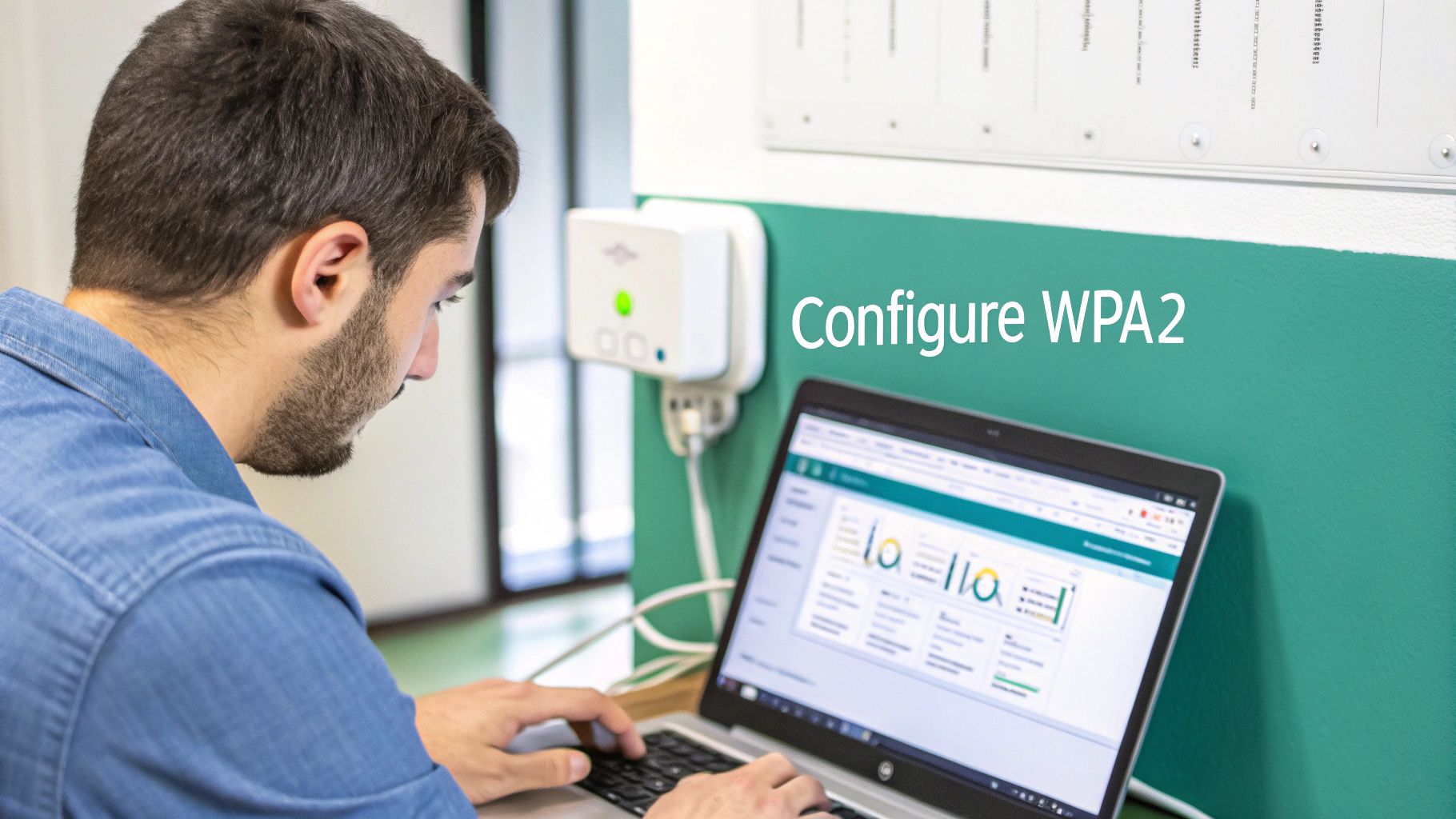
When you spin up a new wireless network (or SSID) in the portal, you’ll choose the "WPA2 Pre-shared key with AES" option. This immediately locks you into the strong, modern encryption standard we’ve been discussing. From there, the most critical step is crafting a solid passphrase. Think long, complex, and totally unique—this is your main defense against anyone trying to guess or brute-force their way in.
Layering Security for Different Environments
A strong PSK is a fantastic starting point, but let's be real—most modern environments need more than a one-size-fits-all password. Think about busy places like schools (Education), bustling shops (Retail), or any office with a bring-your-own-device (BYOD) policy. This is where Cisco Meraki’s power really becomes clear, as it lets you stack other Authentication Solutions right on top of that WPA2 foundation.
- Corporate BYOD: You absolutely have to keep guest and personal device traffic separate from your sensitive internal network. A dedicated guest SSID that uses a Captive Portal is the perfect way to ensure non-company devices never even get a chance to see your core resources.
- Education and Retail: In a school or a storefront, managing access is a constant challenge. Combining WPA2 with an IPSK or EasyPSK solution is a game-changer. It lets you generate a unique key for every single user—be it a student, staff member, or shopper—which massively boosts both security and accountability.
A layered approach transforms a basic WPA2-PSK network into a dynamic, secure ecosystem. It’s about using the right tool for the right job—a simple PSK for trusted devices and advanced solutions like Captive Portals for managing guest access.
These more advanced authentication methods usually run through a central server that handles all the credentials. If you're looking to implement this kind of setup, learning how to set up a RADIUS server is a crucial move toward achieving enterprise-level security.
By integrating features like social login for guest wifi or generating unique keys through a Captive Portal, you can manage your Meraki network with confidence, sidestep common security pitfalls, and truly strengthen your overall defense.
Your WPA2 Security Questions, Answered
Got a few lingering questions about WPA2 security? Let's clear them up. We've pulled together some of the most common queries to give you direct, practical answers about WPA2-AES-PSK and how it fits into modern Wi-Fi management.
Is WPA2-AES-PSK Still Secure Enough Today?
Yes, for most situations, it absolutely is. The core of WPA2—the AES encryption—is incredibly robust and has never been cracked. The real weak spot in a WPA2-PSK setup almost always comes down to one thing: the password. A weak, short, or easily guessed passphrase is the Achilles' heel that can bring the whole system down.
That said, context is everything. For busy or sensitive environments like schools, retail stores, or corporate networks with BYOD policies, relying on a single shared password isn't ideal. This is where you can bolster WPA2's security by adding another layer of authentication, like IPSK or a Captive Portal, especially on a platform like Cisco Meraki. It's about adding more control where it counts.
What's the Difference Between AES and TKIP?
This is a critical distinction, and getting it right matters. Think of AES (Advanced Encryption Standard) as the modern gold standard for encryption—it's what governments and enterprises trust worldwide. On the other hand, TKIP (Temporal Key Integrity Protocol) was a temporary stop-gap created to patch older, insecure WEP systems. It's now completely outdated and has known security flaws.
When you're setting up a Wi-Fi network, the choice is simple: always choose AES. You'll often see it labeled as "WPA2-AES" or "CCMP." Disabling TKIP entirely not only secures your network against old vulnerabilities but can also give your Wi-Fi performance a nice little boost.
How Does a Captive Portal Work with WPA2-PSK?
A captive portal adds a second, interactive step to the login process, sitting right on top of your standard WPA2 password. It’s a bit like having a friendly gatekeeper for your guest Wi-Fi.
Here’s the typical flow:
- A guest connects to your Wi-Fi network using the pre-shared key (the password everyone uses).
- The moment they're connected, their browser is automatically redirected to a custom login or welcome page—that's the captive portal.
- Before they can get full internet access, they have to take another step. This could be anything from:
- Logging in with a social media account (social Wi-Fi)
- Entering a unique voucher code you provided
- Simply ticking a box to accept your terms of service
This two-step approach is a game-changer for managing guest access on Cisco Meraki networks. It transforms a simple, static password into a controlled, secure, and brandable experience.
Ready to turn your guest Wi-Fi from a basic utility into a powerful business tool? Splash Access offers captive portals and advanced authentication solutions designed to deploy instantly on Cisco Meraki networks. With features like IPSK, social logins, and more, you can make your network more secure, gain valuable insights, and give your users a seamless experience.