

Ever been on a video call where someone’s voice suddenly sounds like a robot, or their video freezes for a split second? That jarring, out-of-sync experience is exactly what network jitter feels like in the real world.
Simply put, jitter is the variation in the time it takes for data packets to travel from one point to another. It’s the digital equivalent of a stutter, disrupting the smooth flow of real-time communication.
Your Guide to Understanding Network Jitter
To make this a bit clearer, think about a steady stream of baseballs being thrown your way. If each ball arrives precisely one second after the last, the rhythm is perfect and predictable. But what if they start arriving inconsistently? One shows up in half a second, the next takes three seconds, and the one after that arrives on time. Catching them becomes chaotic and difficult. This unpredictable rhythm is the perfect analogy for jitter.
A tiny bit of jitter is normal on any network, but when it gets too high, it wreaks havoc on applications that need a constant, stable flow of information. This is a major issue in environments like:
- Education: Where students in dorms depend on a reliable connection for their online classes and video lectures.
- Retail: Where customers expect a seamless guest Wi-Fi experience for social logins or using in-store apps.
- BYOD Corporate sectors: Where employees need crisp, clear voice and video calls to get their work done.
For any business running on modern network gear from providers like Cisco or Meraki, getting a handle on jitter is the first step toward creating a great user experience. It's especially crucial when managing Guest WiFi and Captive Portals. While Authentication Solutions like IPSK and EasyPSK are fantastic for controlling network access, they can't fix a bad connection. If the underlying network suffers from high jitter, users will still have a frustrating time.
Jitter isn't about how fast your network is, but how consistent it is. For voice and video, a stable, predictable connection is often far more important for a good user experience than raw speed alone.
For a deeper dive into how data packets move in the first place, you might want to check out our guide to the basics of computer networking 101. In the sections that follow, we'll break down what causes jitter, how it impacts your business, and most importantly, what you can do to fix it.
To help you get started, here's a quick reference table summarizing the key ideas we'll be covering.
Jitter at a Glance Key Concepts
| Concept | Simple Explanation | Why It Matters for Your Business |
|---|---|---|
| What is Jitter? | The variation in packet arrival times. Think of it as an inconsistent rhythm in your data stream. | High jitter leads to choppy audio, frozen video, and a poor user experience on calls and streams. |
| What Causes It? | Network congestion, poor hardware, and wireless interference are the usual culprits. | Identifying the cause is the first step to fixing the problem and improving network performance. |
| How is it Measured? | In milliseconds (ms). It's the difference in delay between sequential data packets. | Knowing your network's jitter levels helps you set performance benchmarks and troubleshoot issues. |
| Acceptable Levels | Generally, anything under 30 ms is considered good for real-time applications like VoIP and video. | Keeping jitter below this threshold ensures your critical communication tools work smoothly. |
This table gives you a snapshot of what jitter is all about. Now, let’s dig into the details of what causes it and how you can start to tame it on your network.
The Hidden Causes of High Network Jitter
So, we know jitter is that annoying, unpredictable rhythm in your data stream, but what's actually causing this digital stutter? It's rarely a single culprit. More often than not, jitter is the symptom of a few common network problems working in concert to disrupt the flow of information.
Network Congestion and Queuing
The most common cause is simply network congestion. Picture your network as a highway. When too many devices try to send data at the same time—like in a bustling retail store with hundreds of shoppers on the guest wifi, or a corporate office with a heavy BYOD policy—you get a digital traffic jam. Data packets get stuck in line, their arrival times become erratic, and that creates jitter.
This problem has gotten worse as internet traffic has changed. With video streaming now making up over 65% of all internet usage, unmanaged jitter has become a major headache. In fact, some research suggests that more than 80% of signal integrity failures in high-speed systems are due to jitter and related timing noise.
This is where your network hardware, like routers and switches, enters the picture. When these devices get overwhelmed, they use a process called queuing to manage the chaos. While queuing prevents data from being dropped entirely, it forces some packets to wait their turn. This waiting game introduces delays and, you guessed it, increases jitter. High-performance hardware, like the gear from Cisco Meraki, is built with smarter queuing mechanisms that can prioritize critical traffic to keep things flowing smoothly.
Wireless Interference and Authentication
For Wi-Fi networks, the plot thickens. Wireless signals are notoriously susceptible to interference from all sorts of things, from your neighbor's Wi-Fi network to the microwave in the breakroom. This interference can corrupt data packets, forcing them to be re-sent, which completely throws off their timing.
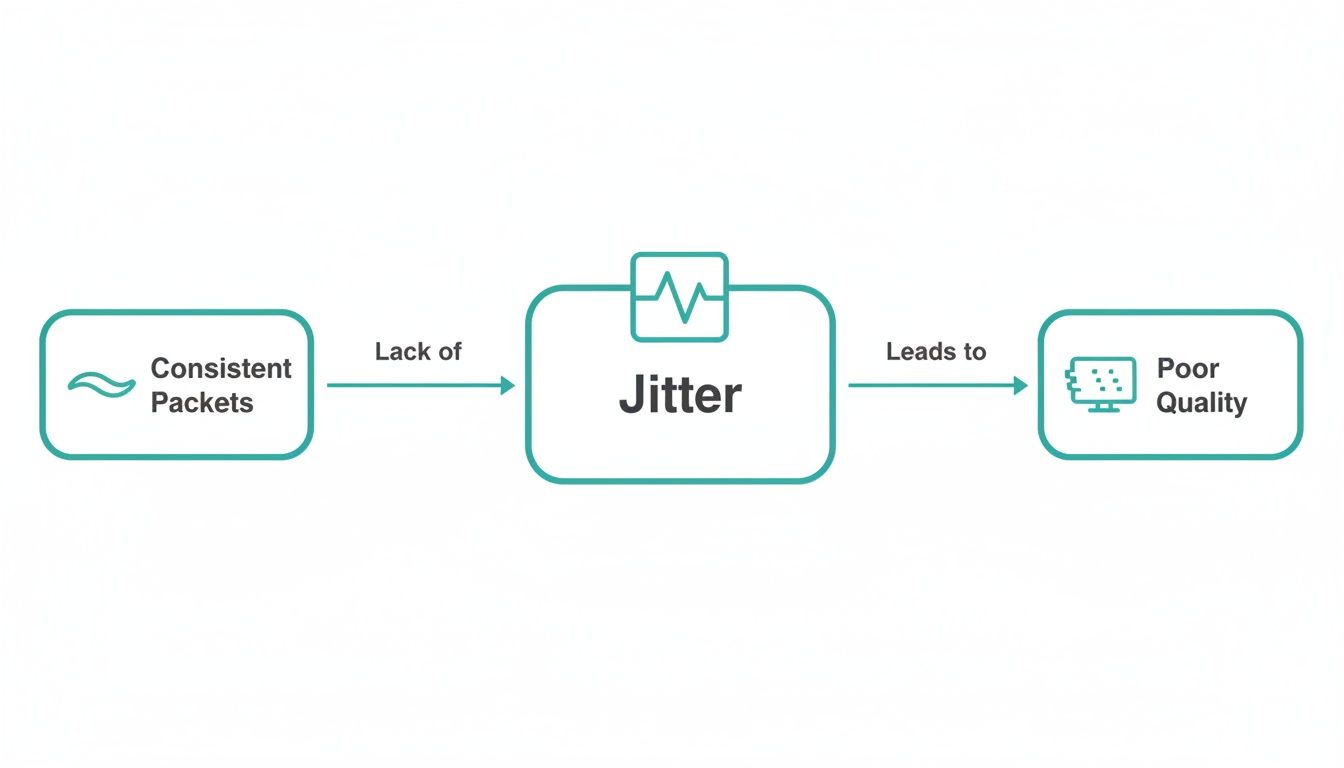
This is the core problem: jitter turns a predictable, steady stream of data into an inconsistent, choppy one.
Even the way users connect can affect performance. Think about an Education campus or a retail space using social login on a captive portal. A sudden rush of users signing on can instantly strain the network.
This is why solid authentication solutions like IPSK or EasyPSK are so critical. They do more than just secure the network; they give administrators the tools to manage bandwidth and prevent the very congestion that leads to jitter in the first place. You can learn more about how to manage and reduce wireless internet interference.
How Jitter Tanks Your Business and Guest Experience
High network jitter isn't just a technical hiccup—it's a direct hit to your operations and your reputation. When the steady drumbeat of data packets turns into an erratic, unpredictable mess, the digital experiences people depend on start to crumble.
Think about a student in a university dorm trying to follow a critical online lecture. If jitter is running wild, the professor’s video becomes a pixelated mess and their voice cuts in and out. It’s not just annoying; it’s a genuine obstacle to their education.
In a corporate BYOD setting, the impact on productivity is immediate. Important video conferences devolve into a frustrating slideshow of frozen faces and garbled, robotic voices. Every time someone has to ask, "Can you hear me now?" is another moment of lost time and momentum.

The Real-World Cost of a Bad Connection
The consequences are especially damaging in Retail. Imagine a shopping center where customers log into the guest wifi with a quick social login. If jitter creeps above just 10ms, the performance of in-store apps and mobile payment systems starts to nosedive. Industry data shows that this level of network instability can lead to a 20-30% increase in cart abandonment for e-commerce platforms linked to those apps.
A smooth digital connection is no longer just a nice-to-have; it’s a basic expectation. A choppy, unreliable network can tarnish your brand's image and send frustrated customers straight to your competitors. Understanding how to improve the customer experience really begins with a solid network.
A stable network is an invisible asset. When it works perfectly, nobody thinks about it. But when jitter strikes, it becomes the only thing your customers and employees will remember.
Turning a Common Problem into a Competitive Edge
This is where a well-managed network gives you a real advantage. The foundation starts with robust hardware from brands like Cisco and Meraki, which are built to handle the intense demands of modern, device-heavy environments.
Beyond the hardware, a smart Captive Portal is more than just a login screen; it’s a network management tool. By implementing secure and efficient authentication solutions, you can proactively control bandwidth and prevent the very congestion that causes jitter in the first place.
Here’s how different authentication methods help create a better, more stable experience:
- Social WiFi Login: This gives guests a fast, familiar way to connect. More importantly, it allows administrators to set bandwidth limits behind the scenes, preventing any one user from hogging all the resources.
- IPSK and EasyPSK: These solutions provide secure, unique access for staff or long-term visitors. They enable network segmentation, which is crucial for protecting critical business systems from the unpredictable traffic of guest browsing.
By putting these strategies into practice, you can transform your guest Wi-Fi from a potential point of failure into a dependable, high-performing service. You ensure every user—student, employee, or shopper—gets the smooth, uninterrupted connection they need, which ultimately protects your bottom line and strengthens your brand.
How To Measure and Diagnose Jitter on Your Network
Feeling the choppy effects of high jitter is one thing, but proving it’s the culprit behind your network headaches is another. The good news is you don’t need to be a network engineer to start diagnosing the problem. We can actually measure jitter and put a number to that frustrating, inconsistent network rhythm.
Jitter is measured in milliseconds (ms), which represents the tiny, split-second variations in when data packets arrive. For most real-time applications, the magic number to remember is 30ms. If you can keep your jitter below this threshold, things like VoIP calls and video conferences will run smoothly. Anything higher, and you start running into trouble.

Simple Ways to Identify a Jitter Problem
To get a quick snapshot of your network’s health, you can run an online speed test. Most modern tests measure jitter right alongside your download and upload speeds. While these are great for a spot check, keep in mind they only show the connection between your device and their specific server.
For a more accurate picture, especially in complex environments like a corporate campus or a retail store running on Cisco and Meraki hardware, dedicated tools are a must. Pinpointing jitter is a key part of a broader network monitoring strategy that keeps everything running at peak performance. When your business relies on a stable connection for guest wifi, you have to know what's happening under the hood. For a closer look at your options, check out these powerful network performance monitoring tools.
A single high jitter reading might just be a temporary blip. Consistent measurements above 30ms during peak usage hours are a clear signal that it's time to investigate deeper.
What Jitter Levels Mean for Your Business
Not all applications react to jitter the same way. A laggy video stream is annoying, but a choppy VoIP call can bring a critical business meeting to a screeching halt. This is especially true in the Education, Retail, and BYOD Corporate sectors, where a flawless digital experience isn't just a nice-to-have—it's expected.
Whether you're managing a captive portal with social login or securing devices with IPSK or EasyPSK, understanding your jitter levels helps you set the right performance benchmarks.
Acceptable Jitter Levels for Common Applications
To put it all in perspective, here’s a practical guide to what’s considered an acceptable level of jitter for the most common network activities.
| Application Type | Acceptable Jitter (in Milliseconds) | Potential Impact of High Jitter |
|---|---|---|
| VoIP and Video Conferencing | Under 30 ms | Choppy audio, robotic voices, frozen or pixelated video, and dropped calls. |
| Online Gaming | Under 30 ms | Lag, delayed player actions, and a frustrating, uncompetitive experience. |
| Video Streaming | Under 50 ms | Annoying buffering, stuttering playback, and a drop in video quality. |
| General Web Browsing & Email | Under 100 ms | Generally less sensitive, but very high jitter can cause slow page loads. |
As you can see, the tolerance for jitter shrinks dramatically when real-time communication is involved. Hitting those strict targets is essential for delivering a quality user experience.
Proven Strategies to Reduce and Manage Jitter
Okay, so you've found high jitter on your network. What now? It’s time to take control. Taming that unpredictable packet delivery is the key to giving everyone a smooth, professional experience. Thankfully, you have some powerful and practical tools at your disposal to get that data flowing predictably again.
Your first and most effective weapon is Quality of Service (QoS). Think of it like creating a high-occupancy vehicle (HOV) lane on your network's highway. QoS lets you prioritize the traffic that can't afford to wait—like voice and video packets—ensuring they zoom past less urgent data, even when things get congested.
This is a game-changer in places like university campuses or corporate offices with heavy BYOD usage, where video lectures and conference calls are mission-critical. By setting up QoS, you're essentially telling your network, "Hey, this Zoom call is more important than that large file download." This simple act can slash jitter for the applications that need stability the most.
Mastering Bandwidth with Cisco Meraki and Smart Authentication
Modern networking gear makes implementing these rules easier than you might think. The dashboard in a platform like Cisco Meraki, for instance, makes setting up traffic shaping and QoS policies surprisingly simple. In just a few clicks, you can assign specific bandwidth limits to different applications or groups of users, stopping one bandwidth-hungry activity from ruining the experience for everyone else.
Of course, smart network design is the foundation of it all. You absolutely must have enough bandwidth to handle your peak traffic loads. Many general strategies to improve network performance and reduce lag are also great for fighting jitter, as they directly attack the congestion that causes it in the first place.
Controlling who gets on your network is just as important as controlling the traffic itself. A well-designed Captive Portal with smart authentication solutions acts as your gatekeeper, preventing a free-for-all that can quickly overload your network.
This is where advanced access control really shines. In a busy Retail store, a guest wifi network can get clogged in a hurry, causing jitter for both your customers and your own point-of-sale systems. Here’s how you can manage that:
- Social Login & Vouchers: These methods give guests easy access but also give you the power to set bandwidth caps and session timers. This is perfect for social wifi, as it stops a few people streaming 4K video from tanking the network for dozens of others.
- IPSK and EasyPSK: These secure authentication solutions are ideal for BYOD environments. They let you issue unique, private keys for each user, which opens the door to fine-grained control and traffic segmentation. You can wall off your critical business traffic from the Wild West of personal device usage.
Optimizing Your Entire Network Ecosystem
At the end of the day, getting a handle on jitter demands a holistic view. It isn't about flipping one switch or buying one magic box. It's about building a stable, intelligently managed network from the ground up.
By pairing robust hardware from providers like Cisco and Meraki with smart software controls, you can create that seamless digital experience you're after. For organizations ready to go even further, learning about WAN optimization can unlock even more powerful techniques for managing traffic, especially across multiple sites. Pulling these strategies together ensures that every single user—from a student joining a virtual class to a shopper using your store's app—gets the stable, jitter-free connection they expect.
Your Practical Jitter Troubleshooting Checklist
When jitter starts making your network feel sluggish, you need a clear plan of attack. Think of this checklist as your field guide for squashing those frustrating stutters, whether you're a retail manager watching POS systems crawl or a campus IT admin swamped with student complaints. These steps are built for the real world, helping you find and fix jitter issues with confidence.
Let's break down how to get to the root of the problem.
Step 1: Assess Network Congestion During Peak Hours
First, play detective. When does the jitter get really bad? Is it during the holiday rush at your store? Or maybe it's that chaotic 10-minute window between classes when every student is online. High-traffic periods are a classic recipe for network congestion, which is jitter’s best friend.
Jump into your Cisco or Meraki dashboard and pull up the traffic analytics for those peak times. The data doesn't lie. It will quickly tell you if your network is just plain overloaded, which means you're likely looking at a bandwidth or traffic management problem.
Step 2: Verify Your Quality of Service (QoS) Settings
Next, check if your network’s express lane is actually working. Quality of Service (QoS) is what gives critical, real-time traffic like video calls and VoIP a priority pass. If those settings are off or configured incorrectly, your most important apps are stuck in the same digital gridlock as everything else.
Go into your network controller and make sure your QoS policies are active and properly set up to favor the applications you can't live without. For instance, in a BYOD Corporate setting, video conferencing should always get to cut in line ahead of casual web browsing.
It's easy to forget to update QoS rules after adding new, important software. Make it a habit to revisit these settings to ensure they still match what your business needs today.
Step 3: Examine Wi-Fi Signal Strength and Interference
Don't get so focused on the software that you forget the physical space. A weak Wi-Fi signal is a huge source of jitter, causing devices to constantly drop and reconnect. Grab a Wi-Fi analyzer app on your phone and take a walk through the problem spots.
Keep an eye out for these common culprits:
- Weak Signal Strength: Are there dead zones where people are too far from an access point?
- Channel Overlap: Do you have too many APs fighting over the same channel? It's like everyone trying to talk at once in a crowded room.
- RF Interference: Could a microwave in the breakroom or another piece of electronics be scrambling your signal?
This is a massive issue in crowded Education and Retail environments where hundreds or even thousands of personal devices are all competing for airtime.
Step 4: Ensure All Network Hardware Firmware Is Current
Finally, let's cover the basics. Outdated firmware on your routers, switches, and access points can be riddled with old bugs that cause performance headaches, including jitter. Hardware manufacturers are constantly releasing updates to patch these issues and make their gear run better.
Set aside some time for maintenance and make sure every piece of network hardware is running the latest stable firmware. You'd be surprised how often a simple update can fix those nagging, hard-to-diagnose problems. This is a foundational step, whether you're running a sophisticated Captive Portal with IPSK authentication or a simple, open guest network.
Your Jitter Questions, Answered
Let's tackle some of the most common questions about network jitter. These are the kinds of things that come up all the time in the field, and getting clear on them will help you manage your network much more effectively.
Can a Captive Portal Actually Help With Jitter?
It's a great question, and the answer is yes, but it's an indirect relationship. The authentication solution itself isn't inspecting or changing data packets on the fly. Its real power comes from giving you control over the network environment.
Think about it: a solid captive portal is your dashboard for managing the entire guest Wi-Fi experience. You can throttle bandwidth for heavy users, set time limits, or even create different tiers of access. By putting these guardrails in place, you prevent the free-for-all that so often leads to network congestion in busy Retail or Education environments. When you stop congestion before it starts, you cut down on the queuing delays that are a primary cause of jitter.
Is Jitter Worse on Wired or Wireless Networks?
While jitter can pop up on any network, it's almost always a bigger and more unpredictable beast on Wi-Fi. Wireless networks have to contend with all sorts of environmental chaos—radio frequency interference from other devices, physical obstacles like concrete walls, and simple signal decay over distance. All of these things introduce variables that can make packet timing go haywire.
This is exactly why investing in professional-grade hardware, like the access points from Cisco Meraki, is non-negotiable. Especially in crowded BYOD Corporate sectors, their gear is built to create a stable, predictable wireless foundation. That stability is your best defense against jitter.
What’s the Difference Between Jitter, Latency, and Packet Loss?
It helps to think of these as three unique ways a data delivery can go wrong. They're related, but they aren't the same thing.
- Latency: This is simply the travel time. How long does it take for a single packet to get from the server to your device? That’s latency, measured in milliseconds.
- Packet Loss: This is a total failure. The data packet was sent, but it never showed up at its destination. It’s gone.
- Jitter: This is the inconsistency of the latency. If one packet arrives in 20ms, the next in 50ms, and the one after that in 15ms, that choppy, unpredictable rhythm is jitter.
All three are bad for network performance, but jitter’s real crime is what it does to real-time applications. For a VoIP call or a video conference to work, it needs a steady, consistent stream of data. Jitter destroys that rhythm.
Ready to build a guest Wi-Fi experience that just works? Splash Access integrates seamlessly with Cisco Meraki hardware, giving you the powerful captive portal and authentication tools you need to deliver smooth, jitter-free connectivity.


