

Ever used an internet portal? You probably have, dozens of times, without even thinking about it. So, what is a internet portal? In simple, friendly terms, an internet portal is a web-based platform that acts as a single starting point for different kinds of information and services.
Think of it as your digital front door. It’s the first place you stop before heading out into the wider world of the web or a private network.
Your Digital Front Door to the Web
Let’s use a quick analogy. Imagine walking into a huge university campus or a big corporate headquarters. You don't just wander in, right? You first stop at a reception desk. The friendly person there checks who you are, gives you a visitor pass, and points you toward the right building.
An internet portal does the exact same job, but digitally. It's that initial point of contact that verifies your identity and then directs you to the resources you're allowed to access.
This simple idea has come a long way, but one of the most familiar examples today is the Captive Portal. You’ve definitely seen these whenever you connect to guest Wi‑Fi, from your favorite coffee shop and the airport to hotels and shopping centers.
What Is the Modern Portal Experience?
Have you ever connected to a public Wi-Fi network, and a login screen immediately popped up on your phone or laptop? That’s a captive portal in action!
It's a special web page that temporarily "captures" your web browser, stopping you from accessing the wider internet until you complete a specific action. This might be as simple as agreeing to the terms and conditions, entering your email address, or using a cool social login feature.
This creates a managed and secure entryway, especially on networks built with robust hardware from trusted companies like Cisco and Meraki. These Captive Portals are absolutely essential for managing network access in all sorts of places:
- Retail: Shops offer free social Wi-Fi, asking for a quick social login or email signup in return for access.
- Education: Schools and universities control network access for students, staff, and visitors, keeping everyone connected safely.
- Hospitality: Hotels use them to provide secure Wi-Fi for guests, often tied to their room number.
- BYOD Corporate: Companies rely on them to securely manage personal devices connecting to the corporate network using advanced Authentication Solutions.
More Than Just a Login Screen
To get a clearer picture of what these look like, check out some fantastic portal web page examples. You'll quickly see they’re far more than just a simple login form.
Modern portals are powerful tools for engagement and security. Organizations use these pages to display targeted promotions, gather valuable marketing data, or communicate important information. They’ve become a key, friendly touchpoint.
The key takeaway is that an internet portal, particularly a captive portal, transforms a simple Wi-Fi connection into a secure, interactive, and valuable touchpoint for both you and the provider.
The most advanced portals can even handle sophisticated security protocols like IPSK (Identity Pre-Shared Key) and EasyPSK. These methods give each user or device a unique key, which massively boosts security, especially in corporate "Bring Your Own Device" (BYOD) environments where lots of different gadgets are connecting.
Essentially, they are the friendly gatekeepers of our modern connected experience, making it both safer and more useful for everyone involved.
To wrap up this initial overview, let's break down the core functions of an internet portal.
Key Characteristics of an Internet Portal
| Characteristic | What It Means for You |
|---|---|
| Centralized Access | It's a single starting point to get to multiple services, apps, and info. Super convenient! |
| Authentication | It checks who you are (with a password, social login, etc.) before letting you in. |
| Personalization | The content and services can often be customized just for you. |
| Security | It acts as a gatekeeper, protecting the network from uninvited guests. |
| Integration | It connects with other systems (like marketing or security platforms) to work seamlessly. |
These characteristics are the building blocks that make portals such versatile and friendly tools across so many industries.
2. From Yahoo to Your Local Cafe: The Evolution of Portals
Internet portals didn't just appear with your coffee shop's Wi-Fi login. To really get what they are today, we need to rewind to the early, slightly chaotic days of the web. Before fancy search engines, the internet was like a massive, disorganized library with no card catalog. Finding anything was a real chore!
That's when the first web portals stepped in. Giants like Yahoo! arrived in the late 1990s and quickly became the homepage for millions. They were more than just a search box; they were hand-curated directories, pulling together news, email, weather, and stock quotes all into one convenient spot.
Think of these early portals as the web's friendly librarians. They manually organized the chaos, making the internet feel less intimidating and a lot more accessible.
This model was a runaway success. For a huge number of people, these portals were the internet. Their value was so obvious that they became the main starting point for just about any online session.
The Shift to Specialized Portals
As the web grew up, so did our expectations. The one-size-fits-all approach of the early portals started to show its limits. But the core idea—a single, central gateway—was too good to abandon. It just needed to be adapted for more specific jobs. This evolution brings us directly to the modern portals we see everywhere, especially the Captive Portals that manage Wi-Fi network access.
Just look at your local cafe. The owner isn’t trying to be your source for news and email, but they definitely need a way to control their guest Wi-Fi. This is where the portal concept got a brilliant second life. You can see just how important this became for small businesses by checking out the benefits of Wi-Fi in coffee shops.
Instead of organizing the entire web, these new portals organize access to the web. They create a secure, branded entryway that serves a very specific purpose, whether it's in Retail, Education, or a corporate BYOD environment.
The Modern Captive Portal
Today’s Captive Portals are the direct descendants of those early web directories. They still provide a controlled point of entry, but now they're supercharged with advanced Authentication Solutions and backed by powerful hardware from industry leaders like Cisco and Meraki.
They’ve morphed from simple lists of links into dynamic, powerful tools that can:
- Provide secure and easy social login options (often called social wifi).
- Use sophisticated authentication methods like IPSK and EasyPSK to boost security.
- Showcase targeted promotions and gather valuable user insights.
From Yahoo!'s homepage to the login screen at your favorite cafe, the internet portal has constantly evolved. It continues to prove its worth by making our digital world simpler, safer, and much more organized.
What Is a Modern Captive Portal for Guest Wi-Fi?
So, how does that classic idea of an internet portal show up in our daily lives? You've probably used its modern equivalent a dozen times this month without a second thought: the captive portal. If you’ve ever logged into the Wi-Fi at a coffee shop, hotel, or airport, you've already met one.
A captive portal is the web page that pops up right after you connect to a public Wi-Fi network. Think of it as the digital doorman for the internet. It briefly "captures" your web browser, requiring a quick action—like accepting the terms of service, popping in your email, or using a social login—before granting you full access to the web.
The Gateway to Guest Wi-Fi
This simple step is the key to making guest Wi-Fi both possible and secure. For any organization, whether it's a small boutique or a massive university in the Education sector, controlling who gets onto their network is a huge deal. A captive portal serves as that secure gateway, making sure only authorized users get online. This is especially true for networks running on robust hardware from brands like Cisco and Meraki, which are built to handle these kinds of secure connections seamlessly.
This layer of control is essential in all sorts of places:
- Education: A university campus can juggle thousands of daily connections, easily assigning different access levels to students, faculty, and visiting guests.
- Retail: A store can offer free Wi-Fi in exchange for a social Wi-Fi login, turning a basic customer perk into a smart marketing tool.
- Corporate BYOD: An office can safely let employees connect their own devices using advanced Authentication Solutions like IPSK (Identity Pre-Shared Key) or EasyPSK, which gives each person their own unique key to the network.
Creating this controlled, yet user-friendly, environment is exactly what a modern Wi-Fi captive portal is all about, perfectly blending security with a smooth user experience.
More Than Just a Login Screen
It's no secret that public Wi-Fi is everywhere. Back in 2020, an estimated 4.5 billion people—more than half the world's population—were already online. This explosion in connectivity has made portals an indispensable tool for managing it all. You can read more about this trend in this in-depth overview on internet access.
A modern captive portal transforms a free connection into a valuable interaction. It's the first digital handshake between a brand and a visitor, setting the tone for their entire experience.
Beyond the technical side, learning how to manage that first digital touchpoint is critical. For hospitality businesses, in particular, it's a key part of the guest journey, as explained in this guide to digital customer experience management. What seems like just a simple login page is actually a powerful opportunity to build relationships and create a secure, welcoming space for everyone.
How Modern Authentication Solutions Secure Your Network
In a world where everyone carries a laptop, a phone, and maybe even a smartwatch, the old-school approach of a single Wi-Fi password just doesn't work anymore. It’s like giving the same master key to everyone in an apartment building—if one person loses it, the entire building's security is shot. Modern Authentication Solutions are the friendly, smart way to manage and secure networks in our device-heavy reality.
This is a massive issue in places like Education, Retail, and corporate BYOD (Bring Your Own Device) settings. These environments deal with a constant flood of new devices trying to connect every single day. To handle this without compromising security, organizations are turning to powerful hardware from industry leaders like Cisco and Meraki, which are built to handle smarter, more secure ways of granting access.
Moving Beyond a Single Password
The big, friendly shift is ditching the one-size-fits-all password. This is where you start hearing about cool technologies like Identity Pre-Shared Key (IPSK) and its more approachable cousin, EasyPSK.
What if, instead of that one master key, every person or device got their own unique, private key to get online? That’s the core idea behind IPSK. When an employee leaves the company or a student graduates, you just turn off their specific key. No more changing the password for everyone else and dealing with the chaos that follows. This method makes managing a network with tons of personal devices so much easier and far more secure.
For you, the end-user, this powerful security is happening behind a very simple, familiar process when you connect to guest Wi-Fi.
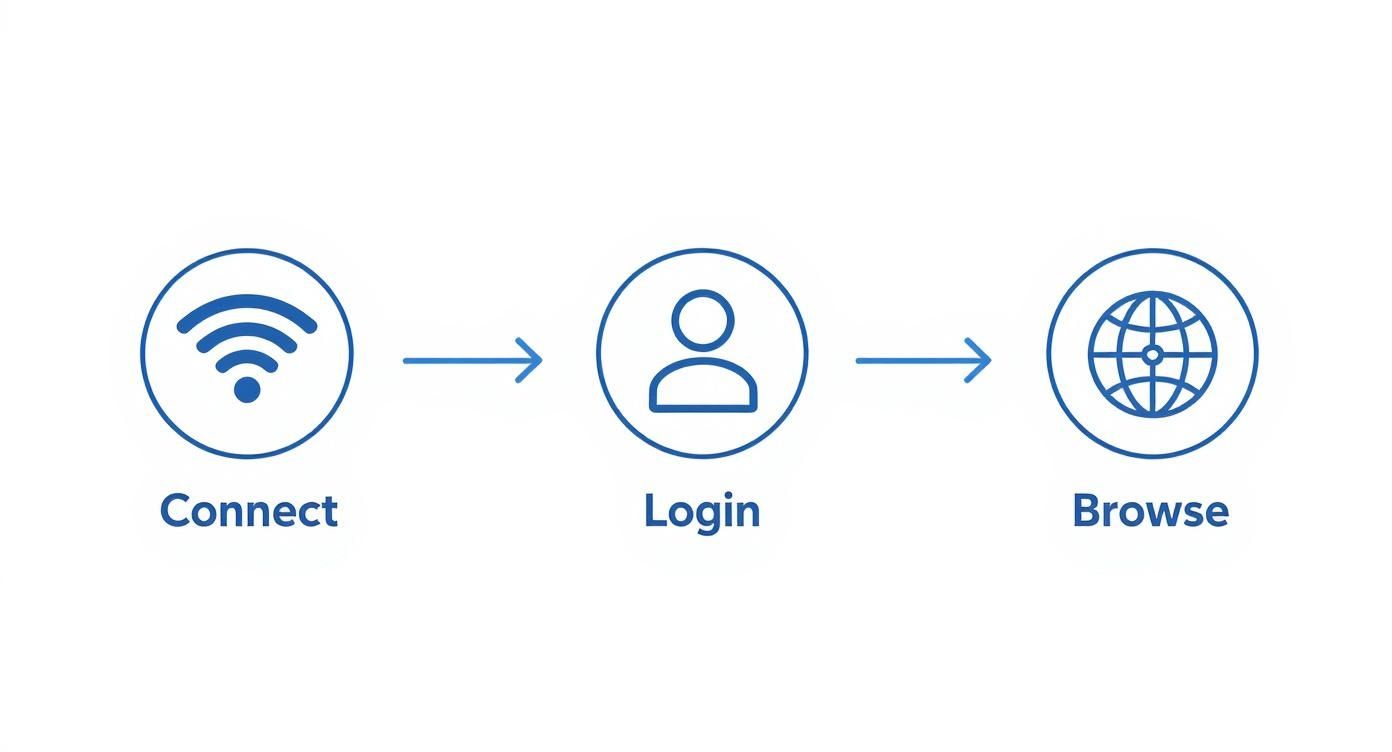
As this graphic shows, it’s a simple three-step journey for anyone connecting: they find the Wi-Fi, log in through the portal, and they're free to browse. Easy!
Powerful Authentication for Every Sector
These advanced authentication methods are incredibly flexible and are often built right into the Captive Portal experience.
- Corporate BYOD: An employee can onboard their new phone themselves using an EasyPSK system. They get secure access in minutes, and IT never gets a help ticket.
- Education: A university can automatically give each student a unique IPSK that works for the entire academic year. This guarantees that only currently enrolled students are on the campus network.
- Retail: While a customer might use a simple social login for the free guest wifi, the store's back-of-house operations can rely on IPSK to lock down staff devices and critical point-of-sale systems.
At the end of the day, modern authentication delivers layered, individual security. It’s all about making sure the right people get the right level of access, transforming a potentially chaotic network into a tightly controlled and safe one.
For those who want to dig deeper into the technical nuts and bolts, you can explore more about advanced 802.1X authentication and see how it fits into this picture. And remember, strong authentication is just one piece of the puzzle; understanding essential website security best practices is just as important for building a comprehensive defense.
2. Why Businesses Need Portals Across Different Industries
Think of an internet portal, particularly a captive portal, as more than just a login screen. It's a powerful and friendly tool that delivers real value. Businesses everywhere are using them not just to hand out Wi-Fi access, but to boost security, supercharge their marketing, and create genuinely better experiences for their users.
What works for a high-street shop is worlds away from the needs of a sprawling university campus, but the same core technology offers an elegant solution for both.

This adaptability is what makes modern portals so essential. They've evolved to handle everything from e-commerce and government services to secure corporate intranets, proving just how vital the concept remains. To dig deeper into this evolution, you can discover insights on how portals aggregate applications and content and centralise user interactions.
From Retail Shops to University Campuses
In the hyper-competitive Retail world, offering free guest Wi-Fi is practically a requirement. A captive portal turns this simple courtesy into a direct marketing channel. By enabling social login (or social Wi-Fi), a store can boost its social media presence, gather valuable email addresses for future promotions, and flash special offers right on the login page.
The Education sector, on the other hand, is grappling with a different beast: managing thousands of users with wildly different permissions. A campus network has to safely serve students, faculty, and visitors all at once. Portals, especially when built on robust hardware from providers like Cisco or Meraki, give IT admins the power to segment the network effortlessly. This keeps students out of sensitive staff systems while providing smooth, reliable connectivity for everyone on campus.
Locking Down the Modern Corporate Network
Corporate offices have been completely reshaped by the "Bring Your Own Device" (BYOD) movement. But securing a network flooded with personal phones, tablets, and laptops can be a massive headache for any IT team. This is where sophisticated Authentication Solutions are no longer a luxury, but a necessity.
A well-designed portal acts as an intelligent gatekeeper for a BYOD network, ensuring every personal device is properly authenticated before it ever touches corporate resources.
Solutions like IPSK and EasyPSK are game-changers for BYOD Corporate security. Instead of a single, easily-leaked password for the entire company, each user and their devices get a unique key. When an employee leaves the company, their access can be instantly revoked without affecting anyone else.
This fine-grained control makes managing a modern network far simpler and much, much more secure. The right Wi-Fi solutions for business can make setting up these advanced security features surprisingly straightforward.
So, how do these benefits actually look when applied to different sectors? This table breaks it down, showing how various industries use Captive Portals to solve their unique challenges.
Portal Benefits by Industry
| Industry | Primary Benefit | Key Use Case |
|---|---|---|
| Retail | Customer Engagement & Data | Offering free guest Wi-Fi with social login to collect emails and display promotions. |
| Education | Secure & Segmented Access | Managing network access for students, faculty, and guests across a large campus. |
| Corporate BYOD | Enhanced Security & Device Management | Using IPSK or EasyPSK to safely onboard and manage employee-owned devices. |
As you can see, the fundamental technology is the same, but its application is tailored to meet specific goals—whether that's growing a customer base, securing sensitive data, or simply managing a complex network with ease.
Your Internet Portal Questions Answered
We’ve covered a lot of ground, from the early days of the web to the sophisticated Authentication Solutions we use now. To wrap things up, let's tackle some of the most common questions that come up when we're talking about internet portals and how they work in the real world.
What Is the Main Difference Between a Website and a Portal?
Think of a standard website as a public brochure. Everyone who visits sees the exact same content, laid out in the same way. An internet portal, however, is much more like a personalized dashboard or a private, members-only entrance.
Where a website broadcasts information at you, a portal is built for interaction. It typically requires a login to give you an experience tailored just for you. A great example is a Captive Portal for guest Wi-Fi—it first needs to know who you are before it can grant you personalized internet access, a job a normal website simply isn't built to do.
How Does a Captive Portal Improve Wi-Fi Security?
A Captive Portal is essentially the digital bouncer for your Wi-Fi network. Instead of handing out a single, shared password that could end up anywhere, it forces every single user to identify themselves first.
This could be as simple as filling out a form, using a social login, or even more secure methods like IPSK (Identity Pre-Shared Key), where every user is assigned their own unique "key." This simple step gives network admins a clear view of who is on their network, allowing them to control access and quickly block anyone causing trouble. It’s a vital security layer for any organization offering guest or BYOD Wi-Fi, especially when paired with powerful hardware from providers like Cisco Meraki.
A captive portal transforms an open, anonymous network into a managed and accountable environment. It’s the first line of defense in protecting both the network and its users from potential threats.
By verifying every connection, you’re not just preventing unauthorized access—you’re raising the entire security standard for your organization's infrastructure.
Can Small Businesses Benefit from a Guest Wi-Fi Portal?
Absolutely! For small businesses like cafes, boutiques, or local salons in the Retail sector, a guest Wi-Fi portal is so much more than just a way to offer internet. It's a genuine marketing machine.
With features like social login, you can ask customers to 'check in' on Facebook or follow your Instagram profile in exchange for getting online. Suddenly, you're boosting your social media presence without lifting a finger. You can also ethically collect email addresses for your newsletter or flash a special promotion right on the login page. It turns a basic amenity into a powerful way to engage customers and gather valuable insights.
This one change can turn a cost center—paying for internet—into a real asset that helps build a loyal customer base.
What Is IPSK and Why Is It Good for Corporate BYOD?
IPSK, which stands for Identity Pre-Shared Key, is a modern Authentication Solution that’s a perfect fit for corporate "Bring Your Own Device" (BYOD) policies. In the old days, the entire office shared one Wi-Fi password. If someone left, you had a security headache on your hands.
With IPSK, every employee and each of their devices gets a unique password. When someone leaves the company, you just deactivate their specific key. No more changing the password for everyone else. This approach makes managing hundreds or even thousands of personal devices on a corporate network dramatically simpler and far more secure. Tools like EasyPSK make this process incredibly straightforward, especially on networks running on systems from Cisco or Meraki.
That kind of individual-level control is crucial, particularly in sectors like Education and Retail, where network access needs to be both flexible and locked down.
Ready to turn your guest Wi-Fi into a powerful tool for security, marketing, and customer engagement? Splash Access provides instantly deployable captive portals designed for Cisco Meraki hardware, offering everything from social Wi-Fi logins to advanced IPSK authentication. Discover how our solutions can help your business by visiting us at https://www.splashaccess.com.


