Ever wonder how huge organizations like universities or corporate offices manage to secure their Wi-Fi for thousands of different devices without using a single, easily-leaked password? It feels like magic, but the secret sauce is a technology called 802.1X authentication. Think of it as a friendly but firm digital bouncer for your network, checking every device's ID at the door before letting them in.
This is a world away from the single password everyone knows (and inevitably shares). Let's dive in and see how it works!
Your Guide to 802.1X Network Security
Remember the old way of connecting to Wi-Fi? You'd get a single password for everyone to use. That's like giving every employee the same master key to the entire building. If just one person loses that key or leaves the company, you have to re-key the whole place—a massive headache.
This old method might work for your home network, but it quickly turns into a security nightmare in bigger environments. Imagine a corporate office with a BYOD policy, a busy Retail store with constant guest traffic, or a sprawling Education campus. This is exactly where 802.1X, especially when powered by gear from brands like Cisco and Meraki, changes the game.
Instead of one shared key, 802.1X gives each user and their device a unique, individual credential. It's a standard for what’s called port-based network access control (PNAC), which is a fancy way of saying it checks and verifies every single connection attempt before granting access to the network. It’s the difference between a simple padlock and a sophisticated security system with individual key cards. For a deeper dive, check out our guide on what is network security and why it's so critical.
To put it simply, the 802.1X framework relies on three core components working together to verify and grant access. Each plays a distinct role in the process.
Let's quickly break down the key players in this system.
802.1x Authentication at a Glance
| Component | Role in the Process |
|---|---|
| Supplicant | The end-user device (like a laptop or smartphone) requesting network access. |
| Authenticator | The network hardware (like a Wi-Fi access point or switch) that acts as the gatekeeper. |
| Authentication Server | The central brain (usually a RADIUS server) that checks the supplicant's credentials and tells the authenticator whether to grant or deny access. |
This three-part check-and-balance system ensures that only verified devices and users can get onto your network.
Why 802.1X Became the Gold Standard
The need for a system like this became painfully obvious as the internet exploded in the late 90s. The IEEE officially approved the 802.1X standard in June 2001, right when unauthorized access was becoming a massive problem for businesses. This new framework introduced the three-part system we just covered, which effectively blocks all traffic until a device proves it belongs.
This level of granular control is absolutely essential in today's world. It's the technology that makes so much possible:
- Secure BYOD: Lets employees safely connect their personal phones and laptops to the corporate network without opening up security holes.
- Dynamic Access Control: Can automatically place users on the right network segment. For example, it can put a student on the general campus Wi-Fi while making sure they can't access the private faculty network.
- Smarter Guest Wi-Fi: When used with tools like Captive Portals, it can enable social logins for guest wifi in places like hotels and stores, boosting security while gathering valuable marketing insights.
Thankfully, you don't have to build these complex systems from scratch. Authentication Solutions from providers like Cisco and its cloud-managed Meraki platform make deploying robust 802.1X authentication much more straightforward for organizations of any size.
The Three Key Players in an 802.1X Setup
Think of 802.1X authentication as a security checkpoint at an exclusive event. For everything to run smoothly, you need three key players, each with a very specific job. Get these three working together, and your network is locked down tight.
1. The Supplicant: The Guest at the Gate
First up is the Supplicant. This is simply the end-user device trying to get on the network—your laptop, a point-of-sale terminal, or a smartphone. In our analogy, the Supplicant is the guest arriving at the front door, ready to present their invitation.
2. The Authenticator: The Bouncer on Duty
Next, we have the Authenticator. This is the network hardware that stands between the device and the network itself. It's usually a wireless access point (like a Cisco Meraki AP) or a wired switch. The Authenticator acts as the bouncer. It doesn't have the guest list, but its job is to stop everyone at the door and radio the manager to verify their credentials. It controls access but doesn't make the final decision.
3. The Authentication Server: The Manager with the List
Finally, there's the Authentication Server. This is the brains of the operation, the one with the official guest list. In nearly every 802.1X deployment, this is a RADIUS (Remote Authentication Dial-In User Service) server. The RADIUS server checks the Supplicant’s credentials and tells the Authenticator whether to let the device in or turn it away. This server is the ultimate authority on who gets network access.
For a deeper dive into how this server manages access, it's helpful to learn more about authentication, authorization, and accounting (AAA), which are the core functions of a RADIUS server.
This diagram shows how these three components communicate to secure the network.
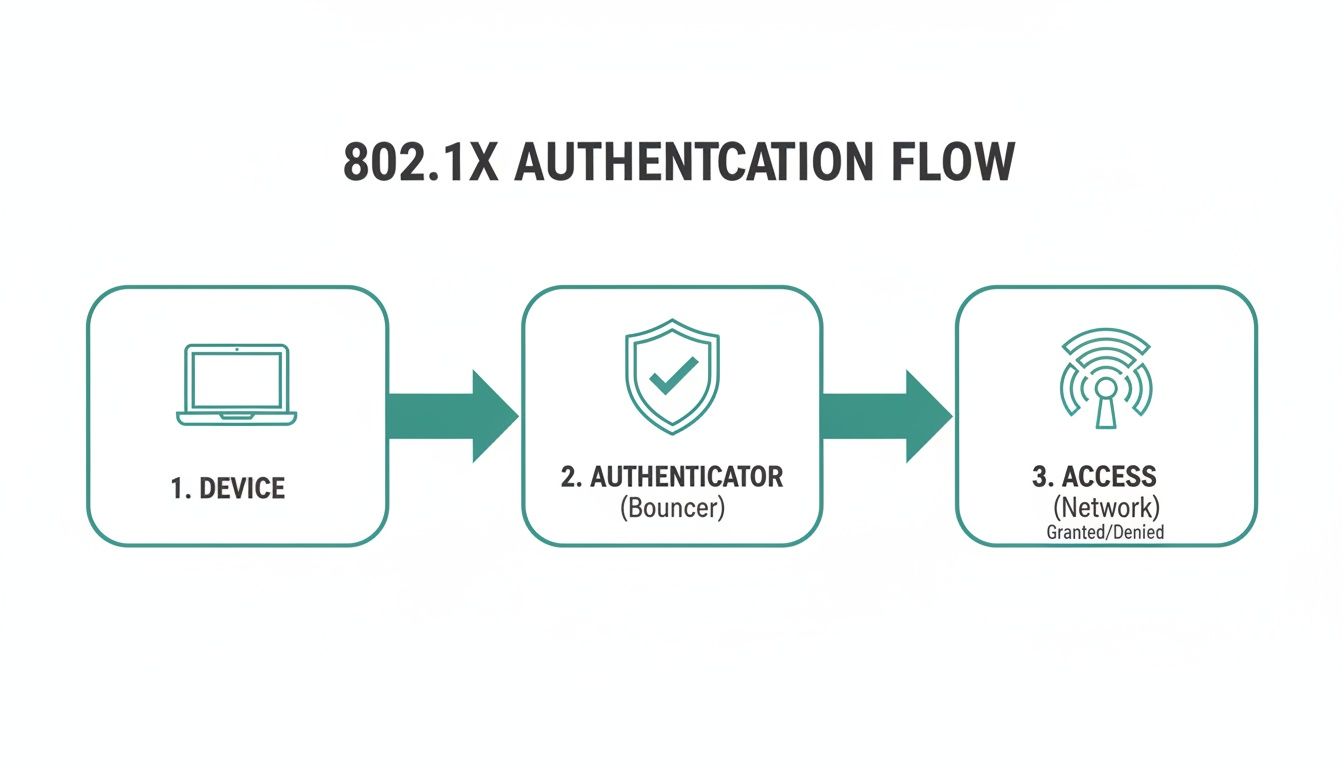
The real magic here is that the access point (the bouncer) never sees or stores the actual credentials. This separation of duties is what makes the whole system so secure and easy to manage at scale.
How They All Work Together
So, what does this look like in practice? It's a quick, secure handshake that happens behind the scenes.
When your laptop (the Supplicant) tries to connect, the Cisco Meraki AP (the Authenticator) immediately intercepts the request. It places the device into a restricted state, essentially a digital quarantine where the only communication allowed is with the Authentication Server.
The RADIUS server then challenges the device to prove who it is. Once the device provides valid credentials and the server verifies them, it sends an "Access-Accept" message back to the access point. That's the green light. The AP then opens the port, and the device is granted full access to the network.
From the user's perspective, it's seamless. But this process provides an incredibly strong security posture, far beyond what you'd get from alternatives. It's a world away from basic Captive Portals or even an IPSK setup, which, while great for guest Wi-Fi, doesn't offer the same granular, per-user security.
This robust, certificate-based framework is precisely why 802.1X has become the standard for environments like Education, Retail, and corporations managing complex BYOD policies.
How 802.1X Stacks Up Against Other Wi-Fi Security Methods
If you think of 802.1X as the high-security bouncer at an exclusive club, checking everyone's individual ID, then what are the other ways to manage who gets past the velvet rope and onto your network? While 802.1X is the undisputed champion for corporate security, it's not the only game in town. Let's see how it compares to the other Wi-Fi setups you've probably used.
Pre-Shared Key (PSK): Simple but Risky
The most common method you'll run into is the Pre-Shared Key (PSK). This is the classic, single Wi-Fi password you use at home. It’s wonderfully simple to set up, but that very simplicity is what makes it a huge security headache for any real business.
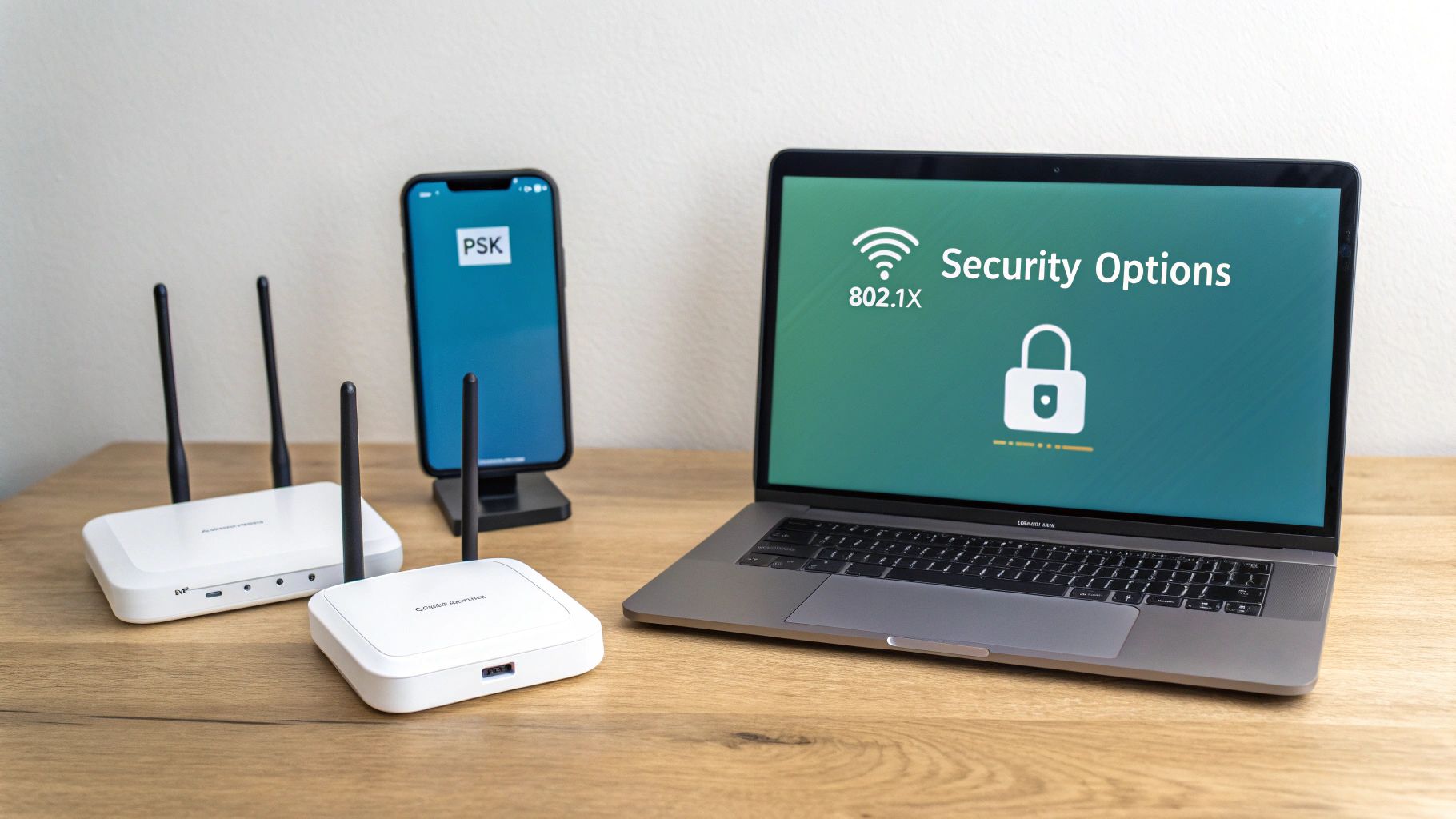
Just imagine a company with a BYOD policy that relies on a single PSK. When an employee leaves, your only option to cut off their access is to change the password for everyone. Then you have to update it on every single phone, laptop, and tablet. It's a logistical nightmare that, let's be honest, rarely gets done.
Identity PSK (IPSK): A Smarter Middle Ground
So, is there something between the all-or-nothing PSK and a full-blown 802.1X deployment? Absolutely. This is where clever hybrid Authentication Solutions like Identity PSK (IPSK)—sometimes called EasyPSK—come in. They're a fantastic blend of simplicity and real security.
With IPSK, every user or device gets its own unique pre-shared key. This one simple change is a game-changer: you can now grant and revoke access for one person without disrupting the entire network.
This approach is perfect for places like schools or retail stores, where you need to manage hundreds of users without the IT overhead of 802.1X. A school can issue each student a key that automatically expires at the end of the year, or a shop can give a temporary key to a visiting vendor. These systems are often managed through platforms that work directly with hardware like Cisco Meraki, making them surprisingly easy to roll out.
For a deeper dive into the technical details, you can read our comparison of WPA2-Personal vs WPA2-Enterprise.
Captive Portals: The Guest Wi-Fi Welcome Mat
Finally, we have Captive Portals. You know these—they're the branded login pages that pop up at hotels, coffee shops, and airports. They are an amazing tool for guest wifi, giving businesses a way to offer internet in exchange for an email address, a social media like, or just agreeing to the terms and conditions.
These portals are more about marketing and access control than deep-level security. They enable features like social login or social wifi, providing great marketing data, but they don't typically encrypt the connection with the same strength as other methods. The best setups often layer a captive portal on top of a more secure authentication system to get the best of both worlds. Understanding these different approaches is a core part of effective network and information security.
To make it easier to see where each method fits, here’s a quick breakdown:
Wi-Fi Security Method Comparison
| Authentication Method | Security Level | Best For | Example Use Case |
|---|---|---|---|
| 802.1X | Very High | Corporate networks, environments with sensitive data | A hospital securing staff access to patient records |
| PSK | Low | Home use, very small offices (1-5 people) | Your personal Wi-Fi network at home |
| IPSK / EasyPSK | Medium-High | BYOD, schools, managed multi-tenant housing | A university issuing unique keys to thousands of students |
| Captive Portal | Low (on its own) | Guest access, retail, hospitality | A coffee shop offering free Wi-Fi after an email signup |
Ultimately, choosing the right tool depends entirely on your needs. For a simple home network, a PSK is fine. But for any organization that takes security seriously, the conversation starts with IPSK and 802.1X.
Choosing the Right EAP Method for Your Network
Now that we've met the key players in the 802.1X world, let's talk about the protocol that handles the actual back-and-forth conversation: the Extensible Authentication Protocol (EAP).
Think of EAP as the language spoken between the device, the access point, and the server. But just like human languages, EAP has several different dialects, or methods. Each one has its own unique strengths, and picking the right one is crucial for getting your security just right, especially when you're working with powerful gear like Cisco Meraki access points.
The Powerhouse: EAP-TLS
If you’re looking for the Fort Knox of wireless security, EAP-TLS (Transport Layer Security) is it. It’s like requiring two forms of government-issued ID for entry—it’s incredibly secure. EAP-TLS demands digital certificates on both the server and the client device (your laptop or phone) to prove their identities to each other.
This mutual authentication completely gets rid of passwords, which makes it a fantastic choice for corporate-owned devices in the BYOD Corporate sector. Because it's entirely certificate-based, it's virtually immune to phishing attacks. The trade-off? You'll need a Public Key Infrastructure (PKI) to issue and manage all those certificates, which can mean more work for your IT team.
The Flexible Favorite: PEAP
Next up is PEAP (Protected Extensible Authentication Protocol), probably one of the most common methods you'll run into. It strikes a great balance, making it a perfect fit for environments like Education campuses and corporate BYOD programs.
PEAP works its magic by first building an encrypted TLS tunnel between the device and the authentication server. It's like creating a private, secure hallway before any credentials are exchanged. Once that secure tunnel is up, the user authenticates with something much simpler, like their everyday username and password. This makes it far easier to roll out than EAP-TLS while still delivering rock-solid security.
When WPA2 was ratified back in 2004, it made 802.1X/EAP mandatory for its enterprise mode. This was a massive leap forward. The new standard was so effective that intrusion success rates on WPA2 networks plummeted to below 5%. In healthcare, where data privacy is non-negotiable, PEAP helped facilities maintain 99.9% uptime by authenticating users against existing directories in under two seconds.
The All-Rounder: EAP-TTLS
Finally, we have EAP-TTLS (Tunneled Transport Layer Security). It functions a lot like PEAP—it also creates a secure tunnel first—but it offers even more flexibility inside that tunnel. With EAP-TTLS, you can use a whole range of "inner" authentication methods, from simple passwords to more complex protocols.
This versatility makes it a great choice for places with a wild mix of devices and user needs. You can learn more about how these protocols tie into a modern network by exploring how a RADIUS server for robust Wi-Fi authentication works.
As you decide on an EAP method, think about how it will fit into your broader security strategy. For instance, pairing it with a well-thought-out MFA rollout plan can add another powerful layer of defense. The real key to success is matching the right EAP method to your specific environment, whether you're securing Retail guest wifi, a bustling university, or a confidential corporate office.
Putting 802.1X to Work with Cisco Meraki
Theory is great, but seeing how 802.1X authentication works in the real world is where you really see its value. The Cisco Meraki ecosystem is a perfect example, using its cloud dashboard to take the headache out of what used to be a brutally complex setup. Now, organizations can deploy serious, enterprise-level security without a massive IT team.
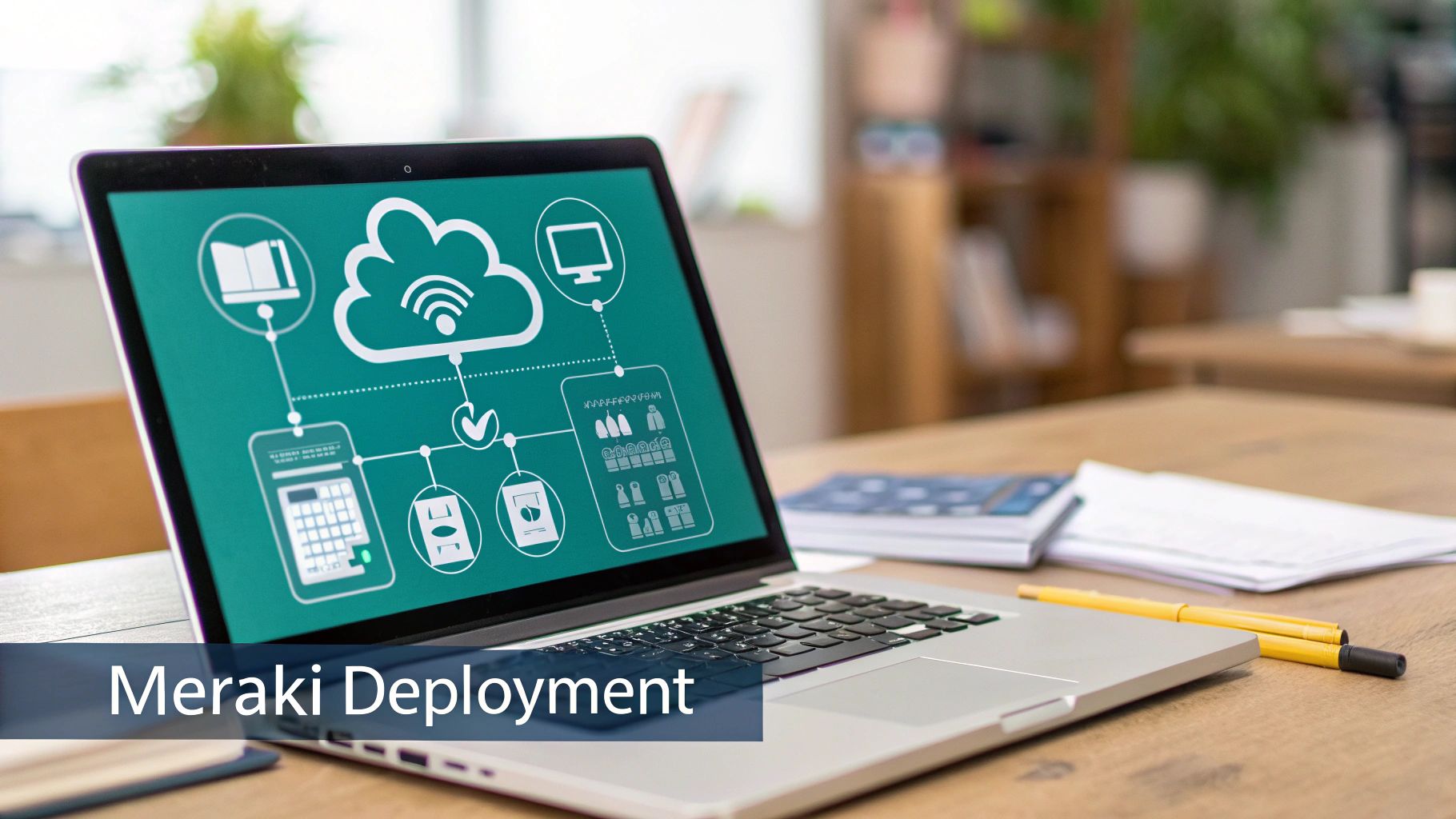
Imagine a modern company with a bring-your-own-device (BYOD) policy. It's easy to connect the Meraki network directly to an identity provider like Azure AD. Employees simply log in using the same work credentials they already know. This approach centralizes all access control, making it incredibly simple to add new hires or instantly revoke access when someone leaves.
Smart Wi-Fi for Retail, Education, and Beyond
This isn't just for corporate offices. In places like Retail stores and Education sectors, 802.1X becomes a powerful tool for juggling different types of users—from students and faculty to shoppers and staff.
Take a large university campus, for instance. An IT administrator can use Meraki and 802.1X to build a secure network that supports thousands of users. Each student and professor gets a unique credential tied to their university account, which means only authorized people can get to sensitive academic resources. It also allows the network to be segmented, keeping the faculty's private network completely separate from the students' BYOD network.
Now, think about a busy Retail store. The goal is two-fold: offer fantastic guest wifi and get some business value out of it. By pairing the security of 802.1X with a Captive Portal, the store can provide social wifi or social login options. Customers get online quickly, and the store gains marketing insights to improve its services. For staff or vendor devices, you can add another layer of security with Authentication Solutions like IPSK or EasyPSK.
As a cornerstone of modern network access control, 802.1X implementations have been shown to slash unauthorized network access by up to 92% in audited enterprises across hospitality, education, and retail.
The Real-World Impact of 802.1X on Meraki Networks
The adoption numbers tell the story. Back in 2020, Cisco reported that a staggering 75% of its major Meraki deployments were already using 802.1X. That shows just how critical it has become.
In really demanding environments like co-working spaces, these systems are built to handle massive traffic, sometimes peaking at 50,000 sessions per access point cluster. For school campuses, the security payoff is just as impressive. Some have seen failed authentication attempts plummet by 88% after a proper rollout. You can dig deeper into this with research from JISC's Janet network.
From locking down corporate data to powering smart guest wifi in public spaces, the combination of 802.1X and cloud-managed networking from Cisco makes identity-based security achievable for almost anyone.
Getting 802.1X Deployed Without the Headaches
Jumping into an 802.1X deployment can feel like a massive undertaking, but with a smart plan, it doesn't have to be. The real secret to success isn't trying to flip a switch overnight. It’s all about a careful, phased approach that makes the transition seamless for everyone, from your network admins down to the end-users.
Think of it as a soft launch. A phased rollout is your best friend here.
Instead of a "big bang" deployment across the entire organization, start small. Pick a single office floor, a specific building, or even just a small group of tech-savvy users for a pilot program. This gives you a safe sandbox to work out the kinks and solve problems before they can impact the whole business.
Setting Yourself Up for a Win
Good communication is just as critical as the technology, especially in places with a BYOD policy. Whether you're in a Corporate, Education, or Retail environment, your users need to be in the loop. Tell them what's coming, what to expect, and give them dead-simple instructions if they need to do anything on their end.
Here are a few essential tips to keep in mind as you plan:
- Pick the Right EAP Type: We've already walked through the options, and this is where it matters. Some EAP methods are built for company-owned devices, while others are a much better fit for BYOD. Make sure you match the method to your security goals and the people who will actually be using it.
- Build in RADIUS Redundancy: Your RADIUS server is the gatekeeper. If it goes down, nobody gets on the network. Simple as that. You absolutely need to plan for high availability to prevent a single point of failure from taking everything offline.
- Use Dynamic VLANs to Your Advantage: Authentication is great, but segmentation is even better. With 802.1X, you can automatically place users into the correct VLAN upon connection. This is perfect for keeping student traffic away from faculty systems or walling off your guest Wi-Fi from the internal corporate network.
Dealing with the Inevitable Bumps
Even the most well-thought-out plan can hit a snag. You're bound to run into common issues like certificate errors or misconfigured client devices. This is where a platform like Cisco Meraki really shines, as its cloud dashboard gives you a clear window into every authentication attempt, making it much easier to spot what’s going wrong.
For guest access, remember that 802.1X can play nicely with other tools. You can integrate it with authentication solutions like Captive Portals that offer social login, or explore hybrid models that use IPSK and EasyPSK for different use cases.
By starting small, talking to your users, and building a resilient infrastructure, you can roll out a powerful 802.1X solution that seriously beefs up your security without causing a user revolt.
Common Questions About 802.1X
Let's tackle some of the most common questions that come up when people first look into 802.1X authentication and try to figure out where it fits.
Is 802.1X Overkill for a Small Business?
It's a fair question, and in the past, the answer might have been yes. Traditionally, setting up 802.1X required some serious IT muscle. But that's not the case anymore.
Modern platforms, especially cloud-managed systems like Cisco Meraki, have completely changed the game. They've baked in authentication solutions that handle the heavy lifting, making enterprise-level security genuinely achievable for smaller teams without a dedicated IT department.
If you’re still not ready for a full 802.1X rollout, you’re not out of options. Hybrid methods like IPSK (sometimes called EasyPSK) are a fantastic middle ground. They give you unique credentials for each device, which is a huge step up from a single shared password, but without the complexity of managing a full certificate infrastructure. It’s a great way to scale up your security when you're ready.
How Does 802.1X Work for Guest Wi-Fi?
Perfectly. In fact, it's one of the most robust ways to handle guest access, especially in places like Retail stores or hotels. The magic happens when you pair the airtight security of 802.1X with a user-friendly Captive Portal.
This combination gives you the best of both worlds. You can offer guests simple and convenient login options, like social login or social wifi, while the underlying 802.1X protocol keeps your network secure. Guest traffic is completely walled off from your critical internal systems, which is a huge win for managing BYOD policies safely.
What's the Big Deal for Schools and Universities?
For the Education sector, 802.1X is less of a feature and more of a necessity. Think about a university campus with thousands of students, faculty, and staff all trying to connect their devices. 802.1X automates and secures that entire process.
IT admins can create rules that automatically assign network access based on a person's role. Students, professors, and administrative staff are placed on different network segments just by logging in.
This is incredibly powerful. It means a student connecting to the campus Wi-Fi is automatically blocked from accessing sensitive faculty records or financial systems, simply based on their login. That kind of granular, role-based control is essential for protecting a large, diverse, and data-rich environment.
At the end of the day, 802.1X offers a scalable, secure, and automated framework for any organization that puts a high value on network security.
Ready to secure your network while offering a top-tier guest Wi-Fi experience? Splash Access offers an advanced captive portal solution designed to integrate seamlessly with Cisco Meraki. It provides powerful features like IPSK, social logins, and deep analytics to protect your network and engage your visitors.