Hey there! Ever been to a huge outdoor festival, a pop-up shop in a park, or even a brand-new construction site and wondered how they all have rock-solid internet from day one? The secret is on-demand connectivity. In a nutshell, temporary internet services provide flexible, short-term Wi-Fi when a permanent, hardwired connection just doesn't make sense. It’s all about getting powerful internet exactly where you need it, for precisely as long as you need it.
Your Guide to On-Demand Wi-Fi
Think of it like renting a fully-equipped mobile office for a specific project instead of getting locked into a long-term lease for an entire building. You get everything you’d expect from a great connection—secure payment processing, smooth guest access, and reliable team collaboration—without the lengthy contracts and installation headaches. This kind of agility is no longer a luxury; it's a core part of how modern business gets done.

It’s no surprise the global portable Wi-Fi market is booming. It hit USD 8.6 billion in 2023 and is on track to reach a staggering USD 25.8 billion by 2032. This explosion is fueled by our universal need for high-speed connectivity everywhere, from massive events to temporary retail locations where traditional internet simply isn’t an option.
To help you decide what's right for your needs, here’s a quick breakdown of how temporary and permanent solutions stack up.
Temporary vs Permanent Internet At a Glance
This table offers a quick comparison, highlighting the key differences and ideal use cases for temporary and permanent internet solutions.
| Feature | Temporary Internet Services | Permanent Internet Services |
|---|---|---|
| Setup Time | Hours to days | Weeks to months |
| Contract Length | Days, weeks, or months | 1-5 years typically |
| Flexibility | High; can be moved easily | Low; fixed at one location |
| Best For | Events, construction, pop-ups | Offices, homes, long-term venues |
| Cost Structure | Higher short-term cost | Lower long-term cost |
| Infrastructure | Cellular (4G/5G), satellite | Fiber, cable, DSL |
Ultimately, the choice depends on your timeline, location, and how long you need the service. For anything short-term or mobile, temporary Wi-Fi is the clear winner.
Powering Modern Guest Experiences
These days, good guest wifi is about much more than just handing out a password. It's an opportunity to create a branded, secure, and completely seamless experience for your visitors. This is where Captive Portals come in. A captive portal is that branded login page you see before getting online—it’s the digital front door to your network.
These portals are game-changers across different fields:
- Education: Schools and universities rely on them to manage access for students and visitors, especially in temporary student housing or during large campus events. They help enforce acceptable use policies and keep the primary network secure.
- Retail: Pop-up shops and event marketers use branded captive portals with social login to collect valuable marketing insights and boost their social media presence through social wifi.
- BYOD Corporate: Companies use them to securely onboard guests and their personal devices (Bring Your Own Device) for meetings and conferences, often integrating advanced authentication for added security.
The Role of Advanced Authentication
In environments where you need tighter control, a single shared password just won't cut it. This is where robust hardware from providers like Cisco and its Meraki line truly shines, as it enables sophisticated Authentication Solutions.
Instead of one password for everyone, modern solutions provide unique, secure access for each user. This changes the game for managing guest and BYOD networks securely and efficiently.
Technologies like IPSK (Individual Pre-Shared Key) and EasyPSK give every user their own unique "key" to the network. This is perfect for a corporate BYOD scenario, as an employee's or guest's access can be granted for a specific timeframe and revoked instantly if their device is lost or they leave the company. You can dive deeper into this by exploring our guide on what an internet portal is and how it all works. This approach delivers a much higher level of security and control—something that’s non-negotiable when protecting sensitive company or student data.
Where Temporary Wi-Fi Makes the Biggest Impact
So, when does a pop-up internet connection go from a nice-to-have to an absolute necessity? You’d be surprised. On-demand Wi-Fi is the unsung hero behind a huge range of successful ventures, acting as the invisible backbone for everything from a bustling weekend pop-up shop to a critical construction project.
Think about a hot new brand launching a pop-up store for a few days. They need more than just a basic connection. They need a rock-solid network for their payment terminals, real-time inventory checks, and a way to offer a great guest wifi experience to shoppers. Signing a year-long internet contract is a non-starter, which is exactly where a temporary solution shines.
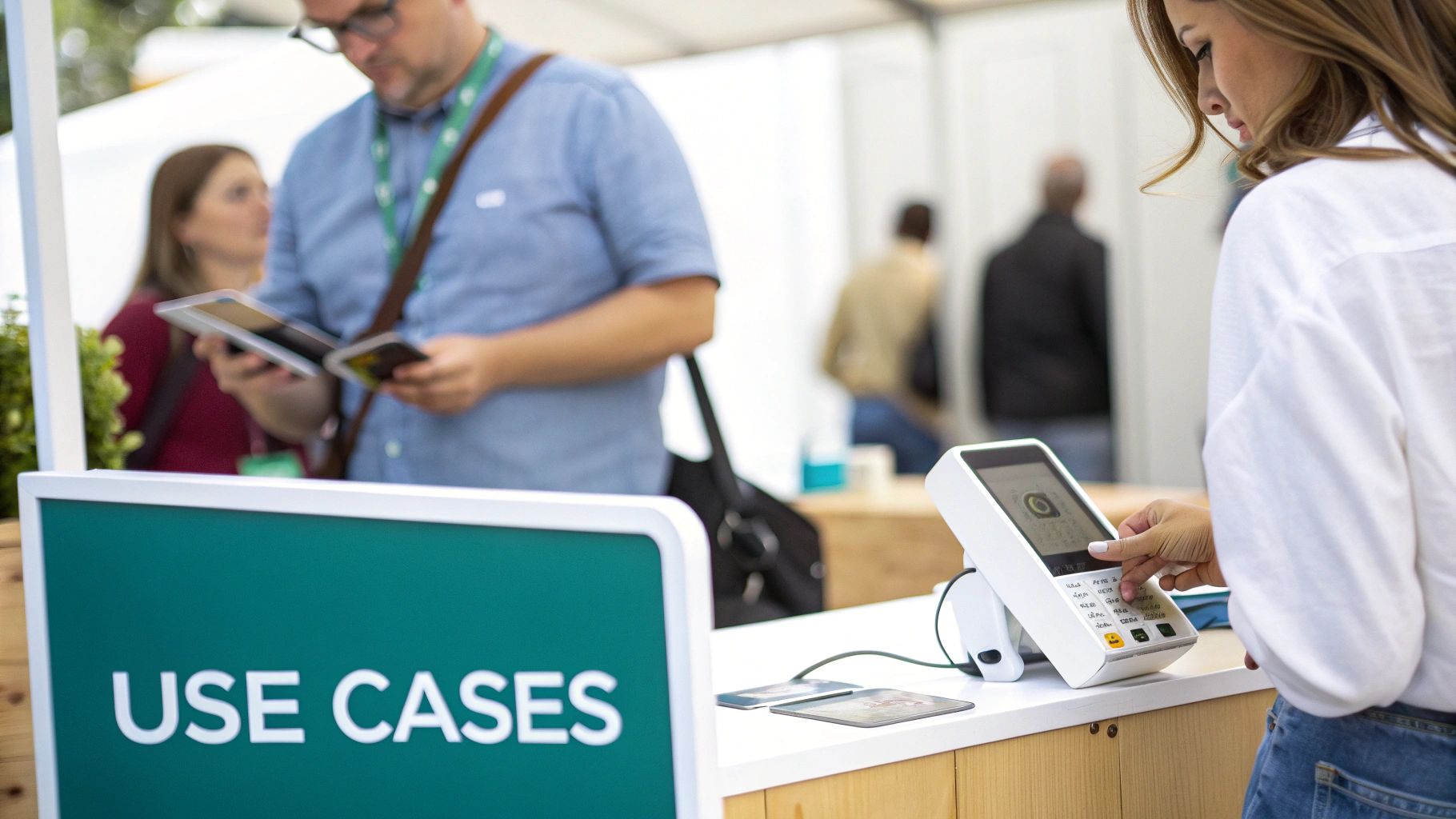
This need for quick, reliable deployment is driving incredible growth in the market. Take fixed wireless access (FWA), a key technology in this space. It’s projected to become a massive USD 1,115.98 billion market by 2033. This boom is fueled by 5G, which is perfect for operations that need to get online fast and pack up just as quickly, without laying a single cable.
From University Campuses to Corporate Boardrooms
The demand for flexible connectivity is just as intense in Education and corporate settings. A university, for instance, might need to light up reliable Wi-Fi for summer student housing or a weekend academic conference. In these situations, the network must be secure, simple to manage, and robust enough to handle hundreds—or even thousands—of people connecting all at once.
It's the same story in the corporate world. Big meetings, all-hands training sessions, or industry events mean a flood of visitors needing to connect their own devices (the classic "Bring Your Own Device" or BYOD headache). A temporary guest network, completely isolated from the main corporate one, is non-negotiable for security.
This is where powerful hardware from brands like Cisco and its cloud-managed Meraki line really proves its worth. It provides the stability these high-density environments demand, ensuring a seamless connection for every single user.
Advanced Authentication Solutions are the key to making this work securely. Instead of handing out a single, shared password that could end up anywhere, solutions like IPSK and EasyPSK give each user their own unique key. This is a game-changer. It gives administrators fine-grained control to grant and revoke access on an individual basis.
Powering Retail Pop-Ups and Construction Sites
Beyond big events, temporary internet is the lifeblood for all sorts of other operations, like getting connectivity to temporary setups like construction sites. Project managers on the ground need reliable internet to pull up digital blueprints, collaborate with off-site teams, and keep the project on schedule. A temporary network can be up and running in minutes, providing that vital link from day one.
The Retail world is another great example. Think of a seasonal holiday market or a fleet of food trucks. They depend on this kind of connectivity to:
- Securely process credit card payments.
- Manage inventory systems in real-time.
- Use a Captive Portal with social login options to build a customer marketing list.
This is what turns a simple internet connection into a powerful business asset. With a platform like Splash Access running on the Cisco Meraki backbone, creating these branded and secure social wifi experiences is surprisingly simple. You can explore the different Wi-Fi solutions for business to see how they can be adapted to these unique scenarios.
No matter the use case, the goal is always the same: deliver an enterprise-grade connection that’s as agile and dynamic as the business it serves.
Choosing the Right Guest Authentication Method
Getting your temporary internet services up and running is just the start. The real magic lies in controlling who gets on your network and how they do it. This is about more than just security—it's your chance to create a smooth, branded, and intelligent experience for every single user. The right authentication method can transform your guest wifi from a basic utility into a seriously powerful tool for your marketing and operations teams.
Think of your Wi-Fi login as the digital front door to your event, pop-up shop, or campus. You wouldn't just leave your physical front door wide open, right? The same logic applies here. You need a way to welcome your guests while making sure the right people have the right level of access.
The Power of Captive Portals
The most common and flexible tool you have is the Captive Portal. This is that branded splash page users land on immediately after connecting to your Wi-Fi. Instead of a simple password box, it’s a fully customizable welcome mat that can do a lot of heavy lifting for you.
For a Retail pop-up, this is prime marketing real estate. You can put your brand front and center, flash a special offer, or even run a quick promotional video. By adding social login options, you can give people easy access in exchange for a "Like" or a follow on social media, which is a fantastic way to grow your online presence. This is the essence of effective social wifi.
In an Education environment, like a temporary dorm for a summer program, a captive portal ensures every user agrees to your acceptable use policy before getting online. It's a simple but incredibly effective way to maintain a safe and compliant digital space for students and visitors.
The Captive Portal transforms a technical checkpoint into a branded engagement opportunity. It's your first—and best—chance to interact with users on your network.
Stepping Up Security with Advanced Authentication
While a captive portal is perfect for general guest access, some situations call for much tighter security. This is particularly true in BYOD Corporate settings, where employees or trusted partners are connecting their personal devices to a temporary network for a meeting or conference.
This is where powerful Authentication Solutions, like those built into platforms such as Cisco Meraki, become absolutely critical.
-
IPSK (Individual Pre-Shared Key): Forget about that old-school approach of one password for everyone. IPSK is like giving each user their own unique, personal key to the network. If someone loses a device or leaves the company, you can instantly revoke their key without disrupting access for anyone else.
-
EasyPSK: This takes the concept a step further by making it incredibly simple to manage thousands of these unique keys. It's the perfect solution for large-scale deployments where creating keys one-by-one would be a nightmare.
These methods give you incredibly granular control, ensuring only the right people can access sensitive network resources. For a deeper look into the technical nuts and bolts, you can learn more about various user authentication techniques and how they work.
Finding the Perfect Fit for Your Needs
So, which method is right for you? It really depends on what you're trying to achieve. There’s no one-size-fits-all answer, but you can easily match the technology to the situation. A platform like Splash Access makes it easy to manage all of these options on top of your Cisco Meraki hardware.
Here's a quick guide to help you decide:
| Method | Best For | Primary Goal |
|---|---|---|
| Social Login | Retail, Events, Hospitality | Marketing data & brand engagement |
| Voucher Codes | Paid Events, Hotels | Controlled, time-limited access |
| Paid Access | Co-working, Campgrounds | Direct revenue generation |
| IPSK / EasyPSK | Corporate BYOD, Education | Maximum security and control |
For instance, a music festival might use a hybrid approach: a free social wifi tier for all attendees to build social media buzz, alongside a paid, high-speed option for vendors and production staff who need a rock-solid connection. The flexibility to mix and match these authentication solutions is precisely what makes modern temporary internet services so effective.
How to Set Up Your Temporary Wi-Fi Network
Alright, let's get down to brass tacks. Moving from theory to practice with temporary internet services might seem daunting, but it’s actually quite manageable when you have the right game plan and tools. I'm going to walk you through the essential steps to create a seamless, secure network for your users, without you needing a PhD in network engineering.
The secret to a successful deployment is all in the planning. For effective event execution and operations, a solid temporary Wi-Fi network isn’t just a nice-to-have; it's a core part of the infrastructure. It all starts with really understanding your space and what people will be doing in it.
Planning Your Deployment
First things first: map out the area you need to cover. Are you setting up Wi-Fi for a single conference room? Or are we talking about a sprawling outdoor festival or a multi-story student accommodation during turnover? The answer dictates how many access points (APs) you'll need and where to put them to avoid dead zones.
Next up is the hardware. The reliability of your network is only as good as the gear you use. This is where leaning on battle-tested hardware from Cisco and its cloud-managed Meraki line really pays off. These APs are built to handle crowds and can be pre-configured before they even arrive on-site. Installation is often as simple as just plugging them in.
This quick visual shows just how simple the journey to get online should be for any guest.
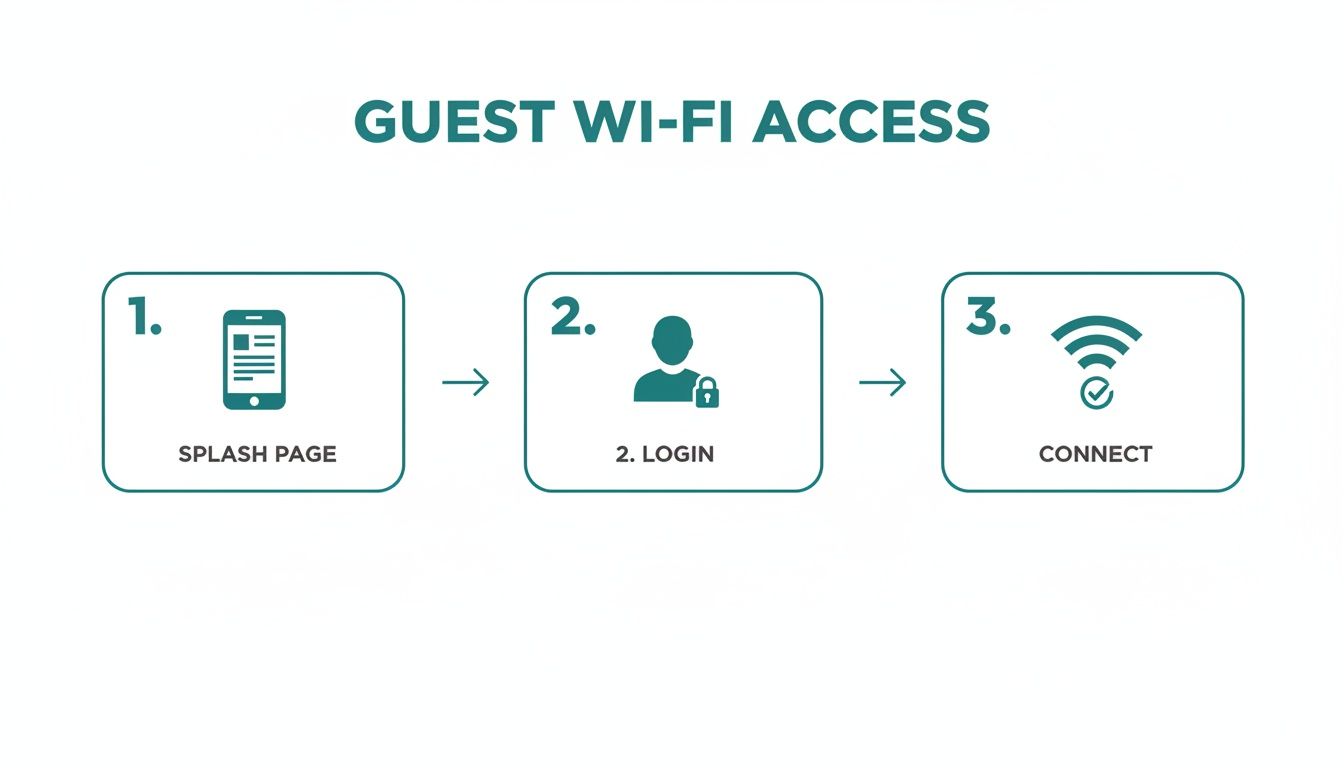
As you can see, the whole process is designed to be intuitive. It starts with a branded welcome and ends with a secure, stable connection.
Configuring Your Guest Experience
Once the hardware is physically in place, it's time to design the user's digital journey. This is where a powerful control platform like Splash Access really shines, working right on top of your Cisco Meraki equipment to create a custom Captive Portal. Think of this branded splash page as your digital front door—it's the first thing every user sees.
Here's a simple checklist to get your portal set up:
- Design Your Splash Page: Get your logo on there, use your brand colors, and write a quick welcome message. It’s your first and best chance to make an impression, whether it’s for a Retail pop-up, an Education event, or a BYOD Corporate meeting.
- Choose Your Authentication Method: How will people log in? You could offer easy access via their social media accounts (social wifi) or provide unique access codes. For more secure environments like a corporate off-site, you can use advanced Authentication Solutions like IPSK.
- Set Access Rules: This is where you take control. You can decide how long a session lasts, cap bandwidth per user, or even redirect everyone to a specific website after they connect.
For a deeper dive, there's a fantastic guide on how to set up guest Wi-Fi that walks through all these configuration settings.
Remember, the goal of the Captive Portal is to make access simple for the user but secure and valuable for you. A great portal balances a warm welcome with robust back-end control.
Testing and Final Checks
The last thing you do before going live is test. And then test again. Don't wait for your first guest to arrive to find out the Wi-Fi is spotty in the main hall. Grab your phone and walk the entire venue, checking the connection strength and running through the login process from different spots.
Here are the non-negotiables to check:
- Signal Strength: Is the coverage consistent? Pay extra attention to high-traffic zones like registration desks, stages, or checkout counters.
- Login Process: Go through the whole experience. Does the social login connect properly? Do the EasyPSK codes work on the first try?
- Load Testing: If you can, get a few people to connect all at once. It's the best way to simulate what will happen when the doors open.
By following these steps—planning the physical layout, configuring a branded user experience, and testing everything thoroughly—you'll be set to deliver a professional and reliable temporary internet service that actually works.
How Splash Access and Cisco Meraki Power Your Network
So, how do you take a basic temporary Wi-Fi signal and turn it into a smart, powerful tool for your business? It all comes down to a smart partnership between top-tier hardware and intelligent software. This is exactly where combining Splash Access with Cisco Meraki hardware really shines for temporary internet services.
Think of it like this: Cisco Meraki provides the rock-solid, enterprise-grade foundation. Their cloud-managed access points are the high-performance engines that ensure your network can handle hundreds, or even thousands, of users without skipping a beat. Splash Access then comes in as the sophisticated control panel, giving you the power to shape the entire user journey from the moment they connect.
A Perfect Partnership for Any Environment
When you put these two together, you get a seamless solution that's both incredibly powerful and surprisingly simple to manage. You’re getting the best of both worlds: the bulletproof reliability of Cisco Meraki and the intuitive, feature-rich management layer from Splash Access.
This combination is a fantastic fit for all sorts of industries, each with its own set of unique needs.
- Education: A university scrambling to set up Wi-Fi for temporary student housing can quickly deploy a secure network using IPSK. Each student gets a unique key, keeping the network safe and their data private. Simple and effective.
- Retail: A pop-up shop can instantly launch a branded Captive Portal with social wifi login options. This not only gives customers the internet access they want but also helps the brand grow its social media reach and gather valuable marketing insights.
- BYOD Corporate: For a big corporate event, you can easily establish a secure guest network for visitors. Using advanced Authentication Solutions like EasyPSK, you can securely manage access for hundreds of personal devices, keeping them completely isolated from your internal corporate network.
The mobile broadband modem market, which is critical for providing the internet backhaul for these setups, is projected to hit USD 62,900 million by 2035, largely thanks to the expansion of 5G. A big piece of this is people using smartphones for tethering, which offers a cost-effective connectivity option for temporary needs in retail, education, and healthcare, making it a reliable backup. You can read more about the growth of mobile broadband services.
More Than Just a Connection
The real magic of using Splash Access with Meraki is what happens after the connection is made. You can transform your temporary network into a goldmine of business intelligence. The platform grants you access to powerful analytics that reveal exactly how people are using your network.
You can easily track key metrics like:
- How many people connected.
- How long they stayed on the network.
- Which login methods were most popular (e.g., social login vs. email form).
- Peak usage times and locations.
This data is invaluable. For a retail pop-up, it offers direct insight into foot traffic and customer engagement. For an event, it helps you understand attendee behavior and accurately measure the success of your deployment.
This partnership delivers a true enterprise-grade solution but with all the flexibility needed for any temporary setup. You can learn more about how to elevate your Cisco Meraki network with SplashAccess for captive portals and authentication to unlock these kinds of capabilities.
The table below highlights how specific Splash Access and Meraki features solve real-world challenges in different sectors.
Splash Access Feature Spotlight for Key Sectors
This table breaks down how specific Splash Access and Cisco Meraki features solve challenges in different industries.
| Sector | Key Challenge | Splash Access & Meraki Solution |
|---|---|---|
| Retail | Driving customer engagement and collecting marketing data. | Branded Captive Portal with social wifi login to grow social media presence and build email lists. |
| Education | Providing secure, managed access for temporary student housing. | EasyPSK to issue unique, time-based Wi-Fi keys for each student, ensuring a secure and private network. |
| Corporate | Managing secure guest access for BYOD at conferences. | A separate guest network with advanced Authentication Solutions to isolate visitor traffic from the main corporate network. |
By pairing world-class hardware with an intelligent user management platform, you get a temporary internet solution that not only works flawlessly but also works for you by delivering tangible, measurable results.
Your Temporary Internet Questions Answered
When you start looking into temporary internet services, it’s natural for questions to pop up. Whether you're planning a one-day pop-up event or setting up a construction site for the next year, getting the Wi-Fi right is non-negotiable. So, let’s walk through some of the most common things people ask.
I'll break down the tech, explain what’s possible, and show you how platforms built on reliable Cisco Meraki hardware can make even the trickiest setups feel straightforward.
How Difficult Is Setting Up a Temporary Wi-Fi Network?
Honestly, with the right tools, it's surprisingly easy. A cloud-managed solution like Cisco Meraki paired with a platform like Splash Access takes most of the headache out of the process. In many cases, the hardware can be pre-configured and shipped right to your location, ready to plug in.
Once the access points are powered on, you can manage everything from a simple web dashboard, no matter where you are. Setting up a branded Captive Portal with a social wifi login or a simple voucher system can take just a few minutes using professional-looking templates. The real work is in the planning; the technical setup itself is designed to be so user-friendly that you often don't need a dedicated IT person on-site.
What Is IPSK and Why Is It Better Than a Standard Password?
This is one of the most critical concepts to grasp for network security. IPSK stands for Individual Pre-Shared Key. Think of a standard Wi-Fi password as a single master key for an entire building—if one person shares it, the security of the whole place is compromised.
IPSK, along with related Authentication Solutions like EasyPSK, works differently. It's like giving each user their own unique, personal key. This is a complete game-changer for security, especially in BYOD Corporate environments or Education settings like student dorms where you have hundreds of different devices coming and going.
Imagine this: a shared password is like everyone having the same key to the front door. With IPSK, every user gets a personal key card that only works for them, with rules you control. It’s a far more secure and managed environment.
You can issue a key that’s tied to a specific person, set it to expire after their stay, and instantly revoke their access if a device is lost or they leave the company. It gives you precise control that a single, easily leaked password just can't match, which is essential when you're trying to protect sensitive data.
Can I Make Money From My Guest Wi-Fi?
Absolutely. You can generate revenue directly or use the Wi-Fi to prove a strong return on investment. The most obvious method is to offer paid access, where users can purchase time-based plans to get online. Platforms like Splash Access have built-in billing gateways that handle all the payment processing for you.
But the indirect value can be even greater. You can turn the Captive Portal into a powerful marketing engine, which is incredibly effective in the Retail world. By asking for an email signup or a social media follow through a social login, you can build high-value marketing lists and boost brand engagement. In the long run, the data and customer loyalty you gain from social wifi can be worth far more than the direct payments.
What Kind of Internet Backhaul Do I Need?
The Cisco Meraki access points are what create your local Wi-Fi network, but they need a "backhaul"—a connection to the wider internet—to do their job. For most temporary internet services, this backhaul comes from a 4G/5G cellular router.
These devices take a mobile data signal from a SIM card and turn it into a fast, reliable internet connection that your access points can then broadcast to all your users. They are the perfect solution for:
- Outdoor festivals and concerts where there's no wired connection.
- Construction sites that need to be online from day one.
- Pop-up shops and mobile food trucks.
Just remember, your network's performance depends on the cellular coverage in your specific location, so it’s always smart to check the signal strength beforehand. In most urban and suburban areas, modern 5G provides more than enough speed to support an excellent guest wifi experience.
How Does a Captive Portal Help My Business?
A Captive Portal is so much more than just a login screen. It’s your first digital handshake with your guests and a flexible tool for gathering business intelligence. For a Retail shop, it's a chance to show off a new promotion or collect an email address. For a corporate conference, it's a way to reinforce your brand and share the event schedule.
In the Education sector, it’s a crucial step for getting users to agree to acceptable use policies before they hop on the campus network. These portals, especially when powered by a platform running on Meraki hardware, let you control the entire user journey, turning what was once a simple utility into a valuable asset for engagement and data gathering.
Ready to create a seamless, secure, and branded Wi-Fi experience for your next event or project? Splash Access provides an intuitive platform built on the power of Cisco Meraki to deliver exceptional guest connectivity. Learn more at Splash Access and see just how easy it can be.