Ever wondered how a university, a big retail chain, or a large corporation handles WiFi for thousands of people and their devices? They're not passing around a single password on a sticky note, that's for sure! The secret, my friend, is a RADIUS server for WiFi. Think of it as the ultimate bouncer for your wireless network, checking everyone's ID at the door instead of just using one easily-shared key.
The Secret to Truly Secure WiFi Networks
Let's be real, that old method of sharing a single WiFi password just doesn't cut it anymore. It's a security nightmare and an administrative headache. The moment an employee leaves or that password gets out, you're stuck in a frantic scramble to update every single phone, laptop, and tablet.
A RADIUS server flips this entire model on its head. It acts as a central checkpoint for anyone trying to get on the network.
When you try to connect, your access point doesn't make the decision itself. Instead, it forwards your request to the RADIUS server, which then checks your credentials against a central user directory. This means everyone gets their own unique login, making the network vastly more secure and much easier to manage, especially in complex environments running hardware from vendors like Cisco and Meraki.
Why RADIUS Is the Gold Standard
Switching to a RADIUS-based system brings immediate and powerful benefits that are essential for any modern organization. It's the engine that drives advanced authentication solutions and creates a smoother, safer user experience.
Here’s a glimpse of what a RADIUS server makes possible:
- Corporate BYOD Policies: Employees can safely connect their personal phones and laptops using their company logins, without you having to worry about compromising network security. This is a must-have for any modern corporate environment.
- Enhanced Guest WiFi: You can move way beyond a simple password. Use engaging captive portals that offer social login options (social WiFi) or simple sign-up forms, turning your guest network into a valuable marketing tool, perfect for the Retail sector.
- Individualized Security: With clever technologies like IPSK (Individual Pre-Shared Key) or EasyPSK, you can assign a unique password to devices that don't support enterprise logins, like smart TVs or gaming consoles in a student dorm within an Education setting.
A RADIUS server transforms WiFi from a simple utility into a smart, secure, and manageable asset. It provides the foundation for assigning access based on role, device, or user group, giving you granular control over your entire wireless environment.
Let's break down the difference in a quick comparison.
Shared Password vs RADIUS Authentication
| Feature | Standard WiFi (Shared Password) | RADIUS WiFi (Enterprise Authentication) |
|---|---|---|
| Authentication | One password for all users and devices. | Unique credentials for each user or device. |
| Security Risk | High. One compromised password affects everyone. | Low. Can revoke access for a single user instantly. |
| Management | Difficult. Changing the password requires updating every device. | Centralized. Manage user access from one place. |
| User Tracking | Anonymous. No idea who is connected. | Auditable. Logs show who connected, when, and where. |
| Guest Access | Insecure. Guests use the same network or a separate shared password. | Secure and flexible with captive portals and social logins. |
Ultimately, the RADIUS architecture provides a level of security and control that a shared password can never hope to match. Once you have it in place, you can truly validate your defenses with activities like professional WiFi pentesting to ensure there are no hidden vulnerabilities.
How RADIUS Authentication Actually Works
So, how does RADIUS pull off its security magic on a Wi-Fi network? It’s not as simple as a single key unlocking a door. Instead, it’s more like a quick, secure conversation between your device, the wireless access point, and the RADIUS server itself. Think of the access point as a bouncer at a club, but instead of making the call, it radios the manager (the RADIUS server) to check the guest list.
When you try to connect your laptop or phone to the Wi-Fi, your device (called the Supplicant in technical terms) gets the ball rolling. It sends a connection request to the nearest wireless access point—that little box on the ceiling from a company like Cisco or Meraki. This access point is the initial gatekeeper.
But here’s the crucial part: the access point (or Authenticator) doesn't actually know the passwords. Its job is to simply pass the login attempt up the chain to the real brains of the operation: the RADIUS server. This entire conversation is governed by a secure protocol known as 802.1X.
The Three-Way Handshake Explained
Once the access point gets the request, it securely packages the user's credentials and sends them over to the RADIUS server (the Authentication Server). This is where the real decision happens. The server checks the username and password against its official user directory—this could be a local list or, more often, a cloud-based identity provider like Azure AD or Google Workspace.
The RADIUS server asks one simple question: "Is this person on the list?"
- If the credentials match and the user is authorized, the server sends back an "Access-Accept" message. The access point gets the green light and opens the digital gate, connecting the device to the network.
- If the credentials are wrong or the user isn't authorized, the server fires back an "Access-Reject" message. The access point then denies the connection flat-out.
This whole exchange happens almost instantly, creating a smooth experience for the user while keeping the network locked down tight. This process is the foundation for almost all modern, secure 802.1X authentication solutions.
The flowchart below gives a great visual of this straightforward but powerful process.
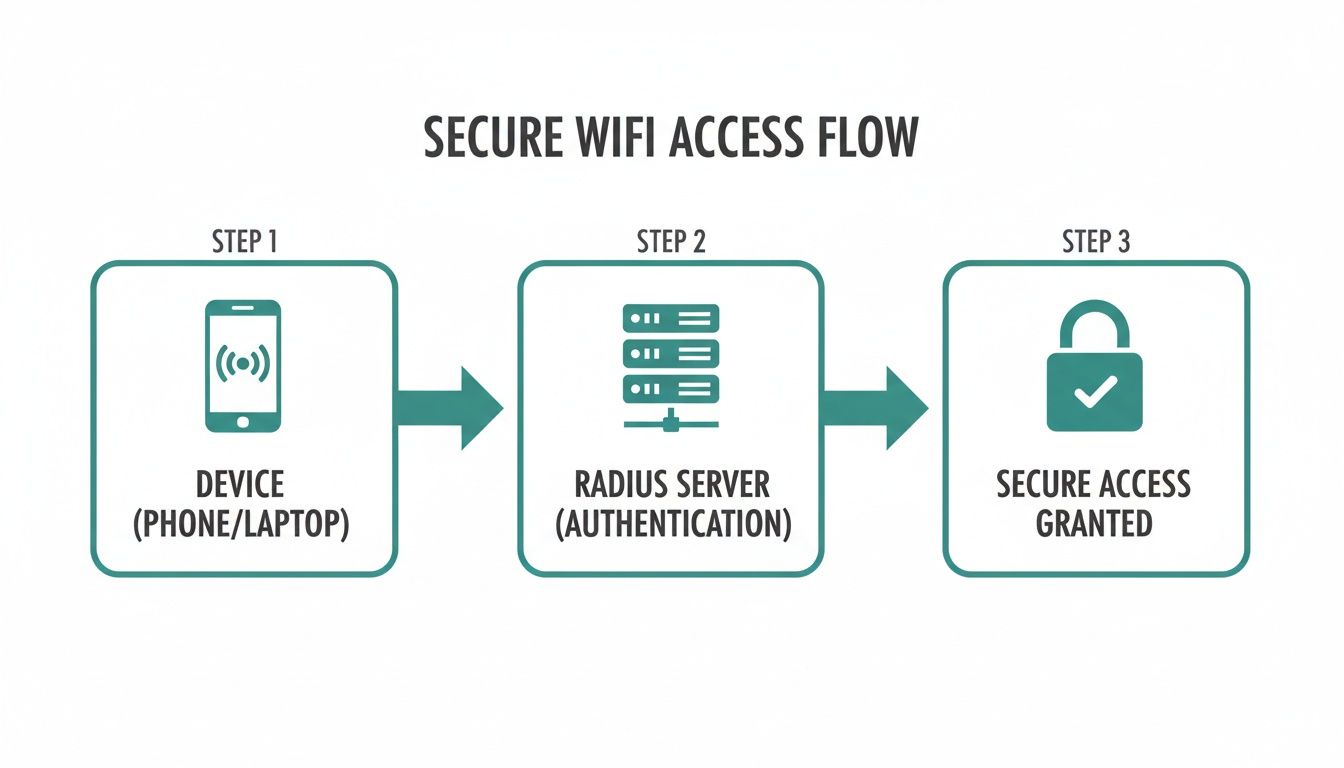
As you can see, the access point is just the intermediary. It offloads the critical security decision to a centralized, intelligent server.
Powering Modern Wi-Fi Experiences
This model is incredibly flexible, which is why it's the go-to for all sorts of environments, from busy retail centers and sprawling education campuses to secure corporate offices. The same core principles that protect a corporate network can also seamlessly manage a public guest WiFi network.
For example, when you connect to a store's guest Wi-Fi, you're often sent to a captive portal. That branded login page might ask for an email or offer easy social login options. Behind the scenes, a RADIUS server is still doing the heavy lifting, authenticating your session and ensuring a secure connection without you even noticing.
This separation of duties is the genius of the RADIUS framework. It lets network hardware focus on what it does best—delivering a strong wireless signal—while a specialized server handles the complex and vital task of identity and access management.
This flexibility is also essential for BYOD (Bring Your Own Device) policies in corporate settings. An employee can connect their personal phone using their company credentials, and the RADIUS server authenticates them just as it would a company-owned laptop. Access can be granted, limited, or revoked for each specific user, offering granular control that’s simply impossible with a single, shared password. This system is also the backbone for advanced methods like IPSK and EasyPSK, which we'll get into next.
Moving Beyond One Password for Everyone
While the heavy-duty security of 802.1X is perfect for company laptops and smartphones, what about everything else? Think about the smart TVs in your conference rooms, the gaming consoles in a student dorm, or the dozens of IoT sensors humming away in a warehouse. These devices usually can't handle the complex certificate-based logins that your main network requires.
This is a real headache for any network administrator today. You can't just leave these devices out in the cold, unsecured. But managing them with individual usernames and passwords isn't practical either. This is exactly the problem that modern authentication solutions like Individual Pre-Shared Keys (IPSK) were designed to solve.
Introducing IPSK and EasyPSK
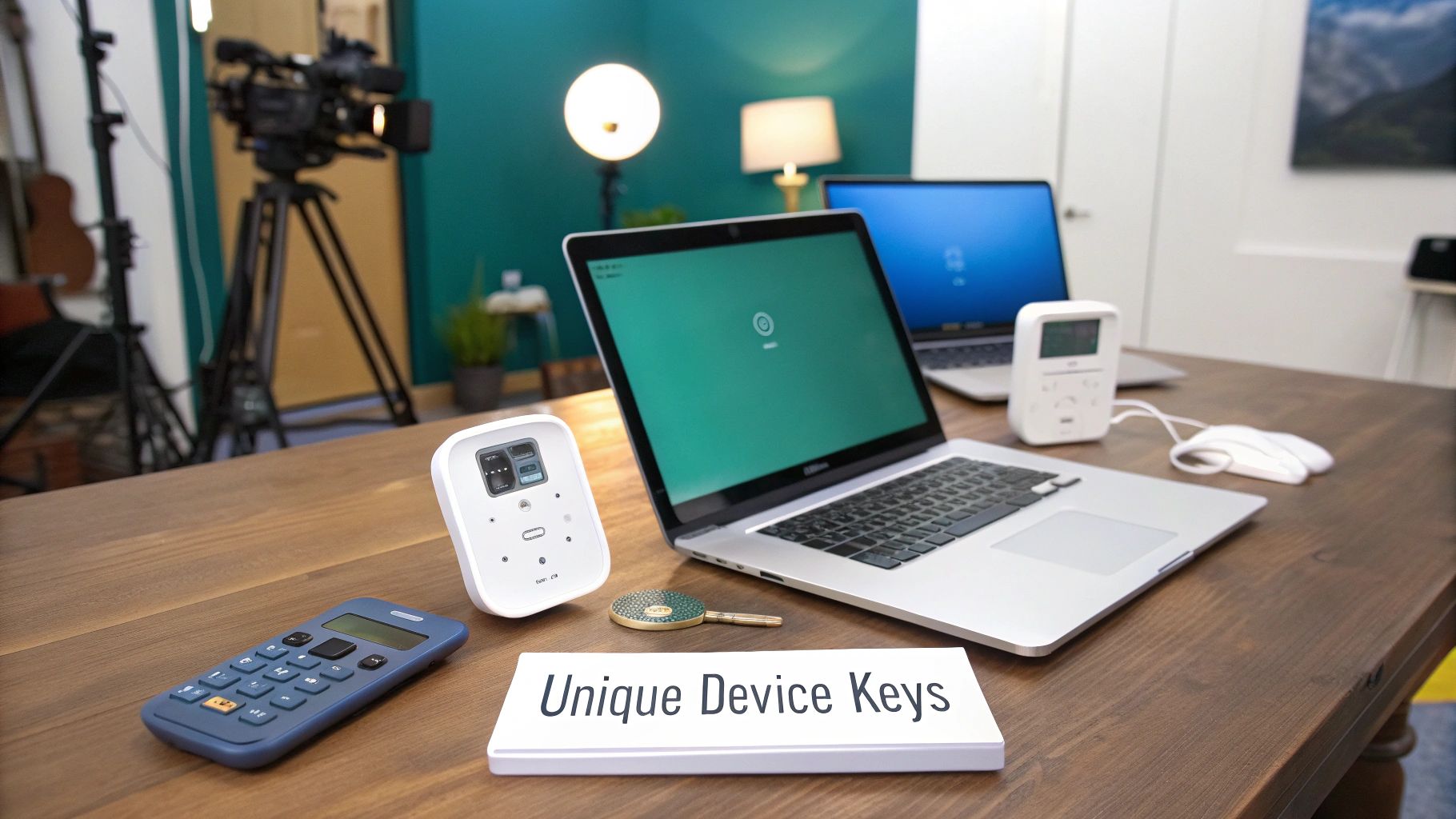
Imagine giving every single device its own unique password to the same Wi-Fi network (SSID). That’s the simple but powerful idea behind IPSK and its more streamlined version, EasyPSK. It combines the simplicity of a single password with the security of individual credentials, all orchestrated by a radius server for wifi.
Instead of a single "secret handshake" for everyone, each device gets its own private one. When a device tries to connect, the RADIUS server simply checks its unique key and lets it in. This approach is a game-changer across a few key industries.
- Education: In student housing, every student can get a unique key for their personal gadgets—laptops, smart speakers, you name it. This stops password sharing dead in its tracks and makes sure only authorized devices are on the dorm network.
- Corporate BYOD: When employees bring their own phones and tablets, IT can issue a key for each one. This keeps the corporate network safe without forcing employees to go through a complex setup on their personal tech.
- Retail: A store can use IPSKs for its whole fleet of POS systems, inventory scanners, and digital signs. This neatly separates critical equipment from the public guest wifi, which often uses a captive portal with social login options.
IPSK bridges the gap between ease of use and tight security. It gives you a way to secure every device, not just the ones that can handle enterprise-level authentication.
The Power of Automated Management
The real magic happens when you connect IPSK technology with a modern management platform, especially on networks running on hardware like Cisco Meraki. Let's be honest, manually creating and tracking thousands of unique passwords would be a nightmare. But the right platform can automate the entire process from start to finish.
These platforms give you a single dashboard where you can:
- Generate Keys in Bulk: Spin up thousands of unique keys in a few clicks.
- Assign Keys to Users or Devices: Link each key to a a specific user, a device's MAC address, or a whole group.
- Set Expiration Dates: Automatically kill access after a set time, which is perfect for contractors or event guests.
- Instantly Revoke Access: If a device is lost or an employee leaves, you can disable their key instantly without disrupting anyone else.
This level of control is what separates a chaotic network from a secure, well-managed one. You always know exactly which device is which, and you can manage its access with surgical precision. To dive deeper into device security, check out this guide on the importance of having a dedicated security key for Wi-Fi.
Of course, securing your network is just one piece of the puzzle. Protecting your personal online accounts is just as important. For a broader look at digital privacy, exploring tools like temporary phone numbers for online privacy and security can add another valuable layer of protection against threats.
Creating Better Experiences with Captive Portals
Strong security and a great user experience aren't mutually exclusive. This is especially true for guest WiFi in busy Retail shops, hotels, and event venues where a good first impression can make all the difference. That's where captive portals shine, with a radius server for wifi working silently behind the scenes to make it all happen.
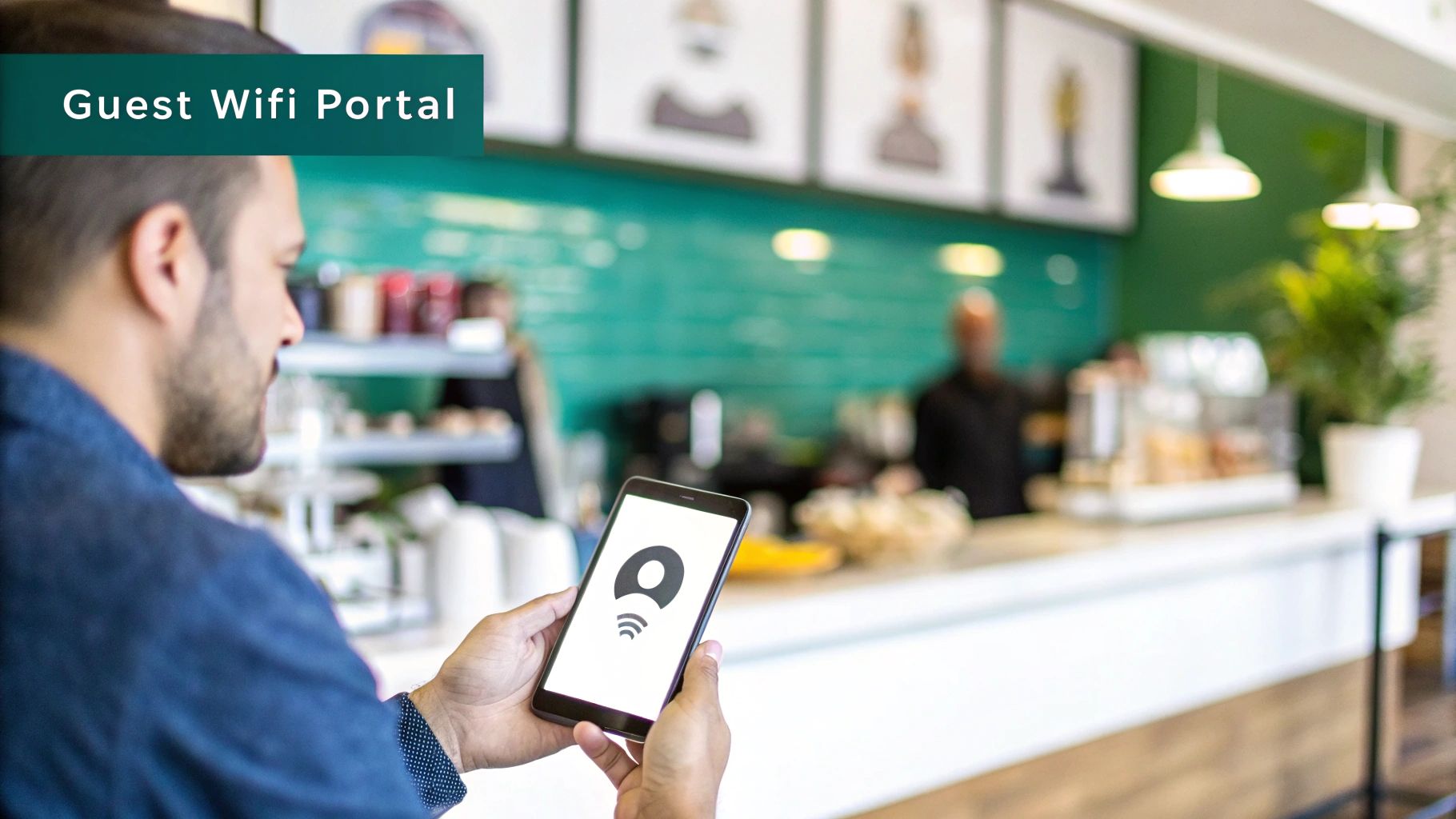
When a visitor first connects to your guest network, they aren't immediately granted full access. Instead, they're guided to a branded landing page—the captive portal. Think of it as your digital front door, offering a much richer and more versatile welcome than a simple password box.
More Than Just a Login Screen
This welcome page is a fantastic opportunity to engage with customers. Backed by modern authentication solutions, a captive portal can offer several easy ways to get online, each designed to meet a different business goal.
Popular login options include:
- Social Login: Letting guests sign in with their Facebook or Google accounts is a win-win. It’s a breeze for them, and it gives you valuable demographic insights for marketing. This is often called social wifi.
- Simple Forms: A short form asking for an email address is a classic, effective way to grow your marketing list.
- Voucher Codes: Perfect for hotels or conferences, unique codes can provide access for a set amount of time, making sure only paying guests or attendees get connected.
While the user sees a smooth, branded login, the RADIUS server is doing the heavy lifting. It securely checks their credentials, applies the right access rules, and logs the connection—all completely invisible to the end-user.
Turning Connectivity into Opportunity
A thoughtfully designed captive portal turns your guest WiFi from a basic amenity into a powerful business asset. It's a direct channel to an audience that is actively engaged with your brand at that very moment.
Think of it this way: the RADIUS server handles the security handshake, while the captive portal handles the customer handshake. One keeps your network safe; the other makes the user experience valuable.
For instance, a Retail store can flash a coupon for 15% off on the login page to encourage immediate purchases. A hotel can promote its restaurant specials or spa services to boost on-site revenue. In an Education environment, a campus portal can show visitors event schedules or campus maps. You can explore more about building these experiences in our guide on what a WiFi captive portal is.
This combination is absolutely essential in the booming wireless market, which is projected to hit USD 419.31 billion by 2035. Wi-Fi is set to make up over 44% of that market starting in 2026. RADIUS servers are at the core of this expansion, providing the secure authentication needed for the overwhelming majority of enterprise setups on platforms like Cisco and Meraki. You can read more on the wireless connectivity market growth.
By pairing a RADIUS server with a captive portal, you build a system that is both secure and intelligent, delivering a better experience for your guests and better outcomes for your business.
Tailoring RADIUS for Your Industry Needs
A RADIUS server isn't just a piece of tech—its real value is how it molds itself to solve real-world problems. This adaptability is what allows organizations to build authentication that perfectly fits their unique needs. From sprawling university campuses to busy retail stores and secure corporate offices, a radius server for wifi can be shaped to tackle specific security and user experience challenges.
Let's dive into how this technology plays out in a few key sectors, especially when you pair it with powerhouse hardware from manufacturers like Cisco and Meraki.
Education: Securing the Modern Campus
Managing network access in Education is a huge job. A university campus is essentially a small city, packed with thousands of students, faculty, and guests who all expect fast, reliable WiFi. A single shared password would be a nightmare for both security and day-to-day administration.
This is where a RADIUS server, especially one using Individual Pre-Shared Keys (IPSK), really shines. Picture a new student moving into their dorm with a laptop, smartphone, gaming console, and smart TV. With an EasyPSK solution, the university can give that student one unique key that works for all of their devices.
This approach brings some massive wins:
- No More Password Sharing: Students can't just hand out the "dorm WiFi" password to friends, because their key is tied directly to them and their devices.
- Simple Onboarding: It’s dead simple for students. They get the ease of a password without creating a security hole for the IT team.
- Instant Revocation: When a student graduates or leaves, their access can be cut off with a single click, which doesn't affect anyone else on the network.
This level of granular control ensures that only authorized people and their registered devices get onto the campus network, creating a much safer digital environment for everyone.
Retail: Turning WiFi into a Marketing Engine
For Retail businesses, guest WiFi has evolved from a simple courtesy into a powerful tool for customer engagement. When shoppers enter a store, they expect free and easy internet access. A RADIUS server is the engine behind the captive portals that not only provide that access but also create new business opportunities.
Instead of just asking for a password, a retail captive portal can offer social login options. This social wifi approach lets customers connect using their social media accounts—it's quick and painless for them. For the business, it unlocks valuable (and anonymized) demographic data that helps them understand who their customers are and how to build better marketing campaigns.
This data-driven strategy is central to modern retail. It's no surprise that the Wi-Fi analytics market is exploding, projected to hit over $31 billion by 2026. This growth is largely fueled by retailers who were early to adopt secure Wi-Fi to capture visitor insights like foot traffic and how long people stay in certain areas. You can read more about the growth of the Wi-Fi analytics market. By integrating with Cisco Meraki access points, retailers can effectively turn their WiFi network into a rich source of business intelligence.
Corporate: Securing the BYOD Workforce
In the corporate world, the Bring Your Own Device (BYOD) trend isn't going anywhere. Employees love the flexibility of working from their personal laptops, tablets, and smartphones. But for IT departments, this creates a huge security headache: how do you let personal devices on the network without swinging the door wide open for security threats?
A radius server for wifi offers a genuinely elegant solution. It connects directly to a company's existing user directory, whether that's Azure AD or G Suite.
When an employee wants to connect their personal phone, they just use the same username and password they already know for their email and other work apps. The RADIUS server checks those credentials and grants them secure access.
The process is completely seamless for the employee and incredibly secure for the company. Access is tied to an individual's identity, which creates a clean audit trail. Better yet, when an employee leaves the company, disabling their account instantly revokes their access to everything—including the WiFi on all their personal devices. These advanced authentication solutions are fundamental to building a secure and productive modern workplace.
You can also learn about enhancing connectivity in other specialized sectors, such as in our guide to top-tier hospitality WiFi solutions.
On-Premise vs. Cloud RADIUS: Where Should Your Server Live?
When you’re ready to roll out RADIUS for your Wi-Fi, you’ll hit a major fork in the road: do you host the server yourself, on-premise, or go with a cloud-based service? This isn't just a technical detail; it's a strategic decision that will define how you manage, scale, and secure your network for years to come.
An on-premise RADIUS server puts you in the driver's seat. You have total, direct control over the hardware and software. For organizations with strict data sovereignty requirements or a deep bench of seasoned IT pros, this hands-on approach can be exactly what they need.
But that level of control comes with a price. Running an on-premise server is a serious commitment. It demands significant technical know-how for the initial setup, plus constant vigilance for security patches, software updates, and ensuring it's always online. If that server goes down, so does your entire Wi-Fi authentication process.
The Shift to Cloud RADIUS
This is precisely why cloud-based RADIUS has become such a popular alternative. It offers a much more streamlined and modern approach by outsourcing all the heavy lifting. The provider takes care of server maintenance, redundancy, security, and scaling, so you don't have to.
If your organization already leans on cloud-managed networking gear like Cisco Meraki, a cloud RADIUS just makes sense. It creates a cohesive ecosystem where everything from your access points to your authentication server is managed from a single, cloud-based dashboard. That integration alone can free up a massive amount of your IT team's time.
A cloud RADIUS server eliminates the need for dedicated hardware and specialized in-house expertise. This makes enterprise-grade security accessible to everyone, not just large corporations. It lets your team stop babysitting servers and start focusing on improving the user experience.
The Wi-Fi market is exploding, on track to hit $40.44 billion by 2031. At the heart of this growth are RADIUS servers. In fact, an estimated 70% of enterprise Wi-Fi networks in bustling Retail, Education, and corporate settings rely on RADIUS for secure authentication. This isn't just a trend; it's a fundamental shift towards more scalable authentication, as detailed in market analysis from Mordor Intelligence.
Why Cloud RADIUS Is a Natural Fit for Modern Networks
Choosing a cloud solution aligns perfectly with the reality of today's IT environments, which are often a mix of company devices, employee-owned phones (BYOD), and guest users.
Here's a quick rundown of why it’s often the better choice:
- Painless Integration: Cloud RADIUS is built from the ground up to play nicely with modern cloud identity providers like Azure AD and Google Workspace.
- Simple Management: Forget command-line interfaces. Cloud platforms offer intuitive web dashboards to manage everything, including advanced features like IPSK, EasyPSK, and Captive Portals with social login.
- Built-in Scalability: As your business grows, a cloud service scales right along with you. You can add hundreds of new users or devices without ever touching a server rack.
- Lower Overhead: You completely sidestep the costs and complexities of buying, deploying, and maintaining physical server hardware.
In the end, while an on-premise server gives you ultimate control, a cloud solution delivers agility, resilience, and simplicity. It lets you deploy powerful security features fast, making it the clear winner for most modern businesses. To dive deeper into this comparison, check out our guide on cloud versus on-premise servers.
Frequently Asked Questions About RADIUS for Wi-Fi
Whenever you're digging into a new technology, you're bound to have questions. Let's walk through some of the most common ones we hear about using a RADIUS server for Wi-Fi, so you can get clear, straightforward answers and feel confident about upgrading your network's security.
Can I Use a RADIUS Server with My Cisco Meraki Network?
You sure can. In fact, Cisco and Meraki hardware is designed from the ground up to work perfectly with external RADIUS servers.
It's a simple process to point your Meraki access points to a cloud-based RADIUS service. Doing so unlocks powerful authentication solutions on the network you already have, paving the way for features like dynamic captive portals with social login or rolling out IPSK and EasyPSK for your BYOD policies.
What's the Difference Between WPA2-Personal and WPA2-Enterprise?
Think of it this way: WPA2-Personal is like the single password for your home Wi-Fi. One key unlocks the door for everyone.
WPA2-Enterprise, on the other hand, is the gold standard for business security. It runs on the 802.1X protocol, which forces every single user or device to log in with its own unique credentials. A RADIUS server then checks these credentials, making network access individual, traceable, and easy to revoke at a moment's notice.
Do I Really Need RADIUS for My Small Business?
While a tiny office might get by without it, a RADIUS server brings security and management benefits that quickly become essential for any growing business, especially in retail or small corporate environments.
It's the best way to stop using risky, shared passwords and to properly manage access for both your employees and your guest Wi-Fi. Modern cloud RADIUS solutions have made this technology incredibly affordable and easy to manage, putting enterprise-level security in reach for businesses of any size.
Ready to transform your network security and guest experience? Splash Access provides an all-in-one platform that seamlessly integrates with your Cisco Meraki hardware to deliver secure authentication, engaging captive portals, and powerful analytics. Learn more at https://www.splashaccess.com.