

Hey there! So you're offering guest Wi-Fi. That's fantastic, but as you know, it's gone from a nice-to-have perk to something everyone just expects. And with that access comes a big responsibility: keeping the connection safe, secure, and running like a dream for everyone. This is where Cisco Meraki web filtering comes in, acting like a friendly, super-smart security guard for your network.
Creating a Safer Guest Wi-Fi Experience
If you manage a network, you're constantly walking a tightrope. You need to deliver amazing connectivity while shielding your users and your own systems from all sorts of online nasties. Cisco Meraki's solution is built to master this balancing act by blocking harmful content, stopping malware in its tracks, and even making your whole network run smoother.
Whether you’re in Education, Retail, or managing a Corporate BYOD environment, the core goal is the same. A school needs to make sure students don't wander into the wrong corners of the internet. A coffee shop wants its guest wifi to be a family-friendly space. With Cisco Meraki, you get the tools to make that happen, easily and effectively.
Let's quickly break down the awesome advantages that Meraki's web filtering brings to the table.
Key Benefits of Meraki Web Filtering at a Glance
| Benefit Area | How Meraki Delivers | Primary Sector Impact |
|---|---|---|
| Threat Protection | Automatically blocks access to known malware, phishing, and command-and-control sites. | Corporate, Healthcare |
| Content Control | Granular category-based filtering (e.g., adult content, gambling, social media). | Education, Hospitality |
| Bandwidth Management | Throttles or blocks high-bandwidth applications like video streaming to preserve performance. | Retail, Public Venues |
| Simplified Management | All policies are configured and monitored from a single, intuitive cloud dashboard. | All Sectors |
As you can see, the benefits are practical and solve real-world problems, making it a powerful addition to any network admin's toolkit.
Integrating Security with User Access
Truly effective web filtering doesn’t just work in a bubble; it really shines when paired with modern authentication solutions. This is where cool tools like Captive Portals and IPSK (Individual Pre-Shared Key) enter the scene.
By integrating Meraki web filtering with a guest access platform like Splash Access, you can connect specific security policies directly to individual users as they log on. This unlocks some incredibly useful stuff:
- Social Login: A shopper in a retail store logs in with their social media account (we call this social wifi!) and is automatically placed in a "guest" group. This group has filtering rules that block nasty sites and limit bandwidth-hogging apps, ensuring a great experience for everyone.
- IPSK & EasyPSK: In a corporate office or school, an employee or student can be given a unique key. When they connect, that key automatically applies a stricter filtering policy designed for their role, without them having to lift a finger.
- Captive Portals: This is the friendly welcome mat for your network. It’s the perfect spot to show your terms and conditions and, more importantly, make sure every single user is placed under the correct security policy from the moment they get online.
This smart integration turns your Wi-Fi from a simple utility into a context-aware security system. It's a strategy that's catching on fast; the web filtering market, valued at USD 5.51 billion, is expected to climb to USD 9.68 billion by 2031.
With URL filtering making up 57.25% of the market's revenue share, it’s clear that blocking known bad sites is a cornerstone of modern network security—and a key feature of Meraki's MX appliances. If you're looking for more hands-on guidance, you might find our guide on how to set up guest wifi helpful.
How Does Meraki Web Filtering Actually Work?
So, what’s really going on behind the scenes with web filtering in the Cisco Meraki ecosystem? Think of it less like a simple on/off switch and more like a smart, friendly traffic cop stationed at the edge of your network.
Every single time someone on your network tries to visit a website, that request has to pass through your Meraki MX security appliance. In a split second, the MX appliance checks out the destination and decides whether to let it through or block it based on the rules you’ve set up in your dashboard.
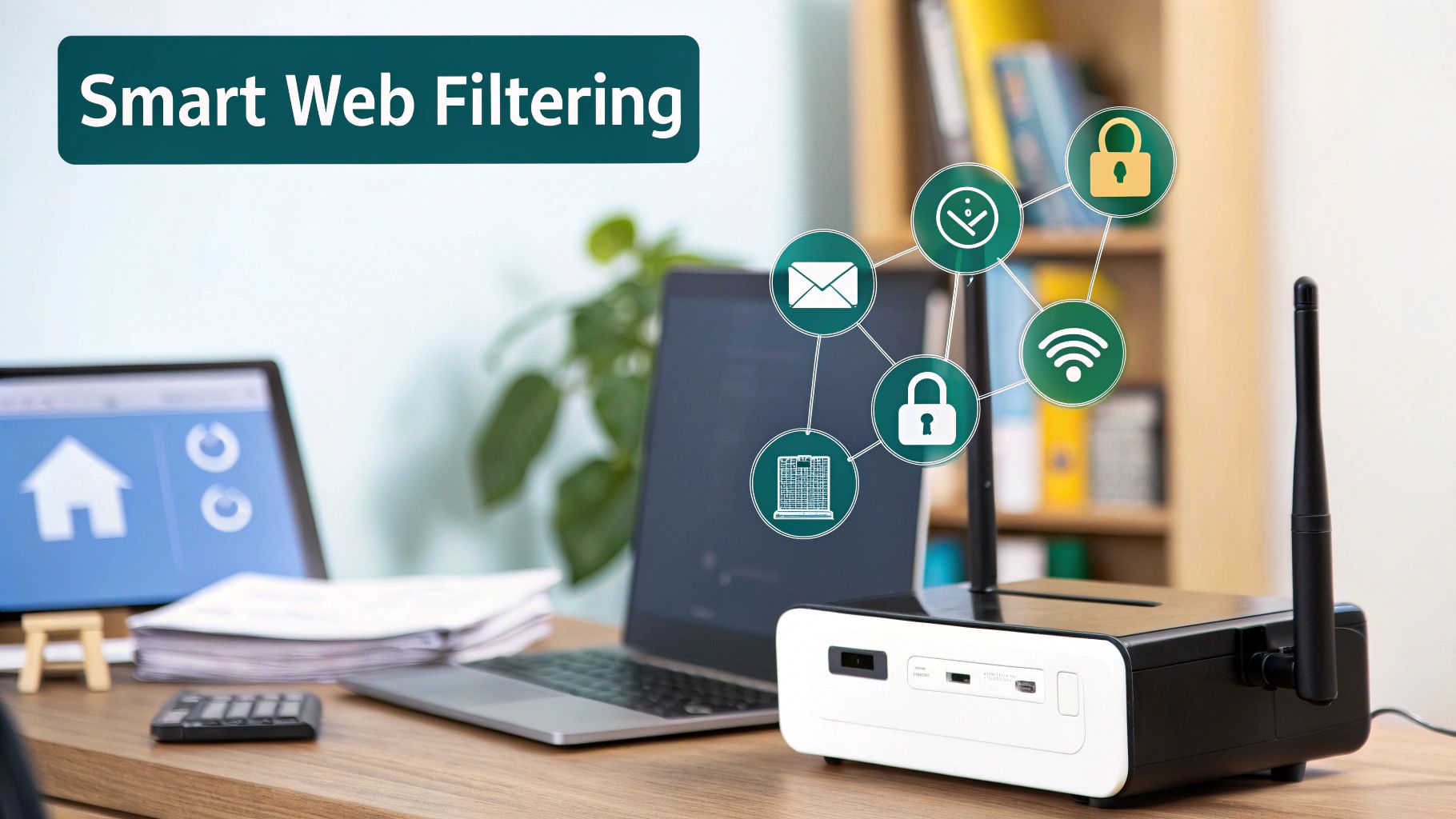
What fuels this super-fast decision-making? The whole system is backed by the threat intelligence powerhouse, Cisco Talos. This connection gives your Cisco Meraki gear a constantly updated database that sorts the web into more than 80 distinct content categories. This is what gives you such detailed control without having to manage a crazy-long list of individual websites.
The Power of Category-Based Filtering
Instead of playing whack-a-mole by manually blocking individual websites, Meraki lets you block entire categories of content with just a few clicks. It’s a much more scalable and, frankly, sane way to manage your policies.
- In an Education setting: You can instantly create a safer learning environment by blocking categories like "Adult Content," "Gambling," and "Social Networking."
- In a Retail store: For a guest WiFi network, you can save bandwidth and improve the customer experience by restricting "Peer-to-Peer" file sharing or high-def "Video Streaming" sites.
- In a Corporate BYOD office: You can strike a balance between security and productivity, blocking "Distracting" sites while making sure everyone can still get to critical business apps.
The real goal of Meraki web filtering isn’t just to lock down the internet. It's about shaping the digital experience to be safe, productive, and perfectly aligned with your organization’s specific needs.
The system is also built for the modern, encrypted web. Even when dealing with HTTPS traffic, Meraki can look at the initial, unencrypted part of the connection (the Server Name Indication, or SNI) to see where it's going. This clever trick allows it to enforce your policies without having to decrypt private user data, which is a huge win for both security and privacy.
User-Specific Policies and Authentication
Here’s where it gets really powerful. A one-size-fits-all policy is a decent start, but tailored rules are what make a network truly smart. This is why integrating with authentication solutions like Captive Portals and IPSK (Individual Pre-Shared Keys) is such a big deal.
When you use a platform like Splash Access for your guest WiFi, you can assign different filtering rules based on who the user is and how they connected. For example, a customer who logs in with social login can automatically be assigned a "Guest" policy with specific restrictions. The ability to tie policy to identity is why this technology is everywhere.
It's no surprise that nearly 10,000 companies worldwide rely on Cisco Meraki. Its web filtering features are a cornerstone of deployments across every industry. With 43% of its user base being small businesses and 31% large enterprises, it’s a solution that scales effortlessly from a single coffee shop to a global corporation. You can see more details on Cisco Meraki's market presence on Enlyft.
By combining https://www.splashaccess.com/meraki-url-filtering/ with real user authentication, you graduate from basic network security to truly intelligent, context-aware management. It’s how you make sure every user—from a student in a classroom to a shopper in your store—gets an online experience that’s both safe and appropriate.
Building Your First Web Filtering Policy
Ready to take control of your network's web access? Let's dive in and build your first Meraki web filtering policy. The process is surprisingly simple, and we'll start with a solid foundation for a guest network before layering on more specific rules for different types of users.
You'll do all of this from your Cisco Meraki Dashboard. Just head over to the "Security & SD-WAN" section and click on "Content Filtering." This is ground zero for defining what your users can and can't do online.
Starting with a Guest Network Baseline
When it comes to a guest wifi network, the game plan is usually pretty straightforward: provide a safe, family-friendly browsing experience and keep your bandwidth from getting crushed. The quickest way to get there is by blocking entire categories of content.
With just a few clicks, you can put up some essential guardrails. For any public Wi-Fi, a great starting point is to block:
- Security Threats: This one is a no-brainer. Instantly block sites known for malware, phishing, and spyware. Consider this your first line of defense.
- Adult Content: This ensures a safe browsing environment for everyone, which is crucial in public-facing settings like Retail or hospitality.
- Bandwidth Hogs: Things like peer-to-peer file sharing or video streaming sites can be limited to keep the network zippy for all your other guests.
This category-based filtering, backed by the intelligence of Cisco Talos, means you don't have to worry about manually blocking millions of individual websites. It’s a huge time-saver.
The core idea is to start broad with categories, then get specific with individual rules. This layered strategy gives you both powerful protection and fine-tuned control over your network environment.
Fine-Tuning with Whitelists and Blacklists
Once your broad categories are set, it's time to add a layer of precision. This is where whitelists and blacklists are your best friends.
- A whitelist is simply a list of URLs that are always allowed, no matter what. Let's say you've blocked the "Social Networking" category, but you want staff to access your company's LinkedIn page. Just add it to the whitelist.
- A blacklist does the exact opposite: it's a list of specific URLs that are always blocked. This is perfect for zapping those one-off troublesome sites that might not fit cleanly into a blocked category.
Just remember one key rule: the whitelist always wins. If a site somehow ends up on both your blacklist and whitelist, Meraki will let the connection through.
Applying Policies to Different User Groups
This is where things get really fun, especially for places like Education campuses, Retail stores, or Corporate offices with BYOD policies. A one-size-fits-all policy rarely works. Your marketing team needs access to social media, but you probably want that blocked on the guest wifi to preserve bandwidth.
By using authentication solutions like IPSK or a Captive Portal with social login, you can slot users into different groups right when they connect. Each group gets its own unique Meraki web filtering policy. An employee connecting with EasyPSK might get wide-open access, while a guest logging in via social wifi gets the more restrictive baseline policy we just built. You can even grant temporary access, which is a fantastic feature. To see how that works, check out how to set up time-based policies for your network.
Tailoring Policies for Your Industry
When it comes to Meraki web filtering, a one-size-fits-all policy just won't cut it. The digital needs of a bustling school campus are worlds away from those of a high-traffic retail store or a secure corporate office. The real trick is to create practical, targeted filtering recipes that line up perfectly with your industry's specific goals and challenges.
Let’s dig into how to build these custom policies for different sectors, making sure security and user experience go hand-in-hand. We'll also see how smart authentication solutions can put this whole process on autopilot.
Crafting a Policy for Education
For schools, colleges, and universities, the number one priority is creating a safe and focused learning environment. Cisco Meraki gives you the tools to support compliance with regulations like the Children's Internet Protection Act (CIPA) right out of the box.
An effective educational policy really needs to be built on these pillars:
- Block Inappropriate Content: First things first, block categories like "Adult Content," "Gambling," and "Tasteless" to keep students safe.
- Enforce SafeSearch: This feature is a must-have. Forcing SafeSearch on engines like Google and Bing is a huge help in stopping explicit images and text from popping up in search results.
- Minimize Distractions: To keep students on task, it's a good idea to block categories like "Social Networking" and "Online Gaming," at least during school hours.
- Whitelist Educational Tools: You can easily create a whitelist for essential learning platforms, making sure they are always accessible even if their broader category is restricted.
This is where integrating with Captive Portals and systems like EasyPSK really starts to pay off. You can automatically assign different filtering rules based on whether a user is a student, a faculty member, or just a visitor on the campus guest wifi.
Filtering for Retail and Hospitality
In Retail and hospitality, the focus shifts completely. Here, it's all about providing an excellent guest wifi experience while protecting both your customers and your network. You want a fast, reliable connection that encourages people to hang out and maybe even engage with your brand.
For these environments, your Meraki web filtering policy should:
- Prioritize Security: Block all known security threat categories like malware and phishing. This protects your guests from harm and your business from liability.
- Manage Bandwidth: Restrict or throttle high-bandwidth categories such as "Video Streaming" and "Peer-to-Peer." This stops a few heavy users from slowing things down for everyone else.
- Enable Social WiFi Logins: Pair your filtering with a Captive Portal that allows for social login. This not only makes access super easy but also helps you gather valuable, anonymized customer insights.
- Ensure Family-Friendly Browsing: Always block "Adult Content" to maintain a welcoming atmosphere for all of your visitors.
The stability this provides is a major business advantage. Organizations using Cisco Meraki have reported a massive 95% reduction in unplanned network downtime, which is critical for busy venues. A Forrester study even found that businesses gained $837,970 over three years from these kinds of streamlined network setups.
Balancing Security in Corporate BYOD Environments
In a Corporate setting, especially one with a Bring Your Own Device (BYOD) policy, the challenge is finding the perfect balance between tight security and employee productivity. You need to block clear threats without accidentally cutting off access to legitimate business tools.
A smart corporate policy usually includes:
- Blocking High-Risk Content: Categories like "Malware," "Phishing," and "Spyware" should be blocked across the board. No exceptions.
- Limiting Productivity Drains: You can choose to block or schedule access to sites in categories like "Social Networking" or "Games" during work hours.
- Whitelisting Business Applications: Make sure all your cloud-based tools and partner websites are on a whitelist so access is never interrupted.
This is where advanced authentication like IPSK (Individual Pre-Shared Key) really shines. When an employee connects their device with their unique key, they are automatically placed into the "Employee" group policy, which gives them the access they need. Meanwhile, a guest connecting through a Captive Portal gets a much more restricted set of rules. For more on this, you can learn about accelerating growth in healthcare with Cisco Meraki, as that industry often faces similar security challenges.
Sample Filtering Policies by Industry
To make this more concrete, let's look at a side-by-side comparison. Each industry has unique needs, so a "good" policy for an Education setting would be way too restrictive for a Corporate office. The table below outlines some common starting points.
| Industry | Blocked Categories | Allowed Whitelists | Primary Goal |
|---|---|---|---|
| Education | Adult Content, Social Networking, Online Gaming, Tasteless, Gambling | Learning management systems (e.g., Google Classroom, Canvas), approved research sites. | Create a safe, distraction-free learning environment and ensure CIPA compliance. |
| Retail | Malware, Phishing, Peer-to-Peer, Adult Content | Company website, loyalty program portal, brand-approved social media pages. | Provide a secure and stable guest WiFi experience while protecting the business network. |
| Corporate | Malware, Phishing, Spyware, Illegal Activities | Core SaaS applications (e.g., Salesforce, Office 365), partner portals, industry news sites. | Protect corporate data and network integrity while enabling employee productivity. |
Remember, these are just templates. The real power of Meraki comes from being able to fine-tune these settings to perfectly match your organization's specific operational needs and security posture.
Tying Web Filtering to Real People: The Captive Portal Connection
Web filtering is a powerful security tool on its own, but its real genius shines through when you can answer a simple, crucial question: who is actually on my network? This is exactly where Captive Portals and modern authentication solutions come in to elevate your Cisco Meraki setup.
Think about it. By integrating a platform like Splash Access, you graduate from basic, anonymous filtering to a smart, branded onboarding experience that also tightens your control. The moment a user connects to your Wi-Fi, they don't just get a generic prompt; they're greeted with a custom splash page. From here, they can log in using all sorts of methods—from a quick social login to a highly secure, unique key with IPSK.
From Login to Lockdown: How It Works
The magic happens the second a user authenticates. The Captive Portal platform instantly talks to your Cisco Meraki infrastructure, telling it which user group this person belongs to. This single step is the key that unlocks dynamic Meraki web filtering, letting you automatically apply the right set of rules to the right person, at the right time.
This user-to-policy mapping is a complete game-changer, especially for environments with diverse user types.
- In Education: A student logging into the dorm Wi-Fi can be automatically funneled into a strict filtering policy that blocks gaming sites and adult content. A faculty member, on the other hand, can be placed in a group with much lighter restrictions needed for research.
- In Retail: A shopper connecting via social wifi gets a family-friendly guest policy that also manages their bandwidth to keep things fair for everyone. An employee using EasyPSK to connect their work device, however, gets direct access to inventory and point-of-sale systems.
- For Corporate BYOD: In a corporate office, employees using their personal devices can be assigned a policy that protects company data from risky sites. A visitor in the lobby? They get a highly restricted guest profile that keeps them off the internal network entirely.
This is all about applying policy with precision, which is critical for balancing access and security across different industries.
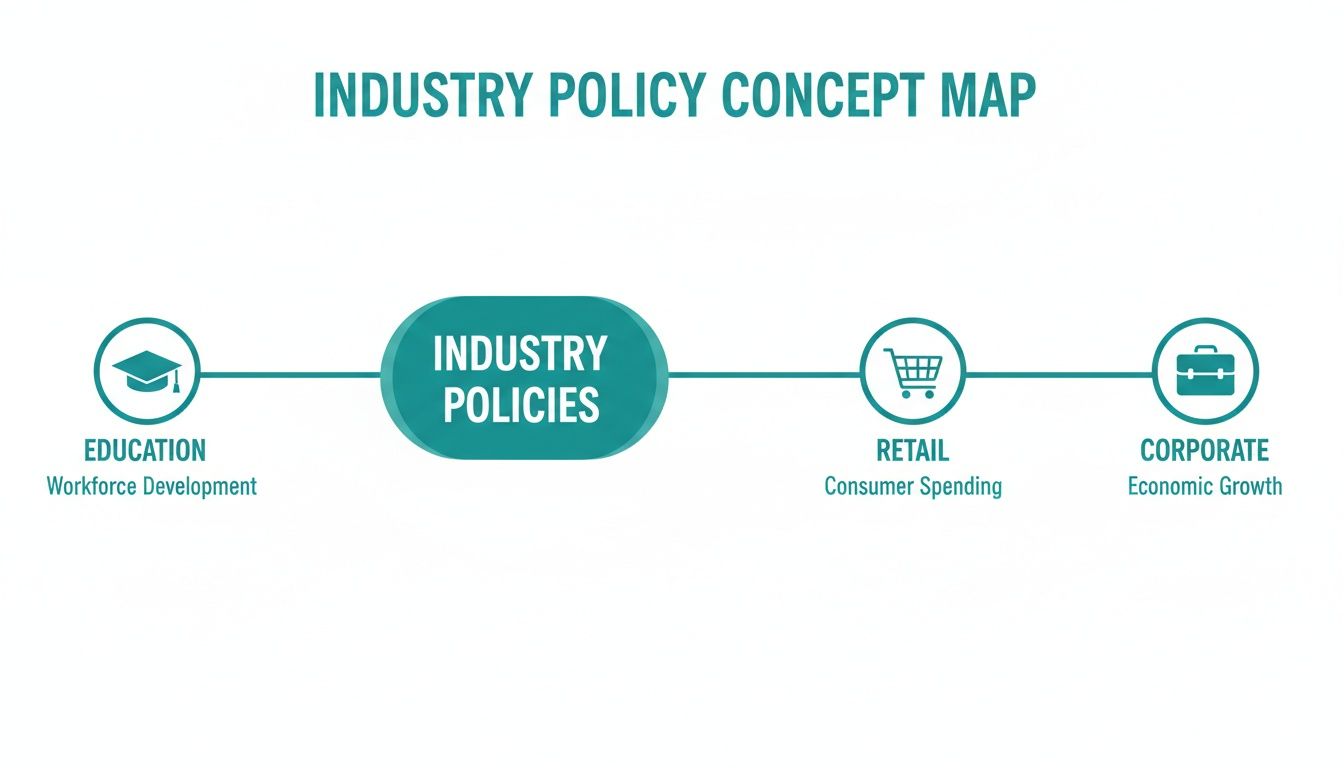
As you can see, tailoring policies isn't just a "nice-to-have"—it's essential for meeting the unique demands of sectors like Education, Retail, and Corporate environments. This dynamic approach turns a simple guest Wi-Fi connection into a secure, data-rich, and intelligent part of your network.
Your Guest Wi-Fi Is Now a Smart Asset
By linking your Captive Portal with Meraki web filtering, you’re doing so much more than just blocking a list of websites. You’re building a controlled, context-aware network where security is applied with surgical precision. The user gets a simple, branded login, and you get the peace of mind that comes from knowing the right rules are always protecting your network.
When authentication and filtering work together, your guest Wi-Fi transforms from a necessary cost into a powerful tool. It provides security, gathers insights, and delivers a better experience for every user who connects.
This integration is truly how you unlock the full potential of your Cisco network. Instead of a blunt, one-size-fits-all policy for everyone, you create a flexible system that adapts to each user the moment they connect. It’s a smarter, more efficient way to manage web access, no matter your industry.
Monitoring Reports and Ensuring Compliance
So, you've set up your Meraki web filtering policies. That’s a great start, but the real fun begins when you see how they're actually working in the real world. This is where the reporting and analytics tools inside the Cisco Meraki dashboard become your eyes and ears on the network.
Once your rules are live, you get a ton of data that tells a clear story. You can pull up reports that instantly show you the top blocked content categories and even zoom in on the specific URLs people tried to visit. This isn't just about being nosy; it’s about having the visibility you need to fine-tune your security day after day.
For instance, you might spot a genuinely useful, work-related site getting caught in the net of a broader category rule. The report makes this obvious, letting you quickly pop that URL onto your whitelist so nobody's workflow gets interrupted.
Refining Policies with Data
This constant feedback loop is what makes the Cisco Meraki system so effective. Let's say you're running a Corporate BYOD network and notice a specific cloud app is being blocked, grinding a team's project to a halt. The logs will flag it right away, and you can make an adjustment in minutes.
Or think about a Retail environment. Monitoring bandwidth usage can show you that video streaming is hogging all the resources on your guest wifi. With that data in hand, you can tweak your rules to block those services, keeping the network zippy for customers using social login or other Captive Portal features.
The point of monitoring isn't just to play "gotcha" with blocked sites. It's about understanding real user behavior and making smart, data-backed decisions that tighten security without frustrating everyone.
Meeting Compliance and Audit Requirements
These reports are more than just a tool for tweaking rules; they're your proof when it comes to compliance. For anyone in Education, healthcare, or other regulated fields, having a clean audit trail isn't just nice to have—it's often the law.
The Meraki dashboard delivers exactly that. You can generate reports on the fly to demonstrate that you’re actively shielding users from inappropriate content, which is a core requirement for regulations like CIPA in schools. This trail shows precisely which policies were active, when they were enforced, and the traffic they affected. That level of detail is gold during an audit.
If you're wondering how all this fits in with data privacy rules, you can learn more about Meraki and the GDPR to make sure your entire setup is buttoned up.
By making a habit of checking these reports, you can spot trends before they become problems, close potential security holes, and make sure your authentication solutions like IPSK and EasyPSK are working perfectly alongside your filtering policies to protect every single device.
Common Questions About Meraki Web Filtering
We get a lot of questions about how Cisco Meraki's web filtering works in the real world, especially when you bring modern authentication solutions into the mix. Let's clear up a few of the most common ones.
Can I Apply Different Filtering Rules on the Same Wi-Fi Network?
You absolutely can. This is one of the most powerful features of the Meraki platform, especially for places like Education campuses or businesses with a Corporate BYOD policy.
By pairing Meraki with a Captive Portal that uses authentication methods like IPSK or social wifi logins, you can sort users into different groups as soon as they connect. From there, each group gets its own specific Meraki web filtering policy. This means students, staff, and guests can all use the same Wi-Fi network but have completely different access rules.
How Does Meraki Filter Encrypted HTTPS Traffic?
Meraki handles this smartly without breaking user privacy. It inspects something called the Server Name Indication (SNI) which is part of the initial HTTPS handshake. This happens before the traffic stream is fully encrypted.
This technique allows the Meraki appliance to see the domain name someone is trying to visit (like youtube.com or facebook.com) and block it based on your rules. The actual content of the connection remains private and encrypted, giving you the best of both worlds: security and privacy.
Will Web Filtering Slow Down My Internet Connection?
In most cases, no. Cisco Meraki MX security appliances are built to handle this kind of inspection at high speed. While adding any security layer technically introduces a tiny amount of latency, it's almost always so small that end-users will never notice it.
In fact, in busy environments like Retail stores or hotels, Meraki web filtering can actually make the network feel faster. By blocking ads, streaming video, and other bandwidth-hogging content on your guest wifi, it frees up valuable resources for everyone else.
What's the Difference Between IPSK and EasyPSK?
Think of them as different approaches to the same goal: getting rid of shared Wi-Fi passwords.
IPSK (Individual Pre-Shared Key) gives a unique password to every single user or device. It's a huge security upgrade from having one password for the entire network.
EasyPSK is basically an evolution of this concept, designed to make managing thousands of unique keys simple. It often works hand-in-hand with platforms like Splash Access to automatically generate and assign these keys when a user signs in through a Captive Portal.
Ready to create a smarter, more secure Wi-Fi experience? Splash Access integrates seamlessly with your Cisco Meraki hardware to provide powerful authentication, guest analytics, and dynamic policy control. Learn more and get started at https://www.splashaccess.com.


