Guest Wi-Fi still goes wrong in the same familiar ways. A visitor opens their phone, sees a list of SSIDs that all look similar, picks the wrong one, gets bounced to a captive portal that doesn't load properly, then asks the front desk, store associate, teacher, or office manager for help.
That's frustrating for the user, but it's also expensive in attention for the venue. Staff end up doing support work. IT teams field avoidable tickets. Marketing teams want branded guest WiFi, social login, or social WiFi journeys, while security teams want stronger authentication and cleaner segmentation for BYOD and staff devices.
Hotspot 2.0 networks were built to reduce that friction. The idea is simple. Wi-Fi should feel less like filling out a form and more like cellular service. Your device should recognize a trusted network, authenticate securely, and connect without the awkward dance of passwords and splash pages every time.
For organizations using Cisco infrastructure and especially Cisco Meraki, that raises a practical question. If Hotspot 2.0 removes captive portals, what do you do when you still need guest onboarding, terms acceptance, vouchers, social login, or flexible access methods like IPSK and EasyPSK?
That's where the topic gets interesting.
Tired of Terrible Guest Wi-Fi? There's a Better Way
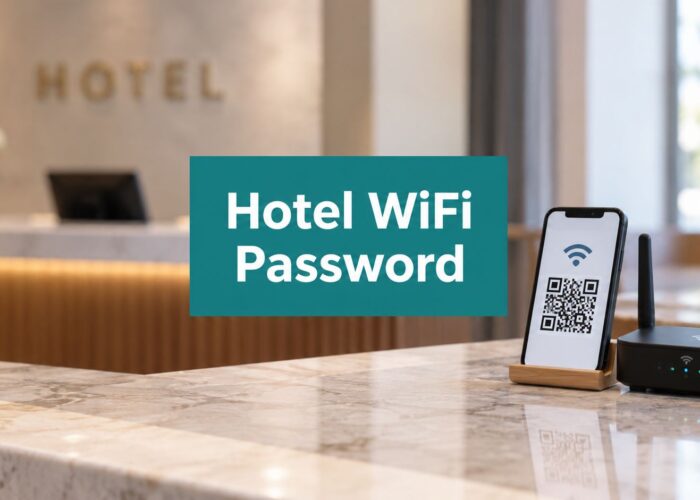
A hotel guest arrives late, heads to their room, and tries to get online. The room TV says one Wi-Fi name, the key sleeve shows another, and the captive portal asks for a surname and room number that somehow still fail the first time. In retail, it's the shopper who wants to check a product review but gives up because the guest login page stalls. In education, it's the visiting parent or speaker who just needs internet for a short meeting. In a BYOD corporate office, it's the contractor standing at reception waiting for someone to explain the guest SSID.
None of that feels modern.
Hotspot 2.0, also known by its certification name Wi-Fi CERTIFIED Passpoint, was created to move public access away from manual logins and toward automatic, cellular-like roaming, according to Aislelabs' Hotspot 2.0 overview. That shift matters in places with lots of people moving through at once, such as airports, hotels, coffee shops, stadiums, and transportation hubs.
Why the old model frustrates everyone
Traditional guest Wi-Fi usually depends on a few moving parts that break in different ways:
- Manual SSID selection: Users have to guess which network is the right one.
- Shared passwords: Staff end up repeating or rotating the same credentials.
- Captive portal dependence: If the page doesn't load cleanly, the user feels stuck.
- No memory of trust: Even repeat visitors often start from scratch.
Venue owners feel this too. Support requests pile up, branding gets inconsistent, and secure onboarding becomes harder than it should be.
Practical rule: If a person has to ask, “Which Wi-Fi do I use?” your network experience is already doing extra work.
Many organizations start by improving the existing portal flow before making bigger authentication changes. If you want a good baseline for that, this guide on how to improve user experience is a useful place to start.
What better looks like
Better guest Wi-Fi doesn't always mean removing every screen. It means matching the connection method to the user. A frequent visitor may need silent, secure auto-join. A first-time guest may need a branded splash page. A staff device may need stronger identity and segmentation than either of those.
That's the promise behind hotspot 2.0 networks when they're used thoughtfully, not as a one-size-fits-all answer.
What is Hotspot 2.0 and Why Should You Care
A returning hotel guest opens a laptop in the lobby, and the device joins Wi-Fi without the usual hunt for the right network name, splash page, or reused password. That is the experience Hotspot 2.0 is trying to create. The catch is that it only works smoothly when the device already knows which networks to trust.
That point matters more than it first appears. For users, Hotspot 2.0 can remove a lot of connection friction. For venues, it solves only part of the guest access problem. A retailer, restaurant, or stadium may still want branded onboarding, marketing consent, loyalty sign-in, or different access methods for guests, staff, and unmanaged devices.

The big idea in plain English
Hotspot 2.0 is the standards framework behind what the Wi-Fi Alliance brands as Passpoint. It lets a device discover whether a Wi-Fi network is a known, trusted match before the user goes through the usual join flow. If the device has the right profile, certificate, SIM credentials, or account relationship, it can connect automatically and use stronger authentication than an open guest network.
If you want a clearer primer on the terminology, this guide to Passpoint and Hotspot 2.0 helps separate the brand name from the underlying standards.
A simple way to picture it is airport security with a trusted traveler lane. The lane is faster, but only for people already enrolled in the program. Hotspot 2.0 works the same way. It improves Wi-Fi for known users and known identities. It does not replace the need to onboard everyone else.
Why it matters to real venues
The ideal story around Hotspot 2.0 is easy to like. Known users walk in and get online quickly. Support tickets drop. Authentication gets stronger. Roaming across multiple locations becomes easier to manage.
But venues do not operate in an ideal lab setup. A hotel still wants to present its brand. A retailer may want email capture or loyalty enrollment. A healthcare site may need separate rules for patients, clinicians, and personal devices. A business with BYOD often needs flexible access options such as IPSK for devices that cannot use a browser-based portal cleanly.
That is why the practical question is not just whether Hotspot 2.0 is useful. It is. The better question is whether it covers every access journey your venue needs. In many cases, it covers the returning, pre-provisioned user very well, while a modern guest platform fills the gaps for first-time visitors and special device types.
Who benefits, and where the limits show up
| Who benefits | What changes |
|---|---|
| Users with a trusted profile | Faster joining, fewer login prompts, and more consistent access across participating networks |
| IT teams | Better control over authentication methods and fewer issues caused by users picking the wrong SSID |
| Venues | Smoother repeat-visitor access, especially across multi-site environments |
| Venue operators with marketing or compliance needs | They still need tools for branding, consent, and data capture that Hotspot 2.0 alone does not provide |
That last row is where many deployments get stuck. The wireless standard is good at answering, "Can this device prove who it is?" Venues also need to answer, "How should this visitor be onboarded, segmented, and measured?" Those are different jobs.
If you are comparing options for implementing secure guest WiFi, keep that distinction in mind. Hotspot 2.0 improves automatic trust and connection. It does not automatically give you a branded arrival experience or the policy flexibility many hospitality and retail teams expect.
Where people get confused
Three terms often get blended together:
- Hotspot 2.0 is the standards framework for automatic network discovery and secure authentication.
- Passpoint is the certification program that helps devices and networks interoperate correctly.
- Guest Wi-Fi portals are web-based onboarding tools used for branding, consent, registration, and access control.
They can complement each other. They are not interchangeable.
That is why you should care. Hotspot 2.0 can make Wi-Fi feel much more natural for the right users, but the main advantage for most venues comes from combining that standards-based convenience with the portal, policy, and device-flexibility features the business still needs.
The Technology Behind the Magic
Hotspot 2.0 works because several standards split the job into stages. One stage helps a device decide whether a network is worth joining. Another verifies identity. Another establishes trust so users are not connecting blind.

The easiest way to understand it is to follow the connection in order. A phone first asks, “Is this a network I recognize and trust?” Only after that does it move on to proving identity.
ANQP is the network's menu
Traditional guest Wi-Fi often forces users to connect first and sort out the details later. Hotspot 2.0 reverses that sequence.
In practice, the access point advertises Hotspot 2.0 capability in beacons and probe responses, then the client uses ANQP/GAS to query details such as supported providers, venue information, and roaming data before association, which shifts Wi-Fi from manual SSID choice to policy-driven automatic selection in places like campuses, hotels, and shopping centers, as explained by Mobius Consulting.
ANQP works like the information board outside a venue. Your device can check the basics before stepping in.
That exchange can tell a device:
- Who operates the network
- Which identity providers or roaming partners are accepted
- Whether the network matches the device's stored policy
- What type of venue the network serves
That pre-check matters in busy places with many SSIDs. It cuts down on wrong network choices and helps devices connect to the right service without user guesswork.
If you want a simpler introduction to the terminology around Passpoint, this explainer on what Passpoint is helps connect the protocol language to real deployments.
RADIUS checks credentials against central policy
Once a device identifies a trusted network, RADIUS handles the credential check against a central policy store.
That matters because access points should not make isolated trust decisions. In an enterprise, hotel, or retail chain, value comes from having one place to define who gets access, which method they can use, and what should happen after authentication. A managed phone, a roaming subscriber, and a guest device may all hit the same Wi-Fi infrastructure, but they often need different treatment.
RADIUS is the system that keeps those decisions consistent across sites. On platforms such as Cisco Meraki, that centralized model makes it much easier to run secure Wi-Fi at scale.
Certificates establish trust
Certificates provide cryptographic proof of identity. Depending on the authentication method, they can help the device verify the network, help the network verify the device, or both.
That is a big shift from open guest access, where users often join first and only later discover whether the network is legitimate. With Hotspot 2.0, trust is built into the connection process itself.
For users, that usually means fewer warnings, fewer manual steps, and less confusion about whether a network is safe. For venue operators, it means stronger control over who is connecting and a better foundation for managed BYOD access.
Why the experience improves, and where venues still need more
Put those pieces together and the flow becomes much cleaner. The device learns about the network before joining, checks whether it matches policy, and then authenticates through a trusted backend instead of relying on a browser popup.
That improves the user experience in practical ways:
- Fewer captive portal dead ends
- Less staff time spent explaining which SSID to use
- Better behavior in dense environments where many devices connect at once
But there is a practical gap between the Hotspot 2.0 ideal and what many venues need. A hotel may still want a branded arrival page for certain guests. A retailer may need consent capture or marketing opt-in. An enterprise may want certificate-based access for managed devices and IPSK for shared or unmanaged ones.
Hotspot 2.0 handles trusted discovery and authentication very well. It does not replace the business workflows around branding, onboarding, segmentation, and data capture. That is why many real deployments combine standards-based Wi-Fi identity with tools such as Splash Access on Meraki gear, so operators can keep the stronger trust model while still offering the access options the business expects.
Authentication From Seamless to Secure for BYOD
Authentication is where hotspot 2.0 networks move from “convenient” to “credible.” The convenience part gets attention, but the security model is what makes it useful for serious deployments.
According to CWNP's explanation of next-generation hotspot authentication, the specification supports EAP-SIM, EAP-AKA, EAP-TLS, and EAP-TTLS. SIM and AKA support cellular-style identity federation and roaming through operator AAA infrastructure, and the practical result is stronger access control with more scalable roaming.
Two very different trust models
The easiest way to understand the authentication options is to compare where the identity comes from.
| Method | Best fit | How it feels to the user |
|---|---|---|
| EAP-SIM / EAP-AKA | Carrier and roaming environments | The device connects almost invisibly using mobile identity |
| EAP-TLS | Enterprise, education, managed BYOD | The device uses a certificate, often provisioned by IT |
| EAP-TTLS | Controlled guest or enterprise scenarios | The device authenticates through a protected tunnel |
In a carrier-style model, the phone already carries a built-in identity through the SIM. In a corporate or campus model, IT usually provisions identity through certificates or managed credentials.
Why this matters for BYOD
BYOD creates a weird middle ground. People use personal phones, tablets, and laptops, but they still need secure access to business or school resources. Shared passwords don't scale well there, and they're awkward to rotate and audit.
Hotspot 2.0 aligns better with that reality because it uses server-based authentication rather than shared passwords. That makes it attractive for:
- Corporate offices: Employees onboard once, then connect securely as they move around the building
- Education environments: Students and faculty use managed or semi-managed devices with less friction
- Healthcare and regulated spaces: Access control can be tied more closely to identity and policy
For teams that need a clearer grasp of the backend identity check, this primer on RADIUS authentication for WiFi is helpful.
Where IPSK and EasyPSK fit
Not every device fits neatly into certificate-based onboarding. Some operational devices, shared endpoints, and transitional BYOD setups work better with IPSK or EasyPSK style models, where each device or user gets an individual key rather than one password for everyone.
That isn't the same as Hotspot 2.0, but it solves a related problem. It gives organizations a more controlled alternative to one shared PSK, especially when they need simpler onboarding than full certificate enrollment.
For many BYOD environments, the right question isn't “Passpoint or IPSK?” It's “Which users should get which trust model?”
Bridging the Gap with Modern Guest Wi-Fi on Meraki
Theory finds its practical application at the front desk, the shop floor, and the campus help desk.
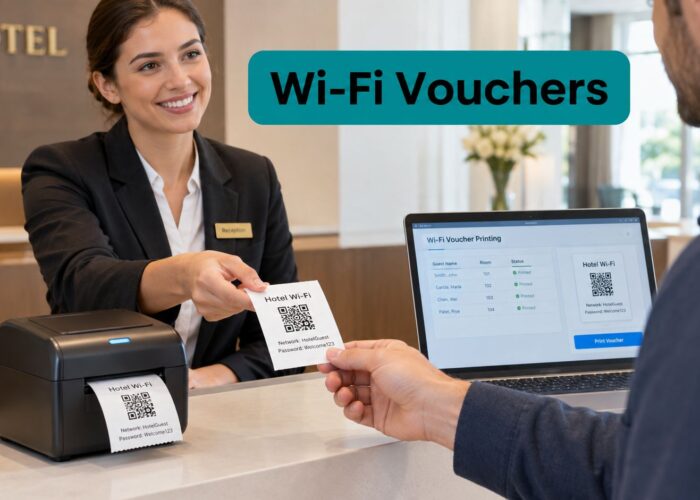
Hotspot 2.0 sounds ideal because it removes captive portals. But many venues still need the portal moment for a reason. They may need terms acceptance, room-number validation, a voucher, social login, social WiFi consent, or a branded welcome flow that supports marketing and compliance goals.

Why the ideal world isn't the whole world
One of the biggest practical gaps is onboarding for first-time visitors. As noted in Purple's discussion of Hotspot 2.0, it works best when a device already has a service-provider profile. If it doesn't, the user still needs another onboarding path. That limitation matters a lot in hospitality, retail, education, and healthcare, where many visitors are there for the first time and won't arrive pre-provisioned.
So if you run a Cisco Meraki network, you usually need more than one access method.
A practical hybrid model on Cisco Meraki
A useful operating model looks something like this:
- Known staff devices: Use stronger identity-driven access, often with certificate-based onboarding or another managed authentication method
- Repeat users or trusted communities: Use Passpoint where profile-based automatic connection makes sense
- Guests and first-time visitors: Keep a modern captive portal for onboarding, consent, and branding
- Shared and awkward devices: Use IPSK or EasyPSK where individual keys are easier to manage than full certificate enrollment
That's why many teams evaluating Cisco Meraki wireless deployments end up thinking in user journeys, not just SSIDs.
Getting both convenience and control
Used carefully, a hybrid approach gives you the strengths of multiple models without forcing every user into the same flow.
Captive portals still matter when you need branded guest WiFi, terms acceptance, or social login.
Hotspot 2.0 matters when you want automatic, trusted, low-friction access for users who already have the right profile.
IPSK and EasyPSK matter when you want per-user or per-device control without the operational lift of certificate-heavy onboarding for every scenario.
Splash Access is one example of a platform built around Cisco Meraki that combines captive portals, WPA2 onboarding, and IPSK-based access methods in a single workflow. In practical terms, that means an operator can support guest splash pages, social WiFi options, and more controlled authentication paths on the same Meraki estate without pretending every visitor is ready for Passpoint on day one.
The real win is not replacing one access method with another. It's giving each user the least painful path that still meets your policy.
Hotspot 2.0 and IPSK in Your World Vertical Examples
A busy airport gave Hotspot 2.0 its original test. Carriers needed Wi-Fi that could take pressure off cellular networks without forcing every traveler through the same login page over and over. According to Mouser's technical article on Hotspot 2.0, the industry was reacting to steep mobile traffic forecasts, including a Cisco-cited projection of 26-fold growth by 2015 and another estimate of 75 exabytes of annual mobile traffic by that same year.
That history matters because the same problem shows up far outside carrier Wi-Fi. People move, devices multiply, and nobody wants network access to feel like a queue at the front desk. At the same time, a hotel, retailer, or campus still needs branding, consent, policy control, and a practical way to handle devices that will never enroll cleanly into a profile-based system.
Education
A university is one of the clearest examples of the gap between the ideal model and real operations.
A student may connect from a dorm room at 8 a.m., a lecture hall at 10, the library at noon, and a sports venue that evening. If their phone and laptop already have the right profile, Hotspot 2.0 gives them a smoother experience across all those spaces. The Wi-Fi feels consistent even though the environment keeps changing.
But campuses also have reality to deal with. Visiting parents, conference guests, temporary researchers, lab equipment, media devices, and shared machines in specialist rooms do not all fit the same access model. A captive portal may still be the right front door for short-term visitors, while shared or awkward endpoints often work better with per-device credentials. For teams comparing those options, this guide to IPSK with RADIUS authentication is a useful fit for high-turnover and multi-user environments.
If your campus team wants stronger grounding in the Wi-Fi and AAA basics behind these decisions, the comprehensive CCNA study materials are a helpful reference.
Retail
Retail runs on first impressions and repeat visits.
A coffee shop, supermarket, or fashion store often wants a branded welcome page because Wi-Fi is part of the customer experience. The business may want consent, loyalty sign-up, a marketing opt-in, or a simple landing page that matches the brand. Hotspot 2.0 alone does not solve that first-visit moment.
The second or third visit is different. If a customer has already enrolled through the app or another trusted onboarding path, automatic return access becomes useful. The network stops interrupting the visit. The shopper gets online faster, and the venue keeps the portal for people who still need it.
Staff and store devices add another layer. Handheld scanners, tablets at the counter, printers, and smart shelves often need controlled access without the overhead of full certificate enrollment. IPSK fits well here because it works like giving each device its own cut key instead of handing the entire store one master key.
Hospitality
Hotels, resorts, and event venues live in the tension between convenience and presentation.
Guests expect Wi-Fi to work quickly. The property still wants to show a branded arrival page, capture room details, enforce terms, or offer premium access tiers. That is why the pure Hotspot 2.0 vision often needs adjustment in hospitality. The venue experience matters as much as the radio technology.
A practical design uses different lanes for different travelers. Returning guests with a known profile can get quick access. New arrivals can go through a branded portal tied to room records or package entitlements. Back-office devices, POS terminals, and operational endpoints can sit on controlled credentials that are easier to rotate and audit than one shared passphrase.
Platforms such as Splash Access on Cisco Meraki gear are useful here because they let operators combine those paths on the same estate instead of forcing every guest, employee, and device into one model.
BYOD corporate
Corporate offices usually have clearer policy boundaries, but they still have edge cases everywhere.
Managed laptops may be good candidates for profile-based access. Personal phones and tablets often sit in a middle ground. Contractors may need temporary access for a week. Guests at reception may need internet only. Conference room kits, printers, and specialist devices may not support the preferred enterprise onboarding flow at all.
RADIUS acts like a receptionist with a policy book. It checks who is asking, what credential they presented, and which network rules should apply. Hotspot 2.0 can make access easier for devices that already belong in the system, while IPSK gives IT a practical fallback for BYOD and hard-to-fit endpoints. That mix is often what turns the theory of friction-free roaming into a design a real office can support.
Your Deployment Checklist and Best Practices
A good rollout starts with one honest question. Who exactly is going to use this network? If you can't answer that clearly, the configuration will get muddled fast.

Start with user groups, not features
The cleanest deployments separate users before they choose technology.
- Guests: Decide whether they need a captive portal, voucher flow, or social login path
- Employees or staff: Use stronger authentication and clearer policy mapping
- Students or members: Consider profile-based onboarding if repeat visits are common
- Devices that don't fit neatly: Use IPSK, EasyPSK, or another controlled fallback
Purple notes a key operational reality: Hotspot 2.0 works best when the device already has a service-provider profile. Otherwise, the user still needs an alternate onboarding path. That single fact should shape your design more than any brochure promise.
A short planning checklist
Check your infrastructure
Confirm your Wi-Fi environment supports the features you want to deploy.Pick the right authentication per audience
Don't force guests, staff, and BYOD devices into the same model.Design the first-time visitor path carefully
Many deployments succeed or fail depending on this.Keep security tied to identity
Avoid falling back to broad shared passwords when a more controlled method is realistic.Test the journey on real devices
Phones, laptops, tablets, and oddball endpoints behave differently.Document the basics for support staff
Frontline teams need a simple explanation of which users should use which path.
If you want stronger grounding in the Cisco side of the networking fundamentals behind these decisions, comprehensive CCNA study materials can be a useful refresher for IT teams and admins building out guest access policies.
A strong Hotspot 2.0 deployment doesn't remove every fallback. It removes unnecessary friction for the people who can benefit from automatic trust, while keeping everyone else moving.
If you're planning guest Wi-Fi on Cisco Meraki and need to balance Passpoint, captive portals, social login, and IPSK-based onboarding, Splash Access is worth reviewing as part of your options. It focuses on guest access workflows for Meraki environments, which can be useful when you need both effortless authentication for some users and flexible onboarding for everyone else.