Hey, have you ever wondered if your free guest Wi-Fi could do more than just, well, provide free Wi-Fi? What if it could become one of your best tools for marketing, security, and understanding your customers? That’s exactly what a guest Wi-Fi captive portal does. It’s the secret sauce that turns a basic amenity into a strategic business asset.
From Simple Amenity to Powerful Asset
Think of your free Wi-Fi as your digital welcome mat. Without a captive portal, people walk all over it without you ever knowing who they are. A captive portal changes all of that. It’s the branded login page everyone sees before they connect—your network's digital front door.
This single step is a game-changer for fast-moving environments like Retail, Education, and any corporate office grappling with BYOD (Bring Your Own Device) policies. The goal isn't just to hand out internet access anymore; it's about creating a secure, controlled, and valuable touchpoint the second someone tries to connect.
It's So Much More Than Just a Login Screen
A well-executed captive portal, especially one powered by top-tier hardware from brands like Cisco and Meraki, is a multi-purpose tool. It simultaneously protects your business and creates a better experience for your guests.
Here’s what it really does:
- Locks Down Your Network: Forget handing out the same password to everyone. Modern Authentication Solutions like IPSK (Individual Pre-Shared Key) or our EasyPSK system assign a unique key to every single user or device. This is a massive leap forward for network security.
- Makes Connecting a Breeze: Let's be honest, no one likes a complicated login. You can offer seamless options like social Wi-Fi (letting users log in with their social media accounts) or a quick QR code scan to get people online without any fuss.
- Gathers Actionable Insights: With permission-based methods like social login, you can start to understand who your visitors are. This is the foundation of smart business decisions. You can learn more about turning these insights into results in our guide to Wi‑Fi marketing.
By putting a captive portal in place, you’re fundamentally changing the role of your guest Wi-Fi. It goes from being a cost center to a powerful engine for security, branding, and customer engagement, all wrapped in a smooth user experience.
Whether you're securing thousands of student devices on a campus, managing a complex BYOD environment in a corporate setting, or trying to engage shoppers in a retail store, these capabilities are non-negotiable. It’s time to move past clunky, insecure networks. The right captive portal makes your Wi-Fi smart, safe, and incredibly valuable.
Understanding the Guest Wi-Fi Captive Portal
So, what exactly is a guest Wi-Fi captive portal? The easiest way to think of it is as a friendly digital doorman for your guest network. It's that branded web page a visitor sees right after they select your Wi-Fi network (the SSID) on their phone or laptop.
Before they can start browsing, they land on this "splash page." To get online, they have to take a specific action—it could be as simple as accepting your terms and conditions, or something more involved like entering an email or logging in with a social media account. This is often called social wifi.
This quick, controlled interaction is where the real value is. First, it keeps your network secure by preventing anonymous users from just hopping on. Second, it creates a fantastic opportunity to engage with your guests and gather valuable, permission-based data right when they connect.
A well-designed user journey feels effortless. A guest connects, the splash page loads automatically, they log in, and they're surfing the web in seconds. A great platform makes this experience seamless on any device, from a laptop to a smartphone, so nobody gets frustrated.
The Power Behind the Portal
The real flexibility comes from the different ways you can grant access. You can tailor the login method to fit your specific needs, whether you're running a busy retail store, a sprawling university campus, or a secure corporate office with a BYOD (Bring Your Own Device) policy. To get the most out of your setup, it’s worth exploring various guest authentication solutions that can handle user verification and access control.
This is where hardware from leaders like Cisco and Meraki provides the reliable foundation needed for these advanced authentication methods. When you pair this kind of infrastructure with a smart platform, you unlock a whole menu of options that perfectly balance security with user convenience.
There's a reason the global captive portal market is exploding. Projections show it soaring from USD 1.15 billion in 2025 to USD 2.20 billion by 2030, driven by the rise of BYOD policies and increasing security needs. On average, businesses that use captive portals see 25-40% higher data capture rates, turning their Wi-Fi from a simple cost into a powerful asset.
This decision tree helps visualize how a captive portal can completely reframe the role of your Wi-Fi.
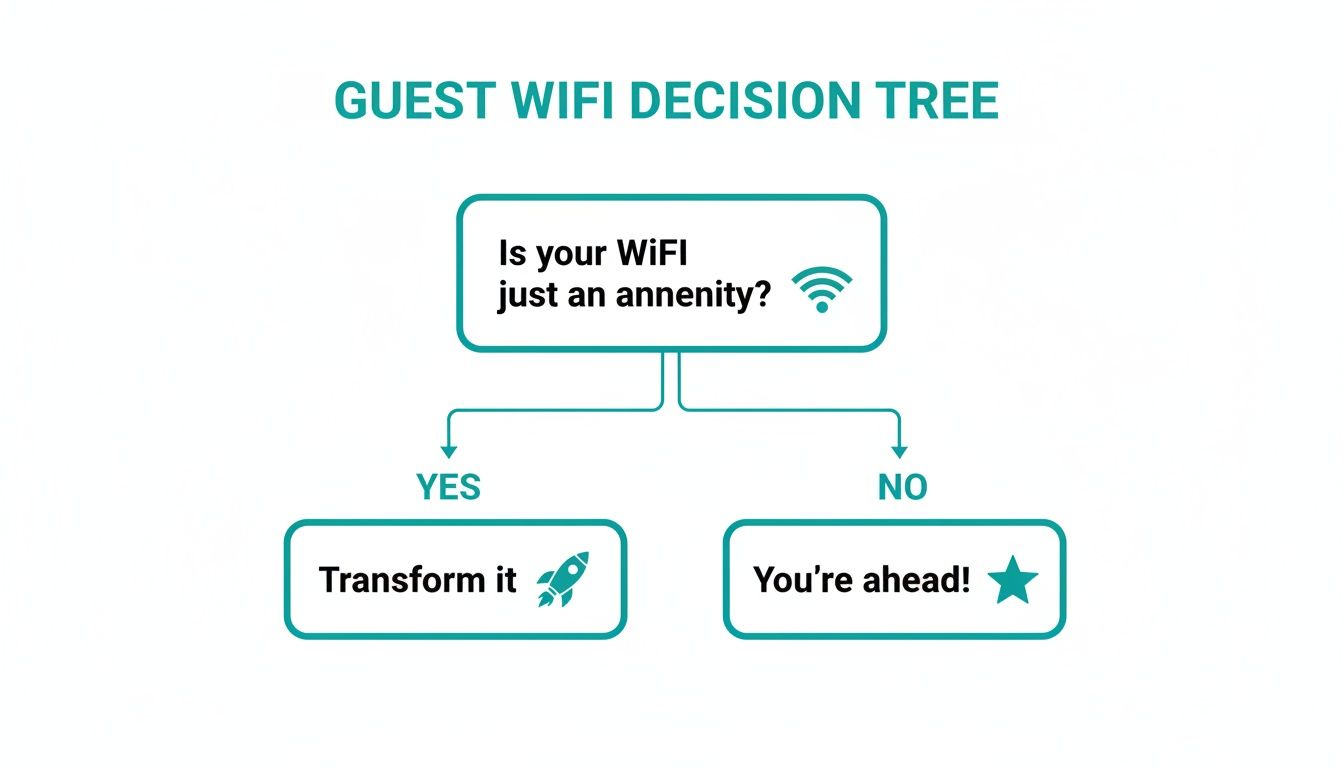
The key takeaway is that Wi-Fi doesn't have to be just a passive utility. With a captive portal, it becomes an active tool that helps you achieve your business goals.
Comparing Guest Authentication Methods
Choosing the right way for guests to log in is critical. A simple password might be fine for a small coffee shop, but a large corporation or education campus needs something far more secure and manageable.
The table below breaks down the most common Authentication Solutions, helping you see which one fits your organization best. If you want to explore this topic further, check out our detailed guide on what a captive portal login is.
Guest Wi-Fi Authentication Methods Compared
Choosing the right login method is a balancing act between security, user experience, and your business goals. This table compares some of the most popular options.
| Authentication Method | How It Works | Best For | Key Benefit |
|---|---|---|---|
| Social Wi-Fi Login | Users connect with their social media credentials (e.g., Facebook, Google). | Retail, Hospitality, Public Venues | Rich, verified user data and easy access. |
| IPSK / EasyPSK | Each user or device receives a unique password for the network. | Education, Corporate BYOD, Long-term Guests | High security and individual access control. |
| Email/Form Capture | Visitors enter their email address or fill out a short form to gain access. | Marketing-focused venues (Retail, Events) | Builds marketing lists and gathers lead info. |
| Vouchers/Access Codes | Guests receive a unique, time-limited code for access, often printed or sent via SMS. | Hotels, Conference Centers, Paid Wi-Fi Hotspots | Controlled, time-based access for guests. |
| Click-Through | Users simply agree to Terms & Conditions on the splash page to connect. | Quick-service environments (e.g., Cafes, Airports) | The fastest way to get users online. |
Ultimately, the best method depends entirely on what you want to achieve—whether it's maximum security, gathering marketing leads, or simply providing the quickest possible connection for your guests.
How IPSK and EasyPSK Deliver Next-Level Security
When you're setting up a guest Wi-Fi captive portal, your top priorities are almost always security and a smooth user experience. While things like social login are fantastic for marketing in Retail, other environments—like schools or corporate offices with BYOD policies—need a much stronger security posture. This is where the old-school, single shared password just doesn't cut it anymore.
We've all been there. A single Wi-Fi password gets handed out, and before you know it, everyone has it. The real trouble starts when an employee leaves or a student graduates. To keep the network secure, you have to change the password, which means updating it for every single person and device. It’s a massive administrative headache and, more importantly, a huge security hole. This is the exact problem that IPSK (Individual Pre-Shared Key) technology was designed to fix.
Give Everyone Their Own Key to the Network
Think of IPSK like this: instead of giving everyone the same master key to the building, you give each person their own unique key. It's one of the most powerful Authentication Solutions you can implement, especially when you build it on top of solid network gear from providers like Cisco and their cloud-based Meraki platform.
Giving each user or device a unique password might sound simple, but the security benefits are profound:
- Individual Accountability: You can see exactly who is connected to your network at any given moment. No more guessing games.
- Simple Revocation: If someone no longer needs access, you just disable their specific key. Everyone else stays connected without any interruption.
- Tighter Security: A compromised password no longer means an intruder gets keys to the whole kingdom. The risk is contained to a single user.
This kind of granular control is a game-changer for IT admins, giving them enterprise-level security without the usual enterprise-level complexity.
Making It Simple with EasyPSK
While IPSK is a brilliant concept, the idea of manually managing thousands of unique keys can sound like a nightmare. This is where a management layer like EasyPSK comes into play. These platforms are built to integrate directly with your network hardware, like Cisco Meraki access points, and automate the entire lifecycle of each key.
You're no longer stuck with a complicated, manual process. Instead, you get an automated system that handles creating, distributing, and revoking keys. This makes top-tier security practical and manageable, even for large-scale deployments in corporate or educational settings.
This automation is what makes advanced security truly usable. If you want to get into the technical nitty-gritty, you can learn more about how IPSK works with RADIUS authentication to make the process even more seamless.
A Perfect Fit for Corporate BYOD and Education
The use cases for IPSK and EasyPSK are incredibly relevant in today's world. Let's look at two environments where it really shines:
Corporate BYOD: In any modern office, employees bring their own phones, tablets, and laptops. With IPSK, IT can issue a unique key for each employee's devices, ensuring only approved personal devices get on the network. When an employee leaves the company, their keys are revoked in a single click, instantly protecting company data.
Education Campuses: Imagine trying to manage network access for thousands of students in dorms, libraries, and classrooms. It's a monumental task. An EasyPSK system allows you to assign each student a key that works for the entire semester or academic year, providing secure, reliable access while making life much easier for the campus IT department.
Ultimately, when you combine a smart captive portal with advanced Authentication Solutions like IPSK, you can build a Wi-Fi experience that is both incredibly secure and refreshingly easy to use. It’s the perfect balance of control and convenience.
Tailoring the Guest Experience to Your Industry
When it comes to your guest Wi-Fi captive portal, a generic, off-the-shelf solution simply doesn't work. The needs of a bustling retail store are worlds apart from a secure corporate office or a sprawling university campus. The real value of a modern captive portal is its ability to adapt and provide a specific solution for your industry's unique challenges and goals.
This is where a flexible platform built to work with leading hardware from companies like Cisco and Meraki makes all the difference. It’s not just about getting people online; it’s about creating a secure, branded, and genuinely useful experience that aligns with your operations, whether you’re focused on marketing, security, or simple convenience.
Driving Sales and Engagement in Retail
In the fast-paced Retail world, the guest Wi-Fi network is a goldmine for customer engagement. The primary goal is usually to understand shopper behavior and create new opportunities to drive sales. This is where social WiFi becomes a retailer's secret weapon.
By letting shoppers log in with their social media accounts, you achieve two things at once. First, you give them a quick and familiar way to get online—no more fumbling with long passwords. Second, with their permission, you gain valuable demographic data that helps you paint a clearer picture of who your customers are.
But the real magic happens when you connect that data to the in-store experience. A smart captive portal can:
- Deliver Geo-Fenced Coupons: Imagine a shopper connecting to your Wi-Fi and instantly getting a digital coupon for the very department they're standing in. That’s a powerful way to influence purchasing decisions on the spot.
- Build Marketing Lists: Every email address or social profile you capture is another chance to connect with customers through targeted marketing campaigns and exclusive offers.
- Analyze Foot Traffic: When you pair your portal with Cisco Meraki MV Sense cameras, you can gather incredible insights into how customers move through your store, helping you optimize layouts and product placement.
Securing the Modern Corporate BYOD Environment
In a Corporate setting, the focus shifts dramatically from marketing to security. With the explosion of BYOD (Bring Your Own Device) policies, IT departments face the constant headache of letting employees and visitors connect their personal devices without opening a door to the main corporate network.
The captive portal becomes your first line of defense. The priority here isn't collecting marketing data; it's ensuring every single connection is authorized and secure. This is where more advanced Authentication Solutions are essential.
A corporate guest portal isn't about flashy promotions. It's about controlled, secure access. It’s about seamlessly onboarding a visiting executive for a meeting or giving a contractor temporary network privileges without creating a security risk.
Key tools for the corporate world include:
- SAML and Azure AD Integration: Allowing employees and trusted guests to log in with their existing corporate credentials makes the process both incredibly simple and highly secure.
- IPSK for Long-Term Guests: For contractors or partners who need access for weeks or months, issuing an Individual Pre-Shared Key (IPSK) gives them a private, secure connection that can be easily revoked the moment their project is finished.
Balancing Access and Security in Education
The Education sector presents its own unique mix of challenges. A university campus is like a small city, teeming with thousands of students, faculty, and guests who all need reliable internet access for very different reasons. The network has to be open enough for learning but secure enough to protect sensitive data and manage an enormous number of devices.
For students in dorms, security and ease of use are everything. A solution like EasyPSK is perfect here, as it can automatically assign a unique Wi-Fi key to each student for the entire semester. This stops password sharing in its tracks and ensures only registered students can get on the residential network—a huge leap from a single, easily-compromised password for an entire building.
Meanwhile, in public areas like libraries and student centers, the focus might shift to a simpler login, perhaps using university credentials or a quick click-through portal for short-term guests. This layered approach, made possible by a versatile captive portal integrated with Cisco Meraki hardware, lets educational institutions provide just the right level of access and security for every user, everywhere on campus.
The data backs this up. The hospitality sector, which shares many needs with retail and education, commands a dominant 26.0% revenue share of the global captive portal market. This shows just how vital these systems are for creating branded, secure guest experiences. Retailers and shopping centers see similar returns, capturing 25-40% more customer data by using social WiFi logins. You can learn more about the market's growth in this detailed industry analysis.
Turning Guest Wi-Fi Data Into Business Intelligence
Think of your guest Wi-Fi as more than just an amenity. It's actually a goldmine of data, just waiting to be tapped. The real question isn’t whether this data exists, but how you can actually use it. This is where a modern guest Wi-Fi captive portal stops being a simple gatekeeper and becomes a powerful business intelligence tool.

Just by managing access, your portal is already collecting valuable information. But the real magic happens when you connect it with other systems. That's when you start unlocking actionable insights that can genuinely shape business decisions, refine the customer experience, and give your bottom line a healthy boost.
See Your Physical Space Through a Digital Lens
Imagine knowing exactly how many people walk into your store, which aisles they spend the most time in, and how often they return. This isn't some far-off concept; it’s happening right now by integrating a captive portal with advanced hardware like Cisco Meraki MV Sense smart cameras.
These systems work in tandem to paint a clear, anonymous picture of visitor behavior in your physical space. When someone connects to your Wi-Fi, the system can track their journey, giving you powerful metrics that were once just a guessing game.
Here are a few of the key insights you can gain:
- Foot Traffic Patterns: Pinpoint your busiest days and hours to make smarter staffing and operational decisions.
- Dwell Times: See which areas of your venue are the most engaging and identify dead spots that might need a rethink.
- Return Visitor Rates: Get a real handle on customer loyalty by tracking the ratio of first-time visitors to returning patrons.
This data creates an incredibly powerful feedback loop for any physical business. A Retail store can use it to perfect product placement, while an Education campus can better understand student flow and resource usage.
Connecting Wi-Fi Logins to Marketing Power
Beyond just physical movement, the data collected at the login screen is a treasure trove. When a guest uses a social login or provides their email to get online, they’re essentially handing you a direct line for future communication. The next logical step is to automate how you use it.
A smart captive portal platform like Splash Access can plug directly into your go-to marketing tools, such as Mailchimp. This builds a seamless bridge between your Wi-Fi network and your marketing engine, completely eliminating the need for manual data entry.
This kind of integration opens up a world of possibilities for building real, lasting relationships with your customers. It allows you to dig much deeper into location analytics and apply those insights directly.
Putting Your Data to Work
Once your systems are talking to each other, you can start running automated campaigns that help turn a one-time visitor into a loyal fan. The possibilities are huge, but here are a few practical examples that deliver immediate value:
- Automated Welcome Campaigns: The moment a new guest logs in with their email, they can be dropped into a "New Customer" list that automatically sends a welcome message and a special offer for their next visit.
- Requesting Reviews: A few hours after a guest leaves, you can trigger an email asking them to leave a review on Google or Yelp. It’s a simple, effective way to build your online reputation.
- Targeted Promotions: By combining login data with visit frequency, you can create exclusive offers just for your most loyal customers, making them feel appreciated and encouraging them to come back yet again.
By turning raw connection data into refined business intelligence, your guest Wi-Fi captive portal proves its worth far beyond just providing internet access. It becomes an essential tool for understanding your customers, improving your operations, and showing a clear return on your investment.
What's Next for Your Wi-Fi Network?
We've covered a lot of ground, from the fundamentals of a guest Wi-Fi captive portal and the tough security of IPSK, all the way to the marketing magic of social WiFi. If there’s one thing to take away, it's this: guest Wi-Fi isn't just a utility anymore. It's a powerful tool that can—and should—be central to your security, marketing, and customer experience.
When you pair the world-class hardware from Cisco Meraki with a flexible captive portal, you’re not just offering internet. You're building a secure, branded, and intelligent network that pulls its own weight. All the pieces are there to create a guest Wi-Fi experience that people actually remember for the right reasons.
Turning an Expense into an Asset
No matter your field—Retail, Education, or a corporate BYOD setting—the potential is huge. A retailer can use social login to finally get a clear picture of who their shoppers are. A university can roll out EasyPSK to securely manage thousands of student laptops and phones. And in an office, these Authentication Solutions give visitors and employees the access they need without creating security headaches for IT.
It’s time to stop thinking of guest Wi-Fi as a line item on the budget. Start treating it like the valuable business asset it is. The right system locks down your network, delivers priceless insights, and gives every user a smooth, reliable connection.
Changing how you see your network is the first step. Putting it into action is the next.
This is where you take everything we've talked about—splash pages, login methods, and analytics—and apply it directly to your own environment. That’s how you’ll start seeing a real return. Ready to get started? Our complete guide on how to set up guest Wi-Fi will walk you through the practical steps.
Building a smarter Wi-Fi network starts with seeing what’s possible. With the right plan and the right tools, your network can become one of your most powerful assets for security and growth.
Frequently Asked Questions About Captive Portals
Even with a solid plan, deploying a guest Wi-Fi captive portal can bring up a few questions. We've pulled together some of the most common ones we hear from businesses in Retail, Education, and corporate BYOD environments to give you the answers you need.
What Is the Main Security Benefit of a Guest Wi-Fi Captive Portal?
The biggest security advantage boils down to two things: control and visibility. Instead of running an open, anonymous network where anyone can connect, a captive portal requires users to authenticate. This simple step creates a clear record of who is using your network and when.
This gives you a way to enforce your terms of service. And when you add advanced Authentication Solutions like IPSK, you can also isolate each user's traffic, preventing them from seeing other devices on the network. For businesses using Cisco Meraki hardware, this integration unlocks powerful tools like traffic shaping and content filtering, ensuring your network isn't misused and guest activity never slows down your core business operations.
Can I Customize the Look of My Captive Portal Splash Page?
Absolutely! Customization is one of the most powerful features of a good captive portal. A modern platform lets you design your splash page to perfectly match your brand's look and feel, creating a seamless and professional experience for every visitor.
You can easily add your logo, use your specific brand colors, and even display promotional videos or images. You have complete control over the messaging, turning a basic login screen into a valuable branding and marketing tool from the very first interaction.
Think of your splash page as your digital welcome mat. It's the first thing guests see when they connect, so making it look and feel like an extension of your brand is key to a great first impression.
How Does Social Wi-Fi Login Work, and What Are the Benefits?
Social Wi-Fi login, or social wifi, lets your guests connect to the network using an existing social media profile, like Facebook or Google. For them, it’s incredibly simple—usually just a couple of clicks and they're online, no need to create a new account or remember yet another password.
For your business, the payoff is huge. With the user's explicit permission, you can access valuable and verified demographic data. This insight helps you understand your audience better, build highly targeted marketing campaigns, and personalize the customer experience. It’s a win-win: frictionless access for guests and rich, actionable data for you.
Is a Captive Portal Difficult to Manage on a Cisco Meraki Network?
Not at all. Modern captive portal solutions are built from the ground up to integrate smoothly with the Cisco Meraki dashboard. The initial setup is typically straightforward, using APIs to securely link the two systems.
Once configured, you manage everything—your splash pages, authentication methods like EasyPSK, and all the user data you collect—from a separate, intuitive interface. You don't need to be a network engineer to make changes, which makes it easy to deploy and manage a sophisticated guest Wi-Fi captive portal across one location or hundreds.
Ready to turn your guest Wi-Fi from a simple amenity into a powerful business asset? With Splash Access, you can build a secure, branded, and intelligent network on your Cisco Meraki hardware. Learn more and get started today at Splash Access.