A lot of health data problems don’t start in the exam room. They start in the hallway, the campus lobby, the retail clinic, the front desk, or the waiting area where someone is trying to get online and complete one simple task.
A student needs immunization records before joining a field trip. A parent standing inside a pharmacy clinic wants to confirm a child’s allergy history. A resident in senior living is trying to join a telehealth session from a tablet. In each case, the person already has a device, the building already has WiFi, and the health system already has the record. The friction happens in the gap between them.
That gap is exactly where electronic medical record integration matters. It connects the systems people use every day, including portals, forms, authentication tools, and secure wireless networks, so information can move to the right place without messy workarounds. And when modern WiFi infrastructure such as Cisco Meraki is part of the design, integration becomes much more practical for healthcare, education, retail, and BYOD corporate environments that all manage guest access in different ways.
Bridging Gaps in Modern Healthcare
A university health center sees this every semester. Students arrive with phones in hand, trying to upload vaccine documents, confirm appointments, or fill out intake forms before a visit. The campus may already run reliable wireless coverage, single sign-on, and managed access policies, but the medical side often sits on a separate island.
The same thing happens in retail healthcare. A shopper checks in at an in-store clinic, connects to guest WiFi, and gets a captive portal. The network can identify that the person is present and authenticated, yet the clinic still relies on clipboard forms, repeated questions, or staff retyping details into the record system.
That’s why electronic medical record integration is not just a back-office IT project. It’s a way to connect the front door experience with the clinical system behind it. If you’re working through policies, privacy controls, and operational risk, this guide to security for healthcare IT professionals gives helpful context on the security mindset these projects require.
Where people get stuck
Most readers hear “integration” and picture a giant, expensive rebuild. In practice, many teams begin smaller. They connect one workflow at a time, such as check-in, patient onboarding, digital consent, or portal access.
A secure guest network can become the first touchpoint in that workflow. A captive portal can present identity options, collect needed details, and trigger the next step. A practical example of this broader thinking shows up in work around patient engagement strategy, where connectivity and communication are treated as part of the service experience, not a separate technical layer.
Good integration removes repeated questions. It helps people move from “I’m here” to “I’m ready” with less staff intervention.
Why networks belong in the conversation
Healthcare teams often talk about EMRs and EHRs as if they live only inside clinical software. But the first interaction may happen on a personal device over WiFi. That makes the wireless layer part of the experience, especially when organizations use branded captive portals, secure authentication, QR code onboarding, or segmented guest access.
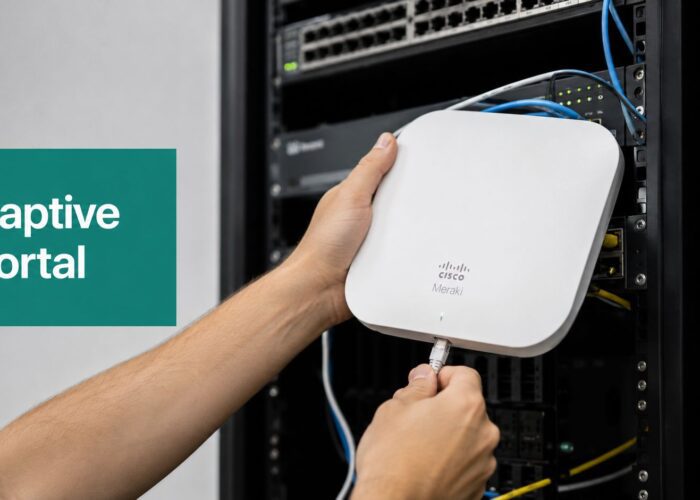
Cisco and Meraki environments are especially relevant here because they give IT teams centralized control over access policies, SSIDs, authentication behavior, and device segmentation. That doesn’t replace the medical system. It gives the medical system a cleaner, safer path to interact with people in real time.
What Is EMR Integration Really About
At its simplest, electronic medical record integration means different systems can exchange useful information without staff copying and pasting the same details over and over. Think of it as a universal translator. Your EMR speaks one dialect, a mobile form app speaks another, and a guest WiFi platform speaks yet another. Integration lets those systems understand one another.
Without that translator, every handoff becomes manual. Front-desk staff enter information in one system. Nurses check another. Patients repeat the same answers in a portal, on paper, and again during intake. That isn’t just annoying. It introduces delays and avoidable mistakes.

What improves when systems connect
The payoff is both clinical and operational. EMR integration has been associated with a 48% reduction in medication errors and a 25% improvement in chronic disease management, while the market is also shifting toward easier-to-connect platforms, with 83.68% of new revenue coming from web and cloud-based systems and a projected USD 45.55 billion global EHR market by 2035 (electronic health records statistics).
Those numbers matter because they point to something very practical. Better-connected systems don’t just store records. They help teams act on information faster and with less duplication.
A plain-language example
Say a clinic uses a captive portal on its guest WiFi. A patient arrives and authenticates through a branded splash page on a phone. That event can trigger a secure workflow:
- Identify the visit context: The system knows the person is on-site and starting a session.
- Collect structured information: A form can ask for appointment confirmation, allergies, consent, or updated contact details.
- Pass data forward: The integration layer sends that information into the medical workflow instead of leaving it trapped inside the WiFi tool.
That same pattern can support environments beyond healthcare.
| Sector | Example use of integration |
|---|---|
| Education | Students use campus credentials to connect and access health or wellness services without disconnected logins |
| Retail | A clinic or pharmacy can pair guest WiFi onboarding with digital forms and service updates |
| Corporate BYOD | Employees and visitors can use segmented access while wellness or occupational health workflows stay separate |
Why this matters to guest WiFi teams too
People often assume EMR integration belongs only to healthcare software vendors. It doesn’t. Network and operations teams play a major role because they manage the first mile of access. A captive portal, social login flow, or authentication event can become the secure starting point for a larger workflow.
That’s also why no-code and workflow tools are useful in some environments. For non-clinical handoffs, event-driven automation can bridge forms, messaging, and support tasks. A simple example is using workflow automation through Zapier integration to connect onboarding steps that don’t need deep clinical logic but still need reliable routing and follow-up.
Practical rule: Integration is not “two systems can technically connect.” Integration means people stop doing duplicate work.
The Common Language of Healthcare Data
Healthcare systems can’t share data well if they don’t agree on the format. That’s where standards come in. If EMR integration is the translator, standards are the grammar book.
Many teams first hear names like HL7 and FHIR and assume they need to become developers. You don’t. It’s enough to know what role each one plays and why they affect your project.
HL7 and FHIR in plain English
Older HL7 messaging is like formal paperwork. It’s structured and important, but not always easy for modern web tools to use. FHIR, short for Fast Healthcare Interoperability Resources, is closer to modern internet communication. It’s API-friendly, more modular, and much easier to plug into apps, portals, and services that already live in cloud environments.
That matters when a network event needs to kick off a healthcare action. A guest WiFi platform isn’t trying to become an EMR. It just needs a safe, understandable way to send or request the right information.
Why FHIR changed the conversation
HL7 FHIR is a RESTful API standard that can reduce data exchange errors by up to 40%, and it helps bridge legacy systems and newer tools by using familiar web formats such as JSON and XML. It also matters because proprietary data formats still fragment 70% of global EMR deployments, which is one reason manual re-entry keeps happening (FHIR integration challenges and benchmarks).
That sentence explains a lot of real-world frustration. Staff aren’t retyping information because they love redundancy. They’re doing it because one system can’t cleanly understand another.
A simple comparison
| Standard | Easy analogy | Best way to think about it |
|---|---|---|
| HL7 | Formal paper form | Strong structure, harder for modern apps to work with directly |
| FHIR | Modern web form with clear labels | Better for APIs, cloud apps, mobile tools, and real-time exchange |
What APIs actually do
An API is just a controlled doorway. One system knocks, asks for something in a defined format, and gets a defined response. That’s much simpler than building one giant custom connector every time a new app appears.
In healthcare, this matters because a captive portal, identity provider, scheduling tool, or patient questionnaire platform may all need to interact with the record system. APIs make those interactions predictable.
A secure architecture still matters. Identity checks, permissions, logging, and data minimization should sit around that doorway. If your team is thinking about the governance side as much as the technical side, this article on addressing insider risk with APIs is worth reading because it focuses on how API design affects organizational risk, not just connectivity.
Where WiFi fits into standards
A common misconception is that WiFi itself doesn’t “speak FHIR.” The wireless network provides the connection and the authentication event. A middleware layer, cloud workflow, or application service then uses standards like FHIR to exchange health-related data with the EMR.
So the pattern looks more like this:
- A person joins the network
- The access platform verifies identity
- A connected service triggers the next action
- That service talks to the EMR using healthcare data standards
That middle layer is important. It keeps your network from becoming your medical system while still letting the two cooperate. Teams building cloud-based architectures often need that connective tissue between wireless, identity, and record platforms, which is why connecting cloud systems across access environments is such a practical design concern.
Standards don’t remove complexity. They stop every new connection from becoming a custom one-off project.
Connecting The Dots With Modern WiFi
Guest WiFi is generally understood as a convenience feature. In healthcare and other service environments, it can also become a workflow trigger.
A person enters a clinic, student health center, or senior living facility. They connect to a Cisco Meraki SSID. A branded captive portal appears. The portal can request the right authentication path for the setting, such as a voucher, staff-issued access, directory-backed login, social login, or a private key method like IPSK or EasyPSK.
That moment is more useful than it looks. It’s the point where the organization can confirm who the person is, what type of access they should receive, and what digital step should come next.

The workflow in human terms
Here’s a simple way to think about it.
Arrival and authentication
The user connects to guest WiFi on a phone or tablet. In a healthcare setting, the captive portal might present a branded check-in experience. In education, it might tie into student identity. In a retail clinic, it may combine guest access with a service prompt.
Authentication methods matter here:
- Captive portal login: Good for onboarding, terms, forms, and lightweight identity collection.
- Social WiFi or social login: Useful in retail or consumer-facing environments where convenience and consent-driven engagement matter.
- Voucher access: Helpful when staff need to issue temporary credentials on-site.
- IPSK or EasyPSK: Better when you want each user or device to get a distinct key rather than relying on one shared password.
- Directory-backed authentication: Strong fit for education and corporate BYOD environments.
Secure trigger
Once the person is authenticated, the access event can trigger another system. That trigger might open a digital consent form, notify a check-in workflow, or start a secure request to match the session with an appointment.
The network is not writing directly into a clinical record on its own. It’s signaling a trusted integration layer that says, in effect, “This authenticated person is here now. Start the approved workflow.”
EMR handoff
The middleware or API service then handles the health-side exchange. If the person has an appointment, the system can prompt for pre-visit information. If they’re in a telehealth space, it can guide them into the right session. If they’re using a portal, it can present tasks that belong to them instead of handing them a generic guest experience.
Why this gap matters so much
This connection between WiFi and EMRs is still under-discussed. One verified source notes a significant gap in connecting EMRs with guest WiFi networks and says there is little guidance on using authentication methods like IPSK/WPA2 for secure patient onboarding. The same source notes that only 27% of rural hospitals can fully interoperate EHR data, which makes smooth onboarding even harder in underserved settings (bridging patient-reported outcomes in underserved communities).
That’s why network-aware design matters. If the access layer is clumsy, the patient experience is clumsy too.
A practical architecture pattern
A workable model often looks like this:
| Layer | What it does |
|---|---|
| Cisco Meraki wireless | Provides managed SSIDs, segmentation, policy control, and reliable coverage |
| Captive portal and authentication layer | Handles guest onboarding, social WiFi, vouchers, IPSK, EasyPSK, and identity flow |
| Integration service or middleware | Translates events into API calls and controls what data moves |
| EMR or related healthcare app | Receives approved information or returns patient-specific tasks |
How this applies outside healthcare
The same design pattern helps other sectors that manage sensitive workflows on shared networks.
Education
A student joins campus WiFi using school credentials. The network recognizes the user type and routes them to approved wellness, counseling, or health services without exposing unrelated systems. IT keeps student access segmented, and the health team gets cleaner intake data.
Retail
A shopper uses social WiFi in a pharmacy area or wellness kiosk. The branded splash page can support consent capture, promotions, or service registration while still keeping the guest network separate from operational systems.
Corporate BYOD
An office may need guest access for visitors, secure device-specific access for staff, and private application paths for occupational health or wellness workflows. IPSK and EasyPSK are attractive here because they reduce the risk of one shared key floating around the entire workplace.
The strongest guest access designs don’t just get people online. They guide them into the right digital experience.
For organizations shaping wireless access around regulated communications, Wi-Fi planning for healthcare communications is a useful reference point because it treats access design as part of service delivery, not a separate networking chore.
Keeping Patient Data Safe and Compliant
Convenience alone isn’t enough. If a network-connected workflow touches health information, security has to be designed in from the start.
The good news is that stronger security usually creates a better experience. People trust systems that are predictable, branded, and clearly authenticated. Staff trust systems that log activity, separate access levels, and don’t rely on shared passwords taped to a desk.

What secure integration looks like
A safe design usually combines several controls rather than relying on one magic feature.
- Segmentation: Guest devices should not sit on the same access plane as internal clinical systems.
- Strong authentication: IPSK, EasyPSK, directory-based login, or enterprise controls are safer than one recycled shared passphrase.
- Encrypted transport: Data should move through protected channels from device to service to healthcare application.
- Audit trails: Teams need records of who accessed what, when, and through which workflow.
- Least privilege: Every connected system should get only the minimum access it needs.
Why IPSK and EasyPSK matter
This is one place where plain language helps. A shared WiFi password is like one building key copied for everyone. Once it spreads, control disappears.
IPSK, or Individual Pre-Shared Key, works more like giving each approved user or device its own key. That makes revocation cleaner and containment easier. EasyPSK makes deployment more manageable at scale, especially in environments with many devices, rotating guests, or BYOD use cases.
That matters in healthcare, but it also matters in:
- Education, where students, staff, guests, and devices all need different treatment
- Retail, where consumer convenience can’t come at the cost of internal network exposure
- Corporate offices, where guest access and employee BYOD often coexist in the same building
Compliance is operational, not just legal
Teams often hear “HIPAA compliance” and think of policy binders. Real compliance shows up in configuration choices, identity decisions, vendor controls, and logs.
A useful parallel appears in this discussion of CTO Input for legal nonprofits, which makes the broader point that compliance is not a one-time checkbox. It’s an operating discipline. That mindset fits healthcare IT well.
Here’s a simple checklist for access projects that touch EMR-connected workflows:
| Question | Why it matters |
|---|---|
| Who is authenticating? | Confirms whether the user is a patient, student, guest, resident, or staff member |
| What network are they joining? | Keeps public access separate from sensitive internal services |
| What event is triggered next? | Prevents accidental over-sharing or unapproved automations |
| What is logged? | Supports auditing and incident review |
| How is access revoked? | Limits exposure when devices are lost or roles change |
Secure onboarding should feel simple to the user and strict to the administrator.
Organizations dealing with policy, consent, and regulated wireless environments often need support that crosses both operations and governance, which is why regulatory compliance service guidance can be useful when building these workflows.
Real World Examples of Smart EMR Integration
The easiest way to understand electronic medical record integration is to watch it in context. Not in a data diagram. In a real place, with a real person, using a real device.
On a university campus
A student walks into the health center after connecting to campus WiFi on a phone. Because the school already manages identity and device access, the student doesn’t need to bounce between disconnected systems. The check-in form loads with the right context, and staff can focus on the visit instead of proving the student is who they say they are.
For education teams, network policy and service design finally meet. The wireless connection, identity flow, and health workflow stop acting like separate projects.
Inside a retail clinic or pharmacy
A customer enters a clinic area inside a larger retail space and joins guest WiFi through a branded captive portal. The experience might include social login or another lightweight authentication path, then prompt the customer to complete a pre-service task on their own device.
This is also where social WiFi can be useful, as long as the health-related workflow stays separate from broad marketing behavior and uses appropriate consent. Retail environments already understand customer journeys. EMR-aware integration applies that same thinking to health services delivered inside the venue.

In senior living and connected care
A resident uses a tablet with a device-specific key to join the facility’s network for a telehealth session. Staff don’t have to wrestle with a shared password used by every visitor and every smart TV in the building. The resident gets a smoother session, and the organization keeps access boundaries cleaner.
This same model works well in managed residential environments because the line between guest access, caregiver access, and clinical coordination is often blurry unless the network is designed carefully.
A new frontier with SDOH and WiFi check-ins
One especially interesting area is the use of location and check-in context to enrich health records. A verified source notes that 41% of U.S. hospitals have achieved full data interoperability, while also pointing out there’s still no consensus on how network analytics could help infer and populate social determinants of health information into records, including workflows that could begin with a QR code scan on guest WiFi (research on SDOH integration and interoperability gaps).
That doesn’t mean organizations should rush to infer sensitive facts from every network event. It does mean the network can become a low-friction signal in a broader, privacy-conscious workflow. For example:
- A clinic check-in location may confirm where a service interaction happened
- A QR-based onboarding flow may help collect structured intake details with less staff burden
- A senior living common-area session may support more accurate routing for telehealth or follow-up tasks
The network already knows when someone arrived and how they connected. The smart question is how to use that signal responsibly.
Avoiding Common Pitfalls on Your Integration Journey
Most failed integration efforts don’t fail because APIs are impossible. They fail because teams treat integration like a plug-in purchase instead of an operational redesign.
The biggest trap is bad source data. A verified review found that up to 80% of EHR content is unstructured, copy-paste issues can reduce reliability by 20% to 35%, and during migration 5% to 10% of data can be duplicated or lost. The same source notes that running parallel systems with automated audits can reach 98% verification and cut migration errors by 50% (analysis of EHR data quality and migration risk).
The planning mistakes that hurt most
Starting with the tool, not the workflow
Teams often begin by asking which platform, connector, or vendor feature to buy. The better first question is simpler. What exact moment are you trying to improve? Arrival, intake, consent, telehealth launch, guest access, or form completion?
Forgetting the person on the device
If your captive portal is confusing, if your authentication path is too heavy, or if your form feels unrelated to the visit, users will abandon it. That’s true in hospitals, schools, retail spaces, and corporate BYOD environments.
Moving data without governance
Just because a network event can trigger an action doesn’t mean it should trigger every action. Define who owns each workflow, what data is allowed to move, and what must stay separate.
A better way to approach it
- Pick one high-friction use case first: Check-in and digital forms are often easier starting points than broad record synchronization.
- Run side-by-side validation: Parallel testing catches mismatches before they affect live care or operations.
- Use role-aware access design: Patients, students, residents, staff, and guests should not all follow the same path.
- Keep security in the design phase: Don’t bolt on authentication and audit controls after the workflow is already built.
Electronic medical record integration works best when the strategy is boring in the best possible way. Clear ownership, limited scope, careful testing, and good user experience beat flashy complexity every time.
If you’re building secure guest WiFi, captive portals, social WiFi journeys, or IPSK and EasyPSK authentication on Cisco Meraki across healthcare, education, retail, or corporate spaces, Splash Access helps connect wireless onboarding with real operational workflows. It’s a practical option for organizations that want branded access, stronger authentication, and smoother digital experiences without turning network access into a manual process.