Let's be honest, a true business WiFi solution is so much more than just a beefed-up internet connection. It’s a strategic tool that tightens security, helps you connect with your customers, and gives you a powerful window into how your business really operates.
Think of it less like a home router on steroids and more like a smart, digital front door for your entire organization.
What Is a Business WiFi Solution, Really?
First things first: a proper business WiFi solution isn't just about getting people online. It's a complete ecosystem built to serve your employees, guests, and operational goals all at once. It’s the invisible backbone supporting everything from secure internal access for your team to a welcoming experience for your guests.
Unlike that router you have at home that just asks for a single password, a business-focused system creates intelligent, responsive environments. This is where robust platforms from industry leaders like Cisco and Meraki really shine, giving you the tools to turn basic connectivity into a genuine advantage. If you want to get into the nuts and bolts of the hardware, our guide on what is Cisco Meraki is a great place to start.
Beyond Just a Password
The real difference boils down to three things: control, security, and intelligence. A business solution can juggle multiple networks, safely walling off guest traffic from sensitive internal data. It also gives you the tools to understand how people move and interact within your physical space. It’s engineered from the ground up to handle the crowded, high-demand reality of a busy office, shop, or campus.
This all comes down to providing smooth and secure access for everyone, which is where advanced Authentication Solutions come in. You’re not just handing out one password for everyone; you’re managing who gets on the network, and what they can do, with total precision.
A business WiFi solution transforms a utility into a strategic tool. It's not just about getting online; it's about creating secure, intelligent, and engaging digital experiences for everyone who walks through your door.
You can really see the stark contrast when you put them side-by-side.
Consumer WiFi vs Business WiFi at a Glance
| Feature | Consumer WiFi (Home Router) | Business WiFi Solution (e.g., Cisco Meraki) |
|---|---|---|
| Security | Basic (WPA2/3 password) | Advanced (Firewalls, IPS, separate networks) |
| User Management | Single shared password | Individual logins, Captive Portals, role-based access |
| Scalability | Limited (a few devices) | High-density (hundreds/thousands of devices) |
| Guest Access | Simple shared network | Secure, branded Captive Portals with social login |
| Hardware | Single all-in-one device | Multiple access points, switches, managed centrally |
| Analytics & Insights | Minimal to none | Detailed user/traffic data, location analytics |
| Support | Basic consumer support | Enterprise-level support with SLAs |
| Management | Local web interface | Centralized cloud-based dashboard |
As the table shows, a business solution is in a completely different league, designed for a completely different purpose.
Tailored for Different Environments
One of the best things about a modern business WiFi solution is its flexibility. It isn’t a one-size-fits-all box but a platform you can mold to fit the unique needs of your industry.
- Education: Think of a university campus. The system has to securely handle thousands of devices for students and staff. This is where Authentication Solutions like IPSK (Individual Pre-Shared Key) or EasyPSK are a lifesaver for IT teams, giving every single user their own unique network key.
- Retail: For a store, the goal is all about the guest WiFi. By using Captive Portals with social login options (often called social WiFi), a shop can offer free internet and, in return, gain valuable marketing insights about its customers.
- BYOD Corporate sectors: In an office where everyone brings their own laptop and phone (BYOD), security is everything. A business solution makes sure those personal devices can get the access they need without ever touching the core corporate network, keeping company data locked down tight.
Ultimately, a business WiFi solution is about building a network that works for you. It delivers the security, data, and user experience your organization needs to run efficiently and grow.
What’s Really Inside a Modern WiFi System?
When you peel back the layers of a modern business WiFi solution, you find much more than just a strong signal. You find a smart, coordinated system designed for control—control over who gets on your network, how they connect, and what their experience is like once they’re there. This is where a professional setup from folks like Cisco and Meraki leaves consumer-grade routers in the dust, blending advanced security with features that can actually help your business.
Think of your WiFi network as the digital front door to your organization. You wouldn’t let just anyone walk in off the street and wander around your office, right? Your network deserves the same level of scrutiny. This is non-negotiable in places like corporate offices, schools, and retail stores, where you have to balance secure internal data with the convenience of public access.
Turning WiFi into a Welcome Mat with Captive Portals
One of the most powerful tools in the toolbox is the Captive Portal. This is the branded landing page a user sees right after they select your guest WiFi network. It’s your first, and maybe only, chance to make a digital impression. Instead of an impersonal password prompt, a captive portal turns a simple connection into a marketing and engagement opportunity.
With a platform like Cisco Meraki, designing these portals is surprisingly straightforward. You can match it to your brand’s look and feel, but more importantly, you can offer modern login methods people actually want to use. This is where social WiFi shines. Letting guests connect with their existing social media accounts (like Facebook or Google) makes their life easier—no new passwords to remember—and gives you valuable, consent-based demographic info to better understand who’s visiting your space.
Smarter Keys for a Safer Network
Guest access is one thing, but locking down your internal network is a whole different ballgame, especially when everyone is bringing their own devices (BYOD). The old way of using one password for the whole company is a security ticking time bomb. An employee leaves, a phone is stolen, the password gets out… and now you have to orchestrate a company-wide password change. It's a huge headache, particularly in Education, Retail, and corporate BYOD environments.
This is exactly the problem that modern Authentication Solutions like IPSK (Individual Pre-Shared Key) and EasyPSK were built to solve.
Think of IPSK as giving every user their own unique, personal key to the WiFi. It keeps the simplicity of a password but adds the powerful security of individual credentials, completely changing how you manage network access.
Instead of one key for every door, IPSK gives each user or device a unique key. This approach has some serious advantages:
- Surgical Control: If an employee leaves or a student’s tablet is lost, you just revoke their single key. Everyone else stays connected without interruption.
- Contained Risk: A compromised key only impacts one user, not the entire network. The potential damage is massively reduced.
- Effortless Onboarding: For big organizations like universities or corporations, you can automate issuing and managing thousands of these keys, freeing up countless hours for your IT team.
Bringing It All Together in One Place
The real magic is that all these pieces—the secure foundation, the welcoming Captive Portals, and the granular control of EasyPSK—are designed to work together. A cloud-managed platform, like the one from Cisco Meraki, lets you run the whole show from a single dashboard. You can be configuring a social login for your guest WiFi one minute and managing thousands of individual employee keys the next, all from the same web interface.
This unified control is what makes a business WiFi solution so effective. It’s no longer just about providing an internet connection. It’s about building a secure, manageable, and intelligent digital environment that works for you. To get the most out of these features, you need solid hardware powering it all; you can learn more about effective access point management to ensure your network’s foundation is rock-solid.
Tailoring Wi-Fi to Your Industry’s Demands
A professional business Wi-Fi solution isn't an off-the-shelf product; it's more like a set of building blocks you can arrange to solve very specific problems. The connectivity needs of a sprawling university campus are a world away from those of a boutique retail shop or a high-security corporate office. A truly smart system, often built on trusted hardware from providers like Cisco, adapts to meet the unique rhythm and requirements of each environment.
This kind of flexibility is becoming non-negotiable as more organizations see their wireless network as a core asset. The global Wi-Fi market is booming, currently valued at over $22 billion and on track to hit a staggering $45.12 billion by 2030. This growth isn't just about more access points; it's about a fundamental shift in thinking—viewing Wi-Fi not as a simple utility, but as a strategic engine for growth. You can dive deeper into these market trends over at The Network Installers.
Let's break down how a well-designed Wi-Fi solution looks in three completely different settings.
Powering Connectivity in Education
Picture a university campus. It’s essentially a small city, humming with thousands of students, faculty, and staff, each carrying at least two or three devices. The scale is massive and the security risks are just as big. A generic, one-password-for-all network would simply collapse under this kind of pressure.
The Education sector requires a network built for high-density environments, one that can also surgically separate student data from sensitive university resources. This is where advanced Authentication Solutions shine. Instead of a single, easily-leaked password for an entire dorm, institutions use IPSK (Individual Pre-Shared Key) or EasyPSK.
- Painless Student Onboarding: Every student gets their own Wi-Fi key that works across their personal laptop, phone, tablet, and even their gaming console. It personalizes their access and neatly contains any potential risk.
- Simple, Granular Control: If a student moves out or a device is lost, IT can revoke that one key in a second. Nobody else is affected.
- Airtight Network Segments: The system can create completely separate, firewalled networks on the fly. You can have one for students, another for faculty with access to secure servers, and a third for campus guests—all managed from a single dashboard.
With a Meraki-powered network, what sounds incredibly complex becomes straightforward to manage, ensuring campus life and learning run on reliable, secure connectivity.
For a school or university, Wi-Fi is the central nervous system of the modern learning experience. A professional solution delivers the secure, scalable, and manageable backbone needed to support thousands of people and their devices.
Engaging Customers in Retail
In the Retail world, Wi-Fi plays a completely different role. The focus pivots from internal user management to customer engagement and business intelligence. That free guest Wi-Fi you offer is a goldmine of opportunity to connect with shoppers and learn from their behavior, all powered by a smart Captive Portal.
When a customer connects, they don't just see a password box. They’re greeted by a branded splash page that can offer social login options. This transforms a simple internet connection into a valuable marketing touchpoint. This "social WiFi" approach is a win-win.
Shoppers get fast, hassle-free internet, and in return, the retailer can:
- Gather Rich Marketing Insights: With full consent, you can learn about your customer demographics to better tailor your offerings.
- Drive In-Store Engagement: Flash a coupon, announce a sale, or promote an event right on the login screen.
- Analyze Foot Traffic and Behavior: Use the Wi-Fi data to see how long people stay, which aisles are most popular, and how many shoppers are new versus returning.
Suddenly, your network isn't just a cost center—it's an active part of your sales and marketing strategy with a clear return on investment.
Securing the Modern Corporate Office
For BYOD Corporate sectors, the name of the game is security. Employees bring their personal laptops and phones to work and expect to connect them. The IT department's job is to make that happen without opening a backdoor for a data breach. A robust business Wi-Fi solution gives you the tools to welcome personal devices while locking down sensitive company data.
The goal is to create an experience that feels effortless for the employee but is bulletproof for the company. Here again, IPSK and EasyPSK are fantastic Authentication Solutions. Each employee gets a unique key for their personal devices. This key grants them internet access and maybe some basic work resources, but it keeps them walled off from the core, high-security network.
This segmented approach means that if an employee's personal laptop has malware, it can't jump over to the company's financial servers. It’s the perfect balance: employees get the easy connectivity they crave, and the business gets the ironclad security it absolutely needs. This makes managing a flexible, modern workforce far safer and more efficient.
Turning Wi-Fi Data into Business Intelligence
Your Wi-Fi network is so much more than a utility for getting online. Think of it as a powerful sensor grid, quietly gathering incredible data about how people move and interact within your physical space. A modern business Wi-Fi solution, especially one running on Cisco Meraki hardware, can turn that raw data into clear, actionable intelligence that drives real business decisions.
We’re not talking about needing a data scientist to decipher complex spreadsheets. This is about seeing simple, powerful metrics that answer fundamental questions: How many people walked through the door today? How long did they stick around? Are they new or returning? All of a sudden, your network becomes a source of truth for your entire operation.
The shift toward this kind of intelligent networking is happening fast. The market for enterprise wireless networks (WLAN) is booming, growing 10.6% year-over-year to hit $2.3 billion in just a single quarter recently. This isn't just growth; it's a clear signal that businesses are demanding more from their Wi-Fi than just a connection.
From Raw Data to Smarter Decisions
So what does this look like in the real world? For a retail store, this data is pure gold. You can see foot traffic patterns, pinpoint which displays are getting the most attention, and identify your peak hours to schedule staff more effectively. The insights from your guest Wi-Fi can directly influence everything from store layout and product placement to the timing of your next big promotion.
It’s just as powerful in other sectors. A university campus can use these analytics to spot high-traffic zones, helping them ease congestion in the library or student union. In BYOD corporate environments, understanding which conference rooms or breakout areas are most popular can completely reshape future office design and resource planning.
The real magic of Wi-Fi analytics is that it makes the invisible, visible. It gives you hard data to validate your gut feelings, transforming hunches about customer or employee behavior into evidence-based strategy.
This intelligence finally gives you a clear picture of how your physical spaces are actually being used, letting you move beyond assumptions and make data-driven improvements.
Key Metrics Your Wi-Fi Can Track
A smart business Wi-Fi solution puts a handful of crucial key performance indicators (KPIs) right at your fingertips, usually through a simple dashboard. These metrics are the foundation of your new business intelligence strategy.
- Visitor Foot Traffic: Get an accurate count of unique devices in your space over a day, week, or month. This gives you a crystal-clear view of visitor volume.
- Dwell Times: See exactly how long visitors are staying. This is a game-changer for retailers looking to boost engagement or for offices analyzing how workspaces are utilized.
- New vs. Returning Guests: The system can tell the difference between a first-time visitor and a loyal, repeat customer—a vital metric for tracking customer loyalty and the impact of your marketing.
- Peak Hours: Pinpoint your busiest times with absolute precision. This allows for smarter resource planning and a much smoother operation.
Unlocking business intelligence from your Wi-Fi can sharpen your operations in the same way other data-driven tools do, like when a logistics company uses golf cart GPS tracking to improve fleet management.
If you're ready for a deeper dive, see how our location analytics can reveal these kinds of powerful insights for your own organization. By turning your network into an analytics tool, you gain a serious competitive edge, making smarter, faster decisions that lead to better experiences for everyone.
How to Choose and Implement Your WiFi Solution
So, you're ready to find the right business WiFi solution for your organization. This is a big step, and I know the process can feel overwhelming, but a little planning makes all the difference. Let's walk through the key steps together to turn a complex project into a clear, straightforward roadmap.
The journey starts long before you even think about plugging anything in. It all begins with a deep understanding of your unique physical space. Think of it like this: you wouldn't build a house without surveying the land first. The exact same principle applies to your wireless network. A professional assessment is the only way to guarantee you get the coverage and performance you need, without those frustrating dead spots.
For a closer look at this critical first stage, we've put together a guide on how to conduct a proper site survey for your wireless network. This initial planning phase tells you exactly what hardware you need and where it needs to go, saving you from expensive guesswork later on.
Selecting the Right Hardware and Platform
Once you've mapped out your physical layout, it's time to pick your tools. For a network that's both dependable and can grow with you, hardware from trusted names like Cisco Meraki provides a rock-solid foundation. Their access points (APs) are built to handle the demands of busy environments, from a bustling retail store to a high-density university campus.
But the hardware is only half the story. The real magic comes from the platform you use to manage it all. You'll want a solution with a centralized, cloud-based dashboard. This is an absolute game-changer for IT teams, giving you the power to monitor network health, push security updates, and manage users across dozens of sites—all from a single screen.
This ability to adapt is crucial. The Wi-Fi equipment market is booming, with global shipments surging 19% in a recent quarter and the North American market alone jumping a massive 38.3% quarter-over-quarter. You're not just buying for today; you're investing for the future.
Choosing the right platform is about investing in simplicity and scalability. Your goal should be a system that makes sophisticated network management feel effortless, freeing you up to focus on your business, not on technical headaches.
This simple process shows how the right Wi-Fi solution turns raw data into smart business decisions.
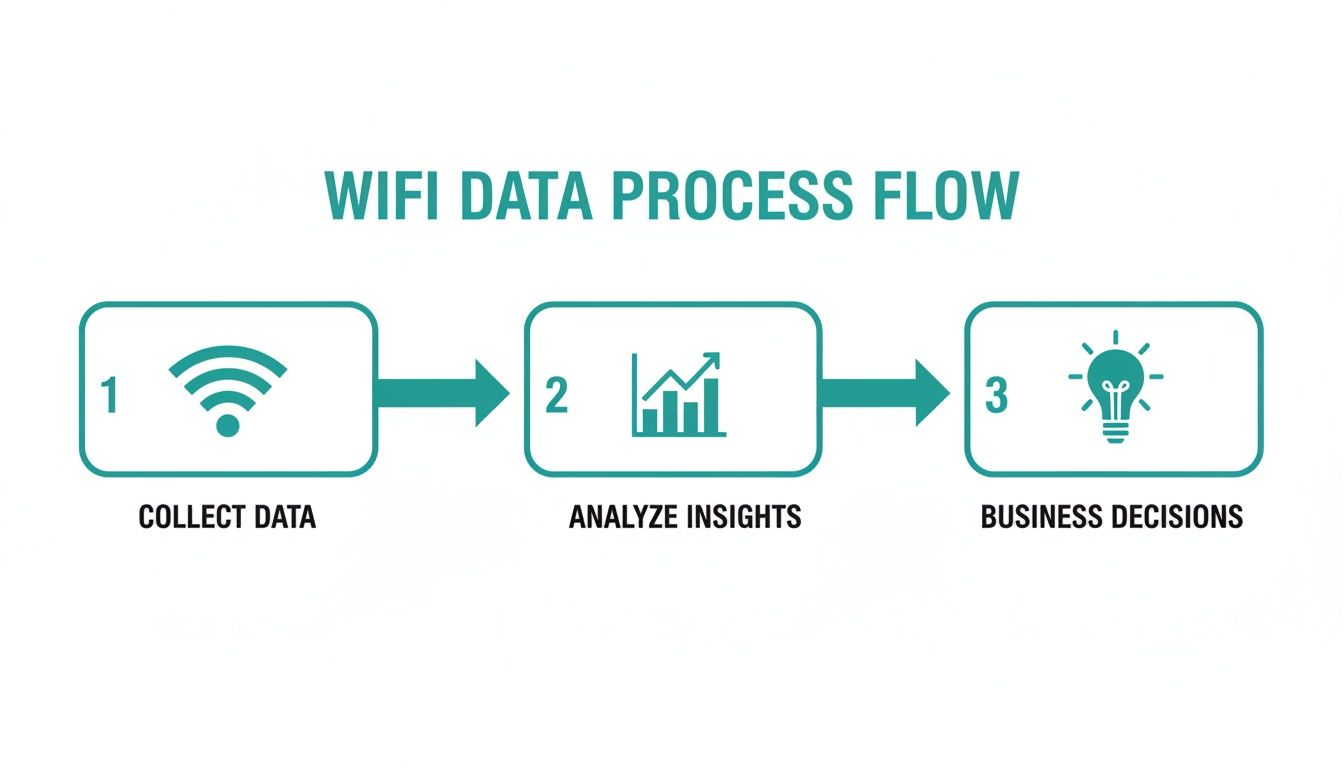
As you can see, a modern solution helps you collect raw connectivity data, analyze it for meaningful insights, and ultimately use that information to make better operational choices.
Modernizing the User Experience
With your hardware and management platform locked in, the final piece is the user experience. How do people actually get onto your network? This is where you can make a fantastic first impression, especially for guests. It’s time to move past clunky passwords and complicated instructions.
Today's onboarding should be seamless. Here are a few methods that just work:
- QR Codes for Instant Access: Let guests scan a simple QR code to connect. It’s fast, easy, and feels incredibly modern.
- API-Driven Workflows: In corporate or education environments, you can automate user setup through APIs. New employees or students can be granted access automatically as part of their standard onboarding.
- Social WiFi Login: Allow guests to connect using their social media accounts through a branded Captive Portal. This simplifies access for them while providing valuable marketing insights for you.
When picking a business WiFi solution, it's also vital to think about how it connects with your other core business systems. For example, a robust network is the backbone of your sales operations. A great resource on choosing the right types of POS systems can help you see how these technologies work together.
By focusing on a smooth user journey and selecting a scalable, easy-to-manage platform, you can build a solution that not only meets today’s needs but is ready for whatever comes next.
Common Questions About Business WiFi
Stepping up to a professional business WiFi solution is a big move, and it's perfectly normal to have questions before diving in. This is your go-to spot for answers to the most common queries we hear. My goal is to give you clear, straightforward answers that cut through the technical jargon and make you feel confident about what's next.
Investing in a modern network is about much more than just speed. It's about unlocking new ways to improve security, marketing, and how your business runs day-to-day. Let's clear up some of the key things you might be wondering about.
How Hard Is It to Set Up a Captive Portal with Social Login?
This is one of the most pleasant surprises for many businesses—it's incredibly easy with the right platform. Gone are the days of needing a team of developers to build a custom splash page from scratch. Modern solutions are designed to work hand-in-glove with hardware like Cisco Meraki, giving you Captive Portals you can get running almost instantly.
Through a simple dashboard, you can stamp your branding all over the portal, pick the social login options you want (like Facebook or Google), and decide what information to collect with user consent. The whole process is guided and often takes just a few minutes. It turns your guest WiFi into a powerful tool for engagement without a steep learning curve. This feature, often called social WiFi, is an absolute game-changer for Retail.
What Is IPSK and Why Is It Better for My BYOD Environment?
IPSK, or Individual Pre-Shared Key, is a modern security approach that gives every single user their own unique password for the WiFi network. It's the perfect blend of password simplicity and high-level, individual security. For a BYOD Corporate environment or an Education campus, this is a massive upgrade.
Instead of one shared password that can be leaked or compromised, each person gets their own key.
The real power of IPSK is in its surgical control. If a device is lost or an employee leaves, you just revoke their specific key without disrupting anyone else on the network. This dramatically boosts security and simplifies day-to-day network management.
This approach is also fantastic for accountability, since network activity can be tied to a specific user, not a generic, anonymous password. Our in-depth guide offers more detail on how to secure a WiFi network with methods like these.
Can I Manage WiFi Across Multiple Locations from One Place?
Absolutely. In fact, this is one of the core reasons people switch to a modern business WiFi solution. Cloud-managed platforms from providers like Cisco and Meraki were built from the ground up to solve this exact problem.
Whether you're running two retail shops or a hundred campus buildings across the country, you can do it all from a single web-based dashboard. Monitor network health, push out security updates, tweak captive portal designs, and manage all your users without ever leaving your desk. This centralized control is a huge time-saver for IT teams and ensures a consistent, secure, and branded experience for everyone, everywhere.
Is a Business WiFi Solution Affordable for a Small Business?
Yes, it's more accessible and cost-effective than you might think. While the initial hardware cost is higher than a consumer router from a big-box store, the total cost of ownership is often much lower. Why? Because professional-grade systems are far more reliable, which means less downtime, fewer frustrated customers, and fewer emergency support calls.
Even better, a smart WiFi system generates a clear return on your investment. The marketing opportunities from a Captive Portal and the operational insights from analytics help you make smarter business decisions that directly boost your bottom line. When you use your WiFi to attract and understand customers, the system can quickly pay for itself.
Ready to transform your connectivity into a strategic advantage? Splash Access offers a complete platform built on the power of Cisco Meraki to create secure, engaging, and intelligent WiFi experiences for any industry. https://www.splashaccess.com