Hey there! Picking the best WiFi access point isn't just about getting a strong signal anymore. It's about choosing a piece of hardware that doubles as a strategic business tool. The top solutions out there, like those from providers such as Cisco and Meraki, are built for demanding environments. They merge high-performance hardware with smart software to create secure, data-rich platforms that are fine-tuned for what your industry actually needs.
Why Your Business Needs More Than Just a WiFi Signal
Let's be honest—choosing the right WiFi access point can feel like navigating a sea of technical jargon. But what if you could turn all that complexity into a real advantage? This guide is here to cut through the noise. We'll help you pinpoint the perfect hardware for your space, whether that's a bustling Retail shop, a sprawling Education campus, or a modern BYOD Corporate office.
The need for solid, dependable connectivity is exploding. The global WiFi Access Point market was valued at USD 3,241 million in 2024 and is expected to jump to USD 5,219 million by 2032. That's not just a random number; it shows just how vital the right infrastructure has become for any modern business. You can discover more insights about the WiFi market's future here.
Unlocking Potential in Key Sectors
A truly great WiFi network is one that adapts to its environment. The best access point for a hotel won't be the best fit for a school. Let's break down how the right AP can make a difference across a few key sectors:
Education: Think about a university campus. You need a robust network that can handle thousands of student and faculty devices all at once, without skipping a beat. Security is a huge deal here, which is why Authentication Solutions like IPSK (Individual Pre-Shared Key) and EasyPSK are game-changers for managing access safely.
Retail: In a store or a mall, guest wifi is your secret marketing weapon. By setting up a Captive Portal with social login options, you give shoppers easy access and, in return, gather valuable insights for future promotions. You’ve just turned a simple connection into an engaging social wifi experience.
BYOD Corporate: In modern offices, "Bring Your Own Device" (BYOD) is the new normal. But this brings security challenges. The right AP setup includes advanced Authentication Solutions that let personal devices connect to the network without putting sensitive company data at risk. It’s all about creating a secure and flexible work environment.
To give you a clearer picture, here’s how the most critical features stack up across different sectors.
Key Access Point Features for Different Business Sectors
| Feature | Education (Schools/Campuses) | Retail (Stores/Malls) | Corporate (BYOD/Offices) |
|---|---|---|---|
| Client Density | Very High. Must support thousands of simultaneous student/faculty devices. | Medium to High. Needs to handle fluctuating crowds and shopper devices. | High. Manages a dense concentration of employee laptops, phones, and tablets. |
| Security | Critical. IPSK is essential for secure, individualised access for every user. | Important. Guest network isolation and secure payment processing are key. | Paramount. Strong authentication and network segmentation to protect corporate data. |
| User Experience | Seamless Roaming. Students and staff need uninterrupted connection across campus. | Easy Onboarding. Social logins and simple Captive Portals reduce friction. | Reliable Performance. Consistent connectivity is vital for video calls and cloud apps. |
| Analytics | Usage Monitoring. Helps IT teams track network load and identify problem areas. | Customer Insights. Captive portals gather data on foot traffic and visitor behaviour. | Device Management. Tracks all connected devices to enforce security policies. |
This table shows that there’s no one-size-fits-all solution. The "best" AP is the one that directly addresses the challenges and opportunities within your specific environment.
The real goal is to move beyond just providing an internet connection. It’s about creating a secure, intelligent platform that actively supports your organization’s objectives—whether that’s student learning, customer engagement, or employee productivity.
Throughout this guide, we'll dig into how leading hardware from brands like Cisco and Meraki, when paired with smart software, can turn a basic connection into something much more powerful. You’ll see how features like Captive Portals and guest wifi can build your brand while keeping users happy.
If you want a refresher on the basics, check out our guide on the fundamentals of access points. This will give you the foundation you need to make a smart, informed decision.
Understanding the Tech Specs That Actually Matter
Diving into the spec sheets for Wi-Fi access points can feel like trying to read a foreign language. You’ll see terms like throughput, client density, and a dizzying array of 802.11 standards. Instead of getting bogged down, let's cut through the noise and focus on what these specs actually mean for your business.
Think of WiFi 6 (802.11ax) like this: you're upgrading a winding, single-lane country road into a multi-lane superhighway. It’s built from the ground up to handle a massive volume of traffic without causing jams. This is a game-changer in high-density environments like a packed university lecture hall, a busy hotel lobby, or a BYOD Corporate office where everyone brings their own devices. It ensures that even when hundreds of people are connected, the experience stays fast and reliable for all of them.
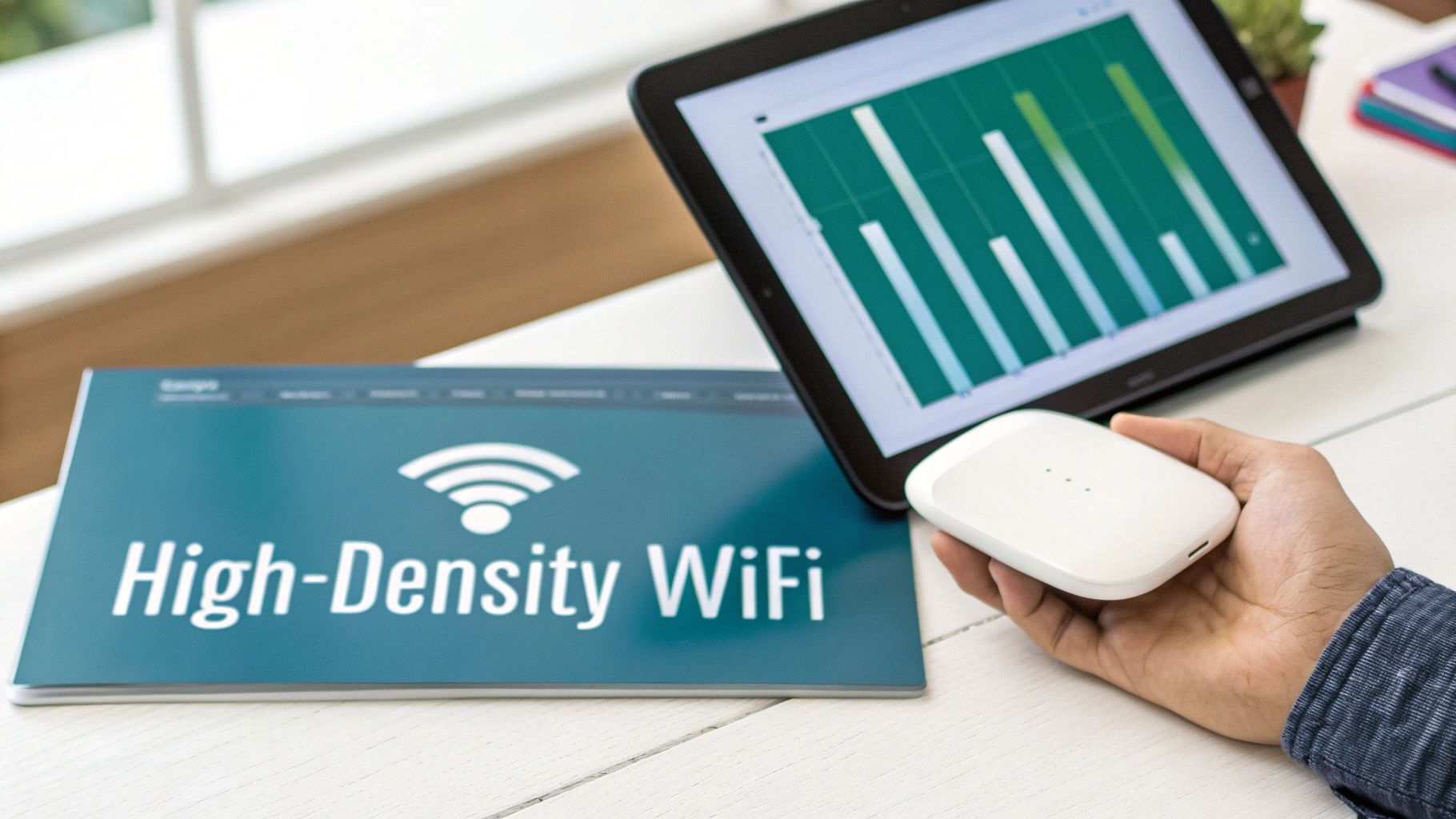
This push for better, more robust networks is why the industry is booming. The market for enterprise wireless access points is set to grow by USD 8.14 billion between 2024 and 2029. This growth is driven by a massive spike in bandwidth demand from places like schools and offices—an increase projected at a staggering 500% in that same timeframe. You can explore more on the future of wireless market growth here.
Key Features for Modern Networks
When you're comparing hardware from top-tier providers like Cisco or Meraki, a few features really stand out for their real-world impact. Getting a handle on these will help you make a much smarter investment.
Client Density: This isn't just about the maximum number of devices that can connect. It’s about how many can connect at the same time without tanking performance. An access point in a quiet hallway has vastly different needs than one in a crowded event space.
Throughput: Simply put, this is the real-world speed of your network. Higher throughput is non-negotiable for video conferencing, streaming, and large file transfers—all common activities in corporate and educational settings.
Power over Ethernet (PoE): This is a deceptively simple but powerful feature. PoE lets you run both power and data through a single Ethernet cable. That means no more hunting for power outlets near your APs, making installation cleaner, faster, and way more flexible.
The goal is to choose hardware that doesn't just meet today's demands but is also ready for tomorrow's. Matching the right Cisco or Meraki access point to your specific venue ensures you can scale your network as your user and device count grows.
Connecting Specs to Real-World Scenarios
Let's ground this in reality. A sprawling Education campus needs APs that can handle extreme client density to support thousands of student laptops and phones all at once. A Retail store, on the other hand, might focus more on creating a seamless guest wifi experience with easy onboarding through a Captive Portal that offers social login.
Meanwhile, a Corporate office with a "bring your own device" policy needs a careful blend of high performance and ironclad security. This is where advanced Authentication Solutions like IPSK or EasyPSK become critical. These technologies make sure every device connecting to the network is properly identified and secured, protecting sensitive company data. Understanding the basics of Wi-Fi standards is a great place to start, and you can learn more about the evolution from 802.11n to 802.11ac in our detailed comparison.
Turning Guest Wi-Fi Into a Strategic Business Tool
A modern Wi-Fi network is so much more than just a pipe to the internet. It's a powerful tool for engagement and a golden opportunity to connect with your audience. This is where a Captive Portal truly shines, transforming your guest wifi from a simple cost center into a valuable strategic asset. When you pick the best wifi access point hardware, you're laying the groundwork for these powerful software features to come to life.
Imagine greeting every visitor with a beautifully branded splash page the moment they connect. Instead of fumbling with a complicated password, they can get online in seconds using a simple email sign-up or through social wifi logins. This seamless experience is the first step in turning a fleeting visit into a lasting relationship.
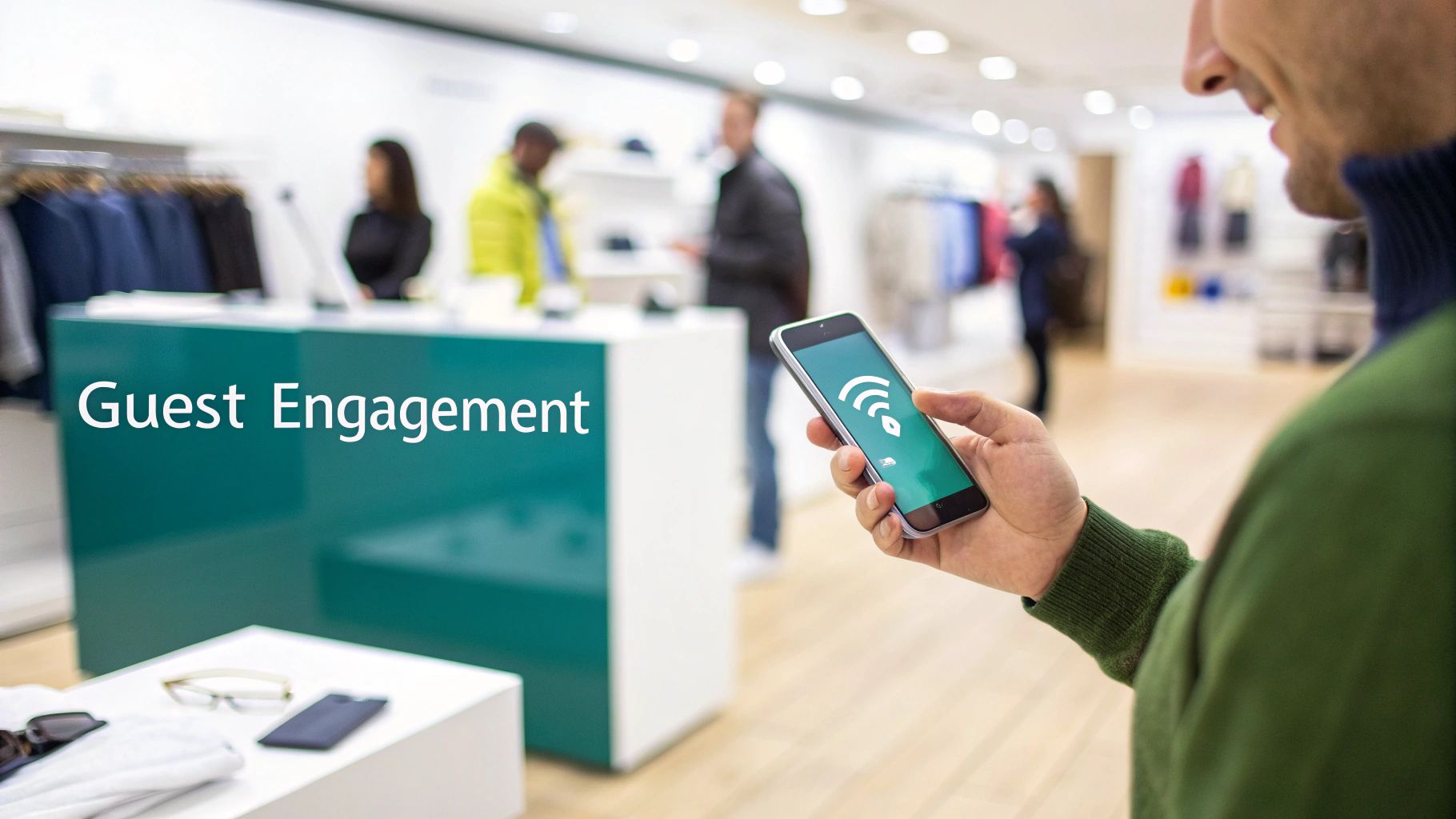
Engaging Customers in Retail Environments
For the Retail sector, a Captive Portal is a complete game-changer. When a shopper connects using a social login, you gain valuable, non-invasive marketing insights. Suddenly, you can see general demographic data, understand foot traffic patterns, and pinpoint your busiest hours.
This data is pure gold. It allows you to deliver targeted promotions directly to a visitor's device. For example, you could push a real-time discount coupon to everyone who connects to the Wi-Fi on a quiet Tuesday afternoon. Just like that, you've turned your free Wi-Fi into a direct line of communication that can boost sales and encourage repeat visits. This is the essence of smart guest wifi.
A captive portal isn't just about controlling access; it's about starting a conversation. It's the digital handshake that welcomes visitors and provides a platform to deliver value long after they've left your physical location.
Securing Access for Education and Corporate Sectors
The power of a Captive Portal extends well beyond retail. In other environments, the focus shifts from marketing to security and streamlined access control.
Education Campuses: In an Education setting, a Captive Portal can route students, faculty, and guests to different networks based on who they are. This is often paired with robust Authentication Solutions like IPSK or EasyPSK, giving every user a unique, secure key to the network. This segmentation is crucial for protecting sensitive academic data while still providing easy-to-use Wi-Fi for everyone on campus.
BYOD Corporate Offices: For Corporate environments, especially with BYOD policies, a branded Captive Portal provides a professional welcome for clients and visitors. More importantly, it ensures they are firewalled from the main corporate network, protecting sensitive internal resources. This creates a secure, tiered system where employees get full access and guests receive a convenient but isolated connection.
The Foundation of a Smarter Network
Ultimately, a Captive Portal unlocks your Wi-Fi network's true potential. It's the interface that lets you deploy advanced Authentication Solutions, gather crucial visitor analytics, and create custom user experiences. By pairing top-tier hardware, like the access points from Cisco and Meraki, with an intelligent captive portal system, you build a network that is not only fast and reliable but also actively works to achieve your business goals.
Whether you're in Retail, Education, or a Corporate office, this approach helps you understand visitor behavior and turn your network into an indispensable tool. If you're ready to go deeper, you can explore more about the possibilities of Wi-Fi marketing and how it drives business growth. It's the perfect next step in designing a network that does more than just connect—it engages.
Strengthening Your Network with Modern Authentication
Guest Wi-Fi is one thing, but the security of your primary, internal network is everything. Let's be honest, many of us have seen it: the single Wi-Fi password scrawled on a whiteboard in the breakroom. This is a massive security hole, especially in places with lots of coming and going, like BYOD Corporate offices or huge Education campuses. The second an employee leaves or a student graduates, that password is still out in the wild, forcing a major headache for IT to update everything.
This is exactly why modern Authentication Solutions are so critical. We need to get away from the "one key fits all" mindset and move to a smarter, identity-based way of controlling access. Getting this right is a huge part of choosing the best wifi access point for any security-focused environment.
Introducing Individual Pre-Shared Keys
One of the most powerful tools in our arsenal is Individual Pre-Shared Keys (IPSK). Think of it this way: instead of giving everyone the same key to the front door, IPSK gives each person and each device their own unique digital key. If someone loses their phone or leaves the company, you just disable their specific key. Nobody else is affected.
This approach massively boosts your network's defenses because every connection is tied to a known identity. That makes it way easier to monitor who is doing what and enforce specific access rules. Modern APs and systems from vendors like Cisco and Meraki are built from the ground up to handle these advanced security protocols without a hitch.
The big idea behind modern authentication is simple but powerful: access should be granted based on who you are, not just what password you know. This shift is critical for protecting sensitive data.
Making It Easy to Manage at Scale
Okay, managing thousands of unique keys sounds like a logistical nightmare, right? That’s where solutions like EasyPSK come in. These platforms handle the entire lifecycle of individual keys automatically—from creation and distribution all the way to revocation. This turns IPSK from a complex idea into a practical, scalable solution perfect for large-scale deployments.
- For Education: A university can issue a unique key to every student and faculty member that’s good for the school year. No more password sharing, and only authorized people get on the network.
- For Corporate BYOD: Companies can safely let employees bring their own devices by assigning a unique key to each phone or laptop. This keeps the corporate network safe while giving employees the flexibility they need.
The hardware itself is the foundation of this whole ecosystem. It's no surprise that high-quality access points command a huge 35.92% share of the Wi-Fi market. Even with the growth of cloud services, robust hardware is still king. North America is leading the charge, capturing 40.55% of the market, fueled by major broadband incentives and businesses rapidly upgrading their tech. Discover more insights about these market trends and their impact on Wi-Fi hardware.
Tying It All Together for Smooth Onboarding
The real magic happens when you connect these Authentication Solutions to your existing identity systems, like Azure AD or G Suite. This creates a beautifully smooth and secure onboarding process. When a new person joins the team, their network credentials are automatically created and sent to their device. When they leave, their access is instantly cut off everywhere.
This automation does more than just tighten security by getting rid of manual errors; it saves your IT team an incredible amount of time. By pairing powerful access points from vendors like Meraki with a smart authentication platform, you build a network that’s both incredibly secure and surprisingly simple to manage. If you're curious about the deeper technical side of things, you might be interested in our deep dive into 802.1X authentication, another cornerstone of enterprise-grade network security.
Designing Wi-Fi Networks for Specific Industries
Picking the best Wi-Fi access point isn't about finding a one-size-fits-all magic box. It’s all about matching the right technology to the specific environment. What works for a sprawling university campus is completely different from what a boutique Retail store or a busy Corporate office needs. A truly great Wi-Fi network starts with a deep dive into the unique challenges and opportunities of your industry.
For instance, an access point in a school isn’t just pushing out a signal; it’s juggling thousands of simultaneous connections in a packed lecture hall. In a retail shop, that same AP’s job is to create an engaging guest wifi experience. It’s all about tailoring the hardware and software to solve real-world problems and unlock new possibilities.
Education: The High-Density Challenge
In the Education sector, the name of the game is density. A modern campus has thousands of students, faculty, and staff—and each person brings multiple devices like laptops, tablets, and smartphones. The network has to handle this massive, constant load without breaking a sweat, especially during peak times in libraries, dorms, and classrooms.
But it's not just about capacity; security is paramount. A single, shared password for an entire campus is a disaster waiting to happen. This is where more advanced Authentication Solutions like IPSK completely change the game.
- Individual Pre-Shared Keys (IPSK): Instead of one password for everyone, IPSK assigns a unique, secure key to each individual student and staff member. This ties access directly to a person, dramatically improving security and making network management far simpler.
- Seamless Onboarding: When you pair this with tools like EasyPSK, the whole process becomes automatic. A new student gets their credentials upon enrollment, and when they graduate, their access is revoked just as easily—all without disrupting anyone else on the network.
This approach creates a secure, manageable, and high-performance network that can actually keep up with the demands of modern learning.
Retail: Creating Engaging Customer Experiences
For Retail businesses, Wi-Fi has become a powerful tool for customer engagement. The goal is to move beyond just offering free internet and create a branded experience that delivers value to both the shopper and the business. This is where Captive Portals and social wifi really shine.
When a customer connects, they’re greeted with a custom splash page. Instead of hunting for a password, they can use a social login (like Facebook or Google) to get online in a single click. This simple interaction opens up a world of possibilities, allowing retailers to gather valuable marketing insights and build stronger relationships with their customers. It’s a true win-win: customers get hassle-free access, and the business learns more about who is visiting their store.
Corporate: Securing the BYOD Environment
In the Corporate world, the explosion of "Bring Your Own Device" (BYOD) policies has introduced a whole new layer of security complexity. Employees expect to connect their personal devices, but IT teams have the critical job of ensuring sensitive company data remains protected. Here, security isn't just a feature; it's a fundamental requirement.
This is why a rock-solid Authentication Solution is non-negotiable. By implementing an IPSK or EasyPSK system, companies can safely onboard employee-owned devices. Each device gets its own secure credential, ensuring that only authorized users can access corporate resources. This segmentation is absolutely crucial for preventing unauthorized access and potential security breaches.
The diagram below shows a simplified view of how different types of devices should securely connect to a main network—a core concept for any of these environments.
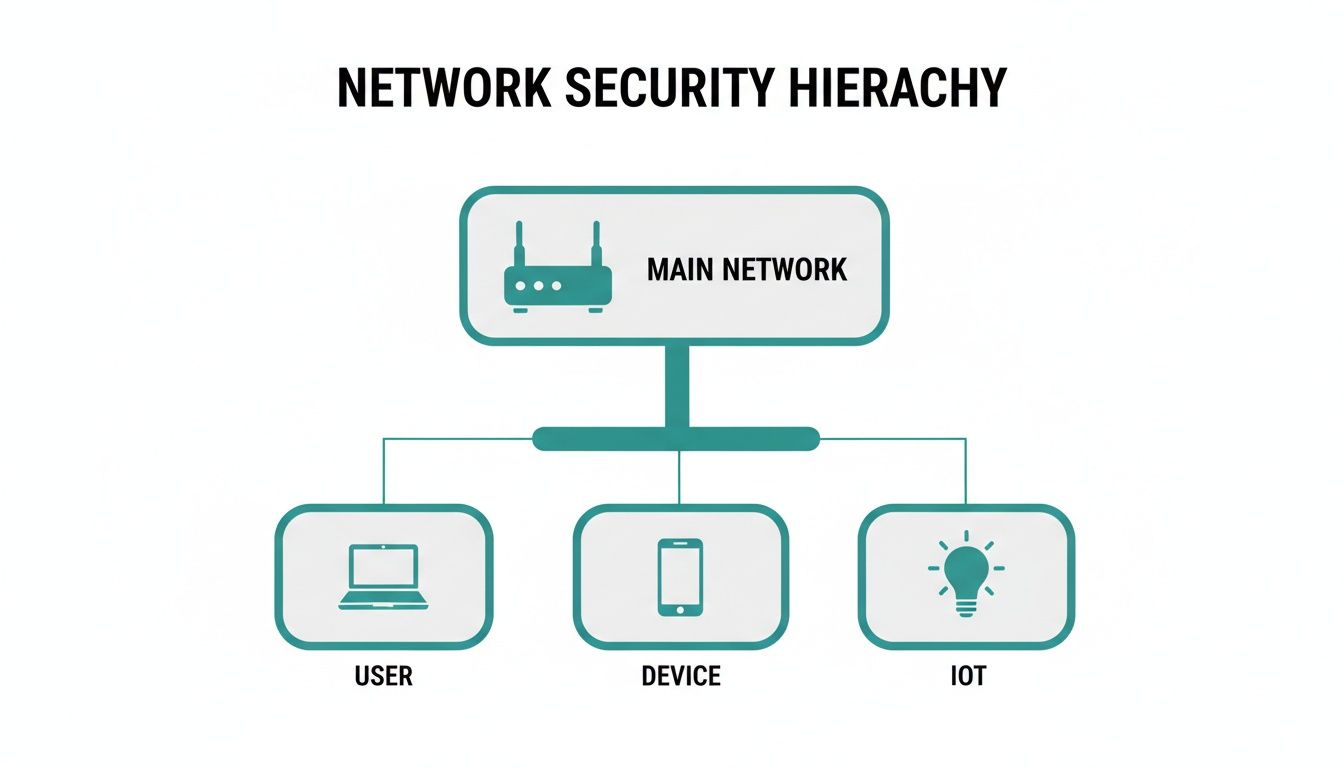
This hierarchy makes it clear that every connection point—whether it's a user, a personal device, or an IoT gadget—must be authenticated and managed to protect the core network.
Choosing the right authentication method is a critical step in this process. The table below compares some common solutions to help you decide which is the best fit for your needs.
Choosing the Right Authentication Method
| Authentication Method | Primary Benefit | Ideal Environment | Security Level |
|---|---|---|---|
| Open Network | Easiest access | Public spaces, temporary events | Very Low |
| Single Pre-Shared Key (PSK) | Simple to set up | Small offices, home networks | Low |
| Captive Portal / Social Login | Gathers marketing data | Retail, hospitality, venues | Medium |
| Individual PSK (IPSK) | High security, simple for users | Education, Corporate BYOD | High |
| 802.1X / RADIUS | Granular user control | Enterprise, government | Very High |
As you can see, the "best" method really depends on what you're trying to achieve—balancing ease of use with the level of security your organization requires.
No matter the industry, the core principle remains the same: the best Wi-Fi network is one that is thoughtfully designed. It balances performance, user experience, and security to meet the specific demands of its environment.
By combining powerful hardware with smart software solutions, any organization can build a network that is not only reliable but also a strategic asset. If you're ready to dig into the technical side of things, check out our guide on access point design to learn more about creating the ideal layout for your space.
Frequently Asked Questions
Digging into the world of Wi-Fi always brings up a few questions. We get it. To help you sort through the tech talk and make the right call, we’ve put together answers to some of the most common queries we hear.
What’s the Difference Between a Router and a WiFi Access Point?
It’s easy to get these two mixed up, but they play very different roles. Think of a router as your network's air traffic controller. It sits at the edge of your network, managing all the data coming in and going out, and it's responsible for assigning addresses to every device so data gets to the right place.
An access point (AP), on the other hand, is more like a powerful antenna. Its sole job is to take that wired network connection and broadcast a strong, reliable Wi-Fi signal. In any professional setup, whether it’s with hardware from Cisco or Meraki, you’ll have one central router doing the heavy lifting while multiple access points are strategically placed to blanket the entire area with seamless coverage. This is how you kill dead zones for good.
How Does a Captive Portal with Social Login Benefit My Business?
A Captive Portal with social wifi login turns your free guest wifi from a simple cost into a serious marketing asset. Instead of making guests hunt down a password, you greet them with a branded welcome page where they can log in using an account they already have, like Facebook or Google.
The experience is smooth for them, but the real win is for you. With their permission, you gain valuable demographic insights that help you understand who your customers are. For a Retail store, this could mean encouraging social media check-ins right from the portal or sending out targeted promotions. It’s a simple, brilliant way to make your Wi-Fi work for your business.
The real power of a captive portal is that it turns a utility into an experience. It’s your digital handshake, welcoming guests and opening a new channel for you to connect with them.
Why Is IPSK Better Than a Single WiFi Password?
Sharing a single Wi-Fi password across your entire organization is like handing out copies of the same master key to your building. If one person loses that key or leaves the company, you're stuck changing the locks and reissuing keys to everyone. It's not just a hassle; it's a huge security hole.
IPSK (Individual Pre-Shared Key) is a much smarter and more secure approach. Using a system like EasyPSK to manage it, every person or device gets its own unique "digital key." If an employee in a corporate BYOD setting leaves, or a student in an Education environment loses their laptop, you just deactivate their specific key. Nobody else is affected. This gives you pinpoint control, dramatically boosting security and simplifying your life.
How Many Access Points Do I Need for My Building?
Figuring out the right number of APs is part art, part science. There's no single magic number, as it really comes down to a few critical factors:
- Size and Layout: How much square footage are you trying to cover?
- Building Materials: Concrete and metal are Wi-Fi killers; drywall is much friendlier.
- Client Density: How many people and devices will be connected at once?
A professional site survey is always the gold standard, but a solid rule of thumb for a typical office is one quality AP for every 1,500 to 2,500 square feet. But remember, a high-density zone like an auditorium, a busy retail floor, or a lecture hall will need more APs placed closer together to handle the sheer volume of connections. Cloud-managed platforms, like those from Meraki, include fantastic planning tools that help you visualize coverage and pinpoint the perfect spots for deploying the best wifi access point for your needs.
Ready to turn your network into a secure and engaging platform? Splash Access offers an advanced captive portal and authentication system designed to work seamlessly with your Cisco Meraki hardware. Find out how we can help you build a smarter, data-rich Wi-Fi experience at https://www.splashaccess.com.