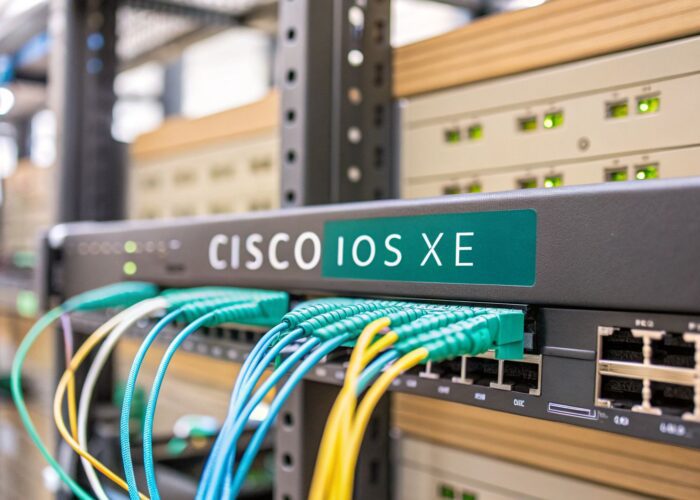
Hey there! When you're on the hunt for the best WiFi access point, the conversation should really go beyond just raw speed. It's all about finding a smart device that can handle your network traffic like a pro, especially when things get busy. For most businesses, this means starting with a powerful, cloud-managed AP. These are the real workhorses, giving you the reliability and top-notch security features you need for crowded spaces.
Finding the Right WiFi for Unbeatable Connectivity
Welcome to our friendly guide on picking the perfect WiFi access point for your business. We're going to skip the super-dense technical jargon and focus on what really matters: building a smooth, secure, and valuable connection for every single person who walks through your door.
If you’ve ever tried to make a standard, off-the-shelf router work for a business, you already know the pain. Those devices are built for a handful of users at home, not for the constant demands of a busy retail store, a dynamic corporate office, or a sprawling education campus.
Beyond Basic Internet Access
In any professional space, your WiFi network has a much bigger job than just connecting people to the internet. It needs to handle dozens, sometimes hundreds, of users at once, protect sensitive company data, and deliver a polished, professional experience. This is where professional-grade hardware, like the powerful and reliable access points from vendors such as Cisco and Meraki, completely changes the game.
A high-quality access point stops being a simple utility and becomes a real business asset. It’s the foundation for:
- Secure Guest WiFi: Give visitors a solid connection without ever exposing your internal network.
- Valuable Customer Insights: Get a real sense of foot traffic, how long people stay, and how often they return to make smarter decisions.
- Seamless Daily Operations: Make sure critical tools—from point-of-sale systems to inventory scanners and employee tablets—are always online and responsive.
Powering Modern User Experiences
Let's be honest, today's workplaces and commercial venues are flooded with personal devices. Whether it's a corporate BYOD (Bring Your Own Device) policy or a busy education campus, managing a constant stream of smartphones, tablets, and laptops is a huge challenge. The right infrastructure is what makes this manageable and secure.
If you want a deeper dive into the basics, our guide on what access points are and how they work is a great place to start.
This is where sophisticated tools become non-negotiable. A well-chosen access point acts as the gateway to advanced authentication solutions and user-friendly onboarding systems, turning what could be a massive headache into a major advantage.
Think about it: Captive Portals let you create branded login pages with social login options (often called social wifi), helping you build your marketing presence. At the same time, security tools like IPSK (Individual Pre-Shared Key) or EasyPSK can generate a unique, secure password for every single user—a game-changer for protecting data in retail and corporate environments.
Ultimately, choosing the right AP is the first and most critical step in building a network that isn’t just fast, but genuinely smart.
Understanding the Tech Specs That Actually Matter
Diving into a spec sheet for a Wi-Fi access point can feel like trying to read another language. All those acronyms and numbers can be intimidating, but we're going to cut through the noise. Let's focus on the handful of terms that directly impact performance for your business, whether you're running a hotel, a school, or a corporate office.
You don't need to be a network engineer to choose the right gear. You just need to know what to look for.
Your Digital Highway: Wi-Fi 6 and MIMO
The biggest term you'll see everywhere today is Wi-Fi 6 (or 802.11ax). This isn't just a small update; it's the current standard for high-performance wireless, and it’s a massive improvement over older versions. If you want to see just how far we've come, you can check out the key differences in our article on 802.11ac vs 802.11n standards.
The real magic of Wi-Fi 6 isn't just raw speed for a single user. Its genius is how gracefully it handles crowded environments.
That brings us to MIMO, which stands for "Multiple-Input, Multiple-Output."
Think of your Wi-Fi network as a highway. Older Wi-Fi was a single-lane road. MIMO is like adding multiple lanes, allowing the access point to communicate with many devices at the same time. This prevents the digital traffic jams that happen when everyone in a conference room or lecture hall tries to get online at once.
MIMO is absolutely critical for managing high client density—that's just the industry term for a lot of devices packed into one area. For a busy coffee shop, a university library, or a hotel lobby, solid MIMO capability is non-negotiable.
Smarter Signals and Simpler Setups
Next on the list is beamforming. Instead of just broadcasting a Wi-Fi signal in every direction like an old-school lawn sprinkler, beamforming is more like a precision water jet. The access point actually detects where your phone or laptop is and focuses the signal directly at it.
The result? A stronger, more stable connection with fewer dead spots and a lot less user frustration.
Then there's Power over Ethernet (PoE). This is a game-changer for installations. PoE lets a single Ethernet cable carry both data and the electrical power needed to run the access point. You don't need to hire an electrician to run new outlets in the ceiling or on high walls. Just one cable does it all, which dramatically simplifies deployment and keeps costs down.
The Foundation of Secure Connections
Before you can even think about guest portals or fancy authentication, you have to nail the fundamentals of security. That starts with WPA3, the latest security protocol that makes it significantly harder for anyone to eavesdrop on your network traffic.
Think of WPA3 as the reinforced, locked front door to your network. This is your first and most important line of defense. Enterprise-grade hardware from vendors like Cisco and Meraki uses this as a starting point, giving you a secure foundation to layer on more advanced tools like Captive Portals and secure authentication solutions such as IPSK and EasyPSK.
The need for this level of performance is exploding. Industry forecasts show that bandwidth demand in the enterprise wireless sector is set to jump by an incredible 500% in the next five years. This growth is driven by the shift to cloud applications in corporate, co-working, and education spaces. To keep up, the market is projected to grow by USD 8.14 billion by 2029, with businesses leading the charge by adopting advanced Wi-Fi 6 devices. You can read more about these market trends and the future of wireless access points to see where the industry is headed.
Once you understand these core specs, you can see right through the marketing fluff. You’ll know exactly how each feature translates into a real-world benefit—whether that's a seamless experience for students in a BYOD environment, reliable point-of-sale systems in retail, or a rock-solid, secure network for your corporate team.
Picking the Right Wi-Fi for Your Business Environment
When it comes to choosing a Wi-Fi access point, there’s no magic bullet. The "best" model doesn't exist in a vacuum; it’s all about matching the hardware to the unique rhythm and demands of your space. A one-size-fits-all approach is a surefire recipe for frustration—think dropped connections, sluggish speeds, and glaring security holes.
Let's have a friendly chat about how different industries can build a Wi-Fi network that feels less like a utility and more like a powerful, custom-built business tool.
Powering the Modern Retail Experience
In retail, your Wi-Fi network is the invisible engine driving your entire operation. It's so much more than just offering a connection to shoppers. A solid network, built on capable hardware from vendors like Cisco Meraki, can juggle multiple critical systems at once without even breaking a sweat.
Picture everything that needs to connect simultaneously:
- Point-of-Sale (POS) Systems: These have to be online and snappy 24/7 to process payments and keep the checkout lines moving.
- Inventory Scanners: Your staff needs a reliable signal from the stockroom to the sales floor to manage inventory in real time.
- Customer-Facing Guest Wi-Fi: Shoppers don't just want free Wi-Fi; they expect it to be fast and easy to access. A great guest network keeps them in your store longer and improves their overall experience.
A smart retail Wi-Fi setup also doubles as a business intelligence tool. By integrating a Captive Portal with social login options (social wifi), you can organically grow your marketing lists and social media following. The network data itself can reveal foot traffic patterns, dwell times, and peak hours, giving you a clear view of your store's pulse.
Meeting the Demands of Education and BYOD Campuses
The education sector is one of the toughest Wi-Fi challenges out there. Classrooms, lecture halls, and dorms are packed with devices, especially now that BYOD (Bring Your Own Device) is the norm. Every student, professor, and staff member might have a laptop, a smartphone, and a tablet all trying to connect at the same time.
This is exactly the kind of environment where high-density access points prove their worth. They're specifically engineered to handle hundreds of simultaneous connections without bogging down. On a campus, the goal is simple but ambitious: provide fair, secure, and reliable access for everyone, everywhere.
Security is non-negotiable here. You need a system that can onboard thousands of new students each semester while protecting the core institutional network. That's where advanced authentication solutions become absolutely essential.
Secure and Smart Corporate Networks
In a corporate office or a co-working space, the Wi-Fi network needs to be two things at once: flexible and rock-solid secure. Employees demand fast, uninterrupted access to cloud apps and internal files, while guests need a simple, isolated way to get online without ever touching the company’s private network.
The old-school method of using one password for guests and another for employees is a major security risk. A much better approach is network segmentation, which creates separate, firewalled virtual networks for different groups of users.
This is where technologies like IPSK (Individual Pre-Shared Key) and EasyPSK change the game. Instead of one shared password for everyone, each employee or even each device gets its own unique key. If an employee leaves or a device goes missing, you just revoke that one key without disrupting the entire company.
This strategy delivers a powerful combination of tight security and simplified management. It locks down the network in a BYOD corporate environment and makes sure visitors, employees, and company-owned devices stay in their proper digital lanes.
WiFi Access Point Feature Checklist by Business Sector
Choosing the right AP means focusing on the features that matter most for your specific environment. This table offers a quick guide to help you prioritize.
| Feature/Capability | Retail & Malls | Education & Campus | Corporate & BYOD | Hospitality & Hotels |
|---|---|---|---|---|
| High Client Density | Medium | CRITICAL | High | High |
| Guest Network Isolation | CRITICAL | High | CRITICAL | CRITICAL |
| PoE+ Support | High | High | High | High |
| Captive Portal Integration | CRITICAL | High | High | CRITICAL |
| Location Analytics | High | Medium | Low | Medium |
| Advanced Security (WPA3) | High | CRITICAL | CRITICAL | High |
| IPSK/EasyPSK Support | Medium | High | CRITICAL | High |
| Band Steering | High | CRITICAL | High | High |
This checklist isn't exhaustive, but it highlights how priorities shift from one sector to another. A retail space thrives on analytics and guest engagement, while a corporate office places the highest premium on security and device-level access control.
Whether you're in retail, education, or a corporate setting, you can learn more about finding the right business Wi-Fi solutions for your specific needs to ensure your network is a true asset, not a liability.
Unlocking Business Value with a Captive Portal
Think of your Wi-Fi network as more than just an internet pipe. It’s a powerful tool for marketing, security, and customer engagement, just waiting to be switched on. Moving beyond a simple shared password by using a Captive Portal is how you create a branded, interactive, and secure experience for every single visitor.
A Captive Portal is that professional welcome screen users see right after selecting your network. Instead of a sterile password box, they’re greeted with your brand's look and feel. Platforms like Splash Access integrate smoothly with high-performance hardware from vendors like Cisco Meraki, letting you deploy beautiful, custom splash pages that immediately make your business look more professional.
This simple change transforms your free guest wifi from a basic amenity into a direct line of communication. You can share promotions, announce upcoming events, or simply reinforce your brand identity from the moment someone connects.
More Than Just a Pretty Welcome Screen
A well-designed captive portal opens up a world of flexible authentication solutions that you can match to your specific needs. This is where you move from basic access to smart onboarding methods that deliver real business value.
Here are a few popular ways to do it:
- Simple Click-Through: This is the easiest method for users. They just agree to your terms of service with a single click and are instantly online. It’s completely frictionless and perfect for places like coffee shops or quick-service restaurants.
- Social Login (social wifi): Let users connect using their social media credentials. This is a fantastic way to grow your online presence organically, as people can "like" or "follow" your page in exchange for access.
- Voucher-Based Access: Perfect for hotels or conference centers, this method allows you to generate unique codes for timed Wi-Fi sessions. You get complete control over who is on your network and for how long.
- Secure Corporate Guest Access: For BYOD corporate environments, you can integrate with directories like Azure AD. This gives visiting partners or clients secure, authenticated access without ever touching your internal network.
Choosing the right authentication method really depends on your business. The guide below helps visualize how different types of organizations can think through their Wi-Fi strategy.
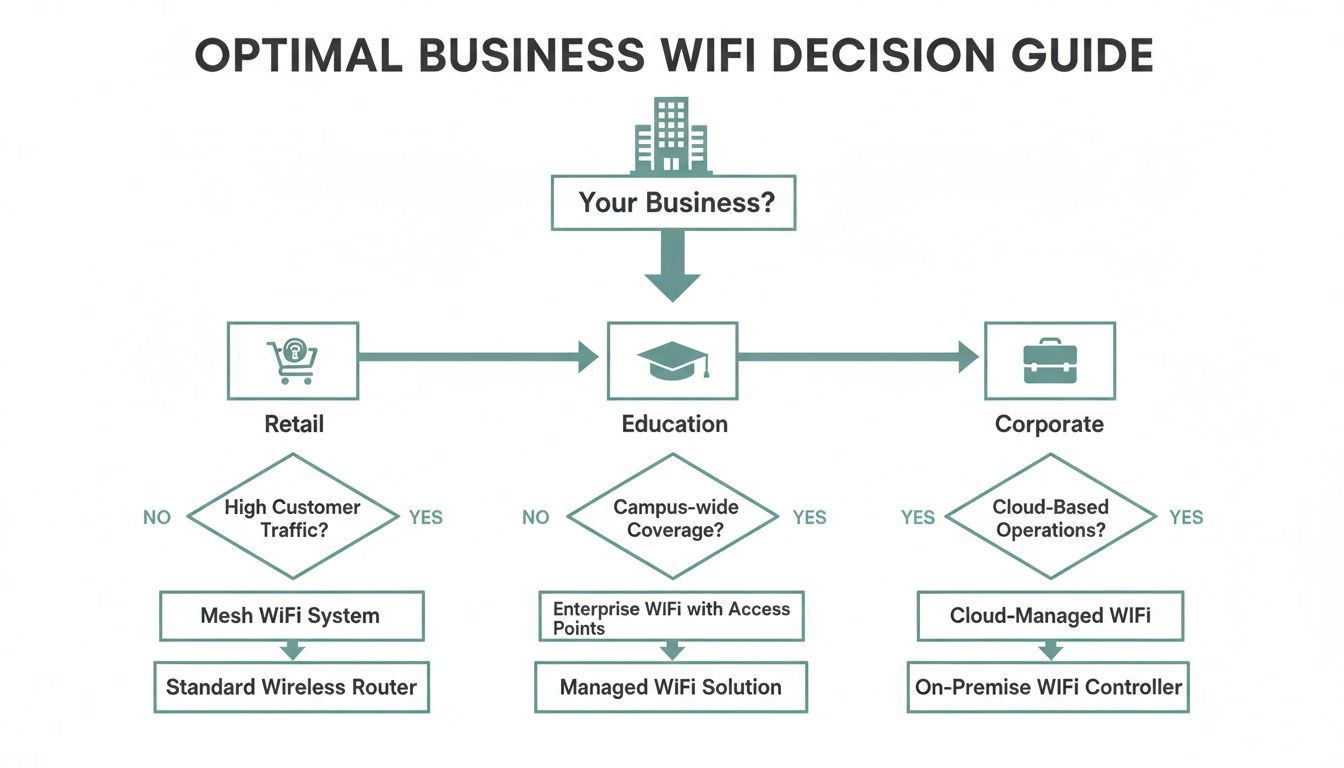
As you can see, sectors like retail, education, and corporate have very different primary goals, which points them toward the most effective Wi-Fi setup for their specific needs.
Turning Connectivity into a Strategic Asset
The real magic of a captive portal is its ability to turn a cost center—your internet bill—into a strategic asset. Every single login becomes an opportunity to learn and engage. Your physical hardware is the foundation, but the portal is where the strategy comes to life.
Public Wi-Fi hardware, led by access points, dominated the market with a 61.05% share in 2023. This just shows how vital the right infrastructure is in venues like airports and shopping malls. At the same time, cloud-managed models captured 60.10% of revenue, signalling a clear shift toward SaaS solutions that simplify management for multi-location retail chains or large education campuses.
By combining the best Wi-Fi access point with a smart portal, you unlock a treasure trove of data. You can track foot traffic patterns, understand how long visitors stick around, and even identify your most loyal customers. This information is pure gold for making smarter business decisions, from adjusting staffing levels to fine-tuning your marketing campaigns.
For a deeper dive, check out our complete guide to Wi-Fi captive portals.
Ultimately, a Captive Portal bridges the gap between your physical space and your digital presence. It ensures your network is not only secure and easy to use but is also actively working to grow your business. This is how you find the best WiFi access point solution—by pairing great hardware with even smarter software.
Ditching the Shared Password: Why IPSK and EasyPSK are Your Network’s Best Friends
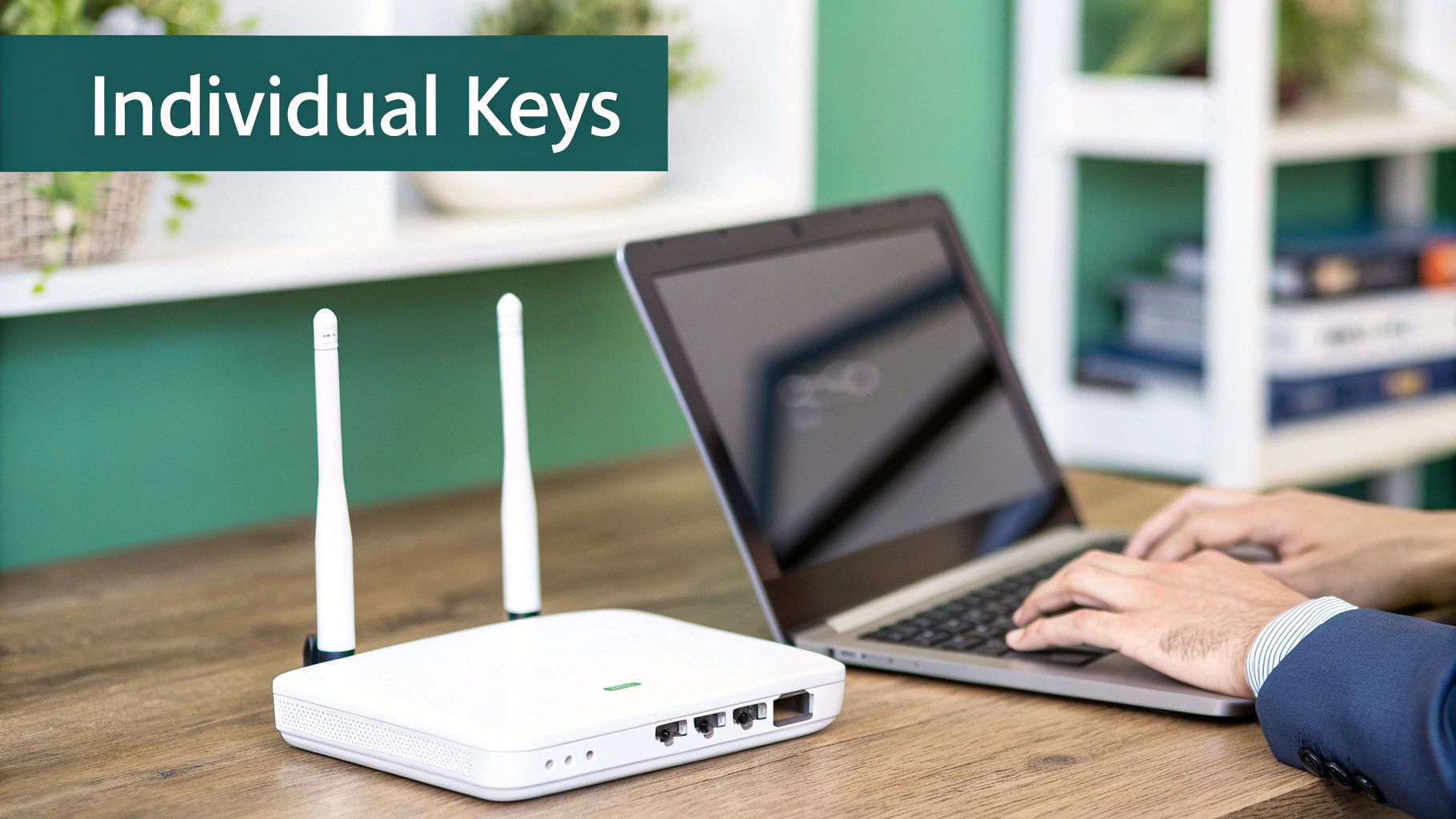
Let's be honest, the classic shared password is one of the biggest headaches in network management. You know the one—it's scribbled on a whiteboard, emailed around the office, and probably known by half the neighborhood. It's a security nightmare just waiting to happen.
The second an employee leaves or a password leaks, your entire "secure" network is compromised. This is a massive issue in any dynamic setting, from corporate BYOD environments and bustling education campuses to even long-term guest networks in retail. Changing that password means a frantic scramble to update every single device, creating chaos and downtime. There has to be a better way.
A Smarter, Simpler Approach to Wi-Fi Keys
Thankfully, there is. Meet the Individual Pre-Shared Key, or IPSK. The concept is brilliantly simple: instead of one password for everyone, what if every user or device got its own unique, personal key to the Wi-Fi?
This one change completely flips the script on network security and day-to-day management. It gives you the simplicity of a password with the granular, individualized security modern businesses demand. Newer, streamlined versions like EasyPSK make this powerful tech even more straightforward to deploy.
Think about it: an employee resigns. Instead of a frantic, office-wide password reset, you just log into your dashboard and revoke that one person's key. Instantly, their access is cut off, and nobody else is even aware anything changed. It’s that clean and that powerful.
This level of control is a non-negotiable feature when you're searching for the best WiFi access point for your needs. When you pair these advanced authentication solutions with a robust platform like a Cisco Meraki network, you can manage everything effortlessly from a single cloud dashboard.
How IPSK Makes a Real-World Difference
The practical applications for this are huge, especially where device turnover is high and security can't be an afterthought.
- BYOD Corporate Offices: Managing personal phones and laptops is a constant battle. With IPSK, you can issue a unique key to each employee for their devices. This ensures only authorized staff can connect and gives you a clear view of exactly who is on your network.
- Education Campuses: In student dorms, a shared password is an open invitation for trouble. IPSK allows universities to assign each student a personal, secure password for the semester. At the end of the year, all keys can be automatically expired, leaving the network fresh and secure for the next cohort.
- Retail and Hospitality: Got a long-term contractor or a pop-up vendor on-site? You can give them secure, timed access with a key that automatically expires when their project is done. This keeps your main network completely isolated and safe.
By moving away from the "one key fits all" model, you drastically shrink your attack surface. For a deeper dive into the mechanics, you can explore the fundamentals of IPSK with RADIUS authentication. It's the perfect middle ground, offering a secure and seamless onboarding experience without the overhead of complex, enterprise-grade protocols.
More Than Just an Access Point: Building a Future-Proof Network
Picking the right Wi-Fi access point is a huge first step, but it’s just that—a first step. To build a network that truly works for your business today and scales with you tomorrow, you need to think bigger. The real magic happens when you pair top-tier hardware, like the access points from Cisco Meraki, with an intelligent, flexible management platform.
This combination is what unlocks real value across different industries. In a retail setting, it's the difference between just offering guest wifi and actually understanding customer foot traffic. For a school in the education sector, it means securely wrangling thousands of personal devices in a BYOD environment without grinding performance to a halt. And for corporate offices, it’s about giving your team the rock-solid, dependable connectivity they need to get work done.
Investing in a Smart, Adaptable Foundation
Future-proofing isn't about guessing what's next; it's about building a foundation that can adapt to anything. When you opt for a cloud-managed solution, you’re making a smart, long-term investment. Your network stays current with the latest security patches and features automatically, so you're not constantly playing catch-up.
This frees you up to focus on the bigger picture. Suddenly, your network isn't just a utility—it's a tool for engagement and security. You can roll out a branded Captive Portal with easy social login options (social wifi). Or you can lock down access with powerful authentication solutions like IPSK and EasyPSK to ensure only the right people get on the network.
The demand for this kind of powerful, intelligent connectivity is skyrocketing. The global WiFi Access Point market was valued at USD 3,241 million in 2024 and is expected to climb to an impressive USD 5,219 million by 2032. This isn't just hype; it's driven by the real-world need for next-generation standards like WiFi 6 and the upcoming WiFi 7, especially in crowded venues. You can dive deeper into the explosive growth of the WiFi access point market to see the full picture.
In the end, building a future-proof network is about choosing a system that is flexible, secure, and ready for whatever comes its way. By pairing best-in-class hardware with a smart management platform, you’re not just installing Wi-Fi; you’re giving your business a competitive edge.
Frequently Asked Questions
Still have a few questions rattling around about choosing the right Wi-Fi access point or setting up a killer guest network? Good. You've come to the right place. We've pulled together the most common questions we hear and answered them in plain English.
What Is a Captive Portal and Why Do I Need One?
Ever connected to Wi-Fi at a coffee shop or hotel and been greeted by a branded login page? That's a Captive Portal. Think of it as the digital front door to your network—instead of a generic password box, it’s a professional welcome mat that reflects your brand.
You need one because it transforms a basic internet connection into a genuine business asset. In retail, education, and even corporate environments, it’s your first point of contact. With a Captive Portal, you can ask guests to accept your terms of service or connect using a social login (social wifi), which is a fantastic way to boost your online following with very little effort.
How Is IPSK Different From a Standard Wi-Fi Password?
A standard Wi-Fi password is like having one master key for your entire building. You give it to everyone, and if one person misplaces it or shares it, your whole network security is compromised. It's a simple but incredibly blunt instrument.
IPSK (Individual Pre-Shared Key) and its more user-friendly cousin, EasyPSK, are a much smarter approach. These authentication solutions give each user or device its own unique, private "key" to the network. This is a game-changer for BYOD corporate setups, as you can grant or revoke access for a single person's devices without disrupting anyone else. It's the perfect blend of serious security and straightforward management.
Can I Easily Manage Wi-Fi Across Multiple Locations?
Absolutely. In fact, this is one of the biggest reasons businesses move to cloud-managed networking with hardware from vendors like Cisco and Meraki. You get a single web-based dashboard that gives you a bird's-eye view of your entire network.
From that one screen, you can monitor performance, push out updates, and troubleshoot issues across all your access points, whether you have two locations or two hundred. For a retail chain or a university with multiple campuses in the education sector, this centralized control is huge. It ensures every user gets a consistent, secure experience, and you don't need a dedicated IT pro on-site at every single location.
Ready to turn your guest Wi-Fi from a simple utility into a powerful business asset? Splash Access gives you everything you need, from beautiful captive portals to secure IPSK authentication, all designed to work seamlessly with your Cisco Meraki hardware. Discover how we can help your business connect, engage, and grow. Learn more at https://www.splashaccess.com.